
북마크
이 북마크의 제목을 입력하세요.
북마크가 저장되었습니다
| 개발자: | Deependu Mistri (1) | ||
| 가격: | 무료 신규 | ||
| 종합 점수: | 900 실버 | ||
| 순위: | 0 | ||
| 댓글: | 0 댓글 게시 | ||
| 목록: | 0 0 | ||
| 포인트: | 0 | ||
| +1 포인트 | |||
요약
소개합니다. Deependu Mistri에서 만든 ‘개발자 도구’ 카테고리 앱, PacketSniffer.
새로 나온 앱이에요. 에 나왔으니 지금 써 보면 얼리어답터예요.
무료. 광고도 인앱 구매도 없어요. 앱에만 집중하면 돼요.
Microsoft Store는 Windows에 기본으로 들어 있어서 클릭 몇 번이면 설치돼요.
AppAgg 점수는 900. 실버 등급, 이 정도면 꽤 괜찮아요.
겨우 33메가바이트. 꽉 찬 드라이브에도 쏙 들어가요.
연령 등급은 ‘EVERYONE’, 아이들에게도 괜찮아요.
지원 언어는 딱 하나, 그런데 한국어는 아니에요.
AppAgg에서는 아직 아무도 평가하지 않았어요. 첫 번째가 될 기회는 바로 지금이에요.
AppAgg에 있는 이 개발자의 유일한 앱이에요. 아직까지는요.
업데이트와 새 앱 소식을 가장 먼저 받고 싶나요? 개발자를 팔로우하거나 RSS 피드를 구독하세요. 푸시 알림은 Android와 iOS용 AppAgg Alerts 앱으로 받을 수 있어요.
광고
다른 플랫폼 0
가격 기록 0
- 현재 가격: 무료
- 최소: 무료
- 최대: 무료
홈 화면의 나만의 피드
“신규 및 업데이트” 피드의 플랫폼을 선택하면 홈 화면에 필요한 앱과 게임만 표시됩니다.
스크린샷 6
설명

KEY FEATURES
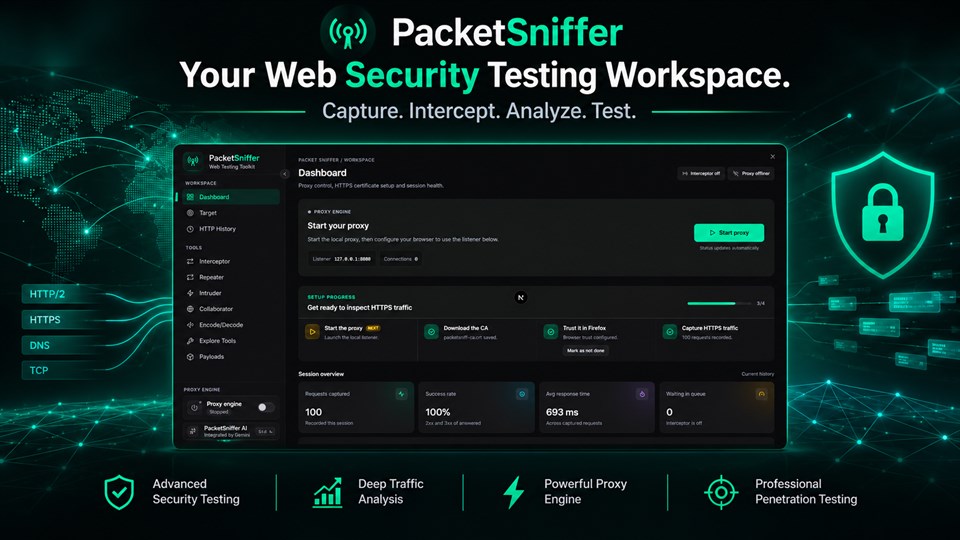
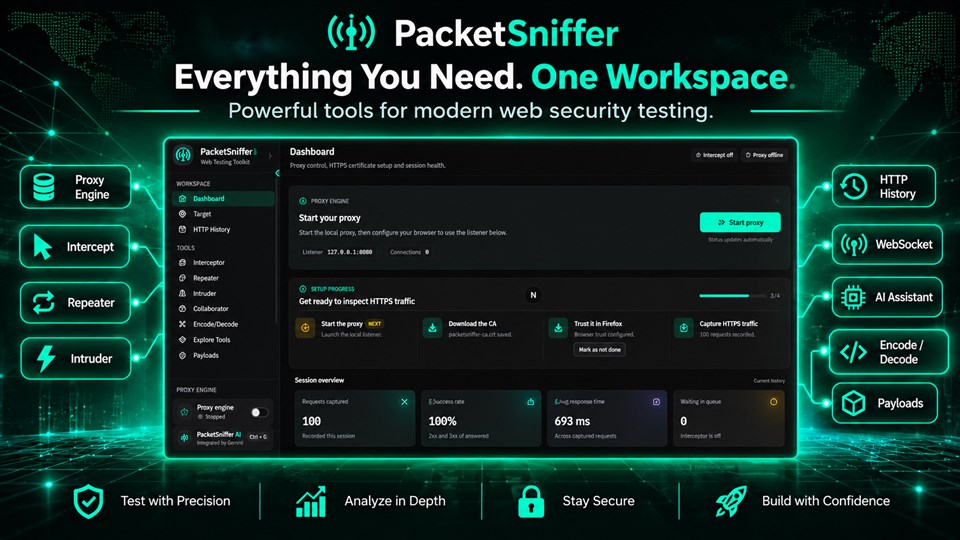
1. HTTP/HTTPS Proxy
Local HTTP/HTTPS proxy server
Real-time traffic capture and monitoring
Proxy start/stop controls
Root CA certificate generation and export
Centralized traffic management
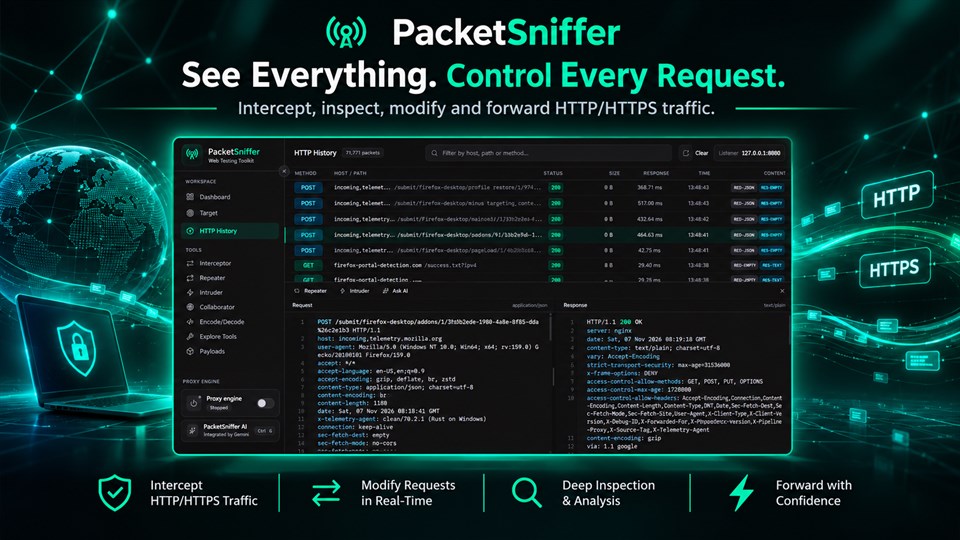
2. Intercept – Inspect & Modify Traffic
Intercept incoming HTTP requests
Enable or disable interception
Modify request methods, URLs, headers, and bodies
Forward modified requests
Drop intercepted requests
Automatically forward traffic when interception is disabled
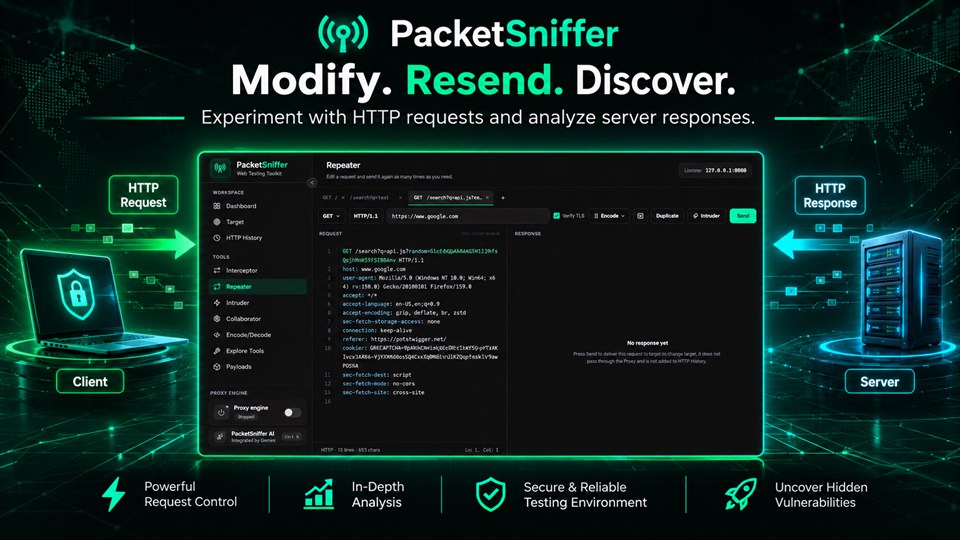
3. Repeater – Manual Request Testing
Modify and resend HTTP requests
Experiment with parameters and headers
Test different request bodies
Inspect server responses
Understand how applications respond to modified requests
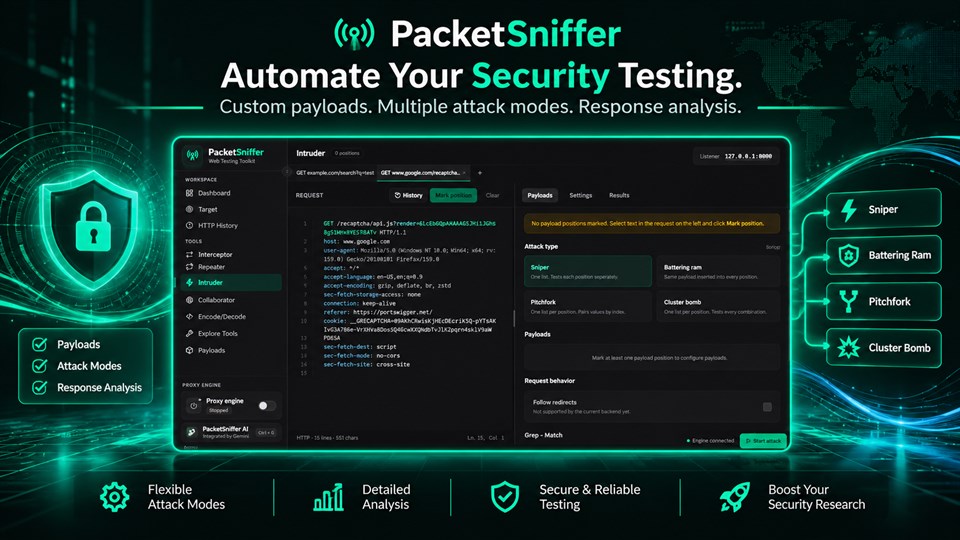
4. Intruder – Automated Payload Testing
Sniper, Battering Ram, Pitchfork, and Cluster Bomb attack modes
Custom payload positions
Multiple payload sources
Wordlists, numeric sequences, brute-force and null payloads
Configurable concurrency, request rate, and timeout
Automated attack execution
Response comparison and results analysis
5. HTTP History
Centralized request and response history
Persistent traffic records
Inspect HTTP methods, URLs, headers, and bodies
Review response status codes and content
Examine previously captured traffic
6. WebSocket Support
WebSocket connection handling
Real-time event communication support
WebSocket traffic workflow integration
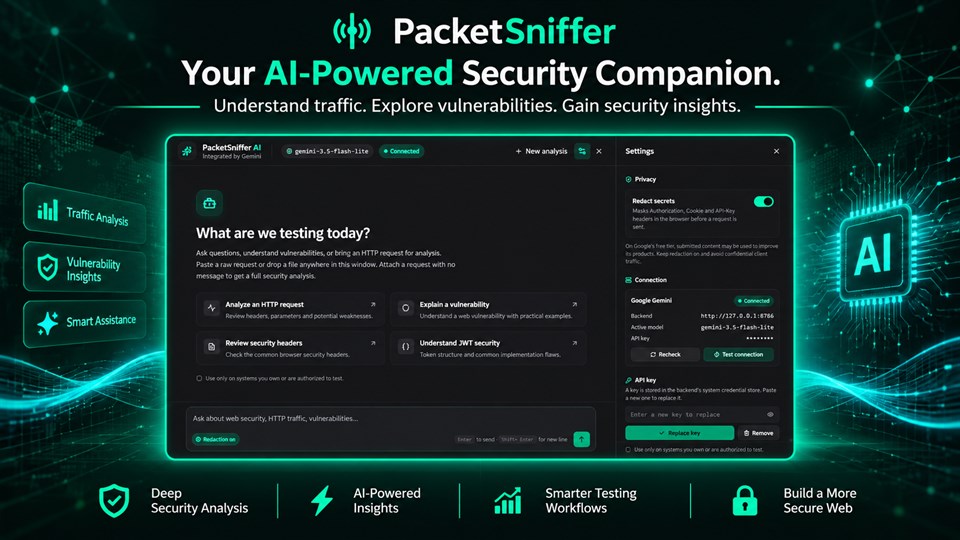
7. AI-Powered Security Assistant
Interactive AI security assistant
HTTP request security analysis
AI-assisted understanding of web traffic
Security-focused explanations and insights
8. Advanced Response Analysis
Gzip, Deflate, Brotli, and Zstandard decompression
JSON, HTML, XML, and text recognition
Binary, image, and PDF content detection
Request and response body inspection
Content metadata analysis
WHO IS IT FOR?
Penetration testers and ethical hackers
Application security engineers
API security testers
Cybersecurity students and learners
Web developers and debugging professionals
Security researchers
WHY PACKETSNIFFER?
Instead of switching between multiple utilities for everyday web traffic testing, PacketSniffer brings interception, request manipulation, automated payload testing, traffic history, and AI-assisted analysis into one desktop workspace.
Whether you are investigating an authentication issue, examining API behavior, testing input handling, or learning how web applications communicate, PacketSniffer helps make the process more accessible and organized.
Capture. Intercept. Analyze. Test. Secure.
Download PacketSniffer and take your web security testing workflow further.
SECURITY & RESPONSIBLE USE
PacketSniffer is intended for educational purposes, application debugging, security research, and authorized security assessments. Users are responsible for ensuring they have permission before inspecting or testing systems and network traffic.
개발자 소식
개발자이신가요?
페이지 맨 위에 소식을 올리면 팔로워에게 이메일로 전달됩니다. YouTube 동영상을 추가하면 “동영상” 블록 맨 앞에 표시됩니다.
목록 0
-
 PacketSniffer
포인트 0
-

- +1 포인트

순위 0
-
- 내 평점
개발자 1
- Deependu Mistri
- 팔로워: 0
- 플랫폼: Windows 앱 (1)
- 할인: 0
- 목록: 0 0
- 포인트: 0
- 순위: 0
- 댓글: 0
- 동영상: 0
- RSS: 구독
새로운 기능
- 버전: PC
- 마지막 업데이트:
- What's New in Version 0.2.0
Introducing PacketSniffer – A desktop application for web traffic inspection and security testing.
NEW FEATURES
• HTTP/HTTPS Proxy – Capture and monitor web traffic through a local proxy.
• Intercept – Inspect, modify, forward, and drop HTTP requests.
• Repeater – Modify and resend requests to analyze server responses.
• Intruder – Automated payload testing with multiple attack modes.
• HTTP History – Review captured requests and responses.
• WebSocket Support – Work with WebSocket connections and events.
• AI Security Assistant – Get AI-assisted explanations and security insights.
• Advanced Response Analysis – Support for compressed responses and multiple content formats.
• Desktop Experience – A unified workspace for web security testing.
This is the initial release of PacketSniffer. More improvements and capabilities are on the way.
추가 정보
AppAgg 점수
900
AppAgg 예상 점수:
PacketSniffer
개발자: Deependu Mistri
900 실버
점수가 높을수록 대체로 AppAgg의 여러 지표에서 좋은 결과를 보인다는 뜻입니다.
기준: 인기 · 사용자 평점 · 최신성 · 할인 · 스토어 데이터 · 커뮤니티 활동
최신 AppAgg 데이터를 바탕으로 매일 다시 계산됩니다.
웹사이트용 배지:  복사됨!
댓글 0 ¡
가장 먼저 댓글을 남겨주세요
공유하기
PacketSniffer 단축 URL: 복사됨!- Windows Store


