
الإشارات المرجعية
| المطوّر: | Aether Forge (6) | ||
| السعر: | مجاني | ||
| الدرجة: | 1,230 ذهب | ||
| الترتيب: | 0 | ||
| تعليقات: | 0 انشر تعليقًا | ||
| قوائم: | 0 0 | ||
| النقاط: | 0 | ||
| +1 نقطة | |||
ملخص
Paste MD تطبيق من Aether Forge ضمن فئة «أدوات المطور».
صدر ، وما زال حديثًا نسبيًا.
بلا مقابل، لا إعلانات ولا مشتريات داخلية. فقط أنت والتطبيق.
متجر Microsoft مدمج في Windows، فالتثبيت يتم بنقرتين.
درجة AppAgg هي 1,230. هذا ذهب.
8 ميغابايت فقط، حجم يناسب حتى القرص الممتلئ.
التصنيف العمري «EVERYONE»، أي أنه مناسب للأطفال أيضًا.
يتحدث لغة واحدة فقط، وليست العربية.
صمت تام هنا حتى الآن: لا تقييمات ولا تعليقات. اكسر الصمت.
لدى هذا المطوّر 5 تطبيقات أخرى على AppAgg. ألقِ نظرة.
بالمناسبة، لدى هذا المطوّر 1 عرض الآن.
تريد أن تعرف بالتحديثات والتطبيقات الجديدة أولًا؟ تابع المطور أو اشترك في موجز RSS. تصلك الإشعارات عبر تطبيق AppAgg Alerts لنظامي Android وiOS.
منصات أخرى 0
سجل الأسعار 0
- السعر الحالي: مجاني
- الحد الأدنى: مجاني
- الحد الأقصى: مجاني
خلاصتك الخاصة في الصفحة الرئيسية
لقطات الشاشة 10
فيديو 1
الوصف

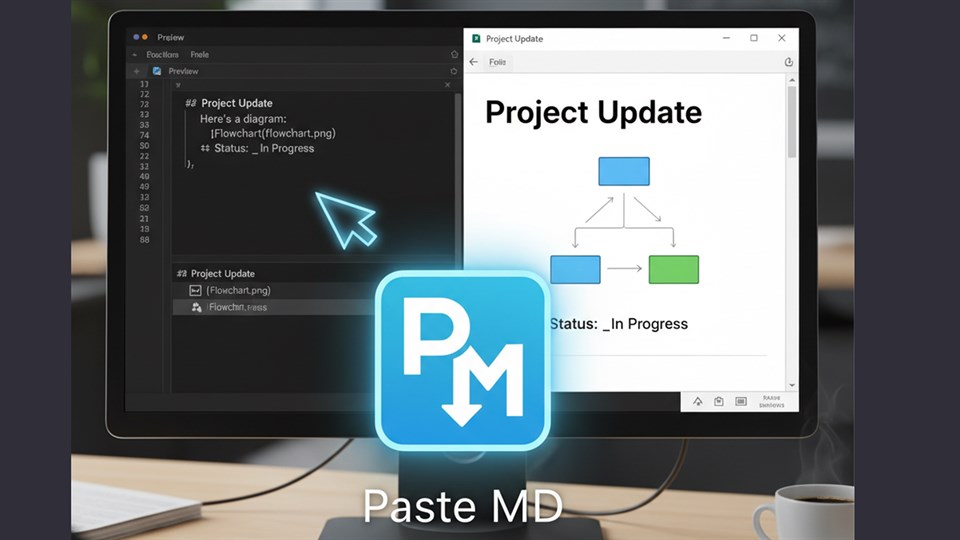
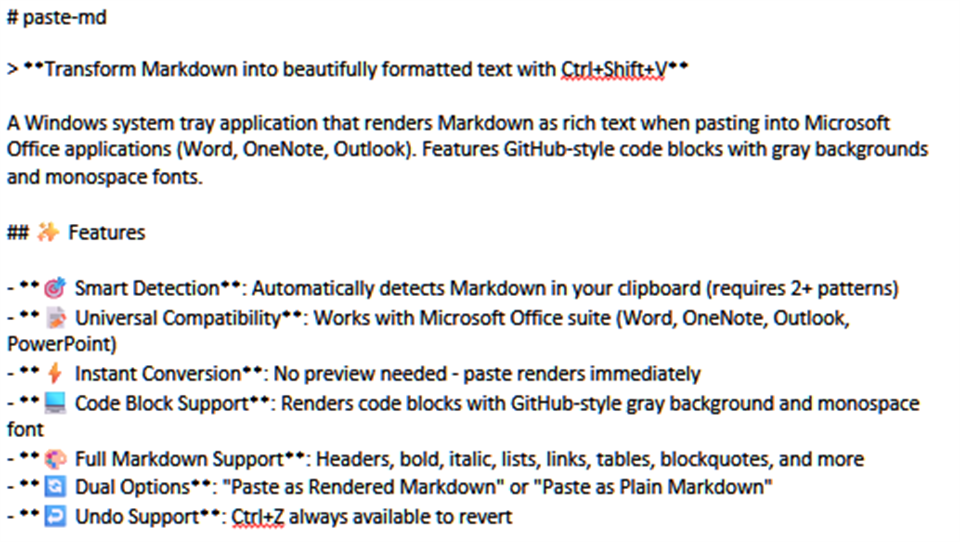
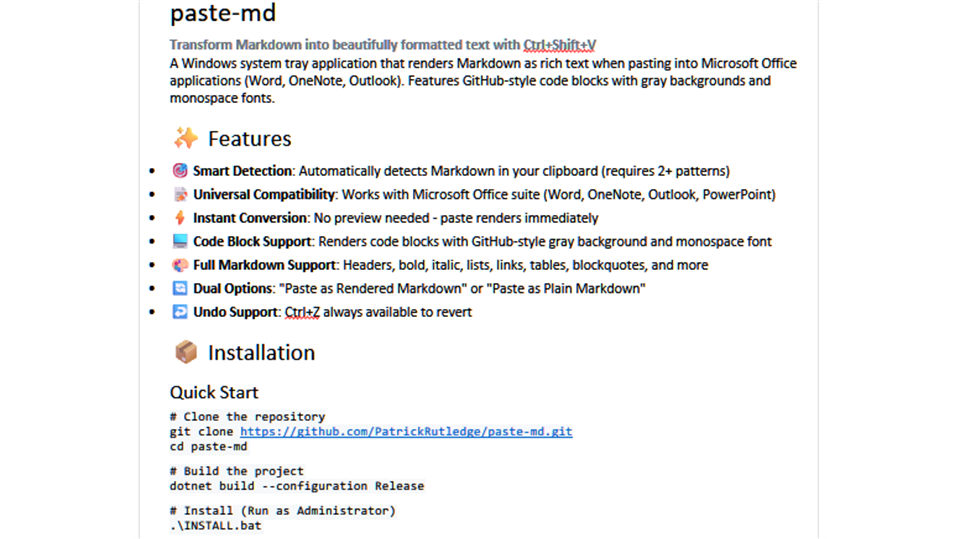
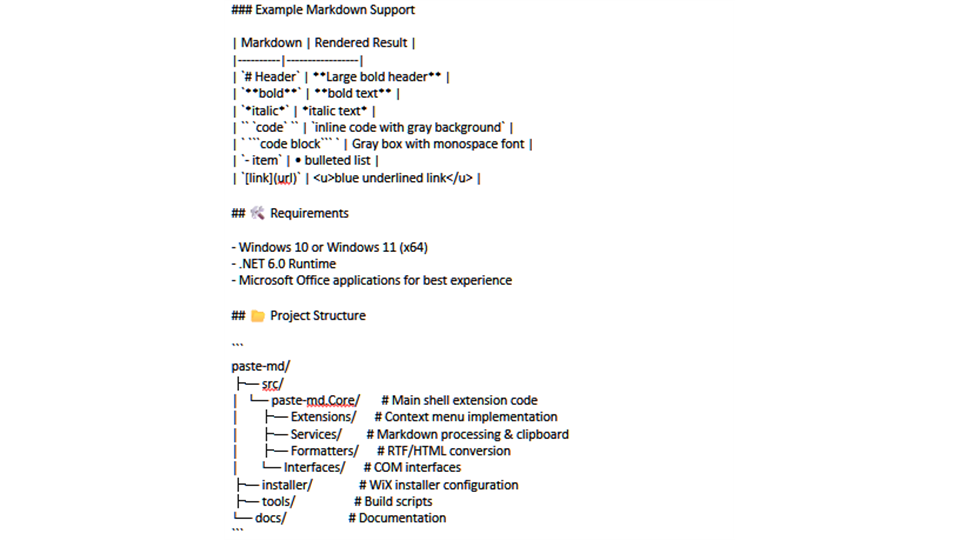
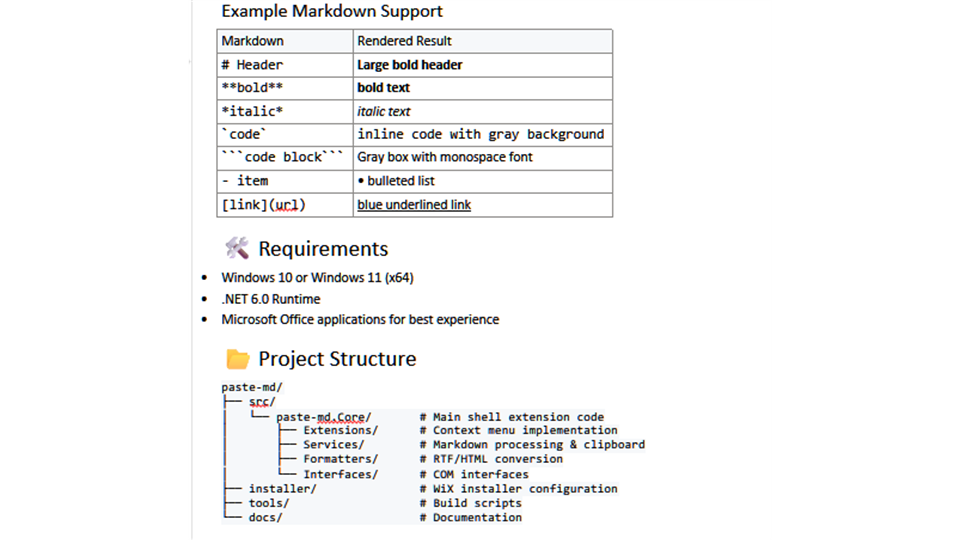
Stop wrestling with messy formatting. Paste MD is a lightweight Windows tray app that automatically converts Markdown into clean, rich text when you paste. Copy from GitHub, VS Code, Notion, ChatGPT, or any Markdown source, then just
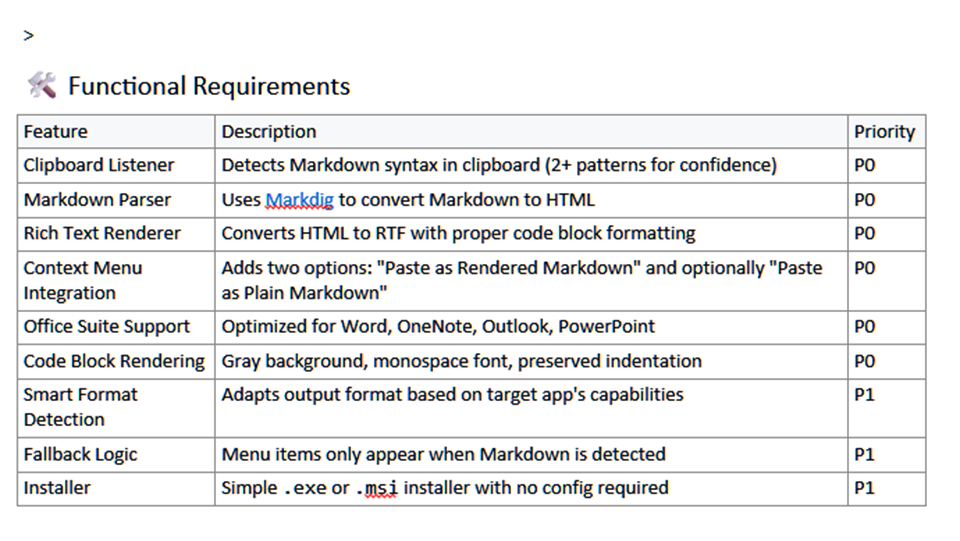
paste—and your content drops into Word, OneNote, Outlook, or PowerPoint perfectly formatted, with headers, lists, links, tables, and code blocks intact.
Why You'll Love It
- No hotkey to remember — Copy Markdown, then paste normally with Ctrl+V. Formatting happens automatically.
- Smart detection — paste-md recognizes Markdown in your clipboard and enriches it in the background.
- Office-native results — Output looks like you typed it directly into Word, with proper styles and spacing.
- GitHub-style code blocks — Monospace fonts and subtle gray backgrounds keep your snippets readable.
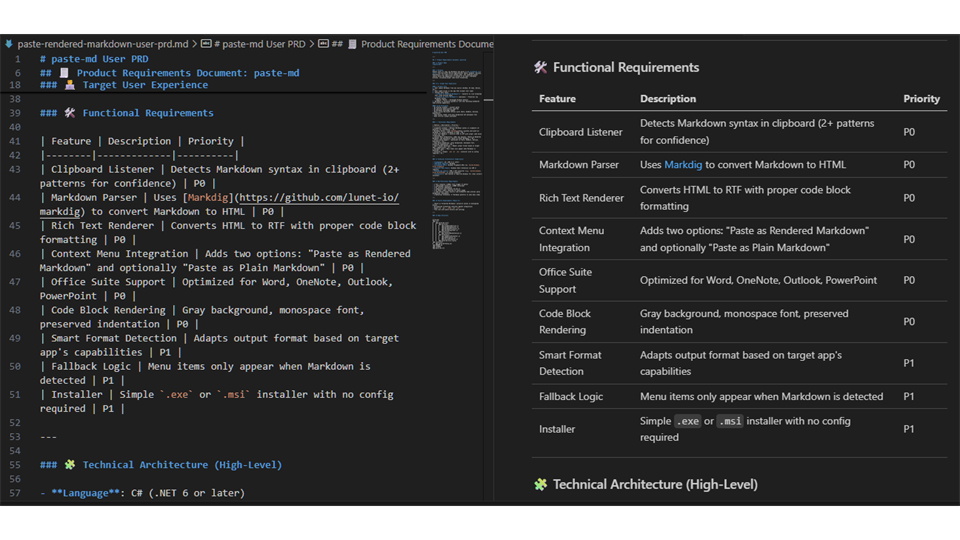
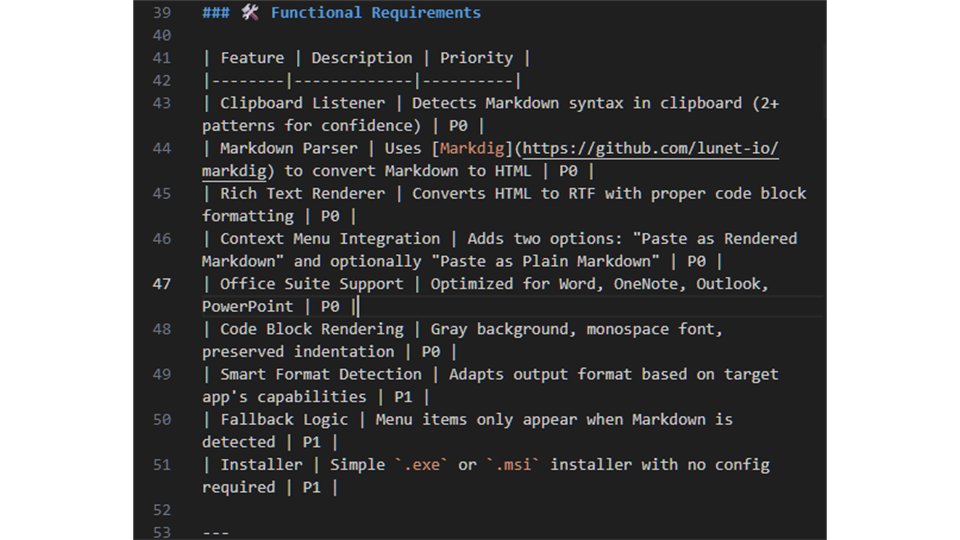
- Full Markdown support — Headers, bold, italic, lists, links, tables, blockquotes, and more.
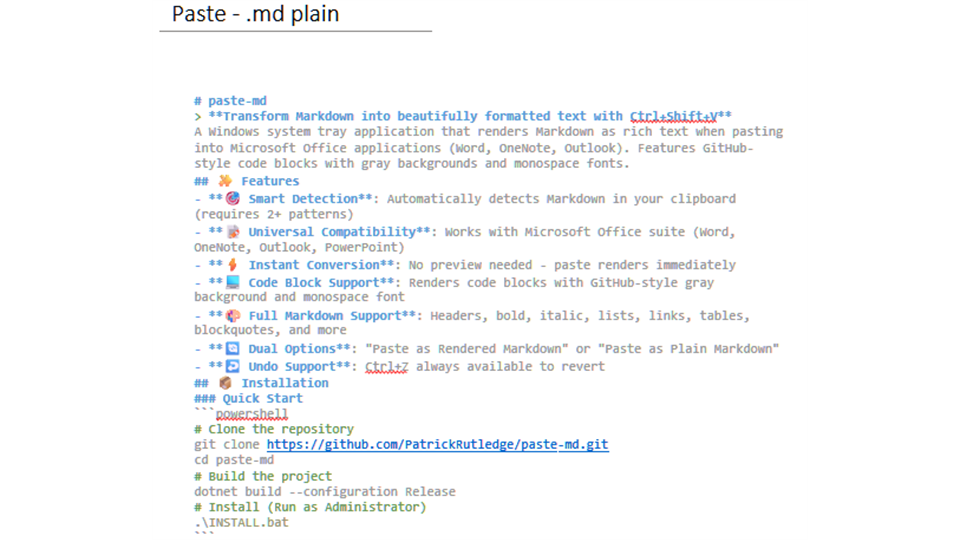
- Need the raw Markdown? — Use Paste Special → "Keep Text Only," and the original Markdown is always preserved.
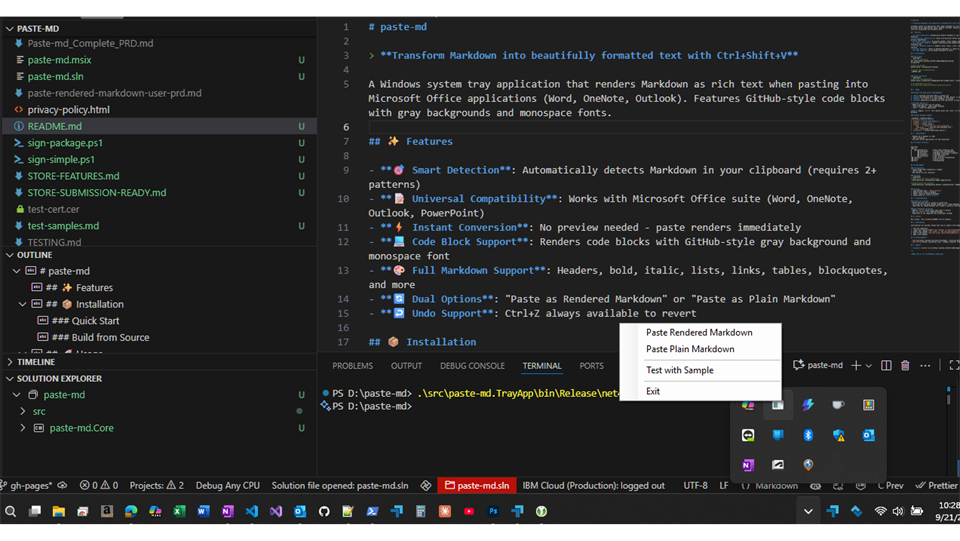
- Quiet and out of your way — Runs in the system tray, starts with Windows, and can be paused anytime from the tray menu.
Get Started in Seconds
1. Launch Paste MD—it lives quietly in your system tray.
2. Copy Markdown from any app or website.
3. Paste with Ctrl+V into your Office application.
4. Enjoy clean, professional formatting instantly.
System Requirements
- Windows 10 or Windows 11 (64-bit)
- .NET 6.0 Runtime
- Microsoft Office (Word, OneNote, Outlook, or PowerPoint) recommended
Support & Feedback
Questions, ideas, or bug reports? Visit our GitHub Issues page:
https://github.com/PatrickRutledge/paste-md/issues
Microsoft, Word, OneNote, PowerPoint, and Outlook are trademarks of Microsoft Corporation. Paste MD is an independent app and is not affiliated with or endorsed by Microsoft.
من المطوّر
قوائم 0
-
 Paste MD
النقاط 0
-

- +1 نقطة

الترتيب 0
-
- تقييمك
المطوّر 6
- Aether Forge
- المتابعون: 0
- المنصات: Windows تطبيقات (6)
- العروض: 1
- قوائم: 0 0
- النقاط: 0
- الترتيب: 0
- تعليقات: 0
- الفيديوهات: 3
- RSS: اشتراك
ما الجديد
- الإصدار: PC
- آخر تحديث:
- What's New
- Simpler than ever — no shortcut to remember. Just copy Markdown and paste normally with Ctrl+V. Formatting now happens automatically, with no special hotkey.
- Improved reliability and stability. Reworked clipboard handling for smoother, more dependable pasting across Office apps.
- Raw Markdown is always preserved. Use Paste Special → "Keep Text Only" anytime you want the original Markdown source.
- Lighter and quieter. Runs unobtrusively in the system tray and starts with Windows.
معلومات إضافية
- تاريخ الإصدار:
- الفئة:
تطبيقات Windows›أدوات المطور - نظام التشغيل:
PC - الحجم:
8 Mb - الميزات المتاحة:
Mixed reality - اللغات المدعومة:
الإنجليزية - تقييم المحتوى:
EVERYONE - Windows Store تقييم: ¡
0 - الموقع الإلكتروني:
 https://patrickrutledge.github.io/aether-forge/
درجة AppAgg
درجة AppAgg التقديرية لـ
Paste MD
المطوّر: Aether Forge
تشير الدرجة الأعلى عادةً إلى أداء أفضل في مؤشرات AppAgg.
استنادًا إلى: الشعبية · تقييمات المستخدمين · الحداثة · العروض · بيانات المتاجر · نشاط المجتمع
يُعاد حسابها يوميًا بناءً على أحدث بيانات AppAgg.
تعليقات 0 ¡
مشاركة
Paste MD عنوان URL مختصر: تم النسخ!- Windows Store

