
북마크
이 북마크의 제목을 입력하세요.
북마크가 저장되었습니다
| 개발자: | Aether Forge (6) | ||
| 가격: | 무료 | ||
| 종합 점수: | 1,230 골드 | ||
| 순위: | 0 | ||
| 댓글: | 0 댓글 게시 | ||
| 목록: | 0 0 | ||
| 포인트: | 0 | ||
| +1 포인트 | |||
요약
Paste MD: Aether Forge에서 만든 ‘개발자 도구’ 카테고리의 앱이에요.
에 출시됐어요. 아직 꽤 따끈따끈해요.
무료. 광고도 인앱 구매도 없어요. 앱에만 집중하면 돼요.
Microsoft Store는 Windows에 기본으로 들어 있어서 클릭 몇 번이면 설치돼요.
AppAgg 점수는 1,230. 골드 등급이에요.
겨우 8메가바이트. 꽉 찬 드라이브에도 쏙 들어가요.
연령 등급은 ‘EVERYONE’, 아이들에게도 괜찮아요.
지원 언어는 딱 하나, 그런데 한국어는 아니에요.
아직 여기는 조용해요. 평점도, 댓글도 없어요. 침묵을 깨 주세요.
이 개발자의 앱이 AppAgg에 5개 더 있어요. 한번 둘러보세요.
참고로, 이 개발자는 지금 할인 1건 진행 중이에요.
업데이트와 새 앱 소식을 가장 먼저 받고 싶나요? 개발자를 팔로우하거나 RSS 피드를 구독하세요. 푸시 알림은 Android와 iOS용 AppAgg Alerts 앱으로 받을 수 있어요.
광고
다른 플랫폼 0
가격 기록 0
- 현재 가격: 무료
- 최소: 무료
- 최대: 무료
홈 화면의 나만의 피드
“신규 및 업데이트” 피드의 플랫폼을 선택하면 홈 화면에 필요한 앱과 게임만 표시됩니다.
스크린샷 10
동영상 1
설명

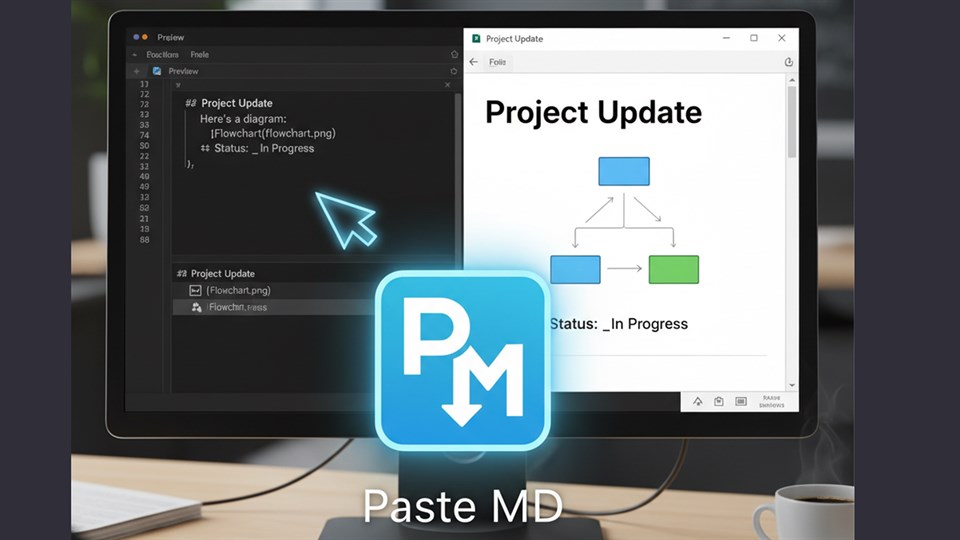
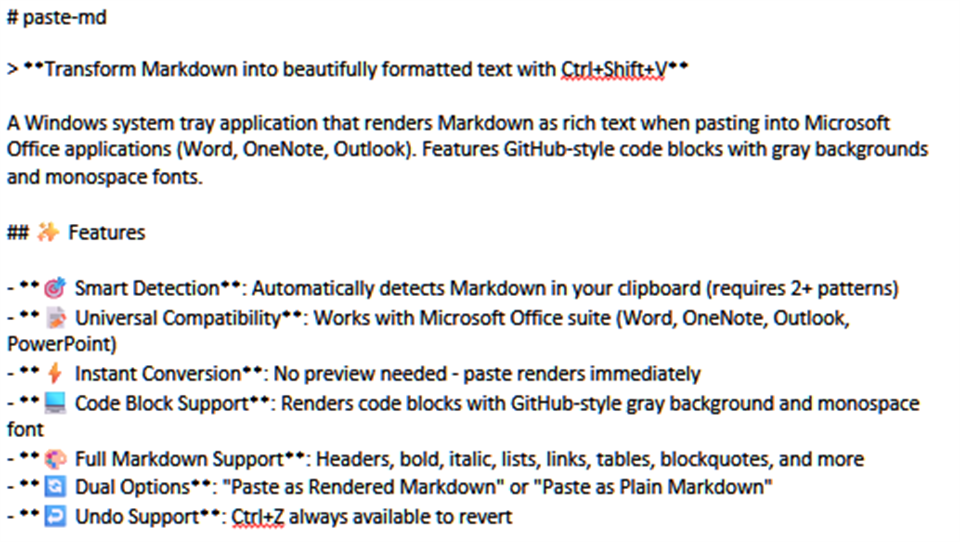
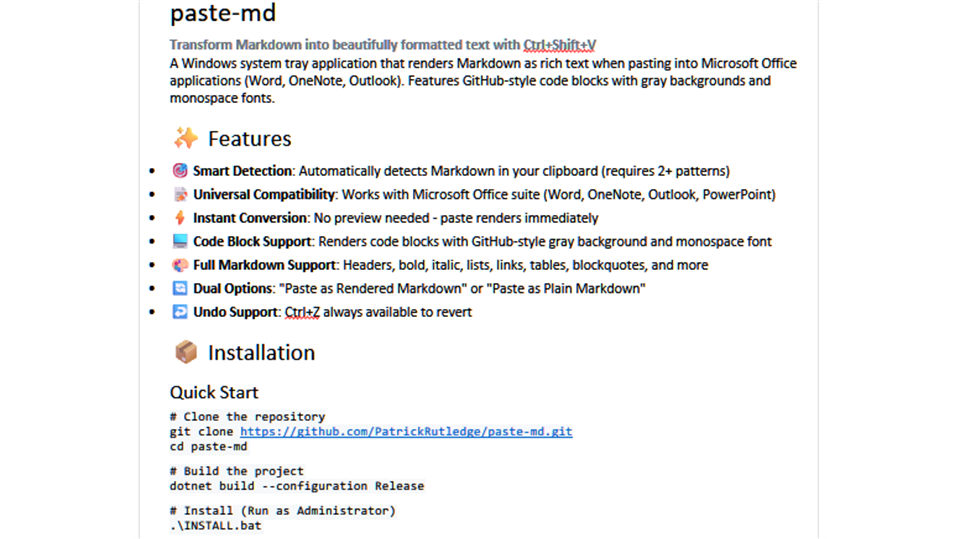
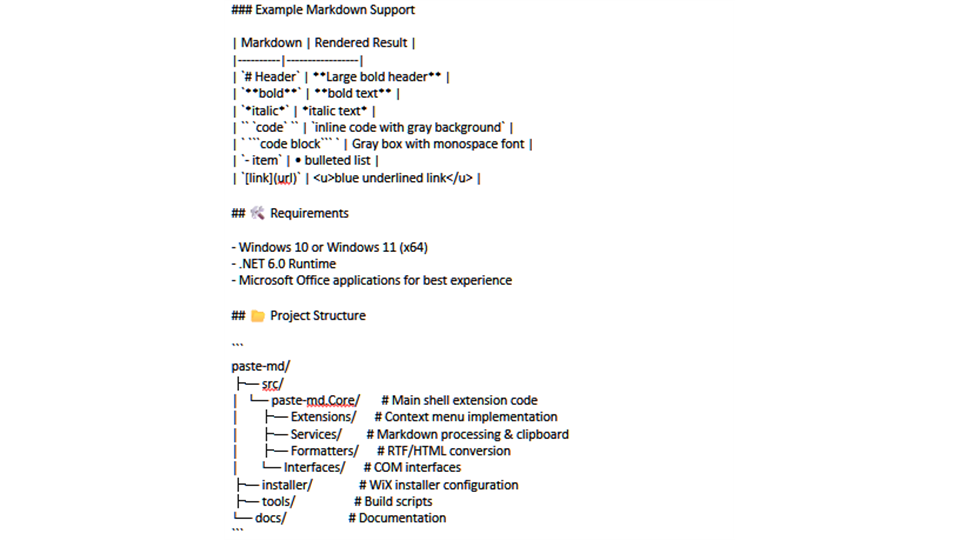
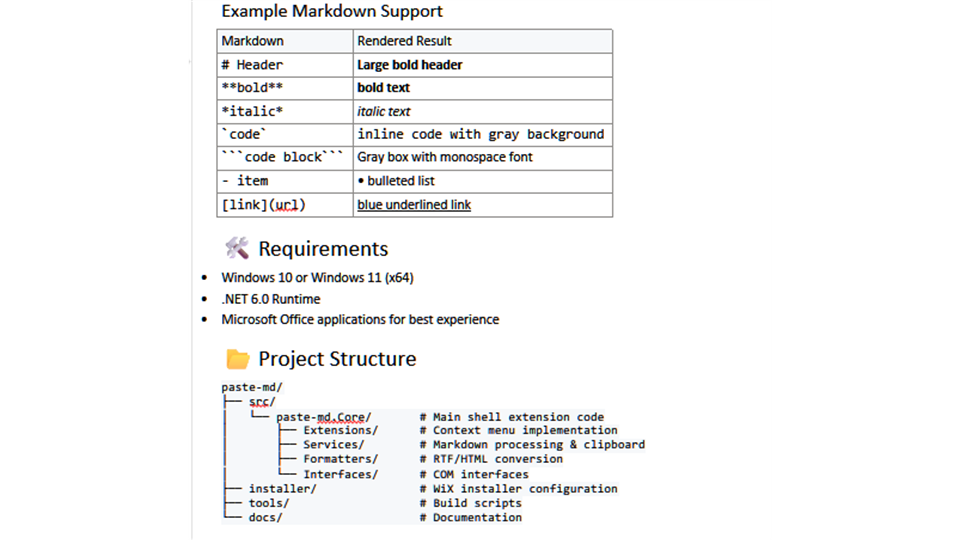
Stop wrestling with messy formatting. Paste MD is a lightweight Windows tray app that automatically converts Markdown into clean, rich text when you paste. Copy from GitHub, VS Code, Notion, ChatGPT, or any Markdown source, then just
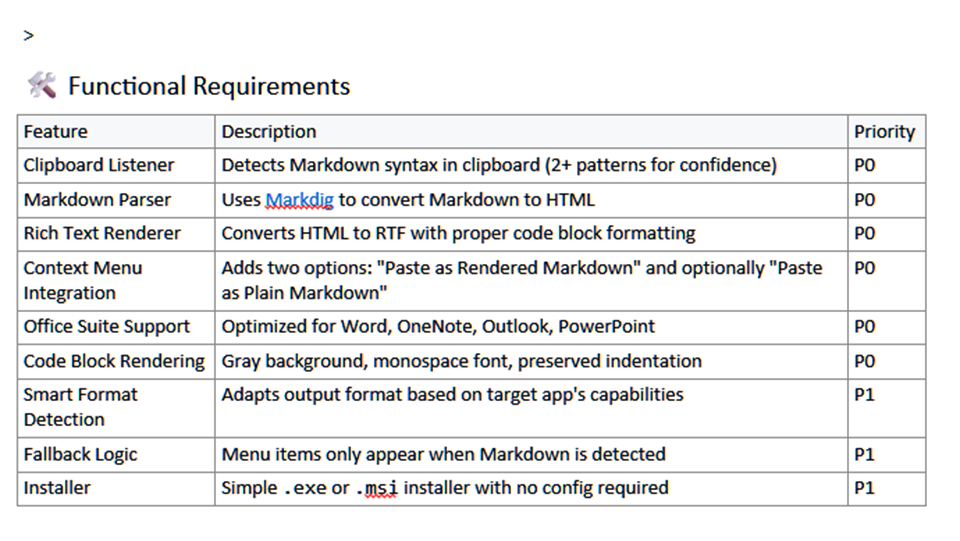
paste—and your content drops into Word, OneNote, Outlook, or PowerPoint perfectly formatted, with headers, lists, links, tables, and code blocks intact.
Why You'll Love It
- No hotkey to remember — Copy Markdown, then paste normally with Ctrl+V. Formatting happens automatically.
- Smart detection — paste-md recognizes Markdown in your clipboard and enriches it in the background.
- Office-native results — Output looks like you typed it directly into Word, with proper styles and spacing.
- GitHub-style code blocks — Monospace fonts and subtle gray backgrounds keep your snippets readable.
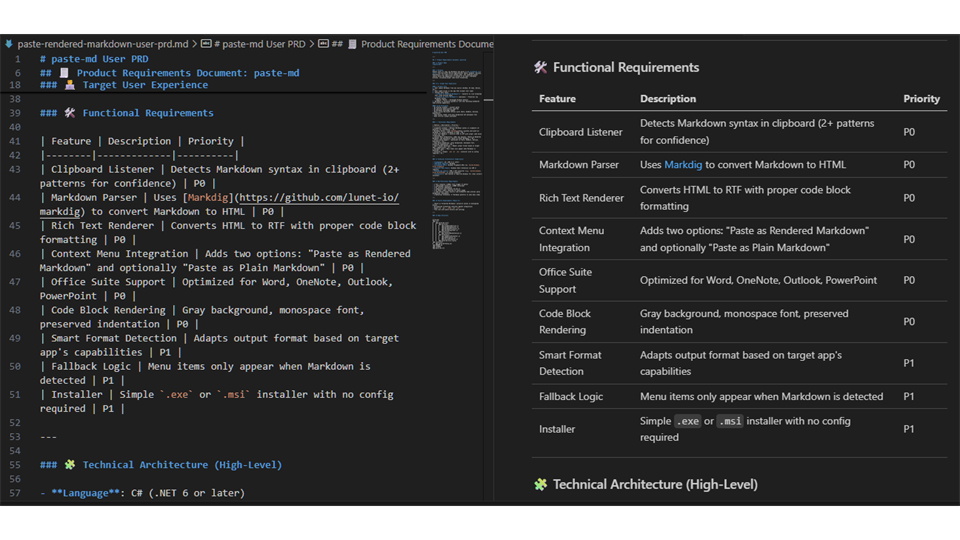
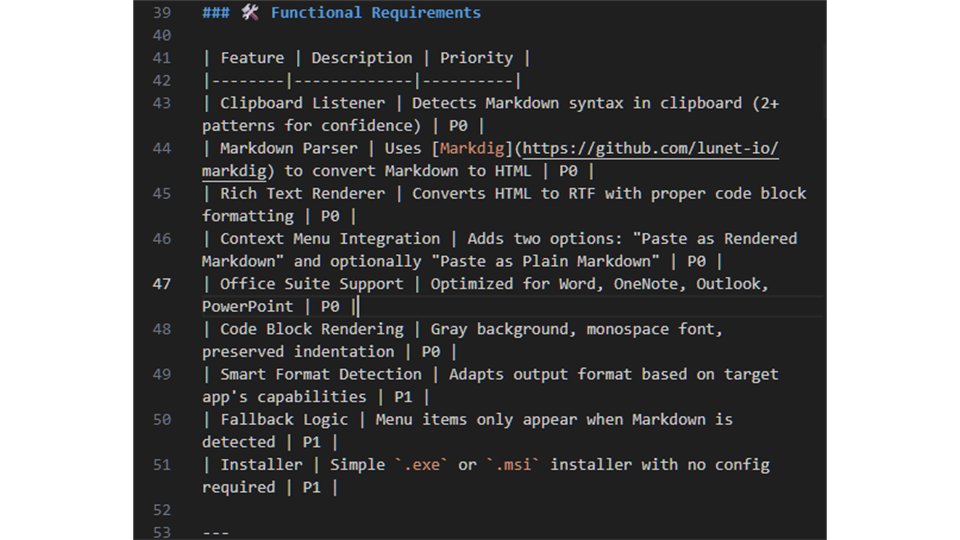
- Full Markdown support — Headers, bold, italic, lists, links, tables, blockquotes, and more.
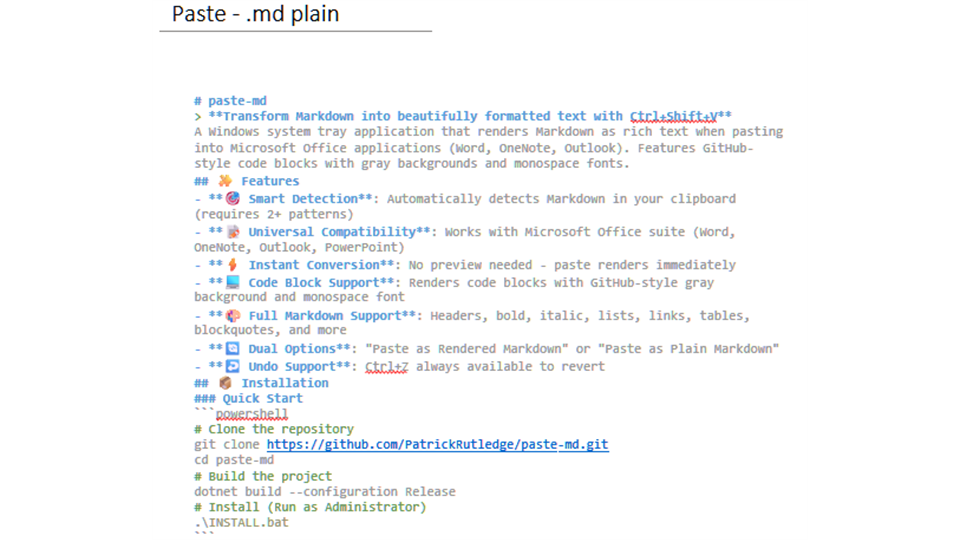
- Need the raw Markdown? — Use Paste Special → "Keep Text Only," and the original Markdown is always preserved.
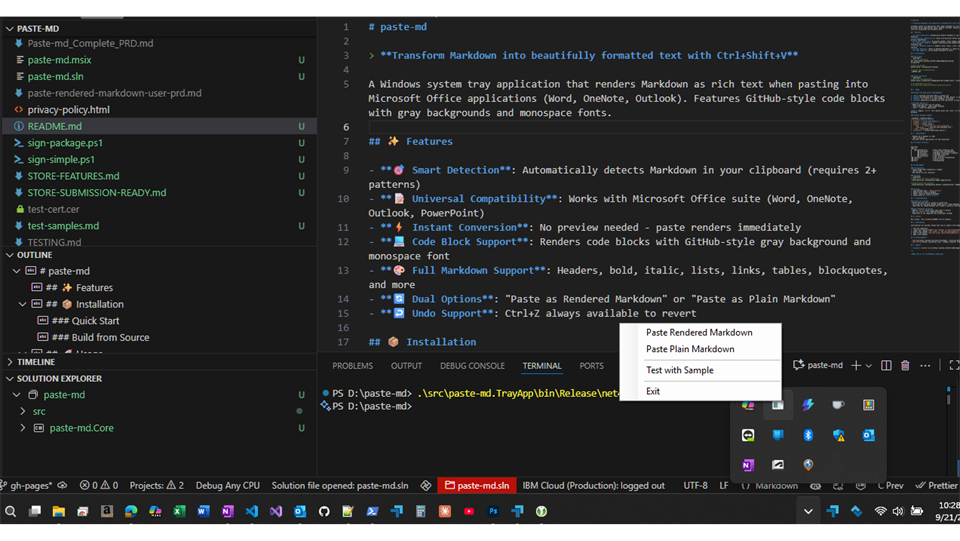
- Quiet and out of your way — Runs in the system tray, starts with Windows, and can be paused anytime from the tray menu.
Get Started in Seconds
1. Launch Paste MD—it lives quietly in your system tray.
2. Copy Markdown from any app or website.
3. Paste with Ctrl+V into your Office application.
4. Enjoy clean, professional formatting instantly.
System Requirements
- Windows 10 or Windows 11 (64-bit)
- .NET 6.0 Runtime
- Microsoft Office (Word, OneNote, Outlook, or PowerPoint) recommended
Support & Feedback
Questions, ideas, or bug reports? Visit our GitHub Issues page:
https://github.com/PatrickRutledge/paste-md/issues
Microsoft, Word, OneNote, PowerPoint, and Outlook are trademarks of Microsoft Corporation. Paste MD is an independent app and is not affiliated with or endorsed by Microsoft.
개발자 소식
개발자이신가요?
페이지 맨 위에 소식을 올리면 팔로워에게 이메일로 전달됩니다. YouTube 동영상을 추가하면 “동영상” 블록 맨 앞에 표시됩니다.
목록 0
-
 Paste MD
포인트 0
-

- +1 포인트

순위 0
-
- 내 평점
개발자 6
- Aether Forge
- 팔로워: 0
- 플랫폼: Windows 앱 (6)
- 할인: 1
- 목록: 0 0
- 포인트: 0
- 순위: 0
- 댓글: 0
- 동영상: 3
- RSS: 구독
새로운 기능
- 버전: PC
- 마지막 업데이트:
- What's New
- Simpler than ever — no shortcut to remember. Just copy Markdown and paste normally with Ctrl+V. Formatting now happens automatically, with no special hotkey.
- Improved reliability and stability. Reworked clipboard handling for smoother, more dependable pasting across Office apps.
- Raw Markdown is always preserved. Use Paste Special → "Keep Text Only" anytime you want the original Markdown source.
- Lighter and quieter. Runs unobtrusively in the system tray and starts with Windows.
추가 정보
 https://patrickrutledge.github.io/aether-forge/
AppAgg 점수
1,230
AppAgg 예상 점수:
Paste MD
개발자: Aether Forge
1,230 골드
점수가 높을수록 대체로 AppAgg의 여러 지표에서 좋은 결과를 보인다는 뜻입니다.
기준: 인기 · 사용자 평점 · 최신성 · 할인 · 스토어 데이터 · 커뮤니티 활동
최신 AppAgg 데이터를 바탕으로 매일 다시 계산됩니다.
웹사이트용 배지:  복사됨!
댓글 0 ¡
가장 먼저 댓글을 남겨주세요
공유하기
Paste MD 단축 URL: 복사됨!- Windows Store


