
保存済み
保存済みメニューに表示する名前を選択してください。
完了
| デベロッパー: | Whitewater Foundry (5) | ||
| 価格: | $19.99 | ||
| ランキング: | 0 | ||
| コメント: | 0 コメントを投稿する | ||
| リスト: | 0 + 0 | ||
| ポイント: | 0 + 60 (3.9) ¡ | ||
| Windows Store | |||
説明

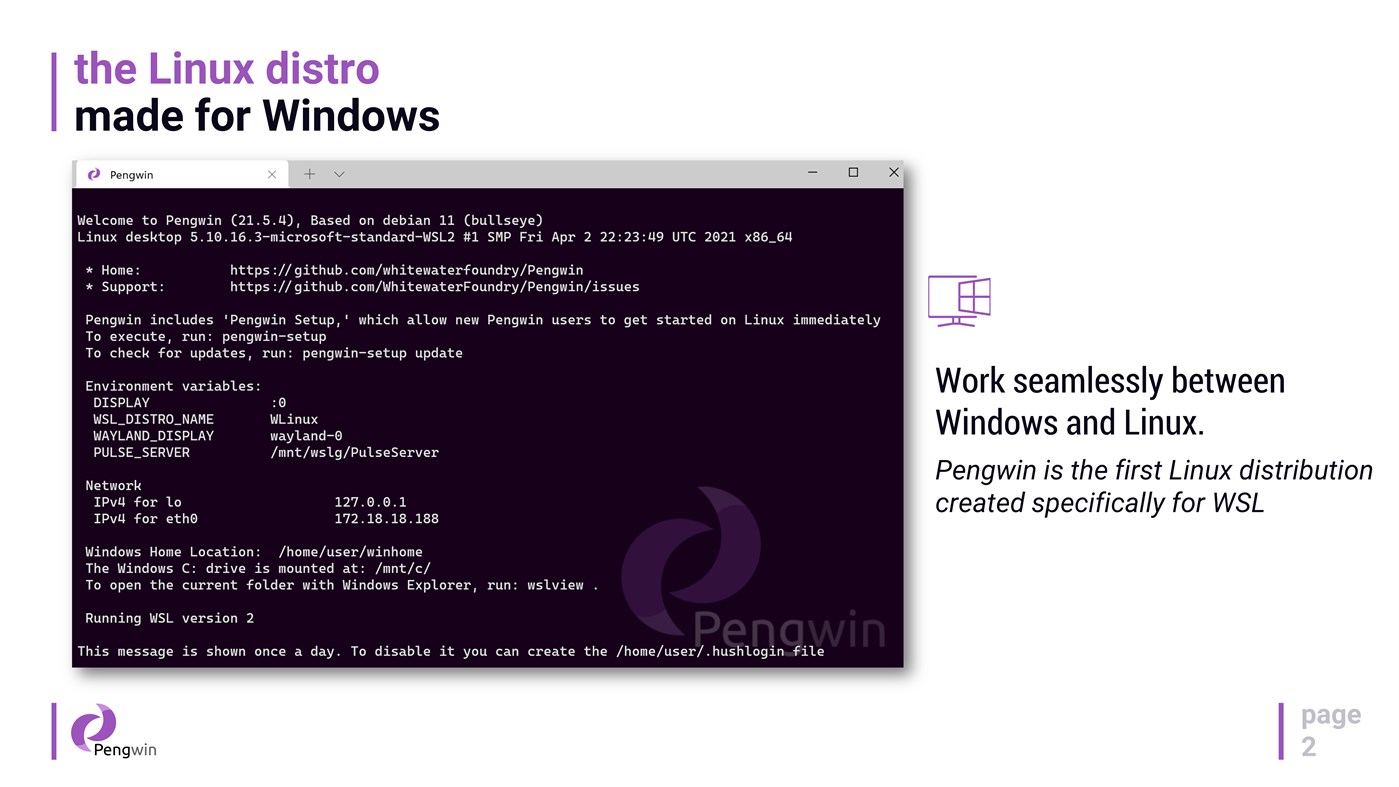
Pengwin is open-source, built by WSL users, and shaped by community feedback.
Why Pengwin
* Debian 13 (Trixie) foundation for stability, security, and a huge package ecosystem.
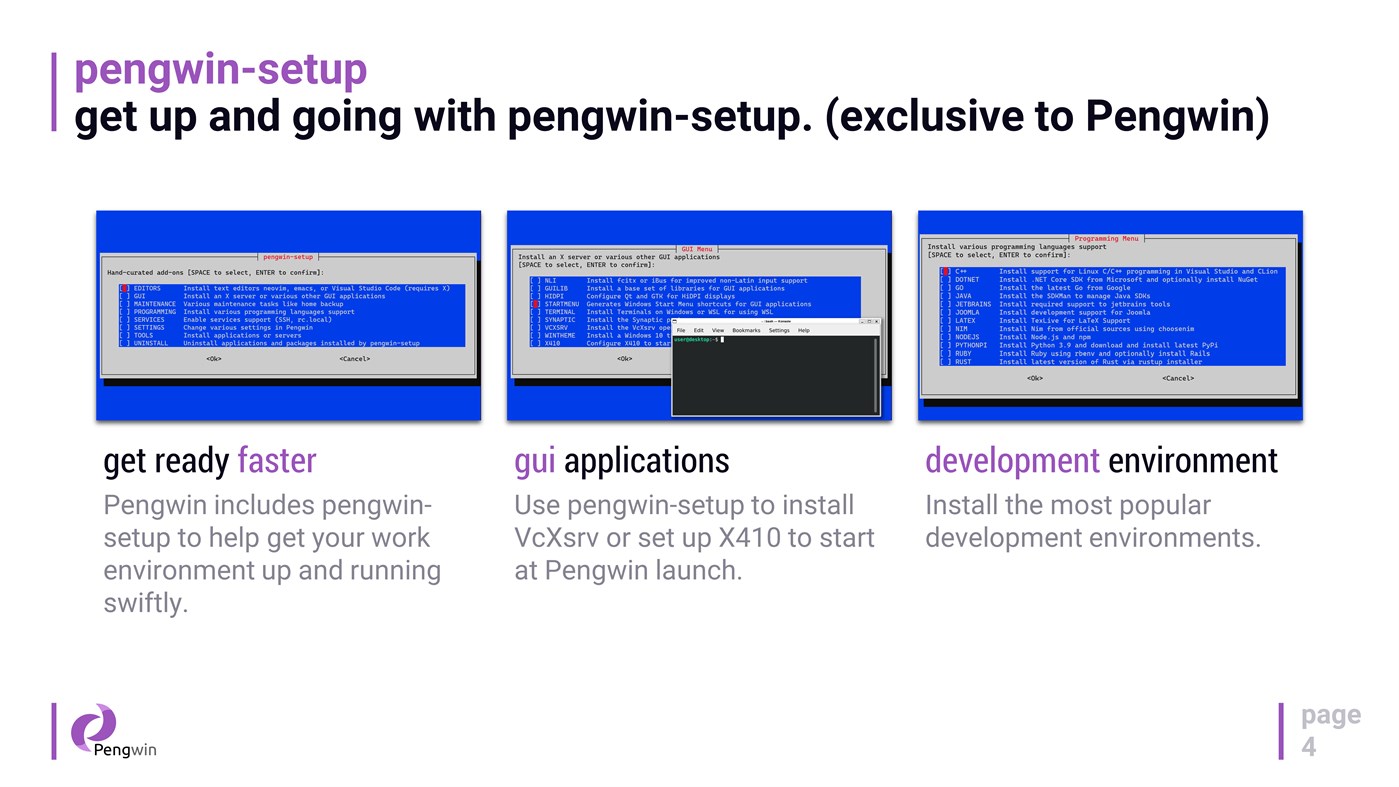
* Fast onboarding with `pengwin-setup`: guided setup and automation for dev tools, cloud tooling, and desktop environments.
* systemd support: enabled by default on new installs, and can be toggled on/off via pengwin-setup (existing installs opt in).
* Modern WSL export/import architecture: `wsl --export` / `wsl --import` preserves your icon and Windows Terminal profile when importing under a new name.
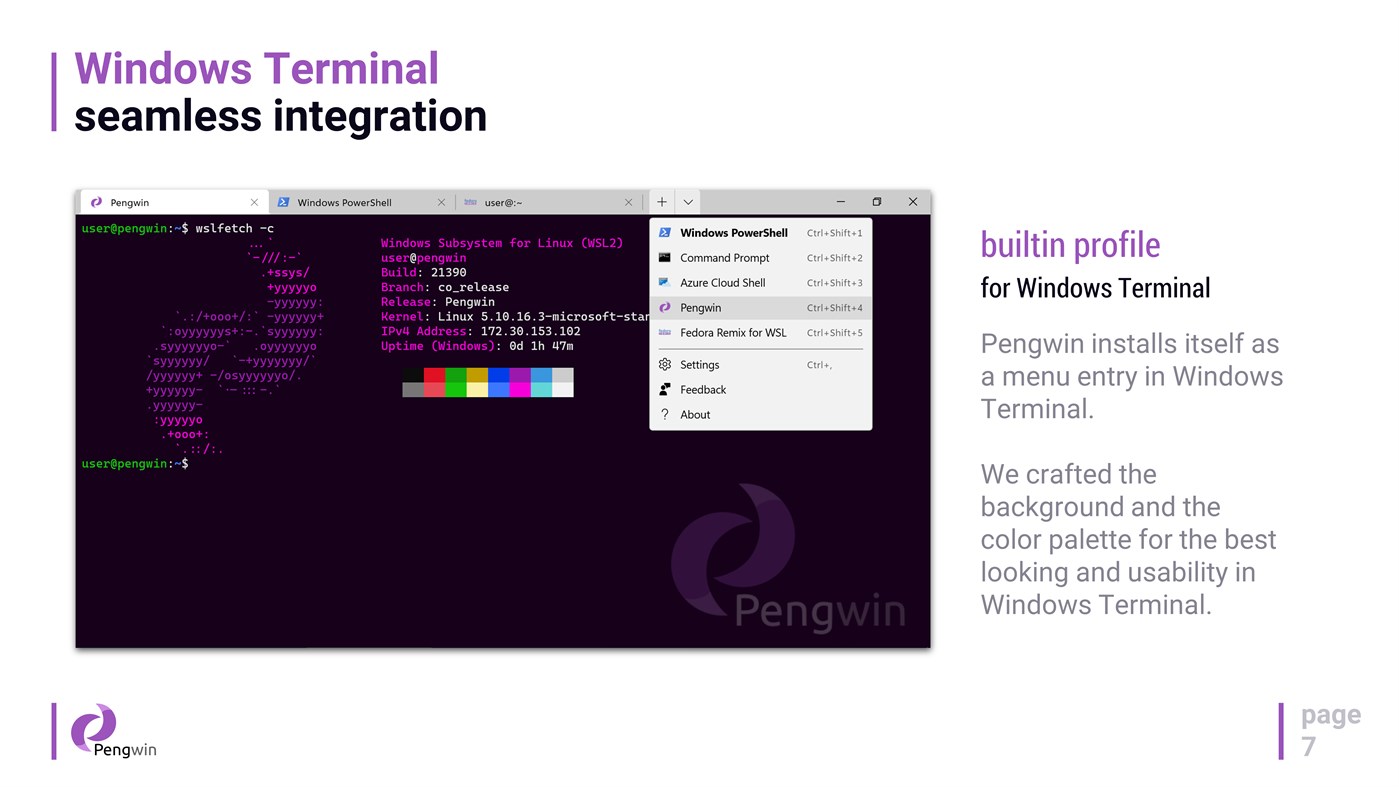
* Windows Terminal integration: Pengwin registers itself in Windows Terminal with a curated profile (colors/background) and improved launch behavior (starts in the current directory when launched via “Open with Windows Terminal” and when set as default).
* GPU acceleration + GPU video acceleration out of the box (no custom repos or manual environment hacks).
* Optional D3D12 acceleration toggle to disable hardware acceleration for driver compatibility or troubleshooting.
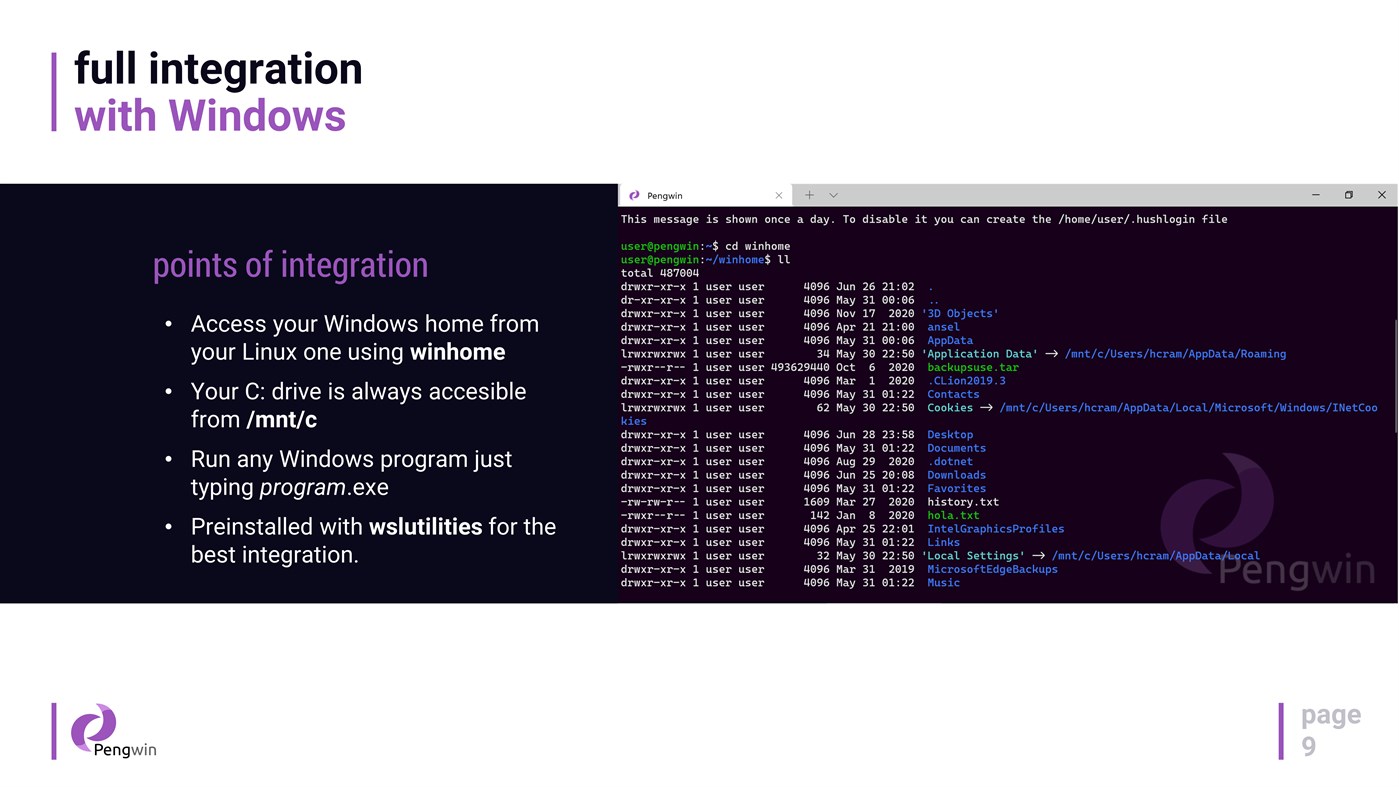
* wslu utilities included for Windows↔Linux workflows (open URLs/files, clipboard interop, Windows env vars, etc.).
What you can do with it
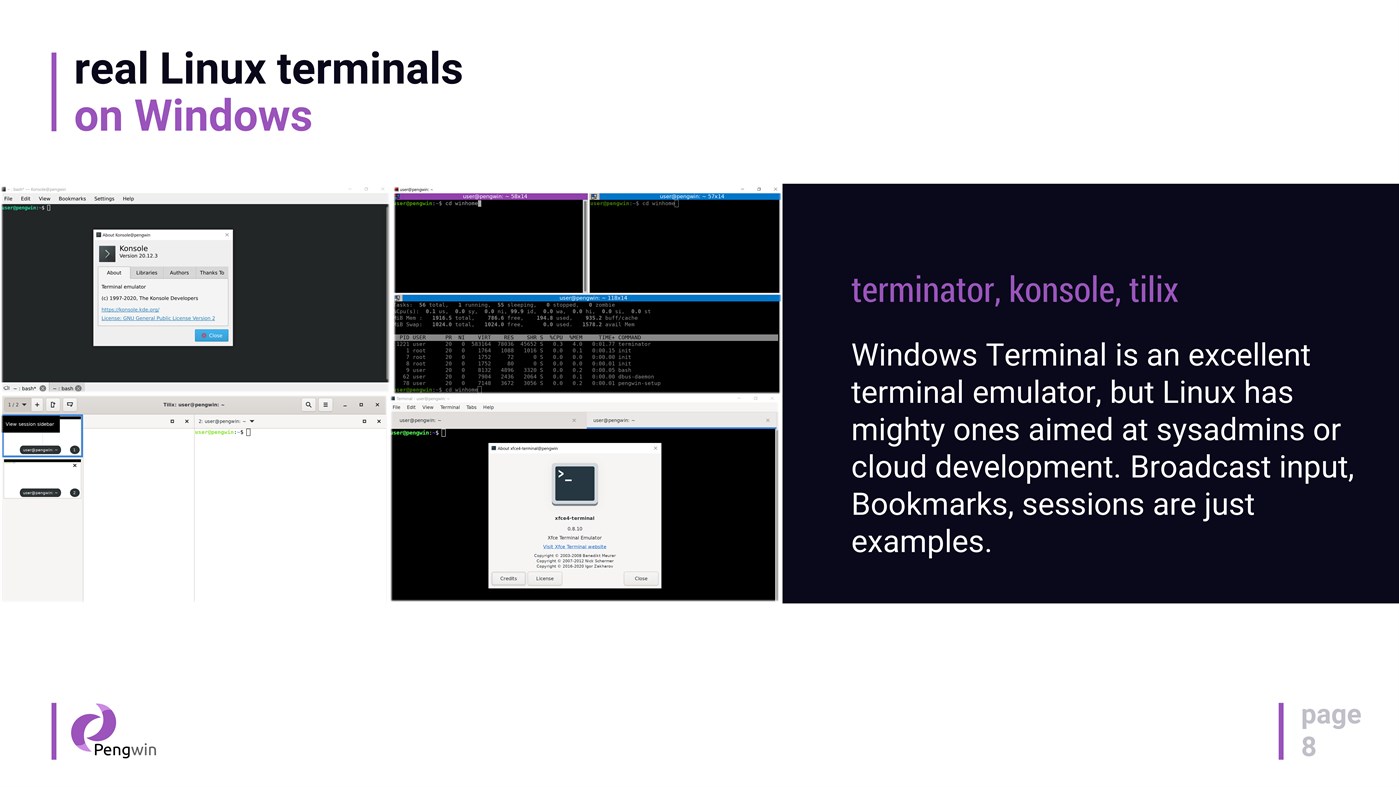
* Use a real Linux terminal on Windows: git, OpenSSH, Python, PowerShell, Bash, and more.
* Install developer stacks via version managers (e.g., pyenv, n, rbenv, SDKMAN!) and get modern toolchains quickly.
* Run local services for dev/test, including a one-click LAMP stack.
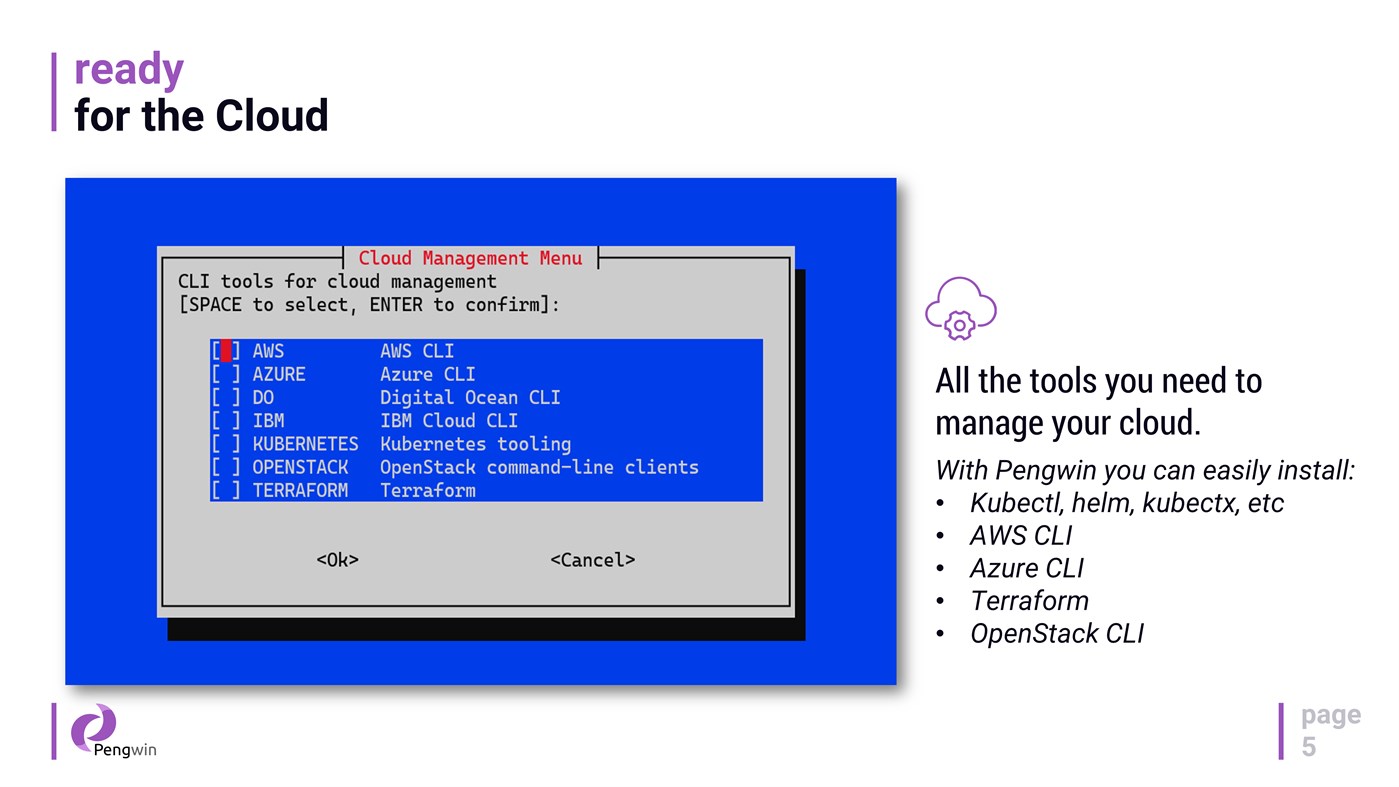
* Install cloud & DevOps tooling such as Terraform, Kubernetes tooling, and cloud CLIs via pengwin-setup.
* Run essential Linux GUI apps (IDEs, terminals, tools) with WSLg on Windows 11.
Desktop apps and WSL1 support
* Install a full Xfce desktop environment from pengwin-setup and launch it directly from the Windows Start Menu.
* On WSL1, pengwin-setup can install/configure VcXsrv or set up X410, and you can manage services using `wslsystemctl`.
Hybrid Windows + Linux workflow
Access your `C:` drive at `/mnt/c`, work in a mixed toolchain, and move seamlessly between ecosystems—Pengwin is designed to make the hybrid workflow feel native.
Notes
* Pengwin is Debian-based (not Ubuntu). For best results, follow Debian instructions when troubleshooting or installing packages.
* DISCLAIMER: Windows Insider Preview builds are not production-ready and may introduce incompatibilities. Support for Insider builds is best-effort.
Ad
スクリーンショット


価格履歴
- 現在の価格: $19.99
- 最小値: $4.99
- 最大: $19.99
料金のチェック
情報
- リリース日:
- カテゴリ:
Windows アプリ›開発者ツール - オペレーティング システム:
PC - サイズ:
1 Gb - サポートされる言語:
English - コンテンツのレーティング:
EVERYONE - Windows Store 評価:
3.9(60) - ウェブサイト:
 https://whitewaterfoundry.com/
新機能
- バージョン: PC
- アップデート:
デベロッパー
- Whitewater Foundry
- プラットフォーム: Windows アプリ (5)
- リスト: 2 + 1
- ポイント: 2 + 101 ¡
- ランキング: 0
- コメント: 0
- 割引: 0
- 動画: 0
- RSS: 購読する
リスト (0)
0 ☹️
- Pengwin
ポイント (0)
0 ☹️
ランキング (0)
0 ☹️
コメント (0)
最初にコメントしてください 🌟
«Pengwin». プラットフォーム: Windows. カテゴリ: 開発者ツール. 開発者: «Whitewater Foundry». 最初のリリース: . 最終更新日: . 現在の価格: $19.99. 記録された最低価格: $4.99 (). 記録された最高価格: $19.99 (). このタイトルはまだ AppAgg で評価やレビューを受けていません。 ストア: Windows Store. ストア評価: 3.9. 投票: 60. 利用可能な言語: English. AppAgg は «Pengwin»の価格履歴、評価、ユーザーフィードバックを追跡します。 今後の値下げと更新をフォロー: RSS で確認できます. AppAgg はアプリケーションをホストしたり、ソフトウェアを配布したりしません。 すべての商標、ロゴ、スクリーンショットはそれぞれの所有者に帰属します。
Pengwin 短縮 URL: コピーしました!- 🌟 シェア
- Windows Store
類似
-
- Pengwin Enterprise 8
- Windows アプリ: 開発者ツール 作者: Whitewater Foundry
- $8.99
- リスト: 0 0 0
- ポイント: 1 バージョン: PC Pengwin Enterprise is a Windows Subsystem for Linux (WSL) solution compatible with mainstream enterprise Linux distributions such as **Oracle Linux** and **Red Hat Enterprise Linux**. ... ⥯
-
- Pengwin Enterprise 9
- Windows アプリ: 開発者ツール 作者: Whitewater Foundry
- $9.99
- リスト: 0 0 0
- ポイント: 0 バージョン: PC Pengwin Enterprise is a Windows Subsystem for Linux (WSL) solution compatible with mainstream enterprise Linux distributions such as **Oracle Linux** and **Red Hat Enterprise Linux**. ... ⥯