
북마크
이 북마크의 제목을 입력하세요.
북마크가 저장되었습니다
요약
PocketCmd: SSH Client & SFTP: PocketCmd에서 만든 ‘개발자 도구’ 카테고리의 앱이에요.
새로 나온 앱이에요. 에 나왔으니 지금 써 보면 얼리어답터예요.
Google Play에도 있어요. 편한 곳을 고르세요.
입장은 무료지만, 안에 상점이 열려 있어요.
Microsoft Store는 Windows에 기본으로 들어 있어서 클릭 몇 번이면 설치돼요.
AppAgg 점수는 1,480. 골드 등급이에요.
겨우 26메가바이트. 꽉 찬 드라이브에도 쏙 들어가요.
연령 등급은 ‘EVERYONE’, 아이들에게도 괜찮아요.
지원 언어는 딱 하나, 그런데 한국어는 아니에요.
사용해 보셨나요? 여기서 첫 리뷰의 주인공이 되어 주세요.
이 개발자의 앱이 AppAgg에 1개 더 있어요. 한번 둘러보세요.
업데이트와 새 앱 소식을 가장 먼저 받고 싶나요? 개발자를 팔로우하거나 RSS 피드를 구독하세요. 푸시 알림은 Android와 iOS용 AppAgg Alerts 앱으로 받을 수 있어요.
광고
다른 플랫폼 1
 | PocketCmd: SSH Client & SFTPWindows Store1K 골드Windows인앱 구매 | 무료 |
 | PocketCmd: SSH Client & SFTPGoogle Play3K 실버Android인앱 구매 $4.99 – $99.99 | 무료 |
가격 기록 0
- 현재 가격: 무료
- 최소: 무료
- 최대: 무료
홈 화면의 나만의 피드
“신규 및 업데이트” 피드의 플랫폼을 선택하면 홈 화면에 필요한 앱과 게임만 표시됩니다.
스크린샷 8
동영상 1
설명
Free for one server, with no time limit. Pro removes the limits.
BUILT FOR THE DESKTOP
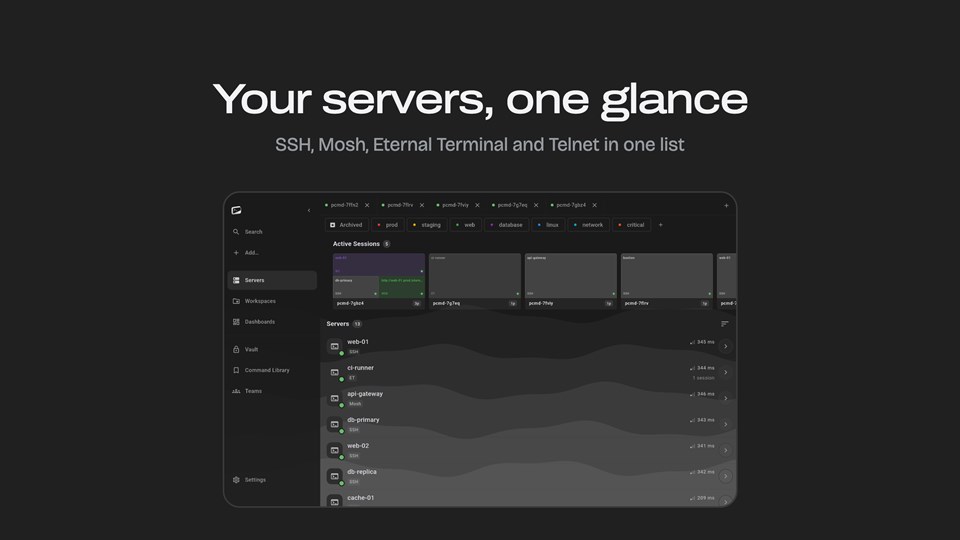
• A sidebar for your servers, session tabs, a command palette, right-click menus and drag-and-drop
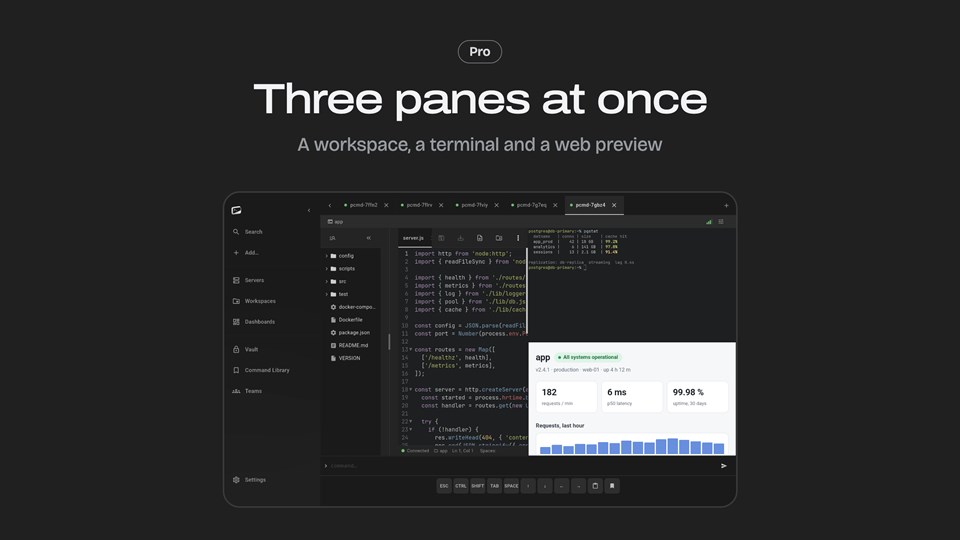
• Split the window into up to four panes, with terminals, a workspace and a web preview side by side (Pro)
• Your servers appear in File Explorer, so remote files open like local ones
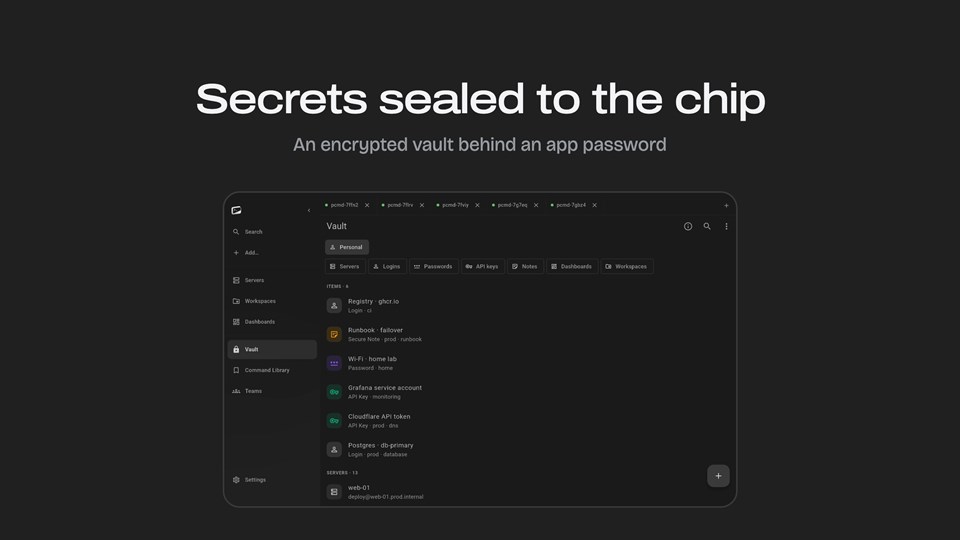
• Your vault key is sealed to the TPM 2.0 chip where your PC has one
A REAL TERMINAL
• Our own terminal renderer, written in C: libvterm parsing, FreeType and HarfBuzz, 24-bit color, 60 fps, no web view
• SSH on native libssh2 and OpenSSL, with every key format, two-factor and keyboard-interactive logins, and agent forwarding
• Mosh and Eternal Terminal: sessions survive network changes, sleep and even an app restart
• Telnet for the legacy gear that still needs it, with a warning before anything goes out unencrypted
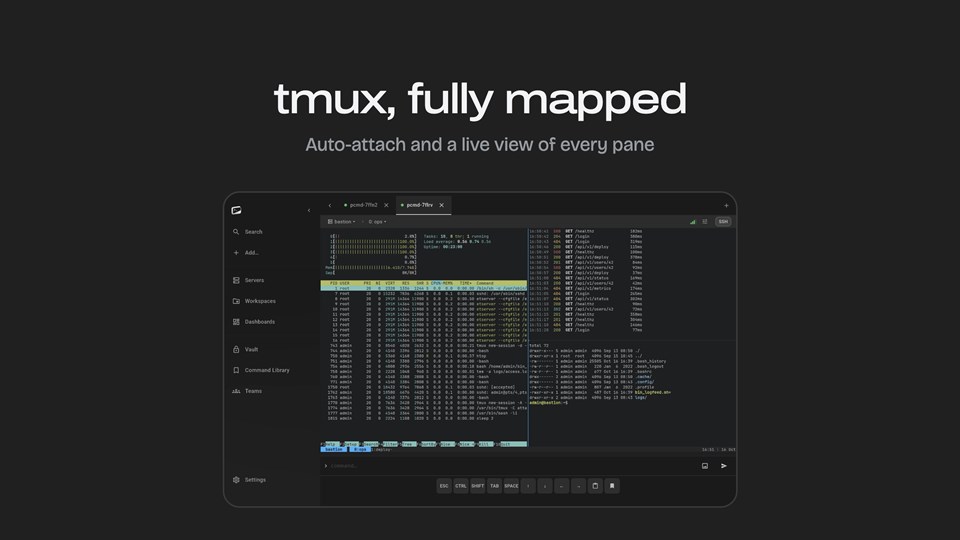
• tmux auto-attach, with a live view of every window and pane
FILES AND WORKSPACES
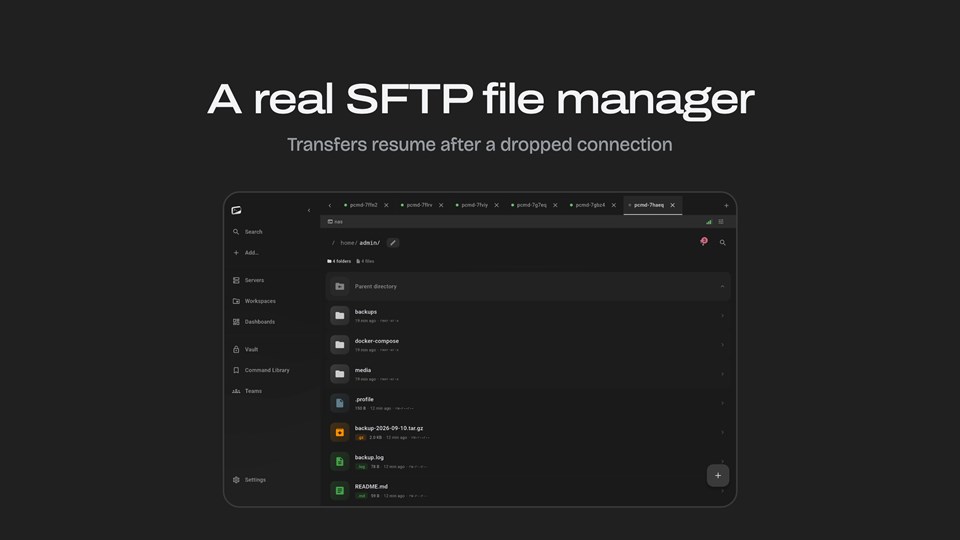
• A full SFTP file manager with permissions, symlinks, search and bookmarks
• Background transfers that resume after a dropped connection, verified with SHA-256
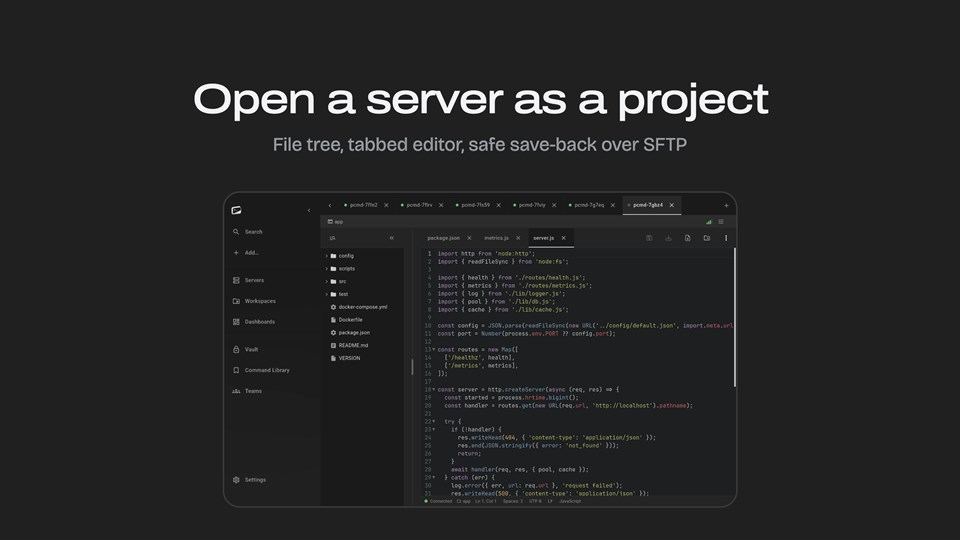
• Open a server folder as a workspace: file tree, tabbed code editor with syntax highlighting, folding, find and replace, a diff viewer, quick-open and search that runs on the server
• Saving checks for remote changes first, and unsaved edits are kept encrypted, never as plain text on disk
MONITORING WITHOUT AN AGENT
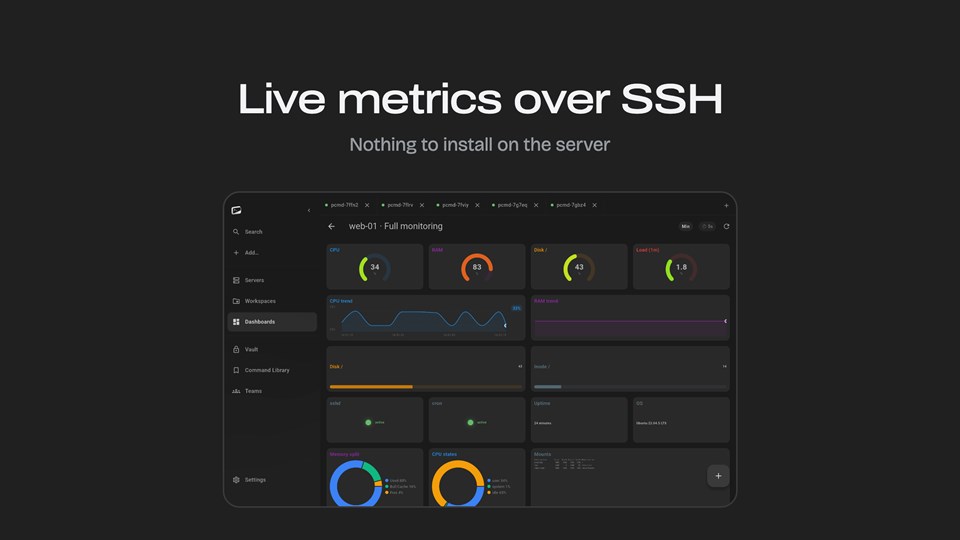
• Dashboards of live metrics over the SSH connection you already have: gauges, sparklines, bars, donuts and status cards
• Nothing to install on the server
• Threshold alerts pushed to your phone by your own self-hosted server (Pro)
SECURITY THAT IS NOT OPTIONAL
• An app password is always required, stretched with Argon2id
• Host keys are pinned on first connect and checked every time after
• An encrypted vault for passwords, key passphrases, API tokens and notes
• Generate SSH keys in the app, or import your SSH config and keys from files
ALSO IN THE BOX
• Port forwarding: local, remote and SOCKS5
• Snippets, command templates and a curated command library
• A web preview with developer tools for what your server is serving
• Encrypted backup and restore
OPTIONAL: YOUR OWN SERVER
PocketCmd connects to any SSH server as it is. If you want more, pair the optional companion server, a single open-source Go binary you host yourself, for zero-knowledge sync between your devices, teams with roles and shared vaults, and always-on alerts (Pro). Everything is encrypted on your PC before it leaves, so the server stores data it cannot read.
FREE AND PRO
Free: one saved server, one group, one dashboard and one workspace, with all four protocols, SFTP, tmux, port forwarding, the vault and every security feature. No account, no time limit.
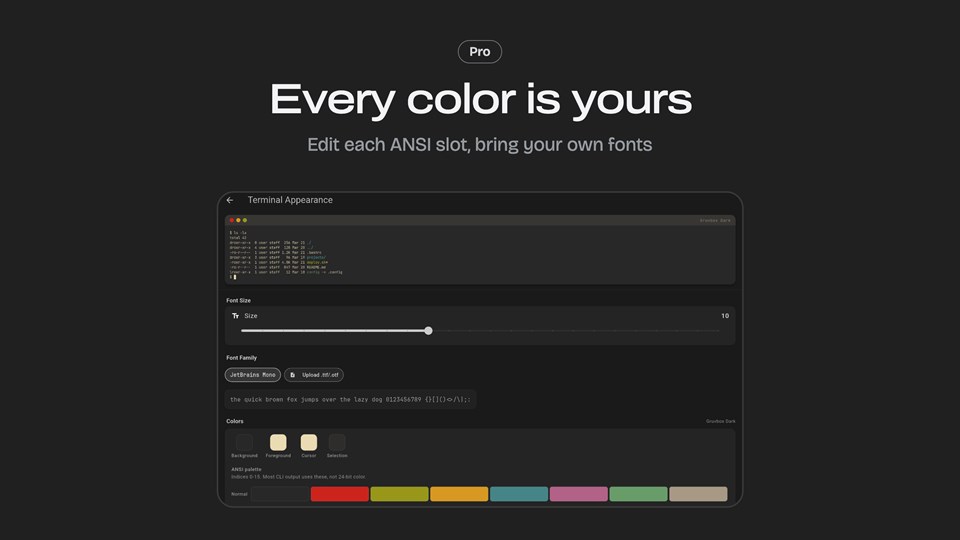
Pro: unlimited servers, groups, dashboards and workspaces, split panes, multi-hop SSH through jump hosts, every theme with the theme editors and custom fonts, protocol switching mid-session, sync, alerts and teams. Pro is an in-app purchase through Paddle: a monthly or yearly subscription, or a one-time lifetime license while those are available, from US$5 to US$149 depending on the plan (local prices vary). One license covers up to three of your devices, on Windows, Mac, Linux, iPhone, iPad and Android. If a subscription ends, nothing is deleted.
PRIVACY
Your PC connects directly to your servers. There is no PocketCmd account, no relay in between, no analytics and no ads.
개발자 소식
개발자이신가요?
페이지 맨 위에 소식을 올리면 팔로워에게 이메일로 전달됩니다. YouTube 동영상을 추가하면 “동영상” 블록 맨 앞에 표시됩니다.
목록 0
-
 PocketCmd: SSH Client & SFTP
포인트 0
-

- +1 포인트

순위 0
-
- 내 평점
개발자 2
새로운 기능
- 버전: PC
- 마지막 업데이트:
추가 정보
 https://pocketcmd.com
AppAgg 점수
1,480
AppAgg 예상 점수:
PocketCmd: SSH Client & SFTP
개발자: PocketCmd
1,480 골드
점수가 높을수록 대체로 AppAgg의 여러 지표에서 좋은 결과를 보인다는 뜻입니다.
기준: 인기 · 사용자 평점 · 최신성 · 할인 · 스토어 데이터 · 커뮤니티 활동
최신 AppAgg 데이터를 바탕으로 매일 다시 계산됩니다.
웹사이트용 배지:  복사됨!
댓글 0 ¡
가장 먼저 댓글을 남겨주세요
공유하기
PocketCmd: SSH Client & SFTP 단축 URL: 복사됨!- Windows Store


