
ブックマーク
このブックマークのタイトルを入力してください。
ブックマークを保存しました
| 開発者: | whyun (3) | ||
| 価格: | 無料 新着 | ||
| スコア: | 1,010 シルバー | ||
| ランキング: | 0 | ||
| コメント: | 0 コメントを投稿する | ||
| リスト: | 0 0 | ||
| ポイント: | 0 | ||
| +1 ポイント | |||
概要
こちらはPosemark。whyunが贈る「開発者ツール」カテゴリのアプリです。
に出たばかりの新作。今なら一番乗りのひとりです。
無料。広告なし、アプリ内課金なし。あなたとアプリだけです。
Microsoft StoreはWindowsに組み込まれているので、数クリックでインストールできます。
AppAggスコアは1,010。「シルバー」なら、なかなかのものです。
年齢区分は「EVERYONE」なので、子どもでも安心です。
2言語に対応していますが、日本語はまだです。
使ってみましたか?あなたのレビューがここで最初の一件になります。
この開発者のアプリは、AppAggにほかに2個あります。のぞいてみては?
アップデートや新しいアプリを誰よりも早く知りたい?開発者をフォローするか、RSS フィードを購読しましょう。プッシュ通知は Android と iOS 向けの AppAgg Alerts アプリで届きます。
広告
他のプラットフォーム 0
価格履歴 0
- 現在の価格: 無料
- 最小値: 無料
- 最大値: 無料
ホームに自分だけのフィード
「新着・アップデート」のプラットフォームを選ぶと、ホームには必要なアプリとゲームだけが表示されます。
スクリーンショット 6
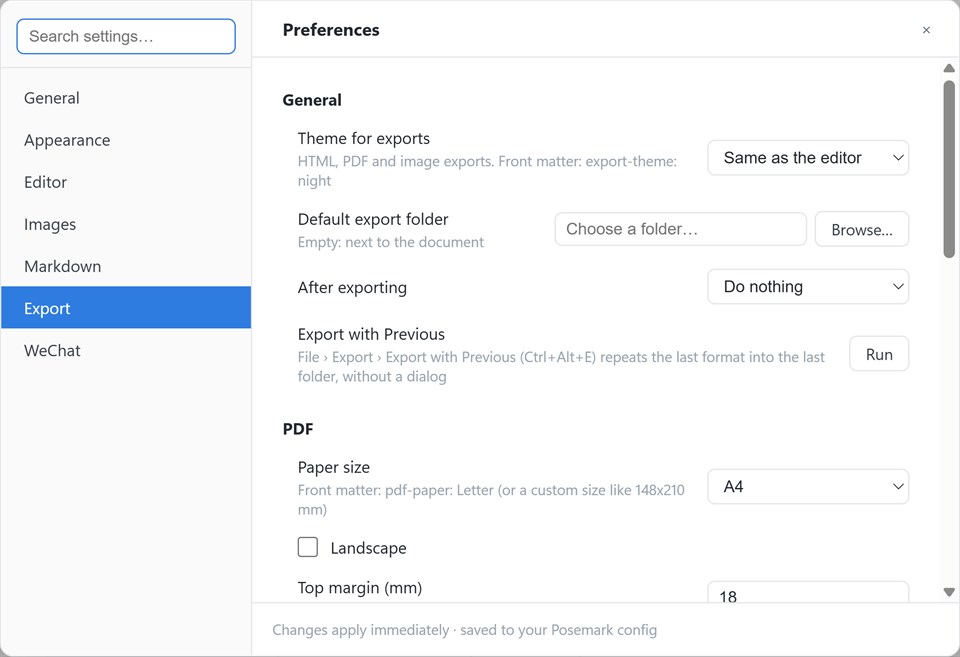
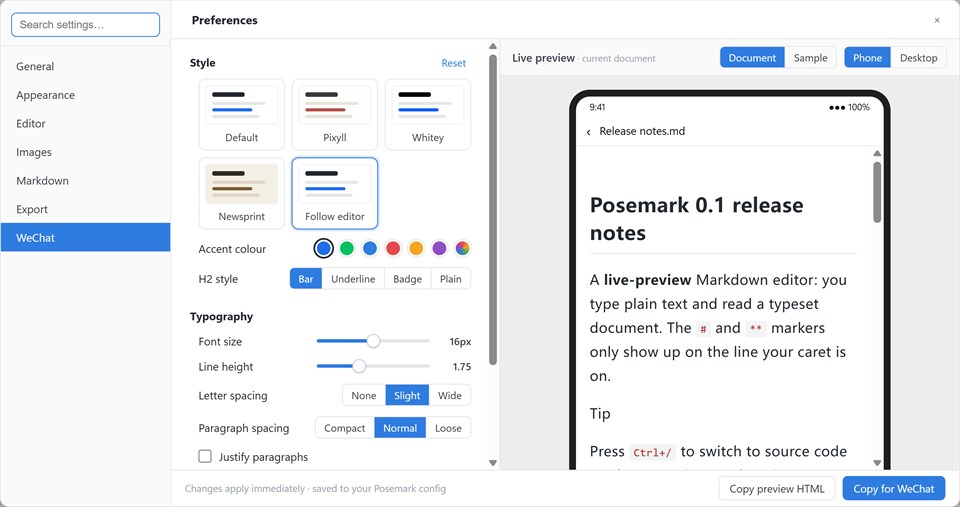
説明

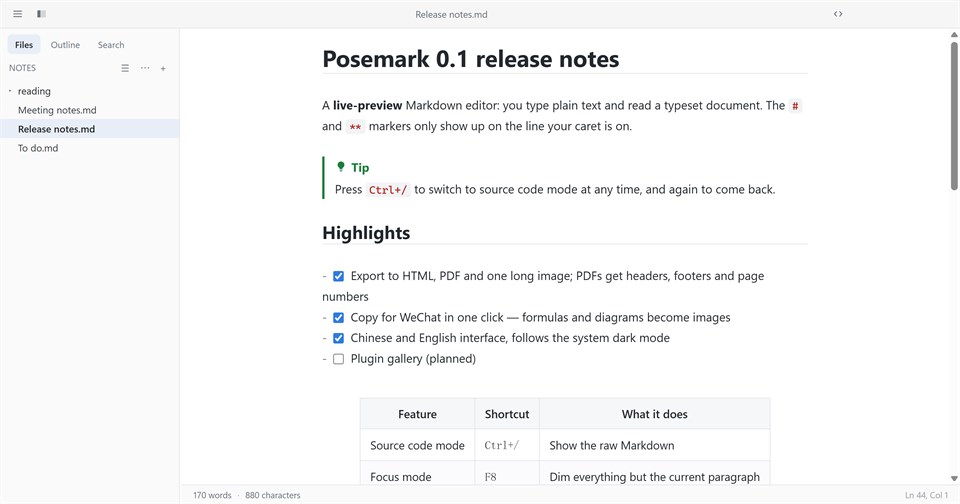
Live preview editing
- Headings, lists, quotes, task lists with clickable checkboxes, horizontal rules, bold, italic, strikethrough, highlight, subscript and superscript.
- GFM tables open as an editable grid when you click into them. Tab and Shift+Tab walk the cells, Enter moves down a row, and a right-click menu inserts or deletes rows and columns and sets alignment. Every keystroke is written back to the Markdown source.
- Fenced code blocks are syntax-highlighted, with optional line numbers and soft wrap, and stay highlighted while you edit them.
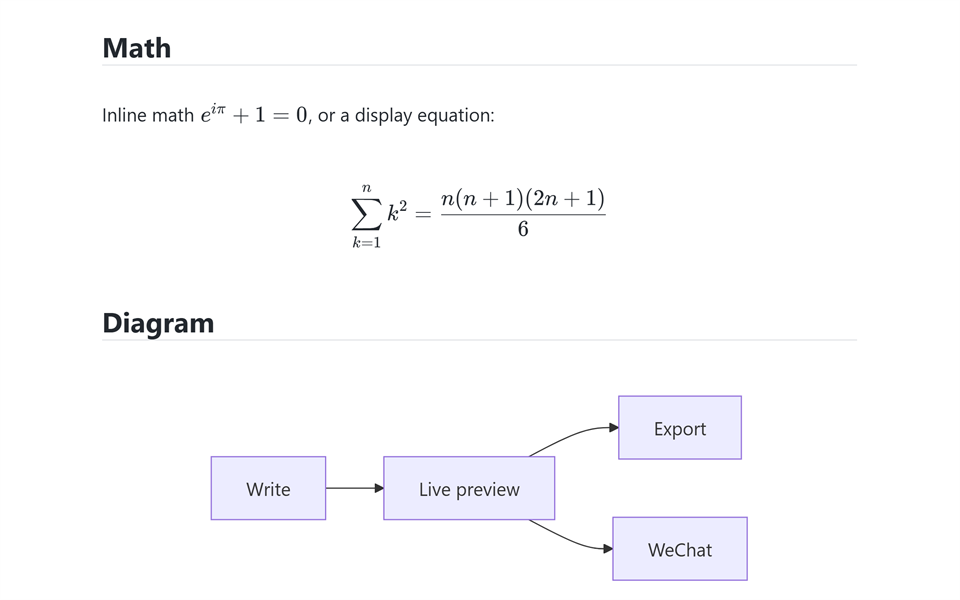
- Inline and block math with KaTeX, including mhchem chemistry, a subset of the physics package, equation numbering and \label / \ref cross-references. A math block opens as a field with the rendered formula updating underneath.
- Mermaid diagrams, plus sequence and flow diagram syntaxes, render in place and follow the editor theme. Right-click a diagram to save it as SVG or PNG.
- GitHub-style alerts, footnotes, a clickable [TOC] block, emoji shortcodes with autocomplete, reference-style links and YAML front matter.
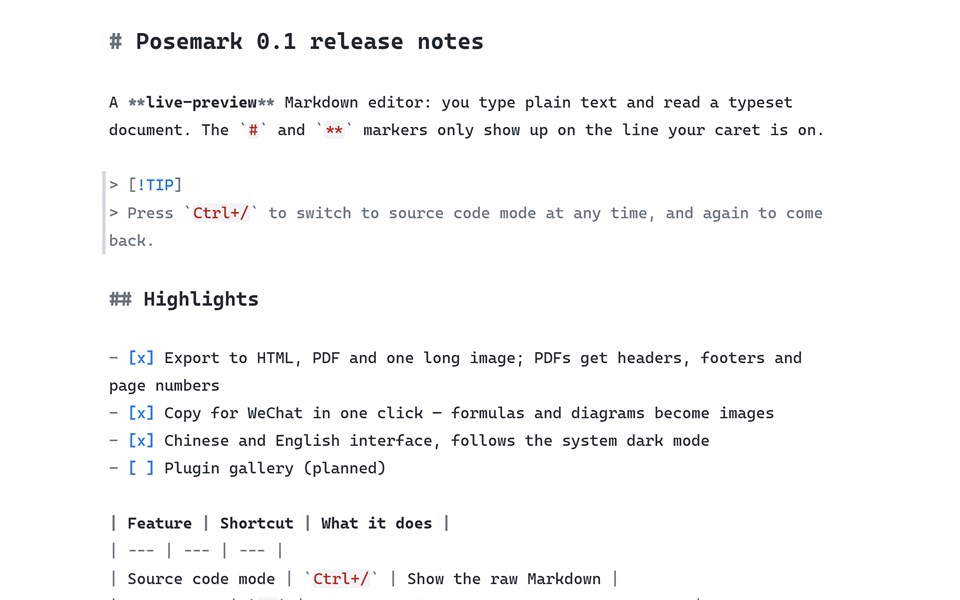
- Source code mode shows the raw Markdown with syntax highlighting.
Images
- Drop or paste an image and it is copied into the document's image folder (assets/ by default) and linked for you. Video and audio files become players.
- Click an image to resize it with a drag handle; the size is written into the Markdown.
- A right-click menu opens, reveals, copies, zooms, moves or deletes images, and can download a remote image into the image folder.
- Optional uploading through PicGo-Core, PicList or your own command, if you set one up.
Writing comfort
- Smart typography, auto-pairing of brackets and Markdown markers, and smart paste that turns rich text from web pages or Word into Markdown.
- Find and replace with regular expressions, jump to line, focus mode, typewriter mode, zoom and full screen.
- Word count with characters, lines, paragraphs and reading time.
Workspace
- Open a folder and work from a file tree: new file, new folder, rename, duplicate, drag-and-drop move, move to the Recycle Bin, and undo of the last file operation.
- Quick open, recent files, pinned folders, a flat file list view and search across the whole folder.
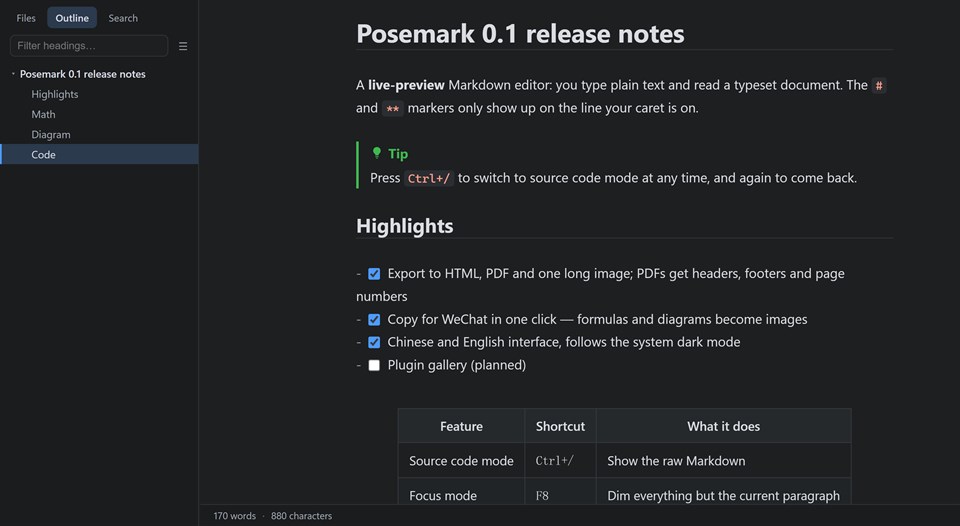
- An outline panel with folding and filtering.
- Changes made to the folder by other programs show up automatically.
- Multiple windows, one document per window, and automatic save if you want it.
- Unsaved edits are backed up as drafts so a crash or a forced shutdown loses nothing; recover them from the File menu.
- Command line: after installation the posemark command opens files or folders from a terminal and exports Markdown to HTML, PDF or PNG in batch.
Output
- Export to self-contained HTML or to PDF, with headers, footers and page numbers for PDF.
- Copy as HTML or as Markdown.
- Copy for WeChat Official Accounts: the document is rebuilt with inline styles only, with formulas and diagrams turned into images, and a live preview lets you tune the look.
Themes
- Five built-in themes (Default, Night, Pixyll, Whitey, Newsprint), automatic switching with the Windows light or dark mode, and your own CSS overrides or complete themes.
- The interface is available in English and Simplified Chinese.
Privacy
Posemark works on local files. It has no account, no ads and no telemetry. It only goes online when your document references a remote image, when you ask it to download an image, or when you use an image uploader you configured yourself.
Posemark is free and open source under the MIT license.
デベロッパーから
デベロッパーの方ですか?
ページの一番上にニュースを投稿すると、フォロワーにメールで届きます。YouTube 動画を追加すると、「動画」の一番上に表示されます。
リスト 0
-
 Posemark
ポイント 0
-

- +1 ポイント

ランキング 0
-
- あなたの評価
開発者 3
- whyun
- フォロワー: 0
- プラットフォーム: Windows アプリ (3)
- セール: 0
- リスト: 0 0
- ポイント: 0
- ランキング: 0
- コメント: 0
- 動画: 0
- RSS: 購読する
新機能
- バージョン: PC
- 最終更新:
- Posemark 0.2.1 is a bug-fix update:
- Lists in live preview: bullets render as disc, circle and square by nesting depth, ordered lists keep their numbers, and items plus their continuation lines get a hanging indent so wrapped text lines up under the item text. The text no longer shifts when the caret line shows the raw marker.
- Bold and italic around CJK punctuation: wrapping a selection such as 「她」 in bold, italic, strikethrough or highlight now moves the markers inside the punctuation so the formatting renders correctly.
情報
- リリース日:
- カテゴリ:
Windows向けアプリ›開発者ツール - オペレーティング システム:
PC - サイズ:
162 Mb - サポートされる言語:
中国語,英語 - コンテンツのレーティング:
EVERYONE - Windows Store 評価: ¡
0 - ウェブサイト:
 https://posemark.pages.dev/
AppAggスコア
1,010
AppAgg推定スコア:
Posemark
開発者: whyun
1,010 シルバー
スコアが高いほど、AppAgg上の各指標が良好な傾向にあります。
基準: 人気 · ユーザー評価 · 新しさ · セール · ストアデータ · コミュニティ活動
最新のAppAggデータに基づいて毎日再計算されます。
ウェブサイト用バッジ:  コピーしました!
コメント 0 ¡
最初のコメントを書きましょう
シェア
Posemark 短縮 URL: コピーしました!- Windows Store

