
북마크
이 북마크의 제목을 입력하세요.
북마크가 저장되었습니다
요약
소개합니다. whyun에서 만든 ‘개발자 도구’ 카테고리 앱, Posemark.
새로 나온 앱이에요. 에 나왔으니 지금 써 보면 얼리어답터예요.
무료. 광고도 인앱 구매도 없어요. 앱에만 집중하면 돼요.
Microsoft Store는 Windows에 기본으로 들어 있어서 클릭 몇 번이면 설치돼요.
AppAgg 점수는 1,010. 실버 등급, 이 정도면 꽤 괜찮아요.
연령 등급은 ‘EVERYONE’, 아이들에게도 괜찮아요.
2개 언어를 지원하지만, 한국어는 아직 없어요.
사용해 보셨나요? 여기서 첫 리뷰의 주인공이 되어 주세요.
이 개발자의 앱이 AppAgg에 2개 더 있어요. 한번 둘러보세요.
업데이트와 새 앱 소식을 가장 먼저 받고 싶나요? 개발자를 팔로우하거나 RSS 피드를 구독하세요. 푸시 알림은 Android와 iOS용 AppAgg Alerts 앱으로 받을 수 있어요.
광고
다른 플랫폼 0
가격 기록 0
- 현재 가격: 무료
- 최소: 무료
- 최대: 무료
홈 화면의 나만의 피드
“신규 및 업데이트” 피드의 플랫폼을 선택하면 홈 화면에 필요한 앱과 게임만 표시됩니다.
스크린샷 6
설명

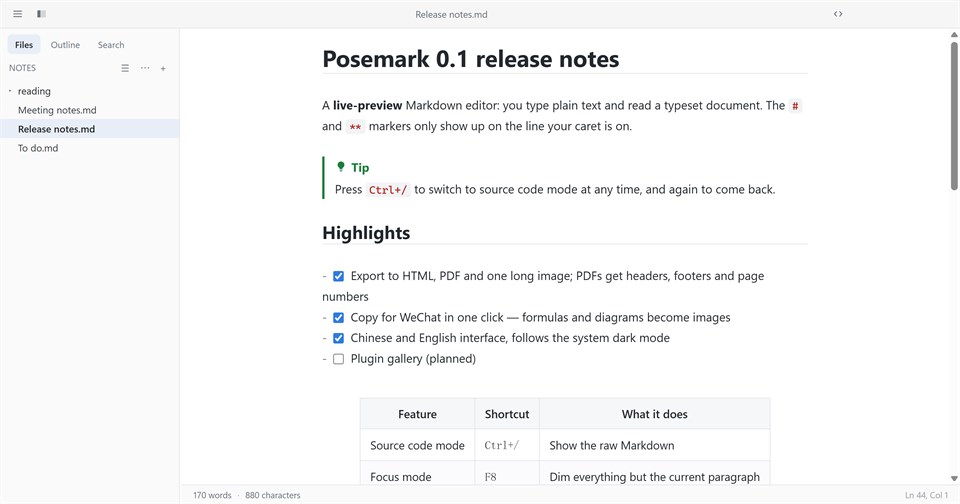
Live preview editing
- Headings, lists, quotes, task lists with clickable checkboxes, horizontal rules, bold, italic, strikethrough, highlight, subscript and superscript.
- GFM tables open as an editable grid when you click into them. Tab and Shift+Tab walk the cells, Enter moves down a row, and a right-click menu inserts or deletes rows and columns and sets alignment. Every keystroke is written back to the Markdown source.
- Fenced code blocks are syntax-highlighted, with optional line numbers and soft wrap, and stay highlighted while you edit them.
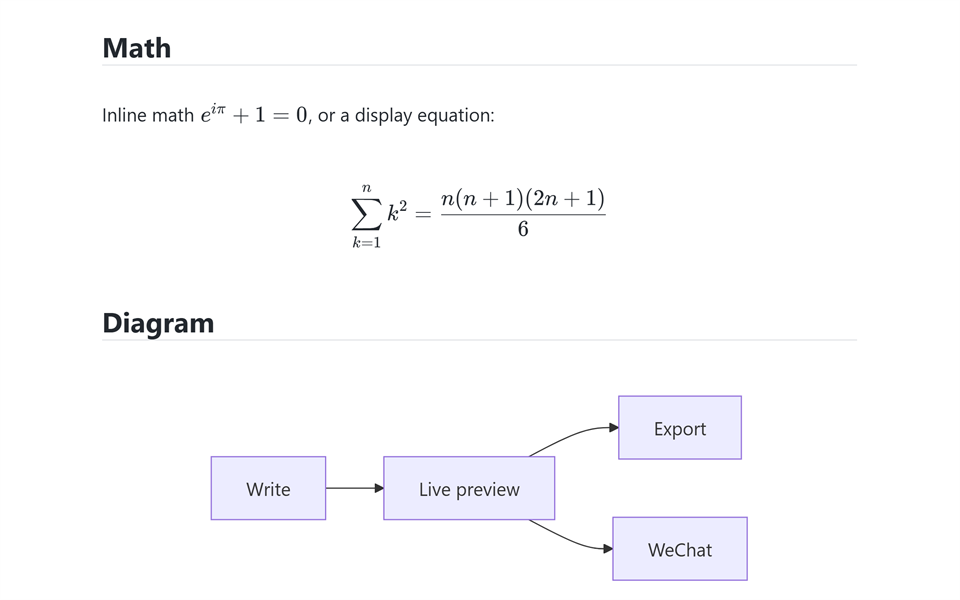
- Inline and block math with KaTeX, including mhchem chemistry, a subset of the physics package, equation numbering and \label / \ref cross-references. A math block opens as a field with the rendered formula updating underneath.
- Mermaid diagrams, plus sequence and flow diagram syntaxes, render in place and follow the editor theme. Right-click a diagram to save it as SVG or PNG.
- GitHub-style alerts, footnotes, a clickable [TOC] block, emoji shortcodes with autocomplete, reference-style links and YAML front matter.
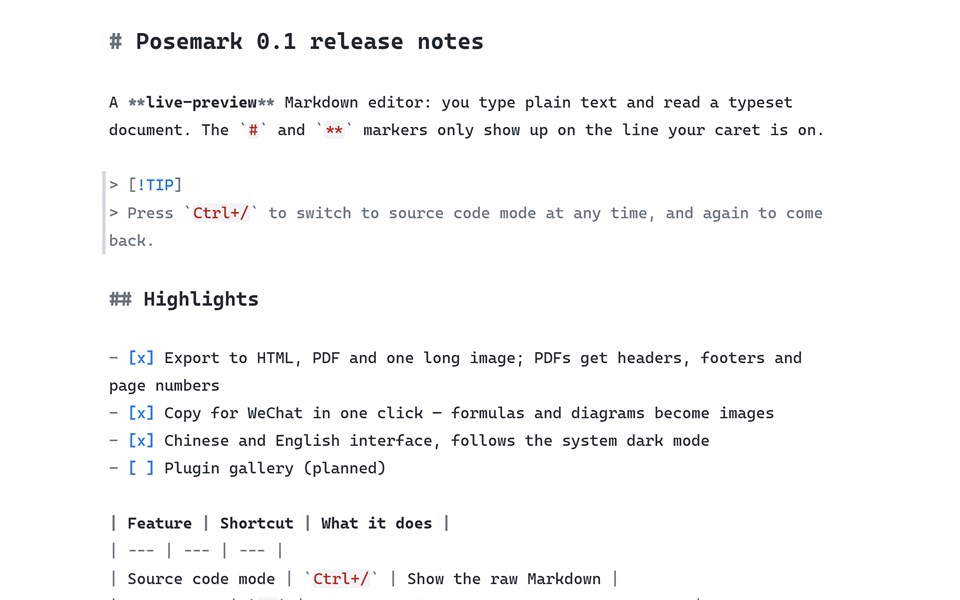
- Source code mode shows the raw Markdown with syntax highlighting.
Images
- Drop or paste an image and it is copied into the document's image folder (assets/ by default) and linked for you. Video and audio files become players.
- Click an image to resize it with a drag handle; the size is written into the Markdown.
- A right-click menu opens, reveals, copies, zooms, moves or deletes images, and can download a remote image into the image folder.
- Optional uploading through PicGo-Core, PicList or your own command, if you set one up.
Writing comfort
- Smart typography, auto-pairing of brackets and Markdown markers, and smart paste that turns rich text from web pages or Word into Markdown.
- Find and replace with regular expressions, jump to line, focus mode, typewriter mode, zoom and full screen.
- Word count with characters, lines, paragraphs and reading time.
Workspace
- Open a folder and work from a file tree: new file, new folder, rename, duplicate, drag-and-drop move, move to the Recycle Bin, and undo of the last file operation.
- Quick open, recent files, pinned folders, a flat file list view and search across the whole folder.
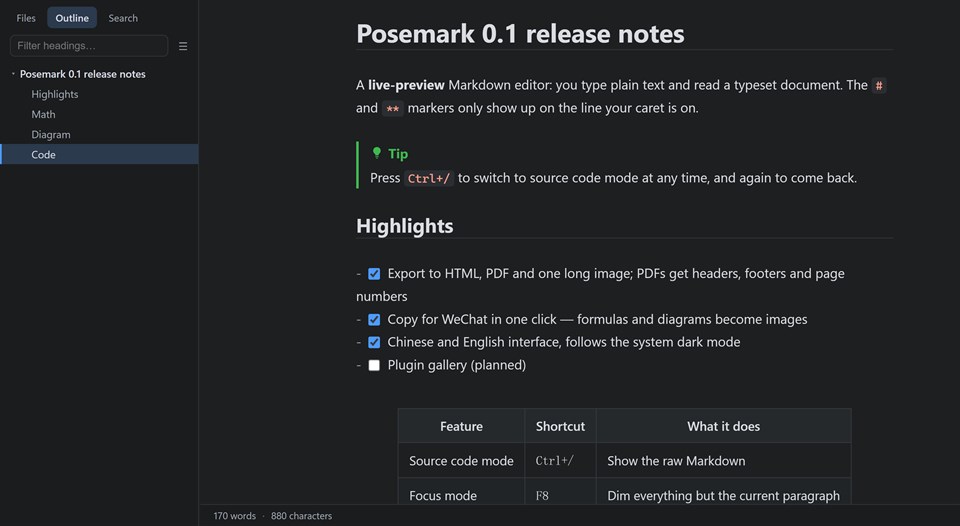
- An outline panel with folding and filtering.
- Changes made to the folder by other programs show up automatically.
- Multiple windows, one document per window, and automatic save if you want it.
- Unsaved edits are backed up as drafts so a crash or a forced shutdown loses nothing; recover them from the File menu.
- Command line: after installation the posemark command opens files or folders from a terminal and exports Markdown to HTML, PDF or PNG in batch.
Output
- Export to self-contained HTML or to PDF, with headers, footers and page numbers for PDF.
- Copy as HTML or as Markdown.
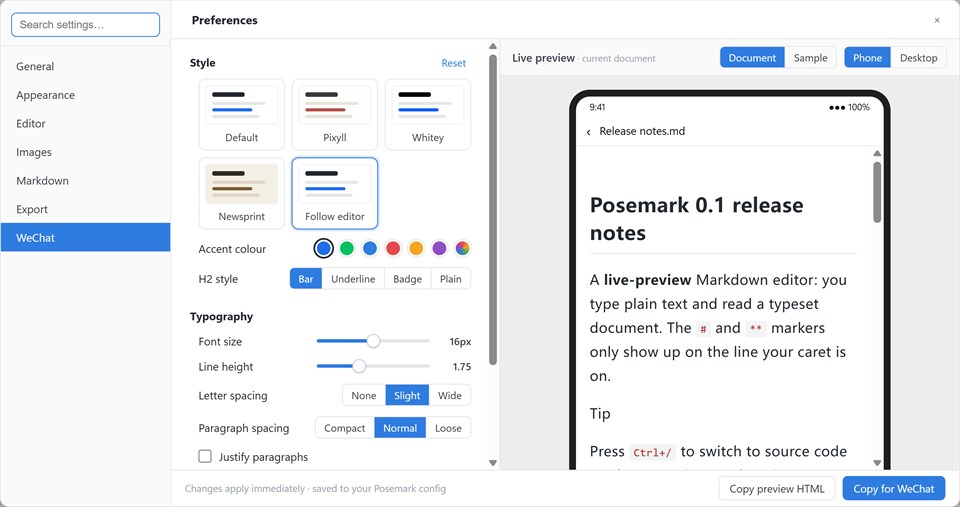
- Copy for WeChat Official Accounts: the document is rebuilt with inline styles only, with formulas and diagrams turned into images, and a live preview lets you tune the look.
Themes
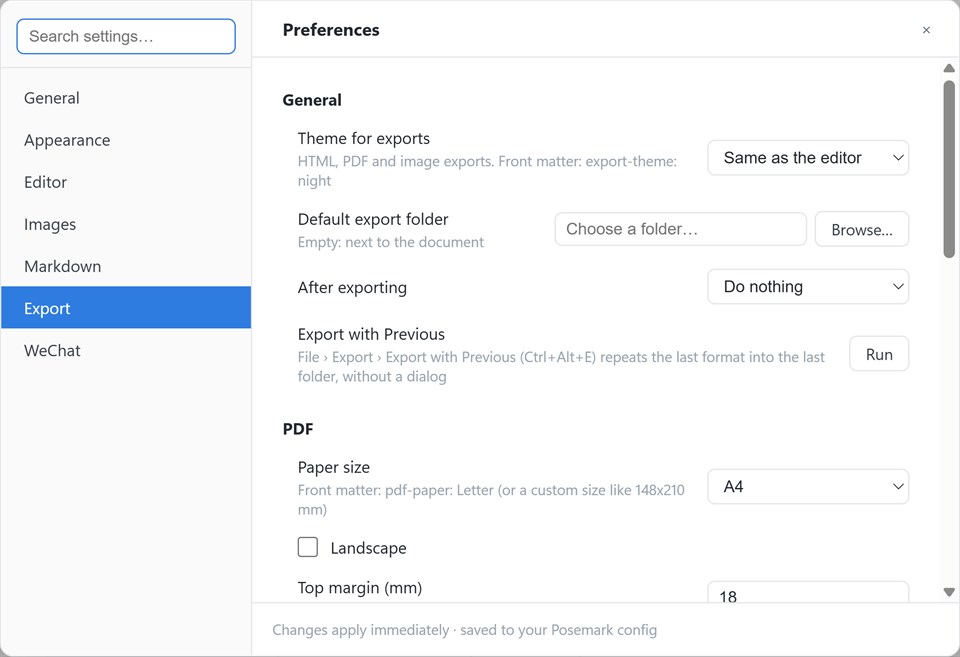
- Five built-in themes (Default, Night, Pixyll, Whitey, Newsprint), automatic switching with the Windows light or dark mode, and your own CSS overrides or complete themes.
- The interface is available in English and Simplified Chinese.
Privacy
Posemark works on local files. It has no account, no ads and no telemetry. It only goes online when your document references a remote image, when you ask it to download an image, or when you use an image uploader you configured yourself.
Posemark is free and open source under the MIT license.
개발자 소식
개발자이신가요?
페이지 맨 위에 소식을 올리면 팔로워에게 이메일로 전달됩니다. YouTube 동영상을 추가하면 “동영상” 블록 맨 앞에 표시됩니다.
목록 0
-
 Posemark
포인트 0
-

- +1 포인트

순위 0
-
- 내 평점
새로운 기능
- 버전: PC
- 마지막 업데이트:
- Posemark 0.2.1 is a bug-fix update:
- Lists in live preview: bullets render as disc, circle and square by nesting depth, ordered lists keep their numbers, and items plus their continuation lines get a hanging indent so wrapped text lines up under the item text. The text no longer shifts when the caret line shows the raw marker.
- Bold and italic around CJK punctuation: wrapping a selection such as 「她」 in bold, italic, strikethrough or highlight now moves the markers inside the punctuation so the formatting renders correctly.
추가 정보
 https://posemark.pages.dev/
AppAgg 점수
1,010
AppAgg 예상 점수:
Posemark
개발자: whyun
1,010 실버
점수가 높을수록 대체로 AppAgg의 여러 지표에서 좋은 결과를 보인다는 뜻입니다.
기준: 인기 · 사용자 평점 · 최신성 · 할인 · 스토어 데이터 · 커뮤니티 활동
최신 AppAgg 데이터를 바탕으로 매일 다시 계산됩니다.
웹사이트용 배지:  복사됨!
댓글 0 ¡
가장 먼저 댓글을 남겨주세요
공유하기
Posemark 단축 URL: 복사됨!- Windows Store


