
Dấu trang
| Nhà phát triển: | whyun (3) | ||
| Giá: | Miễn phí Mới | ||
| Điểm tổng hợp: | 1.010 Bạc | ||
| Bảng xếp hạng: | 0 | ||
| Bình luận: | 0 Đăng bình luận | ||
| Danh sách: | 0 0 | ||
| Điểm: | 0 | ||
| +1 Điểm | |||
Tóm tắt
Làm quen với Posemark, ứng dụng thuộc danh mục Công cụ cho nhà phát triển đến từ whyun.
Mới phát hành, ra mắt , nên bạn nằm trong số những người đầu tiên.
Miễn phí, không quảng cáo, không mua hàng trong ứng dụng. Chỉ có bạn và ứng dụng.
Microsoft Store có sẵn trong Windows, nên cài chỉ mất vài cú nhấp.
Điểm tổng hợp AppAgg là 1.010. Hạng Bạc, vậy là không tệ chút nào.
Xếp hạng độ tuổi “EVERYONE”, nên trẻ em cũng dùng được.
Biết 2 thứ tiếng, nhưng vẫn chưa có tiếng Việt.
Đã dùng rồi? Bài đánh giá của bạn sẽ là bài đầu tiên ở đây.
Nhà phát triển còn 2 ứng dụng khác trên AppAgg. Đáng xem đấy.
Muốn biết sớm nhất về cập nhật và ứng dụng mới? Hãy theo dõi nhà phát triển hoặc đăng ký nguồn RSS. Thông báo đẩy được gửi qua ứng dụng AppAgg Alerts cho Android và iOS.
Nền tảng khác 0
Lịch sử giá 0
- Giá hiện tại: Miễn phí
- Tối thiểu: Miễn phí
- Tối đa: Miễn phí
Bảng tin riêng của bạn trên trang chủ
Ảnh chụp màn hình 6
Mô tả

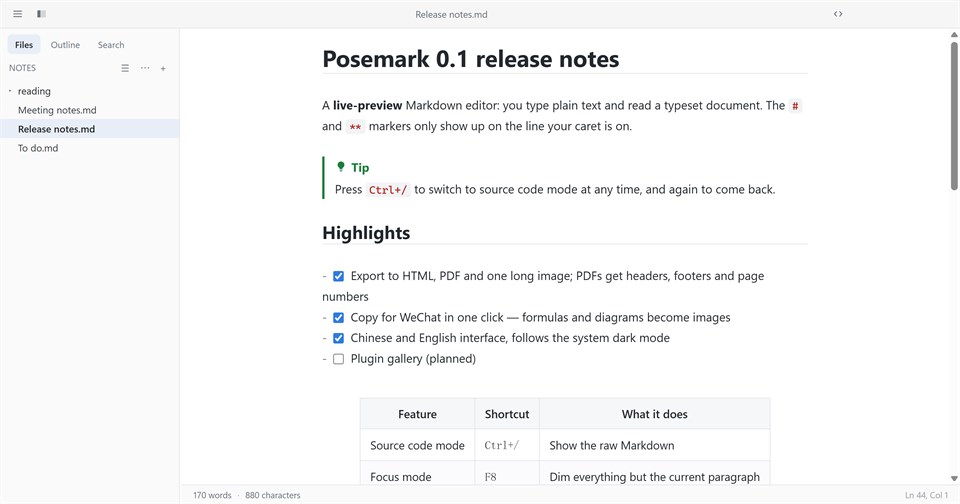
Live preview editing
- Headings, lists, quotes, task lists with clickable checkboxes, horizontal rules, bold, italic, strikethrough, highlight, subscript and superscript.
- GFM tables open as an editable grid when you click into them. Tab and Shift+Tab walk the cells, Enter moves down a row, and a right-click menu inserts or deletes rows and columns and sets alignment. Every keystroke is written back to the Markdown source.
- Fenced code blocks are syntax-highlighted, with optional line numbers and soft wrap, and stay highlighted while you edit them.
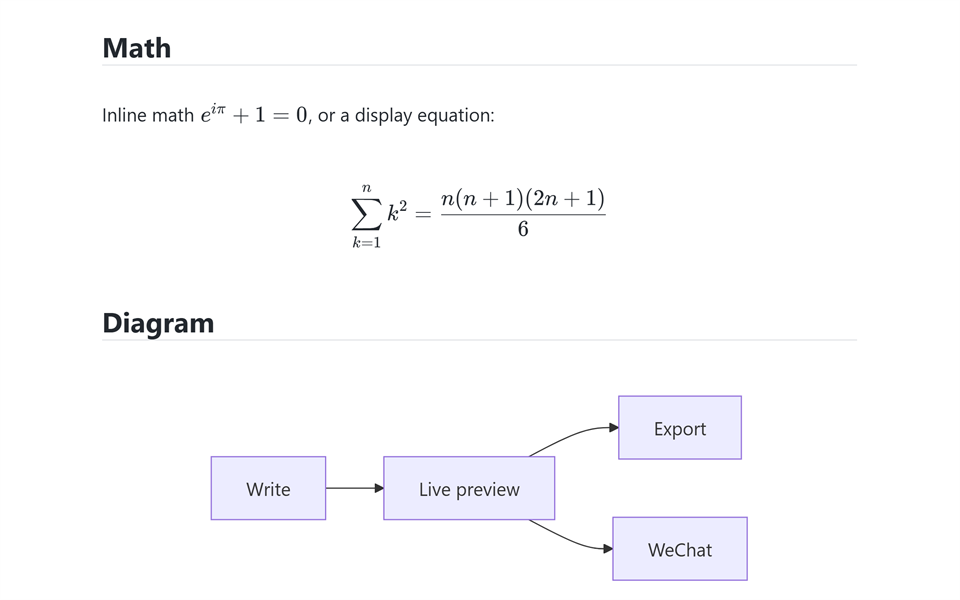
- Inline and block math with KaTeX, including mhchem chemistry, a subset of the physics package, equation numbering and \label / \ref cross-references. A math block opens as a field with the rendered formula updating underneath.
- Mermaid diagrams, plus sequence and flow diagram syntaxes, render in place and follow the editor theme. Right-click a diagram to save it as SVG or PNG.
- GitHub-style alerts, footnotes, a clickable [TOC] block, emoji shortcodes with autocomplete, reference-style links and YAML front matter.
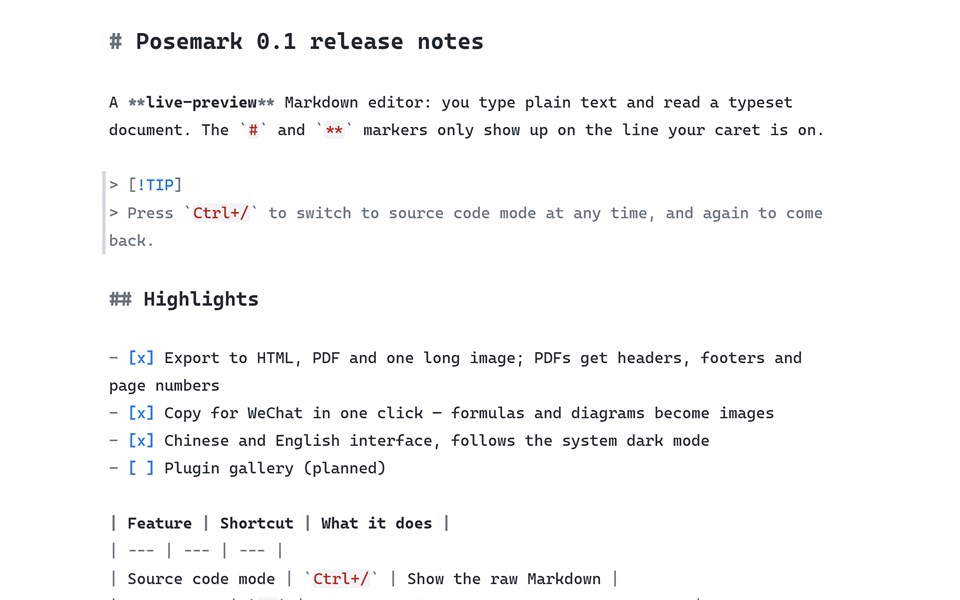
- Source code mode shows the raw Markdown with syntax highlighting.
Images
- Drop or paste an image and it is copied into the document's image folder (assets/ by default) and linked for you. Video and audio files become players.
- Click an image to resize it with a drag handle; the size is written into the Markdown.
- A right-click menu opens, reveals, copies, zooms, moves or deletes images, and can download a remote image into the image folder.
- Optional uploading through PicGo-Core, PicList or your own command, if you set one up.
Writing comfort
- Smart typography, auto-pairing of brackets and Markdown markers, and smart paste that turns rich text from web pages or Word into Markdown.
- Find and replace with regular expressions, jump to line, focus mode, typewriter mode, zoom and full screen.
- Word count with characters, lines, paragraphs and reading time.
Workspace
- Open a folder and work from a file tree: new file, new folder, rename, duplicate, drag-and-drop move, move to the Recycle Bin, and undo of the last file operation.
- Quick open, recent files, pinned folders, a flat file list view and search across the whole folder.
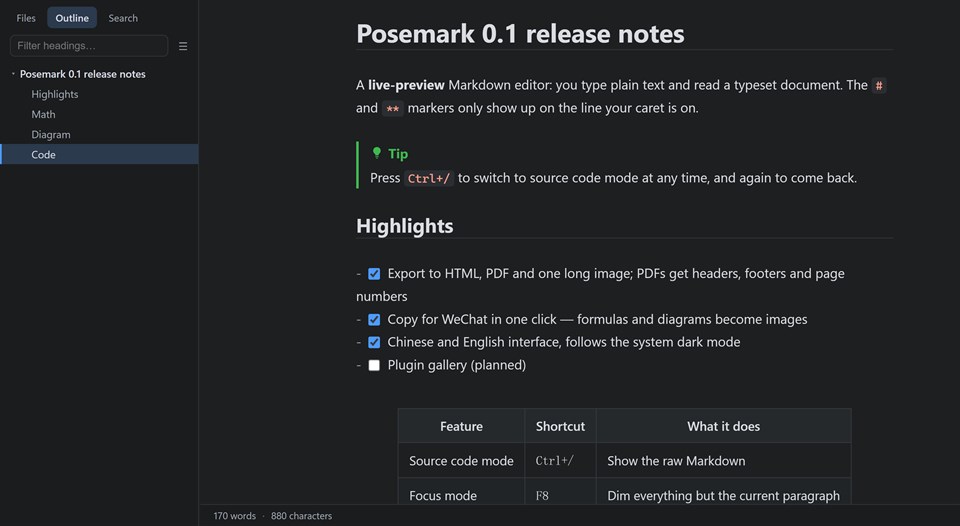
- An outline panel with folding and filtering.
- Changes made to the folder by other programs show up automatically.
- Multiple windows, one document per window, and automatic save if you want it.
- Unsaved edits are backed up as drafts so a crash or a forced shutdown loses nothing; recover them from the File menu.
- Command line: after installation the posemark command opens files or folders from a terminal and exports Markdown to HTML, PDF or PNG in batch.
Output
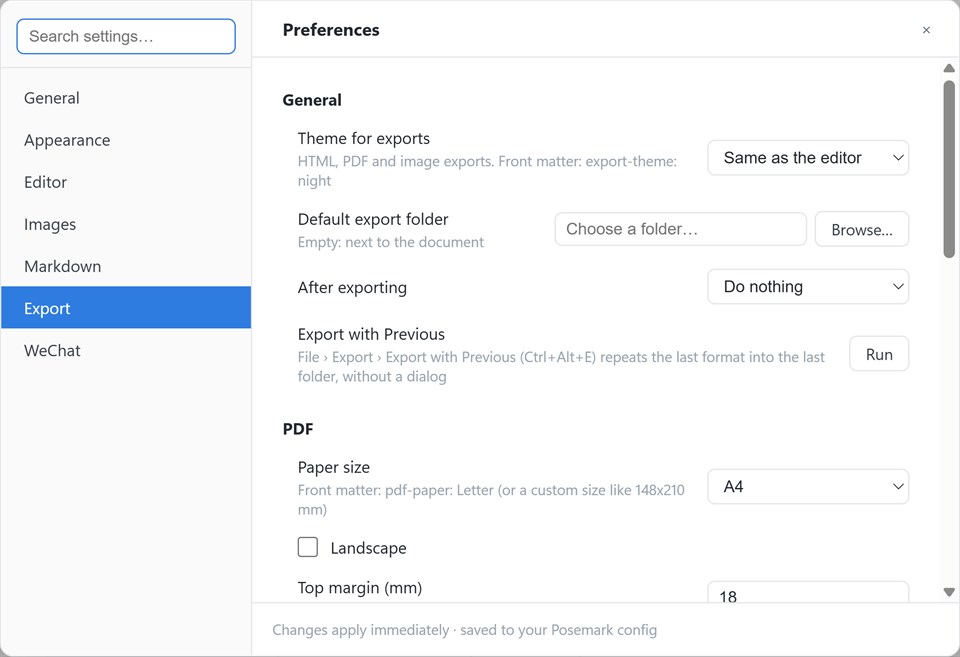
- Export to self-contained HTML or to PDF, with headers, footers and page numbers for PDF.
- Copy as HTML or as Markdown.
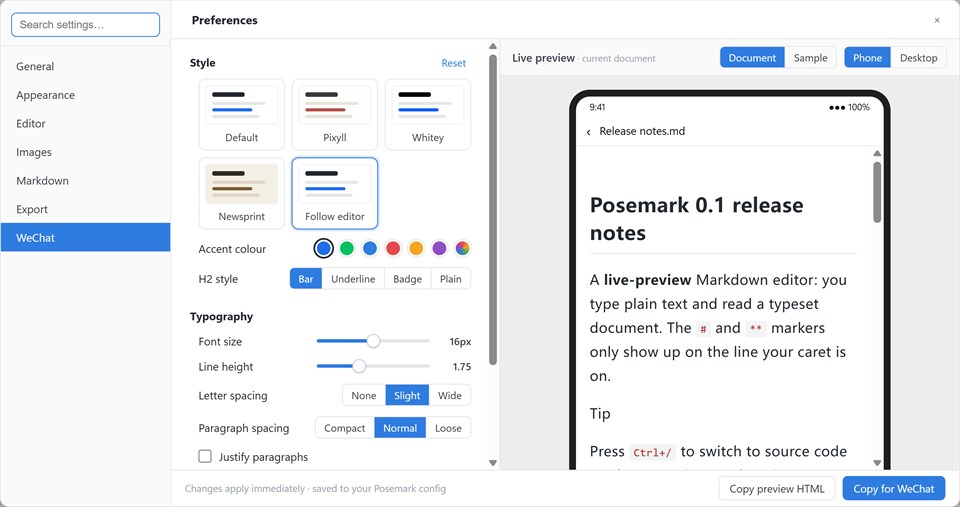
- Copy for WeChat Official Accounts: the document is rebuilt with inline styles only, with formulas and diagrams turned into images, and a live preview lets you tune the look.
Themes
- Five built-in themes (Default, Night, Pixyll, Whitey, Newsprint), automatic switching with the Windows light or dark mode, and your own CSS overrides or complete themes.
- The interface is available in English and Simplified Chinese.
Privacy
Posemark works on local files. It has no account, no ads and no telemetry. It only goes online when your document references a remote image, when you ask it to download an image, or when you use an image uploader you configured yourself.
Posemark is free and open source under the MIT license.
Từ nhà phát triển
Danh sách 0
-
 Posemark
Điểm 0
-

- +1 Điểm

Bảng xếp hạng 0
-
- Điểm bạn chấm
Nhà phát triển 3
- whyun
- Người theo dõi: 0
- Nền tảng: Windows Ứng dụng (3)
- Giảm giá: 0
- Danh sách: 0 0
- Điểm: 0
- Bảng xếp hạng: 0
- Bình luận: 0
- Video: 0
- RSS: Đăng ký
Tính năng mới
- Phiên bản: PC
- Cập nhật lần cuối:
- Posemark 0.2.1 is a bug-fix update:
- Lists in live preview: bullets render as disc, circle and square by nesting depth, ordered lists keep their numbers, and items plus their continuation lines get a hanging indent so wrapped text lines up under the item text. The text no longer shifts when the caret line shows the raw marker.
- Bold and italic around CJK punctuation: wrapping a selection such as 「她」 in bold, italic, strikethrough or highlight now moves the markers inside the punctuation so the formatting renders correctly.
Thông tin bổ sung
- Ngày phát hành:
- Danh mục:
Ứng dụng cho Windows›Công cụ cho nhà phát triển - HĐH:
PC - Kích thước:
162 Mb - Ngôn ngữ được hỗ trợ:
Tiếng Anh,Tiếng Trung - Xếp hạng nội dung:
EVERYONE - Windows Store Điểm đánh giá: ¡
0 - Trang web:
 https://posemark.pages.dev/
Điểm tổng hợp AppAgg
Điểm tổng hợp AppAgg ước tính cho
Posemark
Nhà phát triển: whyun
Điểm cao hơn thường cho thấy các chỉ số trên AppAgg tốt hơn.
Dựa trên: độ phổ biến · đánh giá của người dùng · độ mới · ưu đãi · dữ liệu cửa hàng · hoạt động cộng đồng
Được tính lại hằng ngày từ dữ liệu AppAgg mới nhất.
Bình luận 0 ¡
Chia sẻ
Posemark URL ngắn: Đã sao chép!- Windows Store

