
الإشارات المرجعية
| المطوّر: | Human Typer (7) | ||
| السعر: | $2.99 | ||
| الدرجة: | 1,050 فضة | ||
| الترتيب: | 0 | ||
| تعليقات: | 0 انشر تعليقًا | ||
| قوائم: | 0 0 | ||
| النقاط: | 0 | ||
| +1 نقطة | |||
ملخص
تعرّف على PresentPointer، تطبيق من Human Typer ضمن فئة «أدوات المطور».
صدر ، وما زال حديثًا نسبيًا.
$2.99، ولا خصم واحد على AppAgg حتى الآن. جوزة صعبة الكسر.
متجر Microsoft مدمج في Windows، فالتثبيت يتم بنقرتين.
درجة AppAgg هي 1,050. فضة، وهذا ليس سيئًا أبدًا.
التصنيف العمري «EVERYONE»، أي أنه مناسب للأطفال أيضًا.
يتحدث لغة واحدة فقط، وليست العربية.
هل استخدمته؟ سيكون تعليقك الأول هنا.
لدى هذا المطوّر 6 تطبيقات أخرى على AppAgg. ألقِ نظرة.
تريد أن تعرف بالخصومات والتحديثات والتطبيقات الجديدة أولًا؟ فعّل تنبيه السعر أو تابع المطور أو اشترك في موجز RSS. تصلك الإشعارات عبر تطبيق AppAgg Alerts لنظامي Android وiOS.
منصات أخرى 0
سجل الأسعار 0
- السعر الحالي: $2.99
- الحد الأدنى: $2.99
- الحد الأقصى: $2.99
خلاصتك الخاصة في الصفحة الرئيسية
لقطات الشاشة 5
فيديو 1
الوصف

⚠️ IMPORTANT COMPATIBILITY NOTES:
Recording: This tool is not compatible with Windows Game Bar or "Window Capture" modes, as they filter out overlays. To record the effects, please use an app meant for recording your entire screen.
Visibility: Due to Windows security restrictions, the cursor highlight will appear behind the Start Menu, Taskbar, and possibly Task Manager. This is normal behavior for all standard Windows applications.
Elevate your presentations, tutorials, and screen recordings with PresentPointer. for teachers, content creators, and professionals, this lightweight utility transforms your mouse cursor into a clear, visual focal point, ensuring your audience never loses track of the action.
Key Features:
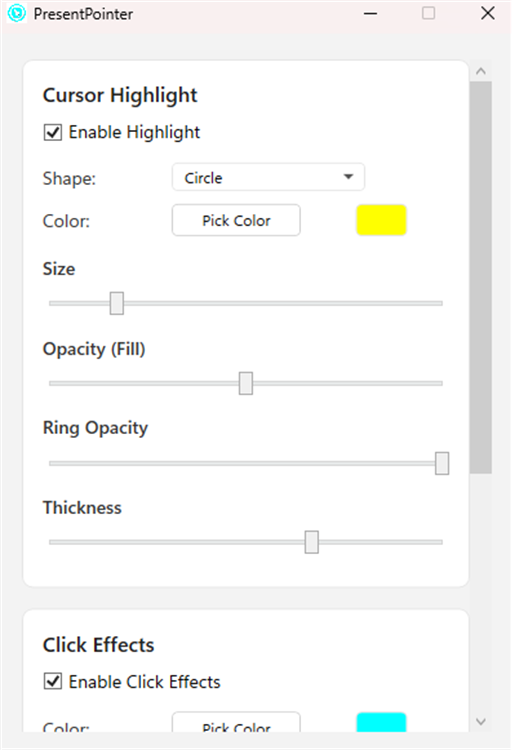
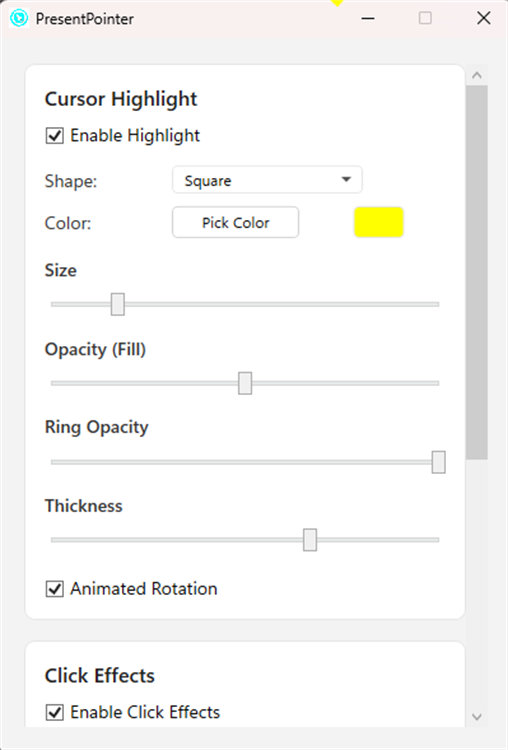
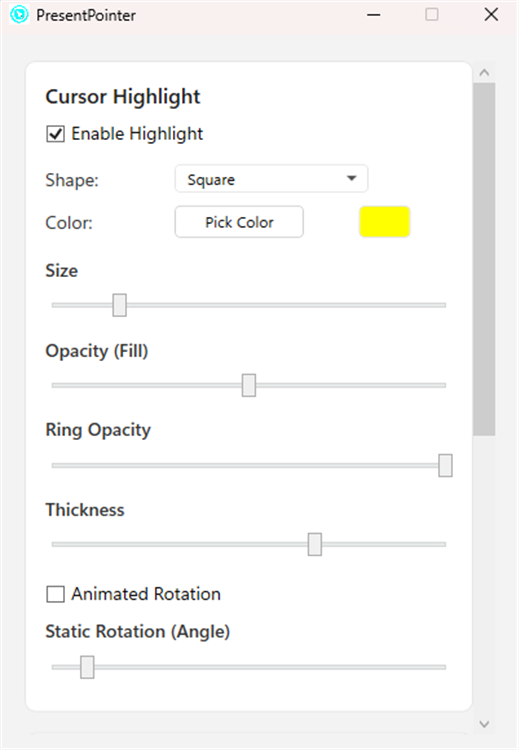
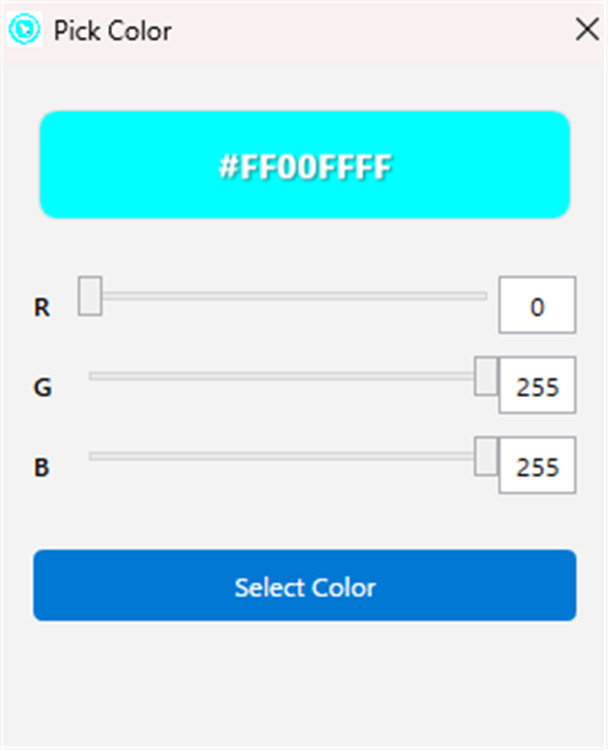
Customizable Highlight: Choose from a Circle or Square overlay. Fully adjust the color, size, opacity, and border thickness to match your brand or preference.
Dynamic Visuals: Add a professional touch with optional rotation animations—keep it static or set it to a gentle spin.
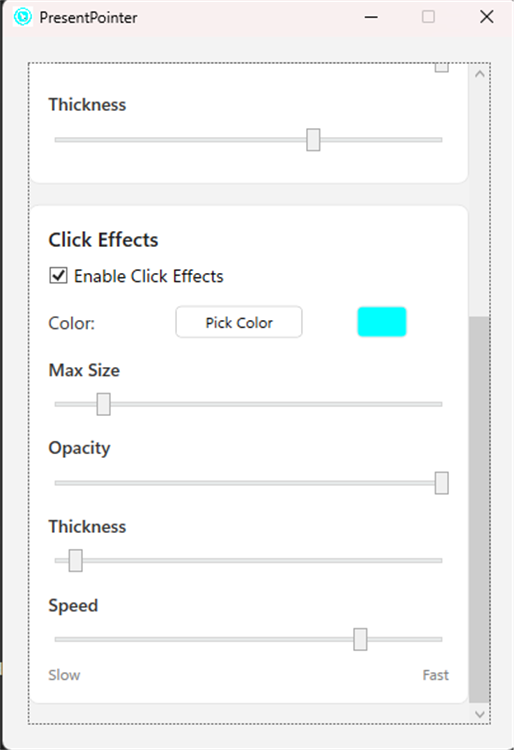
Interactive Click Effects: visual feedback ripples outward whenever you click, making your interactions obvious and engaging.
Instant Updates: Settings apply in real-time. No need to restart or guess—what you see is what you get.
Set It & Forget It: Your preferences are saved automatically and load consistently every time you start the app.
Lightweight & Secure: Runs quietly in the background with minimal system impact. Packaged as a secure native Windows application.
Whether you're guiding students through a lesson or highlighting key data in a meeting, PresentPointer helps you point with purpose.
من المطوّر
قوائم 0
-
 PresentPointer
النقاط 0
-

- +1 نقطة

الترتيب 0
-
- تقييمك
المطوّر 7
- Human Typer
- المتابعون: 0
- المنصات: Windows تطبيقات (7)
- العروض: 0
- قوائم: 0 0
- النقاط: 0
- الترتيب: 0
- تعليقات: 0
- الفيديوهات: 2
- RSS: اشتراك
ما الجديد
- الإصدار: PC
- آخر تحديث:
معلومات إضافية
- تاريخ الإصدار:
- الفئة:
تطبيقات Windows›أدوات المطور - نظام التشغيل:
PC - الحجم:
73 Mb - اللغات المدعومة:
الإنجليزية - تقييم المحتوى:
EVERYONE - Windows Store تقييم: ¡
0
درجة AppAgg
درجة AppAgg التقديرية لـ
PresentPointer
المطوّر: Human Typer
تشير الدرجة الأعلى عادةً إلى أداء أفضل في مؤشرات AppAgg.
استنادًا إلى: الشعبية · تقييمات المستخدمين · الحداثة · العروض · بيانات المتاجر · نشاط المجتمع
يُعاد حسابها يوميًا بناءً على أحدث بيانات AppAgg.
تعليقات 0 ¡
مشاركة
PresentPointer عنوان URL مختصر: تم النسخ!- Windows Store

