
Bookmark
| Pengembang: | Human Typer (7) | ||
| Harga: | $2.99 | ||
| Skor: | 1.050 Perak | ||
| Peringkat: | 0 | ||
| Komentar: | 0 Kirimkan komentar | ||
| Daftar: | 0 0 | ||
| Poin: | 0 | ||
| +1 Poin | |||
Ringkasan
Kenalan dulu dengan PresentPointer, aplikasi buatan Human Typer di kategori Alat pengembang.
Rilis , masih cukup segar.
$2.99, dan sejauh ini belum pernah diskon sekali pun di AppAgg. Benar-benar susah ditaklukkan.
Microsoft Store sudah jadi bawaan Windows, jadi bisa dipasang dalam beberapa klik.
Skor AppAgg-nya 1.050. Perak, dan itu sama sekali tidak buruk.
Rating usia “EVERYONE”, jadi aman juga untuk anak-anak.
Cuma bisa satu bahasa, dan itu bukan bahasa Indonesia.
Sudah memakainya? Ulasanmu bakal jadi yang pertama di sini.
Pengembang ini punya 6 aplikasi lagi di AppAgg. Layak dilihat.
Mau jadi yang pertama tahu soal diskon, pembaruan, dan aplikasi baru? Pasang notifikasi harga, ikuti pengembang, atau berlangganan lewat Umpan RSS. Notifikasi push dikirim lewat aplikasi AppAgg Alerts untuk Android dan iOS.
Platform lain 0
Riwayat harga 0
- Harga saat ini: $2.99
- Minimum: $2.99
- Maksimum: $2.99
Feed Anda sendiri di beranda
Jepretan layar 5
Video 1
Deskripsi

⚠️ IMPORTANT COMPATIBILITY NOTES:
Recording: This tool is not compatible with Windows Game Bar or "Window Capture" modes, as they filter out overlays. To record the effects, please use an app meant for recording your entire screen.
Visibility: Due to Windows security restrictions, the cursor highlight will appear behind the Start Menu, Taskbar, and possibly Task Manager. This is normal behavior for all standard Windows applications.
Elevate your presentations, tutorials, and screen recordings with PresentPointer. for teachers, content creators, and professionals, this lightweight utility transforms your mouse cursor into a clear, visual focal point, ensuring your audience never loses track of the action.
Key Features:
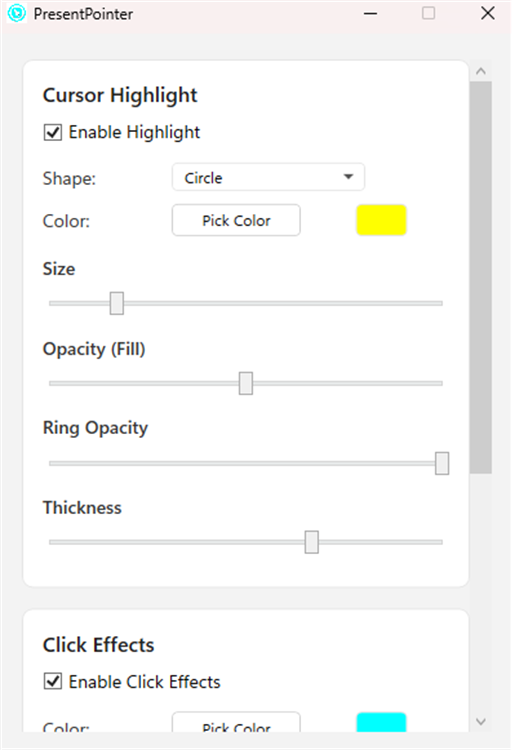
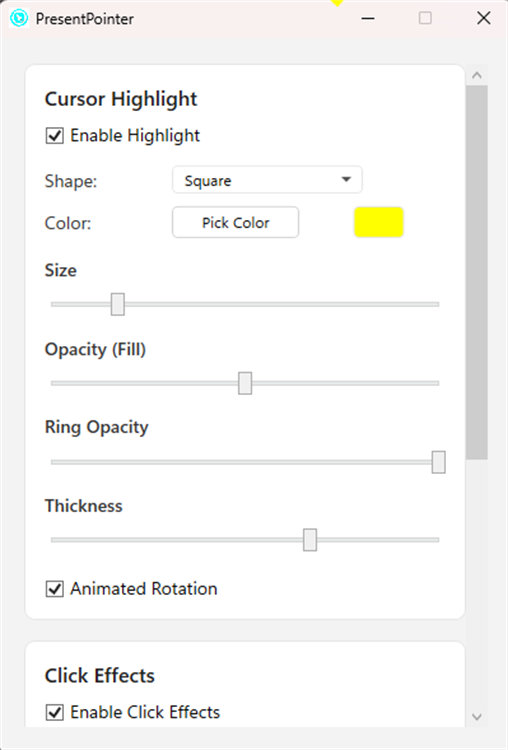
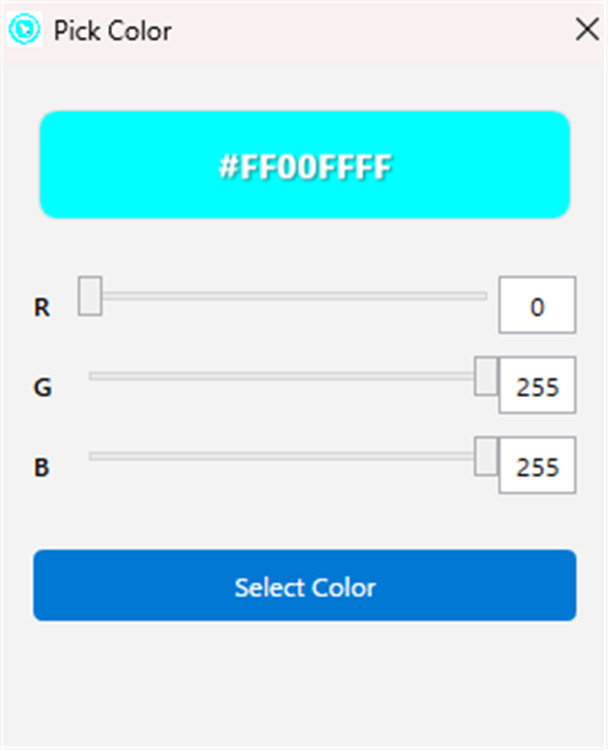
Customizable Highlight: Choose from a Circle or Square overlay. Fully adjust the color, size, opacity, and border thickness to match your brand or preference.
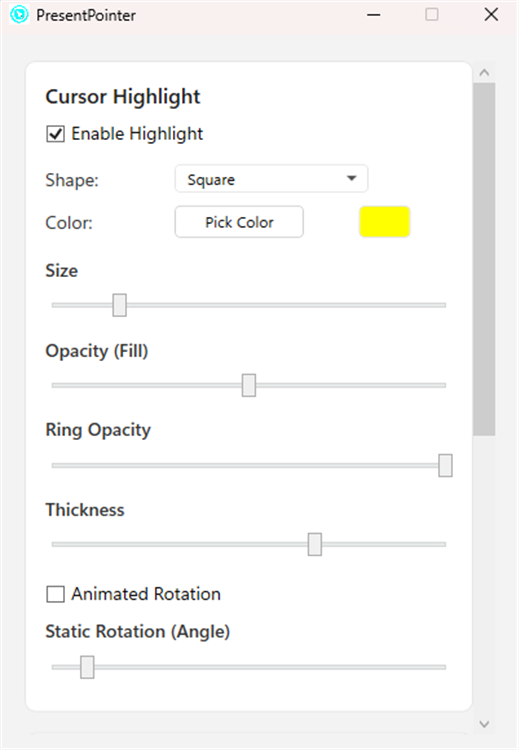
Dynamic Visuals: Add a professional touch with optional rotation animations—keep it static or set it to a gentle spin.
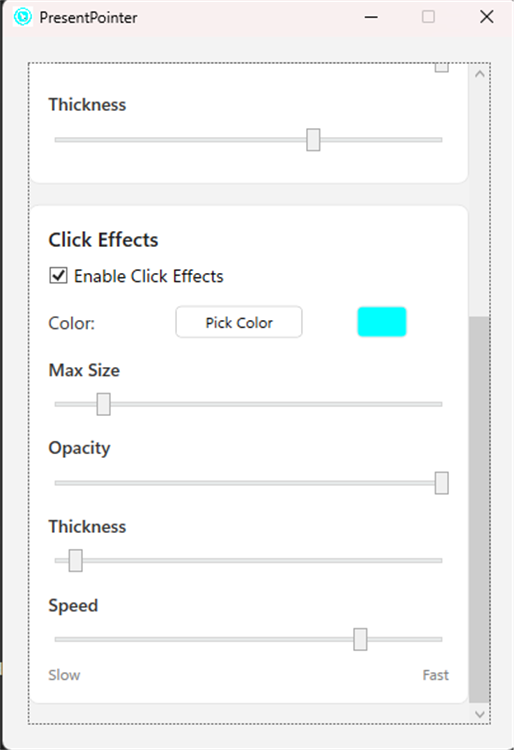
Interactive Click Effects: visual feedback ripples outward whenever you click, making your interactions obvious and engaging.
Instant Updates: Settings apply in real-time. No need to restart or guess—what you see is what you get.
Set It & Forget It: Your preferences are saved automatically and load consistently every time you start the app.
Lightweight & Secure: Runs quietly in the background with minimal system impact. Packaged as a secure native Windows application.
Whether you're guiding students through a lesson or highlighting key data in a meeting, PresentPointer helps you point with purpose.
Dari developer
Daftar 0
-
 PresentPointer
Poin 0
-

- +1 Poin

Peringkat 0
-
- Rating Anda
Pengembang 7
- Human Typer
- Pengikut: 0
- Platform: Windows Aplikasi (7)
- Diskon: 0
- Daftar: 0 0
- Poin: 0
- Peringkat: 0
- Komentar: 0
- Video: 2
- RSS: Berlangganan
Yang Baru
- Versi: PC
- Terakhir diperbarui:
Info tambahan
- Tanggal rilis:
- Kategori:
Aplikasi Windows›Alat pengembang - OS:
PC - Ukuran:
73 Mb - Bahasa yang didukung:
Inggris - Rating Konten:
EVERYONE - Windows Store Rating: ¡
0
Skor AppAgg
Perkiraan Skor AppAgg untuk
PresentPointer
Pengembang: Human Typer
Skor yang lebih tinggi biasanya menunjukkan indikator yang lebih kuat di AppAgg.
Berdasarkan: popularitas · rating pengguna · kebaruan · promo · data toko · aktivitas komunitas
Dihitung ulang setiap hari dari data AppAgg terbaru.
Komentar 0 ¡
Bagikan
PresentPointer URL singkat: Disalin!- Windows Store

