
Bladwijzers
| Ontwikkelaar: | Human Typer (7) | ||
| Prijs: | $2.99 | ||
| Score: | 1.050 Zilver | ||
| Ranglijsten: | 0 | ||
| Reacties: | 0 Plaats reactie | ||
| Lijsten: | 0 0 | ||
| Punten: | 0 | ||
| +1 Punt | |||
Samenvatting
Maak kennis met PresentPointer, een app van Human Typer in de categorie “Ontwikkelhulpprogramma's”.
Pas uitgekomen, dus nog lekker vers.
$2.99, en tot nu toe nog geen enkele korting op AppAgg. Een harde noot om te kraken.
De Microsoft Store zit ingebouwd in Windows, dus installeren doe je in een paar klikken.
De AppAgg-score is 1.050. Zilver, en dat is helemaal niet slecht.
Leeftijdsclassificatie “EVERYONE”, dus ook prima voor kinderen.
Spreekt maar één taal, en dat is geen Nederlands.
Gebruikt? Jouw recensie zou hier de eerste zijn.
De ontwikkelaar heeft nog 6 andere apps op AppAgg. Neem gerust een kijkje.
Wil je als eerste horen over aanbiedingen, updates en nieuwe apps? Stel een prijsalarm in, volg de ontwikkelaar of abonneer je op de RSS-feed. Pushmeldingen komen binnen via de app AppAgg Alerts voor Android en iOS.
Andere platforms 0
Prijsgeschiedenis 0
- Huidige prijs: $2.99
- Minimum: $2.99
- Maximum: $2.99
Je eigen feed op de startpagina
Screenshots 5
Video 1
Beschrijving

⚠️ IMPORTANT COMPATIBILITY NOTES:
Recording: This tool is not compatible with Windows Game Bar or "Window Capture" modes, as they filter out overlays. To record the effects, please use an app meant for recording your entire screen.
Visibility: Due to Windows security restrictions, the cursor highlight will appear behind the Start Menu, Taskbar, and possibly Task Manager. This is normal behavior for all standard Windows applications.
Elevate your presentations, tutorials, and screen recordings with PresentPointer. for teachers, content creators, and professionals, this lightweight utility transforms your mouse cursor into a clear, visual focal point, ensuring your audience never loses track of the action.
Key Features:
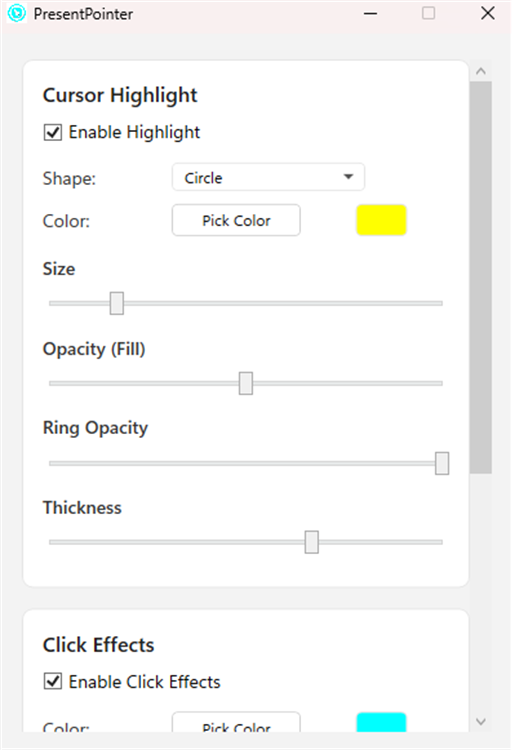
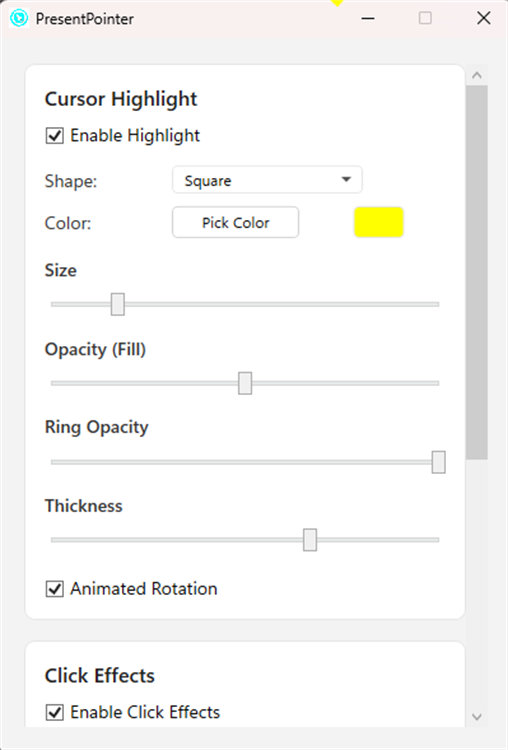
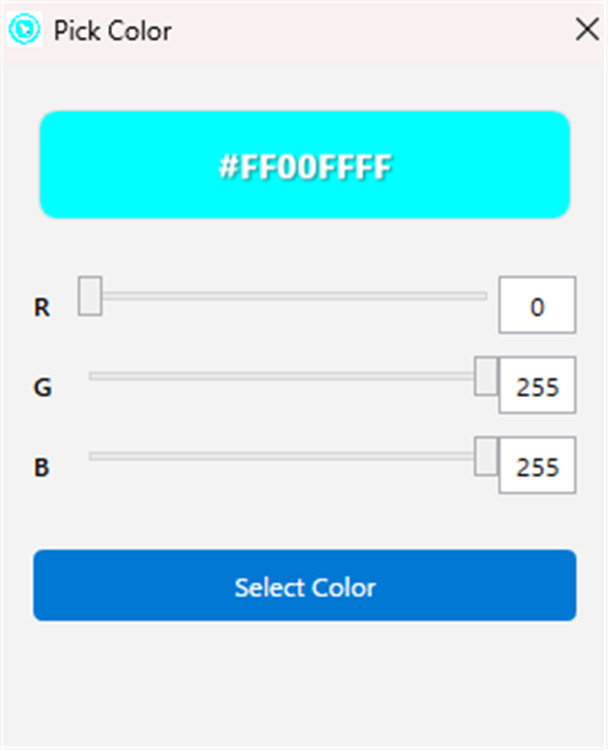
Customizable Highlight: Choose from a Circle or Square overlay. Fully adjust the color, size, opacity, and border thickness to match your brand or preference.
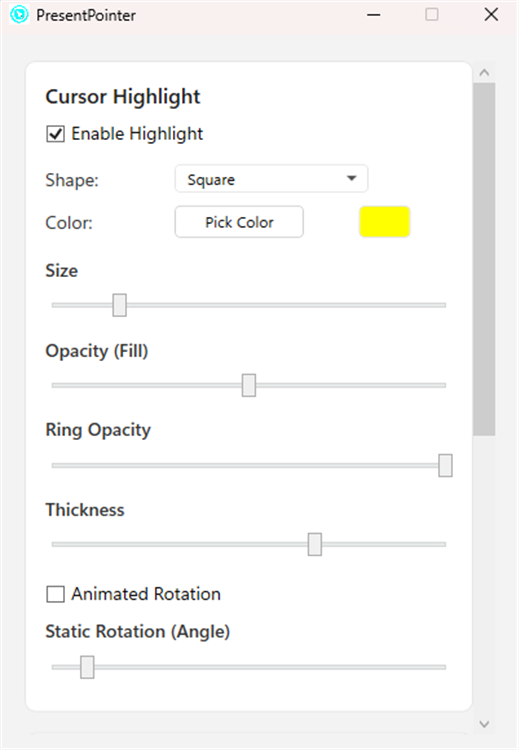
Dynamic Visuals: Add a professional touch with optional rotation animations—keep it static or set it to a gentle spin.
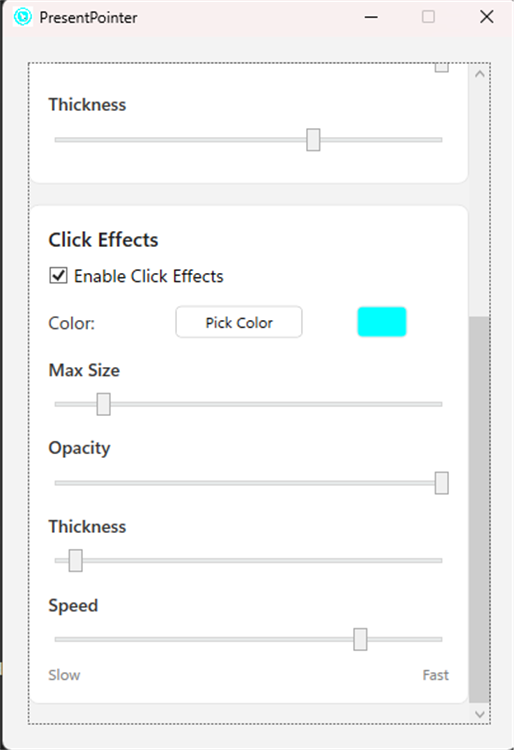
Interactive Click Effects: visual feedback ripples outward whenever you click, making your interactions obvious and engaging.
Instant Updates: Settings apply in real-time. No need to restart or guess—what you see is what you get.
Set It & Forget It: Your preferences are saved automatically and load consistently every time you start the app.
Lightweight & Secure: Runs quietly in the background with minimal system impact. Packaged as a secure native Windows application.
Whether you're guiding students through a lesson or highlighting key data in a meeting, PresentPointer helps you point with purpose.
Van de ontwikkelaar
Lijsten 0
-
 PresentPointer
Punten 0
-

- +1 Punt

Ranglijsten 0
-
- Jouw beoordeling
Ontwikkelaar 7
- Human Typer
- Volgers: 0
- Platforms: Windows Apps (7)
- Aanbiedingen: 0
- Lijsten: 0 0
- Punten: 0
- Ranglijsten: 0
- Reacties: 0
- Video’s: 2
- RSS: Abonneren
Wat is er nieuw?
- Versie: PC
- Laatst bijgewerkt:
Aanvullende informatie
- Releasedatum:
- Categorie:
Windows-apps›Ontwikkelhulpprogramma's - Besturingssysteem:
PC - Grootte:
73 Mb - Ondersteunde talen:
Engels - Inhoudsclassificatie:
EVERYONE - Windows Store Beoordeling: ¡
0
AppAgg-score
Geschatte AppAgg-score voor
PresentPointer
Ontwikkelaar: Human Typer
Een hogere score betekent meestal betere resultaten voor de factoren die AppAgg beoordeelt.
Gebaseerd op: populariteit · gebruikersbeoordelingen · actualiteit · aanbiedingen · winkelgegevens · community-activiteit
Wordt dagelijks opnieuw berekend met actuele AppAgg-gegevens.
Reacties 0 ¡
Delen
PresentPointer Korte URL: Gekopieerd!- Windows Store

