
Favoritos
| Desenvolvedor: | Human Typer (7) | ||
| Preço: | $2.99 | ||
| Pontuação: | 1.050 Prata | ||
| Classificações: | 0 | ||
| Comentários: | 0 Postar comentário | ||
| Listas: | 0 0 | ||
| Pontos: | 0 | ||
| +1 Ponto | |||
Resumo
Conheça PresentPointer, um app da categoria “Ferramentas de desenvolvedor” feito por Human Typer.
Lançado , ainda bem fresquinho.
$2.99, e nenhuma promoção no AppAgg até agora. Osso duro de roer.
A Microsoft Store já vem integrada ao Windows, então instala em dois cliques.
A Pontuação AppAgg é 1.050. Prata, e isso não é nada mal.
Classificação indicativa “EVERYONE”: serve para crianças também.
Fala só um idioma, e não é português.
Já usou? Sua avaliação seria a primeira aqui.
O desenvolvedor tem mais 6 apps no AppAgg. Vale dar uma olhada.
Quer saber das promoções, atualizações e apps novos antes de todo mundo? Crie um alerta de preço, siga o desenvolvedor ou assine o feed RSS. As notificações push chegam pelo app AppAgg Alerts para Android e iOS.
Outras plataformas 0
Histórico de preços 0
- Preço atual: $2.99
- Mínimo: $2.99
- Máximo: $2.99
Seu próprio feed na página inicial
Capturas de tela 5
Vídeo 1
Descrição

⚠️ IMPORTANT COMPATIBILITY NOTES:
Recording: This tool is not compatible with Windows Game Bar or "Window Capture" modes, as they filter out overlays. To record the effects, please use an app meant for recording your entire screen.
Visibility: Due to Windows security restrictions, the cursor highlight will appear behind the Start Menu, Taskbar, and possibly Task Manager. This is normal behavior for all standard Windows applications.
Elevate your presentations, tutorials, and screen recordings with PresentPointer. for teachers, content creators, and professionals, this lightweight utility transforms your mouse cursor into a clear, visual focal point, ensuring your audience never loses track of the action.
Key Features:
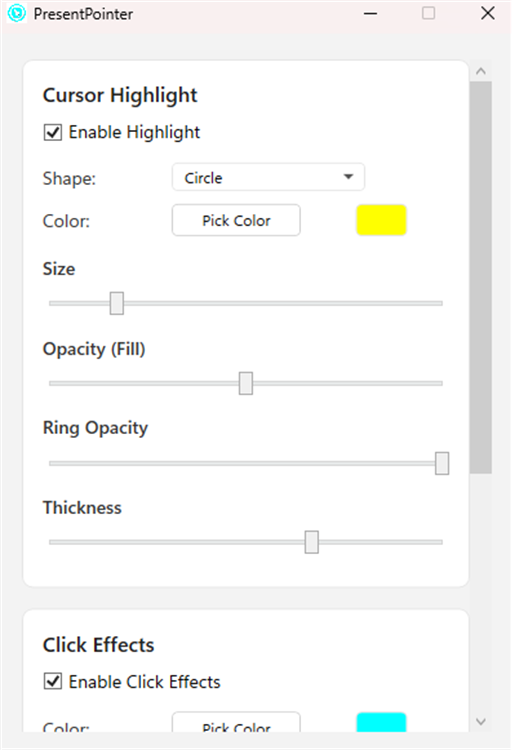
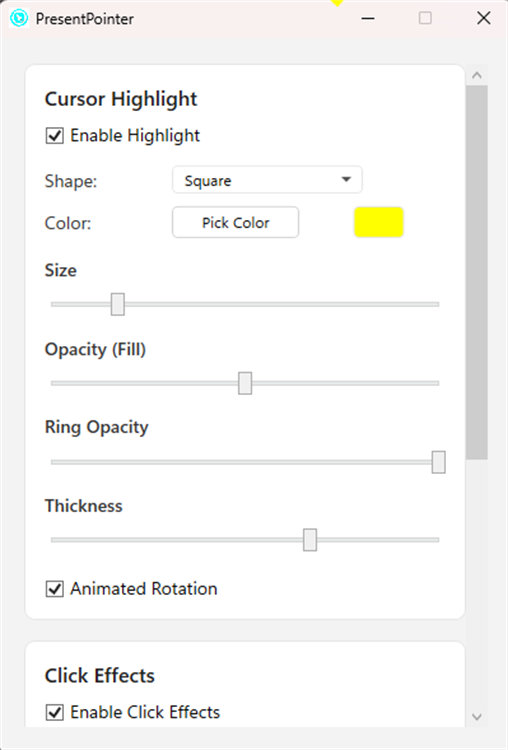
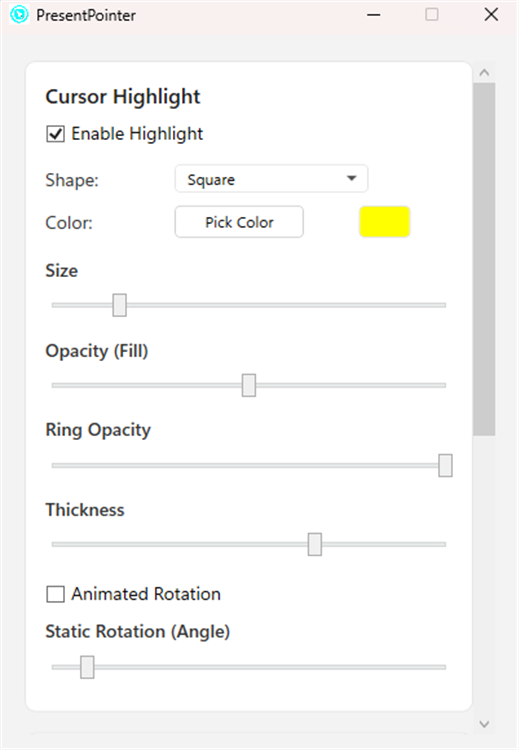
Customizable Highlight: Choose from a Circle or Square overlay. Fully adjust the color, size, opacity, and border thickness to match your brand or preference.
Dynamic Visuals: Add a professional touch with optional rotation animations—keep it static or set it to a gentle spin.
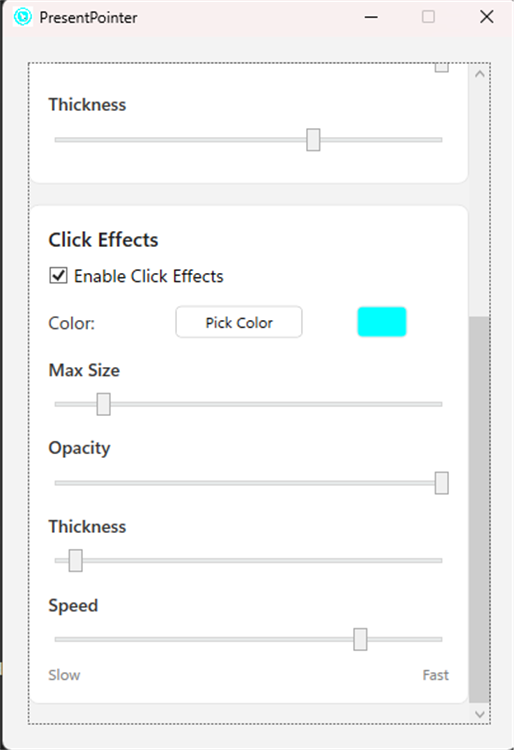
Interactive Click Effects: visual feedback ripples outward whenever you click, making your interactions obvious and engaging.
Instant Updates: Settings apply in real-time. No need to restart or guess—what you see is what you get.
Set It & Forget It: Your preferences are saved automatically and load consistently every time you start the app.
Lightweight & Secure: Runs quietly in the background with minimal system impact. Packaged as a secure native Windows application.
Whether you're guiding students through a lesson or highlighting key data in a meeting, PresentPointer helps you point with purpose.
Do desenvolvedor
Listas 0
-
 PresentPointer
Pontos 0
-

- +1 Ponto

Classificações 0
-
- Sua nota
Desenvolvedor 7
- Human Typer
- Seguidores: 0
- Plataformas: Windows Apps (7)
- Promoções: 0
- Listas: 0 0
- Pontos: 0
- Classificações: 0
- Comentários: 0
- Vídeos: 2
- RSS: Assinar
Novidades
- Versão: PC
- Última atualização:
Informações adicionais
- Data de lançamento:
- Categoria:
Aplicativos para Windows›Ferramentas de desenvolvedor - Sistemas operacionais:
PC - Tamanho:
73 Mb - Idiomas disponíveis:
Inglês - Classificação indicativa:
EVERYONE - Windows Store Nota: ¡
0
Pontuação AppAgg
Pontuação AppAgg estimada de
PresentPointer
Desenvolvedor: Human Typer
Uma pontuação mais alta geralmente reflete resultados melhores nos indicadores do AppAgg.
Com base em: popularidade · avaliações dos usuários · atualidade · ofertas · dados das lojas · atividade da comunidade
Recalculado diariamente com dados AppAgg atualizados.
Comentários 0 ¡
Compartilhar
PresentPointer URL curta: Copiado!- Windows Store

