
Yer imleri
| Geliştirici: | Human Typer (7) | ||
| Fiyat: | $2.99 | ||
| Skor: | 1.050 Gümüş | ||
| Sıralamalar: | 0 | ||
| Yorumlar: | 0 Yorum gönder | ||
| Listeler: | 0 0 | ||
| Puanlar: | 0 | ||
| +1 Puan | |||
Özet
Karşında PresentPointer, Human Typer imzalı, Geliştirici araçları kategorisinde bir uygulama.
çıktı, hâlâ epey taze.
$2.99 ve AppAgg’de bugüne kadar tek bir indirim bile görmedi. Tam bir çetin ceviz.
Microsoft Store, Windows’a yerleşik. Birkaç tıkla kuruluyor.
AppAgg skoru 1.050. Gümüş, hiç de fena değil.
Yaş sınırı “EVERYONE”, yani çocuklar için de uygun.
Tek bir dil konuşuyor, o da Türkçe değil.
Kullandın mı? Buradaki ilk değerlendirme senden gelebilir.
Geliştiricinin AppAgg’de 6 uygulaması daha var. Bir göz at.
İndirimleri, güncellemeleri ve yeni uygulamaları ilk sen mi duymak istiyorsun? Bir fiyat alarmı kur, geliştiriciyi takip et ya da RSS akışı ile haberdar ol. Push bildirimleri Android ve iOS için AppAgg Alerts uygulamasıyla gelir.
Diğer platformlar 0
Fiyat Geçmişi 0
- Güncel fiyat: $2.99
- En az: $2.99
- En fazla: $2.99
Ana sayfada kendi akışınız
Ekran görüntüleri 5
Video 1
Açıklama

⚠️ IMPORTANT COMPATIBILITY NOTES:
Recording: This tool is not compatible with Windows Game Bar or "Window Capture" modes, as they filter out overlays. To record the effects, please use an app meant for recording your entire screen.
Visibility: Due to Windows security restrictions, the cursor highlight will appear behind the Start Menu, Taskbar, and possibly Task Manager. This is normal behavior for all standard Windows applications.
Elevate your presentations, tutorials, and screen recordings with PresentPointer. for teachers, content creators, and professionals, this lightweight utility transforms your mouse cursor into a clear, visual focal point, ensuring your audience never loses track of the action.
Key Features:
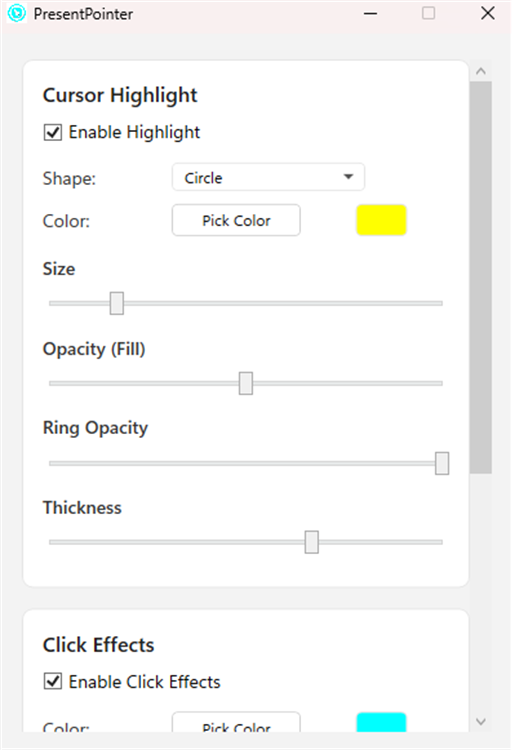
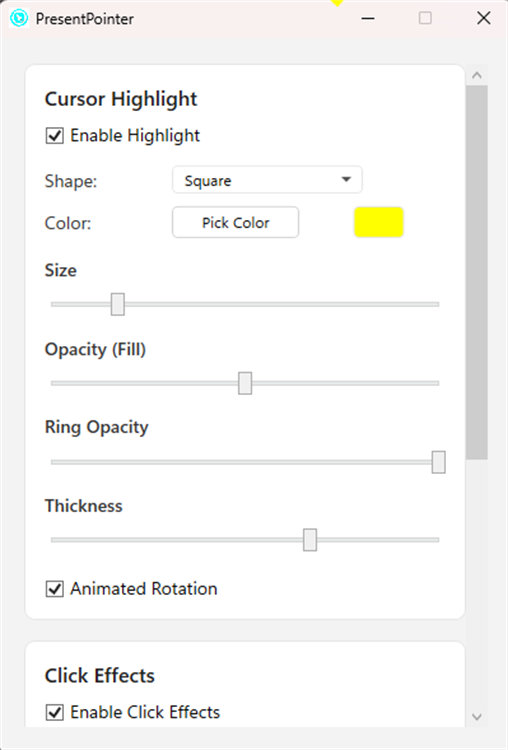
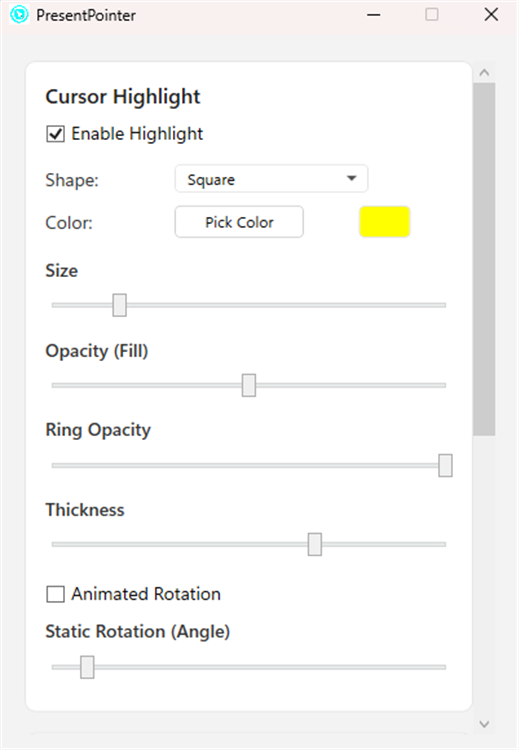
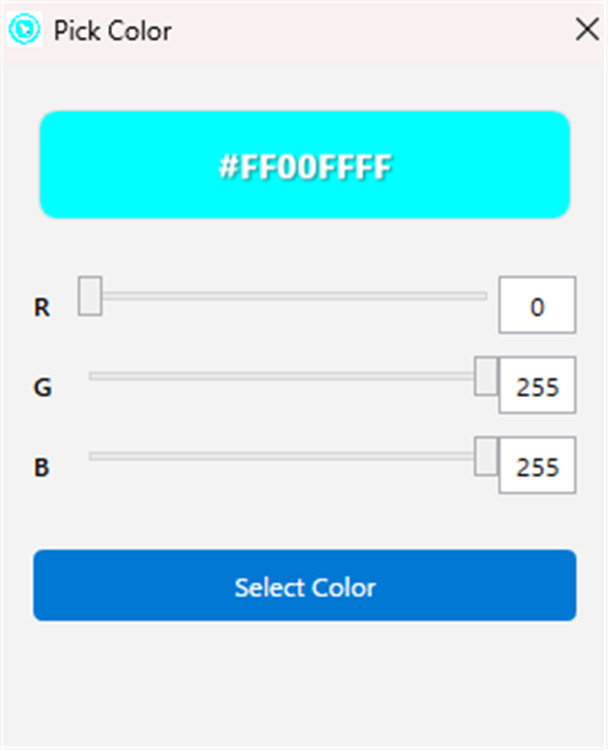
Customizable Highlight: Choose from a Circle or Square overlay. Fully adjust the color, size, opacity, and border thickness to match your brand or preference.
Dynamic Visuals: Add a professional touch with optional rotation animations—keep it static or set it to a gentle spin.
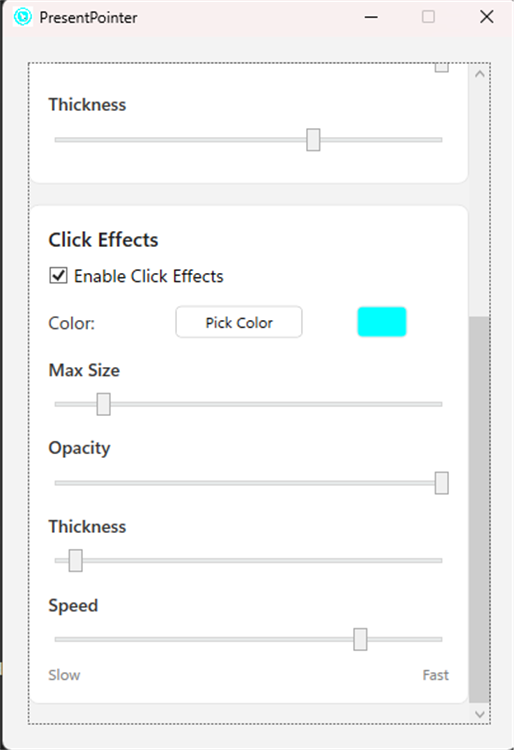
Interactive Click Effects: visual feedback ripples outward whenever you click, making your interactions obvious and engaging.
Instant Updates: Settings apply in real-time. No need to restart or guess—what you see is what you get.
Set It & Forget It: Your preferences are saved automatically and load consistently every time you start the app.
Lightweight & Secure: Runs quietly in the background with minimal system impact. Packaged as a secure native Windows application.
Whether you're guiding students through a lesson or highlighting key data in a meeting, PresentPointer helps you point with purpose.
Geliştiriciden
Listeler 0
-
 PresentPointer
Puanlar 0
-

- +1 Puan

Sıralamalar 0
-
- Puanınız
Geliştirici 7
- Human Typer
- Takipçiler: 0
- Platformlar: Windows Uygulamalar (7)
- İndirimler: 0
- Listeler: 0 0
- Puanlar: 0
- Sıralamalar: 0
- Yorumlar: 0
- Video: 2
- RSS: Abone ol
Yenilikler
- Sürüm: PC
- Son güncelleme:
Ek Bilgi
- Çıkış tarihi:
- Kategori:
Windows uygulamaları›Geliştirici araçları - İşletim Sistemleri:
PC - Boyut:
73 Mb - Desteklenen diller:
İngilizce - İçerik Derecelendirmesi:
EVERYONE - Windows Store Puan: ¡
0
AppAgg Skoru
Tahmini AppAgg skoru:
PresentPointer
Geliştirici: Human Typer
Daha yüksek skorlar genellikle AppAgg’deki göstergelerin daha güçlü olduğunu belirtir.
Şunlara göre: popülerlik · kullanıcı puanları · güncellik · fırsatlar · mağaza verileri · topluluk etkinliği
Güncel AppAgg verileriyle her gün yeniden hesaplanır.
Yorumlar 0 ¡
Paylaş
PresentPointer Kısa URL: Kopyalandı!- Windows Store

