
書籤
為此書籤設定標題。
書籤已儲存
| 開發者: | Human Typer (7) | ||
| 價格: | $2.99 | ||
| 評分: | 1,050 白銀 | ||
| 排名: | 0 | ||
| 留言: | 0 發表留言 | ||
| 清單: | 0 0 | ||
| 點數: | 0 | ||
| +1 點 | |||
摘要
來認識一下 PresentPointer,Human Typer 打造的應用程式,歸在「開發人員工具」分類。
推出,還相當新鮮。
$2.99,在 AppAgg 上到現在一次折扣都沒有。真是塊難啃的骨頭。
Microsoft Store 內建在 Windows 裡,點幾下就裝好了。
AppAgg 評分 1,050。白銀級,已經相當不錯了。
年齡分級為「EVERYONE」,小朋友也適合。
只會一種語言,而且不是中文。
用過嗎?你的評價會是這裡的頭香。
這位開發者在 AppAgg 上還有 6 款 App,值得逛逛。
想搶先知道折扣、更新和新應用程式?設定降價提醒、追蹤開發者或訂閱RSS 訂閱來源。推播通知會透過 AppAgg Alerts App 傳送,支援 Android 和 iOS。
廣告
其他平台 0
價格紀錄 0
- 目前價格: $2.99
- 最小值: $2.99
- 最大值: $2.99
首頁專屬動態
為「最新與更新」選擇平台,首頁就只會顯示你需要的 App 和遊戲。
螢幕擷取畫面 5
影片 1
描述

⚠️ IMPORTANT COMPATIBILITY NOTES:
Recording: This tool is not compatible with Windows Game Bar or "Window Capture" modes, as they filter out overlays. To record the effects, please use an app meant for recording your entire screen.
Visibility: Due to Windows security restrictions, the cursor highlight will appear behind the Start Menu, Taskbar, and possibly Task Manager. This is normal behavior for all standard Windows applications.
Elevate your presentations, tutorials, and screen recordings with PresentPointer. for teachers, content creators, and professionals, this lightweight utility transforms your mouse cursor into a clear, visual focal point, ensuring your audience never loses track of the action.
Key Features:
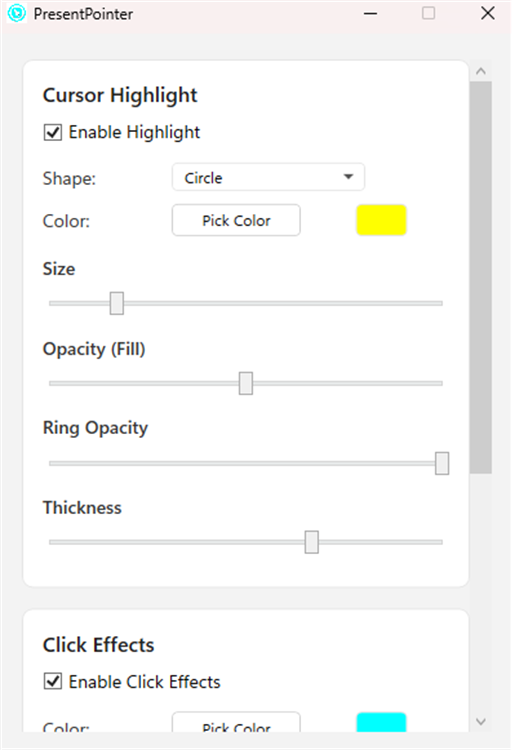
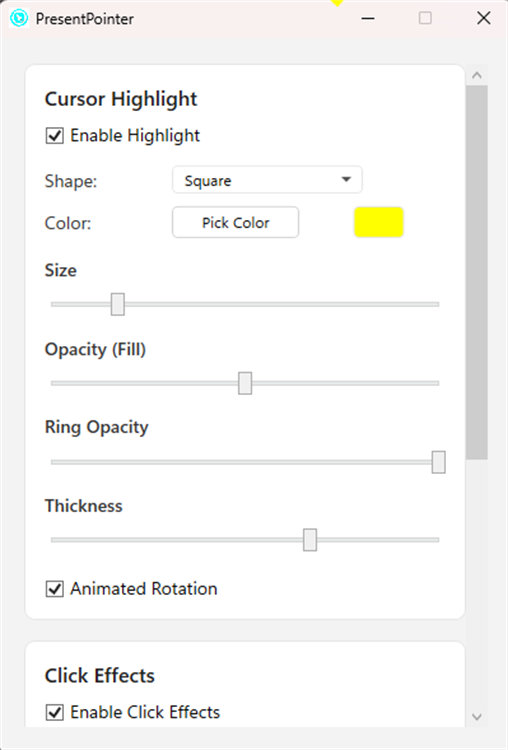
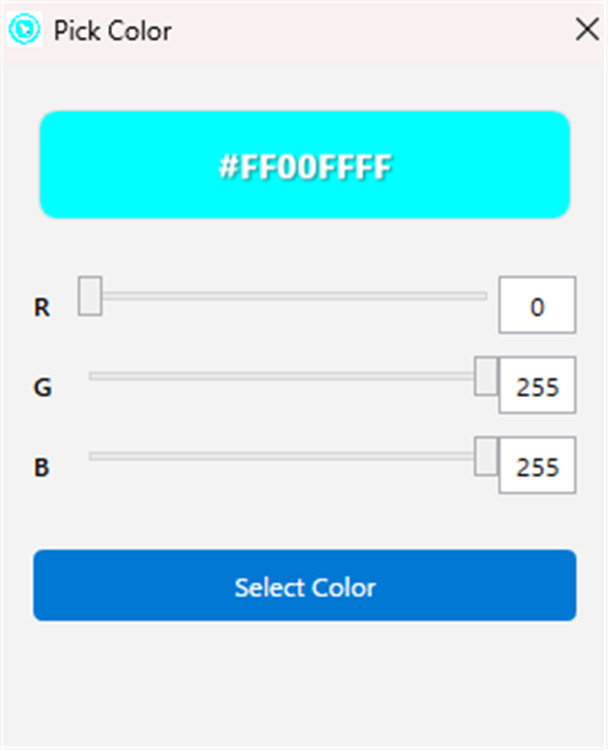
Customizable Highlight: Choose from a Circle or Square overlay. Fully adjust the color, size, opacity, and border thickness to match your brand or preference.
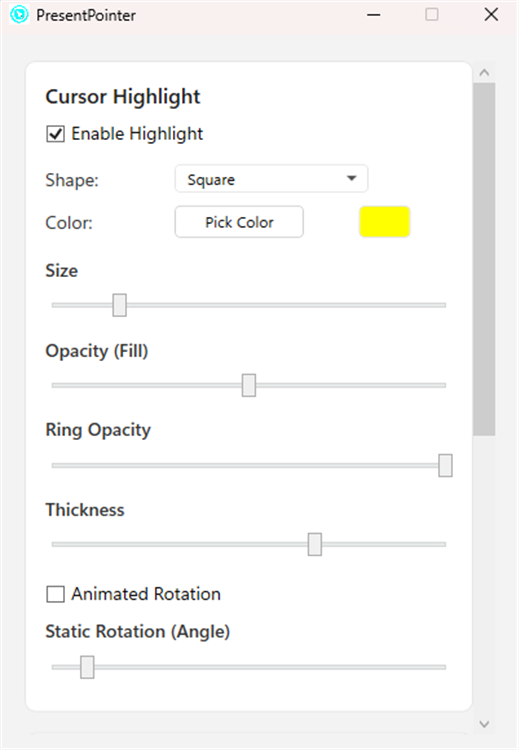
Dynamic Visuals: Add a professional touch with optional rotation animations—keep it static or set it to a gentle spin.
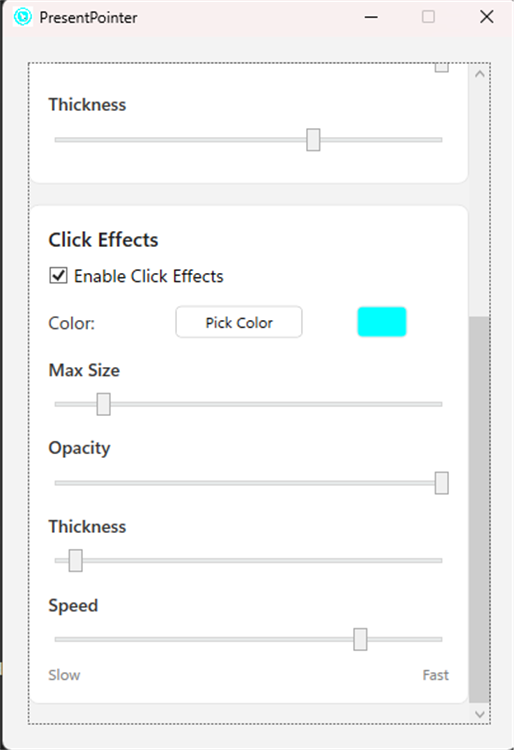
Interactive Click Effects: visual feedback ripples outward whenever you click, making your interactions obvious and engaging.
Instant Updates: Settings apply in real-time. No need to restart or guess—what you see is what you get.
Set It & Forget It: Your preferences are saved automatically and load consistently every time you start the app.
Lightweight & Secure: Runs quietly in the background with minimal system impact. Packaged as a secure native Windows application.
Whether you're guiding students through a lesson or highlighting key data in a meeting, PresentPointer helps you point with purpose.
來自開發者
你是開發者嗎?
在頁面頂部發布消息,追蹤者會透過電子郵件收到。新增你的 YouTube 影片,它們會排在「影片」區塊最前面。
清單 0
-
 PresentPointer
點數 0
-

- +1 點

排名 0
-
- 您的評分
開發者 7
- Human Typer
- 追蹤者: 0
- 平台: Windows 應用程式 (7)
- 折扣: 0
- 清單: 0 0
- 點數: 0
- 排名: 0
- 留言: 0
- 影片: 2
- RSS: 訂閱
新功能
- 版本: PC
- 最後更新:
其他資訊
AppAgg 評分
1,050
AppAgg 預估評分:
PresentPointer
開發者: Human Typer
1,050 白銀
評分越高,通常代表其在 AppAgg 上的各項指標表現越好。
基於: 人氣 · 使用者評分 · 新鮮度 · 優惠 · 商店資料 · 社群活躍度
根據最新 AppAgg 資料每日重新計算。
網站徽章:  已複製!
留言 0 ¡
搶先留下第一則留言
分享
PresentPointer 短網址: 已複製!- Windows Store

