
북마크
이 북마크의 제목을 입력하세요.
북마크가 저장되었습니다
| 개발자: | ParadoXSoftware (1) | ||
| 가격: | 무료 새로운 | ||
| 종합 점수: | 1,000 실버 | ||
| 순위: | 0 | ||
| 댓글: | 0 댓글 게시 | ||
| 목록: | 0 + 0 | ||
| 포인트: | 0 + 0 ¡ | ||
| +1 포인트 | |||
스크린샷
광고
설명

ProjectMX helps you find your projects, understand what changed, and move between files, commits, branches, and CI pipelines without losing your place.
ORGANIZE YOUR WORKSPACE
Add your main project folders and browse them in a single navigator. Group projects by folder, repository origin, or project type, search your catalog, and open a project in its folder or VS Code. Saved catalogs make it easy to return to your workspace.
EXPLORE FILES AND THEIR HISTORY
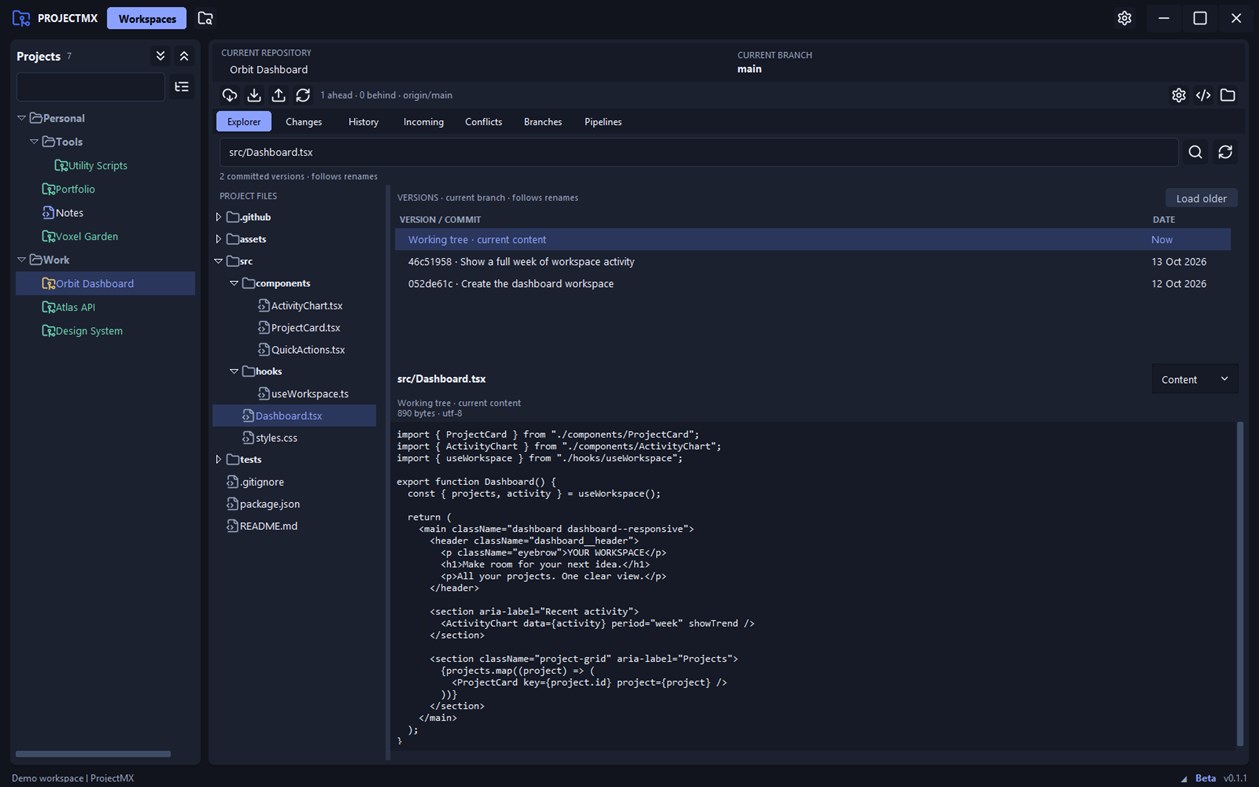
Browse project folders and preview current file contents, including supported images and SVG artwork. Select a file to see its Git versions, follow renames, inspect earlier content, and compare changes. File browsing also works for projects without Git.
REVIEW AND MANAGE GIT CHANGES
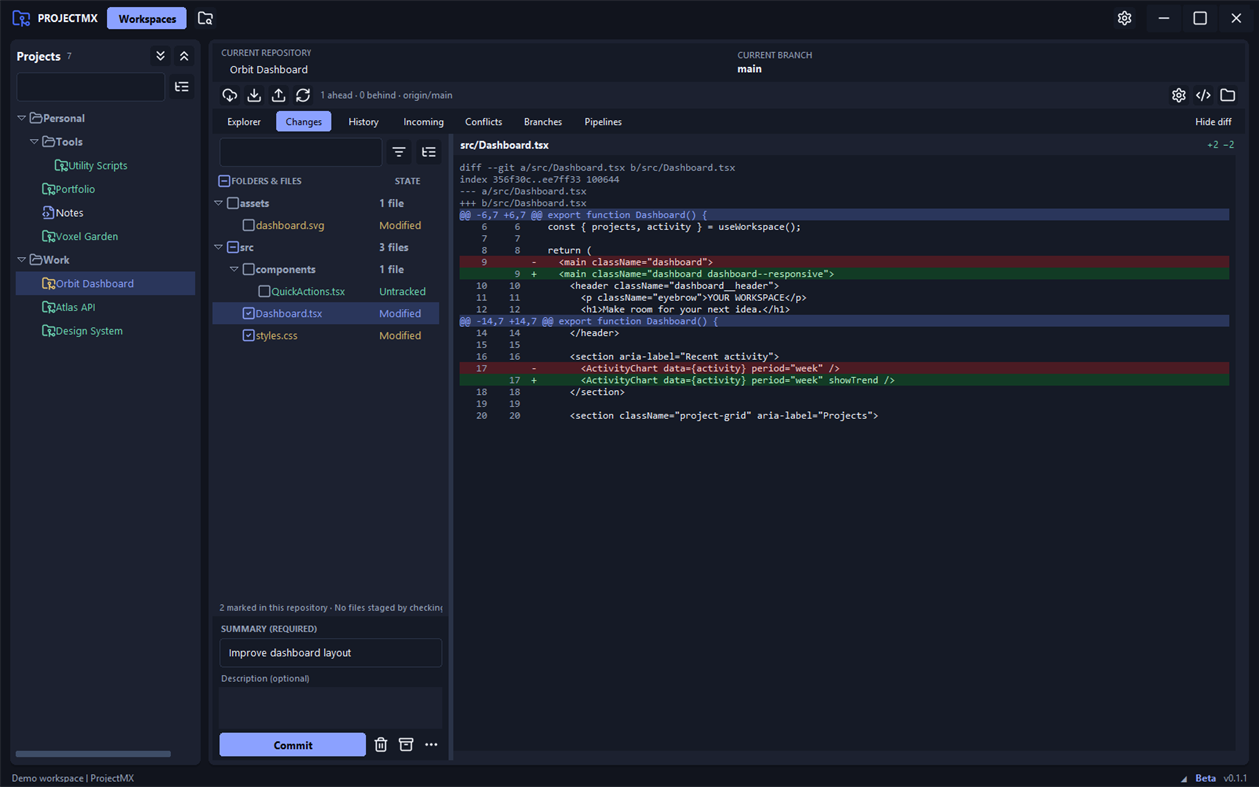
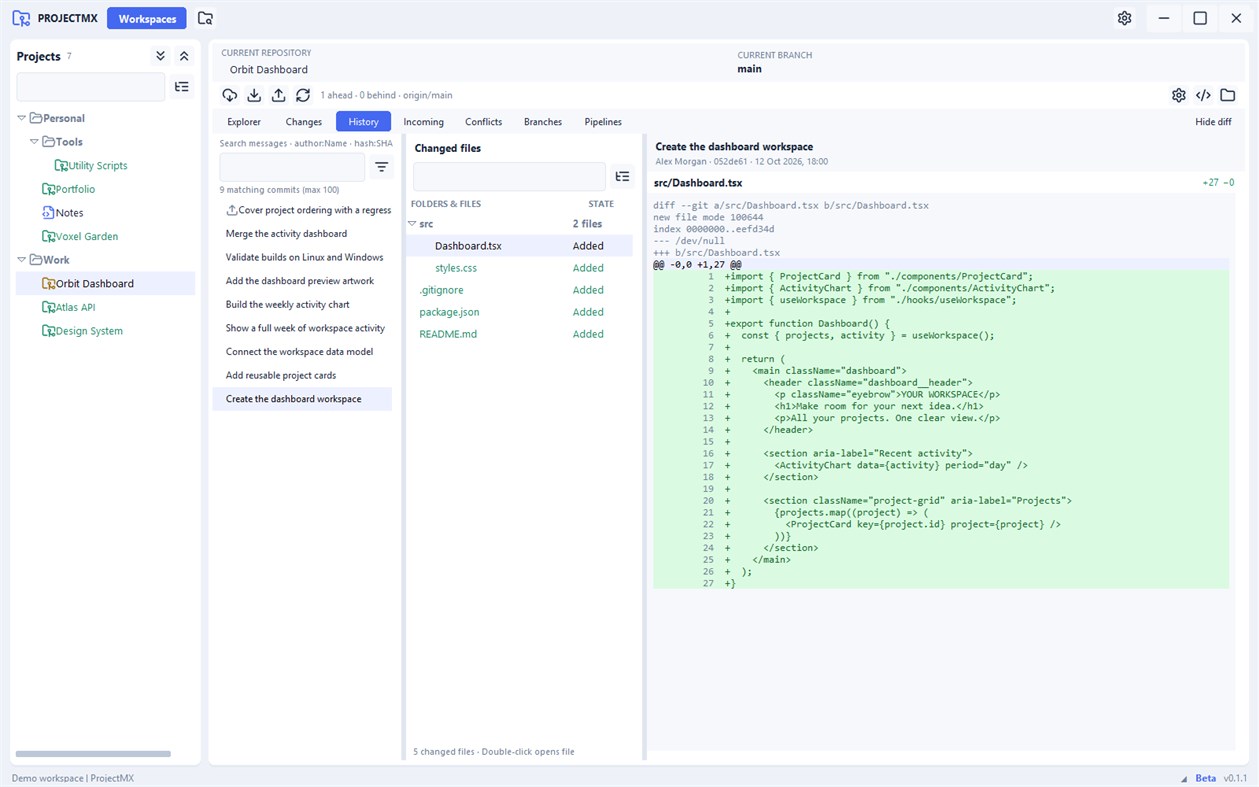
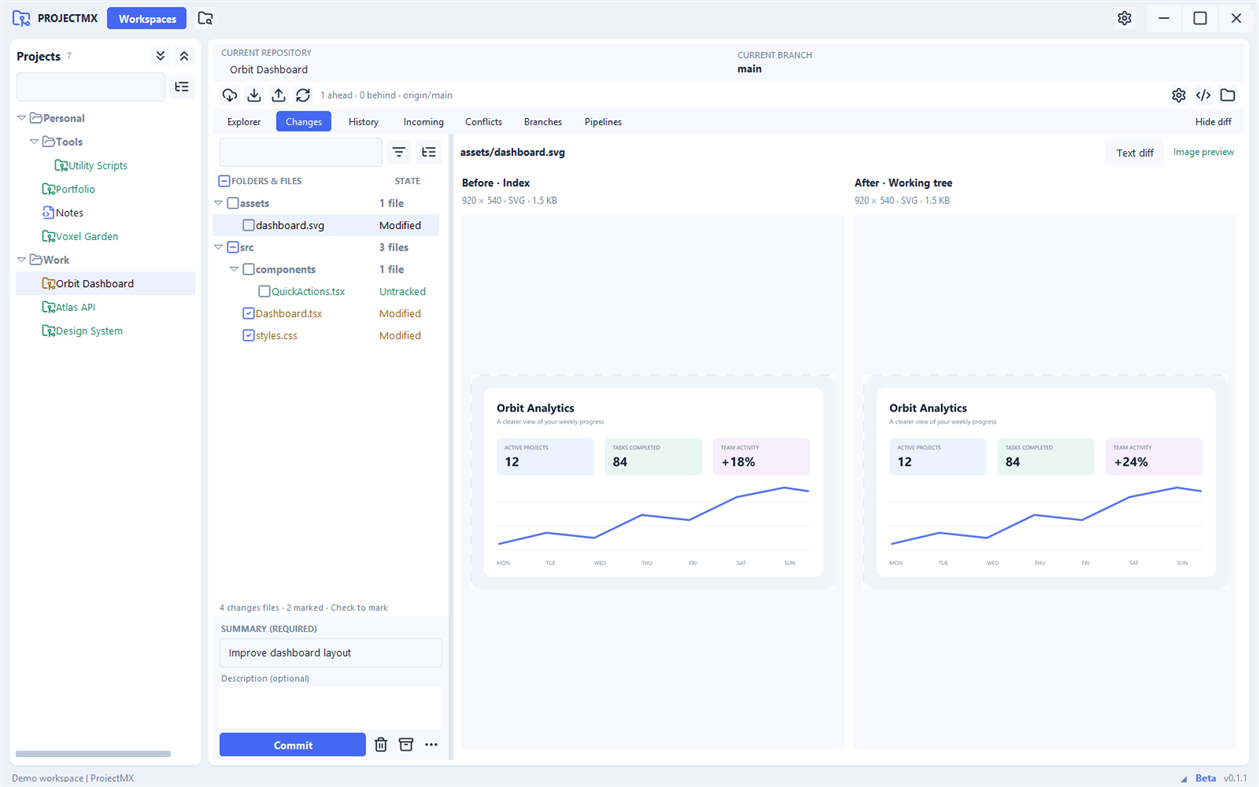
Read line-by-line diffs, filter and group changed files, and mark the files you want to commit. Inspect commit history, incoming and outgoing commits, and branch tracking status. Fetch, pull, push, manage branches, work with stashes, compare revisions, and resolve conflicts from the same workspace.
SEE HOW YOUR BRANCHES CONNECT
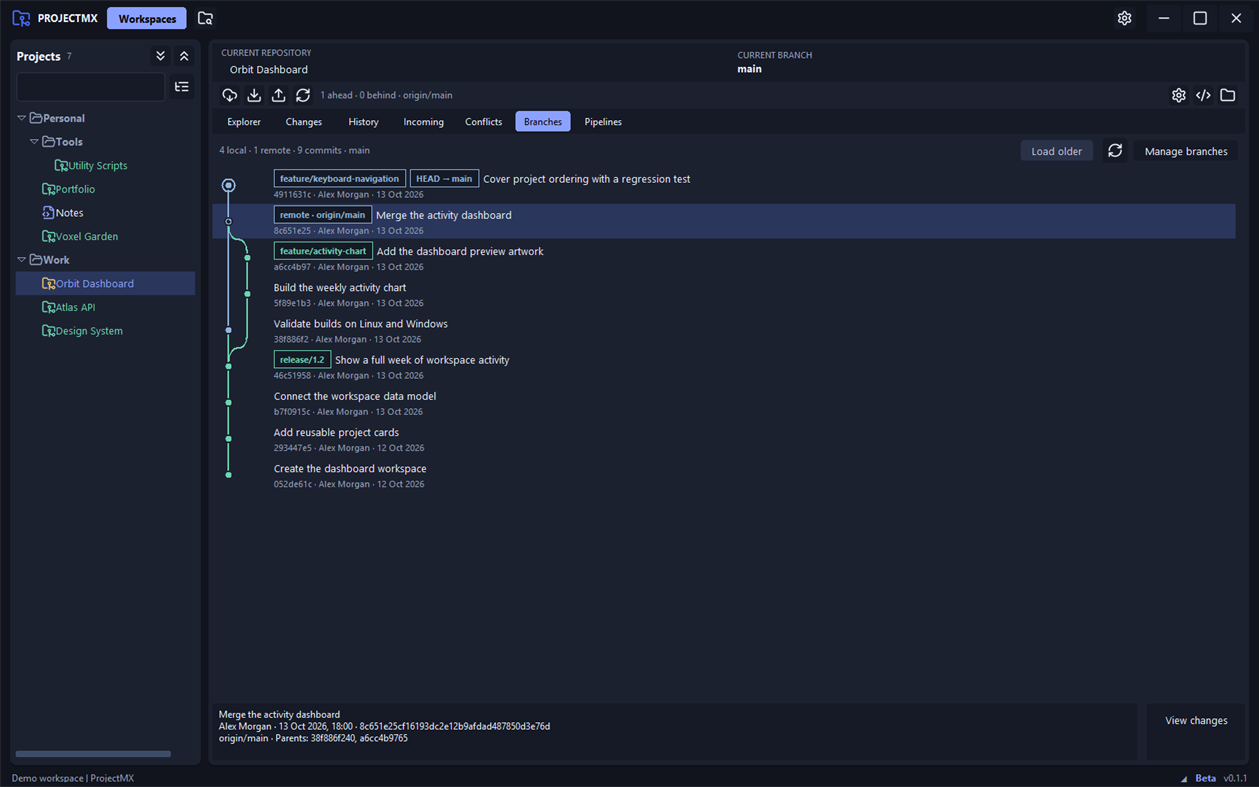
Explore a visual commit graph with branch labels and merge connections. Select a commit to view its details and inspect the files it changed.
WORK WITH CI PIPELINES
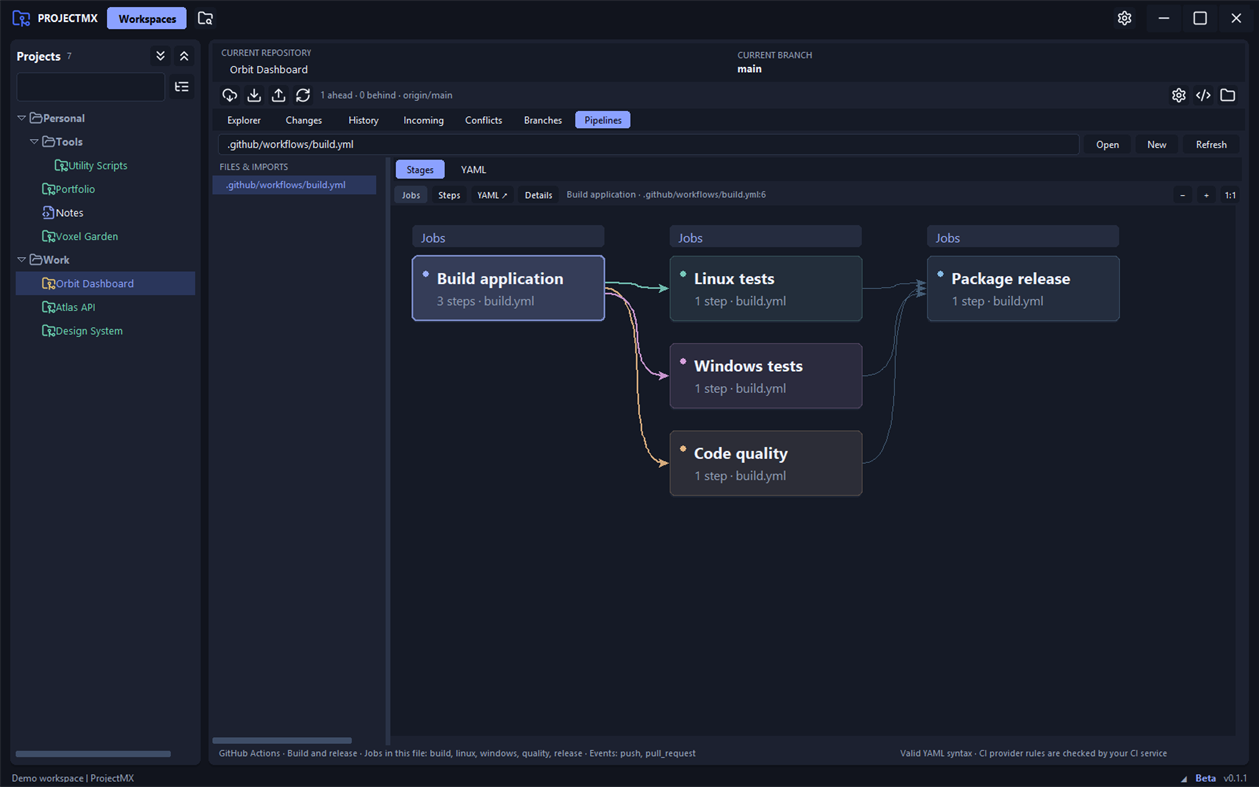
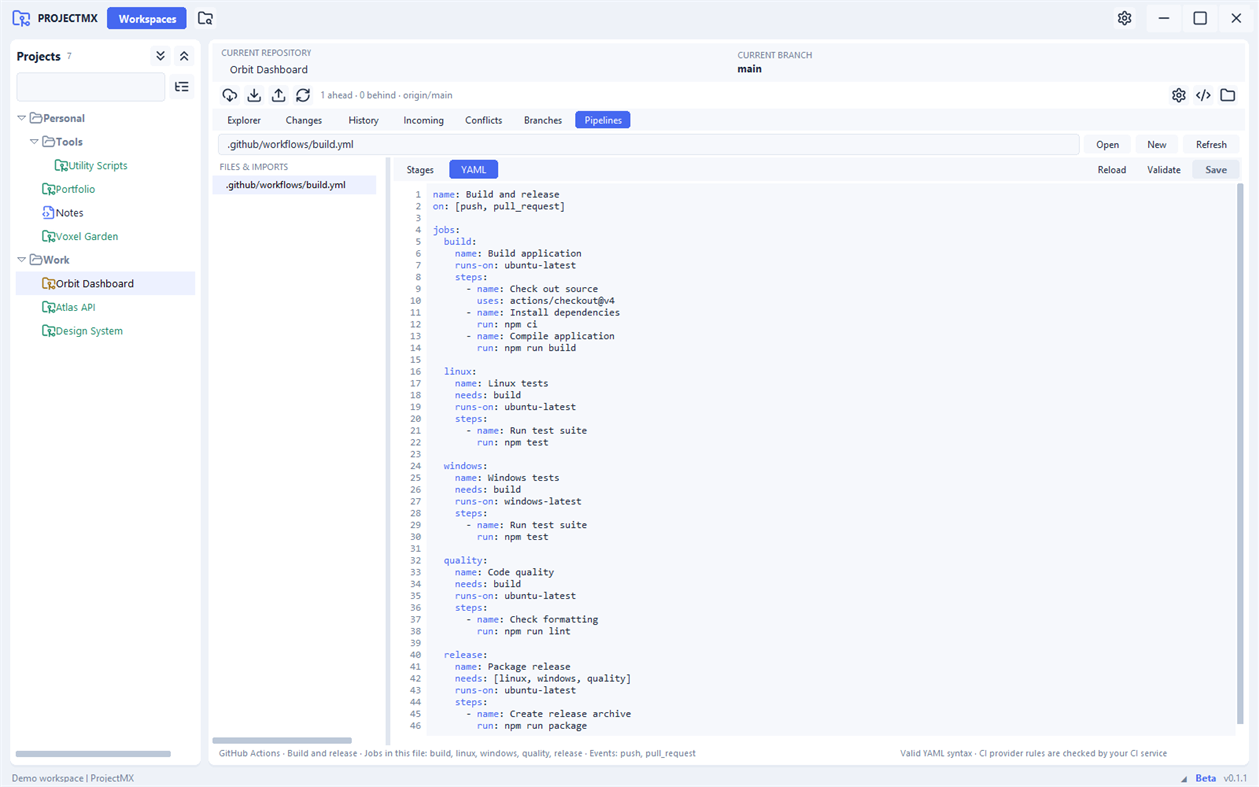
Discover common pipeline YAML files, edit and validate their syntax, and preview supported jobs and dependencies as a visual flow. Switch between the flow and YAML views while keeping your drafts. Pipeline previews help explain configuration; execution and provider-specific validation remain with your CI service.
MAKE IT YOUR WORKSPACE
Choose light, dark, or system appearance. Resize the navigator and workspace panes, adjust list spacing, and keep your preferred project organization.
ProjectMX works with local project folders. Git network actions use your configured repository services, and Microsoft Store builds can check for Store updates.
Requirements: Windows 10 version 2004 or later, x64. Install Git separately and make it available on PATH to use Git features. VS Code is optional. Python is included with the packaged app.
ProjectMX is currently in beta.
다른 플랫폼
| ProjectMXWindows Store1K 실버현재 페이지 | 무료 |
현재 이 스토어에서만 이용할 수 있습니다.
가격 내역
- 현재 가격: 무료
- 최소: 무료
- 최대: 무료
목록 0
0
- ProjectMX
포인트 0
0
순위 0
-

- 내 평점

댓글 0 ¡
가장 먼저 댓글을 남겨주세요
개발자
- ParadoXSoftware
- 팔로워: 0
- 플랫폼: Windows 앱 (1)
- 할인: 0
- 목록: 0 + 0
- 포인트: 0 + 0 ¡
- 순위: 0
- 댓글: 0
- 동영상: 0
- RSS: 구독
새로운 기능
- 버전: PC
- 마지막 업데이트:
추가 정보
AppAgg 점수
1,000
AppAgg 예상 점수:
ProjectMX
개발자: ParadoXSoftware
1,000 실버
점수가 높을수록 대체로 AppAgg의 여러 지표에서 좋은 결과를 보인다는 뜻입니다.
기준: 인기 · 사용자 평점 · 최신성 · 할인 · 스토어 데이터 · 커뮤니티 활동
최신 AppAgg 데이터를 바탕으로 매일 다시 계산됩니다.
웹사이트용 배지:  복사됨!
복사됨!
요약
ProjectMX 단축 URL: 복사됨!- Windows Store
AppAgg에서 앱 ‘ProjectMX’의 정보를 확인할 수 있습니다. 개발자: ParadoXSoftware. 플랫폼: Windows. 카테고리: 개발자 도구. AppAgg 점수: 1,000 (실버). 이 앱의 AppAgg 포인트: 확인된 포인트 0, 간접 포인트 0. 이 앱이 포함된 공개 목록: 0개. 비공개 목록에 저장한 사용자: 0명. AppAgg 사용자가 아직 이 앱에 별점을 남기지 않았습니다. 확인된 포인트는 로그인한 AppAgg 사용자가 스토어로 이동한 기록을 반영합니다. 간접 포인트는 스토어 데이터를 바탕으로 합니다. 두 숫자는 공개 목록 수와 비공개 목록에 저장한 사용자 수를 나타냅니다. 이 앱의 최초 출시일은 입니다. 이 앱의 마지막 업데이트 날짜는 입니다. 이 앱은 현재 무료로 이용할 수 있습니다. 이 앱은 다음 언어를 지원합니다: English. 가격 기록을 확인하거나 앱을 목록에 추가하고 개발자를 팔로우할 수 있습니다. 이 앱의 향후 할인과 업데이트는 RSS 피드에서 확인할 수 있습니다. AppAgg는 이 앱을 호스팅하거나 배포하지 않습니다. 이 앱과 관련된 모든 상표, 로고 및 스크린샷은 각 소유자에게 귀속됩니다.
이런 앱은 어떠세요?
최근 대화
 앱LocalDub – Real-Time Game Dubbing Hello Kırtay Interactive, I am using LocalDub - Real-Time Game Dubbing. I would like to know if Hind...
  rashid game5
  앱NauticPlayer This app is absolute cinema. Honestly, it’s one of the best media players I’ve ever tried, and I’m s...
  Manuel16
  앱Screen Beings - Desktop Pet & Study Companion This is my app so I’m a little bias but as someone from the ADHD community that teaches ADHD and neu...
  Tarelle Irwin6
  앱Aadi vault good it ia a encrypter and good you my work on office
  Aditya Rai5
  앱Typing 365 | Daily Typing Trainer The best typing app ever. With Typing 365 you don’t have to force yourself for couple minutes traini...
  Ahmad Mozaffar5
  앱Zefir Calendar — Calendar in the Taskbar excelente app! Superando todas as espectativas!
  Diógenes Magnus5
  앱LockinRa LockinRa 리뷰 LockinRa는 작업 관리, 집중력 도구, AI 코칭을 하나의 데스크톱 앱으로 통합한 무료 Windows 생산성 프로그램입니다. 클라우드 동기화 없이 로컬 ...
  abhilok reddy6
  앱CN Vault I Love this app CN Vault is a user-friendly app that helps keep your passwords safe and secure. If y...
  Marjuk Amin5
