
Guardados
Elige el nombre que se mostrará en tu menú Guardados.
Hecho!
| Desarrollador: | Bisneto (2) | ||
| Precio: | Gratis | ||
| Clasificaciones: | 0 | ||
| Comentarios: | 0 Publicar comentario | ||
| Listas: | 0 + 1 | ||
| Puntos: | 0 + 0 ¡ | ||
| Windows Store | |||
Descripción

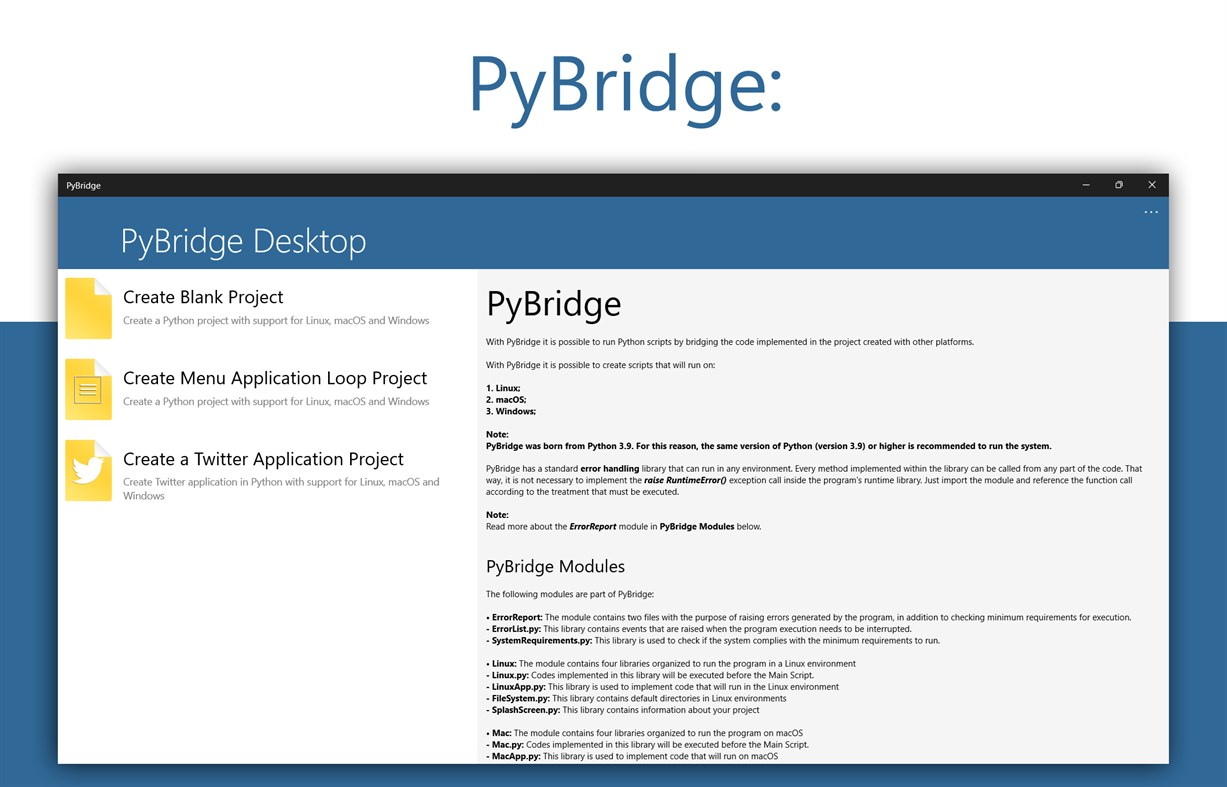
With PyBridge it is possible to create scripts that will run on:
1. Linux;
2. macOS;
3. Windows;
Note: PyBridge was born from Python 3.9. For this reason, the same version of Python (version 3.9) or higher is recommended to run the system.
PyBridge has a standard error handling library that can run in any environment. Every method implemented within the library can be called from any part of the code. That way, it is not necessary to implement the raise RuntimeError() exception call inside the program's runtime library. Just import the module and reference the function call according to the treatment that must be executed.
Note: Read more about the ErrorReport module in PyBridge Modules below.
• PyBridge Modules
The following modules are part of PyBridge:
• ErrorReport: The module contains two files with the purpose of raising errors generated by the program, in addition to checking minimum requirements for execution.
- ErrorList.py: This library contains events that are raised when the program execution needs to be interrupted.
- SystemRequirements.py: This library is used to check if the system complies with the minimum requirements to run.
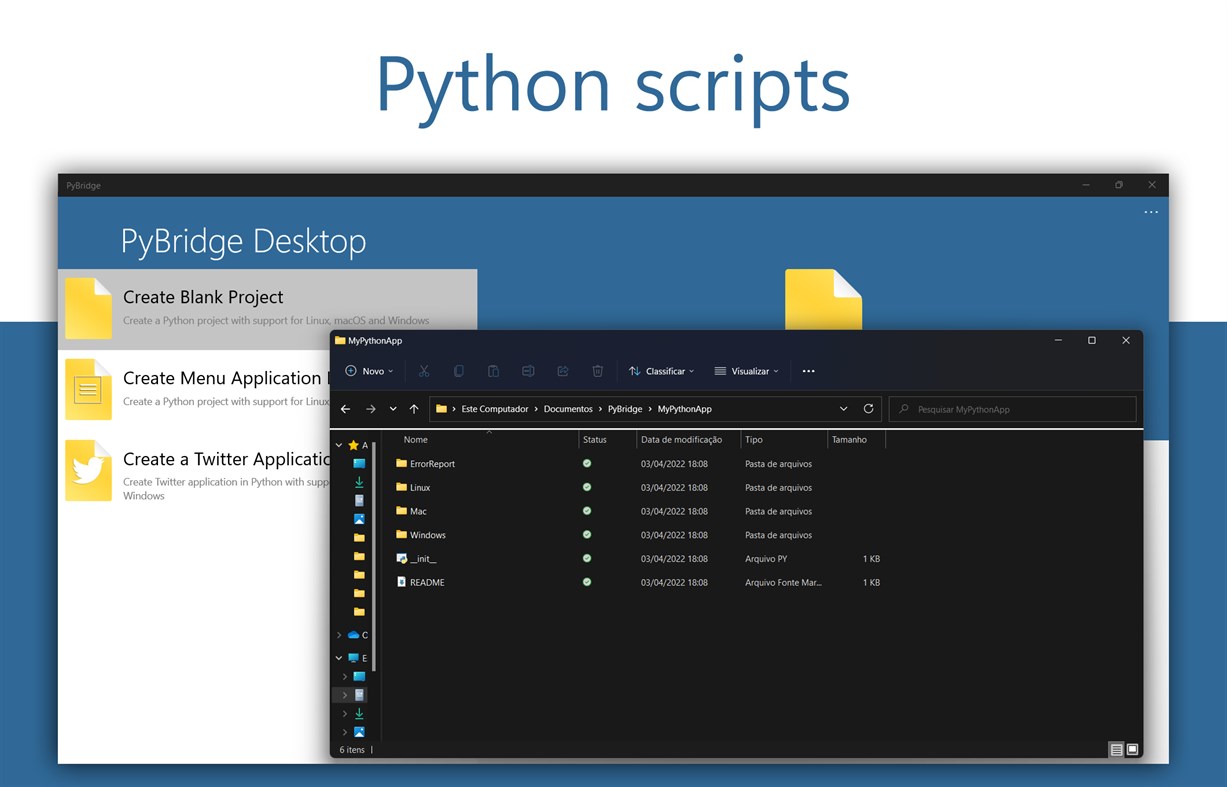
• Linux: The module contains four libraries organized to run the program in a Linux environment
- Linux.py: Codes implemented in this library will be executed before the Main Script.
- LinuxApp.py: This library is used to implement code that will run in the Linux environment
- FileSystem.py: This library contains default directories in Linux environments
- SplashScreen.py: This library contains information about your project
• Mac: The module contains four libraries organized to run the program on macOS
- Mac.py: Codes implemented in this library will be executed before the Main Script.
- MacApp.py: This library is used to implement code that will run on macOS
- FileSystem.py: This library contains standard macOS directories
- SplashScreen.py: This library contains information about your project
• Windows: The module contains four libraries organized to run the program on Windows
- Windows.py: Codes implemented in this library will be executed before the Main Script.
- WindowsApp.py: This library is used to implement code that will run on Windows
- FileSystem.py: This library contains standard Windows directories
- SplashScreen.py: This library contains information about your project
Ad
Capturas...
Historial de precios
- Precio actual: Gratis
- Mínimo: Gratis
- Máximo: Gratis
Realizar un seguimiento de los precios
Información adicional
- Fecha de lanzamiento:
- Categoría:
Windows Aplicaciones›Herramientas de desarrollo - Sistemas operativos:
HoloLens,Mobile,PC,Surface Hub - Tamaño:
1 Mb - Idiomas admitidos:
Portuguese - Clasificación de contenido:
EVERYONE - Windows Store Puntuación:
0
 https://hbisneto.github.io/pybridge
Novedades
- Versión: PC
- Actualizado:
Desarrollador
- Bisneto
- Plataformas: Windows Aplicaciones (2)
- Listas: 0 + 1
- Puntos: 2 + 0 ¡
- Clasificaciones: 0
- Comentarios: 0
- Descuentos: 0
- Vídeos: 0
- RSS: Suscribirse
Listas (0)
0 ☹️
- PyBridge
Puntos (0)
0 ☹️
Clasificaciones (0)
0 ☹️
Comentarios (0)
Sé el primero en comentar 🌟
«PyBridge». Plataforma: Windows. Categoría: Herramientas de desarrollo. Desarrollador: «Bisneto». Primer lanzamiento: . Última actualización: . Precio actual: gratis. Este título aún no ha recibido calificaciones ni reseñas en AppAgg. Idiomas disponibles: Portuguese. AppAgg rastrea el historial de precios, las calificaciones y los comentarios de los usuarios para «PyBridge». Siga futuros descuentos y actualizaciones a través de RSS. AppAgg no aloja aplicaciones ni distribuye software. Todas las marcas comerciales, logotipos y capturas de pantalla pertenecen a sus respectivos propietarios.
PyBridge URL corta: Copiado!- 🌟 Compartir
- Windows Store
Similares
-
- TCP2COM Bridge & Monitor PRO
- Windows Aplicaciones: Herramientas de desarrollo De: Audiosdroid
- $4.99
- Listas: 0 0 0
- Puntos: 0 Versión: PC TCP2COM Bridge and Monitor is a specialized software for Windows Desktop that helps connect TCP/IP (Internet) and COM ports (serial communication). It can work as a bridge between ... ⥯
-
- App Installer for Mobile - WinUI 3
- Windows Aplicaciones: Herramientas de desarrollo De: wherewhere
- Gratis
- Listas: 3 + 2 0 0
- Puntos: 20 + 4,115 (4.6) Versión: PC Android™ App Installer for Windows 10/11 makes sideloading Android applications easy for WSA, Anbox, etc.: Just double-click the app package, and you won't have to run Android Debug ... ⥯
-
- Python Install Manager
- Windows Aplicaciones: Herramientas de desarrollo De: Python Software Foundation
- Gratis
- Listas: 0 + 1 0 0
- Puntos: 2 + 16 (4.1) Versión: PC The Python install manager helps you to install, manage, and launch Python on Windows. After install, the "py" command is your tool of choice - try "py help" to see what it can do! ... ⥯
-
- Notepad Editor
- Windows Aplicaciones: Herramientas de desarrollo De: CSTRSK
- * Gratis
- Listas: 0 0 0
- Puntos: 0 + 31 (3.8) Versión: PC Notepad Editor is a multifunctional text editor with which you can easily edit Batch | .bat , C-Sharp | .cs , Cascading Style Sheets | .css , Hypertext Markup Language | .html , ... ⥯