
ブックマーク
このブックマークのタイトルを入力してください。
ブックマークを保存しました
| 開発者: | Lionel Fung (7) | ||
| 価格: | 無料 新着 | ||
| スコア: | 600 シルバー | ||
| ランキング: | 0 | ||
| コメント: | 0 コメントを投稿する | ||
| リスト: | 0 0 | ||
| ポイント: | 0 | ||
| +1 ポイント | |||
概要
こちらはQimo。Lionel Fungが贈る「開発者ツール」カテゴリのアプリです。
に出たばかりの新作。今なら一番乗りのひとりです。
無料。広告なし、アプリ内課金なし。あなたとアプリだけです。
Microsoft StoreはWindowsに組み込まれているので、数クリックでインストールできます。
AppAggスコアは600。「シルバー」なら、なかなかのものです。
たった18メガバイト。空きの少ないドライブにも収まります。
年齢区分は「EVERYONE」なので、子どもでも安心です。
2言語に対応していますが、日本語はまだです。
AppAggではまだ誰も評価していません。一番乗りのチャンスは今です。
この開発者のアプリは、AppAggにほかに6個あります。のぞいてみては?
アップデートや新しいアプリを誰よりも早く知りたい?開発者をフォローするか、RSS フィードを購読しましょう。プッシュ通知は Android と iOS 向けの AppAgg Alerts アプリで届きます。
広告
スクリーンショット 4
他のプラットフォーム 0
価格履歴 0
- 現在の価格: 無料
- 最小値: 無料
- 最大値: 無料
ホームに自分だけのフィード
「新着・アップデート」のプラットフォームを選ぶと、ホームには必要なアプリとゲームだけが表示されます。
説明

Key features:
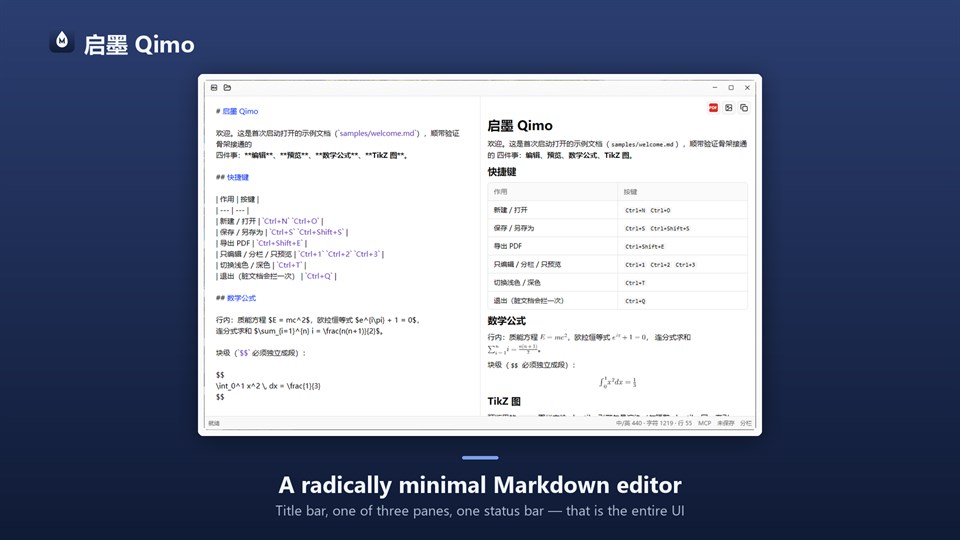
[Radically minimal] A custom title bar, three pane modes (edit / split / preview), one status bar. Every command has a shortcut; the status bar doubles as the only error surface and the unsaved-changes dot (● before the path).
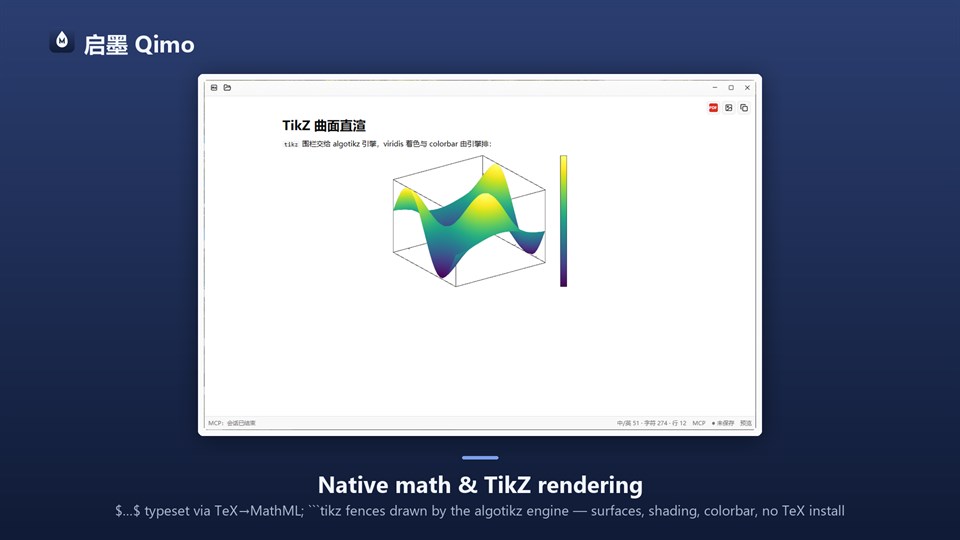
[Native math typesetting] `$…$` inline and `$$…$$` display formulas go TeX → MathML → vector layout with the embedded Latin Modern Math font — fractions, radicals, sum limits, matrices rendered as in print. No screenshots, no placeholders, no TeX distribution to install.
[TikZ drawn by the engine] ```tikz fences are evaluated and drawn live by algotikz — an independent open-source implementation with PGF semantics: axes, curves, mindmaps, and 3D surfaces with viridis-style shading and colorbars, all vector. Engine and font assets are embedded; one file, zero setup.
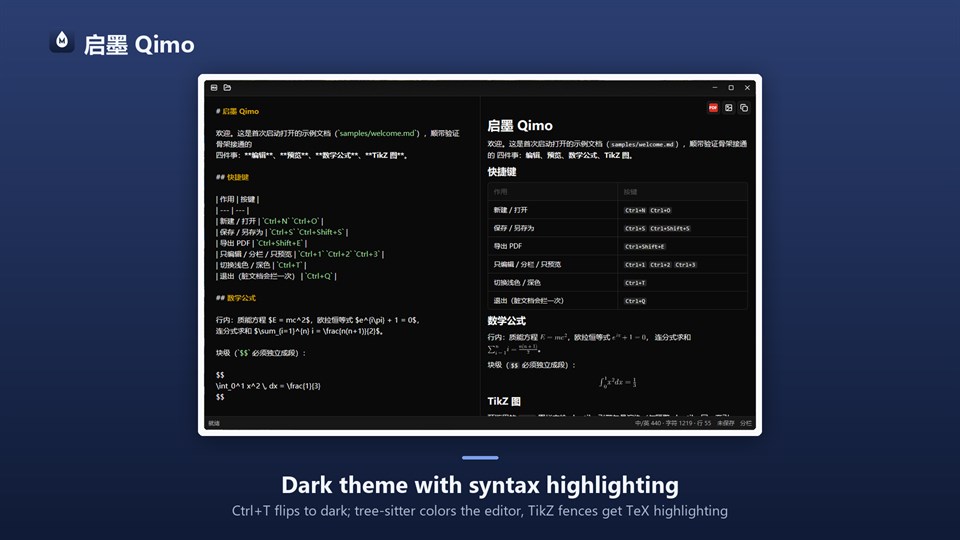
[Syntax highlighting] tree-sitter colors Markdown, and ```tikz / ```latex fences get LaTeX injection highlighting — writing and reading share one color language.
[Two-way scroll sync] Editing follows preview and back, anchored on top-level blocks: scroll the source, the preview follows; drag the preview, the editor comes along.
[Print-grade export] Ctrl+Shift+E exports PDF or PNG: CJK line-break rules, widow/orphan control, headings never orphaned, table headers repeated on continuations, hanging indent for wrapped code; font subsets embedded with selectable text; math and TikZ are drawn as vectors, and the same input always produces byte-identical output. Long-image export stitches pages for you.
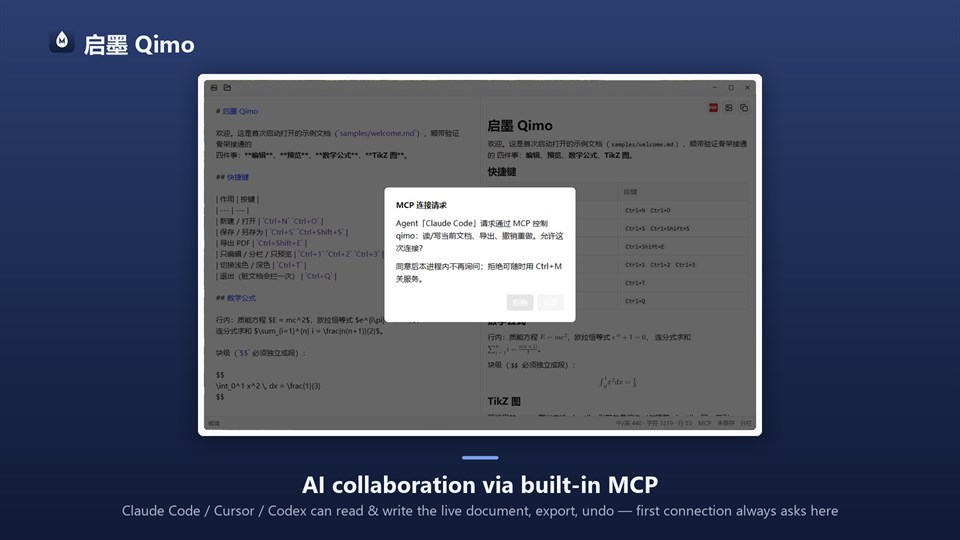
[AI collaboration via MCP] A built-in MCP server connects AI assistants (Claude Code, Cursor, Codex, …) to the document you are editing — read, write, patch, undo/redo, export, and fetch real diagnostics through 10 tools, via the official qimo-mcp bridge. The first connection always asks for your approval in-app; nothing happens before you click Allow, and Ctrl+M switches the service off.
[Double-click to open] Set Qimo as the default app for .md files and double-click anything. Light/dark theme follows the system or flips with one keystroke.
Great for: reading notes, technical documentation and READMEs, STEM notes with real math, papers and tutorials, and as a local writing desk for your AI assistant.
デベロッパーから
デベロッパーの方ですか?
ページの一番上にニュースを投稿すると、フォロワーにメールで届きます。YouTube 動画を追加すると、「動画」の一番上に表示されます。
リスト 0
-
 Qimo
ポイント 0
-

- +1 ポイント

ランキング 0
-
- あなたの評価
開発者 7
- Lionel Fung
- フォロワー: 0
- プラットフォーム: Windows アプリ (7)
- セール: 0
- リスト: 0 0
- ポイント: 0
- ランキング: 0
- コメント: 0
- 動画: 0
- RSS: 購読する
新機能
- バージョン: PC
- 最終更新:
情報
AppAggスコア
600
AppAgg推定スコア:
Qimo
開発者: Lionel Fung
600 シルバー
スコアが高いほど、AppAgg上の各指標が良好な傾向にあります。
基準: 人気 · ユーザー評価 · 新しさ · セール · ストアデータ · コミュニティ活動
最新のAppAggデータに基づいて毎日再計算されます。
ウェブサイト用バッジ:  コピーしました!
コメント 0 ¡
最初のコメントを書きましょう
シェア
Qimo 短縮 URL: コピーしました!- Windows Store

