
บุ๊กมาร์ก
| ผู้พัฒนา: | Lionel Fung (7) | ||
| ราคา: | ฟรี ใหม่ | ||
| คะแนน: | 600 เงิน | ||
| การจัดอันดับ: | 0 | ||
| ความคิดเห็น: | 0 โพสต์ความคิดเห็น | ||
| รายการ: | 0 0 | ||
| แต้ม: | 0 | ||
| +1 แต้ม | |||
สรุป
มาทำความรู้จัก Qimo แอปในหมวด “เครื่องมือสำหรับนักพัฒนา” จาก Lionel Fung
มาใหม่ ออกเมื่อ คุณได้เป็นหนึ่งในคนกลุ่มแรก
ฟรี ไม่มีโฆษณา ไม่มีการซื้อภายในแอป มีแค่คุณกับแอป
Microsoft Store มีมาในตัว Windows อยู่แล้ว ติดตั้งได้ในไม่กี่คลิก
คะแนน AppAgg คือ 600 ระดับ “เงิน” ถือว่าไม่เลวเลย
แค่ 18 เมกะไบต์ ต่อให้ไดรฟ์เต็มก็ยังลงได้
จัดเรต “EVERYONE” เหมาะกับเด็ก ๆ ด้วย
รองรับ 2 ภาษา แต่ยังไม่มีภาษาไทย
ยังไม่มีใครบน AppAgg ให้คะแนนเลย โอกาสเป็นคนแรกอยู่ตรงนี้แล้ว
ผู้พัฒนารายนี้มีแอปอื่นบน AppAgg อีก 6 แอป ลองไปดูกัน
อยากรู้เรื่องอัปเดตและแอปใหม่ก่อนใครไหม? ติดตาม ผู้พัฒนา หรือกดติดตาม ฟีด RSS ได้เลย การแจ้งเตือนแบบพุชส่งผ่านแอป AppAgg Alerts สำหรับ Android และ iOS
ภาพหน้าจอ 4
แพลตฟอร์มอื่น 0
ประวัติราคา 0
- ราคาปัจจุบัน: ฟรี
- ต่ำสุด: ฟรี
- สูงสุด: ฟรี
ฟีดของคุณเองบนหน้าแรก
คำอธิบาย

Key features:
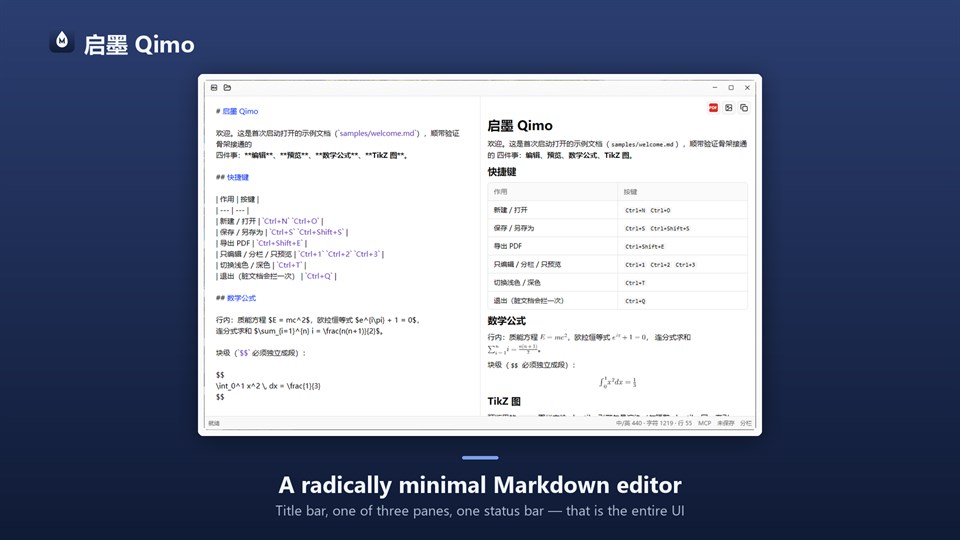
[Radically minimal] A custom title bar, three pane modes (edit / split / preview), one status bar. Every command has a shortcut; the status bar doubles as the only error surface and the unsaved-changes dot (● before the path).
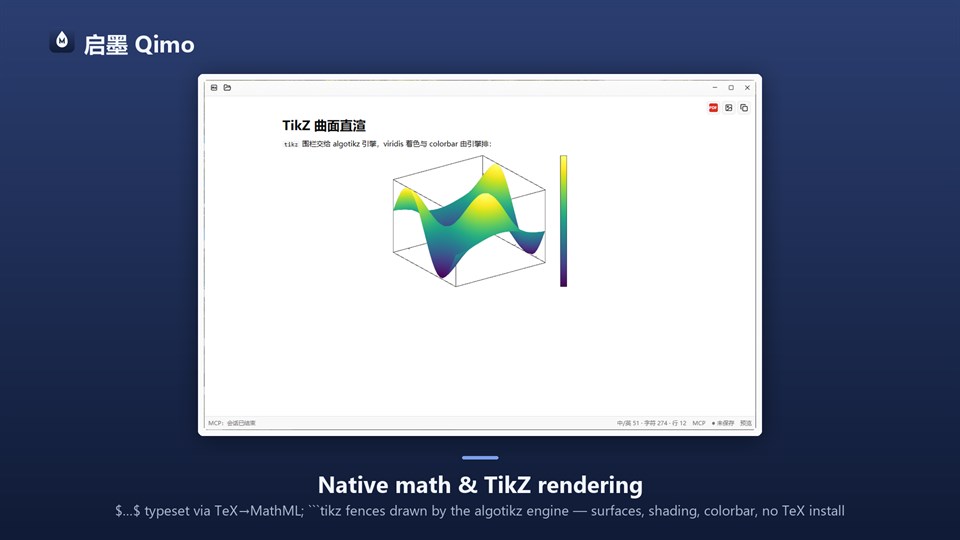
[Native math typesetting] `$…$` inline and `$$…$$` display formulas go TeX → MathML → vector layout with the embedded Latin Modern Math font — fractions, radicals, sum limits, matrices rendered as in print. No screenshots, no placeholders, no TeX distribution to install.
[TikZ drawn by the engine] ```tikz fences are evaluated and drawn live by algotikz — an independent open-source implementation with PGF semantics: axes, curves, mindmaps, and 3D surfaces with viridis-style shading and colorbars, all vector. Engine and font assets are embedded; one file, zero setup.
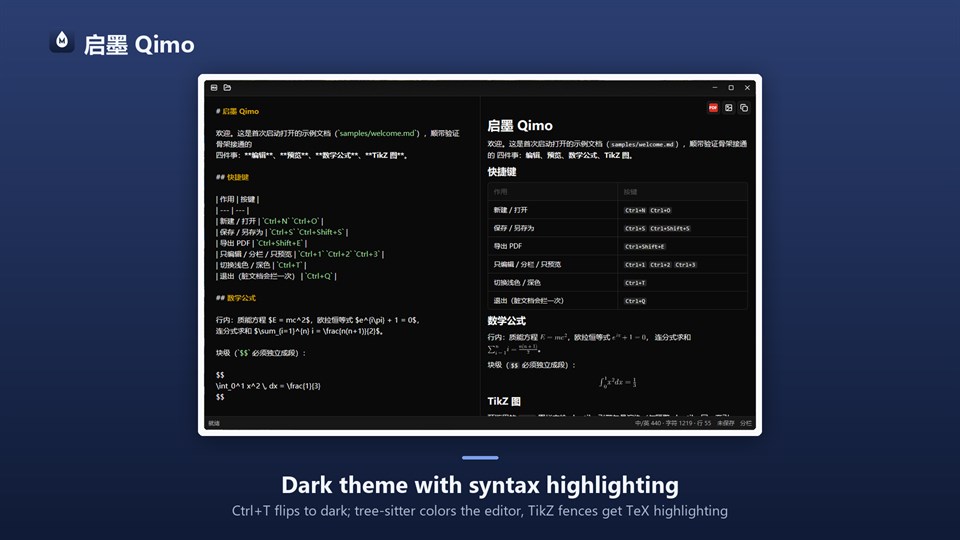
[Syntax highlighting] tree-sitter colors Markdown, and ```tikz / ```latex fences get LaTeX injection highlighting — writing and reading share one color language.
[Two-way scroll sync] Editing follows preview and back, anchored on top-level blocks: scroll the source, the preview follows; drag the preview, the editor comes along.
[Print-grade export] Ctrl+Shift+E exports PDF or PNG: CJK line-break rules, widow/orphan control, headings never orphaned, table headers repeated on continuations, hanging indent for wrapped code; font subsets embedded with selectable text; math and TikZ are drawn as vectors, and the same input always produces byte-identical output. Long-image export stitches pages for you.
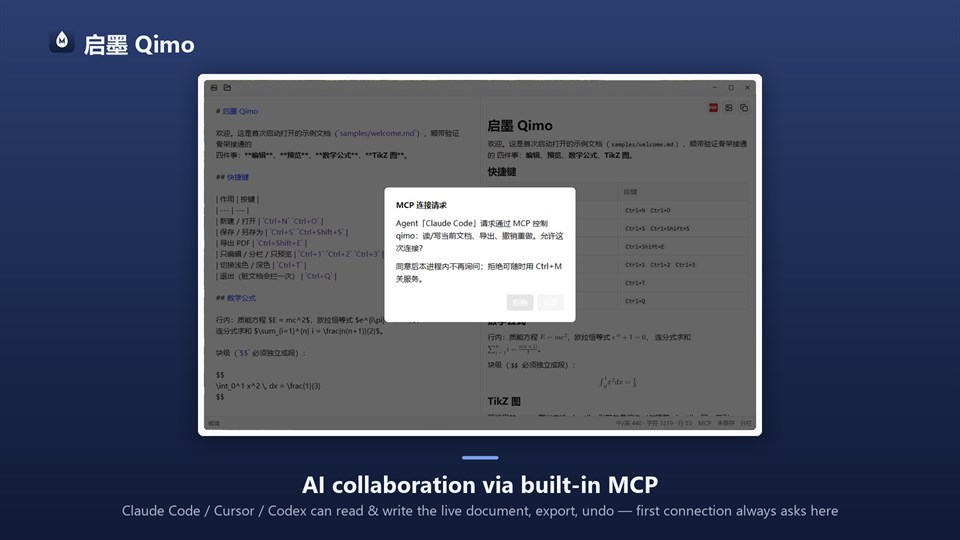
[AI collaboration via MCP] A built-in MCP server connects AI assistants (Claude Code, Cursor, Codex, …) to the document you are editing — read, write, patch, undo/redo, export, and fetch real diagnostics through 10 tools, via the official qimo-mcp bridge. The first connection always asks for your approval in-app; nothing happens before you click Allow, and Ctrl+M switches the service off.
[Double-click to open] Set Qimo as the default app for .md files and double-click anything. Light/dark theme follows the system or flips with one keystroke.
Great for: reading notes, technical documentation and READMEs, STEM notes with real math, papers and tutorials, and as a local writing desk for your AI assistant.
จากนักพัฒนา
รายการ 0
-
 Qimo
แต้ม 0
-

- +1 แต้ม

การจัดอันดับ 0
-
- คะแนนของคุณ
ผู้พัฒนา 7
- Lionel Fung
- ผู้ติดตาม: 0
- แพลตฟอร์ม: Windows แอป (7)
- ลดราคา: 0
- รายการ: 0 0
- แต้ม: 0
- การจัดอันดับ: 0
- ความคิดเห็น: 0
- วิดีโอ: 0
- RSS: ติดตาม
มีอะไรใหม่
- เวอร์ชัน: PC
- อัปเดตล่าสุด:
ข้อมูลเพิ่มเติม
- วันที่วางจำหน่าย:
- หมวดหมู่:
แอปสำหรับ Windows›เครื่องมือสำหรับนักพัฒนา - ระบบปฏิบัติการ:
PC - ขนาด:
18 Mb - ภาษาที่รองรับ:
จีน,อังกฤษ - การจัดประเภทเนื้อหา:
EVERYONE - Windows Store คะแนน: ¡
0
คะแนน AppAgg
คะแนน AppAgg โดยประมาณของ
Qimo
ผู้พัฒนา: Lionel Fung
คะแนนที่สูงขึ้นมักสะท้อนตัวชี้วัดที่ดีกว่าบน AppAgg
อิงจาก: ความนิยม · คะแนนจากผู้ใช้ · ความสดใหม่ · ดีล · ข้อมูลร้านค้า · กิจกรรมชุมชน
คำนวณใหม่ทุกวันจากข้อมูล AppAgg ล่าสุด
ความคิดเห็น 0 ¡
แชร์
Qimo URL แบบสั้น: คัดลอกแล้ว!- Windows Store

