
Tersimpan
Pilih nama yang akan ditampilkan di menu Tersimpan Anda.
Selesai!
| Pengembang: | Neonway (47) | ||
| Harga: | $4.99 | ||
| Peringkat: | 0 | ||
| Komentar: | 0 Kirimkan komentar | ||
| Daftar: | 0 + 0 | ||
| Poin: | 0 + 13 (4.7) ¡ | ||
| +1 Poin | |||
Deskripsi

Save over 80% compared to a set of equivalent apps and tools.
Quick Icons combines 6 apps in one easy-to-use app:
1. App Icons Creator,
2. App Launch Images Creator,
3. Creative Overlays Library,
4. Asset Catalog Creator,
5. Web Icons Creator,
6. Images Compressor.
WHAT USERS SAY:
- “Great app! I've used it to make lots of icons with my lots of images. Nice job! It's a creative app!”-david spadilla from United Kingdom
- "A really good tool to make your own icons quickly and easily." - by johannesbue from Germany
IT'S SIMPLE
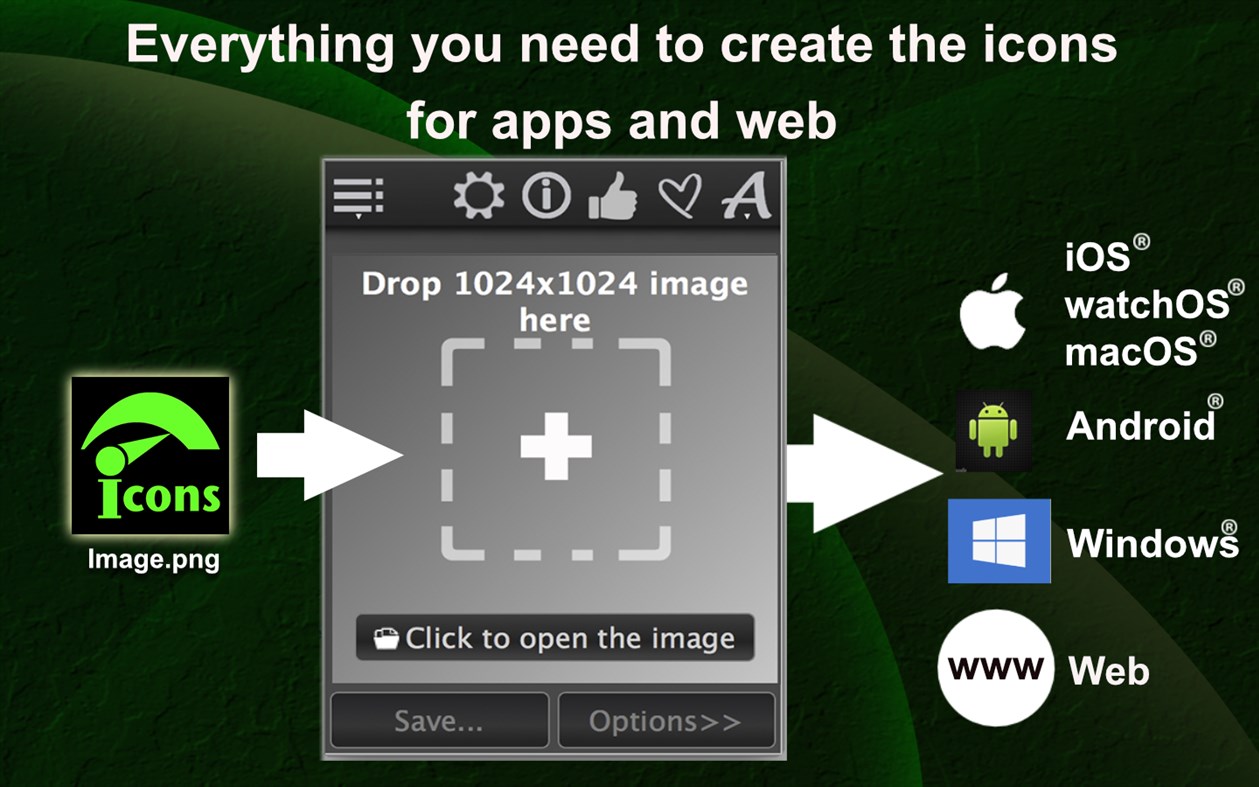
Just a few clicks and you are done! Drag and drop an image to the app window. Select a name for the newly created icons and choose the location where you want to save them. Click save and Quick Icons will do the rest for you!
There are no minimal or maximum resolution requirements for the image you drop in the app.
After the creation process is done, the app takes you to the icon location.
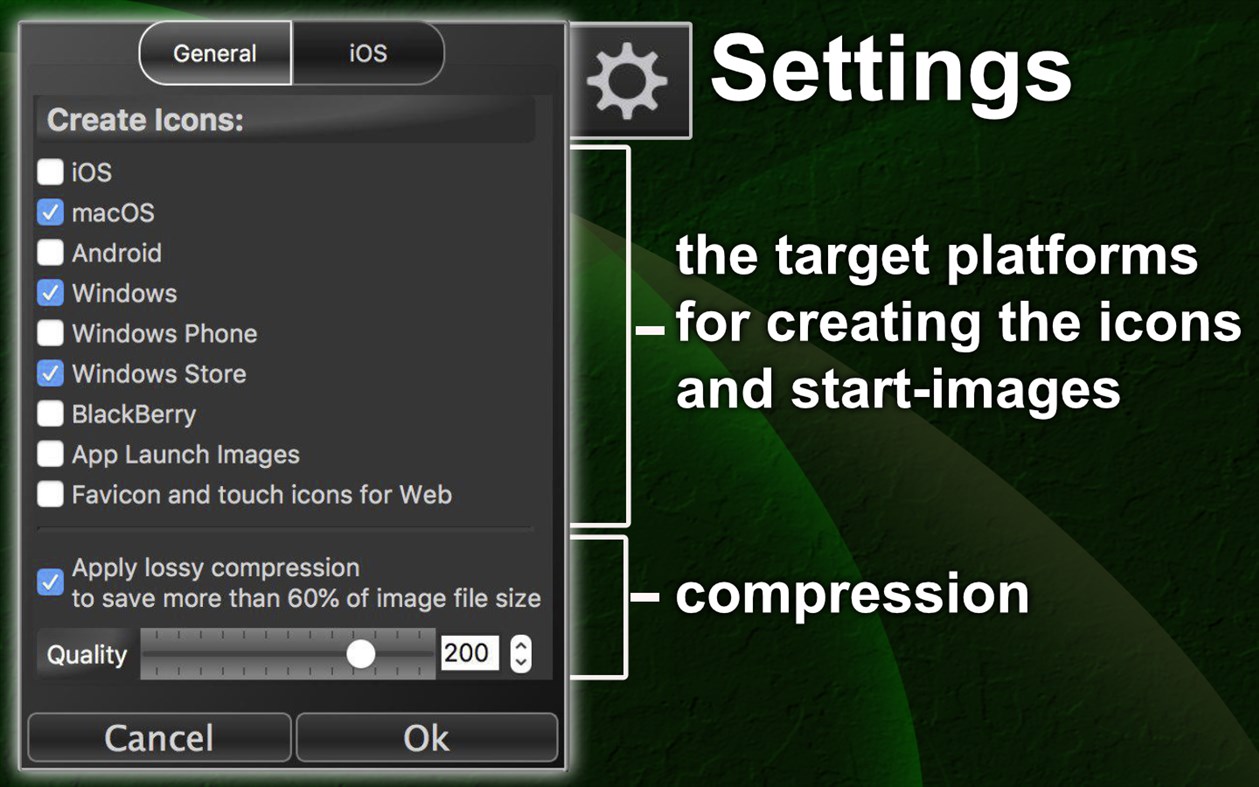
EMBEDDED COMPRESSION
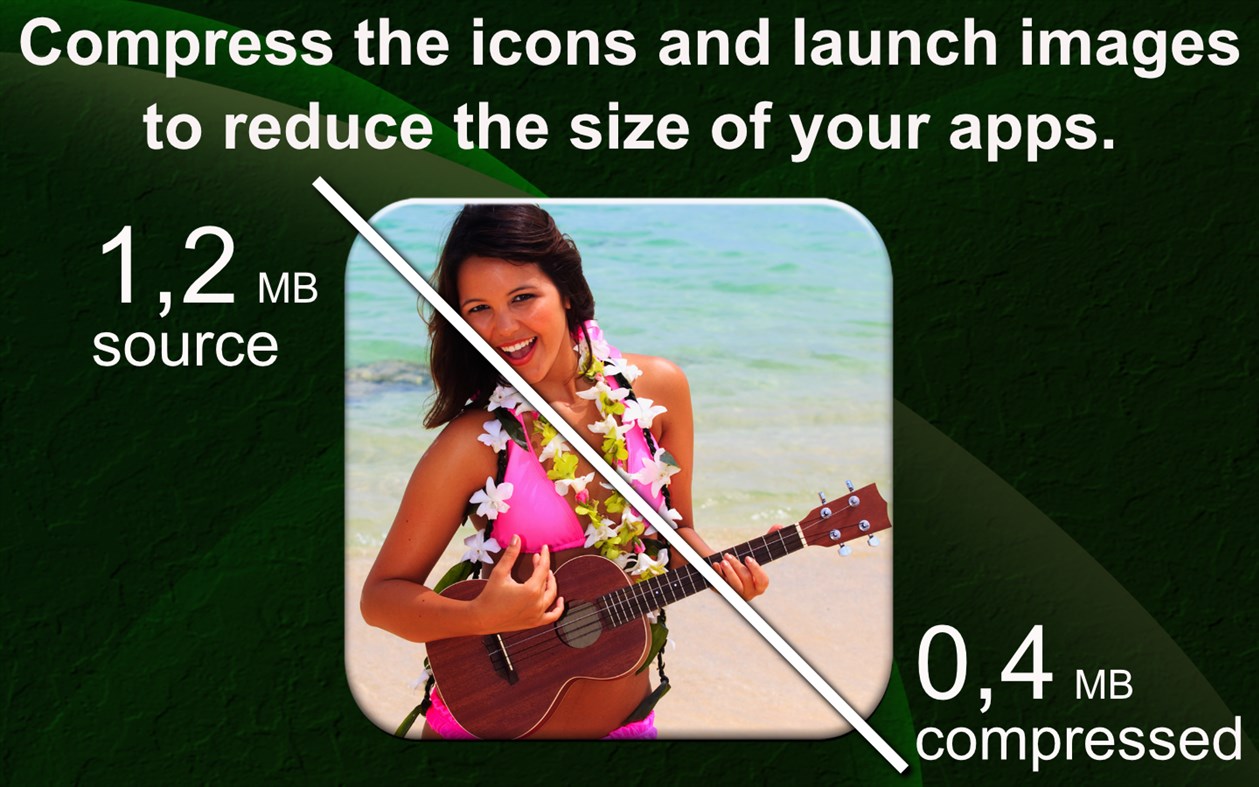
Use a lot less space for your icons in the app assets, on the hard drive, and reduce the size of the app installer!
There is no need for an extra tool to compress your icons and launch images afterwards because the "Quick Icons" is the first icon creation app with its own embedded compressor. The compression can potentially save over 60% space, diminishing image quality only slightly.
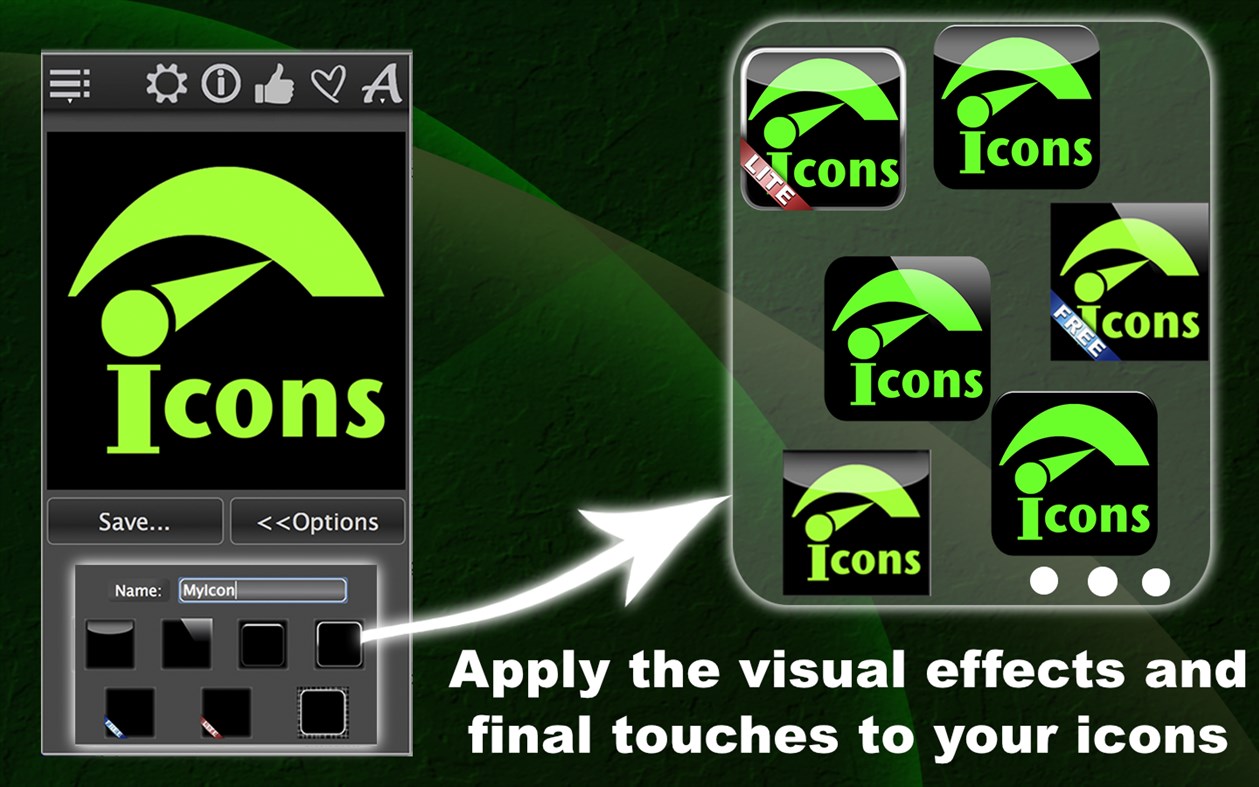
CREATIVE OVERLAYS
Apply visual effects and final touches to the icons.
APP ASSETS CREATION
"Quick Icons" creates a full set of icons and launch images you’ll need to make an app for iPhone, iPad and Apple Watch, Android and Windows.
SUPPORTTED PLATFORMS AND FORMATS FOR ICONS
- iPhone, iPad and Apple Watch (standard & retina png-files),
- macOS (.icns and iconset standard & retina),
- Android (All icons for ldpi, mdpi, hdpi, xhdpi, xxhdpi, xxxhdpi resolutions),
- Amazon App Store files (png-files),
- Windows (.ico and png-files),
- Windows Phone (png-files),
- Windows Desktop App Store and App (png-files),
- BlackBerry (png-files).
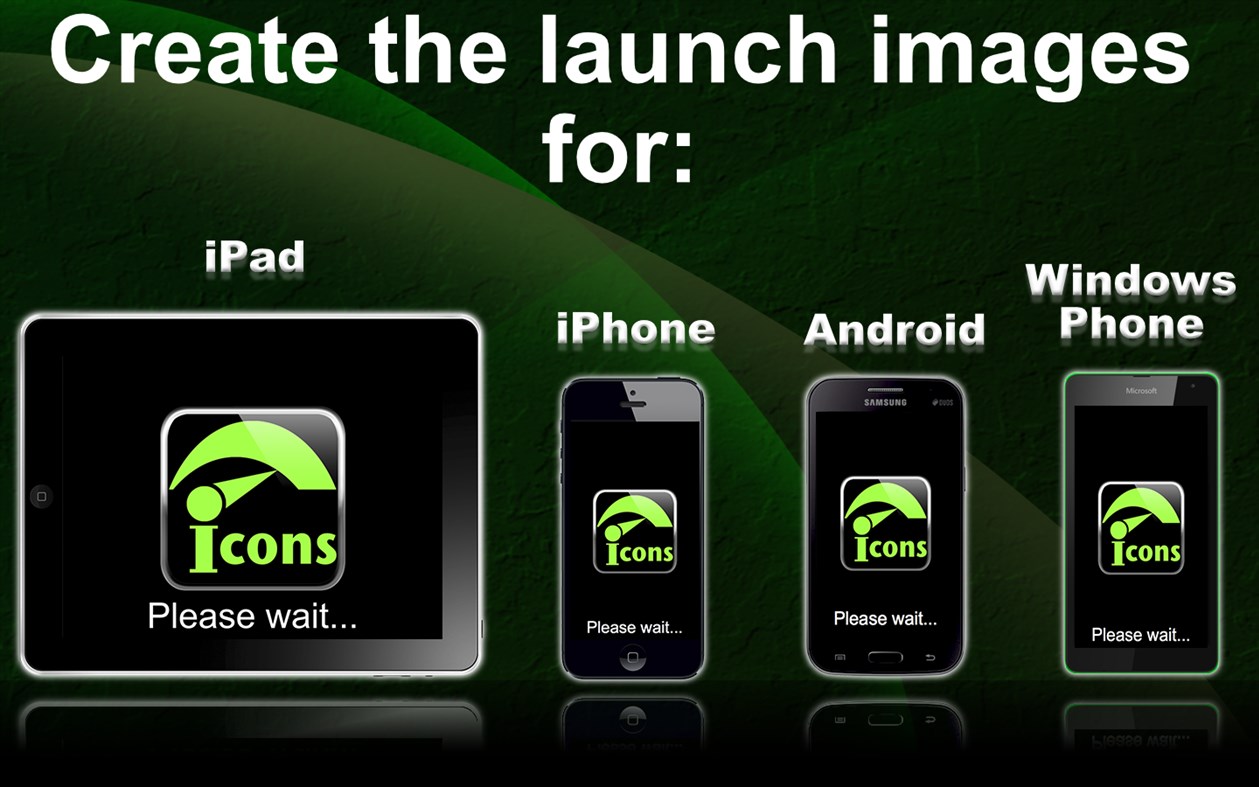
SUPPORTTED PLATFORMS FOR LAUNCH IMAGES & SCREENS
- iOS,
- Android,
- Windows Phone.
WEB ICONS CREATION
- Classical favicon.ico (48x48),
- Touch icons for iOS (png-files),
- Touch icons for Android (png-files),
- Touch icons for Windows (png-files),
- Favicons (png-files).
APP IN ACTION
You can watch the video about how the "Quick Icons" app works: www.neonway.org/video19
QUESTIONS OR COMMENTS?
If you have any questions and/or comments, please contact us using the support link located on this page.
Jepretan layar
Sejarah Harga
- Harga saat ini: $4.99
- Minimal: $4.99
- Maksimum: $4.99
Pantau harga
Ad
Info tambahan
- Tanggal rilis:
- Kategori:
Windows Aplikasi›Alat pengembang - OS:
PC - Ukuran:
20 Mb - Bahasa yang didukung:
English - Rating Konten:
EVERYONE - Windows Store Peringkat:
4.7(13) - Situs Web:
 http://neonway.com
Yang Baru
- Versi: PC
- Diperbarui:
Pengembang
- Neonway
- Platform: Windows Aplikasi (47)
- Daftar: 1 + 0
- Poin: 2 + 320 ¡
- Peringkat: 0
- Komentar: 0
- Diskon: 0
- Video: 0
- RSS: Berlangganan
Daftar (0)
0 ☹️
- Quick Icons
Poin (0)
0 ☹️
Peringkat (0)
0 ☹️
Komentar (0)
Jadilah yang pertama berkomentar 🌟
«Quick Icons». Platform: Windows. Kategori: Alat pengembang. Pengembang: «Neonway». Rilis pertama: . Pembaruan terakhir: . Harga saat ini: $4.99. Harga terendah yang tercatat: $4.99. Harga tertinggi yang tercatat: $4.99. Judul ini belum mendapat rating atau ulasan di AppAgg. Toko: Windows Store. Peringkat toko: 4.7. Suara: 13. Bahasa yang tersedia: English. AppAgg melacak riwayat harga, peringkat, dan umpan balik pengguna «Quick Icons». Ikuti diskon dan pembaruan di masa mendatang melalui RSS. AppAgg tidak menghosting aplikasi atau mendistribusikan perangkat lunak. Semua merek dagang, logo, dan tangkapan layar adalah milik pemiliknya masing-masing.
Quick Icons URL singkat: Disalin!- 🌟 Bagikan
- Windows Store
Serupa
-
- Quick Icons Lite
- Windows Aplikasi: Alat pengembang Oleh: Neonway
- Gratis
- Daftar: 0 0 0
- Poin: 0 + 69 (4.3) Versi: PC Just a few clicks and you are done! Drag and drop an image to the app window. Select a name for the newly created icons and choose the location where you want to save them. Click save ... ⥯
-
- Quick CPU Stress Tester
- Windows Aplikasi: Alat pengembang Oleh: EvlarSoft LLC
- $0.99
- Daftar: 0 0 0
- Poin: 0 + 1 (5.0) Versi: PC est and monitor the limits of your system s performance with Quick CPU Stress Tester, a powerful tool designed for benchmarking, diagnostics, and stress-testing your computer s CPU. ... ⥯
-
- XAML Path Icons
- Windows Aplikasi: Alat pengembang Oleh: NxeCcde24 Labs
- * Gratis
- Daftar: 1 0 0
- Poin: 2 + 12 (3.0) Versi: PC Thousands of XAML Path Icons, SVG and Drawable Icons, completely fast offline. XAML Path Icons SVG Format Drawable Path data FEATURES Copy path data. Copy xaml, svg, xml to clipboard. ... ⥯
-
- AppBar Icons 10
- Windows Aplikasi: Alat pengembang Oleh: rmsoft
- Gratis
- Daftar: 0 + 1 0 0
- Poin: 0 + 2 (5.0) Versi: PC Symbol icon browser. (Segoe MDL2 Assets, Windows.UI.Xaml.Controls.Symbol enumeration). ⥯
-
- Character Map UWP
- Windows Aplikasi: Alat pengembang Oleh: Edi Wang
- Gratis
- Daftar: 2 + 1 0 0
- Poin: 6 + 398 (4.5) Versi: PC A modern, native UWP replacement for the Win32 Character Map and Windows Font Viewer with flawless high DPI and touch support. Features include: - View all the font families and font ... ⥯
-
- MS Store Icon Creator
- Windows Aplikasi: Alat pengembang Oleh: Newera Software Technology Inc.
- $89.99
- Daftar: 0 + 1 0 0
- Poin: 2 Versi: PC MS Store Icon Creator is an unique tool on the market, users only need to provide a few source images, the program will automatically create PNG icons of 40 formats for Microsoft Store ⥯
-
- Icon Converter
- Windows Aplikasi: Alat pengembang Oleh: Duckhead Software
- $2.99
- Daftar: 0 0 0
- Poin: 0 + 8 (1.3) Versi: PC Icon Converter is the easiest way to batch convert Icons to transparent PNG, JPegXR, and single image ICO files. Convert just a few Icons, or whole folders, volumes, archives, or ... ⥯
-
- SVG Icon Builder
- Windows Aplikasi: Alat pengembang Oleh: DEVELOPER EXPRESS INC.
- Gratis
- Daftar: 0 0 0
- Poin: 1 + 12 (3.5) Versi: PC A productivity tool designed to simplify the creation of custom SVG icons. You can create thousands of unique icons for your application based on a wide set of predefined icons. ⥯
-
- XAML Asset Creator
- Windows Aplikasi: Alat pengembang Oleh: Dean Chalk
- Gratis
- Daftar: 0 0 0
- Poin: 1 + 1 (5.0) Versi: PC A great tool for all UWP and Xamarin Developers. This app has over 6000 vector icons that you can choose from to create all of the necessary asset files for UWP, iOS, Mac and Android ... ⥯
-
- WinUI 3 Gallery
- Windows Aplikasi: Alat pengembang Oleh: Microsoft
- Gratis
- Daftar: 1 + 1 0 0
- Poin: 0 + 154 (4.5) Versi: PC The WinUI 3 Gallery is the ultimate interactive showcase of WinUI 3 controls, styles, and features. Whether you're a developer exploring modern Windows app design or looking for ... ⥯
-
- UWP Technical guide
- Windows Aplikasi: Alat pengembang Oleh: Mareinsula
- * Gratis
- Daftar: 0 0 0
- Poin: 0 + 3 (4.7) Versi: PC Go in depth in the aspects of Colors, Motion, Typography and find Icons and styles organized for Universal apps. Including interactive examples and tricks to copy in your apps. Access ... ⥯
-
- Codly Snippet Manager
- Windows Aplikasi: Alat pengembang Oleh: Quinn's Computing
- $2.49
- Daftar: 0 + 1 0 0
- Poin: 4 Versi: PC Codly is the ultimate app for storing and quickly inserting code snippets. Easily categorize your snippets by programming language and sort them info folders. You can also mark ... ⥯
-
- OpenType SVG Font Editor
- Windows Aplikasi: Alat pengembang Oleh: Rick Manning
- Gratis
- Daftar: 0 + 1 0 0
- Poin: 0 + 7 (3.9) Versi: PC A user-friendly, open-source tool for embedding SVG glyphs in an OpenType font. Designed and built by Microsoft interns, this app simplifies the process of creating SVG-based icon ... ⥯