
북마크
이 북마크의 제목을 입력하세요.
북마크가 저장되었습니다
요약
ReqFlow: ReqFlow에서 만든 ‘개발자 도구’ 카테고리의 앱이에요.
에 출시됐어요. 아직 꽤 따끈따끈해요.
무료. 광고도 인앱 구매도 없어요. 앱에만 집중하면 돼요.
Microsoft Store는 Windows에 기본으로 들어 있어서 클릭 몇 번이면 설치돼요.
AppAgg 점수는 1,050. 실버 등급, 이 정도면 꽤 괜찮아요.
연령 등급은 ‘EVERYONE’, 아이들에게도 괜찮아요.
지원 언어는 딱 하나, 그런데 한국어는 아니에요.
사용해 보셨나요? 여기서 첫 리뷰의 주인공이 되어 주세요.
AppAgg에 있는 이 개발자의 유일한 앱이에요. 아직까지는요.
업데이트와 새 앱 소식을 가장 먼저 받고 싶나요? 개발자를 팔로우하거나 RSS 피드를 구독하세요. 푸시 알림은 Android와 iOS용 AppAgg Alerts 앱으로 받을 수 있어요.
광고
다른 플랫폼 0
가격 기록 0
- 현재 가격: 무료
- 최소: 무료
- 최대: 무료
홈 화면의 나만의 피드
“신규 및 업데이트” 피드의 플랫폼을 선택하면 홈 화면에 필요한 앱과 게임만 표시됩니다.
스크린샷 6
동영상 1
설명

Most API tools are built around a single request and a single response. Real debugging rarely works that way. A login issues a token, the token authorizes a checkout, the checkout fires a webhook — and when something breaks three steps in, you need to know which field changed and when it started changing.
ReqFlow is a desktop workspace built for that problem. Chain requests into a scenario that runs in order, pin a known-good response as a baseline, and compare every later run against it with a structural JSON diff. Run history keeps the record, so you can find the exact run where behaviour shifted.
Requests execute from your PC. That means localhost endpoints, services on your internal network, and remote APIs are all reachable without routing traffic through a third-party proxy.
WHAT'S INSIDE
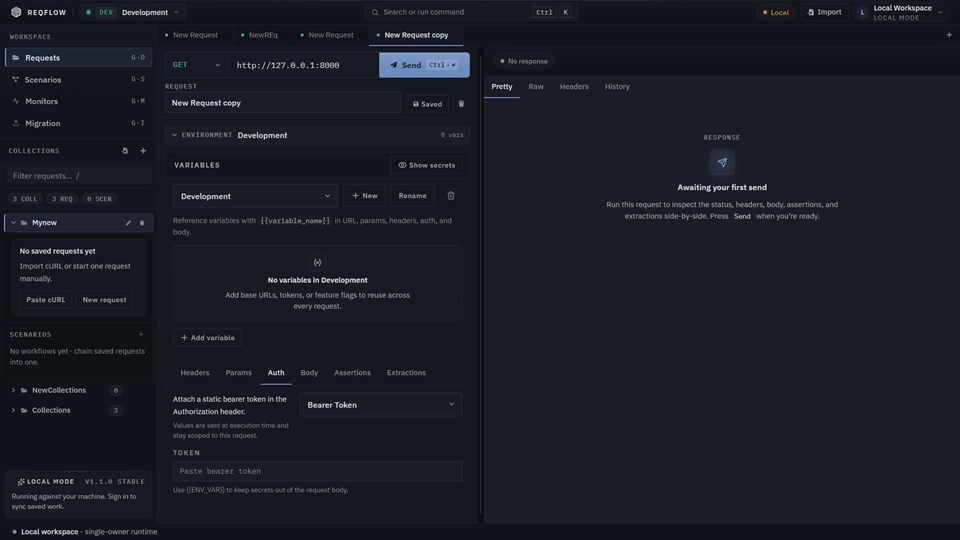
- Request editor — Full control over method, URL, headers, query parameters, and body. JSON, form data, and raw payloads, with syntax highlighting and formatting.
- Response viewer — Status codes, headers, timing, and body output. JSON is highlighted and collapsible.
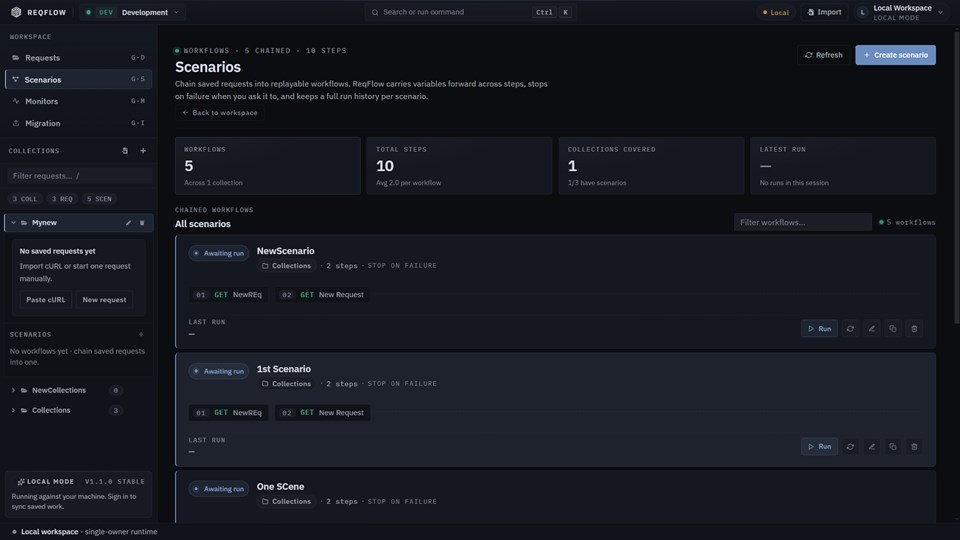
- Scenarios — Chain requests into a workflow that runs in order. Extract values from one response into the next, assert on results, and halt the run on failure. Built for login flows, checkout paths, token refresh, and webhook confirmation.
- Baselines and diffing — Pin a known-good response, then compare later runs against it. A structural JSON diff shows which fields were added, removed, or changed, with a text diff as fallback for non-JSON payloads.
- Run history — Every run is recorded with its response, timing, and assertion results.
- Collections and environments — Group requests into named collections. Define variables per environment (development, staging, production) and switch context without editing individual URLs or headers.
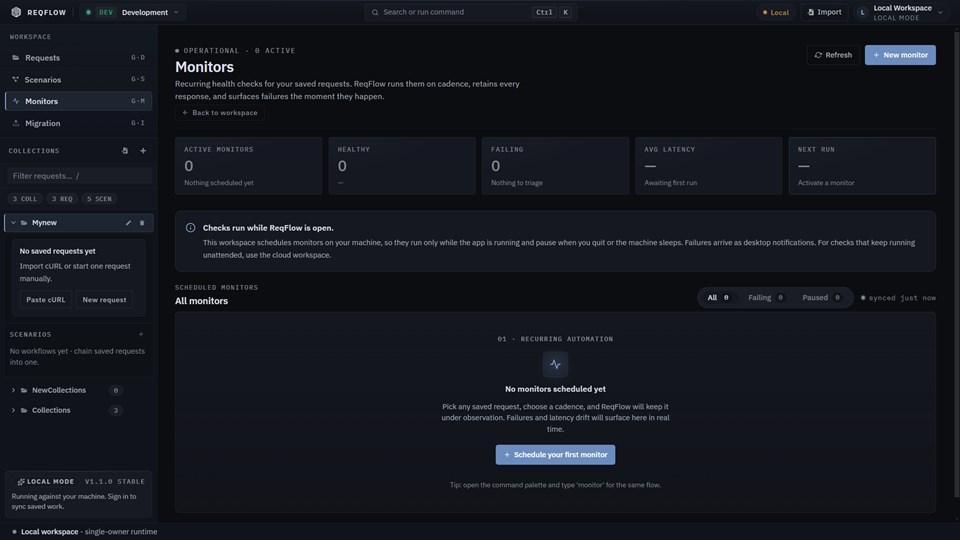
- Scheduled monitors — Promote a saved request or a full scenario into a monitor that runs on a schedule and reports failures, with incident history and one-click replay of a failed run in its original context.
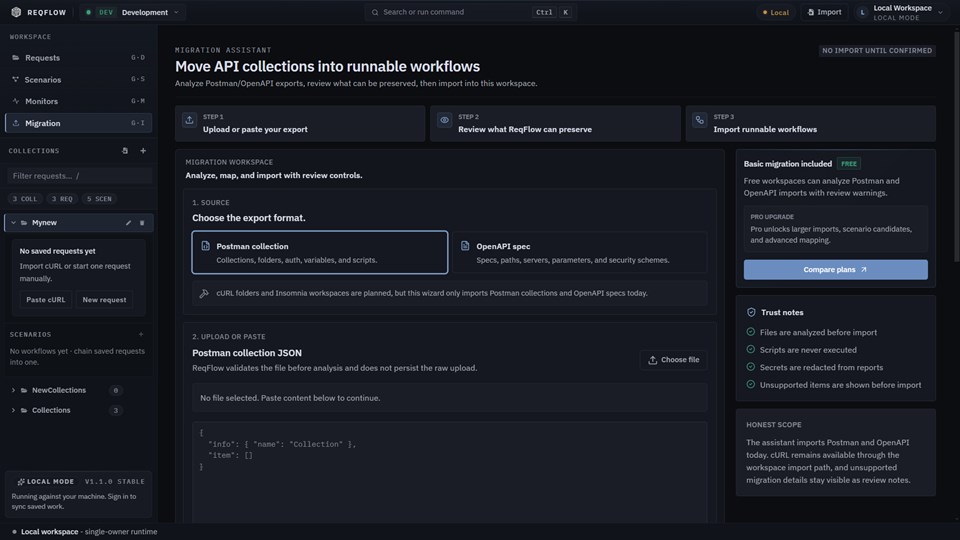
- Imports — Bring in existing work from Postman collections, OpenAPI and Swagger specs, and cURL commands.
- Keyboard-driven — A global command palette (Ctrl+K) and a shortcut catalog (?) for working without the mouse.
- Themes — Light, dark, and brand.
THREE WAYS TO RUN IT
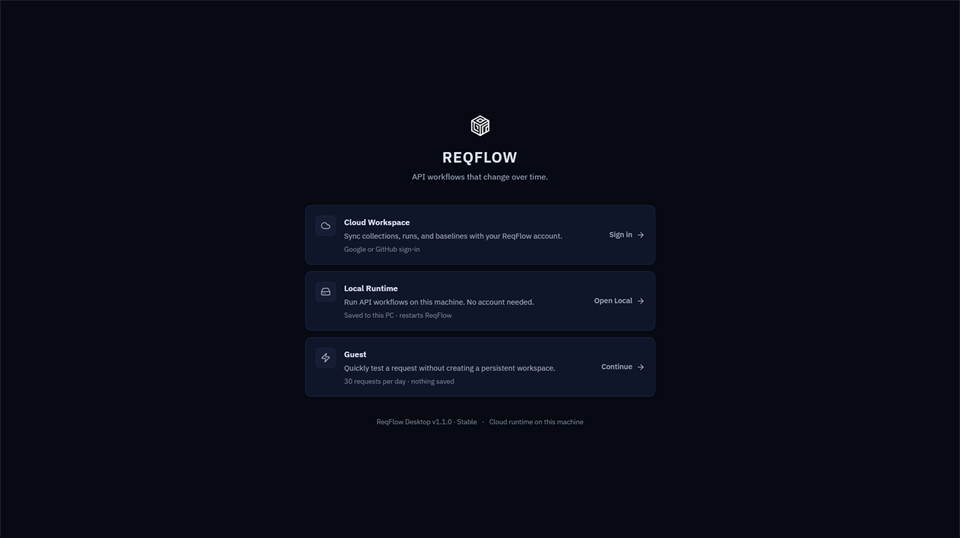
ReqFlow offers a choice on startup.
Local Mode — Runs entirely on this PC with no account and no sign-in. Work is saved to this machine. No daily request limit. Monitors run locally while ReqFlow is open, and failures raise a Windows notification.
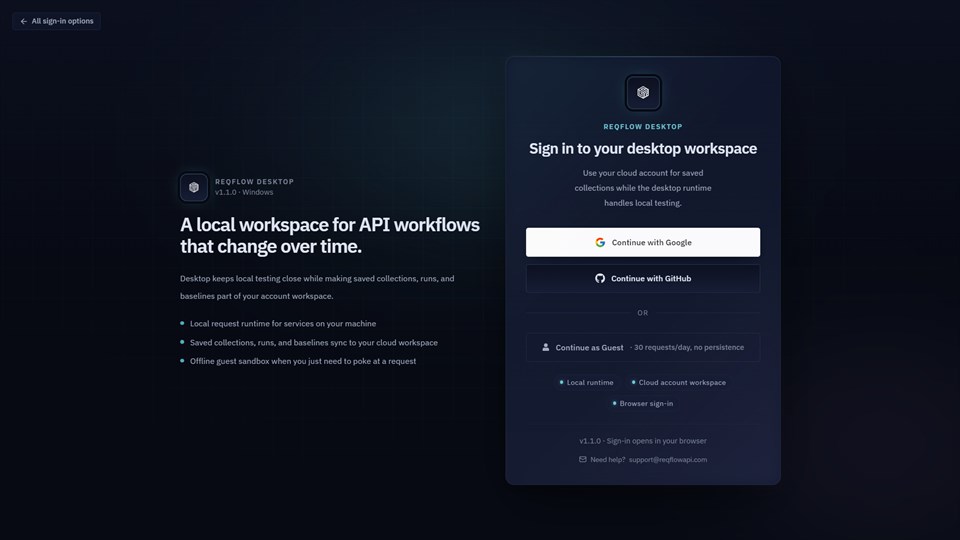
Cloud Workspace — Sign in with Google or GitHub to sync collections, runs, and baselines across devices. Monitors run on ReqFlow's servers on schedule whether or not the app is open, with email, Slack, and Discord alerts. Requires an internet connection.
Guest Trial Mode — Send a request immediately without creating a workspace. Intended for evaluation. Limitations are listed below.
You can switch between Local Mode and the Cloud Workspace from the account menu at any time.
GUEST TRIAL MODE — LIMITATION DISCLOSURE
Guest trial mode allows use of the application without creating an account or signing in. It is intended for evaluation and quick one-off requests only.
- Guest trial mode is limited to 30 API requests per day. Once this limit is reached, no further requests can be sent until the following day.
- Guest sessions are not persistent. Work is not retained as a saved workspace.
- Cloud-connected features — cross-device sync, cloud workspace storage, server-side scheduled monitors, and email, Slack, and Discord alerts — are not available in guest trial mode. These require signing in with a Google or GitHub account and an active internet connection.
Guest trial mode is not the only way to use ReqFlow without an account. Local Mode provides the full local workspace — request editor, response viewer, collections, environments, scenarios, baselines, diffing, and run history — with no account, no sign-in, and no daily request limit. Work in Local Mode is saved to this PC.
BUILT AS A TOOL, NOT A SHOWCASE
The interface is minimal and keyboard-friendly. No built-in browser, no embedded ads, no social features. It is a workspace for running API workflows, reading responses, and finding out what changed.
REQUIREMENTS
- Windows 10 version 1809 or later
- No internet connection required for Local Mode or local API testing
- Internet connection required for sign-in, cross-device sync, server-side monitors, and alerts
개발자 소식
개발자이신가요?
페이지 맨 위에 소식을 올리면 팔로워에게 이메일로 전달됩니다. YouTube 동영상을 추가하면 “동영상” 블록 맨 앞에 표시됩니다.
목록 0
-
 ReqFlow
포인트 0
-

- +1 포인트

순위 0
-
- 내 평점
새로운 기능
- 버전: PC
- 마지막 업데이트:
- Local Runtime now has a real Free tier — and a Pro tier worth paying for.
FREE, on your machine, forever
- Unlimited requests, collections, environments, and scenarios
- Baselines, deep response diffs, run history, and one-click replay
- Postman, OpenAPI, and cURL imports
- Fully offline — no account required, ever
- 1 scheduled monitor, checked every 30 minutes
PRO
- 20 local monitors with 1-minute checks
- Advanced Postman / OpenAPI migration
- One subscription also covers your ReqFlow cloud workspace, where
always-on monitoring and email alerts keep running even when your
machine is off
Existing users: Free now includes 1 scheduled monitor at 30-minute
checks. Monitors you already created keep running exactly as they are.
추가 정보
 https://www.reqflowapi.com
AppAgg 점수
1,050
AppAgg 예상 점수:
ReqFlow
개발자: ReqFlow
1,050 실버
점수가 높을수록 대체로 AppAgg의 여러 지표에서 좋은 결과를 보인다는 뜻입니다.
기준: 인기 · 사용자 평점 · 최신성 · 할인 · 스토어 데이터 · 커뮤니티 활동
최신 AppAgg 데이터를 바탕으로 매일 다시 계산됩니다.
웹사이트용 배지:  복사됨!
댓글 0 ¡
가장 먼저 댓글을 남겨주세요
공유하기
ReqFlow 단축 URL: 복사됨!- Windows Store


