
書籤
為此書籤設定標題。
書籤已儲存
| 開發者: | sumalab studio (1) | ||
| 價格: | $9.99 全新 | ||
| 評分: | 600 白銀 | ||
| 排名: | 0 | ||
| 留言: | 0 發表留言 | ||
| 清單: | 0 0 | ||
| 點數: | 0 | ||
| +1 點 | |||
摘要
RsyncZilla 是 sumalab studio 推出的應用程式,分類為「開發人員工具」。
新鮮出爐,推出,還帶著新程式碼的味道。
$9.99。在 AppAgg 上從來沒打過折,一次都沒有。設個降價提醒吧,就算你忘了,我們也不會忘。
Microsoft Store 內建在 Windows 裡,點幾下就裝好了。
AppAgg 評分 600。白銀級,已經相當不錯了。
年齡分級為「EVERYONE」,小朋友也適合。
會 2 種語言,但還沒學會中文。
這裡目前一片安靜:沒有評分,也沒有留言。來打破沉默吧。
這是這位開發者在 AppAgg 上唯一的 App。至少目前是。
想搶先知道折扣、更新和新應用程式?設定降價提醒、追蹤開發者或訂閱RSS 訂閱來源。推播通知會透過 AppAgg Alerts App 傳送,支援 Android 和 iOS。
廣告
螢幕擷取畫面 3
其他平台 0
價格紀錄 0
- 目前價格: $9.99
- 最小值: $9.99
- 最大值: $9.99
首頁專屬動態
為「最新與更新」選擇平台,首頁就只會顯示你需要的 App 和遊戲。
描述

Connect Claude, ChatGPT, Cursor, Antigravity, or your own local AI model directly to your live SSH terminal sessions without ever sharing your server passwords. Let your AI inspect logs, run commands, read or edit remote files, and upload/download data while you watch everything happen live on screen with strict per-tab permissions (AI: Off, AI: Confirm with one-click Allow/Deny, or AI: Auto).
Instead of re-uploading entire folders or leaving broken half-transferred files on your server, RsyncZilla uses bundled rsync over SSH so only changed blocks are transferred with automatic resume, real error reporting, and atomic file updates.
Key highlights:
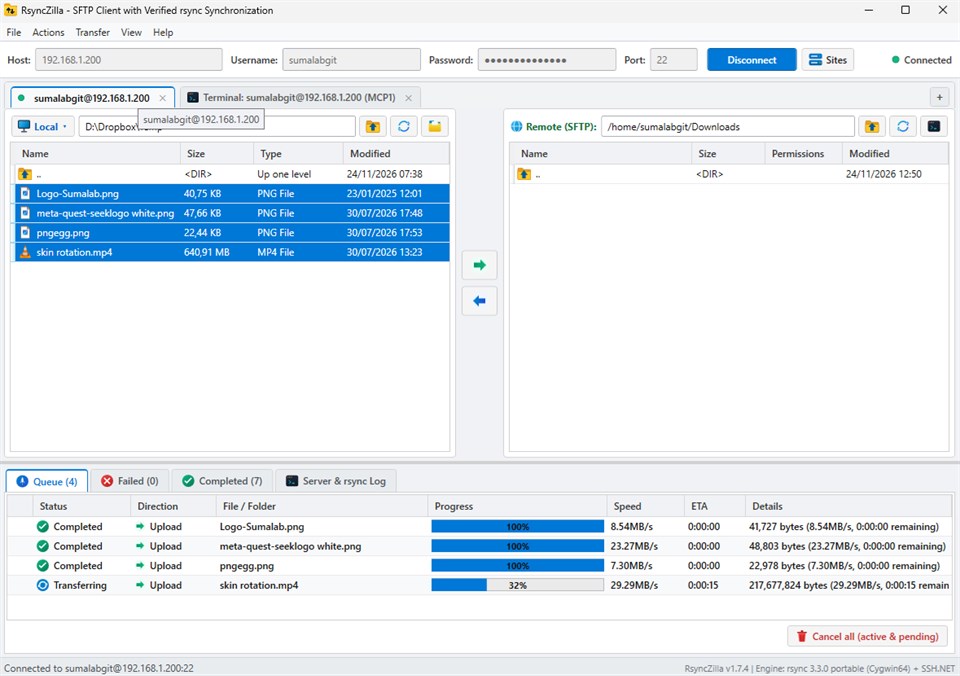
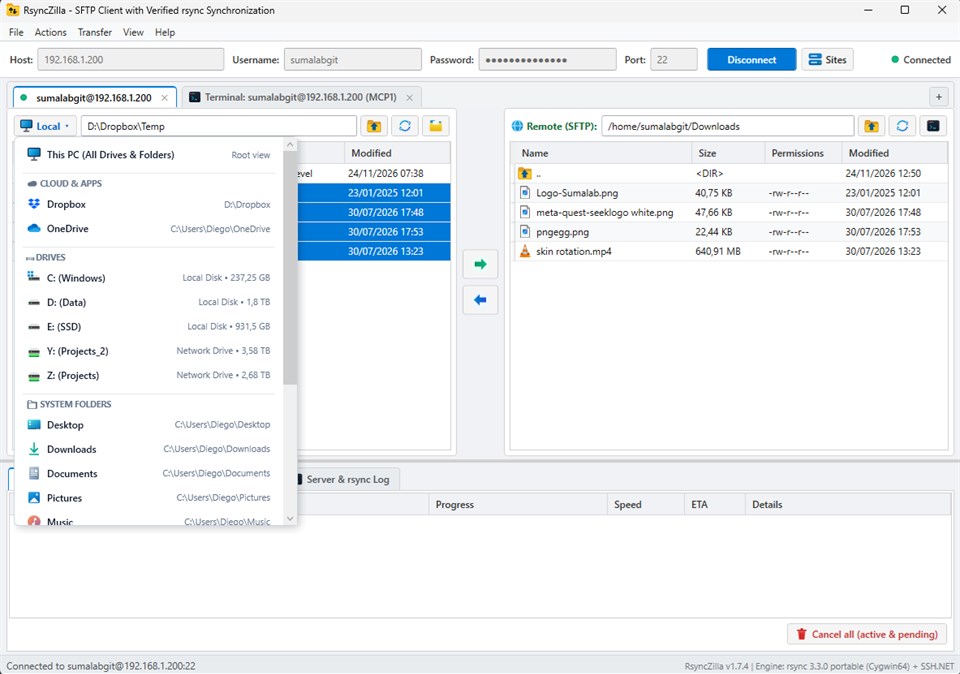
• Dual-pane Local & Remote SFTP Explorer with drag-and-drop (including dragging directly to Windows Explorer / Desktop), Windows 11 native icons, and quick navigation to Drives, Cloud folders (Dropbox, OneDrive...), and Quick Access.
• Resumable rsync over SSH Transfer Queue with live progress, speed stats, overwrite rules (--update, --checksum, --ignore-times), and automatic retry.
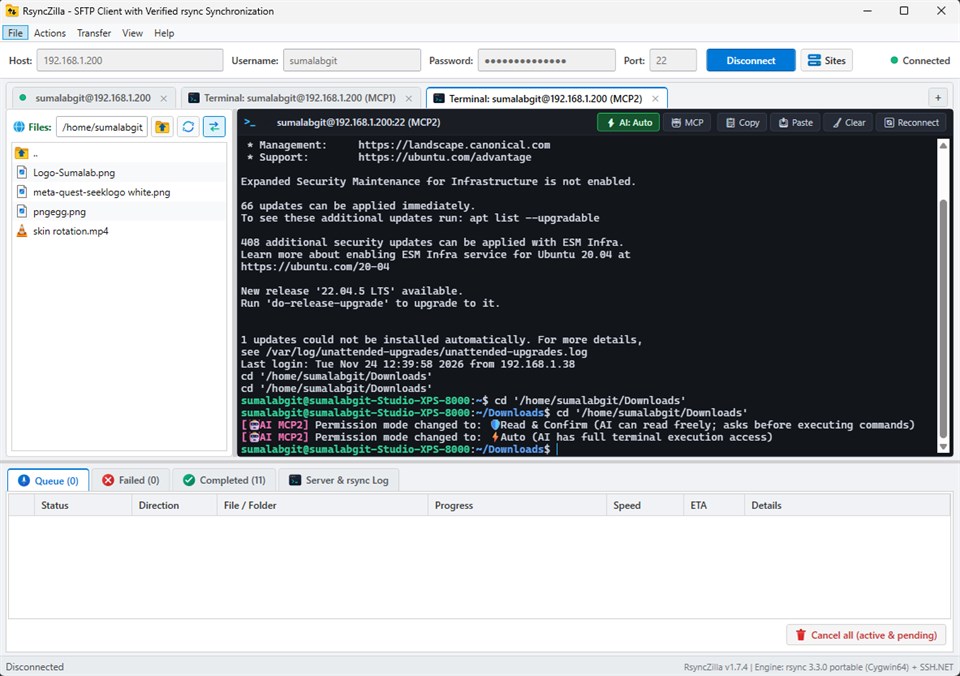
• Integrated Interactive SSH Terminal (xterm.js) with a synchronized remote file tree that tracks your `cd` commands in real time.
• Optional Local AI MCP Server (Model Context Protocol): disabled by default per tab (AI: Off / AI: Confirm / AI: Auto), letting AI assistants like Claude, ChatGPT, Cursor, or Antigravity assist with your live terminal sessions under your explicit control.
• Site Manager with FileZilla XML Import & Optional AES-256-GCM Encrypted Password Vault (PBKDF2 key derivation, zero plaintext storage).
• Remote File Editing ("View/Edit" & "Open with...") with automatic upload sync on save.
RsyncZilla is free and open source (MIT license) on GitHub. Purchasing it on the Microsoft Store provides a Microsoft-signed package with automatic updates and directly supports ongoing development by Sumalab.
來自開發者
你是開發者嗎?
在頁面頂部發布消息,追蹤者會透過電子郵件收到。新增你的 YouTube 影片,它們會排在「影片」區塊最前面。
開發者
- sumalab studio
- 追蹤者: 0
- 平台: Windows 應用程式 (1)
- 折扣: 0
- 清單: 0 0
- 點數: 0
- 排名: 0
- 留言: 0
- 影片: 0
- RSS: 訂閱
清單 0
-
 RsyncZilla
點數 0
-

- +1 點

排名 0
-
- 您的評分
新功能
- 版本: PC
- 最後更新:
- Version 1.7.4:
- Formatted Markdown release notes viewer and new Help -> Release Notes menu.
- Terminal toolbar buttons now immediately return keyboard focus to the live terminal.
- Shell prompt is automatically preserved and restored after MCP commands and notices.
- Local Quick Navigation panel (This PC, Cloud folders like Dropbox/OneDrive, Drives, and Explorer Quick Access).
- Integrated AI MCP server (per-tab Off / Confirm / Auto permissions) with multi-tab support (MCP1, MCP2...).
其他資訊
 https://www.sumalab.com/
留言 0 ¡
搶先留下第一則留言
AppAgg 評分
600
AppAgg 預估評分:
RsyncZilla
開發者: sumalab studio
600 白銀
評分越高,通常代表其在 AppAgg 上的各項指標表現越好。
基於: 人氣 · 使用者評分 · 新鮮度 · 優惠 · 商店資料 · 社群活躍度
根據最新 AppAgg 資料每日重新計算。
網站徽章:  已複製!
RsyncZilla 短網址: 已複製!- Windows Store

