
북마크
이 북마크의 제목을 입력하세요.
북마크가 저장되었습니다
요약
소개합니다. Pedro Loy에서 만든 ‘개발자 도구’ 카테고리 앱, ServerAlyzer.
에 출시됐어요. 아직 꽤 따끈따끈해요.
무료. 광고도 인앱 구매도 없어요. 앱에만 집중하면 돼요.
Microsoft Store는 Windows에 기본으로 들어 있어서 클릭 몇 번이면 설치돼요.
AppAgg 점수는 1,120. 실버 등급, 이 정도면 꽤 괜찮아요.
연령 등급은 ‘EVERYONE’, 아이들에게도 괜찮아요.
2개 언어를 지원하지만, 한국어는 아직 없어요.
아직 여기는 조용해요. 평점도, 댓글도 없어요. 침묵을 깨 주세요.
AppAgg에 있는 이 개발자의 유일한 앱이에요. 아직까지는요.
업데이트와 새 앱 소식을 가장 먼저 받고 싶나요? 개발자를 팔로우하거나 RSS 피드를 구독하세요. 푸시 알림은 Android와 iOS용 AppAgg Alerts 앱으로 받을 수 있어요.
광고
다른 플랫폼 0
가격 기록 0
- 현재 가격: 무료
- 최소: 무료
- 최대: 무료
홈 화면의 나만의 피드
“신규 및 업데이트” 피드의 플랫폼을 선택하면 홈 화면에 필요한 앱과 게임만 표시됩니다.
스크린샷 8
설명

Every server at a glance
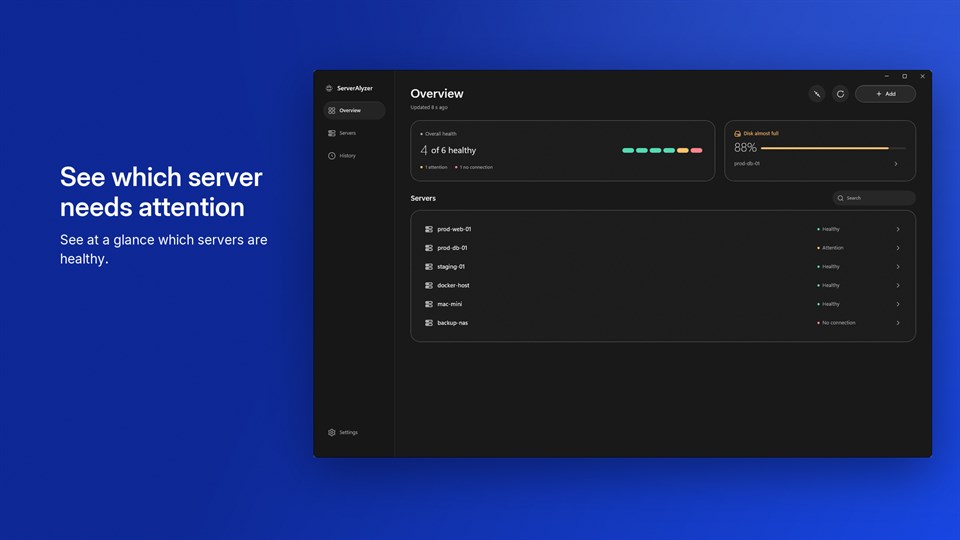
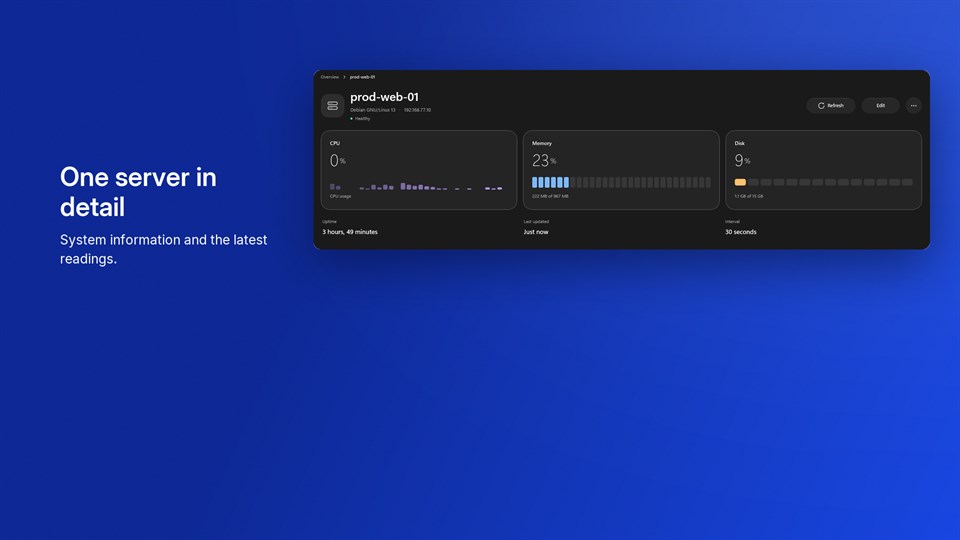
The Overview shows how each server is doing, points out the one that needs attention and tells you when a reading is out of date. The Servers list adds CPU, memory and disk for each server, and each server's page shows its uptime. Servers are checked automatically in the background and you can refresh at any time. When a value cannot be read, ServerAlyzer says so instead of showing zero.
History on your PC
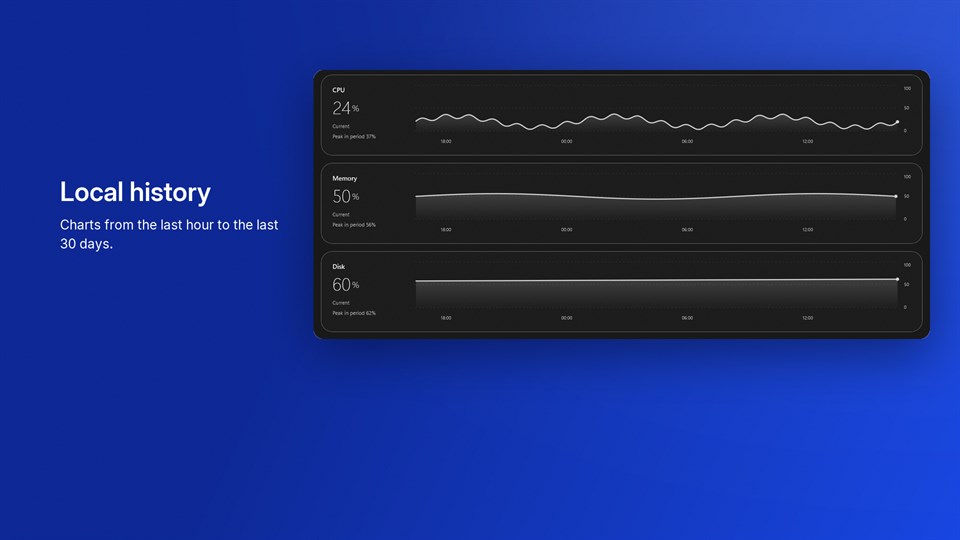
CPU, memory and disk readings are kept in a local history for 30 days. Charts cover the last hour up to the last 30 days.
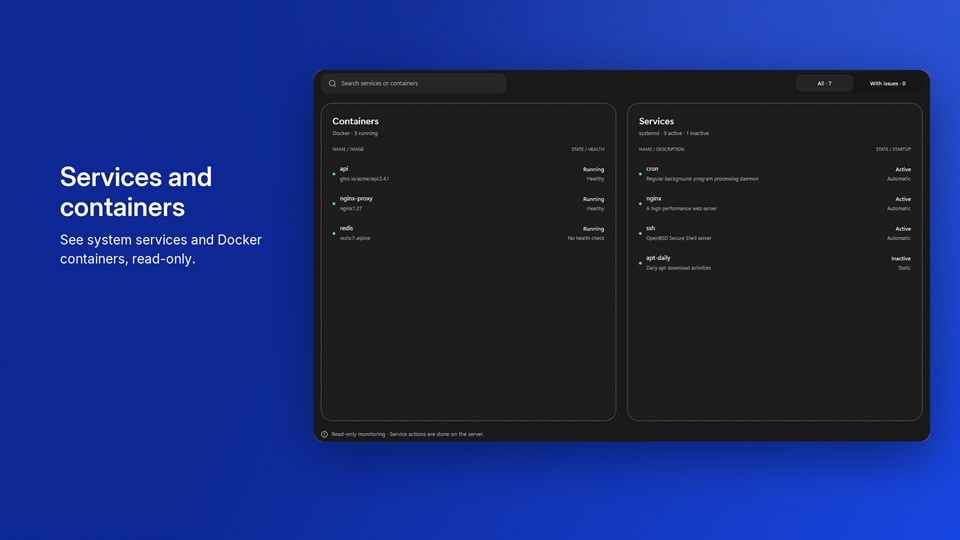
Services and containers, read-only
From each server's page, see its Docker containers and system services (systemd on Linux, launchd on macOS). ServerAlyzer only reads: it never starts, stops or changes anything on your servers.
SSH you can trust
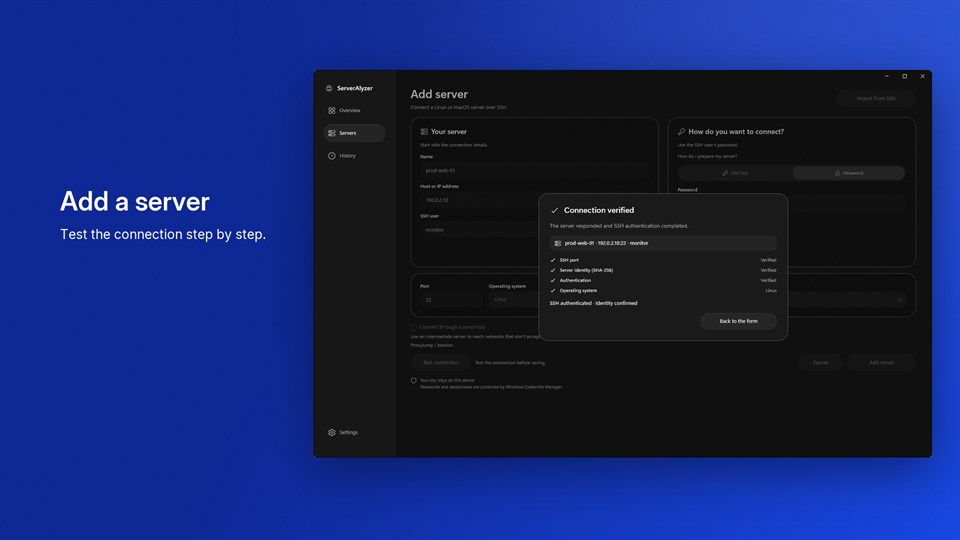
Before a server is trusted, ServerAlyzer shows its SHA-256 host key fingerprint and asks you to confirm it. If the key changes later, the connection is blocked. Passwords and passphrases are kept in Windows Credential Manager. For key authentication only the location of your private key is saved, never its contents. On your servers the app runs a fixed set of read-only commands, with no sudo and no commands you type in.
Quick to set up
A first-run guide helps you add your first server. You can fill in a server from a host in your SSH config file, pick one of your standard private keys, and use a connection test that shows each step so you can see what failed. Servers reached through a single jump host (ProxyJump) are supported.
At home in Windows 11
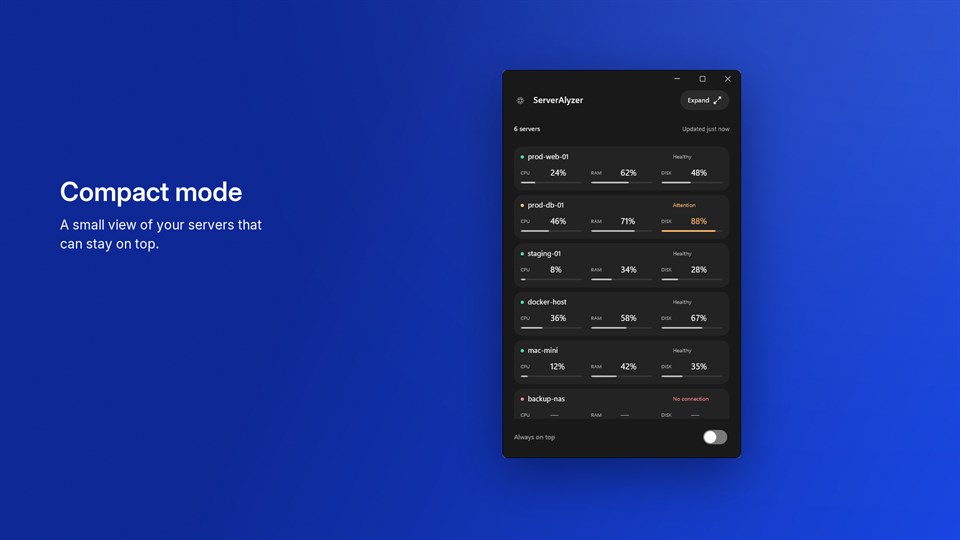
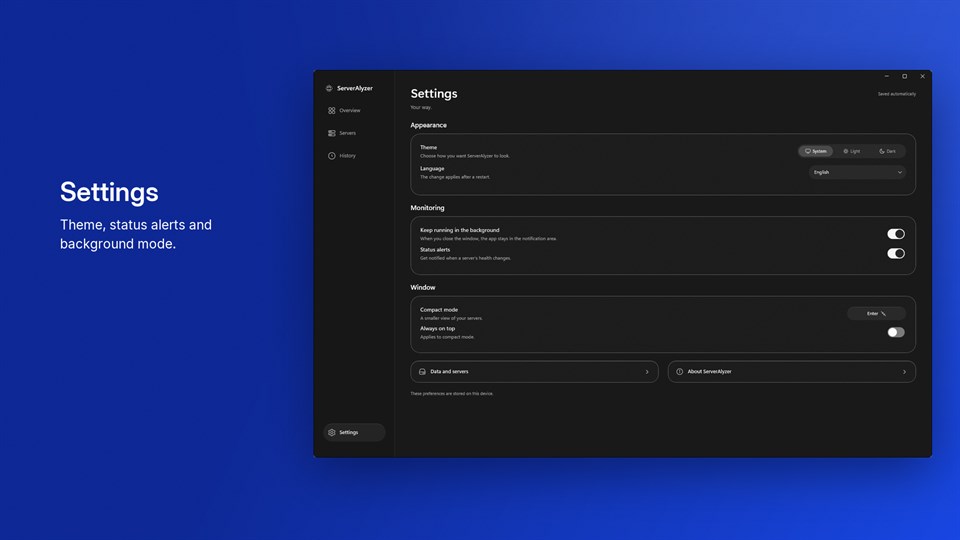
ServerAlyzer can keep running in the notification area when you close the window, and can tell you with Windows notifications when a server's health changes. Compact mode gives you a small view of all your servers that can stay always on top. The Windows 11 widget shows your servers on the Widgets board in three sizes and always shows how old its data is. Light, dark and system themes, keyboard navigation, screen readers and high contrast are supported. Available in English, Portuguese (Portugal) and Portuguese (Brazil).
Local network search, only when you ask
You can search your local network for SSH servers that announce themselves (mDNS/DNS-SD), from the empty Overview or from Settings › Data and servers. The search runs only when you choose it and never scans ports or address ranges. It ends on its own after about 40 seconds if no new server is found, and after 10 minutes at most; you can also stop it at any time.
Encrypted backup
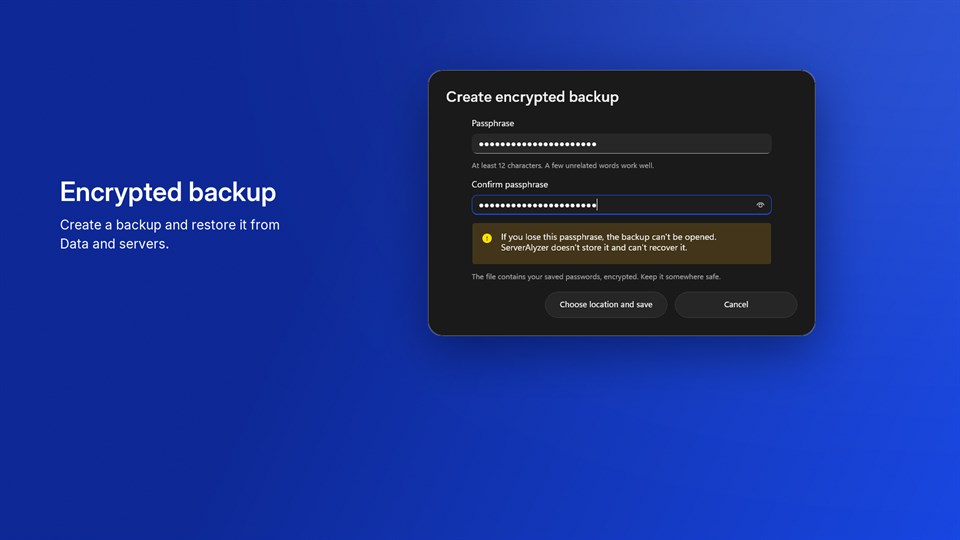
Save your servers, trusted host keys and saved passwords to a file protected by a passphrase you choose, and restore them later. Private key files are never included.
Private by design
No account, and ServerAlyzer collects no telemetry. Your server list, history and saved credentials stay on your PC, unless you export an encrypted backup, which is saved wherever you choose. ServerAlyzer uses the network only to reach the servers you add (and your local network when you start a search); it does not send your data to ServerAlyzer.
Requirements
A Windows 11 PC (x64). The widget needs Windows 11 version 22H2 or later. Your servers must run Linux or macOS and be reachable over SSH from your PC; service lists need systemd (Linux) or launchd (macOS). ServerAlyzer runs on Windows only: it monitors Macs, but there is no macOS version of the app.
개발자 소식
개발자이신가요?
페이지 맨 위에 소식을 올리면 팔로워에게 이메일로 전달됩니다. YouTube 동영상을 추가하면 “동영상” 블록 맨 앞에 표시됩니다.
목록 0
-
 ServerAlyzer
포인트 0
-

- +1 포인트

순위 0
-
- 내 평점
새로운 기능
- 버전: PC
- 마지막 업데이트:
- ServerAlyzer 1.1.11 makes the Overview and Settings fit better in smaller windows.
Overview. The health bar is never cut off: in a narrow window it moves below the server counts, and its last segment keeps its rounded end.
Pages. When you scroll a page, its content no longer runs under the title bar area.
Settings. The cards stack instead of being cut off when the window is narrow, and Tab and screen readers move through them in the order you see them.
Sidebar. The sidebar is slightly wider, so the names of the pages have more space before they are shortened.
버전 기록2
- ServerAlyzer 1.1.9 remembers your theme.
Theme. The Light or Dark choice in Settings is now kept when you close and reopen ServerAlyzer. If you choose System, ServerAlyzer follows the Windows theme as before.
High contrast. When a Windows high contrast theme is on, it still takes priority over your choice. When you turn high contrast off, ServerAlyzer goes back to the theme you chose. - A redesigned interface and new features since ServerAlyzer 1.1.
A new look. A sidebar takes you to Overview, Servers, History and Settings, each server has its own detail page, and compact mode and the Windows 11 widget were redesigned. Keyboard, screen reader and high contrast support was improved.
Easier setup. A first-run guide helps you add your first server. You can fill in a server from a host in your SSH config file, the app suggests your standard private keys from your .ssh folder, and the connection test shows each step so you can see what failed.
Jump hosts. Servers reached through one ProxyJump host are now supported, and the jump host's key is checked separately.
Encrypted backup. In Settings you can save your servers, trusted host keys and saved passwords to a file protected by a passphrase you choose, and restore them later. Private key files are never included.
Language. On a new install, if Windows is not in Portuguese, the app opens in English. A language already set is kept, including Brazilian Portuguese chosen automatically by earlier versions: to change it, pick English or "Use system language" in Settings > Language and restart the app.
Local network search now runs only when you ask, from an empty Overview or from Settings > Data and servers; Windows may ask for network permission. It ends after about 40 seconds if no new server is found, or after 10 minutes.
The .NET runtime is now included, so you no longer need to install .NET.
추가 정보
 https://serveralyzer.com
AppAgg 점수
1,120
AppAgg 예상 점수:
ServerAlyzer
개발자: Pedro Loy
1,120 실버
점수가 높을수록 대체로 AppAgg의 여러 지표에서 좋은 결과를 보인다는 뜻입니다.
기준: 인기 · 사용자 평점 · 최신성 · 할인 · 스토어 데이터 · 커뮤니티 활동
최신 AppAgg 데이터를 바탕으로 매일 다시 계산됩니다.
웹사이트용 배지:  복사됨!
댓글 0 ¡
가장 먼저 댓글을 남겨주세요
공유하기
ServerAlyzer 단축 URL: 복사됨!- Windows Store


