
Dấu trang
| Nhà phát triển: | Pedro Loy (1) | ||
| Giá: | Miễn phí | ||
| Điểm tổng hợp: | 1.120 Bạc | ||
| Bảng xếp hạng: | 0 | ||
| Bình luận: | 0 Đăng bình luận | ||
| Danh sách: | 0 0 | ||
| Điểm: | 0 | ||
| +1 Điểm | |||
Tóm tắt
Làm quen với ServerAlyzer, ứng dụng thuộc danh mục Công cụ cho nhà phát triển đến từ Pedro Loy.
Ra mắt , vẫn còn khá nóng hổi.
Miễn phí, không quảng cáo, không mua hàng trong ứng dụng. Chỉ có bạn và ứng dụng.
Microsoft Store có sẵn trong Windows, nên cài chỉ mất vài cú nhấp.
Điểm tổng hợp AppAgg là 1.120. Hạng Bạc, vậy là không tệ chút nào.
Xếp hạng độ tuổi “EVERYONE”, nên trẻ em cũng dùng được.
Biết 2 thứ tiếng, nhưng vẫn chưa có tiếng Việt.
Ở đây vẫn im phăng phắc, chưa có đánh giá, chưa có bình luận. Hãy phá vỡ sự im lặng.
Đây là ứng dụng duy nhất của nhà phát triển trên AppAgg. Tạm thời là vậy.
Muốn biết sớm nhất về cập nhật và ứng dụng mới? Hãy theo dõi nhà phát triển hoặc đăng ký nguồn RSS. Thông báo đẩy được gửi qua ứng dụng AppAgg Alerts cho Android và iOS.
Nền tảng khác 0
Lịch sử giá 0
- Giá hiện tại: Miễn phí
- Tối thiểu: Miễn phí
- Tối đa: Miễn phí
Bảng tin riêng của bạn trên trang chủ
Ảnh chụp màn hình 8
Mô tả

Every server at a glance
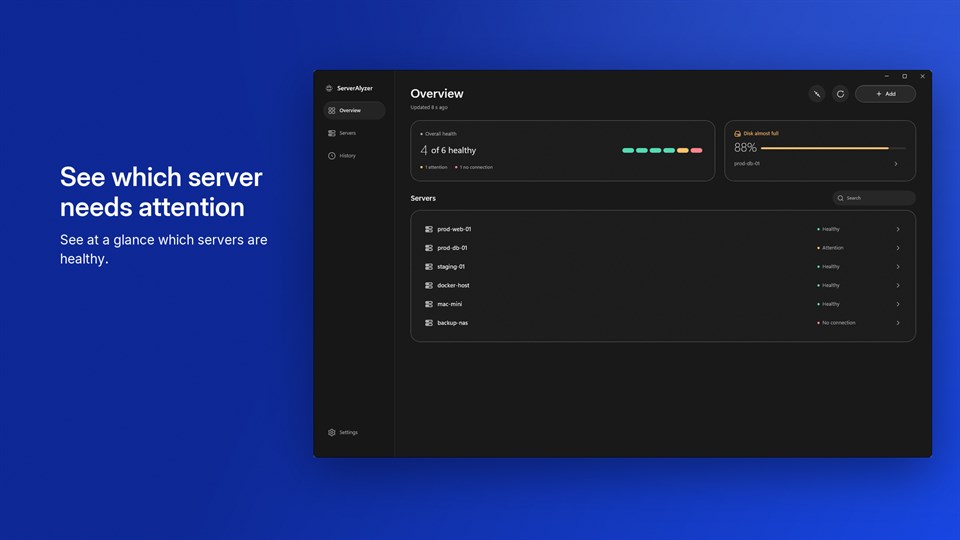
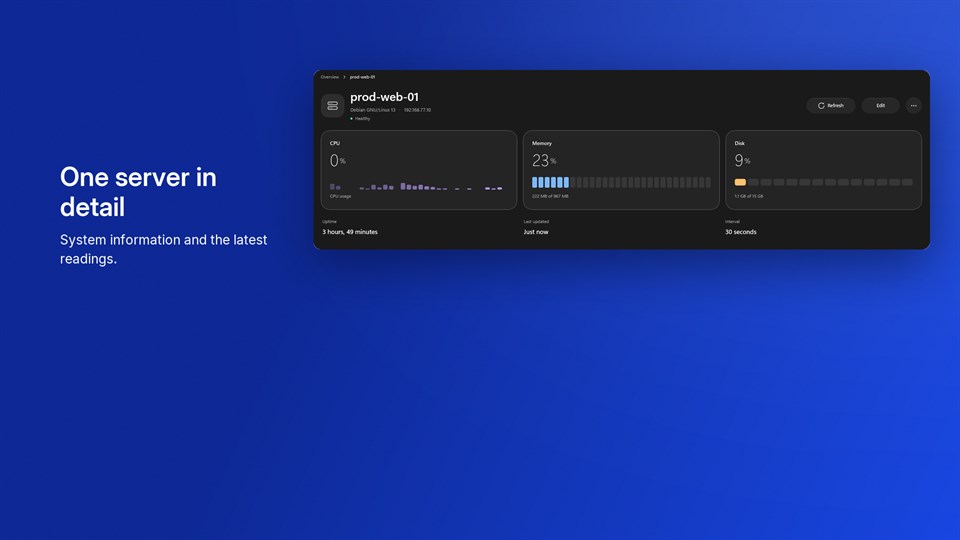
The Overview shows how each server is doing, points out the one that needs attention and tells you when a reading is out of date. The Servers list adds CPU, memory and disk for each server, and each server's page shows its uptime. Servers are checked automatically in the background and you can refresh at any time. When a value cannot be read, ServerAlyzer says so instead of showing zero.
History on your PC
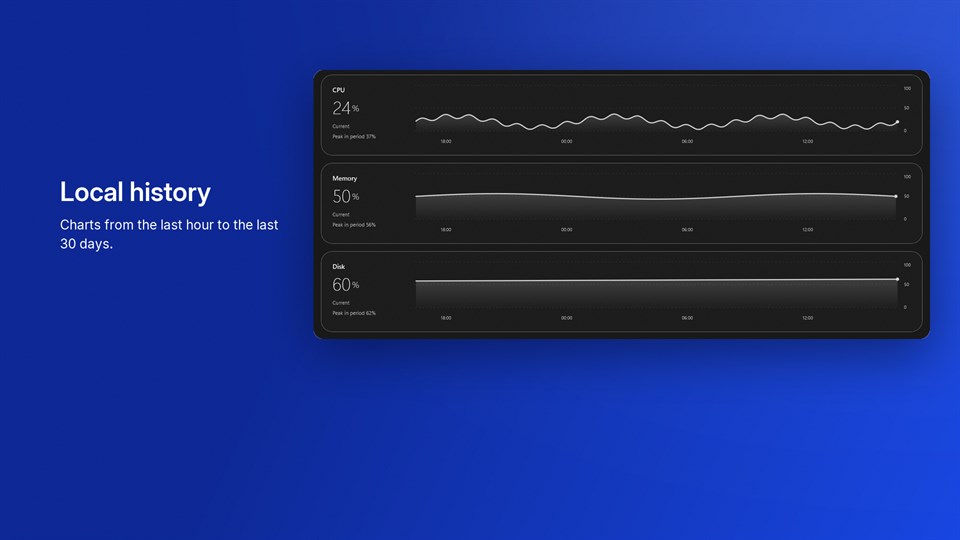
CPU, memory and disk readings are kept in a local history for 30 days. Charts cover the last hour up to the last 30 days.
Services and containers, read-only
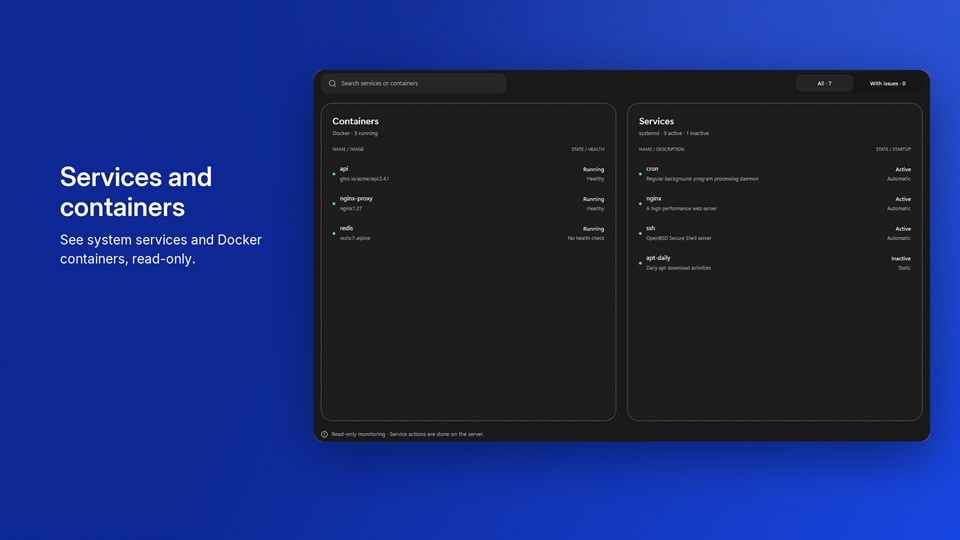
From each server's page, see its Docker containers and system services (systemd on Linux, launchd on macOS). ServerAlyzer only reads: it never starts, stops or changes anything on your servers.
SSH you can trust
Before a server is trusted, ServerAlyzer shows its SHA-256 host key fingerprint and asks you to confirm it. If the key changes later, the connection is blocked. Passwords and passphrases are kept in Windows Credential Manager. For key authentication only the location of your private key is saved, never its contents. On your servers the app runs a fixed set of read-only commands, with no sudo and no commands you type in.
Quick to set up
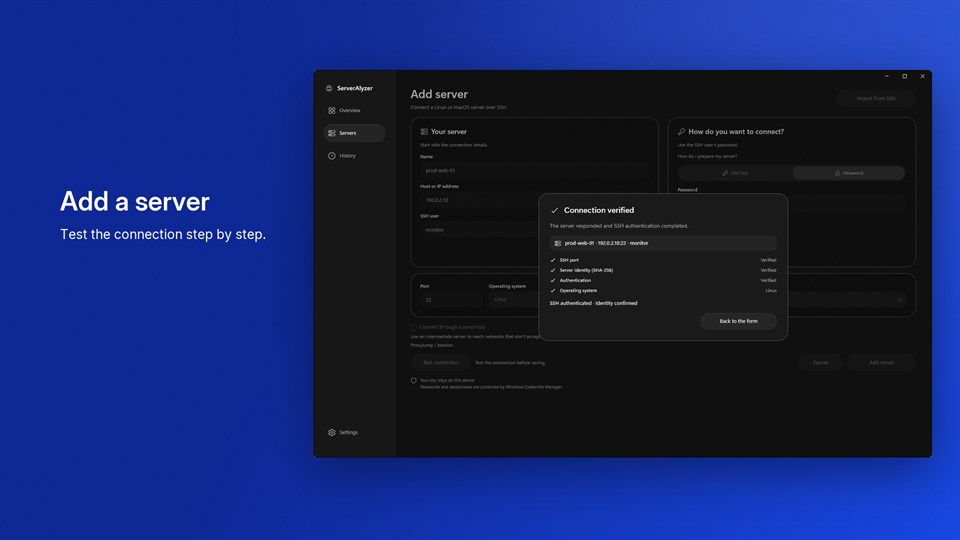
A first-run guide helps you add your first server. You can fill in a server from a host in your SSH config file, pick one of your standard private keys, and use a connection test that shows each step so you can see what failed. Servers reached through a single jump host (ProxyJump) are supported.
At home in Windows 11
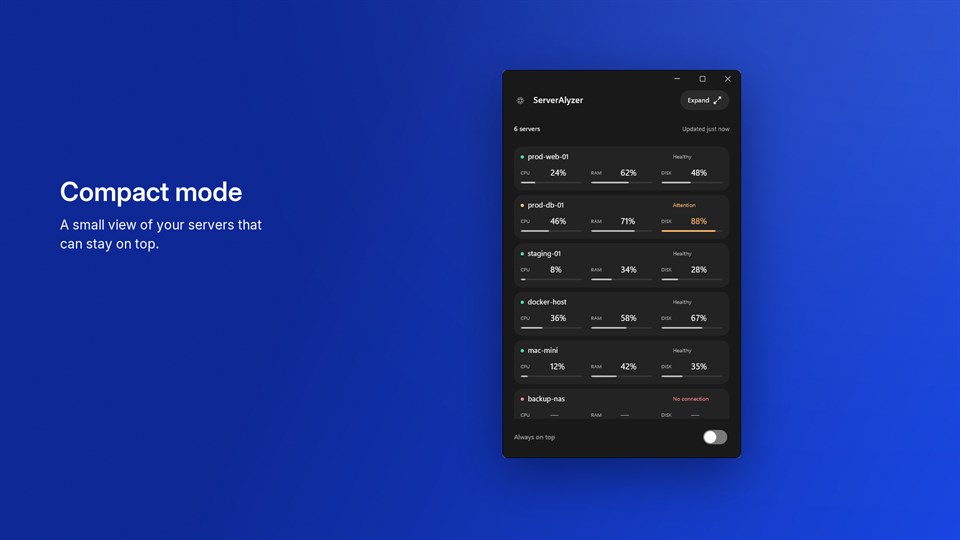
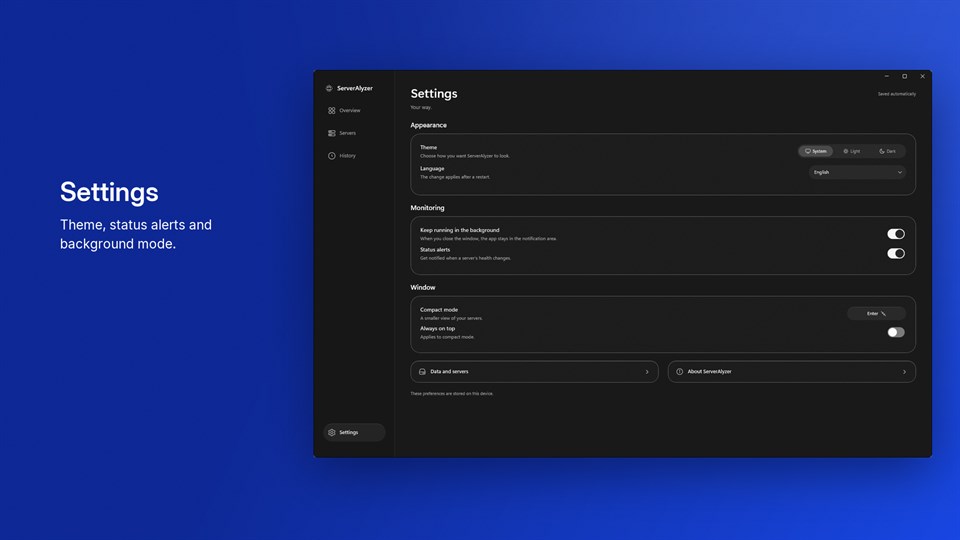
ServerAlyzer can keep running in the notification area when you close the window, and can tell you with Windows notifications when a server's health changes. Compact mode gives you a small view of all your servers that can stay always on top. The Windows 11 widget shows your servers on the Widgets board in three sizes and always shows how old its data is. Light, dark and system themes, keyboard navigation, screen readers and high contrast are supported. Available in English, Portuguese (Portugal) and Portuguese (Brazil).
Local network search, only when you ask
You can search your local network for SSH servers that announce themselves (mDNS/DNS-SD), from the empty Overview or from Settings › Data and servers. The search runs only when you choose it and never scans ports or address ranges. It ends on its own after about 40 seconds if no new server is found, and after 10 minutes at most; you can also stop it at any time.
Encrypted backup
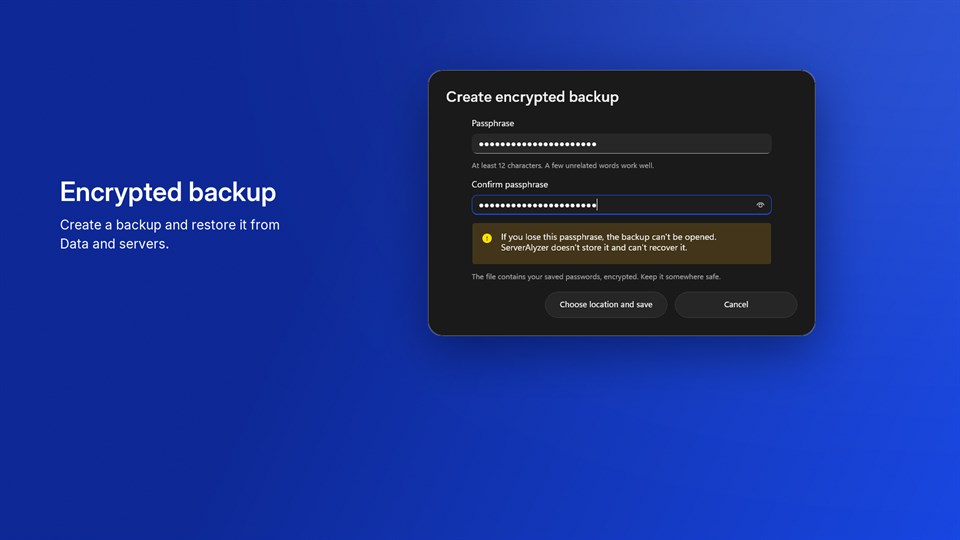
Save your servers, trusted host keys and saved passwords to a file protected by a passphrase you choose, and restore them later. Private key files are never included.
Private by design
No account, and ServerAlyzer collects no telemetry. Your server list, history and saved credentials stay on your PC, unless you export an encrypted backup, which is saved wherever you choose. ServerAlyzer uses the network only to reach the servers you add (and your local network when you start a search); it does not send your data to ServerAlyzer.
Requirements
A Windows 11 PC (x64). The widget needs Windows 11 version 22H2 or later. Your servers must run Linux or macOS and be reachable over SSH from your PC; service lists need systemd (Linux) or launchd (macOS). ServerAlyzer runs on Windows only: it monitors Macs, but there is no macOS version of the app.
Từ nhà phát triển
Danh sách 0
-
 ServerAlyzer
Điểm 0
-

- +1 Điểm

Bảng xếp hạng 0
-
- Điểm bạn chấm
Nhà phát triển 1
- Pedro Loy
- Người theo dõi: 0
- Nền tảng: Windows Ứng dụng (1)
- Giảm giá: 0
- Danh sách: 0 0
- Điểm: 0
- Bảng xếp hạng: 0
- Bình luận: 0
- Video: 0
- RSS: Đăng ký
Tính năng mới
- Phiên bản: PC
- Cập nhật lần cuối:
- ServerAlyzer 1.1.11 makes the Overview and Settings fit better in smaller windows.
Overview. The health bar is never cut off: in a narrow window it moves below the server counts, and its last segment keeps its rounded end.
Pages. When you scroll a page, its content no longer runs under the title bar area.
Settings. The cards stack instead of being cut off when the window is narrow, and Tab and screen readers move through them in the order you see them.
Sidebar. The sidebar is slightly wider, so the names of the pages have more space before they are shortened.
- ServerAlyzer 1.1.9 remembers your theme.
Theme. The Light or Dark choice in Settings is now kept when you close and reopen ServerAlyzer. If you choose System, ServerAlyzer follows the Windows theme as before.
High contrast. When a Windows high contrast theme is on, it still takes priority over your choice. When you turn high contrast off, ServerAlyzer goes back to the theme you chose. - A redesigned interface and new features since ServerAlyzer 1.1.
A new look. A sidebar takes you to Overview, Servers, History and Settings, each server has its own detail page, and compact mode and the Windows 11 widget were redesigned. Keyboard, screen reader and high contrast support was improved.
Easier setup. A first-run guide helps you add your first server. You can fill in a server from a host in your SSH config file, the app suggests your standard private keys from your .ssh folder, and the connection test shows each step so you can see what failed.
Jump hosts. Servers reached through one ProxyJump host are now supported, and the jump host's key is checked separately.
Encrypted backup. In Settings you can save your servers, trusted host keys and saved passwords to a file protected by a passphrase you choose, and restore them later. Private key files are never included.
Language. On a new install, if Windows is not in Portuguese, the app opens in English. A language already set is kept, including Brazilian Portuguese chosen automatically by earlier versions: to change it, pick English or "Use system language" in Settings > Language and restart the app.
Local network search now runs only when you ask, from an empty Overview or from Settings > Data and servers; Windows may ask for network permission. It ends after about 40 seconds if no new server is found, or after 10 minutes.
The .NET runtime is now included, so you no longer need to install .NET.
Thông tin bổ sung
- Ngày phát hành:
- Danh mục:
Ứng dụng cho Windows›Công cụ cho nhà phát triển - HĐH:
PC - Kích thước:
68 Mb - Ngôn ngữ được hỗ trợ:
Tiếng Anh,Tiếng Bồ Đào Nha - Xếp hạng nội dung:
EVERYONE - Windows Store Điểm đánh giá: ¡
0 - Trang web:
 https://serveralyzer.com
Điểm tổng hợp AppAgg
Điểm tổng hợp AppAgg ước tính cho
ServerAlyzer
Nhà phát triển: Pedro Loy
Điểm cao hơn thường cho thấy các chỉ số trên AppAgg tốt hơn.
Dựa trên: độ phổ biến · đánh giá của người dùng · độ mới · ưu đãi · dữ liệu cửa hàng · hoạt động cộng đồng
Được tính lại hằng ngày từ dữ liệu AppAgg mới nhất.
Bình luận 0 ¡
Chia sẻ
ServerAlyzer URL ngắn: Đã sao chép!- Windows Store

