
북마크
이 북마크의 제목을 입력하세요.
북마크가 저장되었습니다
요약
소개합니다. sggyamg에서 만든 ‘개발자 도구’ 카테고리 앱, ShellPhone - SSH client.
에 출시됐어요. 아직 꽤 따끈따끈해요.
Google Play에도 있어요. 편한 곳을 고르세요.
다운로드는 무료. 그다음은 마음대로예요. 인앱 구매가 있거든요.
Microsoft Store는 Windows에 기본으로 들어 있어서 클릭 몇 번이면 설치돼요.
AppAgg 점수는 1,710. 골드 등급이에요.
연령 등급은 ‘EVERYONE’, 아이들에게도 괜찮아요.
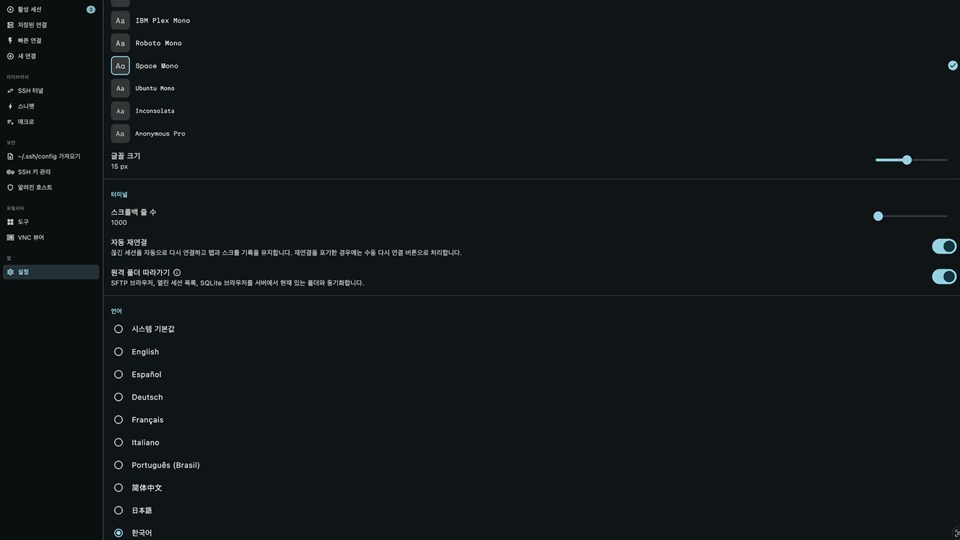
9개 언어를 지원하고, 한국어도 있어요.
사용해 보셨나요? 여기서 첫 리뷰의 주인공이 되어 주세요.
이 개발자의 앱이 AppAgg에 2개 더 있어요. 한번 둘러보세요.
업데이트와 새 앱 소식을 가장 먼저 받고 싶나요? 개발자를 팔로우하거나 RSS 피드를 구독하세요. 푸시 알림은 Android와 iOS용 AppAgg Alerts 앱으로 받을 수 있어요.
광고
다른 플랫폼 1
 | ShellPhone - SSH clientWindows Store1K 골드Windows인앱 구매 | 무료 |
 | ShellPhone - SSH clientGoogle Play1K 실버Android인앱 구매 $1.99 – $5.99 | 무료 |
가격 기록 0
- 현재 가격: 무료
- 최소: 무료
- 최대: 무료
홈 화면의 나만의 피드
“신규 및 업데이트” 피드의 플랫폼을 선택하면 홈 화면에 필요한 앱과 게임만 표시됩니다.
스크린샷 10
동영상 1
설명
Your terminal, now on your desktop too.
ShellPhone is a real, full-featured SSH client for Windows — the same native app as on iPhone, iPad, Mac and Android. Free to download and use as your daily driver. No cloud. No tracking. No nonsense.
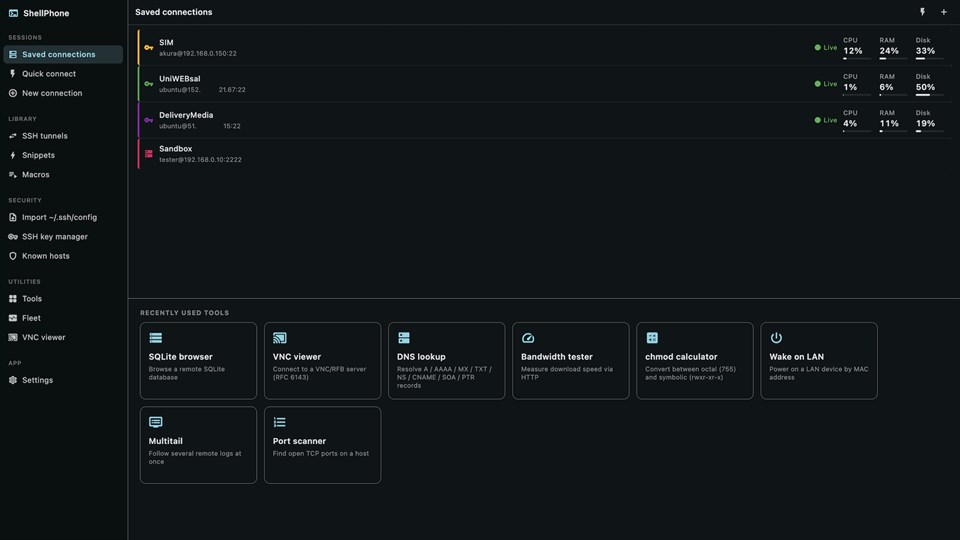
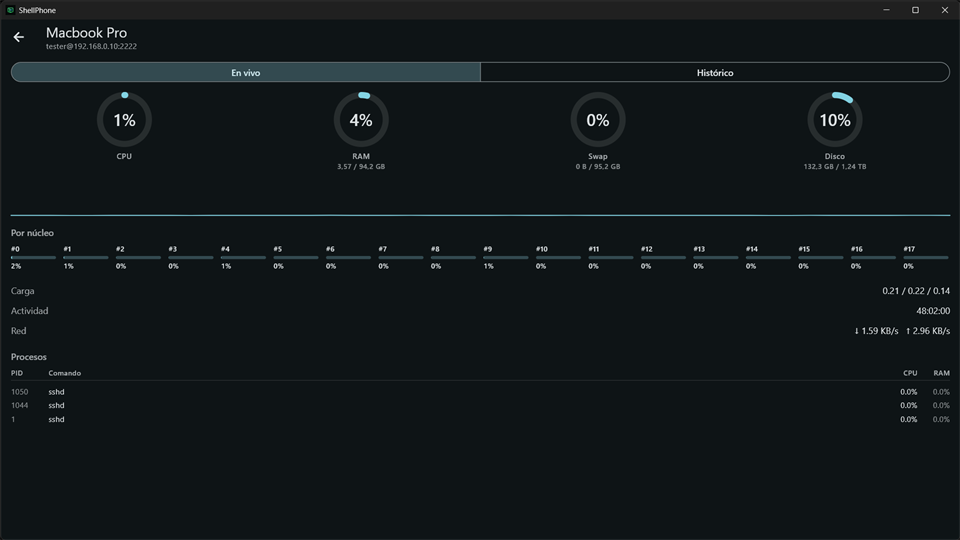
A genuine xterm terminal (true colour, UTF-8, unlimited scrollback), multi-tab sessions, SFTP browser, SSH tunnels, snippets, command history, and every symbol you actually need at a shell. The All-in-one bundle unlocks the power-user features with a one-time annual pass — no subscription, no auto-renewal, and no account, ever: buy it at shellphone.sggyamg.com, get a code by email, redeem it in the app. The licence is tied to your machine and you can transfer it when you change computers.
FREE — your daily SSH client
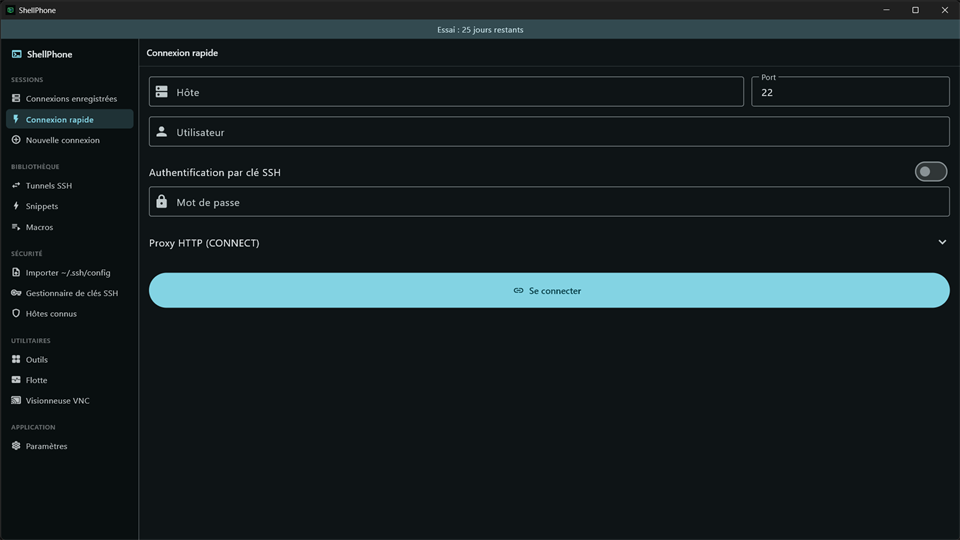
• Quick Connect, no signup
• Multi-tab terminal · true colour · UTF-8 · unlimited scrollback
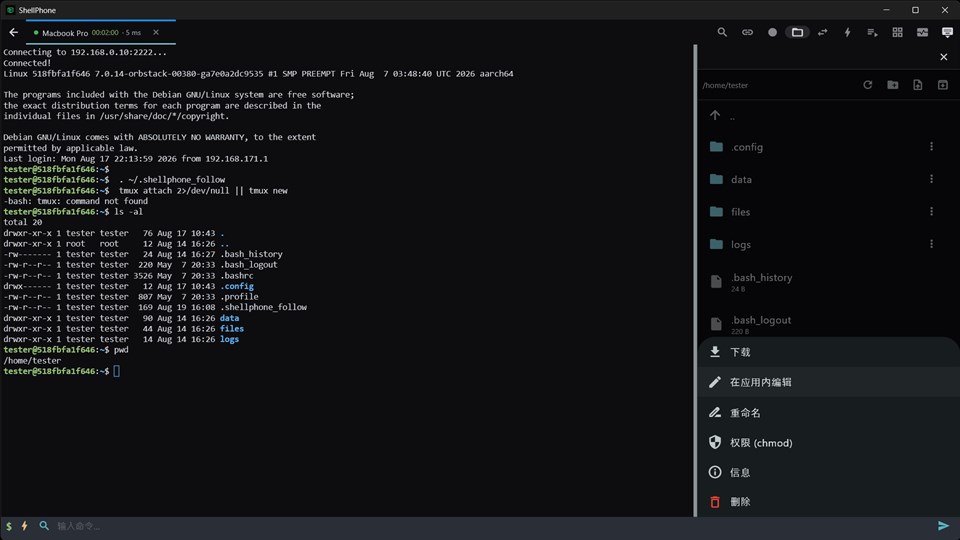
• SFTP browser with streaming downloads (progress + cancel)
• Command history search
• Natural-language snippet search (cht.sh, no API key)
• SSH key import, encrypted on your machine
• Host-key trust (TOFU)
• 5 themes · 9 languages · iTerm2 .itermcolors import
• Persist theme, font & language across launches
• Full keyboard shortcuts · split panes
• End-to-end encrypted Cloud Sync
• Encrypted backup file · transparent reconnection
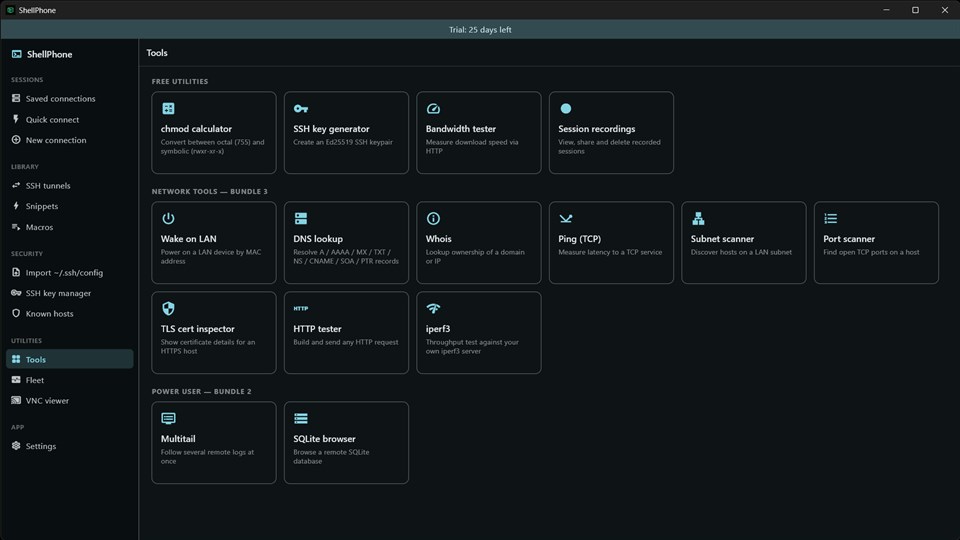
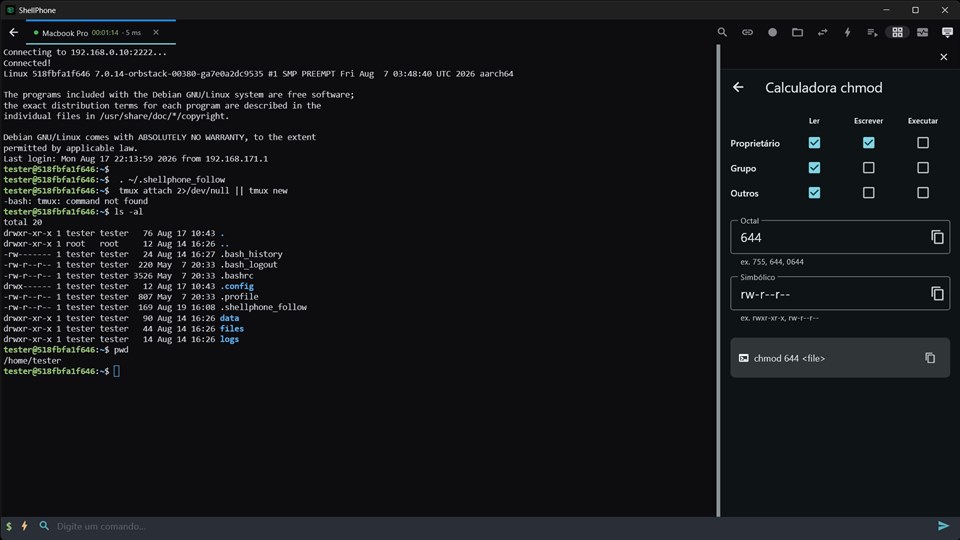
• Tools: chmod calculator · Ed25519 key generator · bandwidth test
• More offline tools: crontab (build + explain) · hashes & checksums (MD5/SHA-1/SHA-256/SHA-512) · Base64 & URL · password generator · MAC vendor lookup
• Connection groups — folders for your saved connections
• Built-in glossary — what every tool, icon and flow (including Multiexec) does, in 9 languages
ALL-IN-ONE — one annual pass, everything unlocked
POWER USER
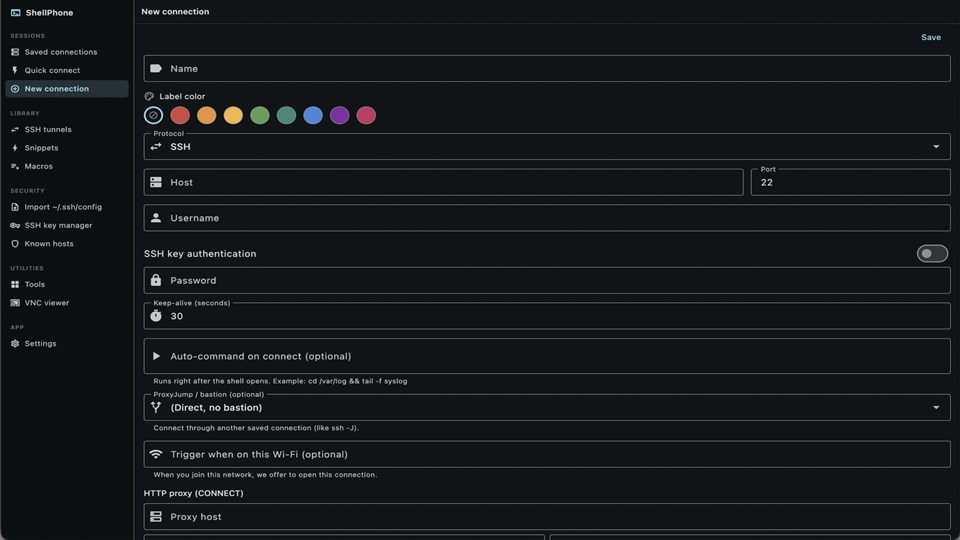
• Save SSH connections
• Bulk-import ~/.ssh/config · strict key validation
• Save tunnels — LOCAL (-L) + SOCKS5 (-D)
• Snippets with {{variables}}
• SFTP uploads · auto-sync SFTP
• ProxyJump / bastion (ssh -J) · Telnet
• Wi-Fi triggers (by SSID) · pubkey agent
• Macros — command sequences with delays
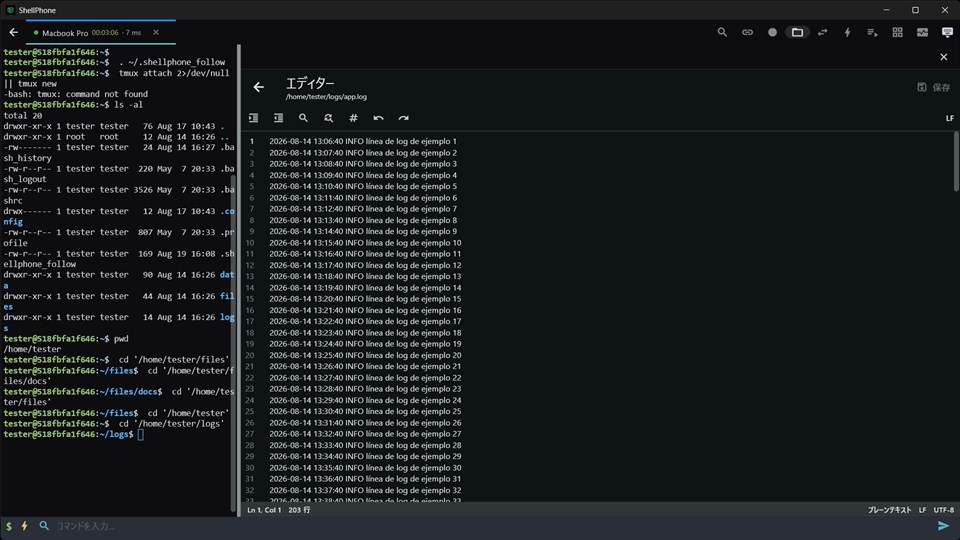
• Built-in code editor for remote files
• Zip / unzip over SFTP
• Multitail — follow several remote logs at once
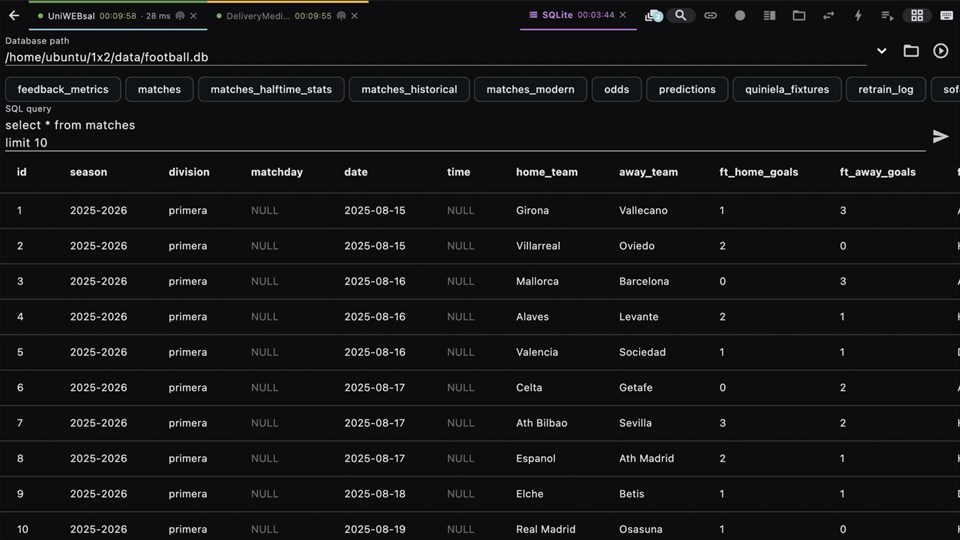
• Remote SQLite browser
• SFTP file management (rename, mkdir, visual chmod)
• Search the scrollback · extract URLs · session recording · live latency
• JWT decoder — header, claims and expiry; the token never leaves the device
• Checksum of remote files over your SSH session
• Format converter — JSON, YAML, TOML and XML
• Multiexec — a dedicated tab: type once and reach several SSH sessions at once
• Per-connection VPN — import a WireGuard config and the connection tunnels through it; a userspace tunnel per connection, no system-wide VPN and no TUN
NETWORK TOOLS
• Wake on LAN
• TCP Ping (latency, jitter, loss)
• DNS lookup (A/AAAA/MX/TXT/NS/CNAME/SOA/PTR) · Reverse DNS · Whois
• Subnet scanner · port scanner
• TLS cert inspector (fingerprints + expiry alerts)
• HTTP / curl tester
• iperf3 client (TCP/UDP)
• Multi-host send (broadcast to several tabs)
• SSH over HTTP CONNECT proxy · remote port forward (ssh -R)
• Subnet calculator — CIDR, mask, wildcard, usable range and range→CIDR
• Timestamp converter — Unix, ISO-8601 and time zones
• UUID v4 and ULID generator
REMOTE DESKTOP
• VNC viewer (RFC 6143) — TightVNC, RealVNC, x11vnc, macOS Screen Sharing, Linux, Raspberry Pi
• Pinch-zoom up to 10× · drag-pan
• Raw + CopyRect encodings · VNC password auth
The purchase happens on our website with Stripe: one-time payment, valid for one year, no auto-renewal. Two weeks before it expires the app reminds you — and you decide. No analytics SDKs, no third-party tracking; your keys stay encrypted on your machine.
Terms of Use (EULA): https://shellphone.sggyamg.com/terms/
Privacy Policy: https://shellphone.sggyamg.com/privacy/
개발자 소식
개발자이신가요?
페이지 맨 위에 소식을 올리면 팔로워에게 이메일로 전달됩니다. YouTube 동영상을 추가하면 “동영상” 블록 맨 앞에 표시됩니다.
목록 0
-
 ShellPhone - SSH client
포인트 0
-

- +1 포인트

순위 0
-
- 내 평점
개발자 3
새로운 기능
- 버전: PC
- 마지막 업데이트:
추가 정보
 https://shellphone.sggyamg.com/
AppAgg 점수
1,710
AppAgg 예상 점수:
ShellPhone - SSH client
개발자: sggyamg
1,710 골드
점수가 높을수록 대체로 AppAgg의 여러 지표에서 좋은 결과를 보인다는 뜻입니다.
기준: 인기 · 사용자 평점 · 최신성 · 할인 · 스토어 데이터 · 커뮤니티 활동
최신 AppAgg 데이터를 바탕으로 매일 다시 계산됩니다.
웹사이트용 배지:  복사됨!
댓글 0 ¡
가장 먼저 댓글을 남겨주세요
공유하기
ShellPhone - SSH client 단축 URL: 복사됨!- Windows Store


