
บุ๊กมาร์ก
| ผู้พัฒนา: | sggyamg (3) | ||
| ราคา: | * ฟรี | ||
| คะแนน: | 1,710 ทอง | ||
| การจัดอันดับ: | 0 | ||
| ความคิดเห็น: | 0 โพสต์ความคิดเห็น | ||
| รายการ: | 0 0 | ||
| แต้ม: | 0 | ||
| +1 แต้ม | |||
สรุป
มาทำความรู้จัก ShellPhone - SSH client แอปในหมวด “เครื่องมือสำหรับนักพัฒนา” จาก sggyamg
ออกเมื่อ ยังสดใหม่อยู่เลย
มีบน Google Play ด้วย เลือกที่ที่สะดวกได้เลย
ดาวน์โหลดฟรี หลังจากนั้นแล้วแต่คุณ เพราะมีการซื้อภายในแอป
Microsoft Store มีมาในตัว Windows อยู่แล้ว ติดตั้งได้ในไม่กี่คลิก
คะแนน AppAgg คือ 1,710 อยู่ระดับ “ทอง”
จัดเรต “EVERYONE” เหมาะกับเด็ก ๆ ด้วย
รองรับ 9 ภาษา แต่ยังไม่มีภาษาไทย
เคยใช้แล้วเหรอ? รีวิวของคุณจะเป็นรีวิวแรกที่นี่
ผู้พัฒนารายนี้มีแอปอื่นบน AppAgg อีก 2 แอป ลองไปดูกัน
อยากรู้เรื่องอัปเดตและแอปใหม่ก่อนใครไหม? ติดตาม ผู้พัฒนา หรือกดติดตาม ฟีด RSS ได้เลย การแจ้งเตือนแบบพุชส่งผ่านแอป AppAgg Alerts สำหรับ Android และ iOS
แพลตฟอร์มอื่น 1
 | ShellPhone - SSH clientWindows Store1K ทองWindowsการซื้อภายในแอป | ฟรี |
 | ShellPhone - SSH clientGoogle Play1K เงินAndroidการซื้อภายในแอป $1.99 – $5.99 | ฟรี |
ประวัติราคา 0
- ราคาปัจจุบัน: ฟรี
- ต่ำสุด: ฟรี
- สูงสุด: ฟรี
ฟีดของคุณเองบนหน้าแรก
ภาพหน้าจอ 10
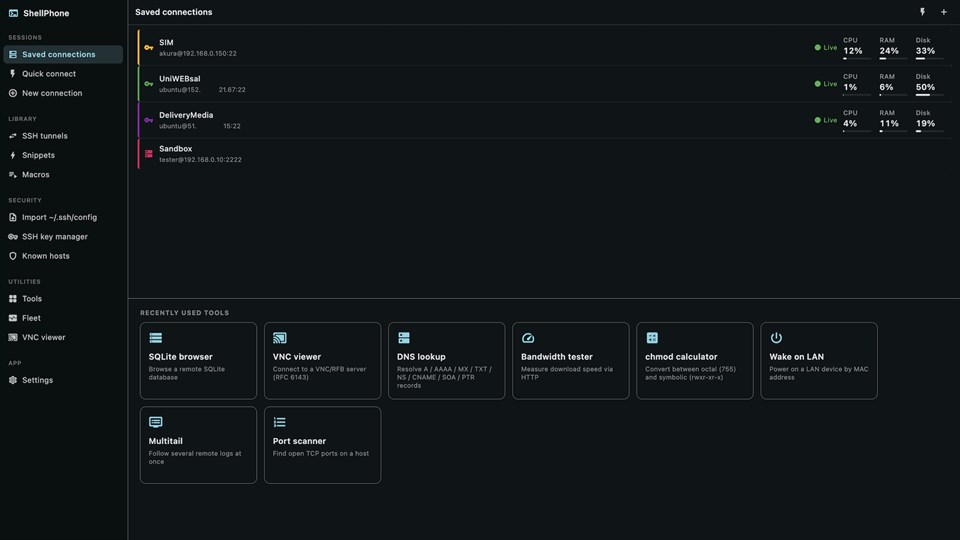
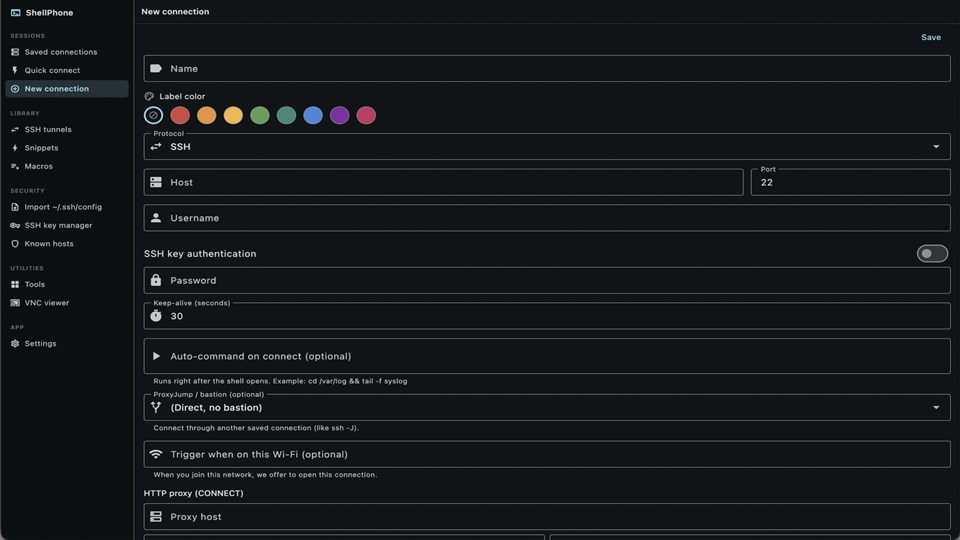
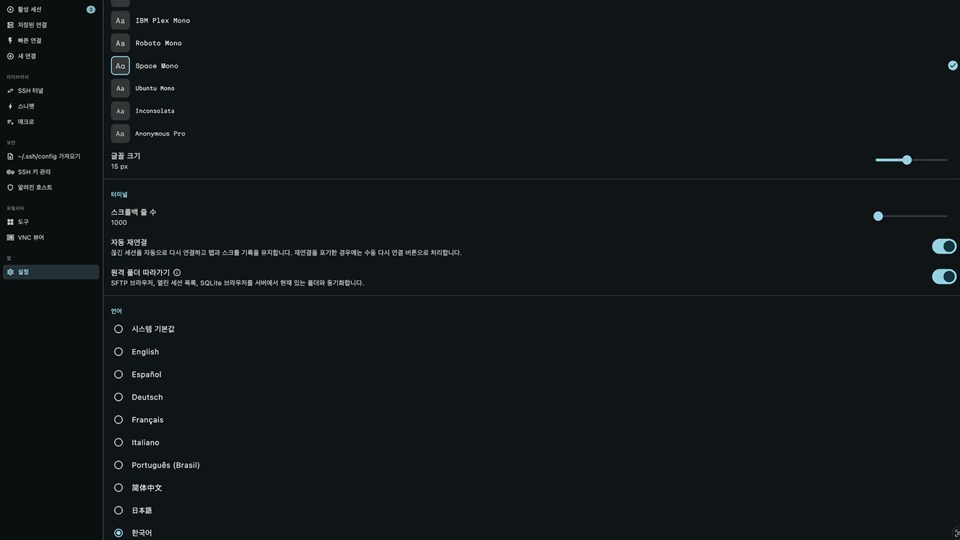
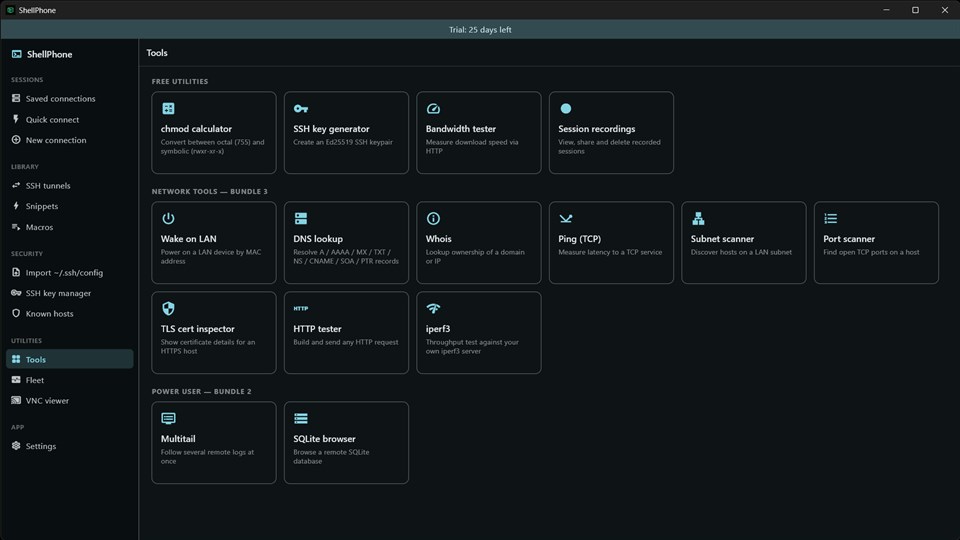
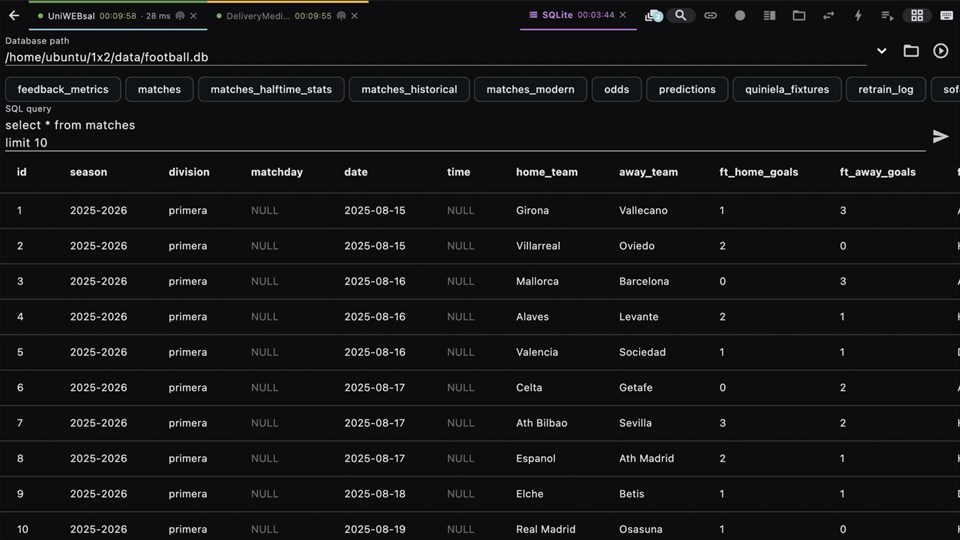
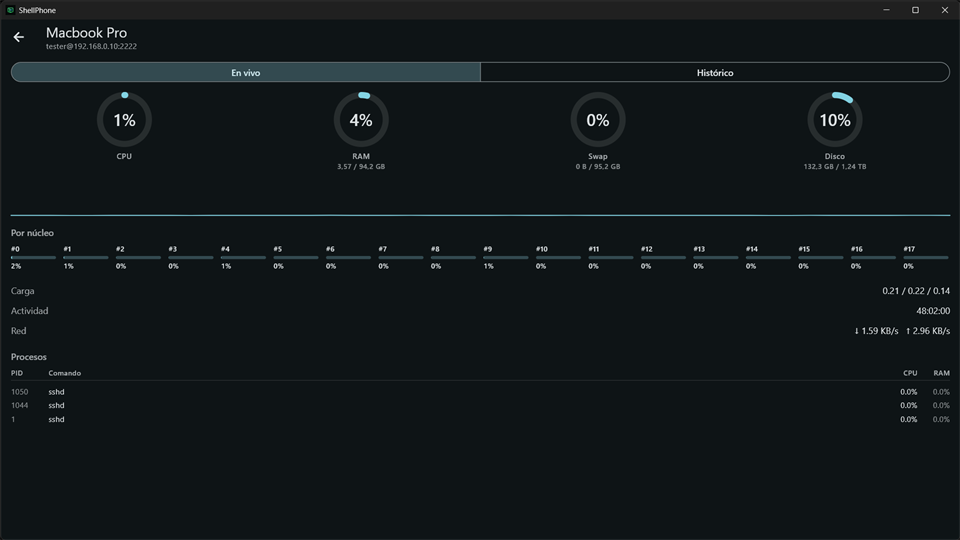
วิดีโอ 1
คำอธิบาย
Your terminal, now on your desktop too.
ShellPhone is a real, full-featured SSH client for Windows — the same native app as on iPhone, iPad, Mac and Android. Free to download and use as your daily driver. No cloud. No tracking. No nonsense.
A genuine xterm terminal (true colour, UTF-8, unlimited scrollback), multi-tab sessions, SFTP browser, SSH tunnels, snippets, command history, and every symbol you actually need at a shell. The All-in-one bundle unlocks the power-user features with a one-time annual pass — no subscription, no auto-renewal, and no account, ever: buy it at shellphone.sggyamg.com, get a code by email, redeem it in the app. The licence is tied to your machine and you can transfer it when you change computers.
FREE — your daily SSH client
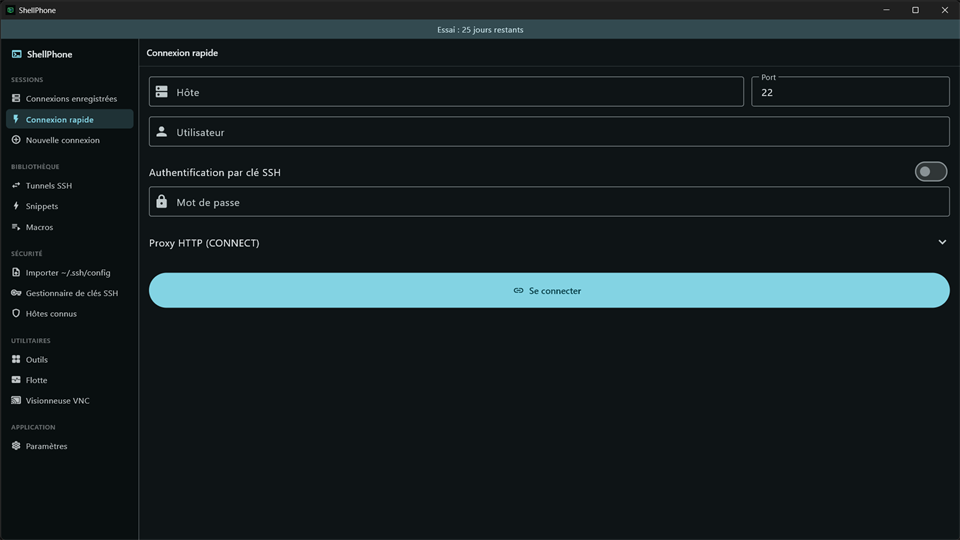
• Quick Connect, no signup
• Multi-tab terminal · true colour · UTF-8 · unlimited scrollback
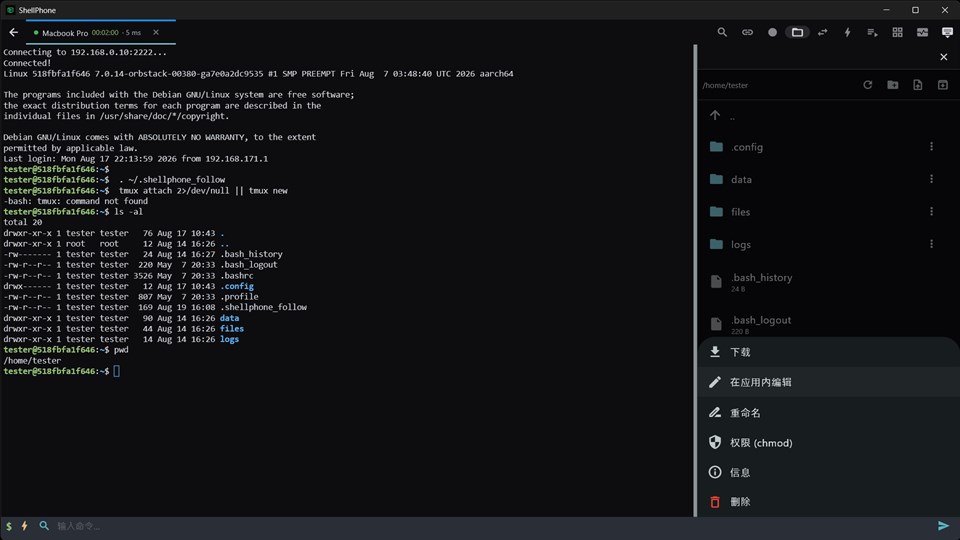
• SFTP browser with streaming downloads (progress + cancel)
• Command history search
• Natural-language snippet search (cht.sh, no API key)
• SSH key import, encrypted on your machine
• Host-key trust (TOFU)
• 5 themes · 9 languages · iTerm2 .itermcolors import
• Persist theme, font & language across launches
• Full keyboard shortcuts · split panes
• End-to-end encrypted Cloud Sync
• Encrypted backup file · transparent reconnection
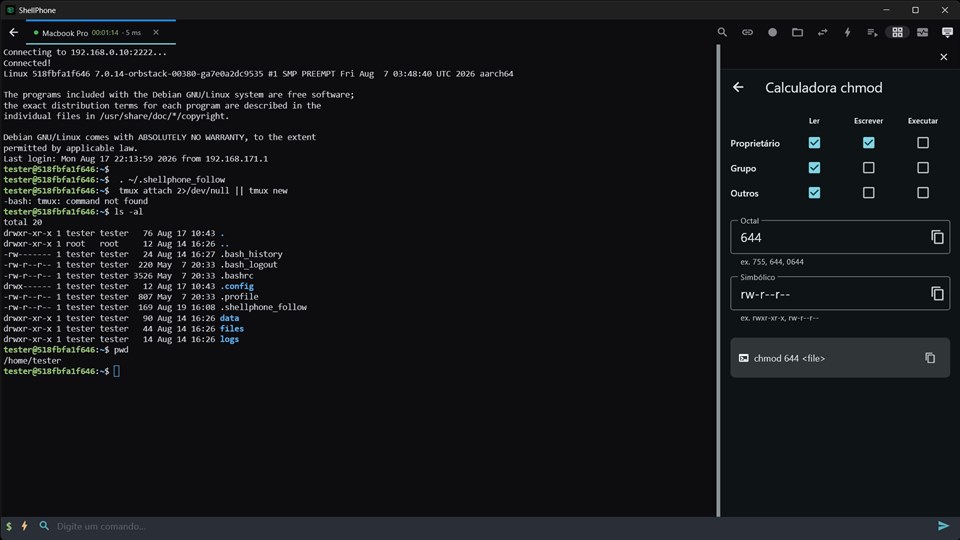
• Tools: chmod calculator · Ed25519 key generator · bandwidth test
• More offline tools: crontab (build + explain) · hashes & checksums (MD5/SHA-1/SHA-256/SHA-512) · Base64 & URL · password generator · MAC vendor lookup
• Connection groups — folders for your saved connections
• Built-in glossary — what every tool, icon and flow (including Multiexec) does, in 9 languages
ALL-IN-ONE — one annual pass, everything unlocked
POWER USER
• Save SSH connections
• Bulk-import ~/.ssh/config · strict key validation
• Save tunnels — LOCAL (-L) + SOCKS5 (-D)
• Snippets with {{variables}}
• SFTP uploads · auto-sync SFTP
• ProxyJump / bastion (ssh -J) · Telnet
• Wi-Fi triggers (by SSID) · pubkey agent
• Macros — command sequences with delays
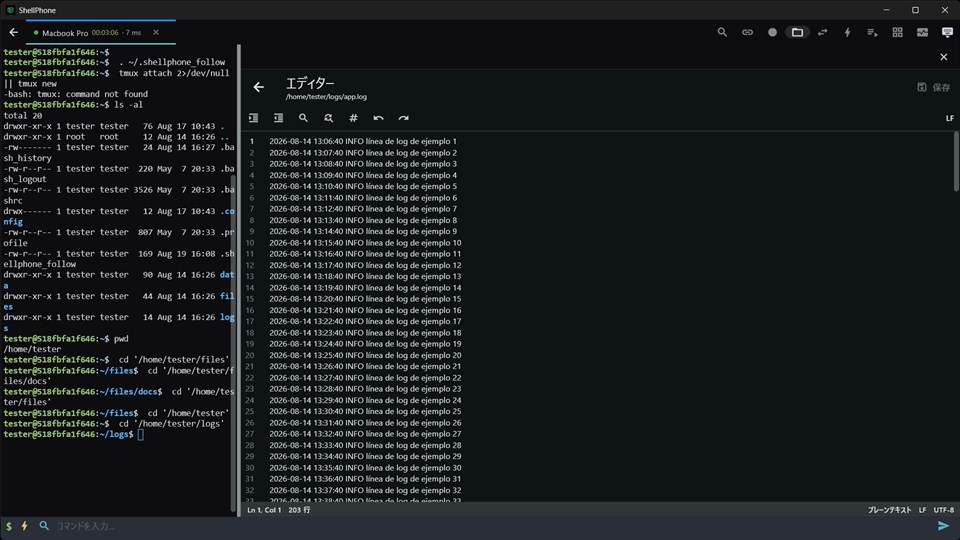
• Built-in code editor for remote files
• Zip / unzip over SFTP
• Multitail — follow several remote logs at once
• Remote SQLite browser
• SFTP file management (rename, mkdir, visual chmod)
• Search the scrollback · extract URLs · session recording · live latency
• JWT decoder — header, claims and expiry; the token never leaves the device
• Checksum of remote files over your SSH session
• Format converter — JSON, YAML, TOML and XML
• Multiexec — a dedicated tab: type once and reach several SSH sessions at once
• Per-connection VPN — import a WireGuard config and the connection tunnels through it; a userspace tunnel per connection, no system-wide VPN and no TUN
NETWORK TOOLS
• Wake on LAN
• TCP Ping (latency, jitter, loss)
• DNS lookup (A/AAAA/MX/TXT/NS/CNAME/SOA/PTR) · Reverse DNS · Whois
• Subnet scanner · port scanner
• TLS cert inspector (fingerprints + expiry alerts)
• HTTP / curl tester
• iperf3 client (TCP/UDP)
• Multi-host send (broadcast to several tabs)
• SSH over HTTP CONNECT proxy · remote port forward (ssh -R)
• Subnet calculator — CIDR, mask, wildcard, usable range and range→CIDR
• Timestamp converter — Unix, ISO-8601 and time zones
• UUID v4 and ULID generator
REMOTE DESKTOP
• VNC viewer (RFC 6143) — TightVNC, RealVNC, x11vnc, macOS Screen Sharing, Linux, Raspberry Pi
• Pinch-zoom up to 10× · drag-pan
• Raw + CopyRect encodings · VNC password auth
The purchase happens on our website with Stripe: one-time payment, valid for one year, no auto-renewal. Two weeks before it expires the app reminds you — and you decide. No analytics SDKs, no third-party tracking; your keys stay encrypted on your machine.
Terms of Use (EULA): https://shellphone.sggyamg.com/terms/
Privacy Policy: https://shellphone.sggyamg.com/privacy/
จากนักพัฒนา
รายการ 0
-
 ShellPhone - SSH client
แต้ม 0
-

- +1 แต้ม

การจัดอันดับ 0
-
- คะแนนของคุณ
ผู้พัฒนา 3
- SGGyAMG
- ผู้ติดตาม: 0
- แพลตฟอร์ม: Android แอป (2) Windows แอป (1)
- ลดราคา: 0
- รายการ: 0 0
- แต้ม: 0
- การจัดอันดับ: 0
- ความคิดเห็น: 0
- วิดีโอ: 1
- RSS: ติดตาม
มีอะไรใหม่
- เวอร์ชัน: PC
- อัปเดตล่าสุด:
ข้อมูลเพิ่มเติม
 https://shellphone.sggyamg.com/
คะแนน AppAgg
คะแนน AppAgg โดยประมาณของ
ShellPhone - SSH client
ผู้พัฒนา: sggyamg
คะแนนที่สูงขึ้นมักสะท้อนตัวชี้วัดที่ดีกว่าบน AppAgg
อิงจาก: ความนิยม · คะแนนจากผู้ใช้ · ความสดใหม่ · ดีล · ข้อมูลร้านค้า · กิจกรรมชุมชน
คำนวณใหม่ทุกวันจากข้อมูล AppAgg ล่าสุด
ความคิดเห็น 0 ¡
แชร์
ShellPhone - SSH client URL แบบสั้น: คัดลอกแล้ว!- Windows Store

