
Marcadores
Elige un título para este marcador.
Marcador guardado
| Desarrollador: | Wapsoft (1) | ||
| Precio: | Gratis Nueva | ||
| Puntuación: | 600 Plata | ||
| Clasificaciones: | 0 | ||
| Comentarios: | 0 Publicar comentario | ||
| Listas: | 0 + 0 | ||
| Puntos: | 0 + 0 ¡ | ||
| +1 Puntos | |||
Capturas de pantalla
Anuncio
Descripción

Connect to SSH servers, open multiple terminal sessions, transfer files securely with SFTP, manage SSH keys, organize server profiles, and monitor remote hosts from one focused workspace.
SSH Client & Terminal
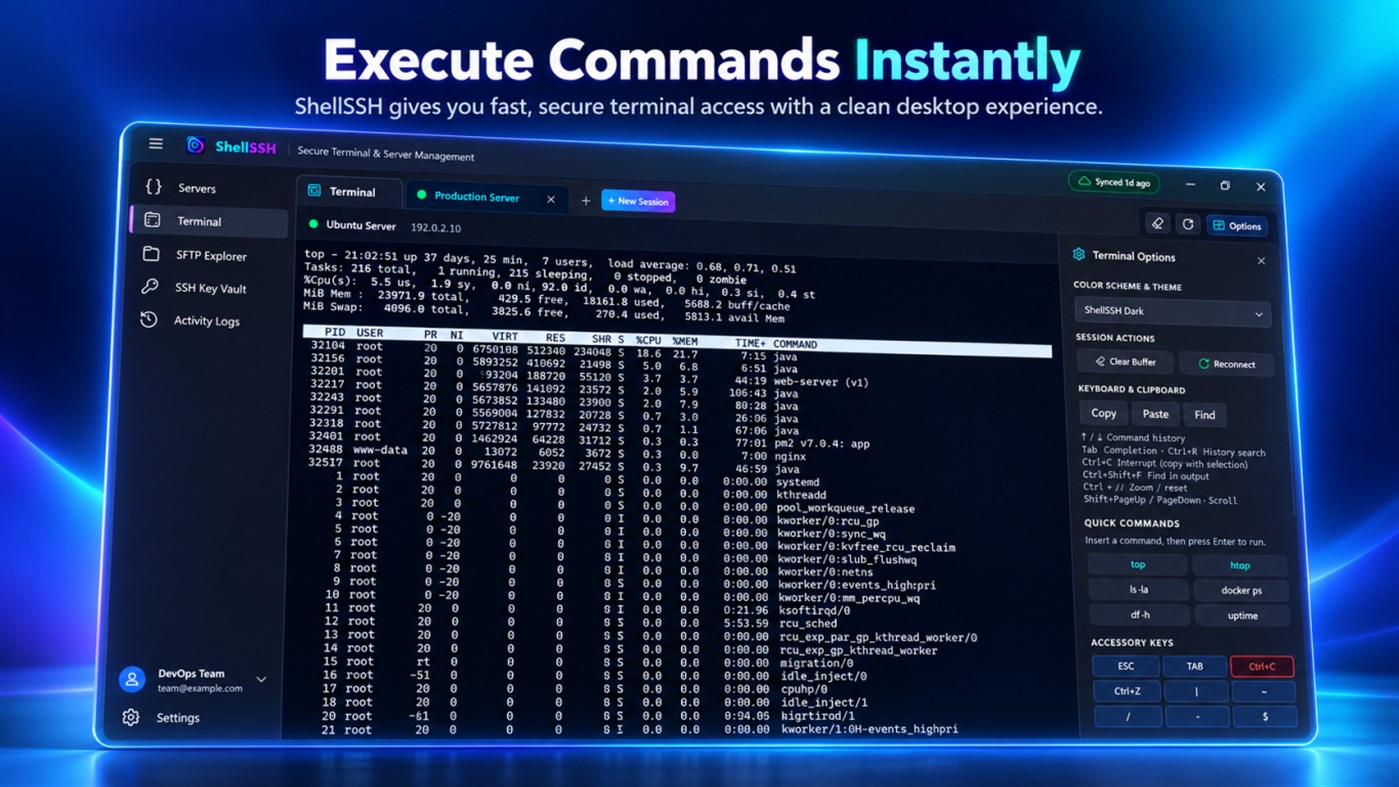
Use ShellSSH as a fast and responsive SSH terminal for everyday remote administration.
Features include:
- Password authentication
- ED25519 and RSA private key authentication
- Keyboard-interactive authentication
- Custom SSH ports
- Strict host key checking
- Connection timeout and keep-alive controls
- xterm-256color terminal support
- ANSI escape sequence support
- 24-bit TrueColor
- Multiple terminal sessions
- Terminal search and scrollback
- Adjustable fonts and cursor styles
- Safe bracketed paste
- Quick access to common shell control keys
Local Windows Terminal
ShellSSH also supports local Windows shell workflows through:
- PowerShell
- Command Prompt
- Windows Subsystem for Linux (WSL)
- Windows ConPTY integration
Open local and remote sessions side by side in separate tabs without relying on external console windows.
Integrated SFTP File Manager
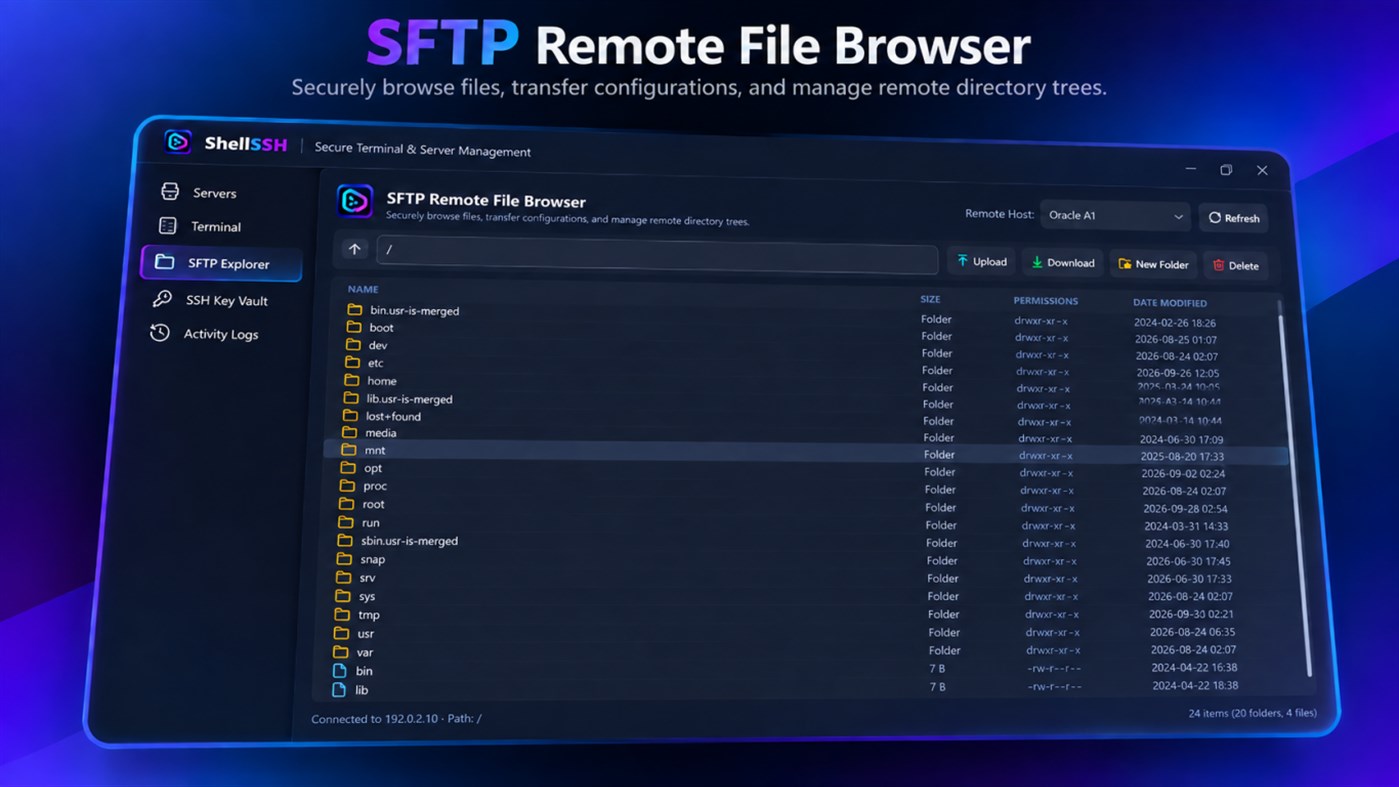
Manage remote files without switching to another application.
You can:
- Browse remote folders
- Upload files
- Download files
- Create directories
- Rename files and folders
- Delete remote files
- View file size and modified date
- Inspect POSIX permissions
- Sort files by name, size, date, or type
SSH Key Manager
Create and manage SSH identities directly inside ShellSSH.
- Generate ED25519 keys
- Generate RSA 4096-bit keys
- Protect keys with a passphrase
- Copy public keys in OpenSSH format
- View SHA256 fingerprints
- Use saved keys with server profiles
Server Management
Keep your remote infrastructure organized with reusable server profiles.
Store:
- Hostnames or IP addresses
- Usernames
- SSH ports
- Authentication methods
- Tags and groups
ShellSSH recognizes common platforms including Ubuntu, Debian, CentOS, Fedora, Arch Linux, Alpine Linux, Red Hat Enterprise Linux, Windows Server, macOS, and other POSIX systems.
Server Monitoring
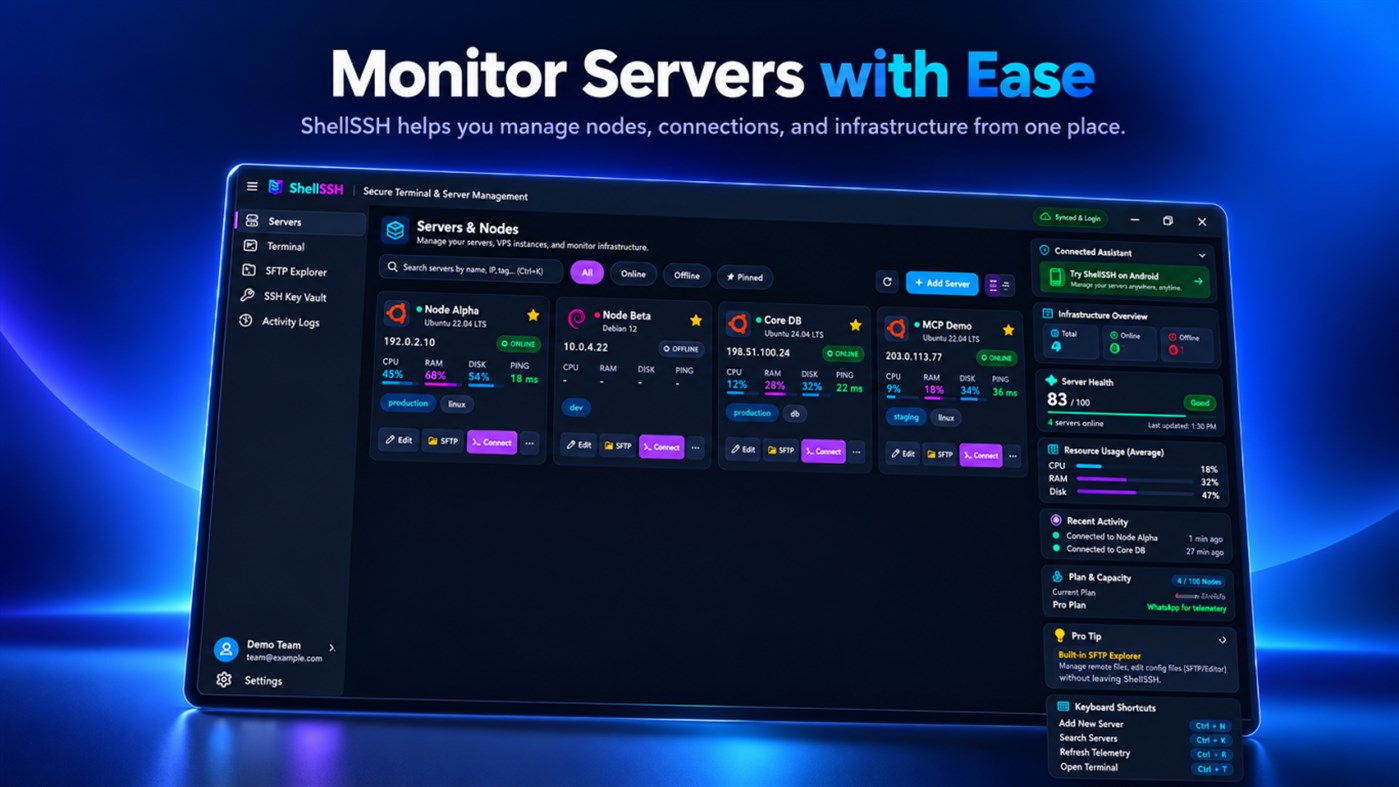
Track server availability with configurable health checks.
ShellSSH can display:
- Online status
- Offline status
- Elevated latency
- Connection failures
- Port health
- Uptime-related status
Eligible plans can also provide background downtime alerts.
Encrypted Device Sync
Supported plans can synchronize server profiles, SSH key metadata, and workspace settings across supported devices.
Sensitive synchronized data is encrypted on the client before leaving the device using AES-256-GCM, with keys derived locally using PBKDF2-HMAC-SHA256.
Built for Developers and Administrators
ShellSSH is suitable for:
- Linux server administration
- VPS management
- Cloud server access
- Remote development
- DevOps workflows
- Home labs
- Database administration
- Kubernetes environments
- Website troubleshooting
- Secure file transfer
- Multi-server management
ShellSSH brings SSH, terminal access, SFTP, key management, monitoring, and server organization together in one application so you can spend less time switching tools and more time managing your infrastructure.
Otras plataformas (0)
| ShellSSH - SSH Client, Terminal & SFTPWindows StoreEstás aquí | Gratis |
Por ahora, solo en esta tienda.
Historial de precios
- Precio actual: Gratis
- Mínimo: Gratis
- Máximo: Gratis
Realizar un seguimiento de los precios Añádelo a una lista para recibir alertas de descuentos por email o push
Listas (0)
0
- ShellSSH - SSH Client, Terminal & SFTP
Puntos (0)
0
Clasificaciones (0)
0
Comentarios (0) ¡
Sé el primero en comentar
Desarrollador
- Wapsoft
- Seguidores: 0
- Plataformas: Windows Aplicaciones (1)
- Ofertas: 0
- Listas: 0 + 0
- Puntos: 0 + 0 ¡
- Clasificaciones: 0
- Comentarios: 0
- Vídeos: 0
- RSS: Suscribirse
Novedades
- Versión: PC
- Última actualización:
Información adicional
- Fecha de lanzamiento:
- Categoría:
Aplicaciones para Windows›Herramientas de desarrollo - Sistemas operativos:
HoloLens,Mobile,PC,Surface Hub - Tamaño:
205 Mb - Idiomas admitidos:
English - Clasificación de contenido:
EVERYONE - Windows Store Valoración: ¡
0 - Sitio:
 https://shellssh.com
Puntuación de AppAgg
600
Puntuación estimada de AppAgg para
ShellSSH - SSH Client, Terminal & SFTP
Desarrollador: Wapsoft
600 Plata
Una puntuación más alta suele reflejar mejores resultados en los indicadores de AppAgg.
Basado en: popularidad · valoraciones de usuarios · actualidad · ofertas · datos de tiendas · actividad de la comunidad
Se recalcula a diario con datos actualizados de AppAgg.
Insignia para sitios web:  Copiado!
Resumen
ShellSSH - SSH Client, Terminal & SFTP URL corta: Copiado!- Windows Store
En AppAgg puedes seguir «ShellSSH - SSH Client, Terminal & SFTP», una aplicación de Wapsoft para Windows en la categoría Herramientas de desarrollo. Puntuación de AppAgg: 600 (Plata). Puntos de AppAgg de la aplicación — confirmados: 0; indirectos: 0. Listas públicas que incluyen la aplicación: 0. Usuarios que la han guardado en listas privadas: 0. Los usuarios de AppAgg aún no han valorado esta aplicación. Los puntos confirmados registran las visitas a la tienda de usuarios con sesión iniciada en AppAgg; los indirectos se basan en datos de las tiendas. Los dos contadores muestran las listas públicas y los usuarios que han guardado la aplicación o el juego en listas privadas. La aplicación se publicó por primera vez el . La última actualización de la aplicación fue el . Actualmente, la aplicación está disponible gratis. La aplicación está disponible en estos idiomas: English. Consulta el historial de precios, añade la aplicación a una lista o sigue a su desarrollador. Sigue las próximas ofertas y actualizaciones de la aplicación a través de su Canal RSS. AppAgg no aloja ni distribuye esta aplicación. Todas las marcas comerciales, logotipos y capturas de pantalla relacionados con la aplicación pertenecen a sus respectivos propietarios.
También te puede interesar
Conversaciones recientes
 AplicaciónNauticPlayer This app is absolute cinema. Honestly, it’s one of the best media players I’ve ever tried, and I’m s...
  Manuel16
  AplicaciónScreen Beings - Desktop Pet & Study Companion This is my app so I’m a little bias but as someone from the ADHD community that teaches ADHD and neu...
  Tarelle Irwin6
  AplicaciónAadi vault good it ia a encrypter and good you my work on office
  Aditya Rai5
  AplicaciónTyping 365 | Daily Typing Trainer The best typing app ever. With Typing 365 you don’t have to force yourself for couple minutes traini...
  Ahmad Mozaffar5
  AplicaciónZefir Calendar — Calendar in the Taskbar excelente app! Superando todas as espectativas!
  Diógenes Magnus5
  AplicaciónLockinRa LockinRa 리뷰 LockinRa는 작업 관리, 집중력 도구, AI 코칭을 하나의 데스크톱 앱으로 통합한 무료 Windows 생산성 프로그램입니다. 클라우드 동기화 없이 로컬 ...
  abhilok reddy6
  AplicaciónCN Vault I Love this app CN Vault is a user-friendly app that helps keep your passwords safe and secure. If y...
  Marjuk Amin5
