
บุ๊กมาร์ก
| ผู้พัฒนา: | GizmoGoose.com (7) | ||
| ราคา: | ฟรี ใหม่ | ||
| คะแนน: | 1,130 เงิน | ||
| การจัดอันดับ: | 0 | ||
| ความคิดเห็น: | 0 โพสต์ความคิดเห็น | ||
| รายการ: | 0 0 | ||
| แต้ม: | 0 | ||
| +1 แต้ม | |||
สรุป
SignalSight เป็นแอปในหมวด “เครื่องมือสำหรับนักพัฒนา” จาก GizmoGoose.com
มาใหม่ ออกเมื่อ คุณได้เป็นหนึ่งในคนกลุ่มแรก
ฟรี ไม่มีโฆษณา ไม่มีการซื้อภายในแอป มีแค่คุณกับแอป
Microsoft Store มีมาในตัว Windows อยู่แล้ว ติดตั้งได้ในไม่กี่คลิก
คะแนน AppAgg คือ 1,130 ระดับ “เงิน” ถือว่าไม่เลวเลย
จัดเรต “EVERYONE” เหมาะกับเด็ก ๆ ด้วย
รองรับแค่ภาษาเดียว และไม่ใช่ภาษาไทย
ยังไม่มีใครบน AppAgg ให้คะแนนเลย โอกาสเป็นคนแรกอยู่ตรงนี้แล้ว
ผู้พัฒนารายนี้มีแอปอื่นบน AppAgg อีก 6 แอป ลองไปดูกัน
อยากรู้เรื่องอัปเดตและแอปใหม่ก่อนใครไหม? ติดตาม ผู้พัฒนา หรือกดติดตาม ฟีด RSS ได้เลย การแจ้งเตือนแบบพุชส่งผ่านแอป AppAgg Alerts สำหรับ Android และ iOS
แพลตฟอร์มอื่น 0
ประวัติราคา 0
- ราคาปัจจุบัน: ฟรี
- ต่ำสุด: ฟรี
- สูงสุด: ฟรี
ฟีดของคุณเองบนหน้าแรก
ภาพหน้าจอ 8
คำอธิบาย

Room by room
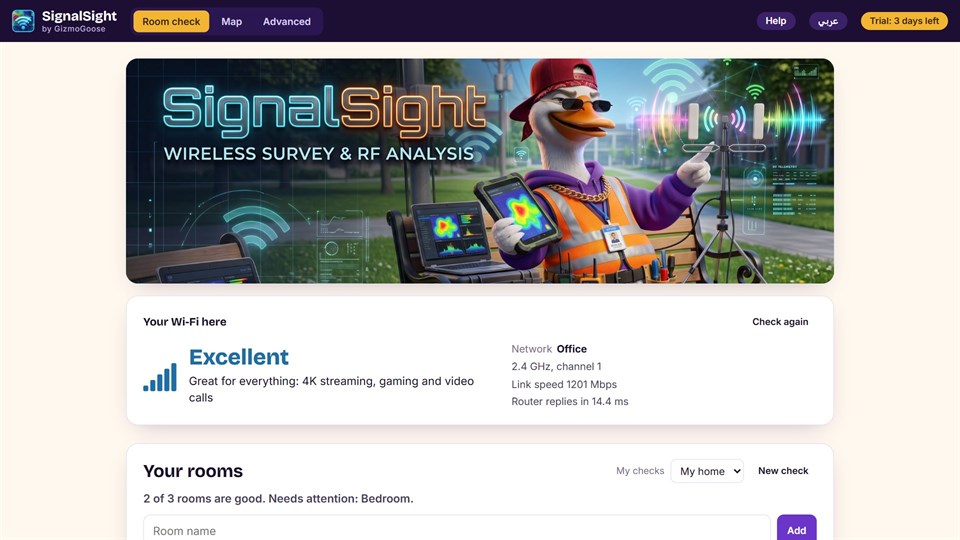
Stand in a room and SignalSight says how good the Wi-Fi is there and why. Walk from room to room and every room gets a grade with the one change that would help most. A live signal meter finds the best spot for a router, a TV or a desk.
My Wi-Fi setup
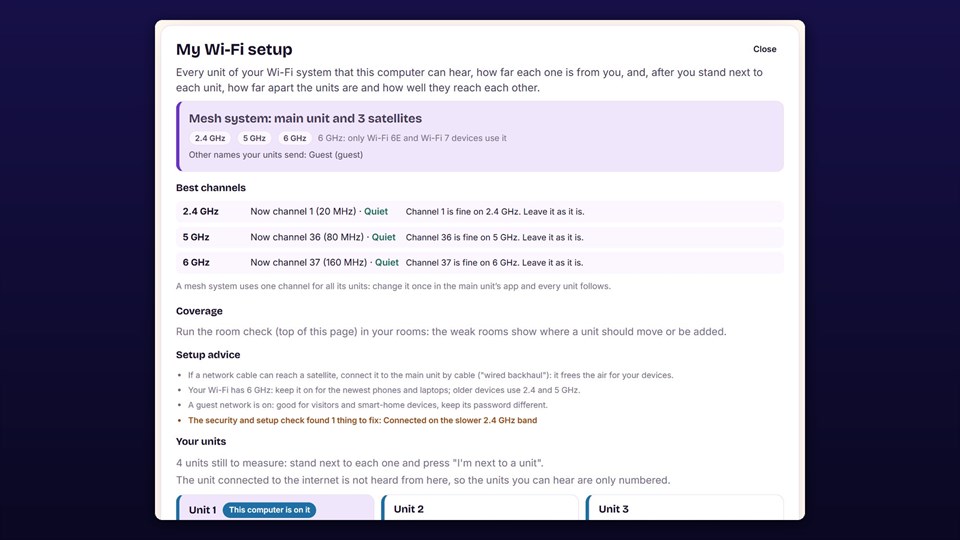
SignalSight recognises what you have: one router, a mesh system, a router with an extender, or several routers. It shows every mesh unit, how far it is from you and from the next unit in metres, and whether the units are too far apart or too close.
The best channel on every band
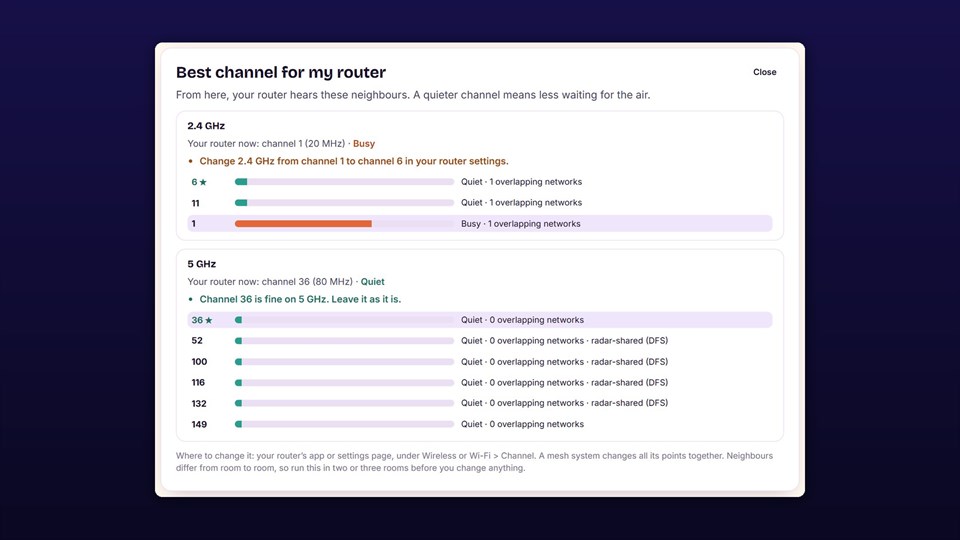
The least crowded channel for 2.4, 5 and 6 GHz, counting your neighbours but not your own units, with 6 GHz preferred scanning channels and 40 to 320 MHz channel blocks.
Find what is wrong
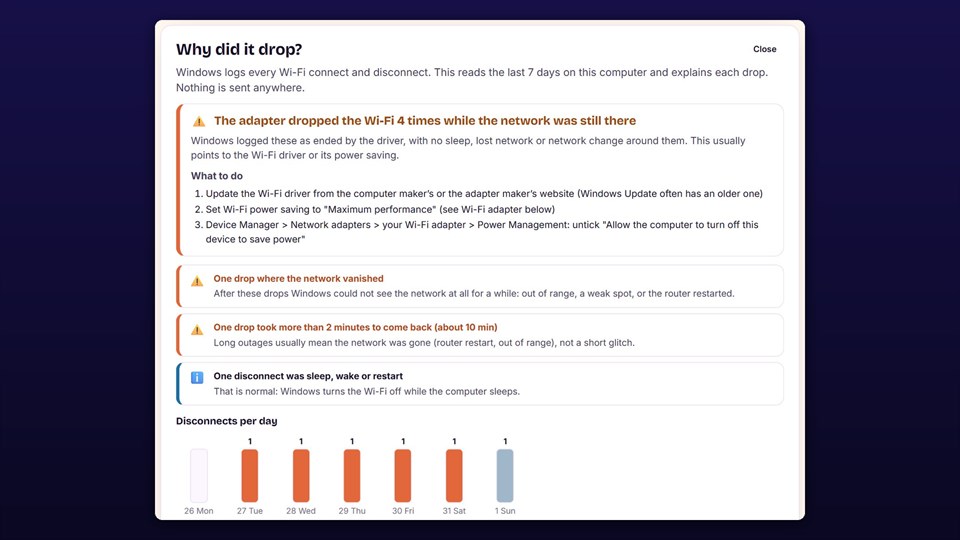
Wi-Fi or internet? Why did it drop? Who is on my Wi-Fi? A security and setup check, a smart-home check, router conflicts and double NAT, an internet speed test you start yourself, and a game and call mode that keeps the latency steady.
Survey and plan
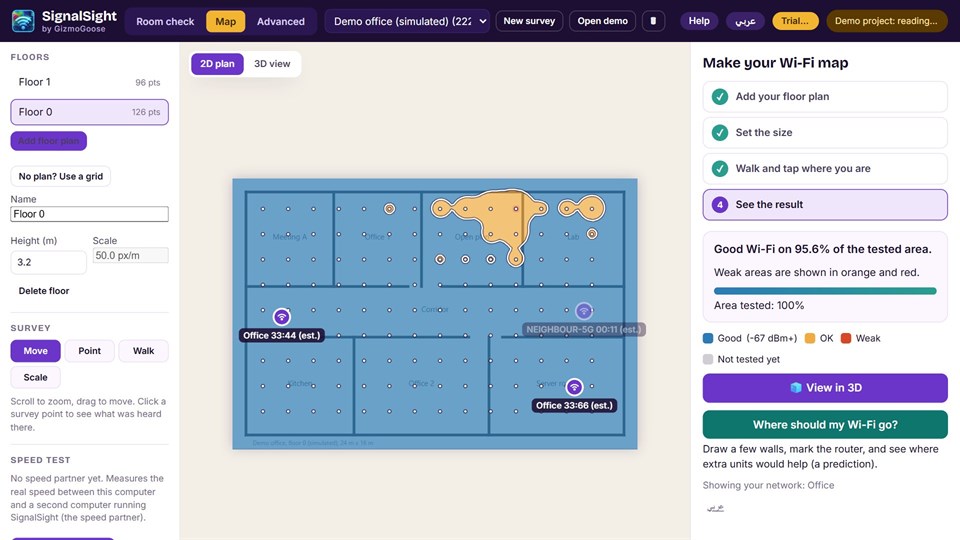
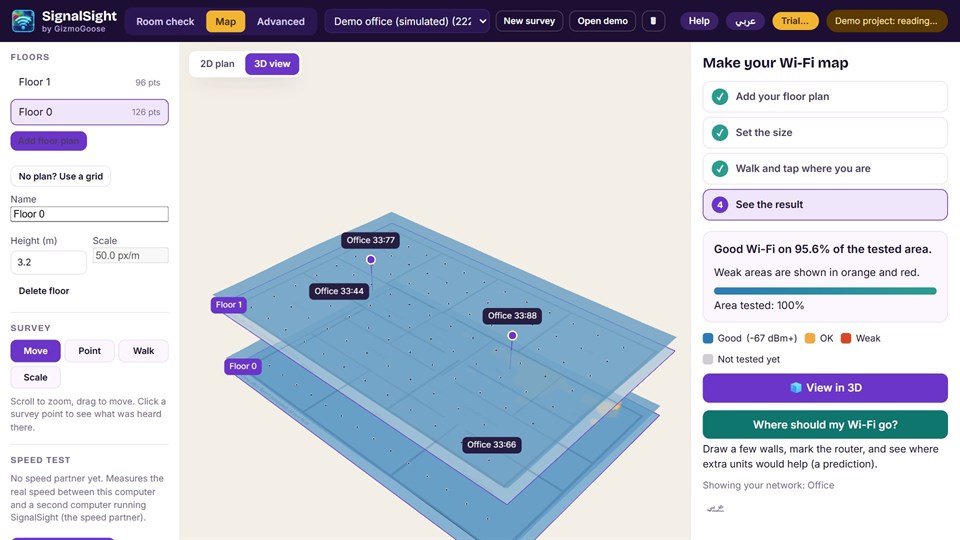
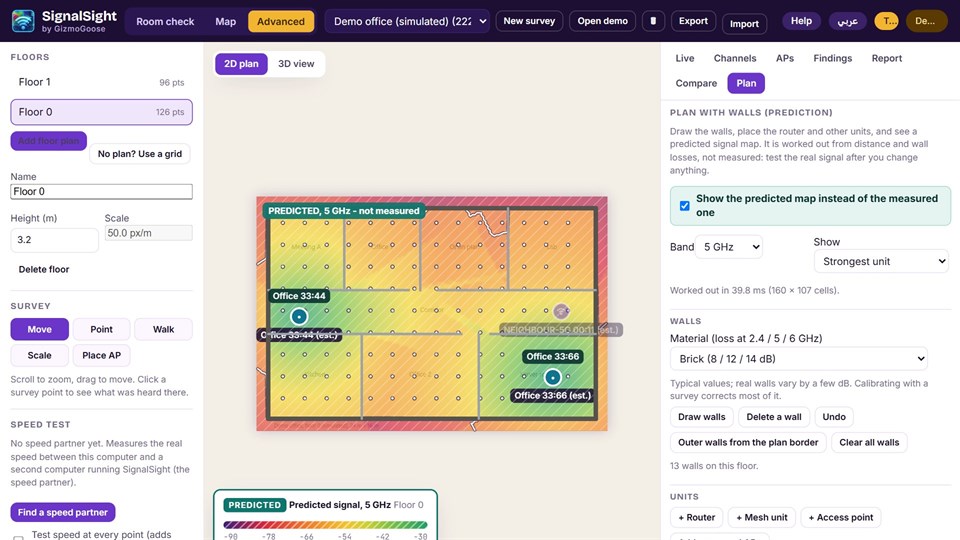
Load a floor plan and walk it for a real signal heat map, in 2D or 3D over several floors. Draw walls of brick, concrete or glass, place routers and access points with their antennas, and see a predicted map and suggested positions before you buy anything. Measure real speed between two computers.
For technicians
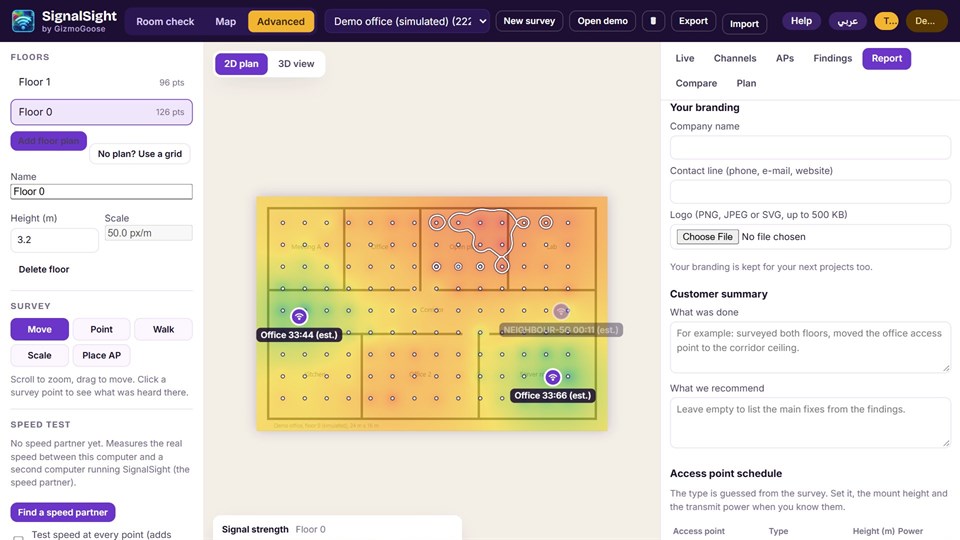
A job pack for the customer: a summary in plain words, the access point list and parts with prices, a channel plan, a checklist and before/after results, saved as HTML, PDF or Word, in English or Arabic.
Private
SignalSight runs on your own computer, with no account and no cloud. It goes online only for the internet speed test you start, licence activation and the update check.
Free trial and licence
Every feature is free for 3 days. After that, SignalSight needs a lifetime licence, bought once at gizmogoose.com/tools/signalsight, with no subscription. It works on one computer at a time and you can move it yourself.
English and Arabic, including the full help guide.
จากนักพัฒนา
รายการ 0
-
 SignalSight
แต้ม 0
-

- +1 แต้ม

การจัดอันดับ 0
-
- คะแนนของคุณ
ผู้พัฒนา 7
- GizmoGoose.com
- ผู้ติดตาม: 0
- แพลตฟอร์ม: Windows แอป (7)
- ลดราคา: 0
- รายการ: 0 0
- แต้ม: 0
- การจัดอันดับ: 0
- ความคิดเห็น: 0
- วิดีโอ: 1
- RSS: ติดตาม
มีอะไรใหม่
- เวอร์ชัน: PC
- อัปเดตล่าสุด:
ข้อมูลเพิ่มเติม
- วันที่วางจำหน่าย:
- หมวดหมู่:
แอปสำหรับ Windows›เครื่องมือสำหรับนักพัฒนา - ระบบปฏิบัติการ:
PC - ขนาด:
57 Mb - ภาษาที่รองรับ:
อังกฤษ - การจัดประเภทเนื้อหา:
EVERYONE - Windows Store คะแนน: ¡
0 - เว็บไซต์:
 https://GizmoGoose.com
คะแนน AppAgg
คะแนน AppAgg โดยประมาณของ
SignalSight
ผู้พัฒนา: GizmoGoose.com
คะแนนที่สูงขึ้นมักสะท้อนตัวชี้วัดที่ดีกว่าบน AppAgg
อิงจาก: ความนิยม · คะแนนจากผู้ใช้ · ความสดใหม่ · ดีล · ข้อมูลร้านค้า · กิจกรรมชุมชน
คำนวณใหม่ทุกวันจากข้อมูล AppAgg ล่าสุด
ความคิดเห็น 0 ¡
แชร์
SignalSight URL แบบสั้น: คัดลอกแล้ว!- Windows Store

