
북마크
이 북마크의 제목을 입력하세요.
북마크가 저장되었습니다
| 개발자: | Ayan's Apps (6) | ||
| 가격: | 무료 | ||
| 종합 점수: | 810 실버 | ||
| 순위: | 0 | ||
| 댓글: | 0 댓글 게시 | ||
| 목록: | 0 0 | ||
| 포인트: | 0 | ||
| +1 포인트 | |||
요약
소개합니다. Ayan's Apps에서 만든 ‘개발자 도구’ 카테고리 앱, Simple Terminal.
에 출시됐어요. 아직 꽤 따끈따끈해요.
무료. 광고도 인앱 구매도 없어요. 앱에만 집중하면 돼요.
Microsoft Store는 Windows에 기본으로 들어 있어서 클릭 몇 번이면 설치돼요.
AppAgg 점수는 810. 실버 등급, 이 정도면 꽤 괜찮아요.
겨우 18메가바이트. 꽉 찬 드라이브에도 쏙 들어가요.
연령 등급은 ‘EVERYONE’, 아이들에게도 괜찮아요.
지원 언어는 딱 하나, 그런데 한국어는 아니에요.
AppAgg에서는 아직 아무도 평가하지 않았어요. 첫 번째가 될 기회는 바로 지금이에요.
이 개발자의 앱이 AppAgg에 5개 더 있어요. 한번 둘러보세요.
업데이트와 새 앱 소식을 가장 먼저 받고 싶나요? 개발자를 팔로우하거나 RSS 피드를 구독하세요. 푸시 알림은 Android와 iOS용 AppAgg Alerts 앱으로 받을 수 있어요.
광고
다른 플랫폼 0
가격 기록 0
- 현재 가격: 무료
- 최소: 무료
- 최대: 무료
홈 화면의 나만의 피드
“신규 및 업데이트” 피드의 플랫폼을 선택하면 홈 화면에 필요한 앱과 게임만 표시됩니다.
스크린샷 6
설명

No account, no cloud, no subscription.
CONNECT TO ANY SERVER
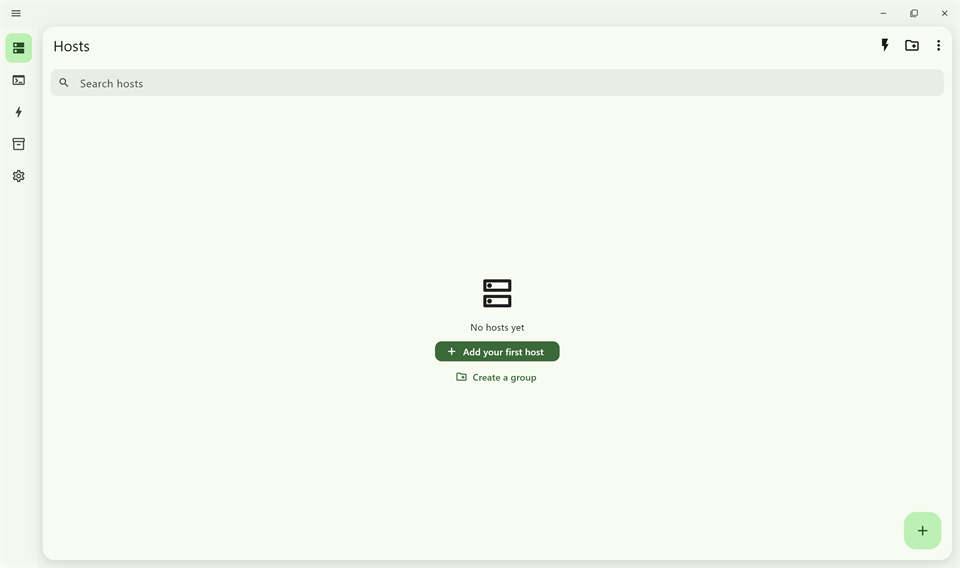
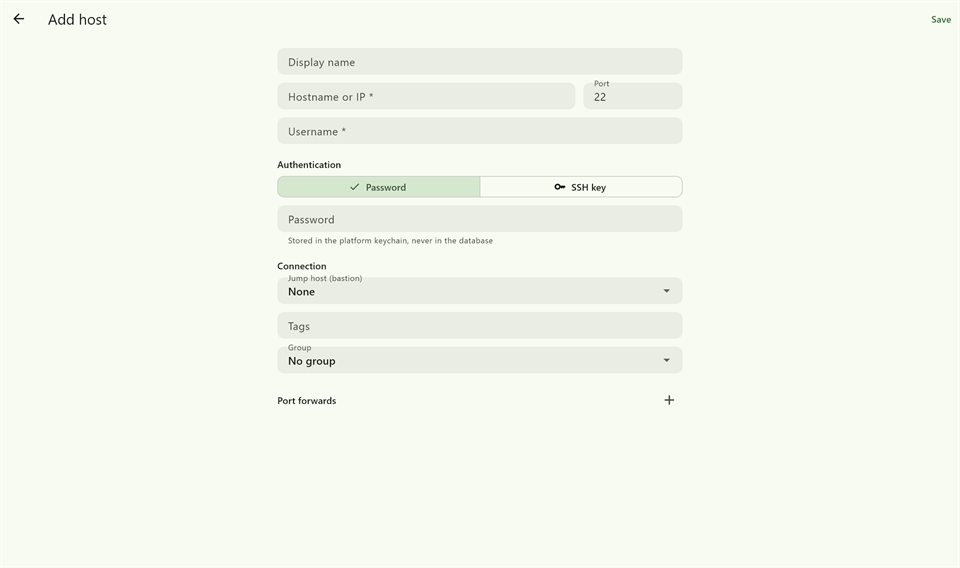
• Save hosts and sort them into groups
• Sign in with a password, an SSH key or your SSH agent
• Reach private servers through a jump host (bastion)
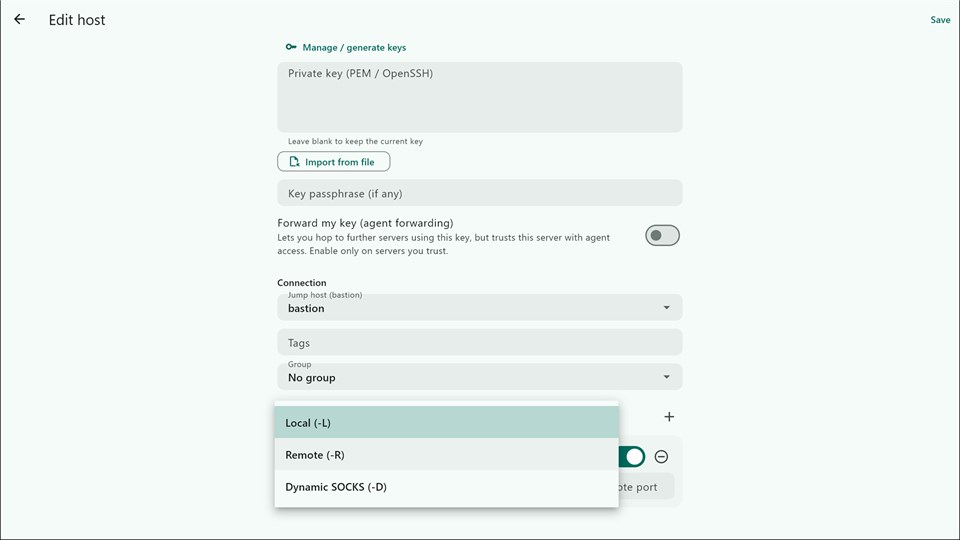
• Port forwarding: local (-L), remote (-R) and dynamic SOCKS (-D)
• Optional agent forwarding, for servers you trust
• Built-in key manager: generate SSH keys, or import PEM / OpenSSH keys from a file
• First connection shows the server's host key: choose Trust & remember, Just this once, or Cancel
WORK FASTER
• Tabs and split panes — watch one server while you work on another
• Snippets for the commands you type every day
• Session logs so you can look back at what ran
SWITCH IN A MINUTE
• Import from ~/.ssh/config: bring your existing hosts in one step
MAKE IT YOURS
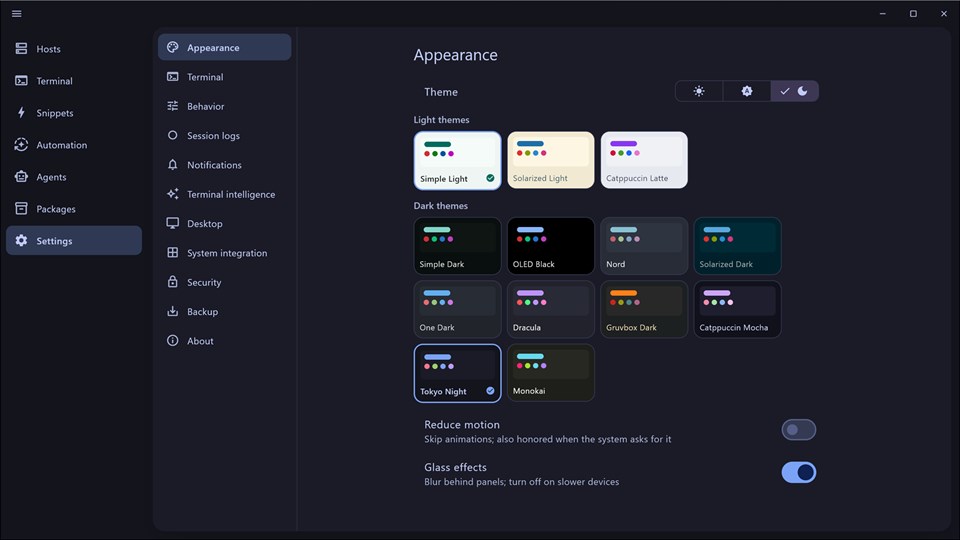
• 13 light and dark themes: Simple Light, Solarized Light, Catppuccin Latte, Simple Dark, OLED Black, Nord, Solarized Dark, One Dark, Dracula, Gruvbox Dark, Catppuccin Mocha, Tokyo Night and Monokai
• Accent colours and adjustable font size
FREE & PRIVATE
• No account, no cloud sync, no telemetry
• Your hosts and settings stay on your PC
• Small download, quick to install
One window for every server you look after.
Also available for Ubuntu and other Linux systems: search for Simple Terminal on the Snap Store.
개발자 소식
개발자이신가요?
페이지 맨 위에 소식을 올리면 팔로워에게 이메일로 전달됩니다. YouTube 동영상을 추가하면 “동영상” 블록 맨 앞에 표시됩니다.
목록 0
-
 Simple Terminal
포인트 0
-

- +1 포인트

순위 0
-
- 내 평점
개발자 6
- Ayan's Apps
- 팔로워: 0
- 플랫폼: Windows 앱 (6)
- 할인: 0
- 목록: 0 0
- 포인트: 0
- 순위: 0
- 댓글: 0
- 동영상: 0
- RSS: 구독
새로운 기능
- 버전: PC
- 마지막 업데이트:
- What's new in 1.5:
- **Git safety snapshots:** before a Git command that can discard uncommitted work, or before a coding agent starts, your project is saved, and one click brings it back.
- **Warnings while you type:** risky Git commands show which files they would affect and offer a safer form, such as `--force-with-lease` instead of `--force`.
- **Safer closing:** closing a project that has unpushed commits or a paused merge asks first.
- **Branch on tabs:** local tabs show the current branch and how many commits are waiting to push or pull.
- **Plain-language Git help:** common Git failures (conflicts, rejected pushes, sign-in errors) are explained offline, with the way out.
- **Works with Simple Git:** open a project in Simple Git or place it beside the terminal from the right-click menu.
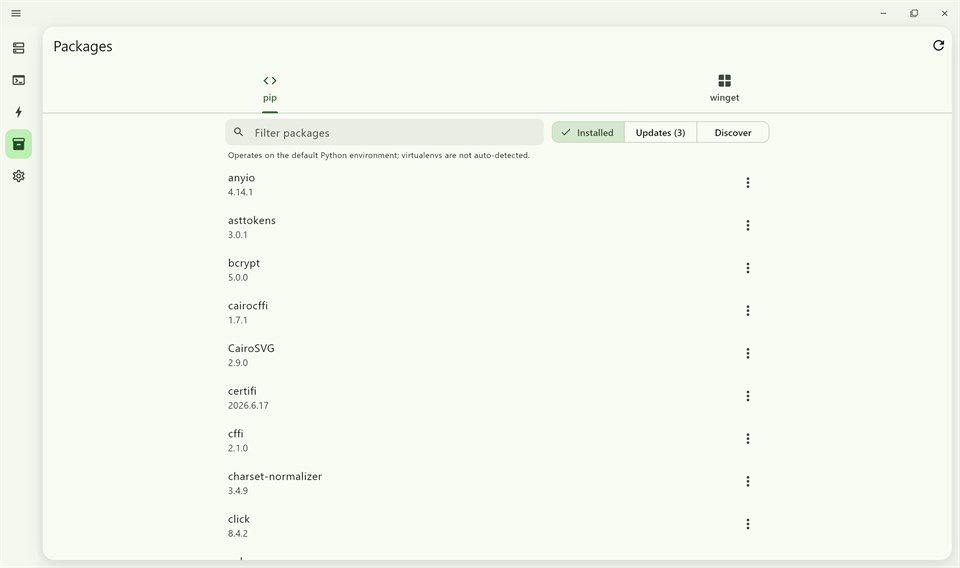
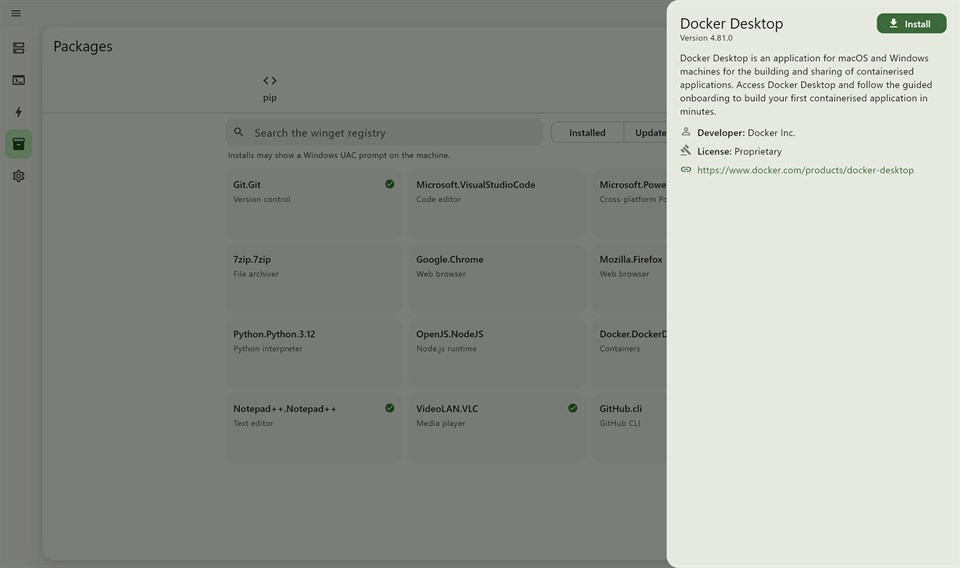
- **More package managers:** Packages now also manages dnf, pacman and zypper servers, alongside apt, winget, Homebrew and pip.
- **Automatic updates:** Packages can keep a machine up to date on a schedule (off until you turn it on).
- **Python projects:** Packages shows what a Python project asks for but hasn't installed, and sets it up for you.
- **This PC as an SSH server:** Settings → SSH server turns on Windows' own OpenSSH Server, with one permission prompt.
- **Windows 11 polish:** Snap Layouts on the maximize button, the Mica backdrop, a taskbar jump list and taskbar progress.
- **Password prompt:** connecting to a host with no saved password now asks for one.
- **Windows on AR
버전 기록
- New in 1.3.0 — AI that runs on your machine:
• Simple Terminal can now turn plain English into commands, explain
failures, and run multi-step tasks, using an AI model you already
run yourself. It's off by default: nothing leaves your machine
until you enable it and pick a runtime.
• Ask for a command (Ctrl+Shift+A) — describe what you want and get a command placed at your prompt to review. It is never run for you.
• Failure help — when a command fails, get a plain-language reason and a suggested fix, informed by the file the error points at.
• Explain a selection (Ctrl+Shift+X) — highlight any output or error and ask what it means.
• Agents — hand off a multi-step task and approve each command as it goes. Destructive commands always ask first.
• Playbooks — turn commands you've already run into reusable, variable-driven scripts.
• MCP server (off by default) — let an outside AI client drive your terminals over a local-only connection, behind the same approval gates.
Your model, your choice:
Works with Ollama, LM Studio, llama.cpp or vLLM on your own machine or network — no account, no API key, and no model bundled with the app. You can instead point it at an agent CLI you already have
installed (Claude Code, Codex, Gemini), but your prompts then go to
that vendor under your own account, so that path stays off until you
explicitly opt in.
추가 정보
AppAgg 점수
810
AppAgg 예상 점수:
Simple Terminal
개발자: Ayan's Apps
810 실버
점수가 높을수록 대체로 AppAgg의 여러 지표에서 좋은 결과를 보인다는 뜻입니다.
기준: 인기 · 사용자 평점 · 최신성 · 할인 · 스토어 데이터 · 커뮤니티 활동
최신 AppAgg 데이터를 바탕으로 매일 다시 계산됩니다.
웹사이트용 배지:  복사됨!
댓글 0 ¡
가장 먼저 댓글을 남겨주세요
공유하기
Simple Terminal 단축 URL: 복사됨!- Windows Store


