
บุ๊กมาร์ก
| ผู้พัฒนา: | Ayan's Apps (6) | ||
| ราคา: | ฟรี | ||
| คะแนน: | 810 เงิน | ||
| การจัดอันดับ: | 0 | ||
| ความคิดเห็น: | 0 โพสต์ความคิดเห็น | ||
| รายการ: | 0 0 | ||
| แต้ม: | 0 | ||
| +1 แต้ม | |||
สรุป
มาทำความรู้จัก Simple Terminal แอปในหมวด “เครื่องมือสำหรับนักพัฒนา” จาก Ayan's Apps
ออกเมื่อ ยังสดใหม่อยู่เลย
ฟรี ไม่มีโฆษณา ไม่มีการซื้อภายในแอป มีแค่คุณกับแอป
Microsoft Store มีมาในตัว Windows อยู่แล้ว ติดตั้งได้ในไม่กี่คลิก
คะแนน AppAgg คือ 810 ระดับ “เงิน” ถือว่าไม่เลวเลย
แค่ 18 เมกะไบต์ ต่อให้ไดรฟ์เต็มก็ยังลงได้
จัดเรต “EVERYONE” เหมาะกับเด็ก ๆ ด้วย
รองรับแค่ภาษาเดียว และไม่ใช่ภาษาไทย
ยังไม่มีใครบน AppAgg ให้คะแนนเลย โอกาสเป็นคนแรกอยู่ตรงนี้แล้ว
ผู้พัฒนารายนี้มีแอปอื่นบน AppAgg อีก 5 แอป ลองไปดูกัน
อยากรู้เรื่องอัปเดตและแอปใหม่ก่อนใครไหม? ติดตาม ผู้พัฒนา หรือกดติดตาม ฟีด RSS ได้เลย การแจ้งเตือนแบบพุชส่งผ่านแอป AppAgg Alerts สำหรับ Android และ iOS
แพลตฟอร์มอื่น 0
ประวัติราคา 0
- ราคาปัจจุบัน: ฟรี
- ต่ำสุด: ฟรี
- สูงสุด: ฟรี
ฟีดของคุณเองบนหน้าแรก
ภาพหน้าจอ 6
คำอธิบาย

No account, no cloud, no subscription.
CONNECT TO ANY SERVER
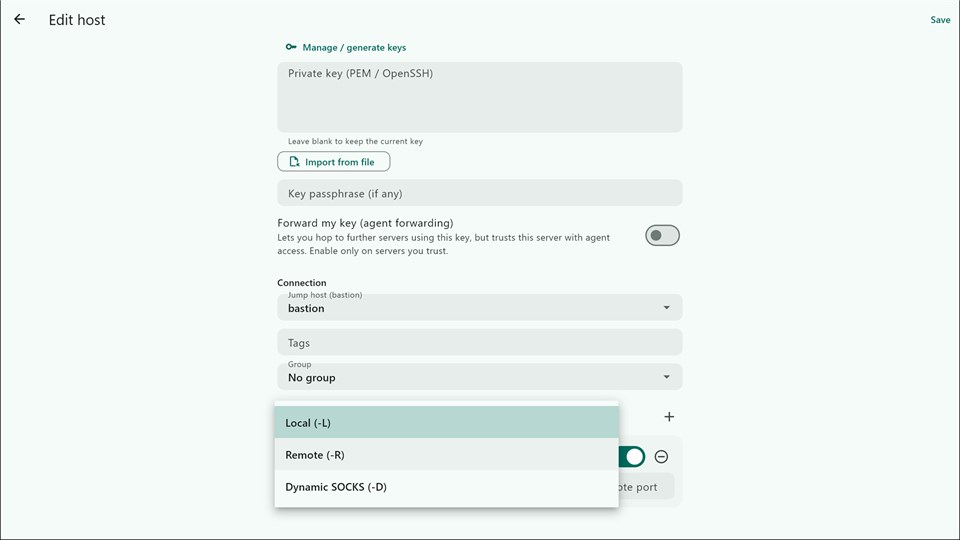
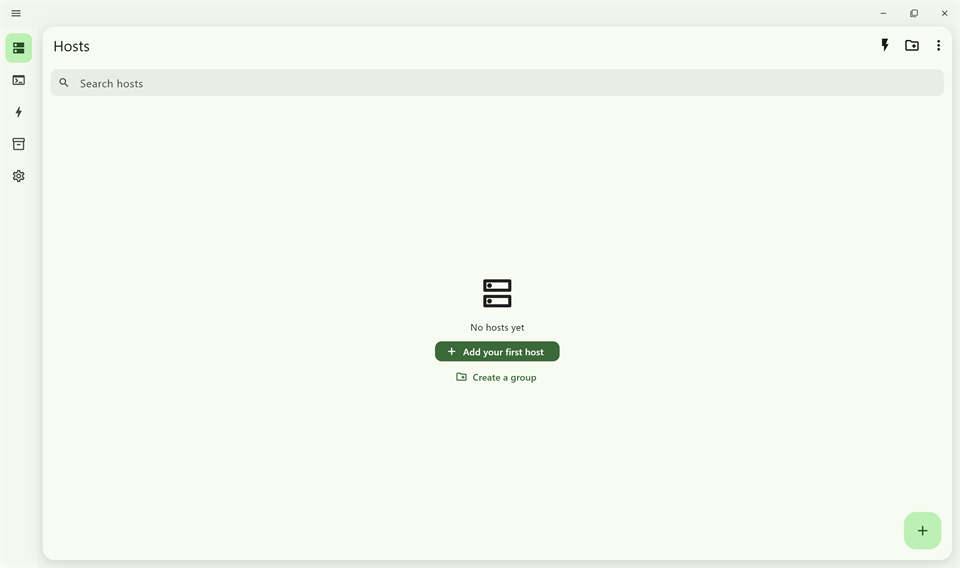
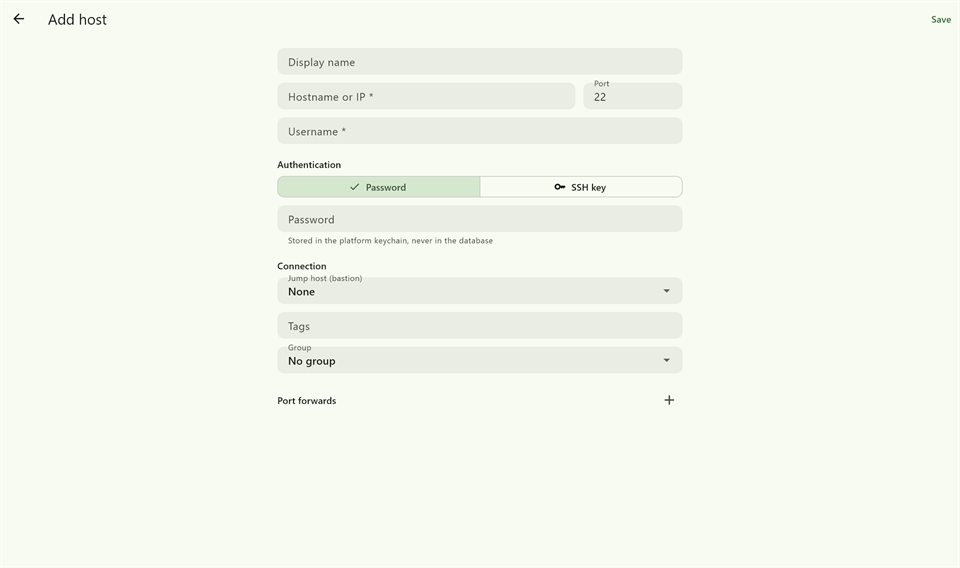
• Save hosts and sort them into groups
• Sign in with a password, an SSH key or your SSH agent
• Reach private servers through a jump host (bastion)
• Port forwarding: local (-L), remote (-R) and dynamic SOCKS (-D)
• Optional agent forwarding, for servers you trust
• Built-in key manager: generate SSH keys, or import PEM / OpenSSH keys from a file
• First connection shows the server's host key: choose Trust & remember, Just this once, or Cancel
WORK FASTER
• Tabs and split panes — watch one server while you work on another
• Snippets for the commands you type every day
• Session logs so you can look back at what ran
SWITCH IN A MINUTE
• Import from ~/.ssh/config: bring your existing hosts in one step
MAKE IT YOURS
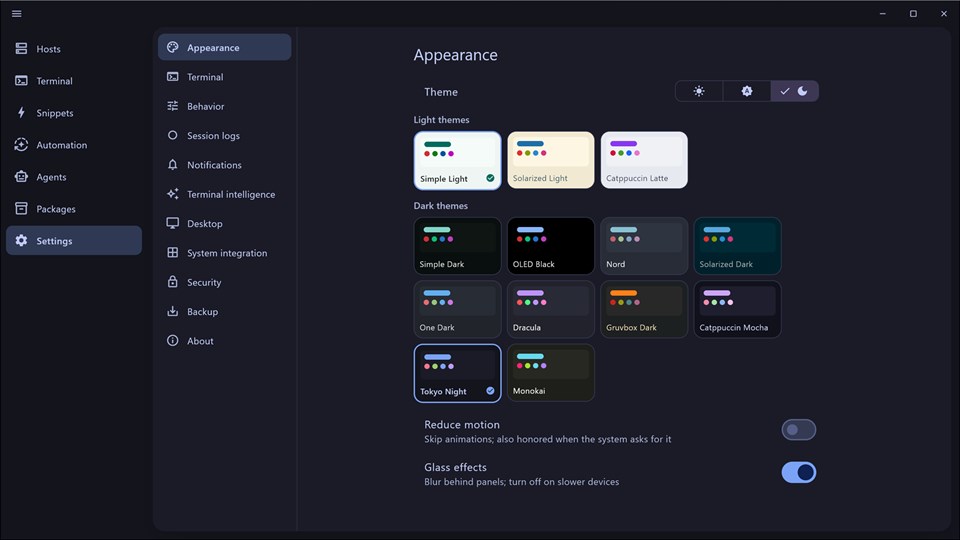
• 13 light and dark themes: Simple Light, Solarized Light, Catppuccin Latte, Simple Dark, OLED Black, Nord, Solarized Dark, One Dark, Dracula, Gruvbox Dark, Catppuccin Mocha, Tokyo Night and Monokai
• Accent colours and adjustable font size
FREE & PRIVATE
• No account, no cloud sync, no telemetry
• Your hosts and settings stay on your PC
• Small download, quick to install
One window for every server you look after.
Also available for Ubuntu and other Linux systems: search for Simple Terminal on the Snap Store.
จากนักพัฒนา
รายการ 0
-
 Simple Terminal
แต้ม 0
-

- +1 แต้ม

การจัดอันดับ 0
-
- คะแนนของคุณ
ผู้พัฒนา 6
- Ayan's Apps
- ผู้ติดตาม: 0
- แพลตฟอร์ม: Windows แอป (6)
- ลดราคา: 0
- รายการ: 0 0
- แต้ม: 0
- การจัดอันดับ: 0
- ความคิดเห็น: 0
- วิดีโอ: 0
- RSS: ติดตาม
มีอะไรใหม่
- เวอร์ชัน: PC
- อัปเดตล่าสุด:
- What's new in 1.5:
- **Git safety snapshots:** before a Git command that can discard uncommitted work, or before a coding agent starts, your project is saved, and one click brings it back.
- **Warnings while you type:** risky Git commands show which files they would affect and offer a safer form, such as `--force-with-lease` instead of `--force`.
- **Safer closing:** closing a project that has unpushed commits or a paused merge asks first.
- **Branch on tabs:** local tabs show the current branch and how many commits are waiting to push or pull.
- **Plain-language Git help:** common Git failures (conflicts, rejected pushes, sign-in errors) are explained offline, with the way out.
- **Works with Simple Git:** open a project in Simple Git or place it beside the terminal from the right-click menu.
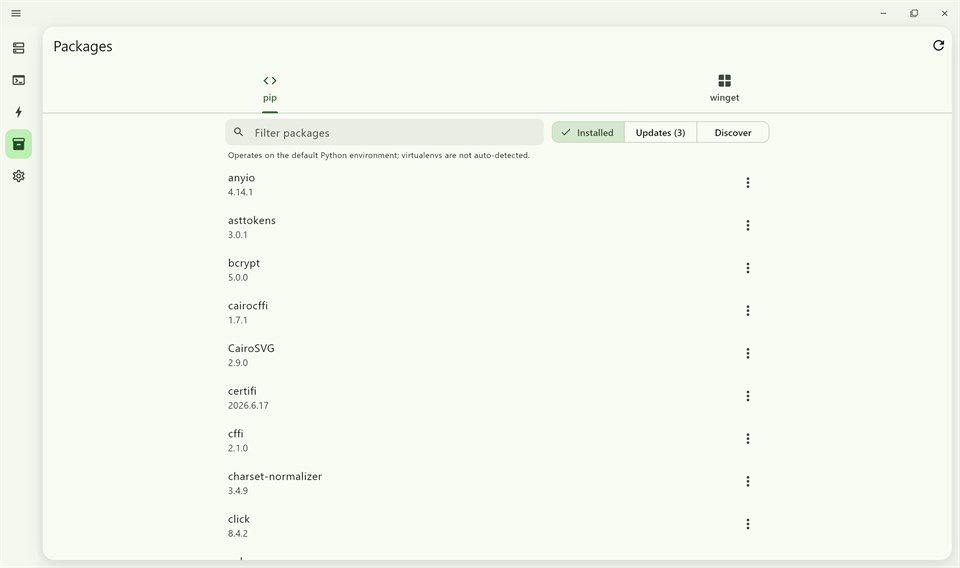
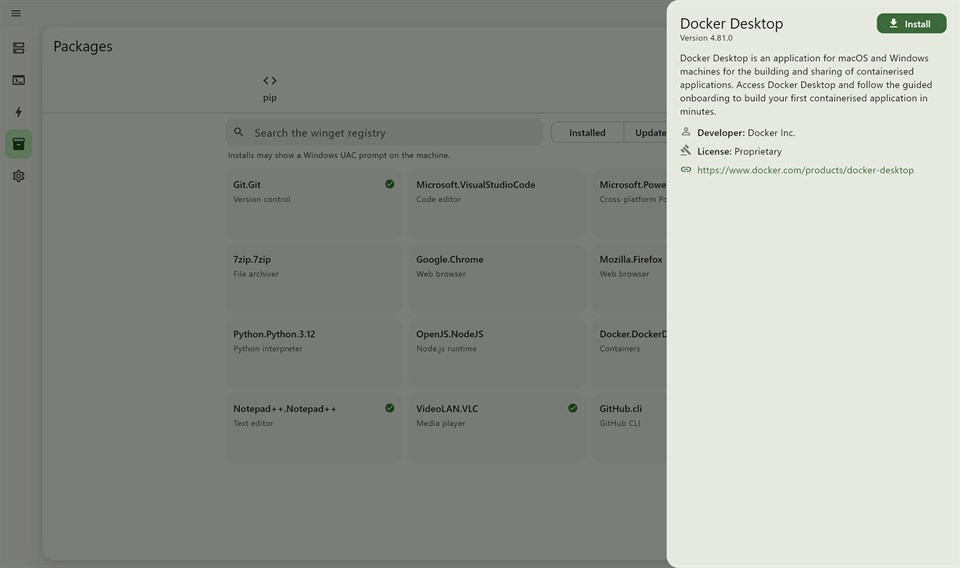
- **More package managers:** Packages now also manages dnf, pacman and zypper servers, alongside apt, winget, Homebrew and pip.
- **Automatic updates:** Packages can keep a machine up to date on a schedule (off until you turn it on).
- **Python projects:** Packages shows what a Python project asks for but hasn't installed, and sets it up for you.
- **This PC as an SSH server:** Settings → SSH server turns on Windows' own OpenSSH Server, with one permission prompt.
- **Windows 11 polish:** Snap Layouts on the maximize button, the Mica backdrop, a taskbar jump list and taskbar progress.
- **Password prompt:** connecting to a host with no saved password now asks for one.
- **Windows on AR
- New in 1.3.0 — AI that runs on your machine:
• Simple Terminal can now turn plain English into commands, explain
failures, and run multi-step tasks, using an AI model you already
run yourself. It's off by default: nothing leaves your machine
until you enable it and pick a runtime.
• Ask for a command (Ctrl+Shift+A) — describe what you want and get a command placed at your prompt to review. It is never run for you.
• Failure help — when a command fails, get a plain-language reason and a suggested fix, informed by the file the error points at.
• Explain a selection (Ctrl+Shift+X) — highlight any output or error and ask what it means.
• Agents — hand off a multi-step task and approve each command as it goes. Destructive commands always ask first.
• Playbooks — turn commands you've already run into reusable, variable-driven scripts.
• MCP server (off by default) — let an outside AI client drive your terminals over a local-only connection, behind the same approval gates.
Your model, your choice:
Works with Ollama, LM Studio, llama.cpp or vLLM on your own machine or network — no account, no API key, and no model bundled with the app. You can instead point it at an agent CLI you already have
installed (Claude Code, Codex, Gemini), but your prompts then go to
that vendor under your own account, so that path stays off until you
explicitly opt in.
ข้อมูลเพิ่มเติม
- วันที่วางจำหน่าย:
- หมวดหมู่:
แอปสำหรับ Windows›เครื่องมือสำหรับนักพัฒนา - ระบบปฏิบัติการ:
PC - ขนาด:
18 Mb - ภาษาที่รองรับ:
อังกฤษ - การจัดประเภทเนื้อหา:
EVERYONE - Windows Store คะแนน: ¡
0
คะแนน AppAgg
คะแนน AppAgg โดยประมาณของ
Simple Terminal
ผู้พัฒนา: Ayan's Apps
คะแนนที่สูงขึ้นมักสะท้อนตัวชี้วัดที่ดีกว่าบน AppAgg
อิงจาก: ความนิยม · คะแนนจากผู้ใช้ · ความสดใหม่ · ดีล · ข้อมูลร้านค้า · กิจกรรมชุมชน
คำนวณใหม่ทุกวันจากข้อมูล AppAgg ล่าสุด
ความคิดเห็น 0 ¡
แชร์
Simple Terminal URL แบบสั้น: คัดลอกแล้ว!- Windows Store

