
已儲存
選擇要顯示在你的已儲存選單中的名稱。
完成!
| 開發人員: | Aʀtʋʀ Cʀɘțʋ (10) | ||
| 價錢: | $5.49 | ||
| 評價: | 1,150 白銀 | ||
| 排名: | 0 | ||
| 註釋: | 0 發表評論 | ||
| 清單: | 0 + 0 | ||
| 點數: | 0 + 0 ¡ | ||
| +1 點數 | |||
描述

SmartReplace is a high-performance background utility for Windows 10 and 11 designed to optimize your daily typing workflow. Built as a native WinUI 3 and .NET 9 application, it combines a robust text expander and an intelligent wrong-keyboard-layout fixer into a single, cohesive, local-first engine. By running entirely on your local device, SmartReplace ensures absolute privacy with no cloud servers, no telemetry, and no network connections. Every keystroke is processed locally in real-time, making it the ultimate privacy-focused productivity tool for professionals, developers, writers, and multilingual users.
WHY CHOOSE SMARTREPLACE?
Most typing tools force you to choose between text expansion and layout correction, or require multiple heavy background programs that conflict with each other. SmartReplace solves this by running both features on a single, highly optimized keyboard engine. It lives in your system tray, launches automatically with Windows, and uses minimal resources. Whether you need to expand abbreviations into long templates or correct text typed in the wrong layout, SmartReplace handles it seamlessly without interrupting your flow. It offers the power of advanced scripting tools with the ease of a modern graphical user interface.
POWERFUL TEXT EXPANSION CAPABILITIES
The text expander inside SmartReplace lets you create custom shorthand triggers that expand into full text blocks, signatures, templates, and code snippets.
Key features include:
1. Two Firing Modes: Choose between Word-Boundary and Instant triggers. Word-Boundary triggers only fire after a space, tab, enter, or punctuation key, preventing accidental expansions inside longer words. Instant triggers expand the millisecond the last character is typed, perfect for quick formatting shortcuts.
2. Case-Sensitive Matching: Toggle case-sensitivity per rule to match your exact capitalization requirements.
3. Multi-Line Expansions: Create complex templates with real enter keystrokes that behave correctly in any editor.
4. Custom Cursor Placement: Position your text caret exactly where you want to continue typing after an expansion.
5. Usage Counters: Track your snippets to see which shortcuts save you the most time.
DYNAMIC TOKENS REFERENCE
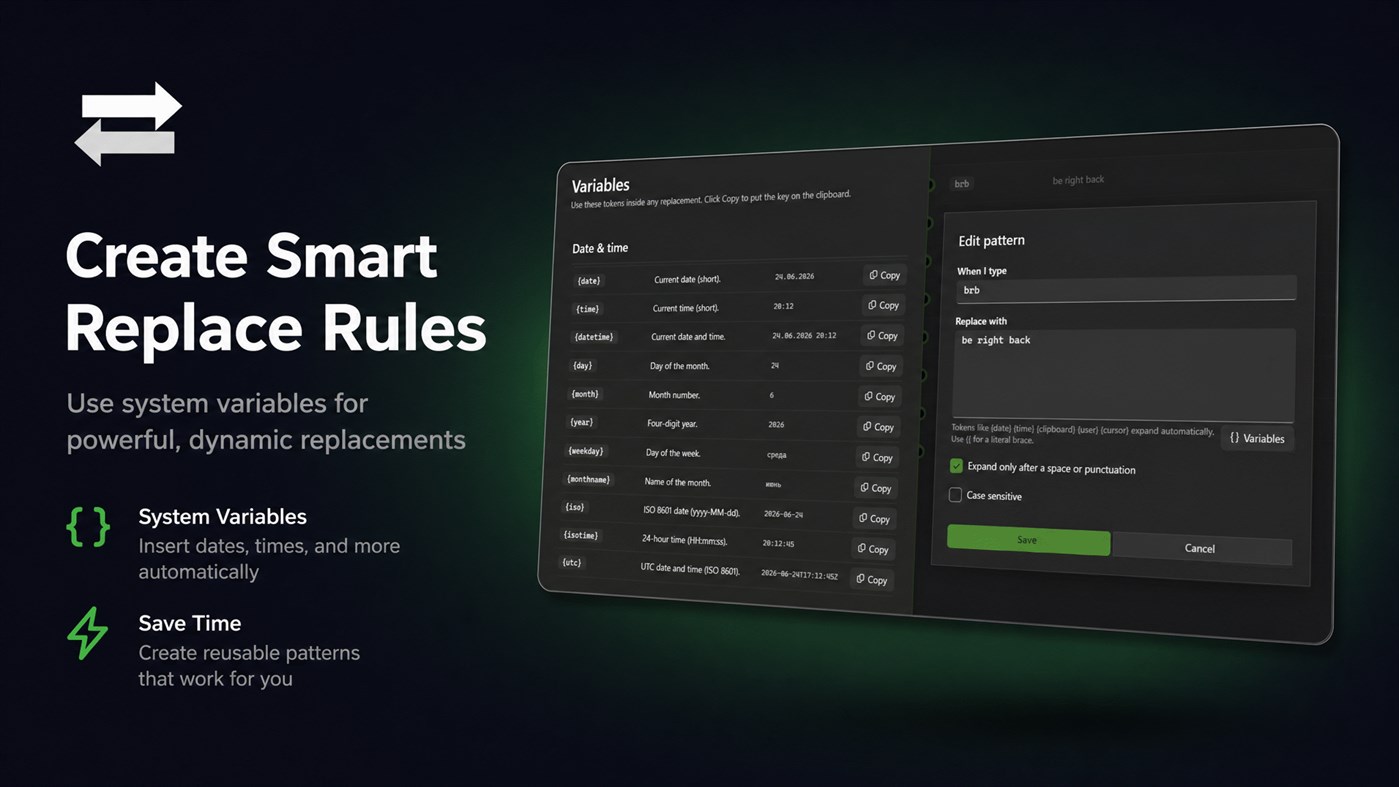
SmartReplace supports dynamic tokens to make your text expansions context-aware. Mix and match these tokens within any replacement text:
1. The Cursor Token: Repositions the text caret to that exact spot after expansion, making it easy to fill in names or variables in the middle of templates.
2. The Clipboard Token: Automatically inserts the current text contents of your system clipboard into the expanded block.
3. Date and Time Tokens: Insert the current date or time in multiple formats.
4. Custom Text Offsets: Combine date tokens with offset modifiers to automatically generate yesterday, tomorrow, or next week dates.
SMART WRONG-LANGUAGE DETECTION
If you write in multiple languages, you know the frustration of typing an entire sentence before realizing your keyboard layout was set incorrectly. SmartReplace features a sophisticated, statistically-gated detection engine that automatically corrects these mistakes.
Key features include:
1. Multilingual Support: Automatically detects and corrects layout mix-ups between English and Russian, as well as English and Ukrainian.
2. Phrase-Level Analysis: Analyzes entire phrases rather than single words, virtually eliminating false positives.
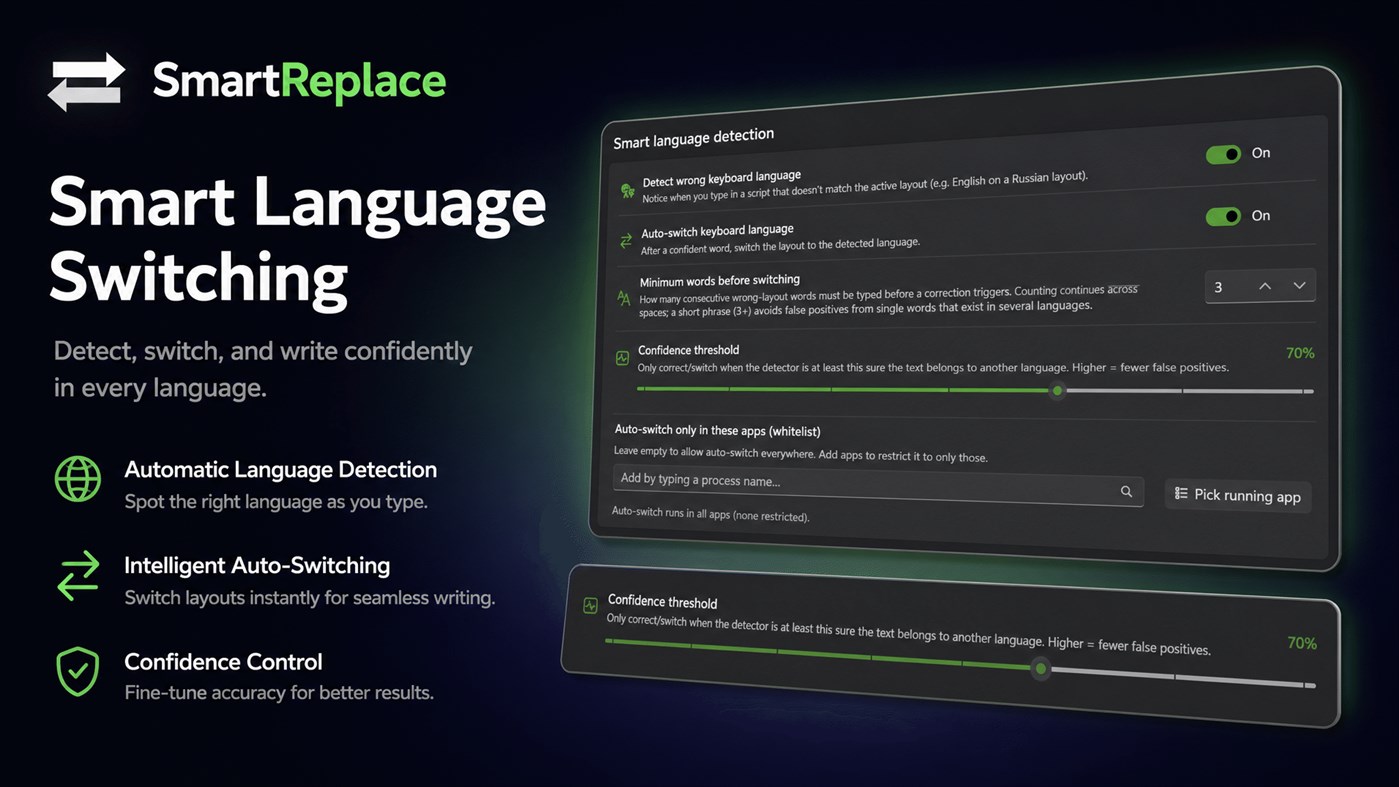
3. Tunable Confidence Threshold: Adjust the sensitivity of the correction engine from 0 to 100 percent to ensure corrections only trigger when the engine is certain.
4. Minimum-Words Gate: Set a minimum word count before correction triggers, preventing accidental layout flips on short, ambiguous words.
5. Long Token Bypass: Unambiguous single tokens, like mistyped email addresses or web links, bypass the word minimum and are corrected instantly.
6. Automatic Layout Switching: Automatically switches your active keyboard layout so subsequent keystrokes are in the correct language.
7. Fully Offline: Uses a lightweight, local model that processes text in microseconds without external servers.
ORGANIZATION, CONTROL, AND SCOPING
SmartReplace gives you granular control over where and how your rules are applied to prevent unwanted behavior in sensitive applications.
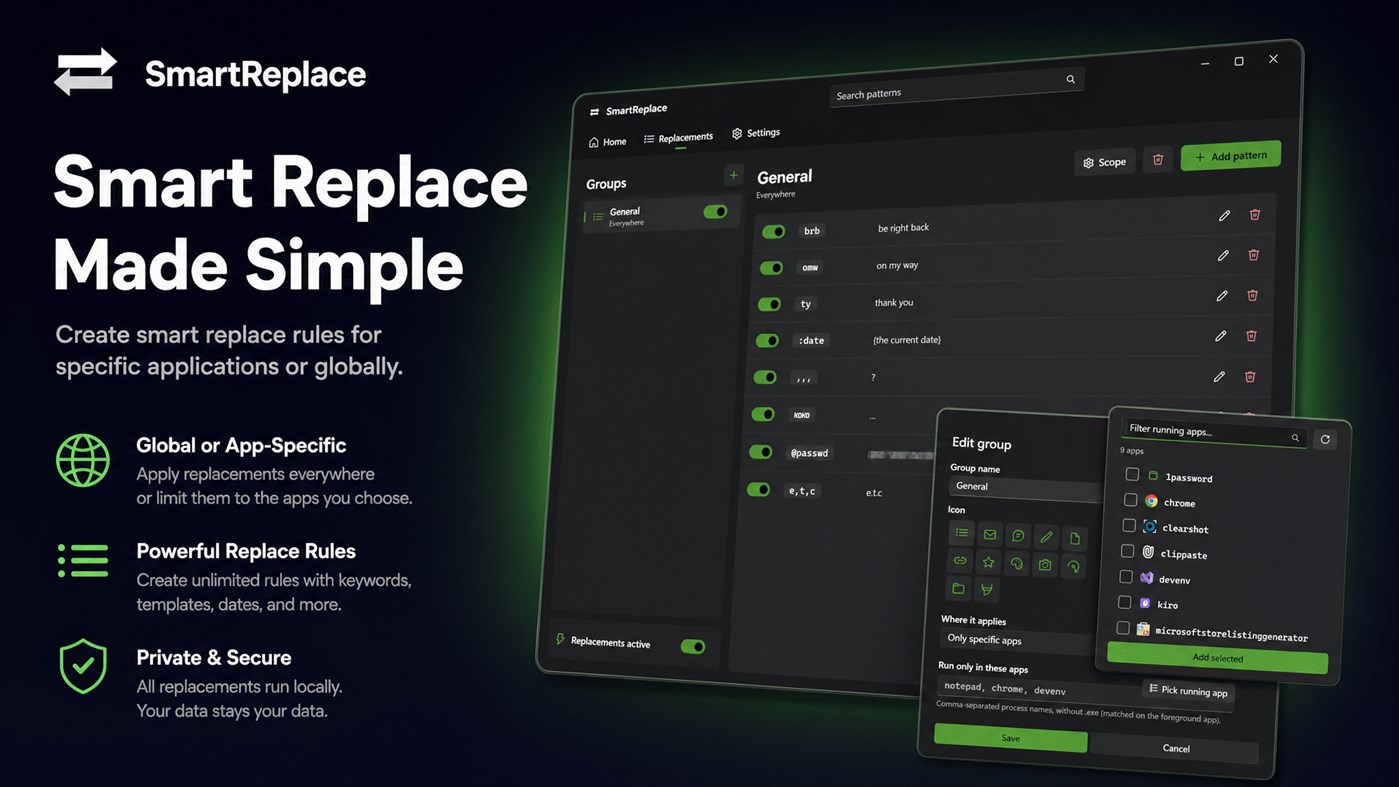
1. Group Management: Organize your expansion rules into distinct groups with custom names and visual Fluent icons.
2. Per-App Scoping: Define where specific groups are allowed to run. Configure a group to be global, active everywhere except specific apps, or active only within designated applications.
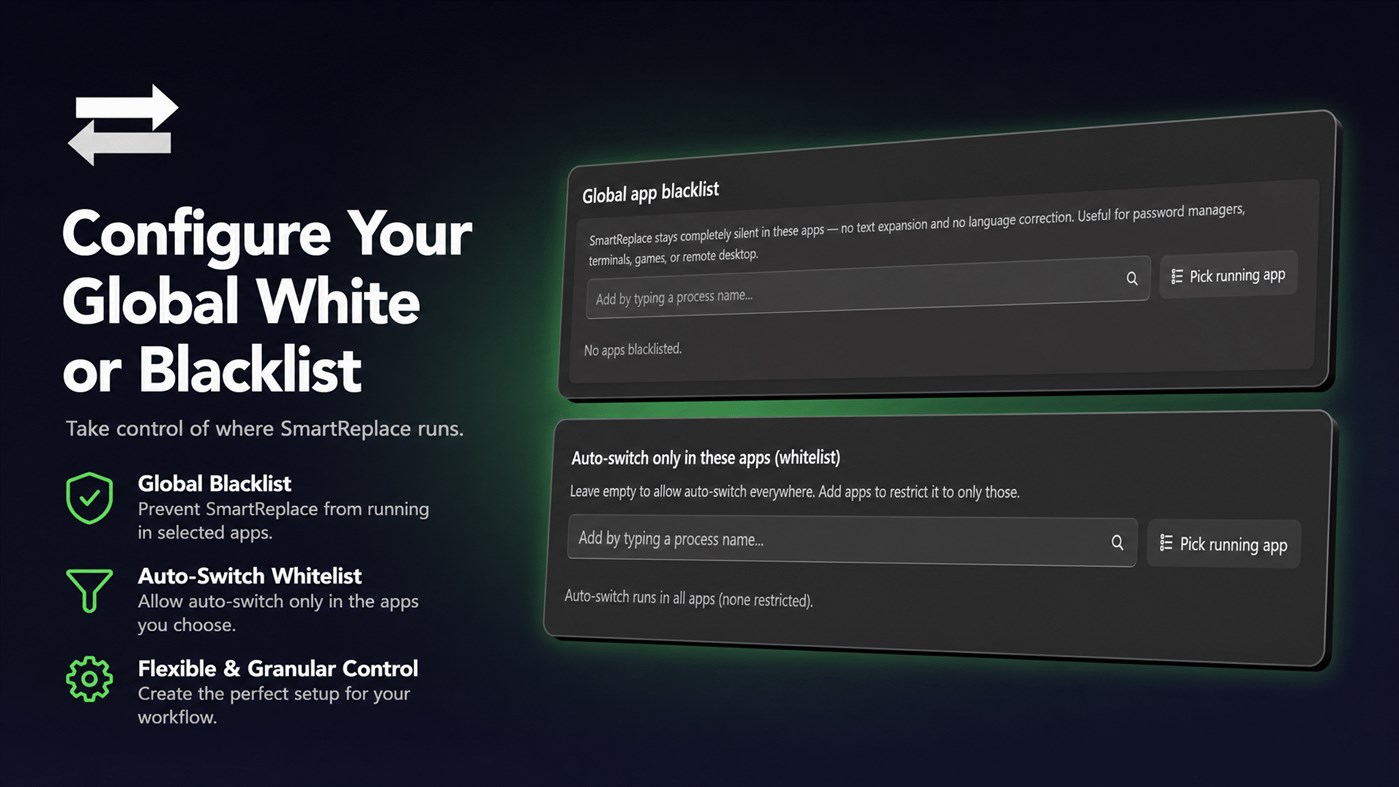
3. App Blacklists: Disable the global keyboard engine entirely in sensitive applications like password managers, terminal emulators, video games, or remote desktop clients.
4. Layout Whitelists and Blacklists: Control which applications are allowed to use the automatic language switching feature.
SCREEN BY SCREEN: THE USER INTERFACE
SmartReplace features a modern interface that aligns perfectly with the Windows 11 design language.
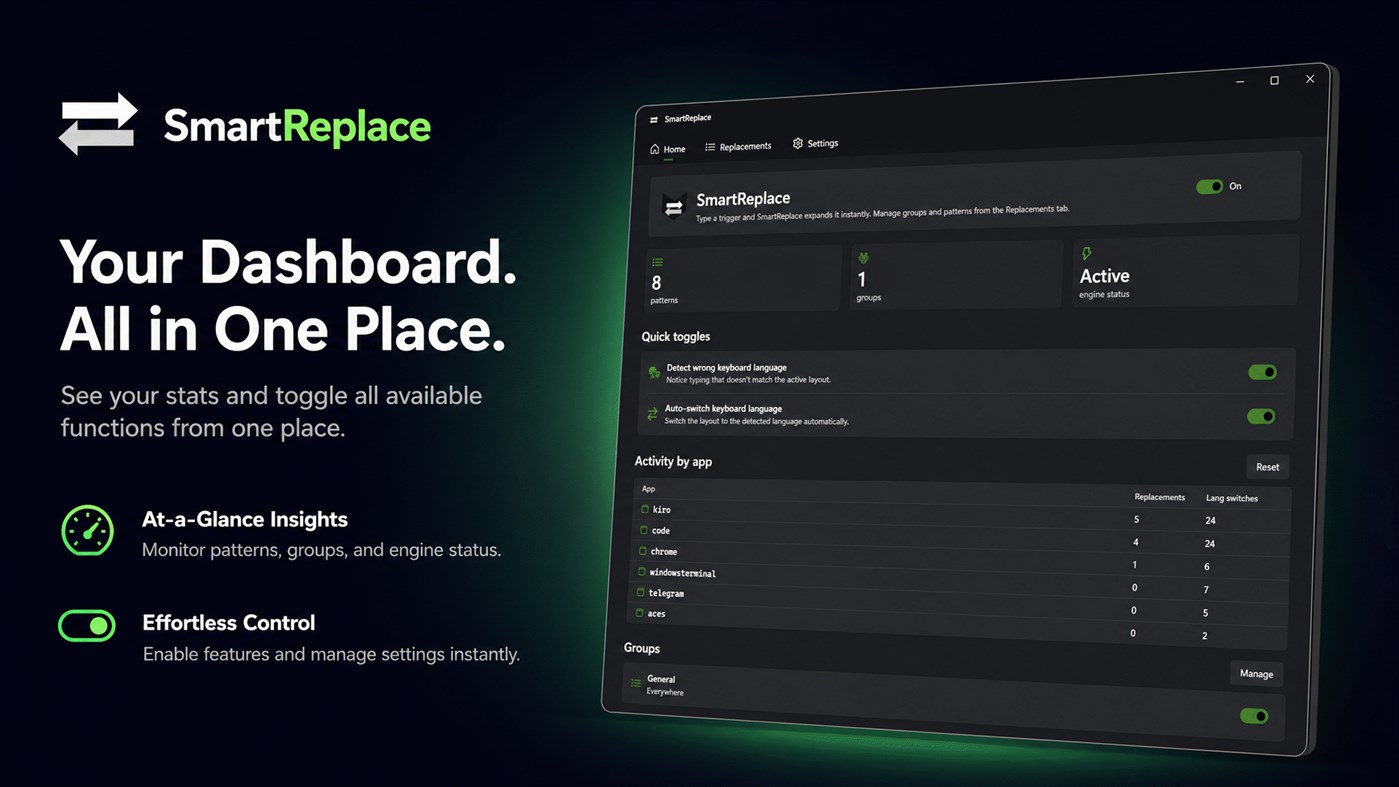
1. Dashboard: Provides a quick overview of application status, global toggles, and a summary of your typing statistics.
2. Groups and Rules: Displays your organized groups. Easily add, edit, or delete rules, and use the live search bar to instantly find any trigger or replacement pattern.
3. Rules Editor: A dedicated panel to set trigger text, replacement text, select firing modes, configure case sensitivity, and insert dynamic tokens with a single click.
4. Scoping and Blacklists: Manage per-app rules and global exclusions. A live application picker displays currently running processes with their native icons for easy selection.
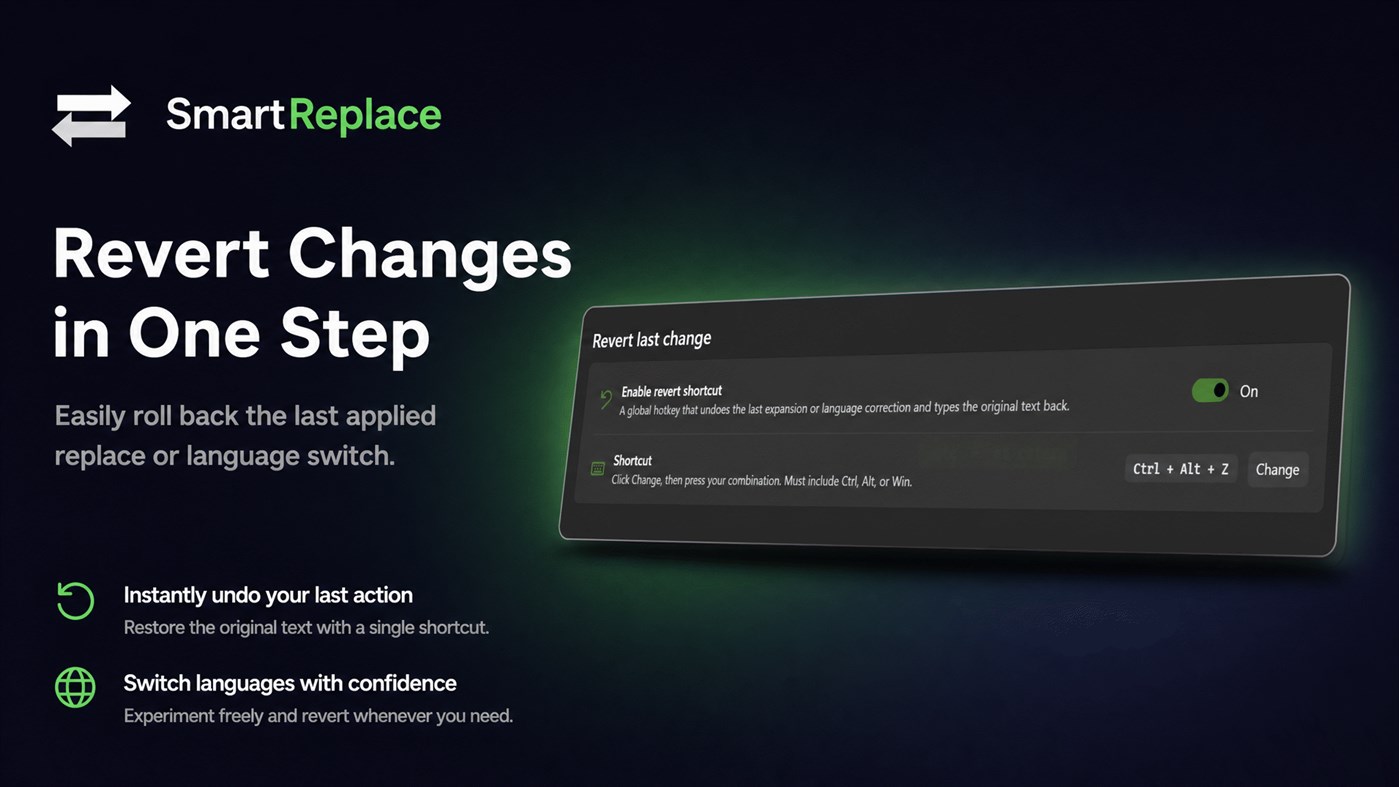
5. Settings: Customize the keyboard engine, adjust the wrong-language confidence threshold, set the minimum word gate, configure the global revert hotkey, and toggle startup options.
EXCEPTIONAL QUALITY-OF-LIFE FEATURES
Every detail is built to provide a polished, native Windows experience.
1. Global Revert Hotkey: If an expansion or automatic layout correction occurs when you did not want it to, simply press Ctrl + Alt + Z (default) to instantly restore your original text and revert your keyboard layout.
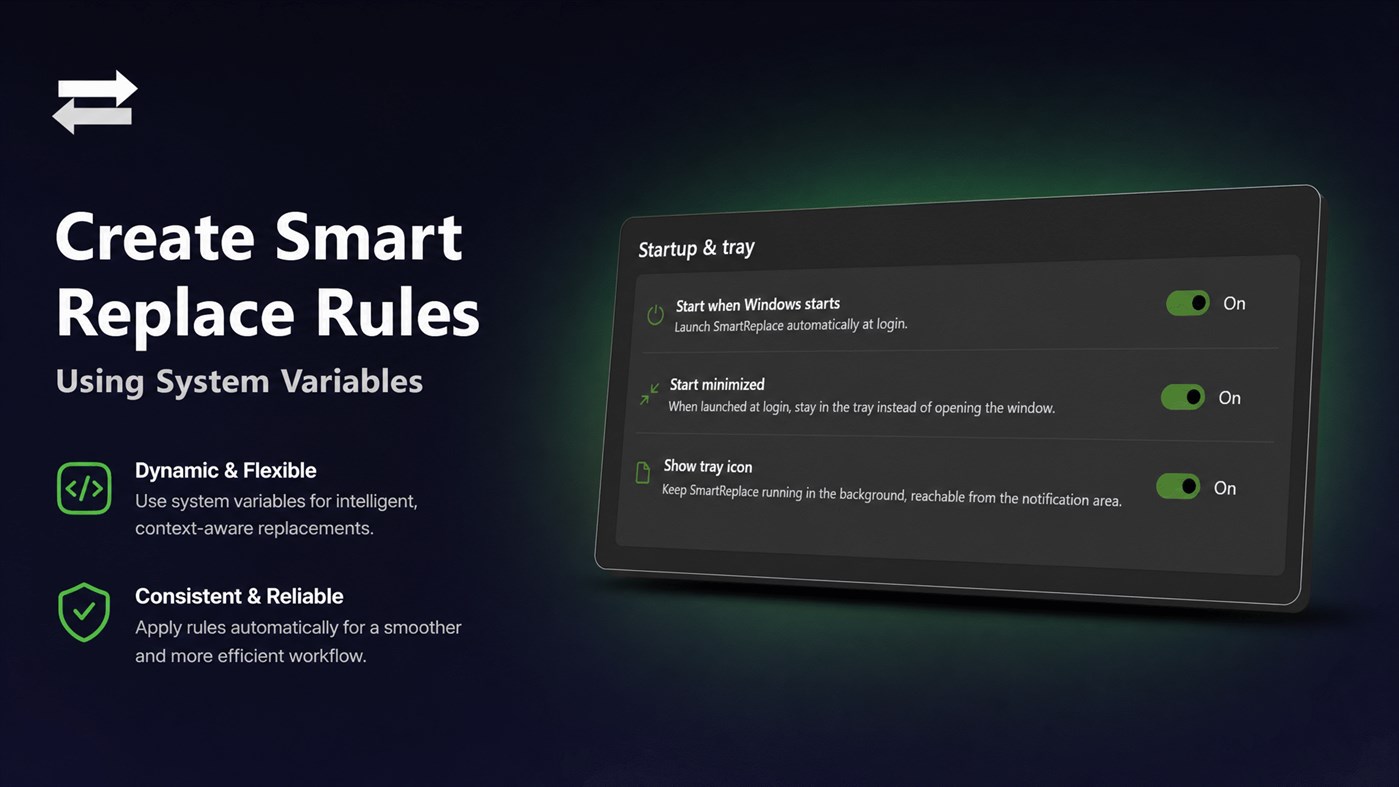
2. System Tray Integration: Access quick controls, toggle the engine, or open settings from the system tray. Closing the main window keeps the app running quietly in the background.
3. Activity Dashboard: View detailed statistics of your productivity, including the total number of text expansions and language switches performed.
4. Native Windows Design: Enjoy a modern interface featuring Microsoft Mica material, full support for System, Light, and Dark themes, and live search functionality.
DEVELOPMENT AND ARCHITECTURE
SmartReplace is engineered from the ground up for stability, speed, and safety.
1. Dedicated Background Thread: The keyboard hook runs on its own dedicated background thread. This ensures typing evaluation never stalls the operating system input pipeline or freezes the UI.
2. Safe Text Injection: Synthetic keystrokes are marked with a safe injection identifier, preventing infinite loops and ensuring the engine never re-processes its own generated output.
3. Atomic Snapshots: Your active text patterns are loaded as atomic snapshots, allowing the UI to update rules instantly without causing thread conflicts or background performance drops.
4. Self-Contained MSIX Packaging: Installed securely via the Microsoft Store, SmartReplace runs in a safe desktop environment with a clear, transparent manifest.
WHO IS SMARTREPLACE FOR?
1. Multilingual Professionals: Writers, translators, and administrators who switch between English, Russian, and Ukrainian layouts and want to eliminate layout errors.
2. Software Developers: Programmers who want to expand code snippets, HTML tags, or common terminal commands using fast, instant triggers.
3. Customer Support Agents: Professionals who need to quickly insert standard replies, templates, and greetings without copy-pasting.
4. Privacy Advocates: Users who want a powerful text expansion tool but refuse to let their keystrokes be sent to cloud servers.
GET STARTED TODAY
Improve your typing speed, eliminate layout frustration, and protect your personal data with SmartReplace. Download the native, self-contained Windows utility today and experience the ultimate offline productivity companion.
Ad
螢幕擷取畫面
價格歷史
- 目前價格: $5.49
- 最小值: $5.49
- 最大值: $5.49
AppAgg 評價
1,150
AppAgg 預估評價:
SmartReplace
1,150 白銀
評價越高,通常代表在 AppAgg 上的信號越強。
基於: 人氣 · 使用者評分 · 新鮮度 · 優惠 · 商店資料 · 社群活躍度
根據最新 AppAgg 資料每日重新計算。
縮短網址: 已複製!
新功能
- 版本: PC
- 最後更新:
其他資訊
- 發行日期:
- 類別 :
Windows 應用程式›開發人員工具 - OS:
Mobile,PC - 大小:
66 Mb - 支援的語言 :
Arabic,Bulgarian,Chinese,Czech,Danish,Dutch,English,Finnish,French,German,Greek,Hebrew,Hindi,Hungarian,Indonesian,Italian,Japanese,Korean,Malay,Norwegian,Polish,Portuguese,Romanian,Russian,Slovak,Spanish,Swedish,Thai,Turkish,Ukrainian,Vietnamese - 內容分級:
EVERYONE - Windows Store 評分:
0 - 個人網站:
 https://itsolution.md/
開發人員
- Aʀtʋʀ Cʀɘțʋ
- 平台: Windows 應用程式 (10)
- 清單: 0 + 0
- 點數: 0 + 0 ¡
- 排名: 0
- 註釋: 0
- 折扣: 0
- 影片: 0
- RSS: 訂閱
清單 (0)
0
- SmartReplace
點數 (0)
0
排名 (0)
0
註釋 (0)
成為第一個發表評論的人
簡要
SmartReplace 縮短網址: 已複製!- 分享
- Windows Store
«SmartReplace». 平台: Windows. 類別: 開發人員工具. 開發商: «Aʀtʋʀ Cʀɘțʋ». 首次發布: . 最後更新: . 目前價格: $5.49. 最低記錄價格: $5.49. 最高記錄價格: $5.49. 此項目尚未在 AppAgg 上獲得評分或評論。 可用語言: Arabic, Bulgarian, Chinese, Czech, Danish, Dutch, English, Finnish, French, German, Greek, Hebrew, Hindi, Hungarian, Indonesian, Italian, Japanese, Korean, Malay, Norwegian, Polish, Portuguese, Romanian, Russian, Slovak, Spanish, Swedish, Thai, Turkish, Ukrainian, Vietnamese. AppAgg 會追蹤 «SmartReplace»的價格歷史、評分和用戶回饋。 AppAgg 不託管應用程式或分發軟體。 所有商標、標誌和螢幕截圖均屬於其各自所有者。 關注未來折扣和更新: RSS
類似
-
- Smart Web Editor
- Windows 應用程式: 開發人員工具 由: GenuiSoft IT
- $5.99
- 清單: 0 0 0
- 點數: 0 + 0 730 · 白銀 版本: PC This software is web editor environment for help Web designer or any user to create web page content without code. You are many options for create your web pages with HTML and Css ...
-
- Aba Search and Replace
- Windows 應用程式: 開發人員工具 由: Piotr Kankowski
- * 免費
- 清單: 0 5 (1) 0
- 點數: 0 + 0 1K · 白銀 版本: PC Stop pasting your data into dubious cloud-based tools. Aba Search and Replace is your Swiss army knife for regular expression search, fast and safe updates across multiple files, and ...
-
- Bubll Smart Matrix Device Application
- Windows 應用程式: 開發人員工具 由: Ficode Software Solutions Private Limited
- 免費
- 清單: 0 0 0
- 點數: 0 + 0 500 · 青銅 版本: PC Introduction of Application Explore the world of building automation with the device application! The main application, your got-to BACnet/Trend Exploration app is designed for ...
-
- Microsoft PowerToys
- Windows 應用程式: 開發人員工具 由: Microsoft Corporation
- 免費
- 清單: 3 + 2 4 (1) 0
- 點數: 4 + 3,452 14K · 黃金 版本: PC Microsoft PowerToys is a collection of utilities that help you customize Windows and streamline everyday tasks. PowerToys includes over 25 utilities to help you customize and optimize ...
-
- DevToys
- Windows 應用程式: 開發人員工具 由: etiennebaudoux
- 免費
- 清單: 3 + 1 0 0
- 點數: 5 + 702 6K · 黃金 版本: PC An Open-Source Swiss Army knife for developers. DevToys helps in everyday tasks like formatting JSON, comparing text, testing RegExp. No need to use many untruthful websites to do ...
-
- Insait Edit Modular IDE C Sharp
- Windows 應用程式: 開發人員工具 由: Oleh Kurylo
- 免費
- 清單: 0 0 0
- 點數: 0 + 0 710 · 白銀 版本: PC ️ Preview Version This is an early preview release. Features, modules, and UI may change between updates. Insait Edit Modular IDE C Sharp is a modular Windows IDE focused on modern ...
-
- JavaScript Studio
- Windows 應用程式: 開發人員工具 由: Melvin Dev
- 免費
- 清單: 1 + 2 0 0
- 點數: 1 + 88 2K · 白銀 版本: PC Use your JavaScript, CSS, html skills to create apps wherever you go. These days many of us we use a smartphone anytime, as a developers sometimes we create code using some text editor
-
- Workshell — PowerShell Workspace & Snippet Manager
- Windows 應用程式: 開發人員工具 由: stargazer07
- $2.49
- 清單: 0 + 1 0 0
- 點數: 1 + 0 1K · 白銀 版本: PC Workshell is a PowerShell workspace for Windows developers. It saves your most-used commands as one-click snippets with variables organizes them by project, and lets you run multiple ...
-
- SkyD Regex
- Windows 應用程式: 開發人員工具 由: SkyD
- 免費
- 清單: 0 0 0
- 點數: 0 + 5 570 · 青銅 版本: PC This is a powerful regular expression tool, can be used as a regular expression testing, can also be used directly to solve practical problems so that you don't need a program to ...
-
- Quickly Regex Match
- Windows 應用程式: 開發人員工具 由: MeetmeXM Technology Co., Ltd
- * $2.99
- 清單: 0 0 0
- 點數: 0 + 0 810 · 白銀 版本: PC Introducing "Quickly Regex Match"! Are you ready to revolutionize your text processing tasks? Look no further than "Quickly Regex Match," your ultimate solution for lightning-fast ...
- 全新
- RebrandTool
- Windows 應用程式: 開發人員工具 由: S. Tech Studio
- 免費
- 清單: 0 0 0
- 點數: 0 + 0 570 · 青銅 版本: PC RebrandTool is a powerful, lightweight local utility designed for developers and project owners to quickly rebrand their web applications and codebases. With a sleek, modern interface,
-
- SD App developer
- Windows 應用程式: 開發人員工具 由: Dynamic Applications
- $4.79
- 清單: 0 + 2 0 0
- 點數: 2 + 0 5K · 黃金 版本: PC Ever wanted to look forward, see your company, and decide 1 year ahead of competition? - we ll give you four years. SD App Developer, based on .NET 6.0 Desktop Environment, allows you ...