
북마크
이 북마크의 제목을 입력하세요.
북마크가 저장되었습니다
| 개발자: | Modelting Software (1) | ||
| 가격: | 무료 | ||
| 종합 점수: | 900 실버 | ||
| 순위: | 0 | ||
| 댓글: | 0 댓글 게시 | ||
| 목록: | 0 0 | ||
| 포인트: | 0 | ||
| +1 포인트 | |||
요약
소개합니다. Modelting Software에서 만든 ‘개발자 도구’ 카테고리 앱, Snippilot.
HoloLens에서도 쓸 수 있어요. 혼합 현실 속 Windows예요.
Windows Mobile 버전까지 있어요. 과거에서 안부 전해요.
무료. 광고도 인앱 구매도 없어요. 앱에만 집중하면 돼요.
에 출시됐어요. 아직 꽤 따끈따끈해요.
Surface Hub도 지원해요. 큰 회의실에 딱이에요.
AppAgg 점수는 900. 실버 등급, 이 정도면 꽤 괜찮아요.
연령 등급은 ‘EVERYONE’, 아이들에게도 괜찮아요.
지원 언어는 딱 하나, 그런데 한국어는 아니에요.
AppAgg에서는 아직 아무도 평가하지 않았어요. 첫 번째가 될 기회는 바로 지금이에요.
AppAgg에 있는 이 개발자의 유일한 앱이에요. 아직까지는요.
업데이트와 새 앱 소식을 가장 먼저 받고 싶나요? 개발자를 팔로우하거나 RSS 피드를 구독하세요. 푸시 알림은 Android와 iOS용 AppAgg Alerts 앱으로 받을 수 있어요.
광고
다른 플랫폼 0
가격 기록 0
- 현재 가격: 무료
- 최소: 무료
- 최대: 무료
홈 화면의 나만의 피드
“신규 및 업데이트” 피드의 플랫폼을 선택하면 홈 화면에 필요한 앱과 게임만 표시됩니다.
스크린샷 4
동영상 1
설명

==================================================
FREE VERSION & AI FEATURE LIMITATIONS DISCLOSURE
==================================================
Snippilot (Free Edition) includes unlimited access to core desktop utilities:
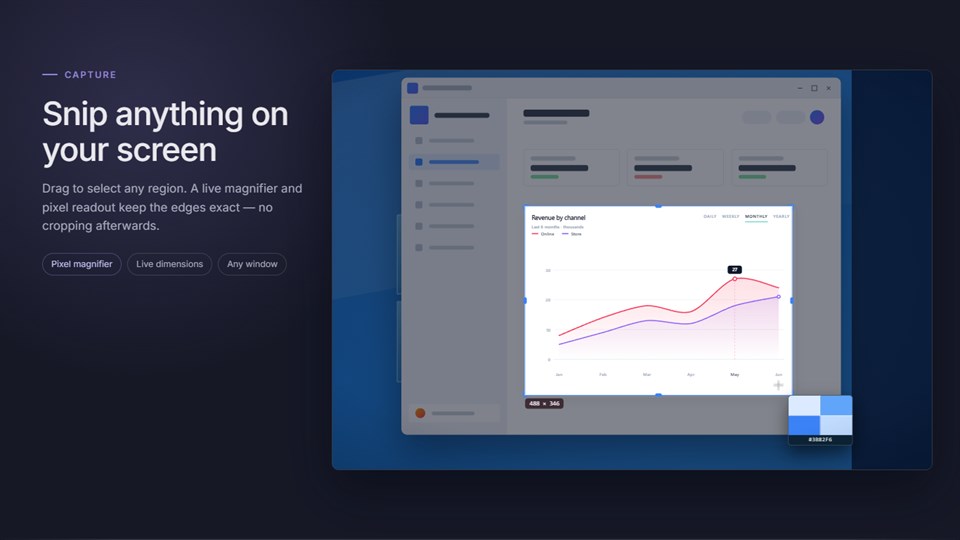
• Pixel-perfect region screen capturing & auto-window detection
• Floating desktop image pinning (always on top) & opacity controls
• Standard annotation tools (arrows, text, shapes, blur) & screen color picker
• Local capture history
SnipPilot AI Features & Limitations:
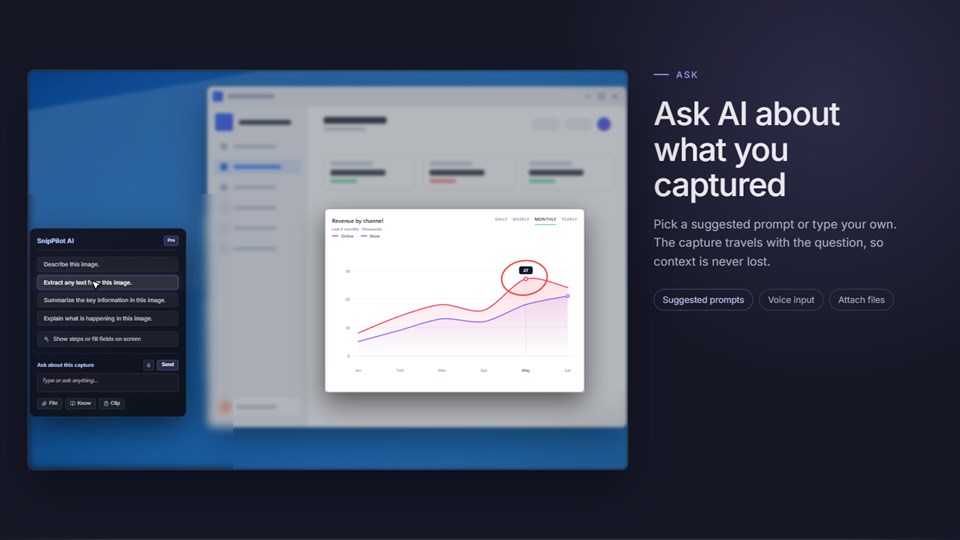
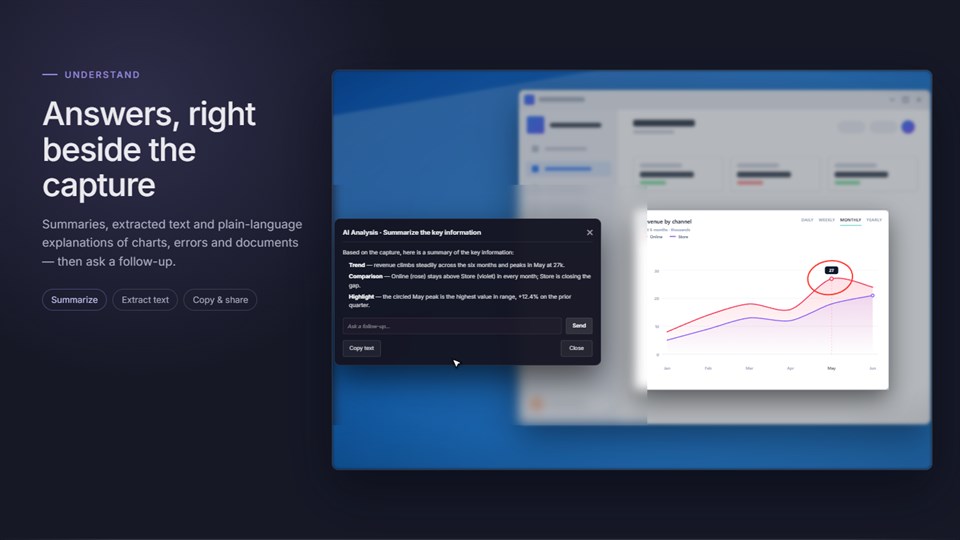
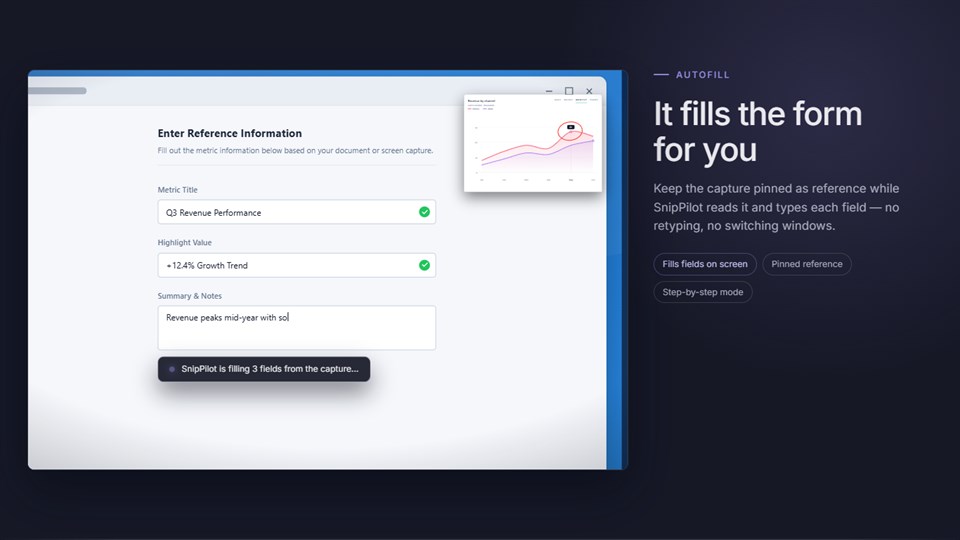
• AI-powered visual analysis, OCR text extraction, and desktop automation features include a limited trial allocation or require entering your own API key (BYOK - Bring Your Own Key for Gemini/Claude/OpenRouter).
• Unlimited AI query access and advanced features (such as Native MCP Server integration and Pro Stamping) require upgrading to Snippilot Pro.
==================================================
Key Features:
* Precise Snipping: Capture any screen region, UI window, or full screen with pixel accuracy.
* Desktop Pinning: Keep screenshots as floating, always-on-top pins.
* Integrated AI Services: Analyze screenshots with leading AI models (Google Gemini, Anthropic Claude, OpenRouter).
* Annotation Tools: Add arrows, boxes, text, step numbers, and blur effects.
* Color Picker: Retrieve Hex, RGB, and HSL values instantly.
개발자 소식
개발자이신가요?
페이지 맨 위에 소식을 올리면 팔로워에게 이메일로 전달됩니다. YouTube 동영상을 추가하면 “동영상” 블록 맨 앞에 표시됩니다.
목록 0
-
 Snippilot
포인트 0
-

- +1 포인트

순위 0
-
- 내 평점
개발자 1
- Modelting Software
- 팔로워: 0
- 플랫폼: Windows 앱 (1)
- 할인: 0
- 목록: 0 0
- 포인트: 0
- 순위: 0
- 댓글: 0
- 동영상: 1
- RSS: 구독
새로운 기능
- 버전: PC
- 마지막 업데이트:
- First release of Snippilot :
- Pixel-precise sniping with auto-detect window boundary recognition
- Always-on-top floating desktop pins
- Optional cloud AI integrations (Gemini, Claude, OpenRouter) for direct OCR and image analysis
- Built-in drawing and annotation tools (arrows, text, shapes, blur)
- Local capture history, color picker, and customizable global hotkeys
추가 정보
AppAgg 점수
900
AppAgg 예상 점수:
Snippilot
개발자: Modelting Software
900 실버
점수가 높을수록 대체로 AppAgg의 여러 지표에서 좋은 결과를 보인다는 뜻입니다.
기준: 인기 · 사용자 평점 · 최신성 · 할인 · 스토어 데이터 · 커뮤니티 활동
최신 AppAgg 데이터를 바탕으로 매일 다시 계산됩니다.
웹사이트용 배지:  복사됨!
댓글 0 ¡
가장 먼저 댓글을 남겨주세요
공유하기
Snippilot 단축 URL: 복사됨!- Windows Store


