
บุ๊กมาร์ก
| ผู้พัฒนา: | Modelting Software (1) | ||
| ราคา: | ฟรี | ||
| คะแนน: | 900 เงิน | ||
| การจัดอันดับ: | 0 | ||
| ความคิดเห็น: | 0 โพสต์ความคิดเห็น | ||
| รายการ: | 0 0 | ||
| แต้ม: | 0 | ||
| +1 แต้ม | |||
สรุป
มาทำความรู้จัก Snippilot แอปในหมวด “เครื่องมือสำหรับนักพัฒนา” จาก Modelting Software
ใช้ได้แม้แต่บน HoloLens (Windows ในโลกความเป็นจริงผสม)
มีเวอร์ชัน Windows Mobile ด้วยนะ สวัสดีจากอดีต
ฟรี ไม่มีโฆษณา ไม่มีการซื้อภายในแอป มีแค่คุณกับแอป
ออกเมื่อ ยังสดใหม่อยู่เลย
รองรับแม้แต่ Surface Hub เหมาะกับห้องประชุมใหญ่ ๆ
คะแนน AppAgg คือ 900 ระดับ “เงิน” ถือว่าไม่เลวเลย
จัดเรต “EVERYONE” เหมาะกับเด็ก ๆ ด้วย
รองรับแค่ภาษาเดียว และไม่ใช่ภาษาไทย
ยังไม่มีใครบน AppAgg ให้คะแนนเลย โอกาสเป็นคนแรกอยู่ตรงนี้แล้ว
เป็นแอปเดียวของผู้พัฒนารายนี้บน AppAgg อย่างน้อยก็ตอนนี้
อยากรู้เรื่องอัปเดตและแอปใหม่ก่อนใครไหม? ติดตาม ผู้พัฒนา หรือกดติดตาม ฟีด RSS ได้เลย การแจ้งเตือนแบบพุชส่งผ่านแอป AppAgg Alerts สำหรับ Android และ iOS
แพลตฟอร์มอื่น 0
ประวัติราคา 0
- ราคาปัจจุบัน: ฟรี
- ต่ำสุด: ฟรี
- สูงสุด: ฟรี
ฟีดของคุณเองบนหน้าแรก
ภาพหน้าจอ 4
วิดีโอ 1
คำอธิบาย

==================================================
FREE VERSION & AI FEATURE LIMITATIONS DISCLOSURE
==================================================
Snippilot (Free Edition) includes unlimited access to core desktop utilities:
• Pixel-perfect region screen capturing & auto-window detection
• Floating desktop image pinning (always on top) & opacity controls
• Standard annotation tools (arrows, text, shapes, blur) & screen color picker
• Local capture history
SnipPilot AI Features & Limitations:
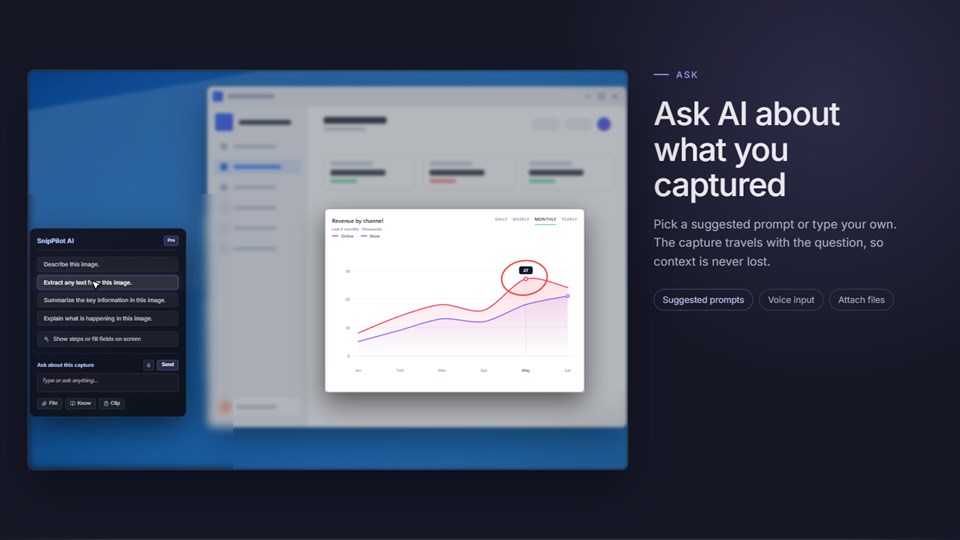
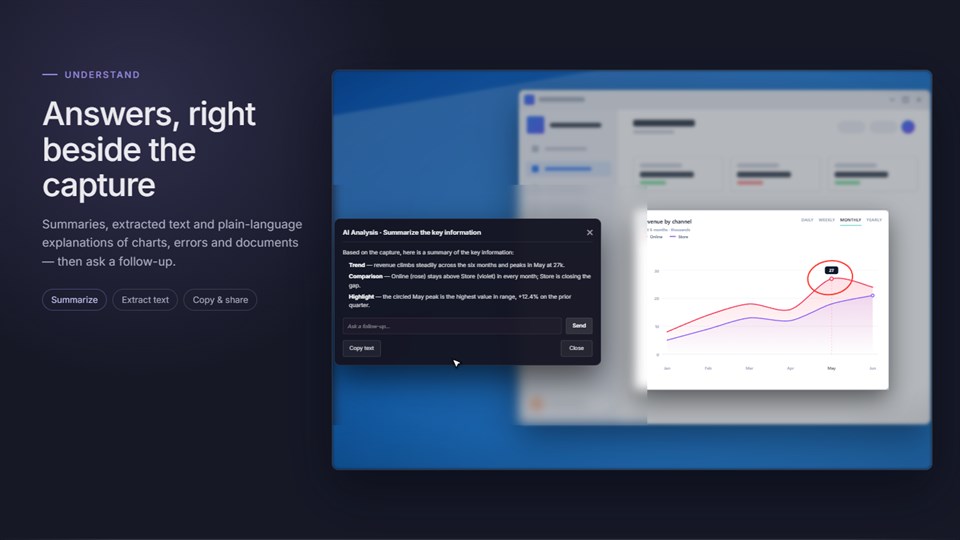
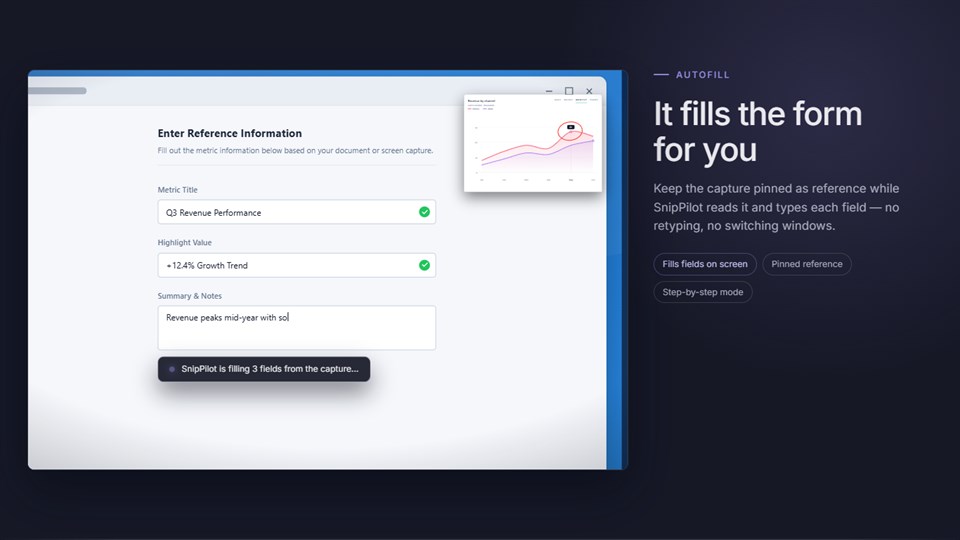
• AI-powered visual analysis, OCR text extraction, and desktop automation features include a limited trial allocation or require entering your own API key (BYOK - Bring Your Own Key for Gemini/Claude/OpenRouter).
• Unlimited AI query access and advanced features (such as Native MCP Server integration and Pro Stamping) require upgrading to Snippilot Pro.
==================================================
Key Features:
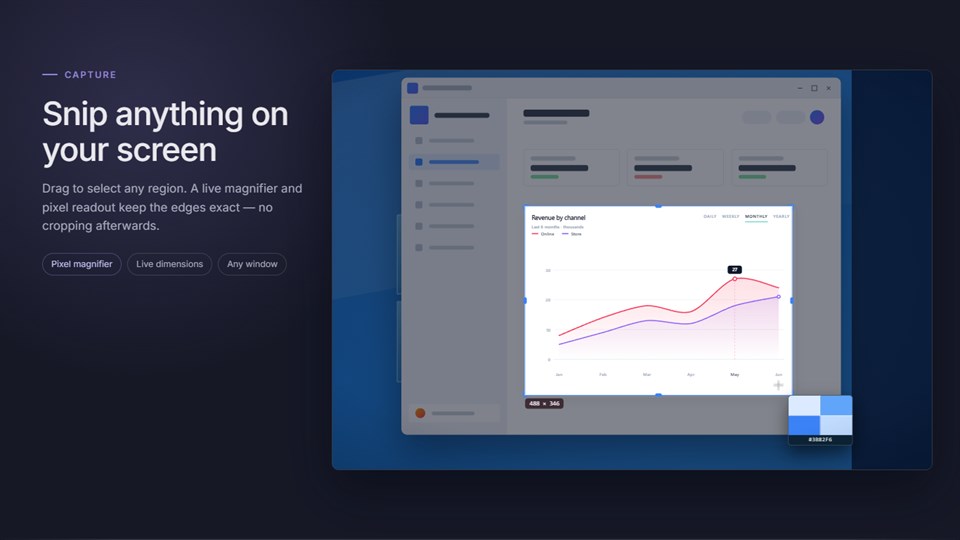
* Precise Snipping: Capture any screen region, UI window, or full screen with pixel accuracy.
* Desktop Pinning: Keep screenshots as floating, always-on-top pins.
* Integrated AI Services: Analyze screenshots with leading AI models (Google Gemini, Anthropic Claude, OpenRouter).
* Annotation Tools: Add arrows, boxes, text, step numbers, and blur effects.
* Color Picker: Retrieve Hex, RGB, and HSL values instantly.
จากนักพัฒนา
รายการ 0
-
 Snippilot
แต้ม 0
-

- +1 แต้ม

การจัดอันดับ 0
-
- คะแนนของคุณ
ผู้พัฒนา 1
- Modelting Software
- ผู้ติดตาม: 0
- แพลตฟอร์ม: Windows แอป (1)
- ลดราคา: 0
- รายการ: 0 0
- แต้ม: 0
- การจัดอันดับ: 0
- ความคิดเห็น: 0
- วิดีโอ: 1
- RSS: ติดตาม
มีอะไรใหม่
- เวอร์ชัน: PC
- อัปเดตล่าสุด:
- First release of Snippilot :
- Pixel-precise sniping with auto-detect window boundary recognition
- Always-on-top floating desktop pins
- Optional cloud AI integrations (Gemini, Claude, OpenRouter) for direct OCR and image analysis
- Built-in drawing and annotation tools (arrows, text, shapes, blur)
- Local capture history, color picker, and customizable global hotkeys
ข้อมูลเพิ่มเติม
- วันที่วางจำหน่าย:
- หมวดหมู่:
แอปสำหรับ Windows›เครื่องมือสำหรับนักพัฒนา - ระบบปฏิบัติการ:
HoloLensMobilePCSurface Hub - ขนาด:
84 Mb - ภาษาที่รองรับ:
เยอรมัน - การจัดประเภทเนื้อหา:
EVERYONE - Windows Store คะแนน: ¡
0
คะแนน AppAgg
คะแนน AppAgg โดยประมาณของ
Snippilot
ผู้พัฒนา: Modelting Software
คะแนนที่สูงขึ้นมักสะท้อนตัวชี้วัดที่ดีกว่าบน AppAgg
อิงจาก: ความนิยม · คะแนนจากผู้ใช้ · ความสดใหม่ · ดีล · ข้อมูลร้านค้า · กิจกรรมชุมชน
คำนวณใหม่ทุกวันจากข้อมูล AppAgg ล่าสุด
ความคิดเห็น 0 ¡
แชร์
Snippilot URL แบบสั้น: คัดลอกแล้ว!- Windows Store

