
Dấu trang
| Nhà phát triển: | flipall s.r.l. (3) | ||
| Giá: | Miễn phí | ||
| Điểm tổng hợp: | 930 Bạc | ||
| Bảng xếp hạng: | 0 | ||
| Bình luận: | 0 Đăng bình luận | ||
| Danh sách: | 0 0 | ||
| Điểm: | 0 | ||
| +1 Điểm | |||
Tóm tắt
SnipSSH là ứng dụng thuộc danh mục Công cụ cho nhà phát triển của flipall s.r.l..
Ra mắt , vẫn còn khá nóng hổi.
Cũng có trên Google Play. Chọn nơi nào hợp với bạn.
Miễn phí, không quảng cáo, không mua hàng trong ứng dụng. Chỉ có bạn và ứng dụng.
Microsoft Store có sẵn trong Windows, nên cài chỉ mất vài cú nhấp.
Điểm tổng hợp AppAgg là 930. Hạng Bạc, vậy là không tệ chút nào.
Xếp hạng độ tuổi “EVERYONE”, nên trẻ em cũng dùng được.
Biết 2 thứ tiếng, nhưng vẫn chưa có tiếng Việt.
Chưa ai trên AppAgg đánh giá. Cơ hội làm người đầu tiên là ngay bây giờ.
Nhà phát triển còn 2 ứng dụng khác trên AppAgg. Đáng xem đấy.
Muốn biết sớm nhất về cập nhật và ứng dụng mới? Hãy theo dõi nhà phát triển hoặc đăng ký nguồn RSS. Thông báo đẩy được gửi qua ứng dụng AppAgg Alerts cho Android và iOS.
Nền tảng khác 1
 | SnipSSHWindows Store930 BạcWindows | Miễn phí |
 | SnipSSHGoogle Play670 ĐồngAndroid | Miễn phí |
Lịch sử giá 0
- Giá hiện tại: Miễn phí
- Tối thiểu: Miễn phí
- Tối đa: Miễn phí
Bảng tin riêng của bạn trên trang chủ
Ảnh chụp màn hình 6
Mô tả
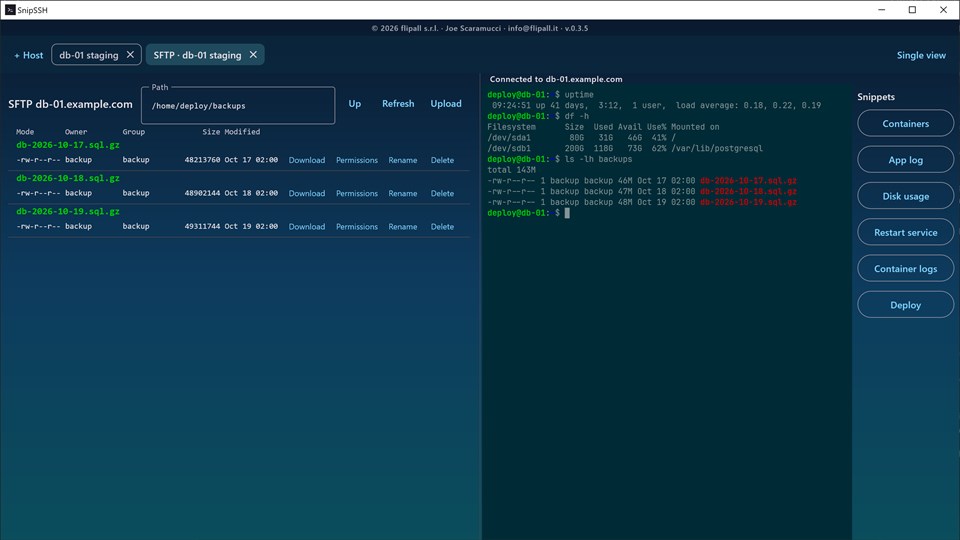
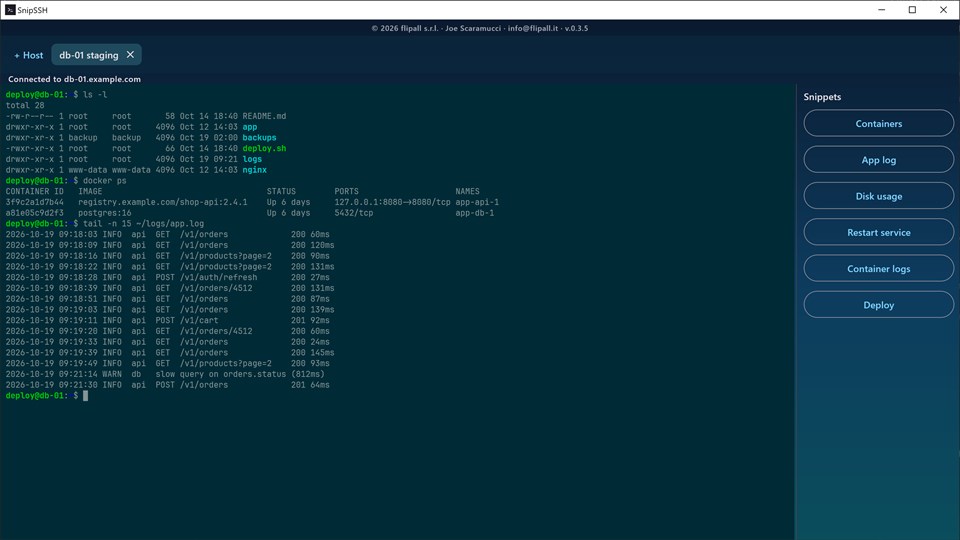
- SSH sessions with ANSI terminal emulation (colours, cursor, scrollback).
- Full keyboard support: arrows, F1–F12, Ctrl+letter, AltGr.
- Copy with Ctrl+Shift+C (or Ctrl+C with a selection), paste with Ctrl+Shift+V or Shift+Insert; mouse selection and wheel scrolling.
- Per-host command history: as you type, previously used commands that start the same way appear, most used first.
- Host key verification on first connection, with a warning if the server key changes.
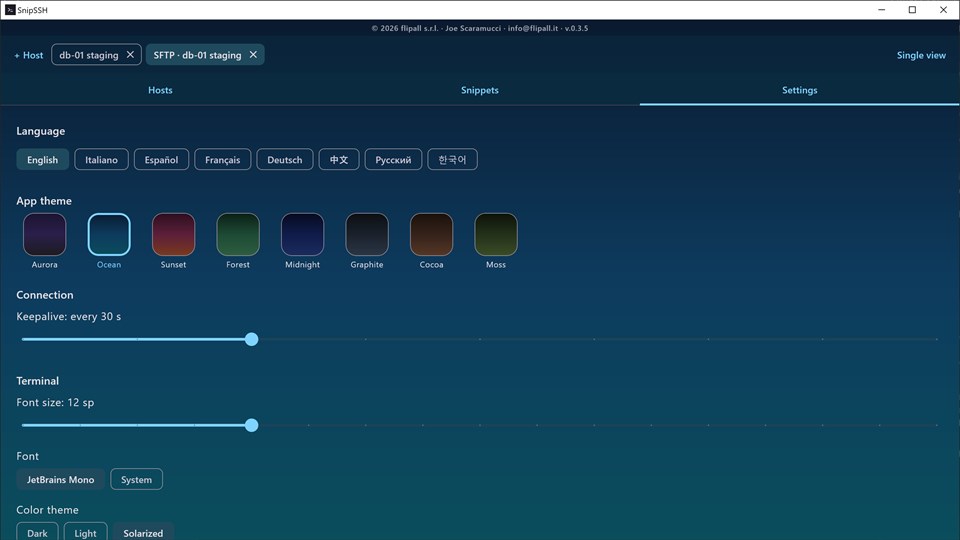
- Font size, system font or JetBrains Mono, colour theme Dark, Light or Solarized. Ctrl+wheel to zoom.
Tabs and split view
- Shells and SFTP sessions open in tabs.
- Split view shows up to 4 tabs side by side, for example an SSH shell next to an SFTP browser, with resizable panes.
Snippets
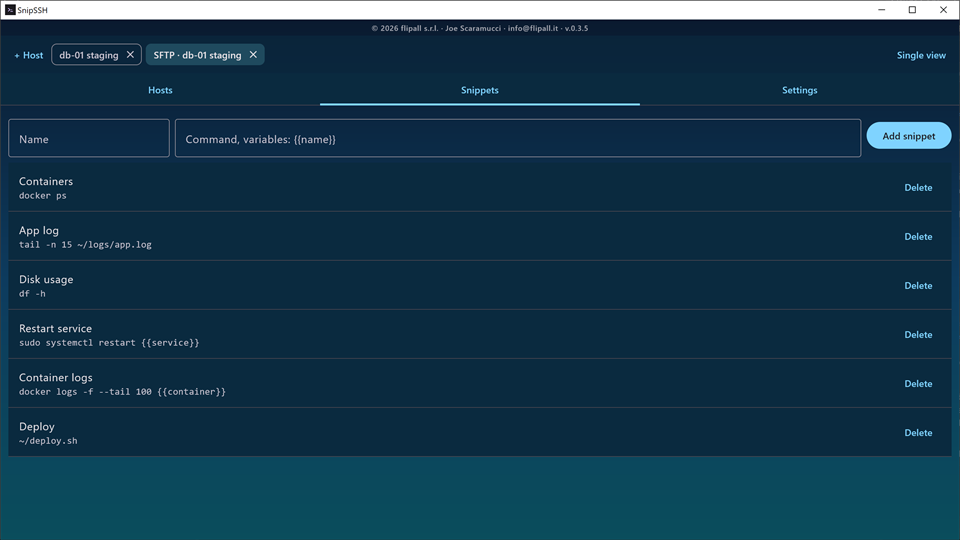
- Save the commands you use most, with a name and variables such as {{service}}.
- Run a snippet on the server with one click and a confirmation.
Hosts
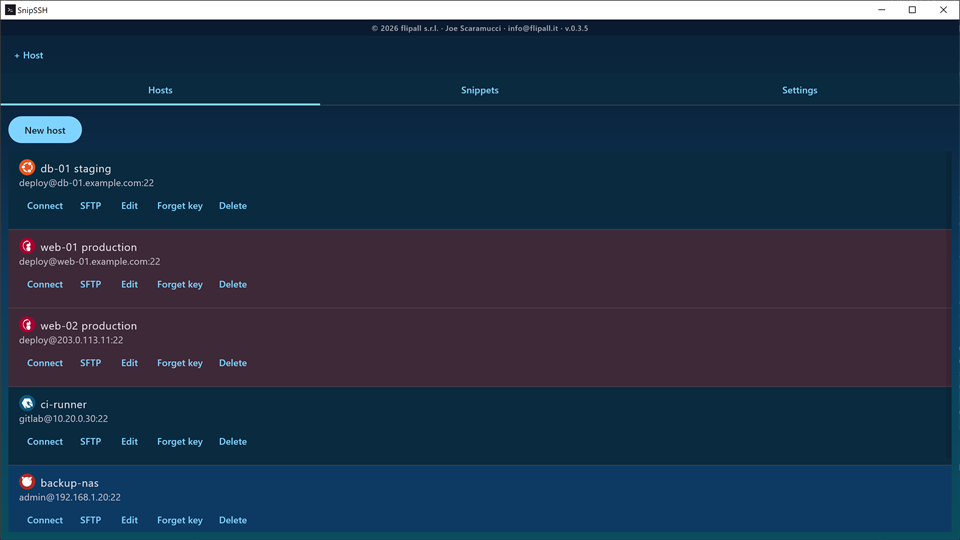
- Password or private key (OpenSSH or PEM; RSA, ECDSA, Ed25519), with an optional passphrase.
- Distribution logo and a colour for each host in the list.
SFTP
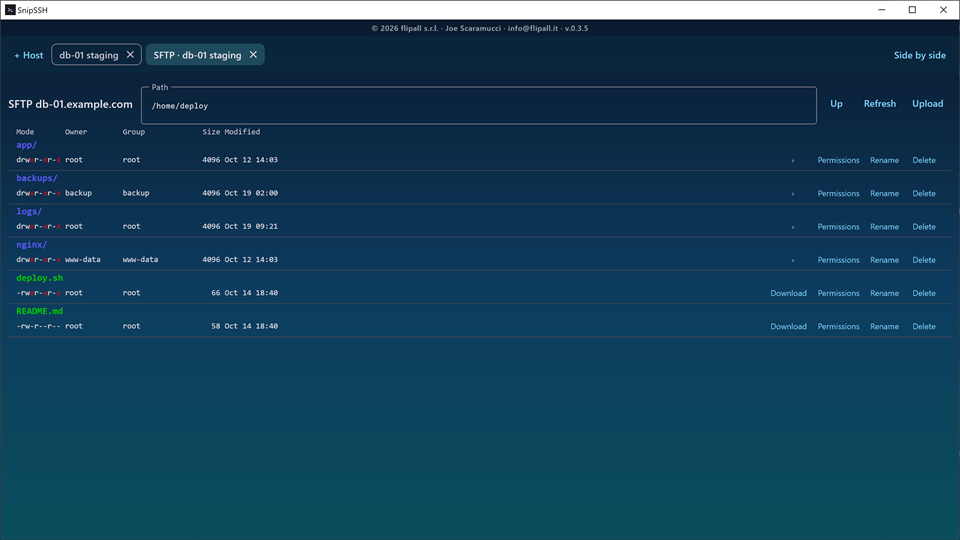
- ls -l style listing with permissions, owner, size and date.
- Double-click to open folders, upload several files at once, download with Save as, change permissions, delete files and empty folders.
Privacy and security
- Hosts, snippets and keys are stored only on this PC, encrypted with AES-256-GCM; the key is protected by Windows DPAPI.
- Encrypted backup protected by a password you choose, compatible with the Android app.
- No account, no ads, no analytics, no middle server: the connection goes from your PC directly to your server.
Languages: English, Italian, Spanish, French, German, Simplified Chinese, Russian and Korean.
Known limits: full-screen terminal programs such as vim or htop are not supported yet.
Từ nhà phát triển
Danh sách 0
-
 SnipSSH
Điểm 0
-

- +1 Điểm

Bảng xếp hạng 0
-
- Điểm bạn chấm
Nhà phát triển 3
- flipall s.r.l.
- Người theo dõi: 0
- Nền tảng: Android Ứng dụng (2) Windows Ứng dụng (1)
- Giảm giá: 0
- Danh sách: 0 0
- Điểm: 0
- Bảng xếp hạng: 0
- Bình luận: 0
- Video: 1
- RSS: Đăng ký
Tính năng mới
- Phiên bản: PC
- Cập nhật lần cuối:
- SnipSSH is an SSH terminal and an SFTP file manager in one app, with command snippets, no subscription and no account. It is made for people who work on servers every day. The same app is available for Android, and backups move between the two.
It is made for people who work on servers every day. The same app is available for Android, and backups move between the two.
Thông tin bổ sung
- Ngày phát hành:
- Danh mục:
Ứng dụng cho Windows›Công cụ cho nhà phát triển - HĐH:
PC - Kích thước:
100 Mb - Ngôn ngữ được hỗ trợ:
Tiếng Anh,Tiếng Italy - Xếp hạng nội dung:
EVERYONE - Windows Store Điểm đánh giá: ¡
0 - Trang web:
 https://flipall.it/
Điểm tổng hợp AppAgg
Điểm tổng hợp AppAgg ước tính cho
SnipSSH
Nhà phát triển: flipall s.r.l.
Điểm cao hơn thường cho thấy các chỉ số trên AppAgg tốt hơn.
Dựa trên: độ phổ biến · đánh giá của người dùng · độ mới · ưu đãi · dữ liệu cửa hàng · hoạt động cộng đồng
Được tính lại hằng ngày từ dữ liệu AppAgg mới nhất.
Bình luận 0 ¡
Chia sẻ
SnipSSH URL ngắn: Đã sao chép!- Windows Store

