
الإشارات المرجعية
| المطوّر: | f1resh (1) | ||
| السعر: | مجاني | ||
| الدرجة: | 760 فضة | ||
| الترتيب: | 0 | ||
| تعليقات: | 0 انشر تعليقًا | ||
| قوائم: | 0 0 | ||
| النقاط: | 0 | ||
| +1 نقطة | |||
ملخص
تعرّف على SSHTermaq، تطبيق من f1resh ضمن فئة «أدوات المطور».
صدر ، وما زال حديثًا نسبيًا.
بلا مقابل، لا إعلانات ولا مشتريات داخلية. فقط أنت والتطبيق.
متجر Microsoft مدمج في Windows، فالتثبيت يتم بنقرتين.
درجة AppAgg هي 760. فضة، وهذا ليس سيئًا أبدًا.
5 ميغابايت فقط، حجم يناسب حتى القرص الممتلئ.
التصنيف العمري «EVERYONE»، أي أنه مناسب للأطفال أيضًا.
يتحدث لغة واحدة فقط، وليست العربية.
هل استخدمته؟ سيكون تعليقك الأول هنا.
إنه التطبيق الوحيد لهذا المطوّر على AppAgg. حتى الآن.
تريد أن تعرف بالتحديثات والتطبيقات الجديدة أولًا؟ تابع المطور أو اشترك في موجز RSS. تصلك الإشعارات عبر تطبيق AppAgg Alerts لنظامي Android وiOS.
منصات أخرى 0
سجل الأسعار 0
- السعر الحالي: مجاني
- الحد الأدنى: مجاني
- الحد الأقصى: مجاني
خلاصتك الخاصة في الصفحة الرئيسية
لقطات الشاشة 6
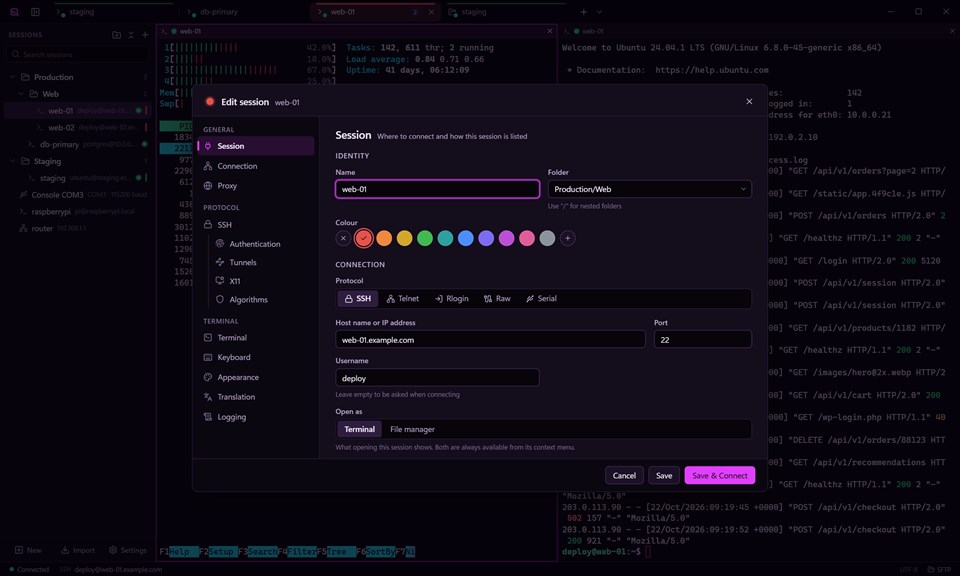
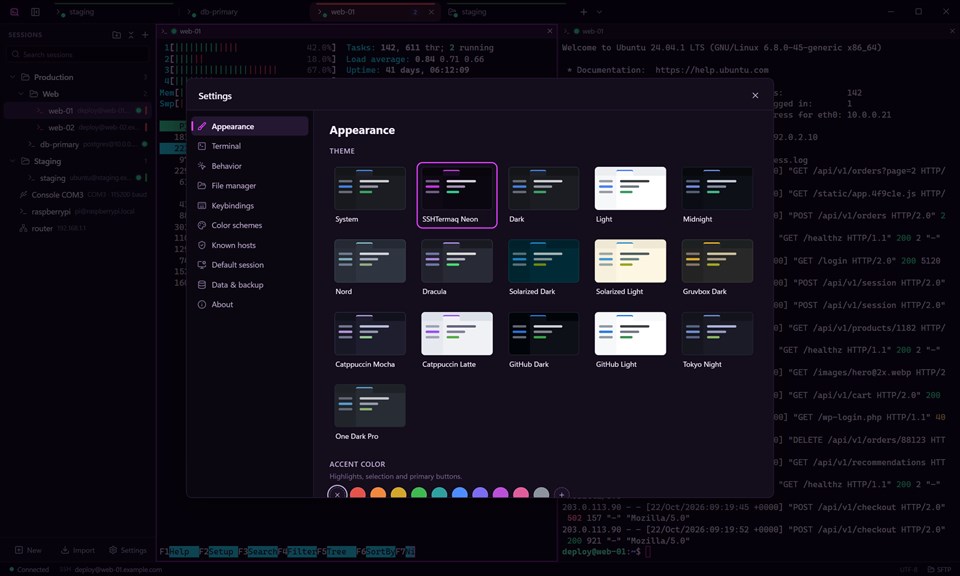
الوصف

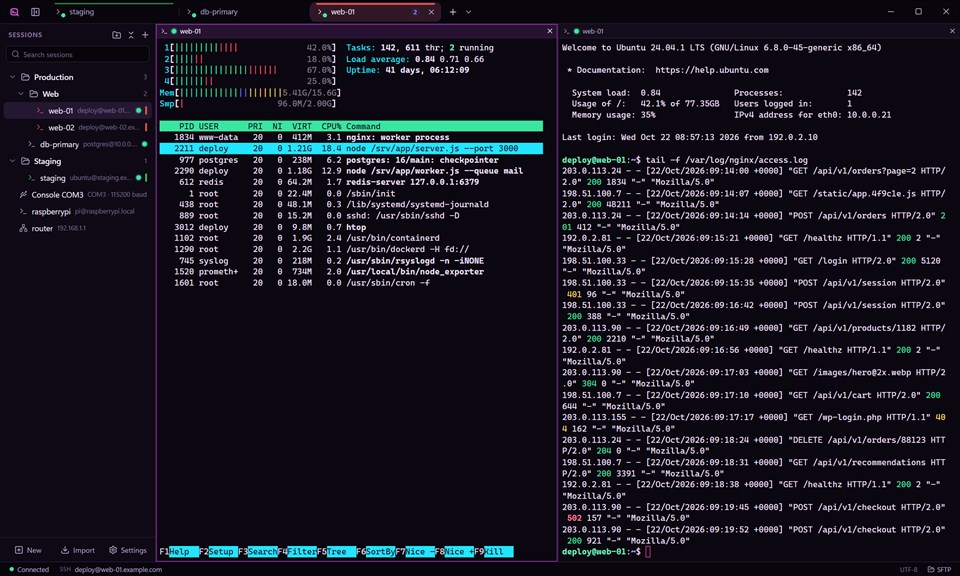
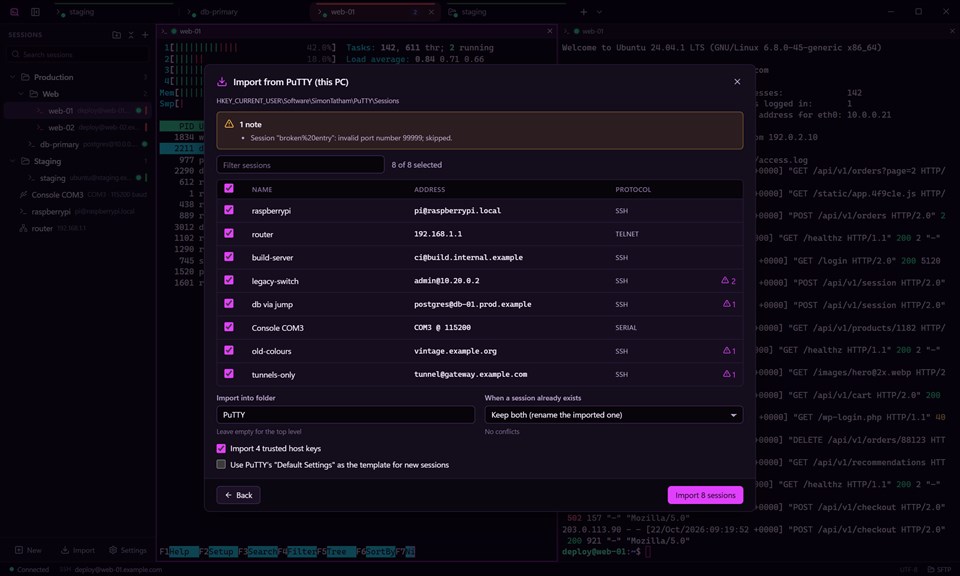
EVERYTHING PUTTY DOES • PuTTY-style settings for every session, PuTTY keyboard modes and PuTTY's command-line options • PuTTY .ppk keys (v2 and v3), OpenSSH and PEM keys, Pageant and the Windows OpenSSH agent • One-click import of your PuTTY sessions, default settings and trusted host keys, from the registry or a .reg file, and of the hosts in ~/.ssh/config
A MODERN WORKSPACE • Tabs and split panes, with input broadcast to all panes • Sessions in folders with colours, notes and search • Command palette, quick connect and configurable shortcuts • Your tabs and splits come back at the next start • 15 app themes, 30 terminal colour schemes and a scheme editor
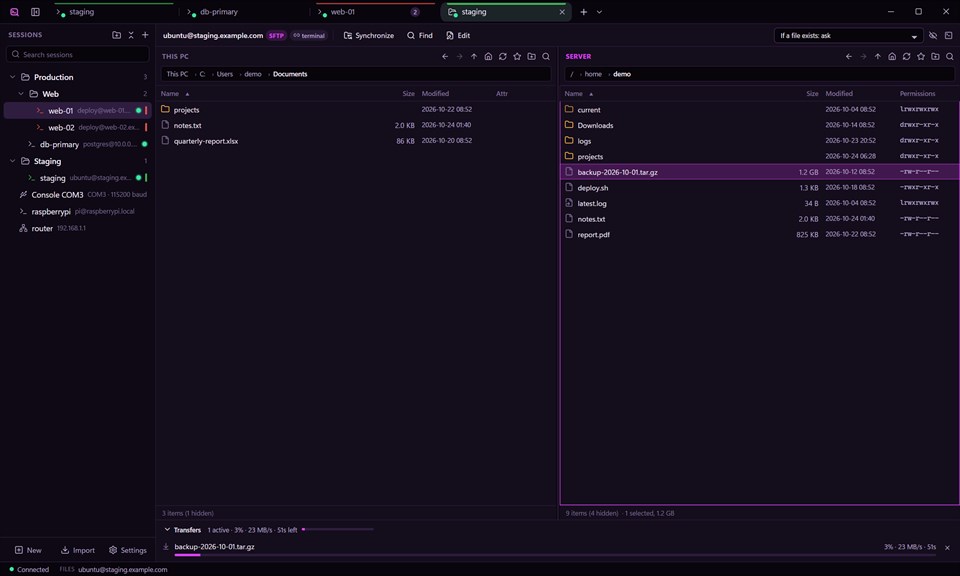
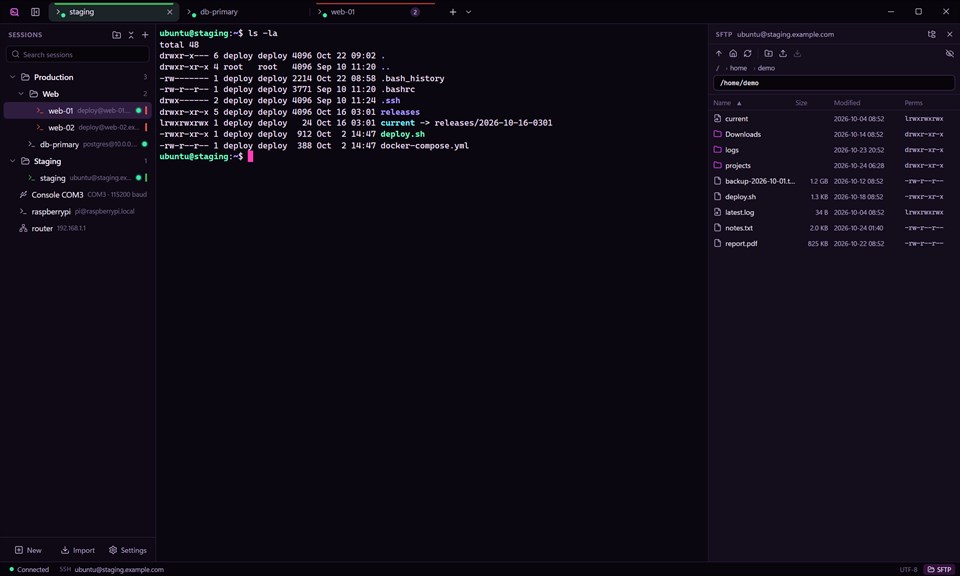
A FILE MANAGER BUILT IN • Local terminals: PowerShell, Command Prompt, Git Bash and WSL in the same tabs and split panes as your servers • An SFTP panel beside any SSH terminal, on the terminal's own connection: no second login • A two-pane file manager: this PC on the left, the server on the right, the transfer queue below • Drag and drop from Explorer, resume of interrupted transfers, overwrite and rename questions • Edit a server file in your own editor; it is uploaded on every save • Folder sync with a preview, file search on the server, bookmarks and permissions • Falls back to SCP on routers and other servers without SFTP
TUNNELS, PROXIES AND MORE • Local, remote and dynamic (SOCKS) port forwarding, agent forwarding and X11 forwarding • Jump hosts, and SOCKS, HTTP and Telnet proxies • Telnet, Rlogin, Raw TCP and serial ports (COM ports with all line settings) • Session logging, PuTTY-compatible character sets, 2FA (keyboard-interactive) logins • Saved passwords are encrypted for your Windows account (DPAPI) • ssh://, sftp://, scp:// and telnet:// links open in SSHTermaq
Requires the Microsoft Edge WebView2 Runtime, which Windows 11 includes. On Windows 10 without it, SSHTermaq offers its download page.
SSHTermaq is free and open source (MIT licence). It is not affiliated with the PuTTY project.
من المطوّر
قوائم 0
-
 SSHTermaq
النقاط 0
-

- +1 نقطة

الترتيب 0
-
- تقييمك
المطوّر 1
- f1resh
- المتابعون: 0
- المنصات: Windows تطبيقات (1)
- العروض: 0
- قوائم: 0 0
- النقاط: 0
- الترتيب: 0
- تعليقات: 0
- الفيديوهات: 0
- RSS: اشتراك
ما الجديد
- الإصدار: PC
- آخر تحديث:
- New in 1.1.0
• Local terminals: Command Prompt, Windows PowerShell, PowerShell 7, Git Bash, Cygwin, MSYS2 and WSL in the same tabs and split panes as your servers. Open one with Ctrl+Shift+` or the + menu, from quick connect (local:bash) or with SSHTermaq.exe -local. Pick the default shell in Settings, or save a shell as a session with its own start folder.
• Upload or download a file or folder under a new name, as a copy or as a move.
• Rename a tab with Ctrl+Shift+R, and give the panes of a split tab their own names by double-clicking a pane's title. Names come back after a restart (you can turn that off in Settings).
• Clearer error reports: a problem in the window shows an error page instead of an empty window, and the app log records connections and errors for bug reports.
• "Leave out .DS_Store and ._ files" is now off by default on new Windows installations.
• Tabs keep their width instead of shrinking to the length of their title.
• The Mica and Acrylic window backgrounds are switched off for now: with them, the window buttons appeared twice. They will return in a later version.
Known issue: downloading a folder with thousands of small files from a distant server is slow, because the files are copied one at a time. A later version will copy several at once.
معلومات إضافية
- تاريخ الإصدار:
- الفئة:
تطبيقات Windows›أدوات المطور - نظام التشغيل:
PC - الحجم:
5 Mb - اللغات المدعومة:
الإنجليزية - تقييم المحتوى:
EVERYONE - Windows Store تقييم: ¡
0 - الموقع الإلكتروني:
 https://f1resh.github.io/sshtermaq/
درجة AppAgg
درجة AppAgg التقديرية لـ
SSHTermaq
المطوّر: f1resh
تشير الدرجة الأعلى عادةً إلى أداء أفضل في مؤشرات AppAgg.
استنادًا إلى: الشعبية · تقييمات المستخدمين · الحداثة · العروض · بيانات المتاجر · نشاط المجتمع
يُعاد حسابها يوميًا بناءً على أحدث بيانات AppAgg.
تعليقات 0 ¡
مشاركة
SSHTermaq عنوان URL مختصر: تم النسخ!- Windows Store

