
Yer imleri
| Geliştirici: | f1resh (1) | ||
| Fiyat: | Ücretsiz | ||
| Skor: | 760 Gümüş | ||
| Sıralamalar: | 0 | ||
| Yorumlar: | 0 Yorum gönder | ||
| Listeler: | 0 0 | ||
| Puanlar: | 0 | ||
| +1 Puan | |||
Özet
Karşında SSHTermaq, f1resh imzalı, Geliştirici araçları kategorisinde bir uygulama.
çıktı, hâlâ epey taze.
Ücretsiz, reklam yok, uygulama içi satın alma yok. Sadece sen ve uygulama.
Microsoft Store, Windows’a yerleşik. Birkaç tıkla kuruluyor.
AppAgg skoru 760. Gümüş, hiç de fena değil.
Sadece 5 megabayt, dolu bir diske bile sığar.
Yaş sınırı “EVERYONE”, yani çocuklar için de uygun.
Tek bir dil konuşuyor, o da Türkçe değil.
Kullandın mı? Buradaki ilk değerlendirme senden gelebilir.
Bu, geliştiricinin AppAgg’deki tek uygulaması. Şimdilik.
Güncellemeleri ve yeni uygulamaları ilk sen mi duymak istiyorsun? Hemen geliştiriciyi takip et ya da RSS akışı ile haberdar ol. Push bildirimleri Android ve iOS için AppAgg Alerts uygulamasıyla gelir.
Diğer platformlar 0
Fiyat Geçmişi 0
- Güncel fiyat: Ücretsiz
- En az: Ücretsiz
- En fazla: Ücretsiz
Ana sayfada kendi akışınız
Ekran görüntüleri 6
Açıklama

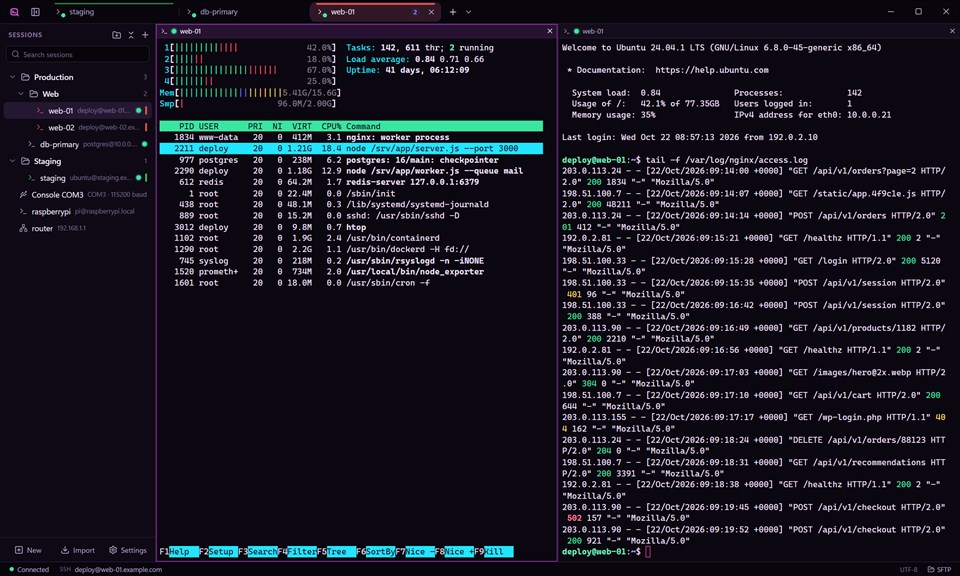
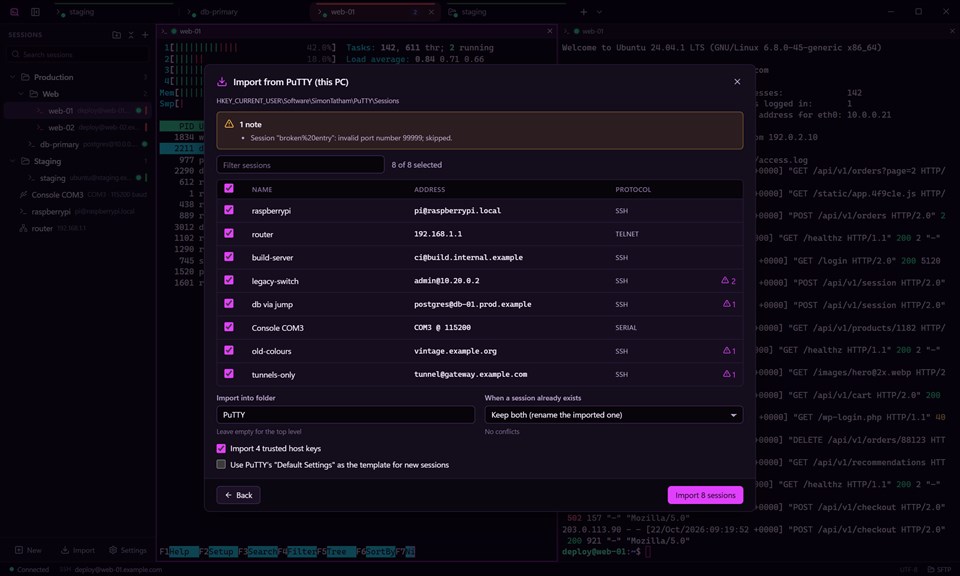
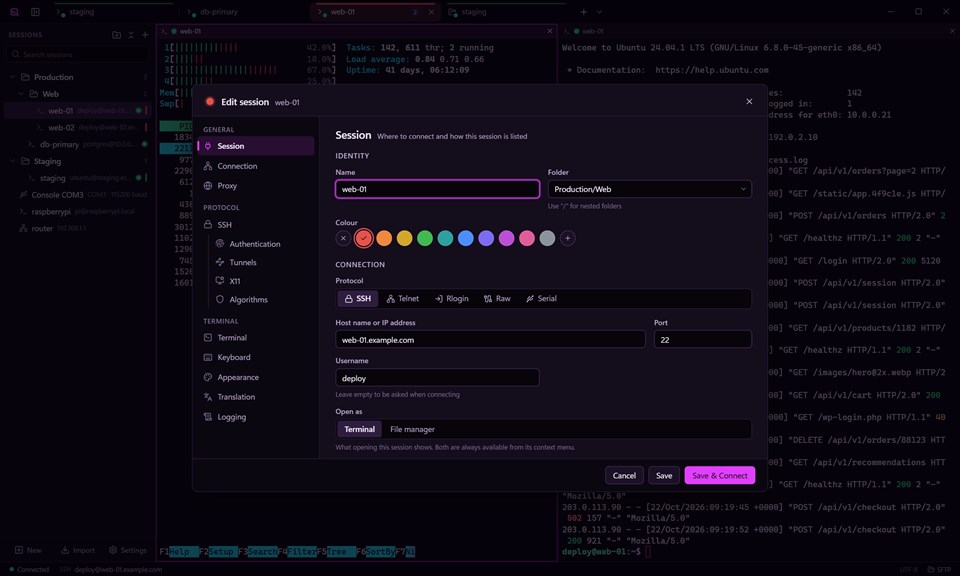
EVERYTHING PUTTY DOES • PuTTY-style settings for every session, PuTTY keyboard modes and PuTTY's command-line options • PuTTY .ppk keys (v2 and v3), OpenSSH and PEM keys, Pageant and the Windows OpenSSH agent • One-click import of your PuTTY sessions, default settings and trusted host keys, from the registry or a .reg file, and of the hosts in ~/.ssh/config
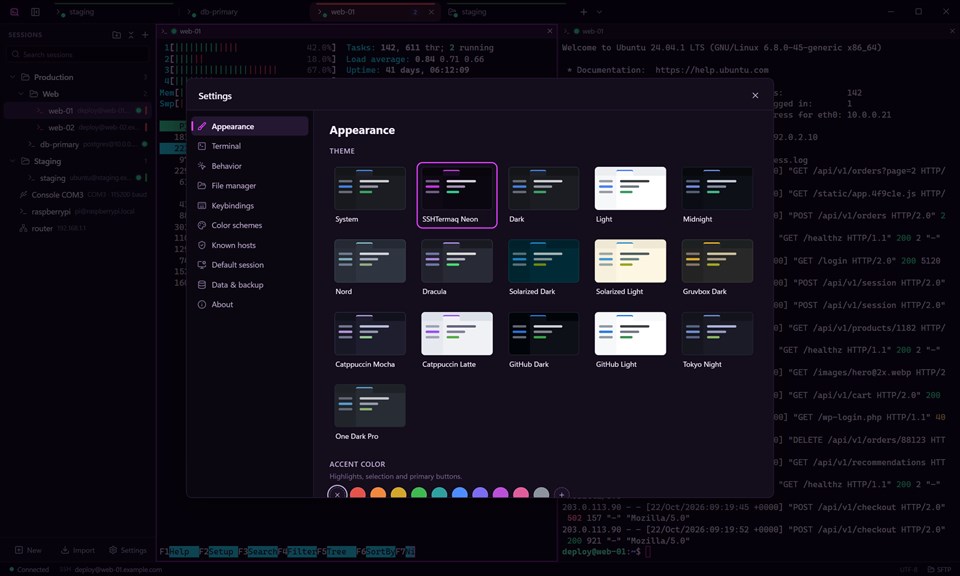
A MODERN WORKSPACE • Tabs and split panes, with input broadcast to all panes • Sessions in folders with colours, notes and search • Command palette, quick connect and configurable shortcuts • Your tabs and splits come back at the next start • 15 app themes, 30 terminal colour schemes and a scheme editor
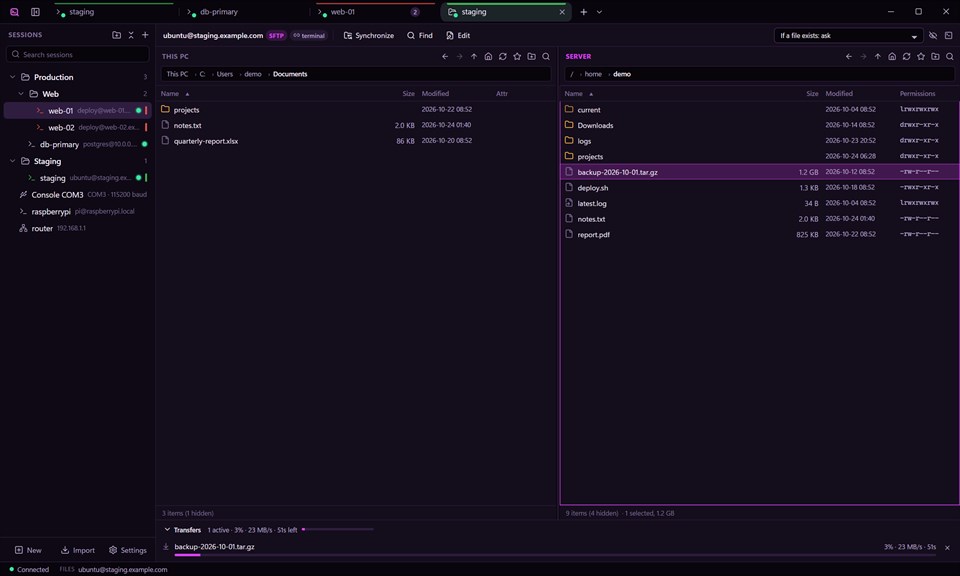
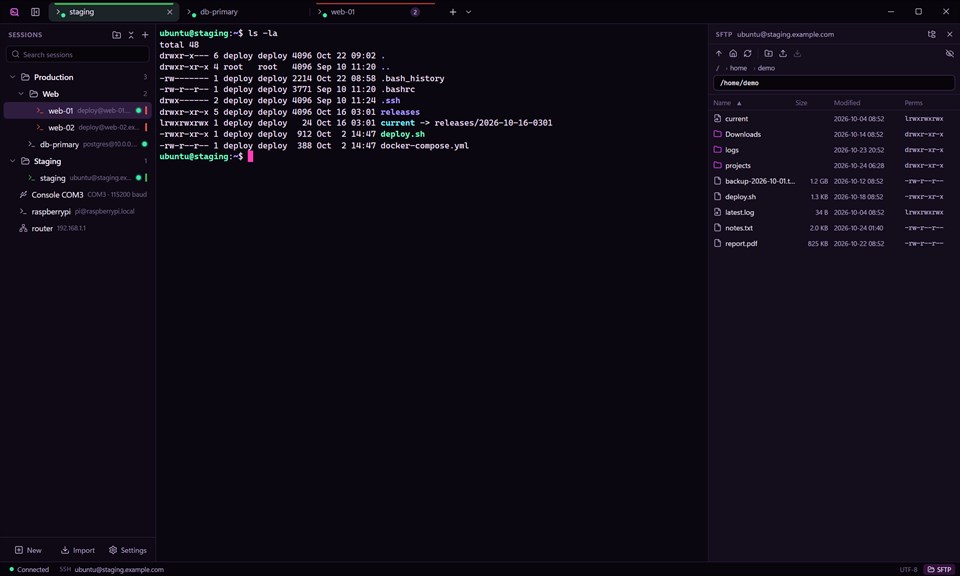
A FILE MANAGER BUILT IN • Local terminals: PowerShell, Command Prompt, Git Bash and WSL in the same tabs and split panes as your servers • An SFTP panel beside any SSH terminal, on the terminal's own connection: no second login • A two-pane file manager: this PC on the left, the server on the right, the transfer queue below • Drag and drop from Explorer, resume of interrupted transfers, overwrite and rename questions • Edit a server file in your own editor; it is uploaded on every save • Folder sync with a preview, file search on the server, bookmarks and permissions • Falls back to SCP on routers and other servers without SFTP
TUNNELS, PROXIES AND MORE • Local, remote and dynamic (SOCKS) port forwarding, agent forwarding and X11 forwarding • Jump hosts, and SOCKS, HTTP and Telnet proxies • Telnet, Rlogin, Raw TCP and serial ports (COM ports with all line settings) • Session logging, PuTTY-compatible character sets, 2FA (keyboard-interactive) logins • Saved passwords are encrypted for your Windows account (DPAPI) • ssh://, sftp://, scp:// and telnet:// links open in SSHTermaq
Requires the Microsoft Edge WebView2 Runtime, which Windows 11 includes. On Windows 10 without it, SSHTermaq offers its download page.
SSHTermaq is free and open source (MIT licence). It is not affiliated with the PuTTY project.
Geliştiriciden
Listeler 0
-
 SSHTermaq
Puanlar 0
-

- +1 Puan

Sıralamalar 0
-
- Puanınız
Geliştirici 1
- f1resh
- Takipçiler: 0
- Platformlar: Windows Uygulamalar (1)
- İndirimler: 0
- Listeler: 0 0
- Puanlar: 0
- Sıralamalar: 0
- Yorumlar: 0
- Video: 0
- RSS: Abone ol
Yenilikler
- Sürüm: PC
- Son güncelleme:
- New in 1.1.0
• Local terminals: Command Prompt, Windows PowerShell, PowerShell 7, Git Bash, Cygwin, MSYS2 and WSL in the same tabs and split panes as your servers. Open one with Ctrl+Shift+` or the + menu, from quick connect (local:bash) or with SSHTermaq.exe -local. Pick the default shell in Settings, or save a shell as a session with its own start folder.
• Upload or download a file or folder under a new name, as a copy or as a move.
• Rename a tab with Ctrl+Shift+R, and give the panes of a split tab their own names by double-clicking a pane's title. Names come back after a restart (you can turn that off in Settings).
• Clearer error reports: a problem in the window shows an error page instead of an empty window, and the app log records connections and errors for bug reports.
• "Leave out .DS_Store and ._ files" is now off by default on new Windows installations.
• Tabs keep their width instead of shrinking to the length of their title.
• The Mica and Acrylic window backgrounds are switched off for now: with them, the window buttons appeared twice. They will return in a later version.
Known issue: downloading a folder with thousands of small files from a distant server is slow, because the files are copied one at a time. A later version will copy several at once.
Ek Bilgi
- Çıkış tarihi:
- Kategori:
Windows uygulamaları›Geliştirici araçları - İşletim Sistemleri:
PC - Boyut:
5 Mb - Desteklenen diller:
İngilizce - İçerik Derecelendirmesi:
EVERYONE - Windows Store Puan: ¡
0 - Web sitesi:
 https://f1resh.github.io/sshtermaq/
AppAgg Skoru
Tahmini AppAgg skoru:
SSHTermaq
Geliştirici: f1resh
Daha yüksek skorlar genellikle AppAgg’deki göstergelerin daha güçlü olduğunu belirtir.
Şunlara göre: popülerlik · kullanıcı puanları · güncellik · fırsatlar · mağaza verileri · topluluk etkinliği
Güncel AppAgg verileriyle her gün yeniden hesaplanır.
Yorumlar 0 ¡
Paylaş
SSHTermaq Kısa URL: Kopyalandı!- Windows Store

