
บุ๊กมาร์ก
| ผู้พัฒนา: | xKineticK (1) | ||
| ราคา: | * ฟรี ใหม่ | ||
| คะแนน: | 680 เงิน | ||
| การจัดอันดับ: | 0 | ||
| ความคิดเห็น: | 0 โพสต์ความคิดเห็น | ||
| รายการ: | 0 0 | ||
| แต้ม: | 0 | ||
| +1 แต้ม | |||
สรุป
มาทำความรู้จัก SynapTerm แอปในหมวด “เครื่องมือสำหรับนักพัฒนา” จาก xKineticK
มาใหม่ ออกเมื่อ คุณได้เป็นหนึ่งในคนกลุ่มแรก
ดาวน์โหลดฟรี หลังจากนั้นแล้วแต่คุณ เพราะมีการซื้อภายในแอป
Microsoft Store มีมาในตัว Windows อยู่แล้ว ติดตั้งได้ในไม่กี่คลิก
คะแนน AppAgg คือ 680 ระดับ “เงิน” ถือว่าไม่เลวเลย
แค่ 19 เมกะไบต์ ต่อให้ไดรฟ์เต็มก็ยังลงได้
จัดเรต “EVERYONE” เหมาะกับเด็ก ๆ ด้วย
รองรับ 4 ภาษา แต่ยังไม่มีภาษาไทย
ยังไม่มีใครบน AppAgg ให้คะแนนเลย โอกาสเป็นคนแรกอยู่ตรงนี้แล้ว
เป็นแอปเดียวของผู้พัฒนารายนี้บน AppAgg อย่างน้อยก็ตอนนี้
อยากรู้เรื่องอัปเดตและแอปใหม่ก่อนใครไหม? ติดตาม ผู้พัฒนา หรือกดติดตาม ฟีด RSS ได้เลย การแจ้งเตือนแบบพุชส่งผ่านแอป AppAgg Alerts สำหรับ Android และ iOS
แพลตฟอร์มอื่น 0
ประวัติราคา 0
- ราคาปัจจุบัน: ฟรี
- ต่ำสุด: ฟรี
- สูงสุด: ฟรี
ฟีดของคุณเองบนหน้าแรก
ภาพหน้าจอ 5
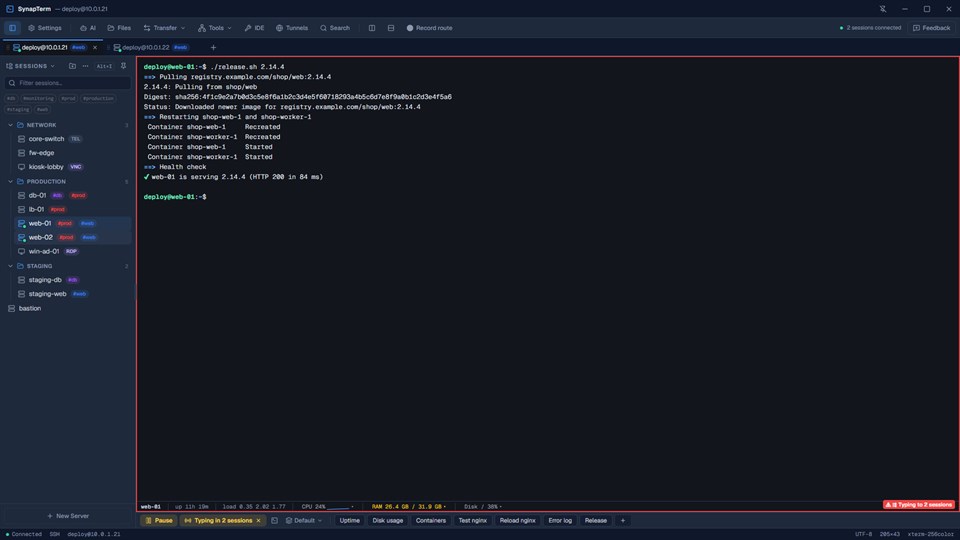
คำอธิบาย

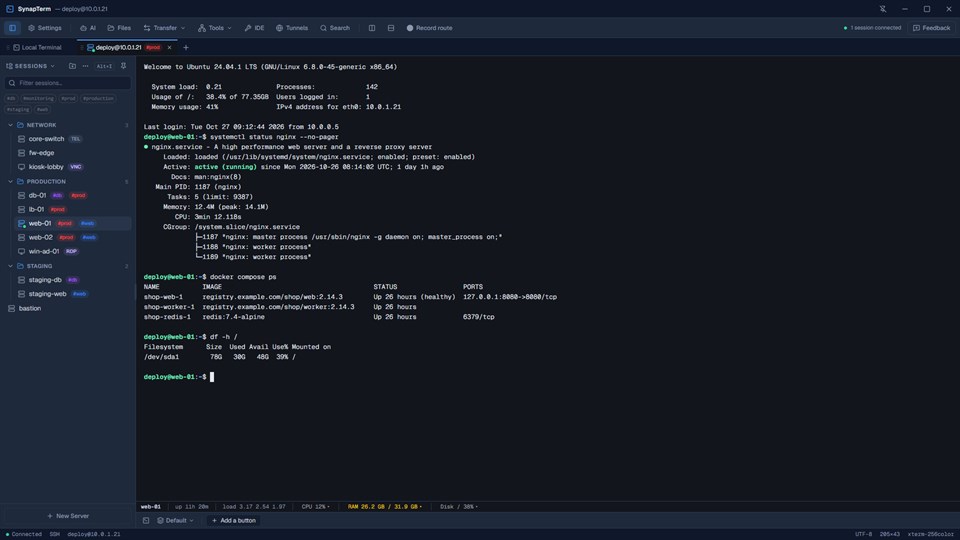
SynapTerm is a desktop terminal and session manager for sysadmins, DevOps and network engineers: SSH with file transfer and tunnels, Telnet, serial consoles and remote desktops, with an AI assistant that only does what you allow.
SSH that remembers: servers in folders and tags, saved credentials in the Windows credential store, jump hosts and access routes, and known hosts you can review.
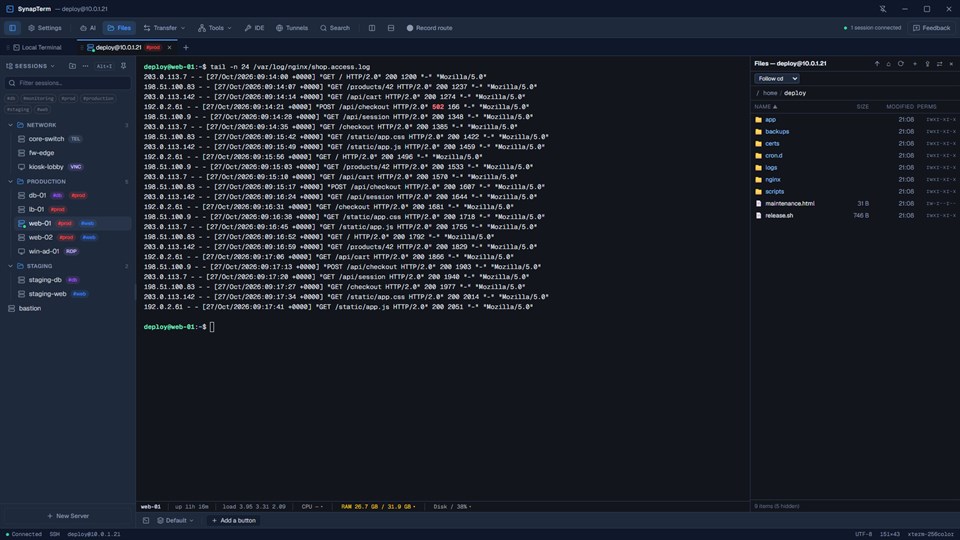
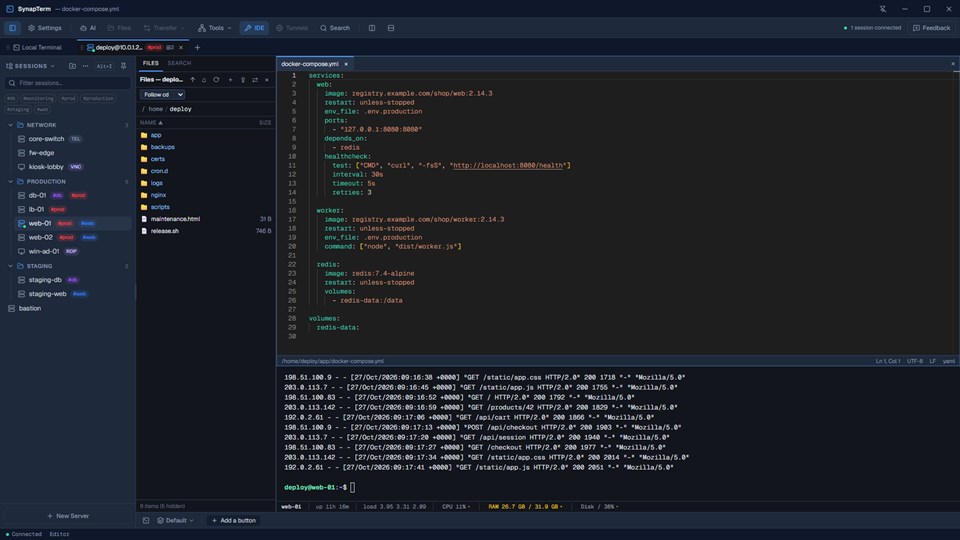
Files and tunnels: an SFTP panel next to the terminal, sync, remote files edited in your own editor or in IDE mode, and port forwarding you can see.
Remote desktops: RDP and VNC in tabs, with the clipboard and the keys that matter (Alt+Tab, Ctrl+Alt+Del) going to the remote machine.
Serial and Telnet: console cables and old network gear in the same place as everything else.
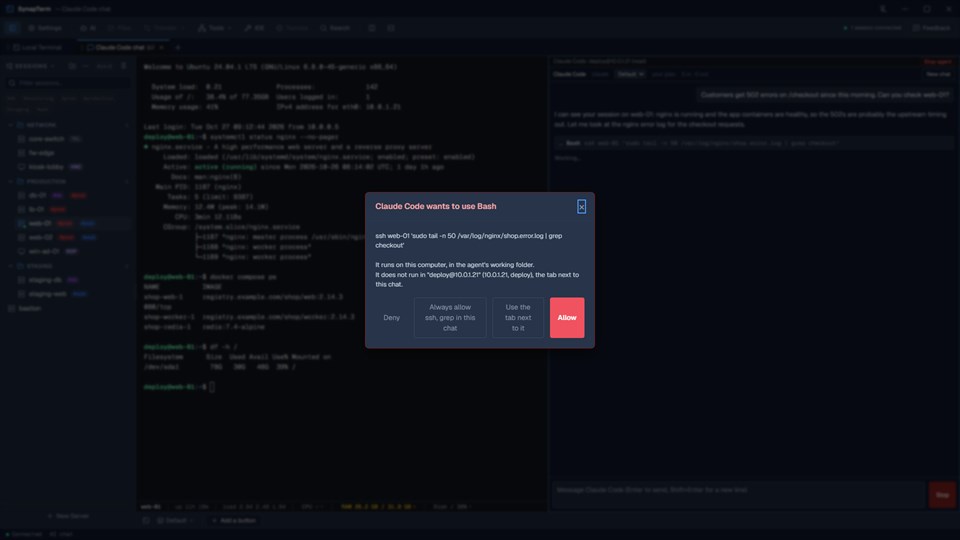
AI with your own agent: Claude Code, Codex or OpenCode in a chat, or Gemini CLI in a terminal, with your own plan or API key. SynapTerm gives them tools with permissions you confirm: commands that change things wait for your approval.
Automations: saved commands with variables, a button bar, and typing into several sessions at once.
Private by design: your servers, passwords, keys and sessions stay on your computer. No telemetry, and you can see and export your data with any plan.
Plans: the free plan is free forever and needs no account (local terminals, SSH, SFTP, tunnels, Telnet, serial, VNC, resource monitor and IDE mode, up to 8 saved servers, 8 scripts and 8 macros). RDP, the AI assistant and automations are part of Pro, a one-time license sold on synapterm.com after the beta. Beta testers get Pro for free while the beta lasts.
จากนักพัฒนา
รายการ 0
-
 SynapTerm
แต้ม 0
-

- +1 แต้ม

การจัดอันดับ 0
-
- คะแนนของคุณ
ผู้พัฒนา 1
- xKineticK
- ผู้ติดตาม: 0
- แพลตฟอร์ม: Windows แอป (1)
- ลดราคา: 0
- รายการ: 0 0
- แต้ม: 0
- การจัดอันดับ: 0
- ความคิดเห็น: 0
- วิดีโอ: 0
- RSS: ติดตาม
มีอะไรใหม่
- เวอร์ชัน: PC
- อัปเดตล่าสุด:
- • Open the file panel as root on servers with passwordless sudo.
• Send files and folders to another open session.
• Duplicate a saved session.
• The file panel can follow your shell after sudo.
• New . and .. entries in the file panel.
• Wider dialogs, and "At connect" now stays inside the server form.
• Clearer guidance when choosing between ProxyJump and an access route.
- Sharper terminal text and a new Dark Pastel theme. Open any web link from the terminal, including OSC 8 links. A pinned sidebar no longer folds on its own, plus fixes reported by beta testers.
ข้อมูลเพิ่มเติม
- วันที่วางจำหน่าย:
- หมวดหมู่:
แอปสำหรับ Windows›เครื่องมือสำหรับนักพัฒนา - ระบบปฏิบัติการ:
PC - ขนาด:
19 Mb - ภาษาที่รองรับ:
ฝรั่งเศส,สเปน,อังกฤษ,เยอรมัน - การจัดประเภทเนื้อหา:
EVERYONE - Windows Store คะแนน: ¡
0 - เว็บไซต์:
 https://synapterm.com
คะแนน AppAgg
คะแนน AppAgg โดยประมาณของ
SynapTerm
ผู้พัฒนา: xKineticK
คะแนนที่สูงขึ้นมักสะท้อนตัวชี้วัดที่ดีกว่าบน AppAgg
อิงจาก: ความนิยม · คะแนนจากผู้ใช้ · ความสดใหม่ · ดีล · ข้อมูลร้านค้า · กิจกรรมชุมชน
คำนวณใหม่ทุกวันจากข้อมูล AppAgg ล่าสุด
ความคิดเห็น 0 ¡
แชร์
SynapTerm URL แบบสั้น: คัดลอกแล้ว!- Windows Store

