
북마크
이 북마크의 제목을 입력하세요.
북마크가 저장되었습니다
요약
SysMain Pro: FUNMAKERZ에서 만든 ‘개발자 도구’ 카테고리의 앱이에요.
에 출시됐어요. 아직 꽤 따끈따끈해요.
무료. 광고도 인앱 구매도 없어요. 앱에만 집중하면 돼요.
Microsoft Store는 Windows에 기본으로 들어 있어서 클릭 몇 번이면 설치돼요.
AppAgg 점수는 1,080. 실버 등급, 이 정도면 꽤 괜찮아요.
겨우 24메가바이트. 꽉 찬 드라이브에도 쏙 들어가요.
연령 등급은 ‘EVERYONE’, 아이들에게도 괜찮아요.
지원 언어는 딱 하나, 그런데 한국어는 아니에요.
사용해 보셨나요? 여기서 첫 리뷰의 주인공이 되어 주세요.
이 개발자의 앱이 AppAgg에 2개 더 있어요. 한번 둘러보세요.
업데이트와 새 앱 소식을 가장 먼저 받고 싶나요? 개발자를 팔로우하거나 RSS 피드를 구독하세요. 푸시 알림은 Android와 iOS용 AppAgg Alerts 앱으로 받을 수 있어요.
광고
다른 플랫폼 0
가격 기록 0
- 현재 가격: 무료
- 최소: 무료
- 최대: 무료
홈 화면의 나만의 피드
“신규 및 업데이트” 피드의 플랫폼을 선택하면 홈 화면에 필요한 앱과 게임만 표시됩니다.
스크린샷 10
설명

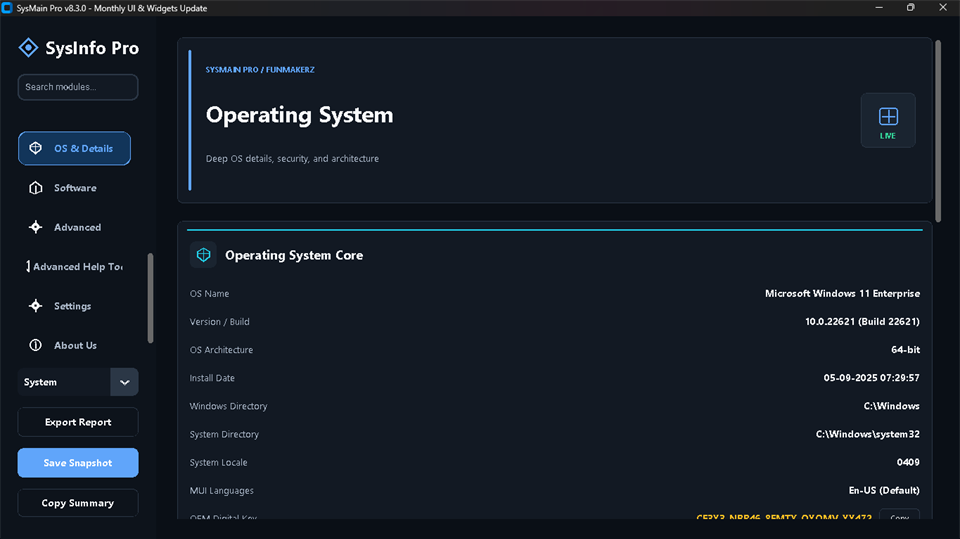
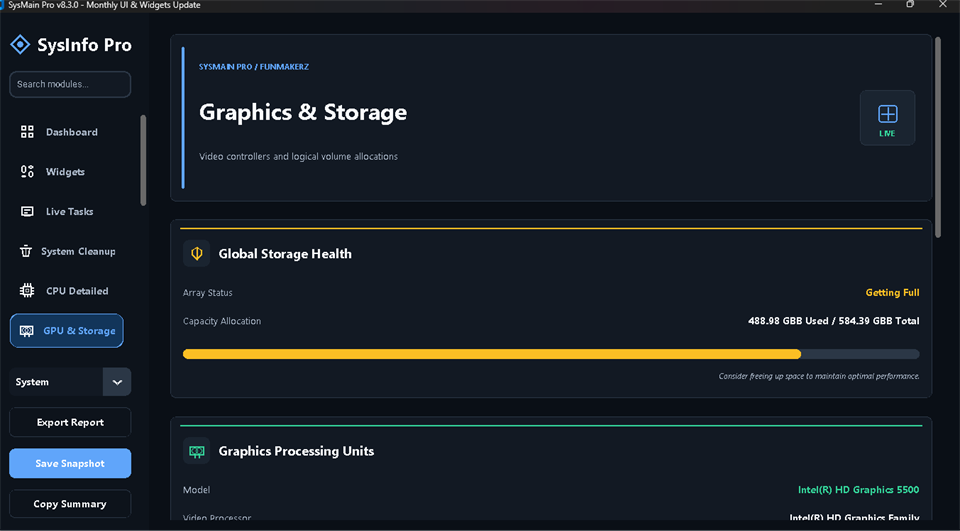
SysMain Pro V8.3 is a powerful, modern, lightweight Windows system information, monitoring, diagnostics, repair, and configuration platform developed by Funmakerz.
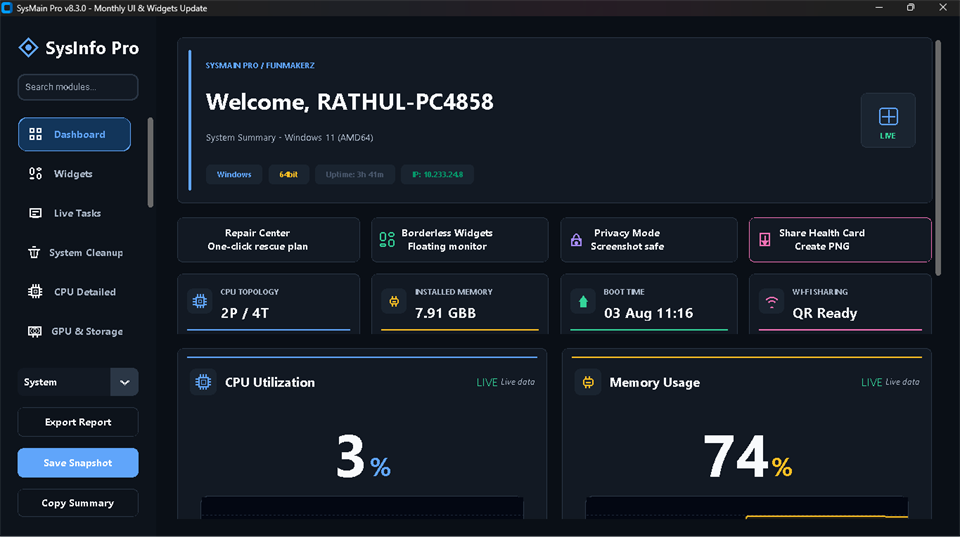
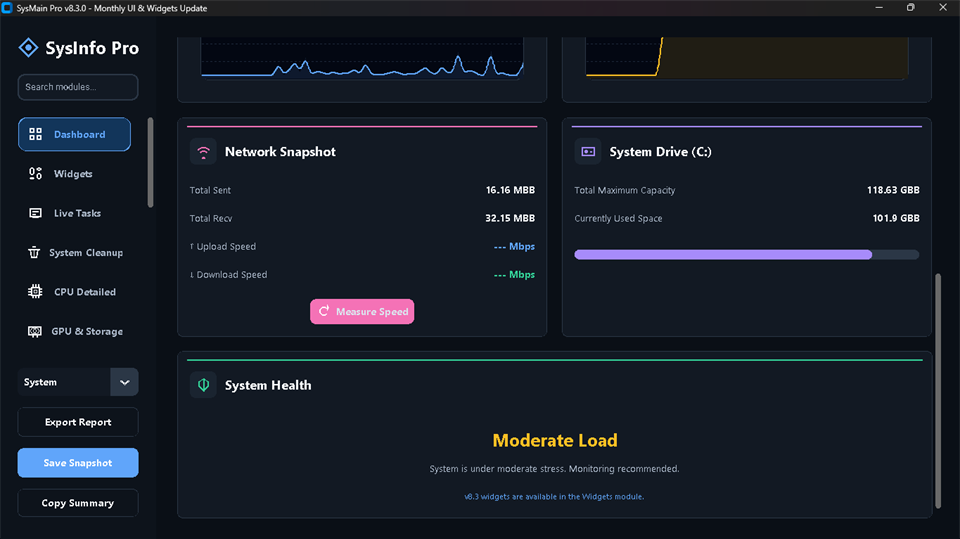
Built with performance, simplicity, privacy, and reliability in mind, SysMain Pro gives detailed insights into your hardware, operating system, performance, network activity, storage, battery, software, and overall system health through a clean and user-friendly interface.
━━━━━━━━━━━━━━━━━━━━
🔍 SYSTEM INFORMATION
━━━━━━━━━━━━━━━━━━━━
• Detailed CPU Information
• RAM and Memory Analysis
• GPU Information
• Motherboard Details
• Storage & Disk Information
• Operating System Information
• Battery Information
• Installed Software Information
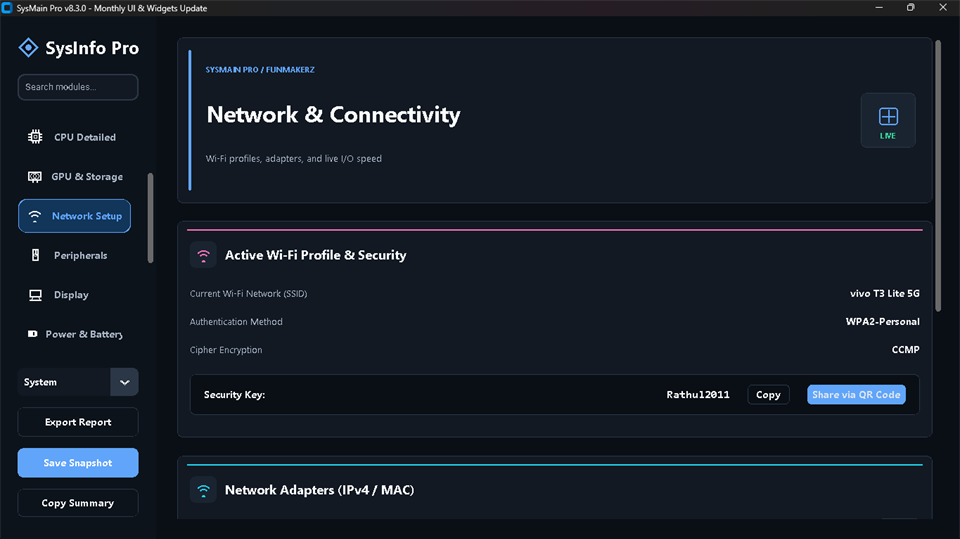
• Network Configuration Details
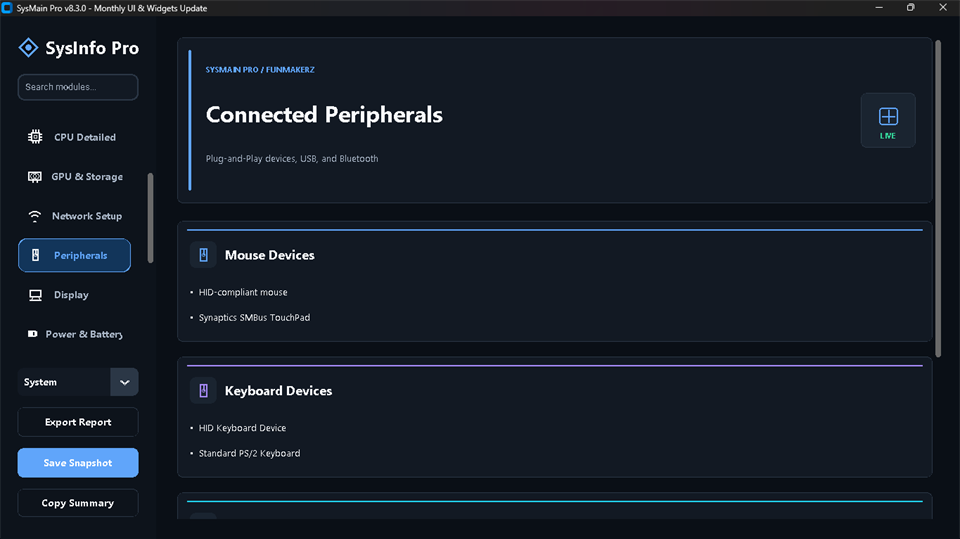
• Display and Peripheral Details
━━━━━━━━━━━━━━━━━━━━
⚡ REAL-TIME MONITORING
━━━━━━━━━━━━━━━━━━━━
Monitor your computer in real time with live system statistics including:
• CPU Usage
• Memory Usage
• Disk Usage
• Network Speed
• Total Data Sent
• Total Data Received
• System Performance Metrics
• Live Health Status
━━━━━━━━━━━━━━━━━━━━
🧩 WIDGETS
━━━━━━━━━━━━━━━━━━━━
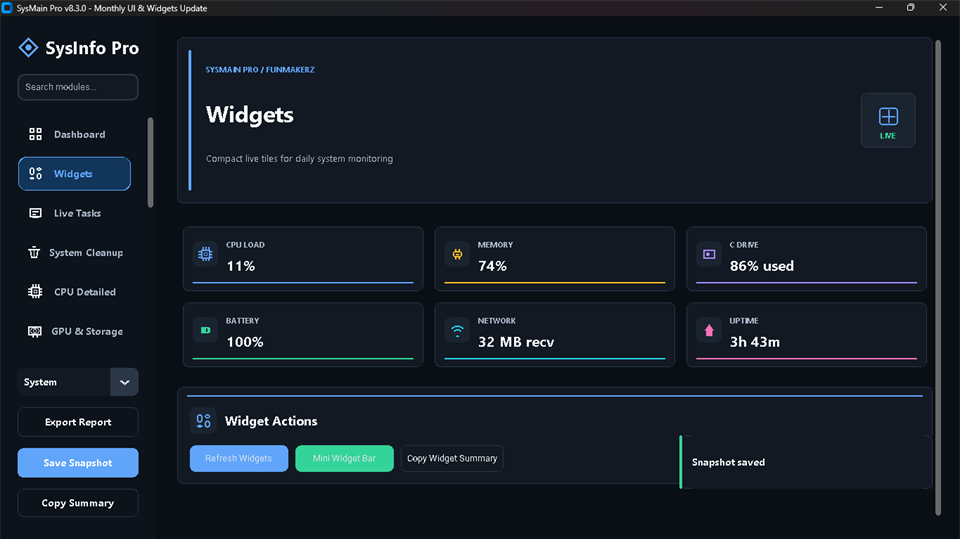
SysMain Pro V8.3 adds live widgets for quick monitoring:
• CPU Widget
• RAM Widget
• C Drive Usage Widget
• Battery Widget
• Network Widget
• Uptime Widget
• Borderless Floating Widgets
The borderless widget panel can run separately from the main app, allowing users to monitor system stats while working.
━━━━━━━━━━━━━━━━━━━━
🛠️ SYSTEM HEALTH & DIAGNOSTICS
━━━━━━━━━━━━━━━━━━━━
SysMain Pro V8.3 helps users better understand and improve their system with:
• Hardware Health Information
• Performance Analysis
• Configuration Insights
• Diagnostic Tools
• Advanced System Data
• Hidden Windows Information
• SMART Disk Health Tools
• Driver Information
• Startup App Tools
━━━━━━━━━━━━━━━━━━━━
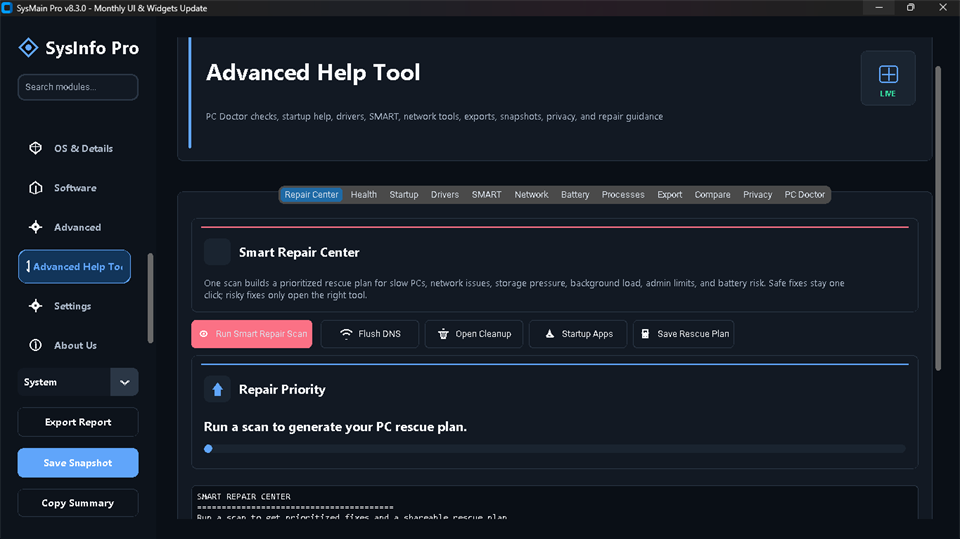
🧠 SMART REPAIR CENTER
━━━━━━━━━━━━━━━━━━━━
The new Smart Repair Center scans common PC issues and creates a simple rescue plan.
It checks:
• CPU Pressure
• RAM Pressure
• Disk Space
• Startup Load
• DNS / Network Status
• Battery Risk
• System Uptime
• Admin Mode
It generates:
• Repair Score
• Priority Fix Plan
• Safe Repair Suggestions
• Saveable Rescue Plan
━━━━━━━━━━━━━━━━━━━━
🤖 PC DOCTOR
━━━━━━━━━━━━━━━━━━━━
PC Doctor provides live system suggestions based on real metrics.
• Detects high CPU usage
• Detects high RAM pressure
• Detects low disk space
• Checks battery and uptime
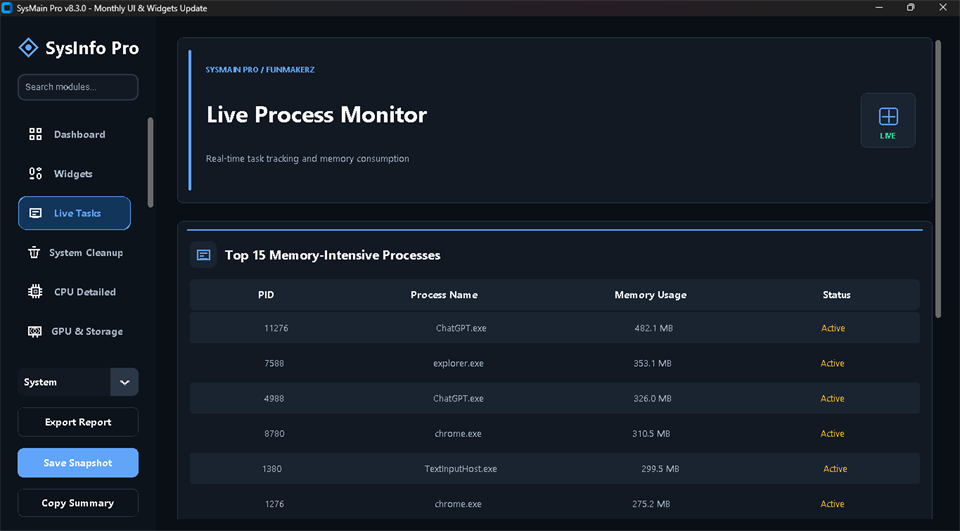
• Shows top memory processes
• Recommends useful next actions
━━━━━━━━━━━━━━━━━━━━
🌐 NETWORK TOOLS
━━━━━━━━━━━━━━━━━━━━
Built-in network utilities include:
• Ping Test
• DNS Lookup
• Traceroute
• Local IP Scan
• Adapter Information
• Network Speed Measurement
━━━━━━━━━━━━━━━━━━━━
📤 EXPORT & REPORTS
━━━━━━━━━━━━━━━━━━━━
SysMain Pro V8.3 supports multiple export and report options:
• HTML Report
• JSON Snapshot
• TXT Export
• CSV Export
• PDF-ready HTML Export
• Snapshot Comparison
━━━━━━━━━━━━━━━━━━━━
🌍 MULTILANGUAGE SUPPORT
━━━━━━━━━━━━━━━━━━━━
SysMain Pro V8.3 adds community language support:
• English
• Hindi
• Kannada
• Malayalam
• Tamil
The About page also changes based on the selected language.
━━━━━━━━━━━━━━━━━━━━
🎨 MODERN EXPERIENCE
━━━━━━━━━━━━━━━━━━━━
• Redesigned User Interface
• Fast and Responsive Startup
• Lazy-loaded Heavy Tools
• Loading Spinners for Slow Features
• Improved Icons
• Smooth Navigation
• Clean Dashboard Actions
• Modern Windows Design
• Easy for Beginners and Professionals
━━━━━━━━━━━━━━━━━━━━
🔒 PRIVACY & SECURITY
━━━━━━━━━━━━━━━━━━━━
Privacy is a core principle of Funmakerz.
• No Personal Data Collection
• No Tracking
• No Advertising
• No Telemetry
• No Selling of User Information
• Privacy Mode for Screenshots and Exports
System information is processed locally on your device.
━━━━━━━━━━━━━━━━━━━━
👨💻 WHO IS SYSMAIN FOR?
━━━━━━━━━━━━━━━━━━━━
• PC Enthusiasts
• Students
• Developers
• IT Professionals
• Technicians
• Everyday Windows Users
• Laptop Users
• Windows Troubleshooting Users
━━━━━━━━━━━━━━━━━━━━
🏢 ABOUT FUNMAKERZ
━━━━━━━━━━━━━━━━━━━━
SysMain Pro V8.3 is proudly developed by Funmakerz, an independent software studio focused on creating innovative applications, utilities, and digital solutions.
🇮🇳 Designed and Developed in Mangalore, Karnataka, India
Website:
https://sysmainpro.funmakerz.online/
━━━━━━━━━━━━━━━━━━━━
🚀 SYSMAIN PRO V8.3
━━━━━━━━━━━━━━━━━━━━
Understand your computer.
Monitor your system.
Repair common issues.
Stay informed.
Stay in control.
개발자 소식
개발자이신가요?
페이지 맨 위에 소식을 올리면 팔로워에게 이메일로 전달됩니다. YouTube 동영상을 추가하면 “동영상” 블록 맨 앞에 표시됩니다.
목록 0
-
 SysMain Pro
포인트 0
-

- +1 포인트

순위 0
-
- 내 평점
새로운 기능
- 버전: PC
- 마지막 업데이트:
- What’s New in SysMain Pro v8.3
Added a redesigned UI with cleaner dashboard cards, smoother navigation, improved icons, better spacing, and loading spinners for tools that take time.
Added Widgets with live CPU, RAM, C Drive, battery, network, and uptime monitoring.
Added Borderless Widgets, a floating widget panel that can run separately from the main app.
Added Advanced Help Tool with Repair Center, PC Doctor, startup tools, driver tools, SMART disk health, network tools, exports, snapshot compare, and privacy controls.
Added Smart Repair Center to scan CPU, RAM, disk space, startup load, DNS/network, battery, uptime, and admin mode. It creates a repair score and a step-by-step rescue plan.
Added PC Doctor for live system suggestions and top memory process checks.
Added multilingual support for Hindi, Kannada, Malayalam, and Tamil, including a translated About page.
Added better cleanup tools for User Temp, Recycle Bin, Downloads, Prefetch, and junk scan.
Added export options: HTML, JSON snapshot, TXT, CSV, PDF-ready HTML, and snapshot comparison.
Added Privacy Mode to hide sensitive details like usernames, serial numbers, MAC addresses, and keys.
Added network tools: ping, DNS lookup, traceroute, local IP scan, adapter info, and speed measurement.
Updated About page with Funmakerz story, mission, highlights, version notes, contact, and official website:
https://sysmainpro.funmakerz.online/
추가 정보
 https://sysmainpro.funmakerz.online
AppAgg 점수
1,080
AppAgg 예상 점수:
SysMain Pro
개발자: FUNMAKERZ
1,080 실버
점수가 높을수록 대체로 AppAgg의 여러 지표에서 좋은 결과를 보인다는 뜻입니다.
기준: 인기 · 사용자 평점 · 최신성 · 할인 · 스토어 데이터 · 커뮤니티 활동
최신 AppAgg 데이터를 바탕으로 매일 다시 계산됩니다.
웹사이트용 배지:  복사됨!
댓글 0 ¡
가장 먼저 댓글을 남겨주세요
공유하기
SysMain Pro 단축 URL: 복사됨!- Windows Store


