
บุ๊กมาร์ก
| ผู้พัฒนา: | FUNMAKERZ (3) | ||
| ราคา: | ฟรี | ||
| คะแนน: | 1,080 เงิน | ||
| การจัดอันดับ: | 0 | ||
| ความคิดเห็น: | 0 โพสต์ความคิดเห็น | ||
| รายการ: | 0 0 | ||
| แต้ม: | 0 | ||
| +1 แต้ม | |||
สรุป
SysMain Pro เป็นแอปในหมวด “เครื่องมือสำหรับนักพัฒนา” จาก FUNMAKERZ
ออกเมื่อ ยังสดใหม่อยู่เลย
ฟรี ไม่มีโฆษณา ไม่มีการซื้อภายในแอป มีแค่คุณกับแอป
Microsoft Store มีมาในตัว Windows อยู่แล้ว ติดตั้งได้ในไม่กี่คลิก
คะแนน AppAgg คือ 1,080 ระดับ “เงิน” ถือว่าไม่เลวเลย
แค่ 24 เมกะไบต์ ต่อให้ไดรฟ์เต็มก็ยังลงได้
จัดเรต “EVERYONE” เหมาะกับเด็ก ๆ ด้วย
รองรับแค่ภาษาเดียว และไม่ใช่ภาษาไทย
เคยใช้แล้วเหรอ? รีวิวของคุณจะเป็นรีวิวแรกที่นี่
ผู้พัฒนารายนี้มีแอปอื่นบน AppAgg อีก 2 แอป ลองไปดูกัน
อยากรู้เรื่องอัปเดตและแอปใหม่ก่อนใครไหม? ติดตาม ผู้พัฒนา หรือกดติดตาม ฟีด RSS ได้เลย การแจ้งเตือนแบบพุชส่งผ่านแอป AppAgg Alerts สำหรับ Android และ iOS
แพลตฟอร์มอื่น 0
ประวัติราคา 0
- ราคาปัจจุบัน: ฟรี
- ต่ำสุด: ฟรี
- สูงสุด: ฟรี
ฟีดของคุณเองบนหน้าแรก
ภาพหน้าจอ 10
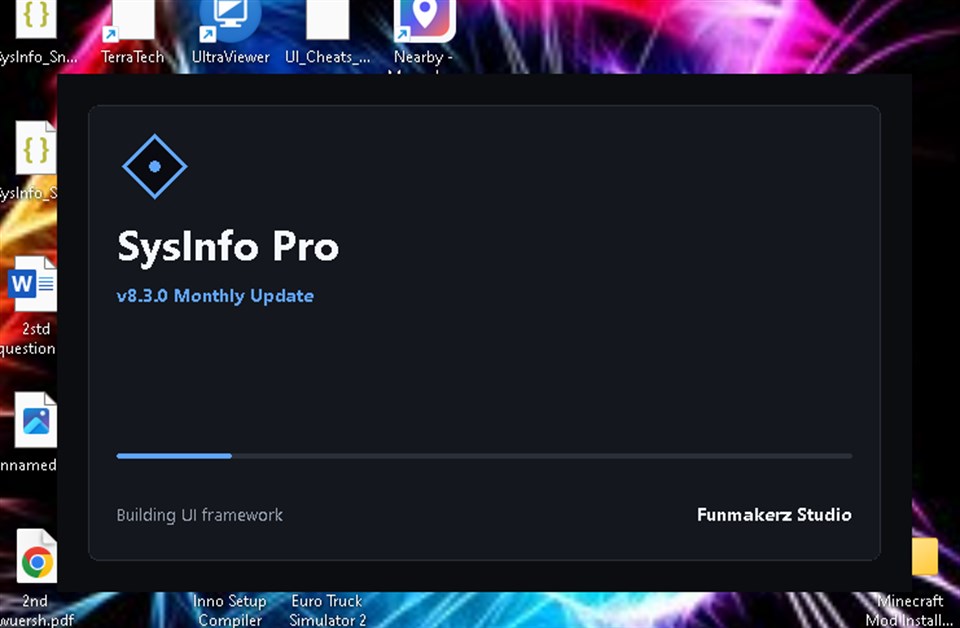
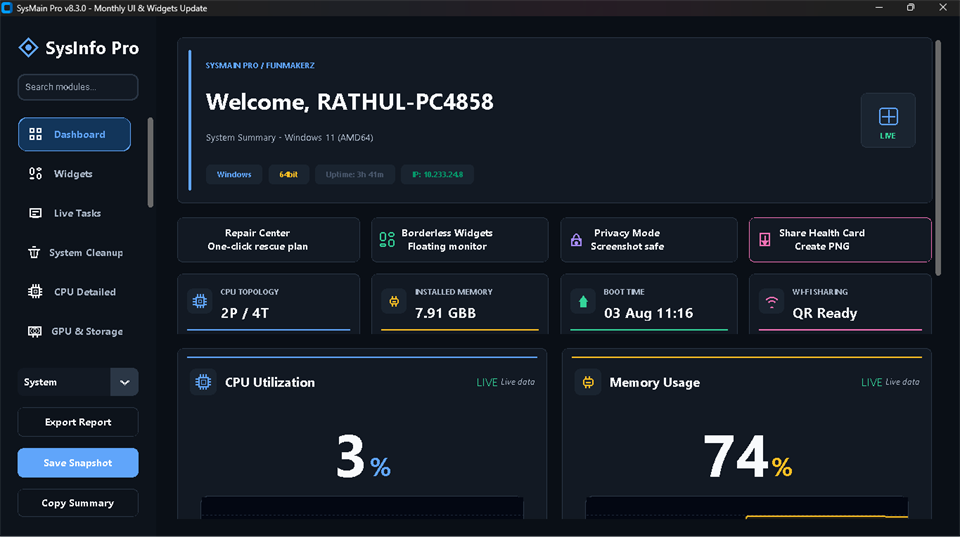
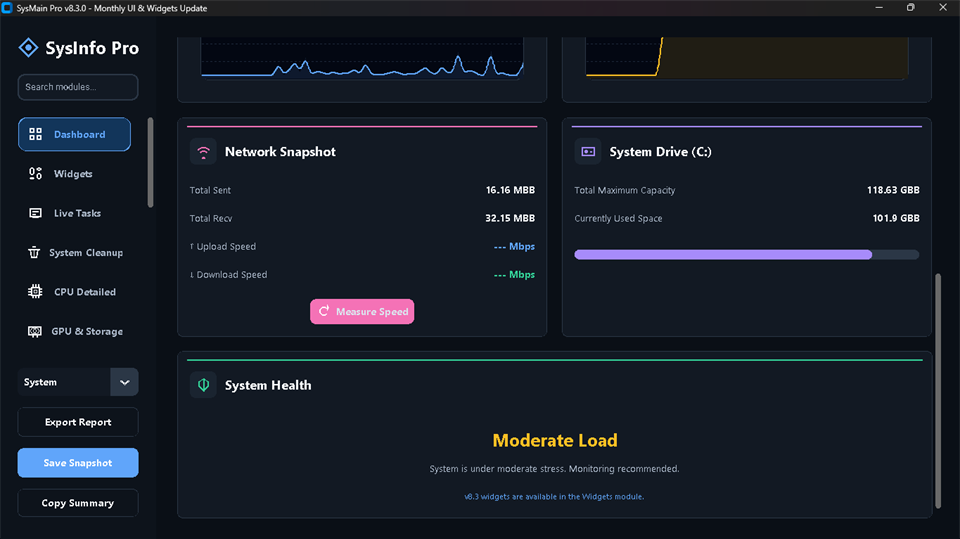
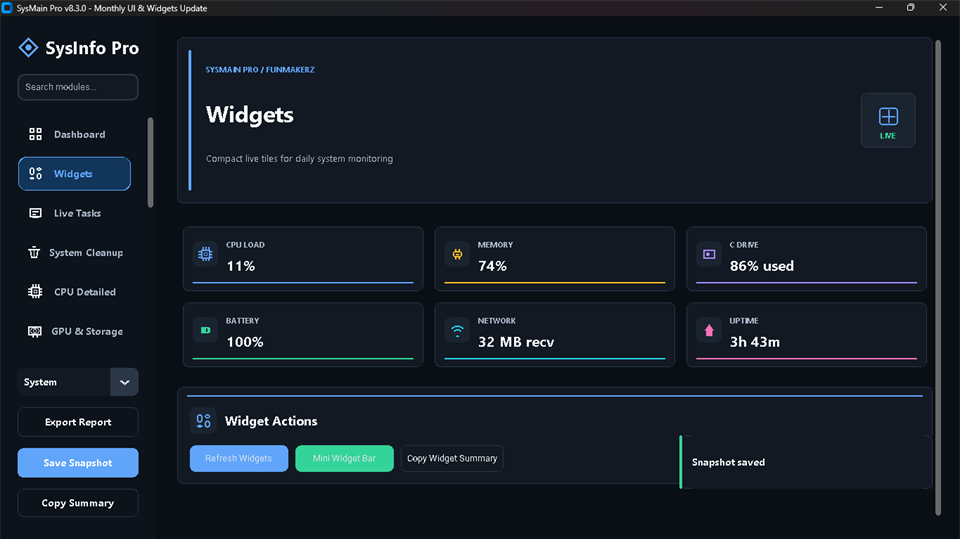
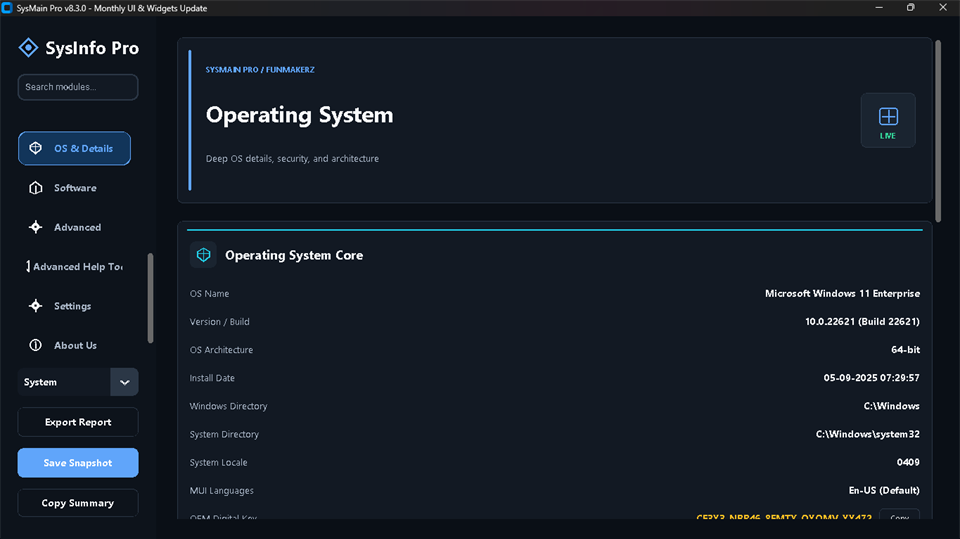
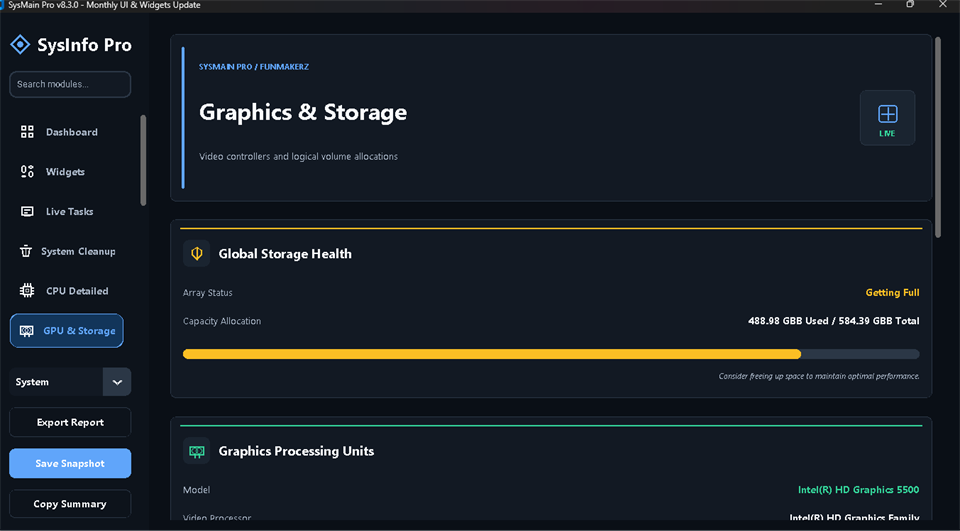
คำอธิบาย

SysMain Pro V8.3 is a powerful, modern, lightweight Windows system information, monitoring, diagnostics, repair, and configuration platform developed by Funmakerz.
Built with performance, simplicity, privacy, and reliability in mind, SysMain Pro gives detailed insights into your hardware, operating system, performance, network activity, storage, battery, software, and overall system health through a clean and user-friendly interface.
━━━━━━━━━━━━━━━━━━━━
🔍 SYSTEM INFORMATION
━━━━━━━━━━━━━━━━━━━━
• Detailed CPU Information
• RAM and Memory Analysis
• GPU Information
• Motherboard Details
• Storage & Disk Information
• Operating System Information
• Battery Information
• Installed Software Information
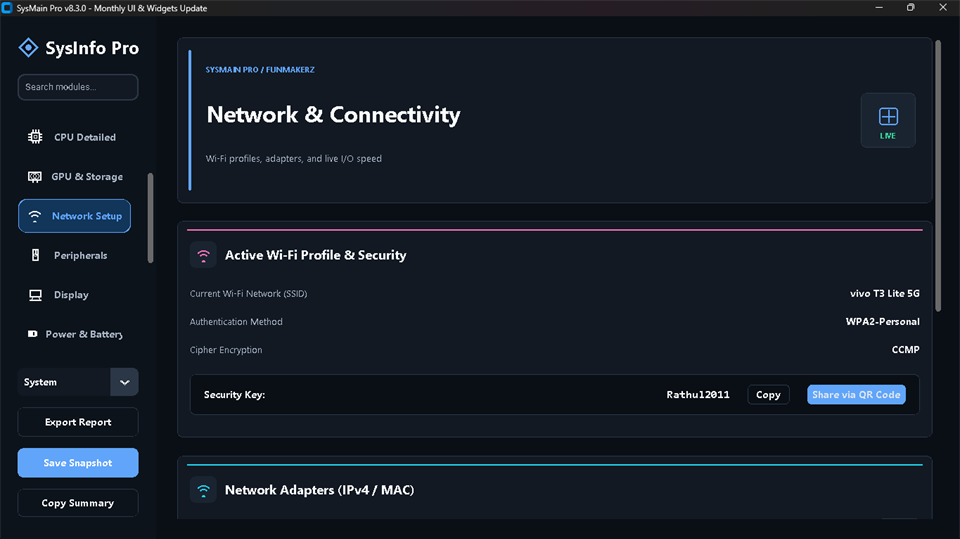
• Network Configuration Details
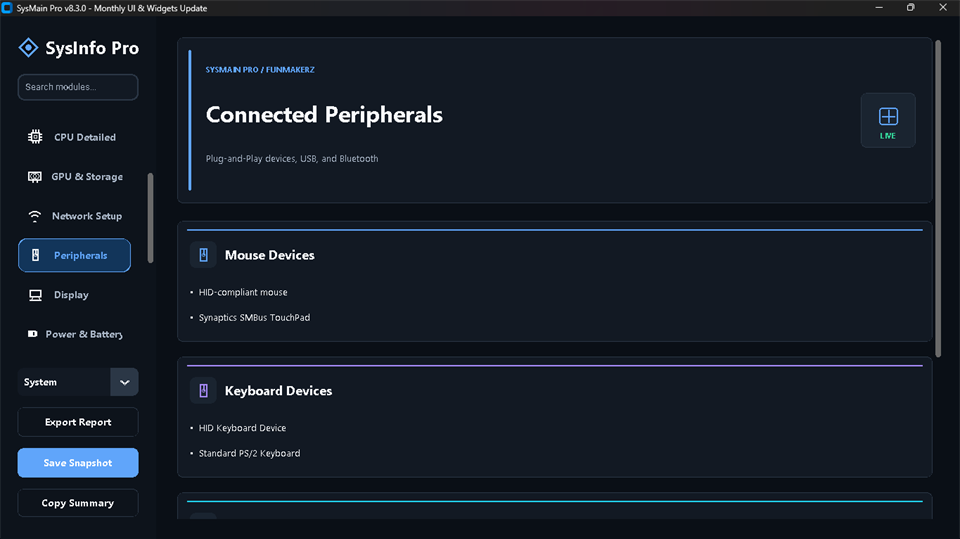
• Display and Peripheral Details
━━━━━━━━━━━━━━━━━━━━
⚡ REAL-TIME MONITORING
━━━━━━━━━━━━━━━━━━━━
Monitor your computer in real time with live system statistics including:
• CPU Usage
• Memory Usage
• Disk Usage
• Network Speed
• Total Data Sent
• Total Data Received
• System Performance Metrics
• Live Health Status
━━━━━━━━━━━━━━━━━━━━
🧩 WIDGETS
━━━━━━━━━━━━━━━━━━━━
SysMain Pro V8.3 adds live widgets for quick monitoring:
• CPU Widget
• RAM Widget
• C Drive Usage Widget
• Battery Widget
• Network Widget
• Uptime Widget
• Borderless Floating Widgets
The borderless widget panel can run separately from the main app, allowing users to monitor system stats while working.
━━━━━━━━━━━━━━━━━━━━
🛠️ SYSTEM HEALTH & DIAGNOSTICS
━━━━━━━━━━━━━━━━━━━━
SysMain Pro V8.3 helps users better understand and improve their system with:
• Hardware Health Information
• Performance Analysis
• Configuration Insights
• Diagnostic Tools
• Advanced System Data
• Hidden Windows Information
• SMART Disk Health Tools
• Driver Information
• Startup App Tools
━━━━━━━━━━━━━━━━━━━━
🧠 SMART REPAIR CENTER
━━━━━━━━━━━━━━━━━━━━
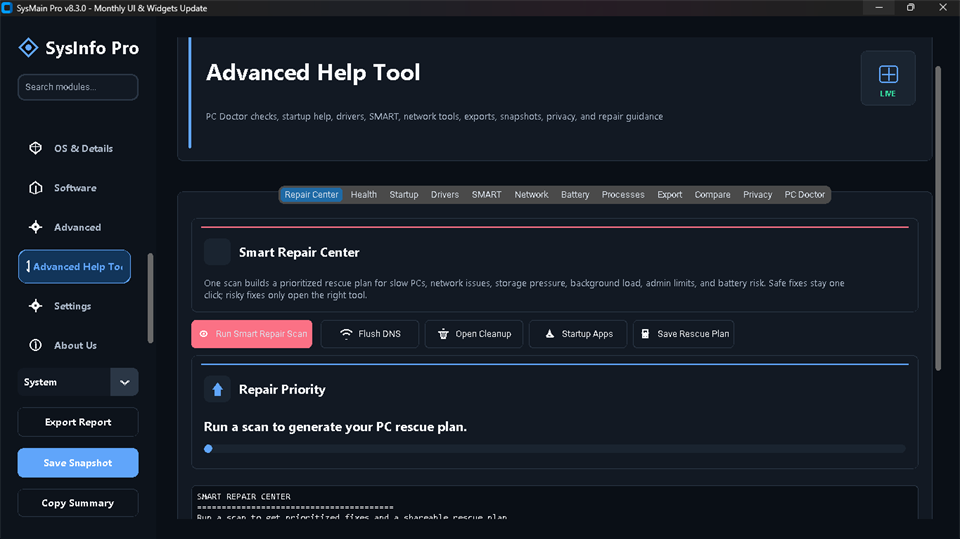
The new Smart Repair Center scans common PC issues and creates a simple rescue plan.
It checks:
• CPU Pressure
• RAM Pressure
• Disk Space
• Startup Load
• DNS / Network Status
• Battery Risk
• System Uptime
• Admin Mode
It generates:
• Repair Score
• Priority Fix Plan
• Safe Repair Suggestions
• Saveable Rescue Plan
━━━━━━━━━━━━━━━━━━━━
🤖 PC DOCTOR
━━━━━━━━━━━━━━━━━━━━
PC Doctor provides live system suggestions based on real metrics.
• Detects high CPU usage
• Detects high RAM pressure
• Detects low disk space
• Checks battery and uptime
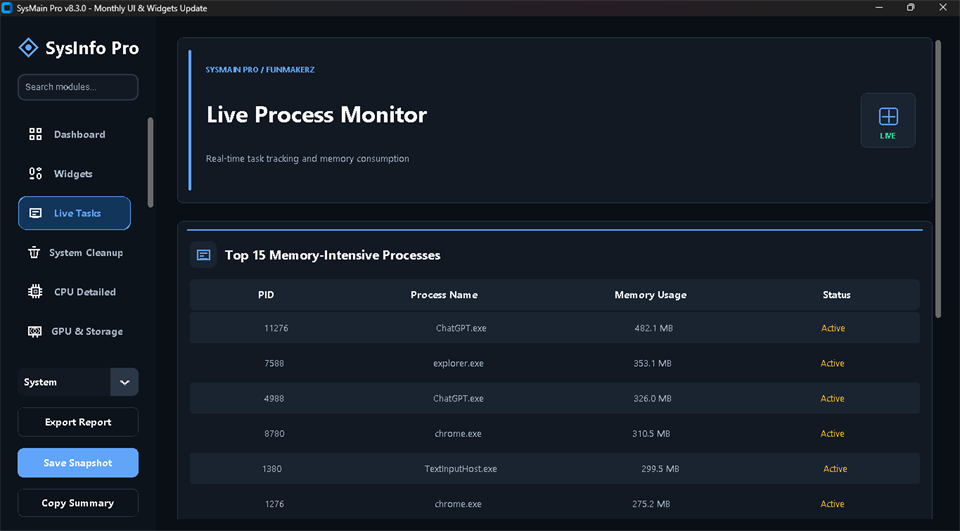
• Shows top memory processes
• Recommends useful next actions
━━━━━━━━━━━━━━━━━━━━
🌐 NETWORK TOOLS
━━━━━━━━━━━━━━━━━━━━
Built-in network utilities include:
• Ping Test
• DNS Lookup
• Traceroute
• Local IP Scan
• Adapter Information
• Network Speed Measurement
━━━━━━━━━━━━━━━━━━━━
📤 EXPORT & REPORTS
━━━━━━━━━━━━━━━━━━━━
SysMain Pro V8.3 supports multiple export and report options:
• HTML Report
• JSON Snapshot
• TXT Export
• CSV Export
• PDF-ready HTML Export
• Snapshot Comparison
━━━━━━━━━━━━━━━━━━━━
🌍 MULTILANGUAGE SUPPORT
━━━━━━━━━━━━━━━━━━━━
SysMain Pro V8.3 adds community language support:
• English
• Hindi
• Kannada
• Malayalam
• Tamil
The About page also changes based on the selected language.
━━━━━━━━━━━━━━━━━━━━
🎨 MODERN EXPERIENCE
━━━━━━━━━━━━━━━━━━━━
• Redesigned User Interface
• Fast and Responsive Startup
• Lazy-loaded Heavy Tools
• Loading Spinners for Slow Features
• Improved Icons
• Smooth Navigation
• Clean Dashboard Actions
• Modern Windows Design
• Easy for Beginners and Professionals
━━━━━━━━━━━━━━━━━━━━
🔒 PRIVACY & SECURITY
━━━━━━━━━━━━━━━━━━━━
Privacy is a core principle of Funmakerz.
• No Personal Data Collection
• No Tracking
• No Advertising
• No Telemetry
• No Selling of User Information
• Privacy Mode for Screenshots and Exports
System information is processed locally on your device.
━━━━━━━━━━━━━━━━━━━━
👨💻 WHO IS SYSMAIN FOR?
━━━━━━━━━━━━━━━━━━━━
• PC Enthusiasts
• Students
• Developers
• IT Professionals
• Technicians
• Everyday Windows Users
• Laptop Users
• Windows Troubleshooting Users
━━━━━━━━━━━━━━━━━━━━
🏢 ABOUT FUNMAKERZ
━━━━━━━━━━━━━━━━━━━━
SysMain Pro V8.3 is proudly developed by Funmakerz, an independent software studio focused on creating innovative applications, utilities, and digital solutions.
🇮🇳 Designed and Developed in Mangalore, Karnataka, India
Website:
https://sysmainpro.funmakerz.online/
━━━━━━━━━━━━━━━━━━━━
🚀 SYSMAIN PRO V8.3
━━━━━━━━━━━━━━━━━━━━
Understand your computer.
Monitor your system.
Repair common issues.
Stay informed.
Stay in control.
จากนักพัฒนา
รายการ 0
-
 SysMain Pro
แต้ม 0
-

- +1 แต้ม

การจัดอันดับ 0
-
- คะแนนของคุณ
ผู้พัฒนา 3
- FUNMAKERZ
- ผู้ติดตาม: 0
- แพลตฟอร์ม: Windows แอป (3)
- ลดราคา: 0
- รายการ: 0 0
- แต้ม: 0
- การจัดอันดับ: 0
- ความคิดเห็น: 0
- วิดีโอ: 0
- RSS: ติดตาม
มีอะไรใหม่
- เวอร์ชัน: PC
- อัปเดตล่าสุด:
- What’s New in SysMain Pro v8.3
Added a redesigned UI with cleaner dashboard cards, smoother navigation, improved icons, better spacing, and loading spinners for tools that take time.
Added Widgets with live CPU, RAM, C Drive, battery, network, and uptime monitoring.
Added Borderless Widgets, a floating widget panel that can run separately from the main app.
Added Advanced Help Tool with Repair Center, PC Doctor, startup tools, driver tools, SMART disk health, network tools, exports, snapshot compare, and privacy controls.
Added Smart Repair Center to scan CPU, RAM, disk space, startup load, DNS/network, battery, uptime, and admin mode. It creates a repair score and a step-by-step rescue plan.
Added PC Doctor for live system suggestions and top memory process checks.
Added multilingual support for Hindi, Kannada, Malayalam, and Tamil, including a translated About page.
Added better cleanup tools for User Temp, Recycle Bin, Downloads, Prefetch, and junk scan.
Added export options: HTML, JSON snapshot, TXT, CSV, PDF-ready HTML, and snapshot comparison.
Added Privacy Mode to hide sensitive details like usernames, serial numbers, MAC addresses, and keys.
Added network tools: ping, DNS lookup, traceroute, local IP scan, adapter info, and speed measurement.
Updated About page with Funmakerz story, mission, highlights, version notes, contact, and official website:
https://sysmainpro.funmakerz.online/
ข้อมูลเพิ่มเติม
- วันที่วางจำหน่าย:
- หมวดหมู่:
แอปสำหรับ Windows›เครื่องมือสำหรับนักพัฒนา - ระบบปฏิบัติการ:
PC - ขนาด:
24 Mb - ภาษาที่รองรับ:
อังกฤษ - การจัดประเภทเนื้อหา:
EVERYONE - Windows Store คะแนน: ¡
0 - เว็บไซต์:
 https://sysmainpro.funmakerz.online
คะแนน AppAgg
คะแนน AppAgg โดยประมาณของ
SysMain Pro
ผู้พัฒนา: FUNMAKERZ
คะแนนที่สูงขึ้นมักสะท้อนตัวชี้วัดที่ดีกว่าบน AppAgg
อิงจาก: ความนิยม · คะแนนจากผู้ใช้ · ความสดใหม่ · ดีล · ข้อมูลร้านค้า · กิจกรรมชุมชน
คำนวณใหม่ทุกวันจากข้อมูล AppAgg ล่าสุด
ความคิดเห็น 0 ¡
แชร์
SysMain Pro URL แบบสั้น: คัดลอกแล้ว!- Windows Store

