
已儲存
選擇要顯示在你的已儲存選單中的名稱。
完成!
描述

T-SQL Formatter is the essential tool for anyone working with Microsoft SQL Server databases. Whether you're debugging a complex stored procedure, reviewing legacy code, or preparing queries for documentation, this app instantly transforms chaotic SQL into beautifully structured, readable code.
WHY YOU NEED THIS TOOL
Working with poorly formatted SQL is frustrating and error-prone. Nested queries become impossible to follow. Missing indentation hides logical errors. Inconsistent capitalization makes code reviews painful. T-SQL Formatter solves all of these problems with a single click.
POWERFUL FORMATTING ENGINE
Our intelligent formatter understands T-SQL syntax deeply. It recognizes all major SQL keywords including SELECT, FROM, WHERE, JOIN variants (INNER, LEFT, RIGHT, FULL, CROSS), UNION operations, and control flow statements like IF, WHILE, and BEGIN/END blocks. Multi-word keywords like LEFT OUTER JOIN and ORDER BY are handled correctly, ensuring your formatted output is always syntactically perfect.
TWO FORMATTING MODES
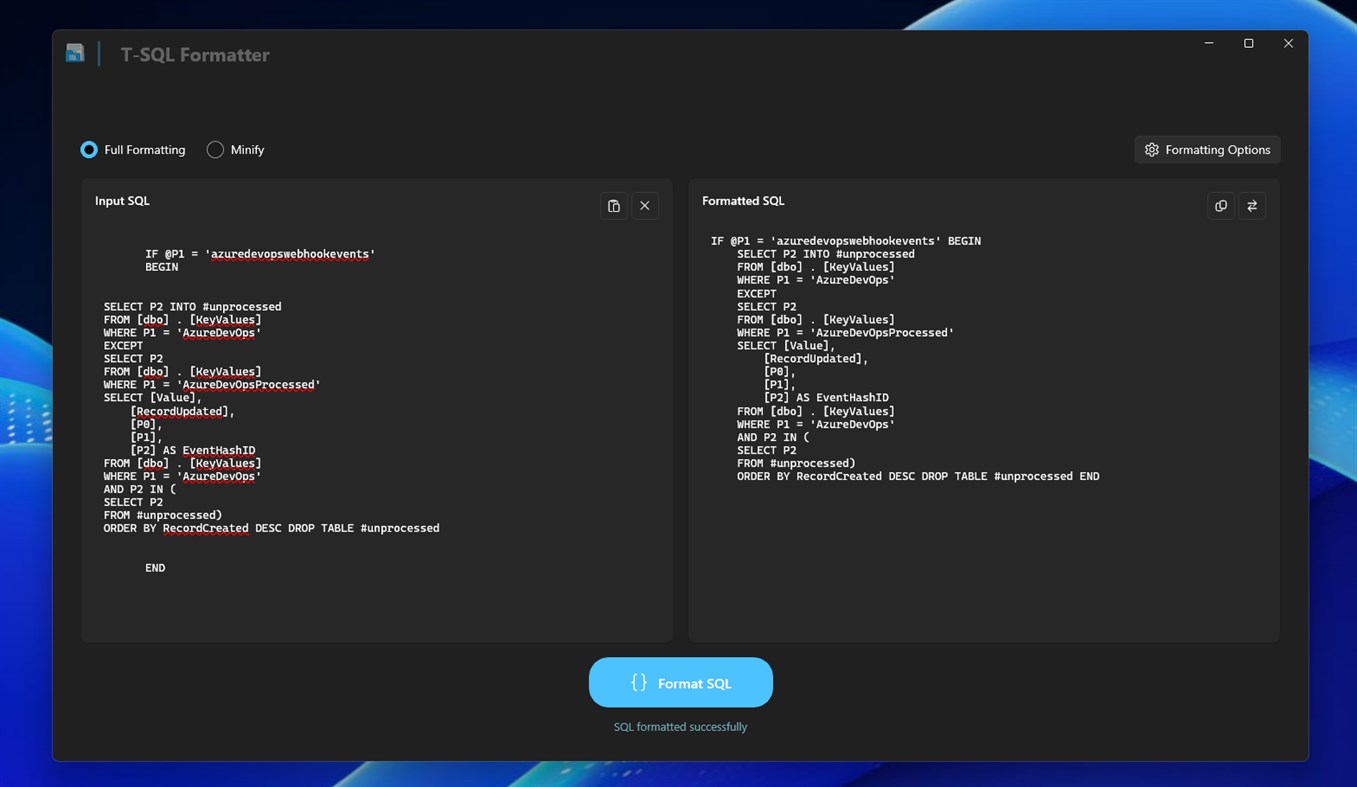
Full Format Mode: Transforms your SQL into clean, properly indented code with logical line breaks. Each clause gets its own line. Nested elements are indented for clarity. Commas create organized lists.
Minify Mode: Need to compress SQL for logging, storage, or transmission? Minify mode strips all unnecessary whitespace, converting your queries into compact single-line statements.
CUSTOMIZE YOUR STYLE
Every developer has preferences. T-SQL Formatter respects yours with configurable options:
- Set your preferred indentation (1-8 spaces)
- Control maximum line width
- Adjust spacing between queries
- Toggle keyword capitalization (UPPERCASE or lowercase)
Your settings are automatically saved and restored each session.
DESIGNED FOR PRODUCTIVITY
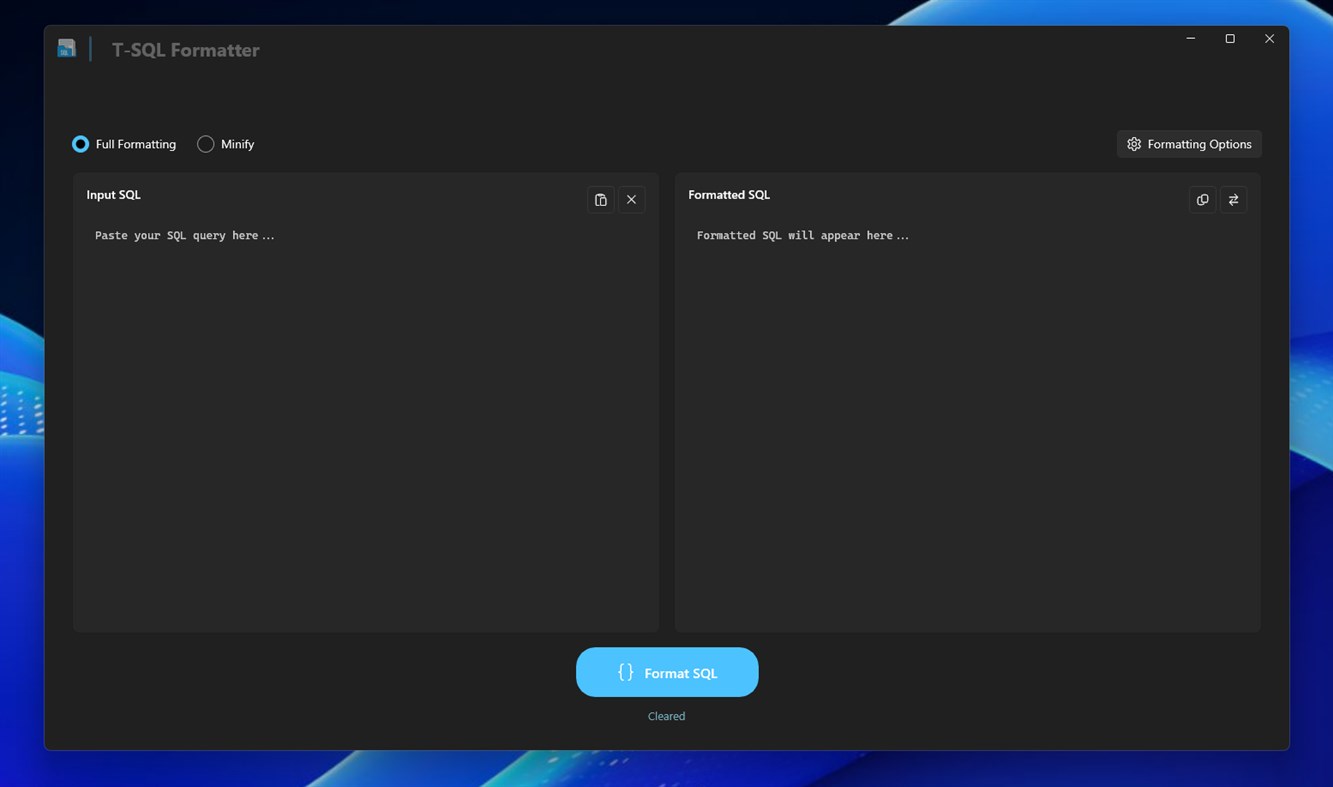
The split-view interface shows input and output side by side. Paste SQL directly from your clipboard, format it instantly, and copy the result back. Swap input and output with one click to iterate on formatting. The collapsible settings panel keeps options accessible without cluttering your workspace.
MODERN WINDOWS EXPERIENCE
Built with the latest Windows 11 design language, T-SQL Formatter features a clean, intuitive interface with full support for light and dark themes. The monospace code display uses professional fonts like Cascadia Code for optimal readability.
WORKS OFFLINE
No internet connection required. No data sent to external servers. Your SQL code stays completely private on your device.
PERFECT FOR
- Database Administrators managing complex query libraries
- SQL Developers writing and reviewing stored procedures
- Data Analysts cleaning up ad-hoc queries
- Backend Engineers working with database integrations
- Students learning SQL syntax and best practices
- Anyone who values readable, maintainable code
Stop struggling with unreadable SQL. Download T-SQL Formatter today and experience the difference clean code makes.
螢幕擷取畫面
Ad
價格歷史
- 目前價格: $3.34
- 最小值: $3.34
- 最大值: $3.34
追蹤票價
AppAgg 評價
590
AppAgg 預估評價:
T-SQL Formatter
590 青銅
評價越高,通常代表在 AppAgg 上的信號越強。
基於: 人氣 · 使用者評分 · 新鮮度 · 優惠 · 商店資料 · 社群活躍度
根據最新 AppAgg 資料每日重新計算。
縮短網址: 已複製!
新功能
- 版本: PC
- 最後更新:
其他資訊
清單 (0)
0
- T-SQL Formatter
點數 (0)
0
排名 (0)
0
註釋 (0)
成為第一個發表評論的人
簡要
T-SQL Formatter 縮短網址: 已複製!- 分享
- Windows Store
«T-SQL Formatter». 平台: Windows. 類別: 開發人員工具. 開發商: «parmata». 首次發布: . 最後更新: . 目前價格: $3.34. 最低記錄價格: $3.34. 最高記錄價格: $3.34. 此項目尚未在 AppAgg 上獲得評分或評論。 可用語言: Arabic, Chinese, English, French, German, Italian, Japanese, Korean, Portuguese, Russian, Spanish, Turkish. AppAgg 會追蹤 «T-SQL Formatter»的價格歷史、評分和用戶回饋。 AppAgg 不託管應用程式或分發軟體。 所有商標、標誌和螢幕截圖均屬於其各自所有者。 關注未來折扣和更新: RSS
類似
-
- SQL Squid
- Windows 應用程式: 開發人員工具 由: Belgian Brewer
- 免費
- 清單: 0 0 0
- 點數: 0 + 0 600 版本: PC SQL Squid allows you to run a series of diagnostic queries to a SQL Server database on your machine, in your network, or in the cloud. You quickly get an impression of the quality of ... ⥯
- 全新
- SQL.ref
- Windows 應用程式: 開發人員工具 由: Why Solutions
- 免費
- 清單: 0 0 0
- 點數: 0 + 0 510 版本: PC SQL.ref is the ultimate quick-reference tool for developers, data analysts, and database administrators. Designed for maximum efficiency, this application provides a comprehensive ... ⥯
-
- SQL Playground
- Windows 應用程式: 開發人員工具 由: Codename One
- 免費
- 清單: 0 0 0
- 點數: 0 + 0 500 版本: PC SQL playground allows you to experiment with SQL syntax and follow a tutorial that demonstrates some basic queries ⥯
-
- SQL Server Description Editor
- Windows 應用程式: 開發人員工具 由: Eden Wu
- 免費
- 清單: 0 0 0
- 點數: 0 + 0 500 版本: PC 1. The "Description" comment on Table or Field in SQL Server. 2. Can be exported into Excel file for easy editing, and import after the updated the Excel file. 3. Native mode app. ... ⥯
-
- Formatter for Json
- Windows 應用程式: 開發人員工具 由: Wheref Solutions
- 免費
- 清單: 0 0 0
- 點數: 0 + 0 580 版本: PC Json Formatter Are you tired of wrangling messy JSON data? Frustrated by the endless scrolling and eye-straining formatting? Say goodbye to the headache and hello to simplicity with ... ⥯
-
- SQL Mimic
- Windows 應用程式: 開發人員工具 由: 10SouthStudios
- $19.99
- 清單: 0 + 1 0 0
- 點數: 1 + 0 600 版本: PC Easily compare the schemas of two SQL Server databases. Supports SQL Server 2012+ ⥯
-
- AI SQL Query Builder
- Windows 應用程式: 開發人員工具 由: parmata
- $3.27
- 清單: 0 0 0
- 點數: 0 + 0 600 版本: PC Stop wrestling with complex SQL syntax. AI SQL Query Builder transforms your everyday language into precise database queries instantly. Whether you're a developer who wants faster ... ⥯
-
- appSettings Formatter
- Windows 應用程式: 開發人員工具 由: MaxiPigna
- 免費
- 清單: 0 + 1 0 0
- 點數: 0 + 0 500 版本: PC appSettings Formatter is a utility designed for developers working daily with Azure, to help them to easily convert app settings of a web application into configuration settings of an ... ⥯
-
- Text List Formatter
- Windows 應用程式: 開發人員工具 由: BobDe
- $1.99
- 清單: 0 0 0
- 點數: 1 + 0 600 版本: PC Text List Formatter is a tool used to format text and lists into other formats to allow the text to be used in other programs. Rather than manually modifying the text, which is often ... ⥯
-
- A5:SQL Mk-2 (x64)
- Windows 應用程式: 開發人員工具 由: masakazu matsubara
- 免費
- 清單: 0 + 1 0 0
- 點數: 0 + 0 660 版本: PC A5:SQL Mk-2 is a free SQL development environment & ER diagram development tool developed to support database development that is complicated. ⥯
-
- Convert TSql To Oracle Sql
- Windows 應用程式: 開發人員工具 由: y8ngl
- $4.44
- 清單: 0 0 0
- 點數: 0 + 0 530 版本: PC Convert Sql Server TSql To Oracle Sql 1.input Sql Server TSql 2.click convert button ⥯
-
- C# Formatter
- Windows 應用程式: 開發人員工具 由: Free Software Tools
- 免費
- 清單: 0 + 1 0 0
- 點數: 0 + 5 1K 版本: PC Open the C# file quickly and format the C# file so it is more readable. Open and edit your C# files instantly for free using this software. You can open and edit your C# files directly ⥯
- 全新
- kaze dev helper
- Windows 應用程式: 開發人員工具 由: kazegamja
- $3.99
- 清單: 0 0 0
- 點數: 0 + 0 1K 版本: PC Kaze Dev Helper: The Ultimate Secure & Offline Productivity Suite for Developers Kaze Dev Helper (KDH) is a powerful, offline-first desktop utility toolbox designed specifically for ... ⥯