
บุ๊กมาร์ก
| ผู้พัฒนา: | Northlark (1) | ||
| ราคา: | ฟรี ใหม่ | ||
| คะแนน: | 600 เงิน | ||
| การจัดอันดับ: | 0 | ||
| ความคิดเห็น: | 0 โพสต์ความคิดเห็น | ||
| รายการ: | 0 0 | ||
| แต้ม: | 0 | ||
| +1 แต้ม | |||
สรุป
Tresca เป็นแอปในหมวด “เครื่องมือสำหรับนักพัฒนา” จาก Northlark
ใหม่เอี่ยม เพิ่งออกเมื่อ ยังหอมกลิ่นโค้ดใหม่อยู่เลย
ฟรี ไม่มีโฆษณา ไม่มีการซื้อภายในแอป มีแค่คุณกับแอป
Microsoft Store มีมาในตัว Windows อยู่แล้ว ติดตั้งได้ในไม่กี่คลิก
คะแนน AppAgg คือ 600 ระดับ “เงิน” ถือว่าไม่เลวเลย
แค่ 46 เมกะไบต์ ต่อให้ไดรฟ์เต็มก็ยังลงได้
จัดเรต “EVERYONE” เหมาะกับเด็ก ๆ ด้วย
รองรับแค่ภาษาเดียว และไม่ใช่ภาษาไทย
เคยใช้แล้วเหรอ? รีวิวของคุณจะเป็นรีวิวแรกที่นี่
เป็นแอปเดียวของผู้พัฒนารายนี้บน AppAgg อย่างน้อยก็ตอนนี้
อยากรู้เรื่องอัปเดตและแอปใหม่ก่อนใครไหม? ติดตาม ผู้พัฒนา หรือกดติดตาม ฟีด RSS ได้เลย การแจ้งเตือนแบบพุชส่งผ่านแอป AppAgg Alerts สำหรับ Android และ iOS
ภาพหน้าจอ 4
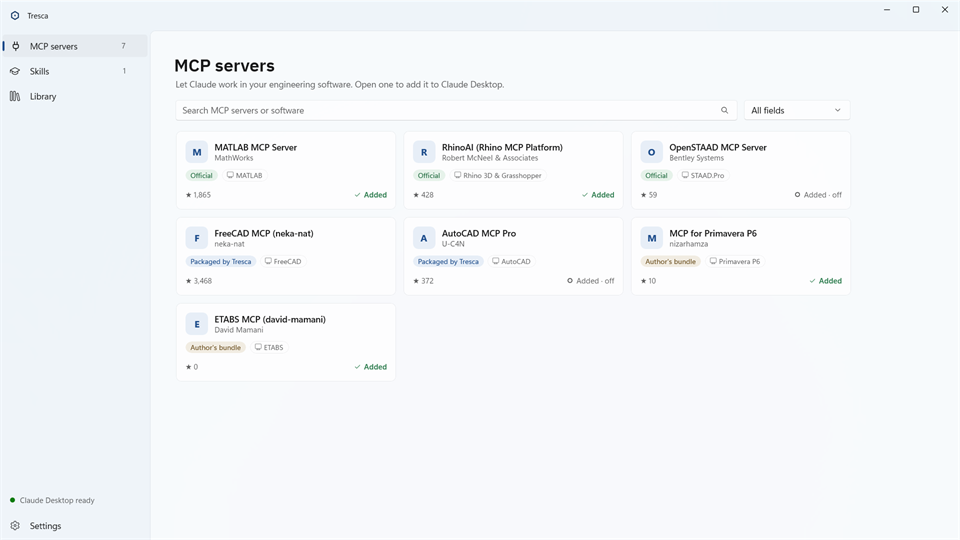
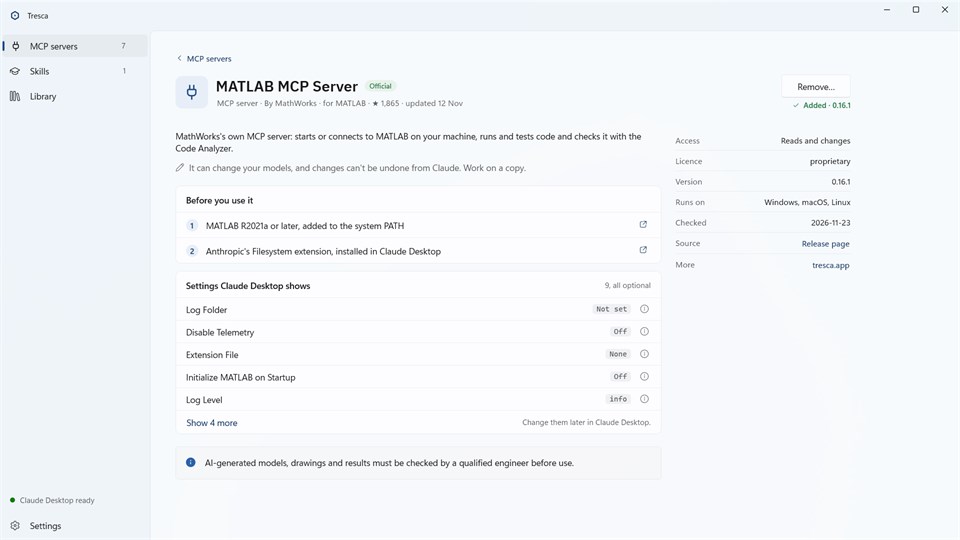
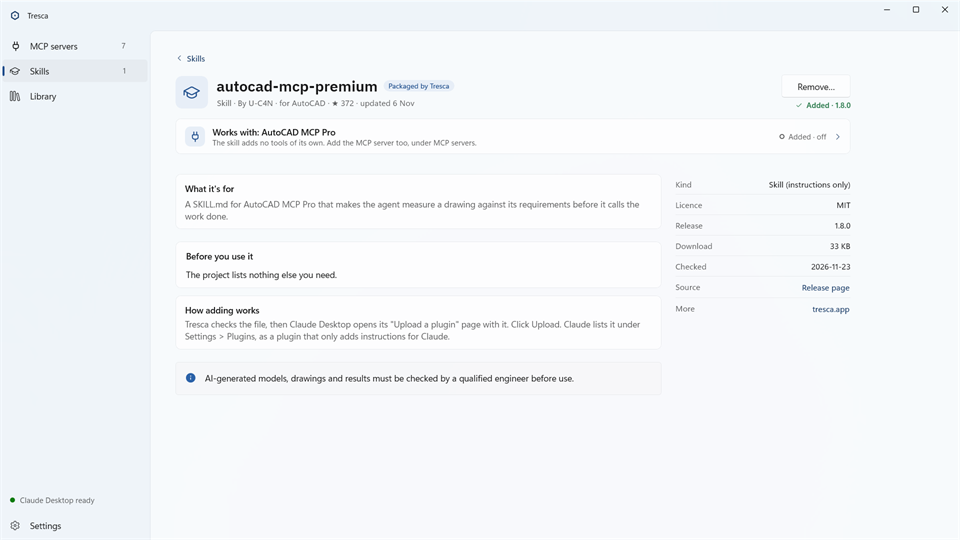
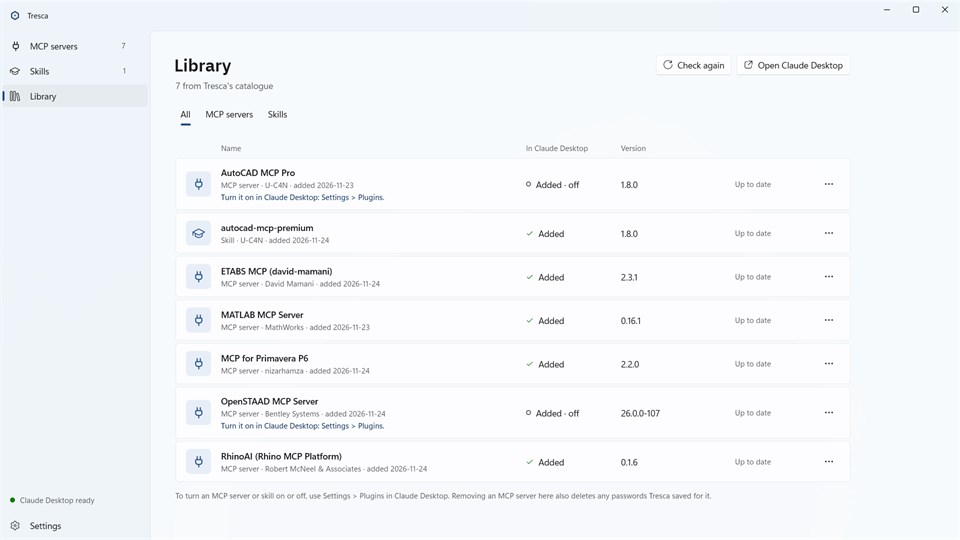
แพลตฟอร์มอื่น 0
ประวัติราคา 0
- ราคาปัจจุบัน: ฟรี
- ต่ำสุด: ฟรี
- สูงสุด: ฟรี
ฟีดของคุณเองบนหน้าแรก
คำอธิบาย

Tresca lists Claude Desktop extensions (MCP servers) and Claude skills for engineering software, and adds the ones you choose to Claude Desktop.
For each item Tresca shows who publishes it (the software vendor, the project's author, or packaged by Tresca from the project's open-source release), what you need before you use it, the settings Claude Desktop will ask for, whether it can change your models, its licence and where it comes from.
When you add one, Tresca downloads it over HTTPS, checks its size and SHA-256 against the published value, and only then hands it to Claude Desktop, where you confirm the install. A file that doesn't match is deleted. Tresca never runs anything it downloads.
Your Library shows what Claude Desktop has from the catalogue, whether each item is on or off, and when a newer release is available.
You need Claude Desktop for Windows to add anything. Most MCP servers also need the engineering software they work with, installed and licensed on your computer; each item's page says what it needs.
AI-generated models, drawings and results must be checked by a qualified engineer before use.
Tresca has no accounts, analytics or telemetry. It contacts tresca.app for the catalogue and the download hosts the catalogue names.
Product names, including Claude, are trademarks of their owners. Tresca is independent and not affiliated with or endorsed by any software vendor or by Anthropic.
จากนักพัฒนา
ผู้พัฒนา
- Northlark
- ผู้ติดตาม: 0
- แพลตฟอร์ม: Windows แอป (1)
- ลดราคา: 0
- รายการ: 0 0
- แต้ม: 0
- การจัดอันดับ: 0
- ความคิดเห็น: 0
- วิดีโอ: 0
- RSS: ติดตาม
รายการ 0
-
 Tresca
แต้ม 0
-

- +1 แต้ม

การจัดอันดับ 0
-
- คะแนนของคุณ
มีอะไรใหม่
- เวอร์ชัน: PC
- อัปเดตล่าสุด:
- First public beta. MCP servers and skills have their own lists, and a Library shows everything Claude Desktop has. You can add several at once: each downloads and is checked straight away, and Claude Desktop gets them one at a time.
ข้อมูลเพิ่มเติม
- วันที่วางจำหน่าย:
- หมวดหมู่:
แอปสำหรับ Windows›เครื่องมือสำหรับนักพัฒนา - ระบบปฏิบัติการ:
PC - ขนาด:
46 Mb - ภาษาที่รองรับ:
อังกฤษ - การจัดประเภทเนื้อหา:
EVERYONE - Windows Store คะแนน: ¡
0 - เว็บไซต์:
 https://tresca.app
ความคิดเห็น 0 ¡
คะแนน AppAgg
คะแนน AppAgg โดยประมาณของ
Tresca
ผู้พัฒนา: Northlark
คะแนนที่สูงขึ้นมักสะท้อนตัวชี้วัดที่ดีกว่าบน AppAgg
อิงจาก: ความนิยม · คะแนนจากผู้ใช้ · ความสดใหม่ · ดีล · ข้อมูลร้านค้า · กิจกรรมชุมชน
คำนวณใหม่ทุกวันจากข้อมูล AppAgg ล่าสุด
Tresca URL แบบสั้น: คัดลอกแล้ว!- Windows Store

