
ブックマーク
このブックマークのタイトルを入力してください。
ブックマークを保存しました
| 開発者: | Arihant Tripathy (4) | ||
| 価格: | 無料 新着 | ||
| スコア: | 590 ブロンズ | ||
| ランキング: | 0 | ||
| コメント: | 0 コメントを投稿する | ||
| リスト: | 0 0 | ||
| ポイント: | 0 | ||
| +1 ポイント | |||
概要
こちらはUsage Dock。Arihant Tripathyが贈る「開発者ツール」カテゴリのアプリです。
に出たばかりの新作。今なら一番乗りのひとりです。
無料。広告なし、アプリ内課金なし。あなたとアプリだけです。
Microsoft StoreはWindowsに組み込まれているので、数クリックでインストールできます。
AppAggスコアは590。今は「ブロンズ」ですが、伸びしろはたっぷり。
たった25メガバイト。空きの少ないドライブにも収まります。
年齢区分は「EVERYONE」なので、子どもでも安心です。
対応言語はひとつだけ、しかも日本語ではありません。
AppAggではまだ誰も評価していません。一番乗りのチャンスは今です。
この開発者のアプリは、AppAggにほかに3個あります。のぞいてみては?
アップデートや新しいアプリを誰よりも早く知りたい?開発者をフォローするか、RSS フィードを購読しましょう。プッシュ通知は Android と iOS 向けの AppAgg Alerts アプリで届きます。
広告
スクリーンショット 3
他のプラットフォーム 0
価格履歴 0
- 現在の価格: 無料
- 最小値: 無料
- 最大値: 無料
ホームに自分だけのフィード
「新着・アップデート」のプラットフォームを選ぶと、ホームには必要なアプリとゲームだけが表示されます。
説明

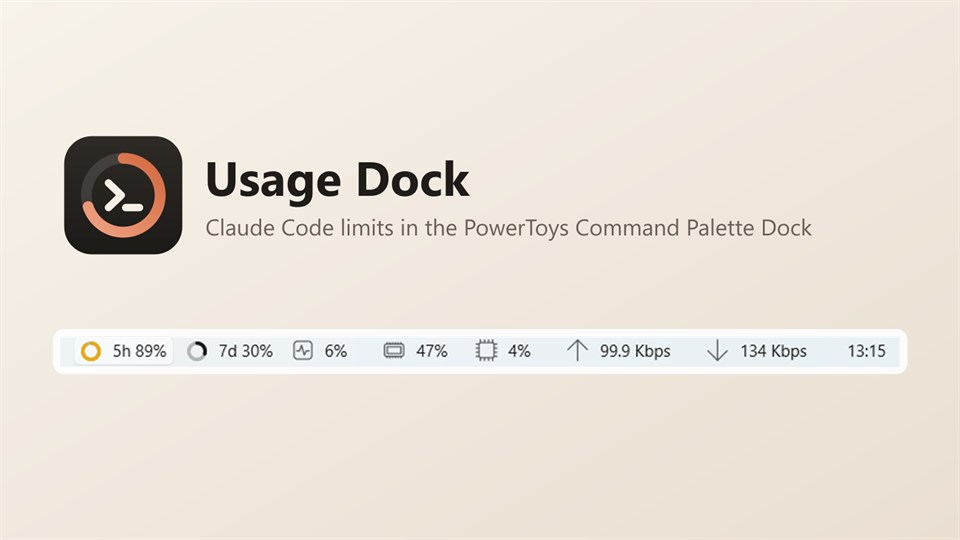
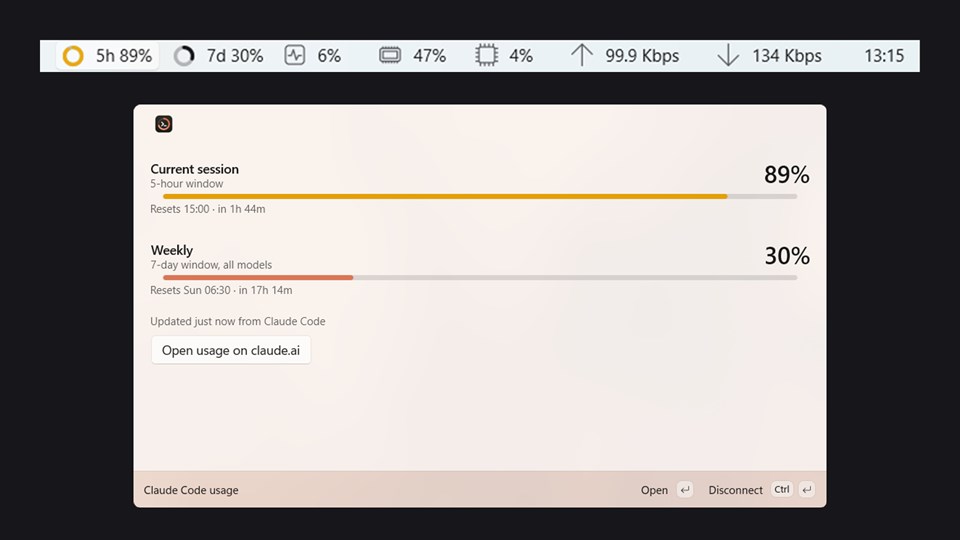
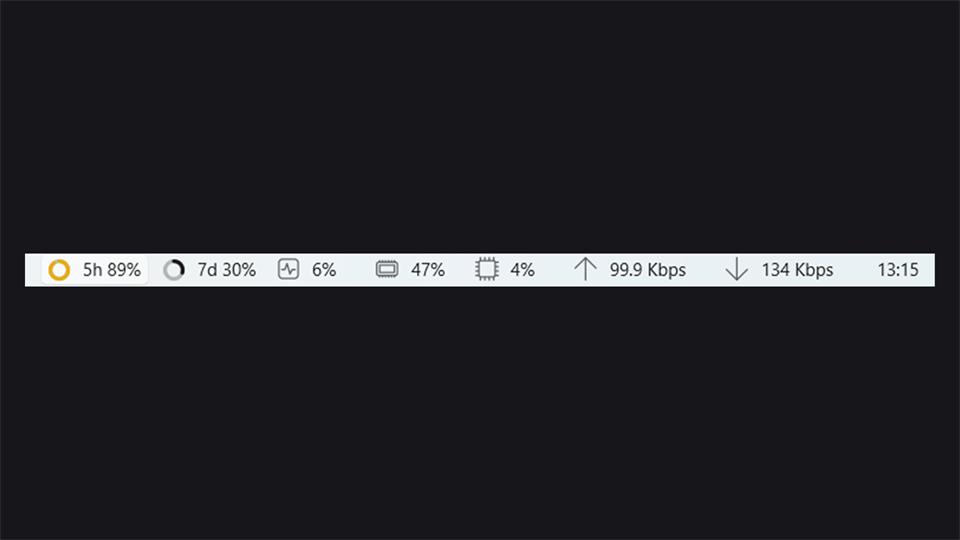
Each limit appears as a ring gauge that fills as you use it. It turns amber at 80% and red at 95%. Click it to see both limits with progress bars, exact reset times and when the numbers were last updated.
The numbers come from the rate_limits data that Claude Code sends to your status line. Usage Dock adds a small bridge in front of your existing status line command, so your status line keeps working. It never reads your login or credentials and makes no network requests.
Requirements: PowerToys with Command Palette and its Dock enabled, and Claude Code on a Claude Pro or Max plan.
Getting started: open Command Palette and run "Connect Usage Dock to Claude Code". Then right-click the Dock, choose Edit and add the Usage Dock band. Run "Disconnect Usage Dock from Claude Code" before uninstalling.
Usage Dock is an independent open-source project. It is not affiliated with, endorsed by or sponsored by Anthropic. Source code: https://github.com/Arihant25/usage-dock
デベロッパーから
デベロッパーの方ですか?
ページの一番上にニュースを投稿すると、フォロワーにメールで届きます。YouTube 動画を追加すると、「動画」の一番上に表示されます。
開発者
- Arihant Tripathy
- フォロワー: 0
- プラットフォーム: Android アプリ (1) Windows アプリ (3)
- セール: 0
- リスト: 0 0
- ポイント: 0
- ランキング: 0
- コメント: 0
- 動画: 1
- RSS: 購読する
リスト 0
-
 Usage Dock
ポイント 0
-

- +1 ポイント

ランキング 0
-
- あなたの評価
新機能
- バージョン: PC
- 最終更新:
- Fixed: after switching Claude accounts, the Dock now shows the new account's usage instead of the old account's.
情報
 https://github.com/Arihant25/usage-dock
コメント 0 ¡
最初のコメントを書きましょう
AppAggスコア
590
AppAgg推定スコア:
Usage Dock
開発者: Arihant Tripathy
590 ブロンズ
スコアが高いほど、AppAgg上の各指標が良好な傾向にあります。
基準: 人気 · ユーザー評価 · 新しさ · セール · ストアデータ · コミュニティ活動
最新のAppAggデータに基づいて毎日再計算されます。
ウェブサイト用バッジ:  コピーしました!
Usage Dock 短縮 URL: コピーしました!- Windows Store

