
북마크
이 북마크의 제목을 입력하세요.
북마크가 저장되었습니다
요약
소개합니다. NathanHan에서 만든 ‘개발자 도구’ 카테고리 앱, UsageMon.
새로 나온 앱이에요. 에 나왔으니 지금 써 보면 얼리어답터예요.
무료. 광고도 인앱 구매도 없어요. 앱에만 집중하면 돼요.
Microsoft Store는 Windows에 기본으로 들어 있어서 클릭 몇 번이면 설치돼요.
AppAgg 점수는 600. 실버 등급, 이 정도면 꽤 괜찮아요.
연령 등급은 ‘EVERYONE’, 아이들에게도 괜찮아요.
2개 언어를 지원하지만, 한국어는 아직 없어요.
사용해 보셨나요? 여기서 첫 리뷰의 주인공이 되어 주세요.
이 개발자의 앱이 AppAgg에 1개 더 있어요. 한번 둘러보세요.
업데이트와 새 앱 소식을 가장 먼저 받고 싶나요? 개발자를 팔로우하거나 RSS 피드를 구독하세요. 푸시 알림은 Android와 iOS용 AppAgg Alerts 앱으로 받을 수 있어요.
광고
스크린샷 3
다른 플랫폼 0
가격 기록 0
- 현재 가격: 무료
- 최소: 무료
- 최대: 무료
홈 화면의 나만의 피드
“신규 및 업데이트” 피드의 플랫폼을 선택하면 홈 화면에 필요한 앱과 게임만 표시됩니다.
설명

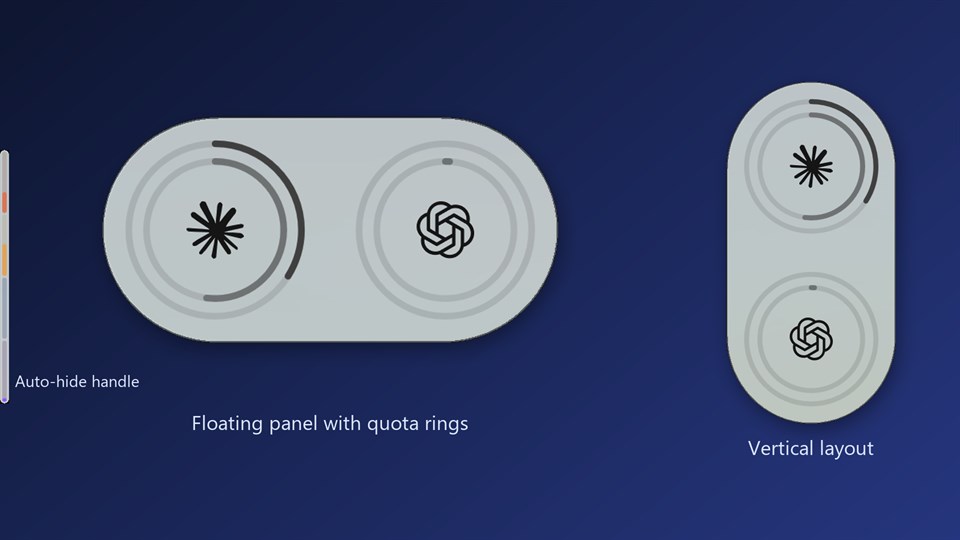
• Rings for the 5-hour and 7-day windows of Codex and Claude, with exact percentages and reset times on hover
• Floating panel (joined or separate, horizontal or vertical) that snaps to screen edges, auto-hides, and stays on top if you want
• Optional taskbar meter beside your taskbar icons
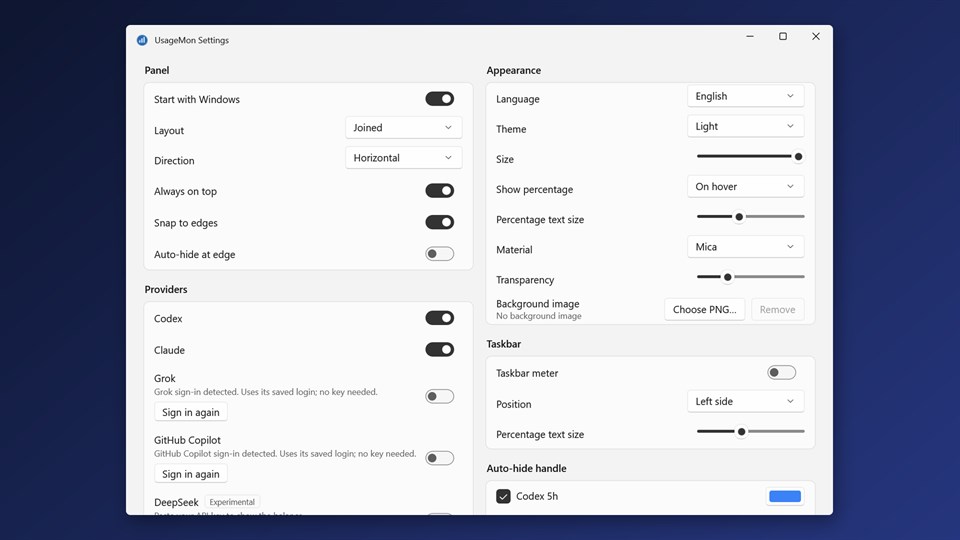
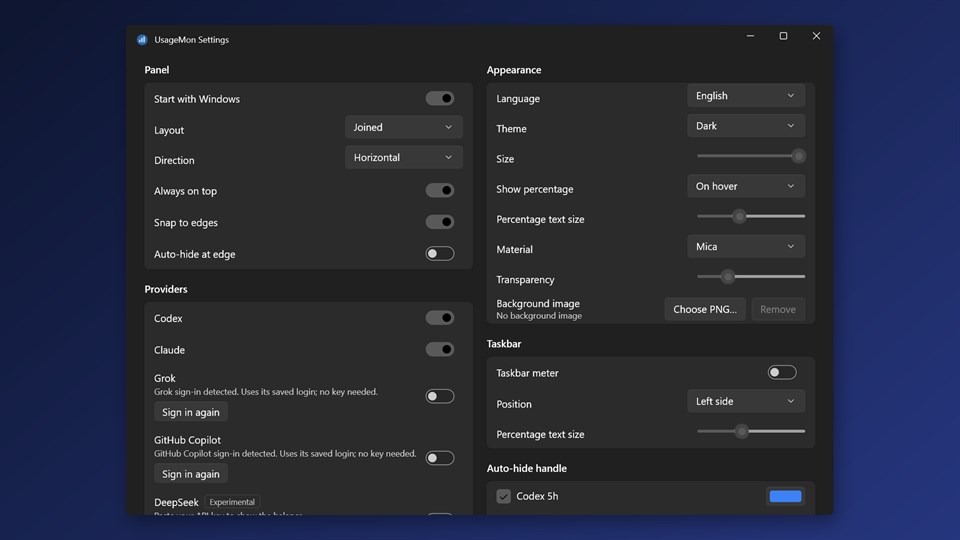
• Native WinUI 3 look: follows Windows light/dark, Mica or Acrylic, adjustable size, transparency and background image
• Experimental DeepSeek and Kimi balance (off by default)
• English and Simplified Chinese
UsageMon reads the sign-in you already have from Codex and Claude Code on this PC and contacts only the provider's own usage endpoint. No account, no telemetry, no ads. Open source (MIT).
UsageMon is an independent, unofficial app and is not affiliated with or endorsed by OpenAI or Anthropic. Codex, ChatGPT, Claude and Claude Code are trademarks of their respective owners.
Requires Codex and/or Claude Code to be installed and signed in.
개발자 소식
개발자이신가요?
페이지 맨 위에 소식을 올리면 팔로워에게 이메일로 전달됩니다. YouTube 동영상을 추가하면 “동영상” 블록 맨 앞에 표시됩니다.
목록 0
-
 UsageMon
포인트 0
-

- +1 포인트

순위 0
-
- 내 평점
새로운 기능
- 버전: PC
- 마지막 업데이트:
- Adds Grok, GitHub Copilot and Kimi Code quota rings with in-app sign-in, and a Parallel mode for the auto-hide handle. DeepSeek and Kimi API keys can now be pasted in Settings. Settings cards were reordered and the Usage card lists every provider.
버전 기록
- Start with Windows now works in the Store version. Configurable auto-hide handle. Copyable API-key setup commands.
추가 정보
 https://github.com/nathanatgit/UsageMon
AppAgg 점수
600
AppAgg 예상 점수:
UsageMon
개발자: NathanHan
600 실버
점수가 높을수록 대체로 AppAgg의 여러 지표에서 좋은 결과를 보인다는 뜻입니다.
기준: 인기 · 사용자 평점 · 최신성 · 할인 · 스토어 데이터 · 커뮤니티 활동
최신 AppAgg 데이터를 바탕으로 매일 다시 계산됩니다.
웹사이트용 배지:  복사됨!
댓글 0 ¡
가장 먼저 댓글을 남겨주세요
공유하기
UsageMon 단축 URL: 복사됨!- Windows Store


