
Marque-pages
| Développeur: | CodeBG (3) | ||
| Prix: | Gratuit | ||
| Score: | 1 100 Argent | ||
| Classements: | 0 | ||
| Commentaires: | 0 Publier un commentaire | ||
| Listes: | 0 0 | ||
| Points: | 0 | ||
| +1 Point | |||
Résumé
Découvrez Verbinal, une application signée CodeBG dans la catégorie « Outils de développement ».
Elle tourne même sur HoloLens (Windows en réalité mixte).
Il existe même une version Windows Mobile. Un petit coucou du passé.
Gratuite : ni pub, ni achats intégrés. Juste vous et l’application.
Sortie , elle est encore toute fraîche.
Compatible même avec Surface Hub, pour les grandes salles de réunion.
Son Score AppAgg est de 1 100. Niveau Argent, et c’est déjà pas mal du tout.
Classification « EVERYONE » : ça convient aussi aux enfants.
Parle 2 langues, dont le français.
Silence radio pour l’instant (ni notes, ni commentaires). À vous de briser la glace.
Ce développeur a encore 2 applications sur AppAgg. Ça vaut le coup d’œil.
Envie de connaître les mises à jour et les nouvelles apps avant tout le monde ? Suivez le développeur ou abonnez-vous au Flux RSS. Les notifications push arrivent via l’app AppAgg Alerts pour Android et iOS.
Autres plateformes 0
Historique des prix 0
- Prix actuel : Gratuit
- Minimum: Gratuit
- Maximum: Gratuit
Votre propre fil sur la page d’accueil
Captures d'écran 9
Description

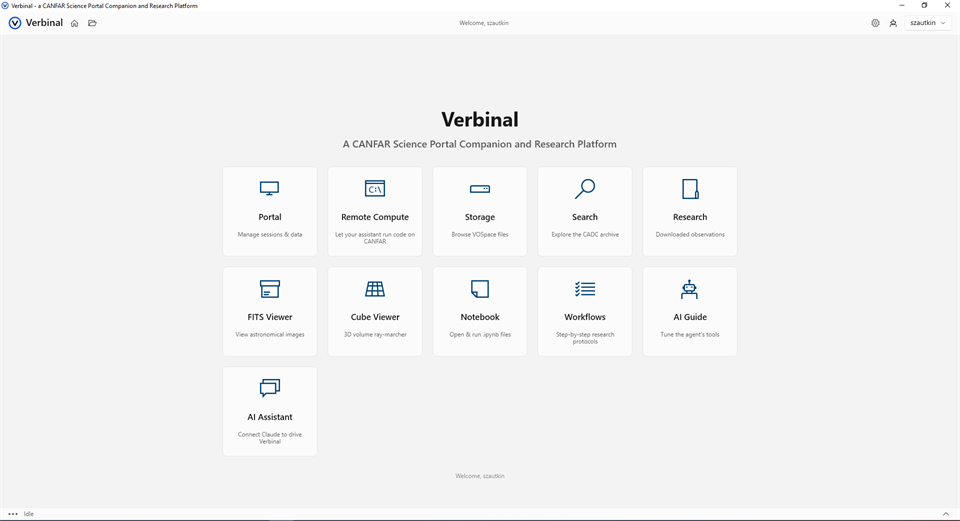
Verbinal is a native Windows companion for the Canadian Astronomy Data Centre (CADC) and the CANFAR Science Platform. It brings the everyday work of an astronomer — finding archival data, inspecting images, running analysis, managing cloud storage and compute — into one fast, keyboard-friendly desktop app.
SEARCH THE ARCHIVE
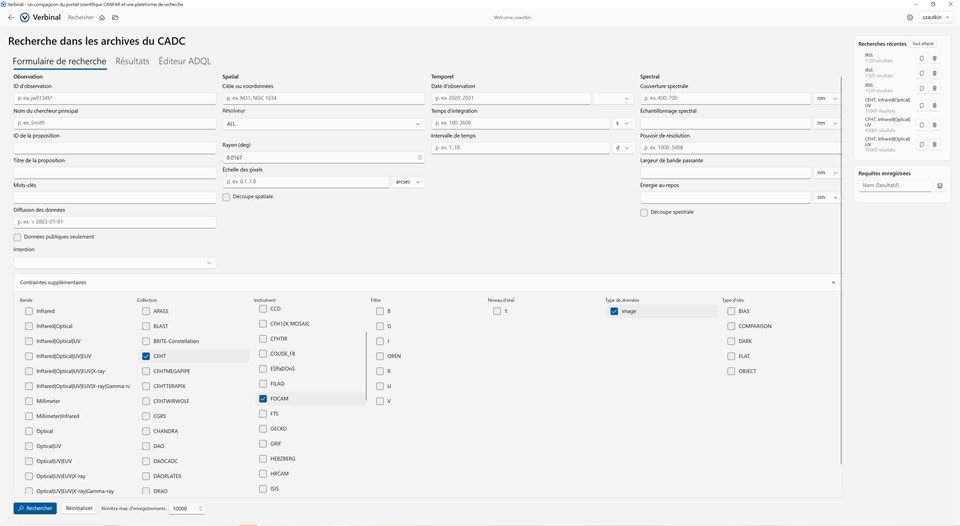
Query the CADC archive (CFHT, JCMT, DAO, Gemini, HST and more) with a powerful search page: coordinate or target-name cone searches, a filterable data train (collection, instrument, filter, calibration level, dates), previews, and one-click downloads into your local research archive. Write ADQL directly — it is checked against the service's schema as you type — and keep your saved queries one click away.
RESEARCH ARCHIVE & NOTES
Downloaded observations are organized automatically, with per-observation notes and an exportable research bundle you can hand to collaborators.
FITS & SPECTRAL-CUBE VIEWERS
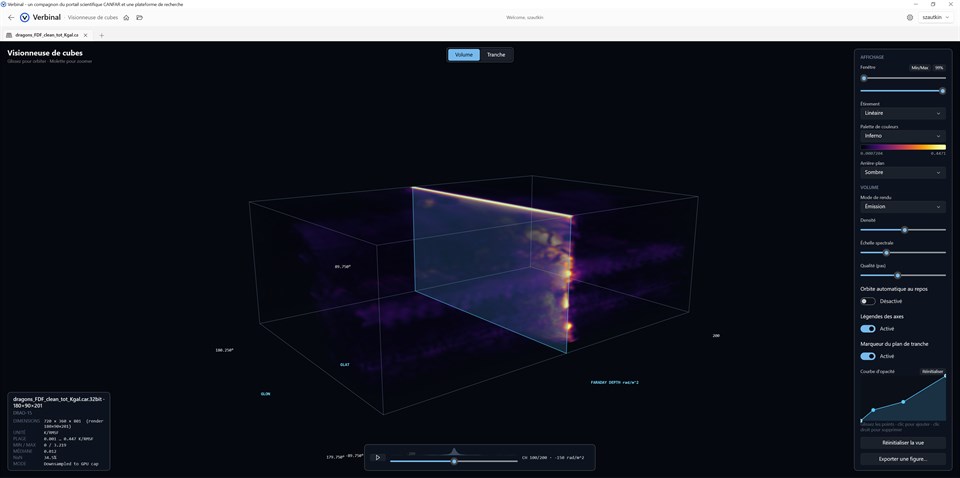
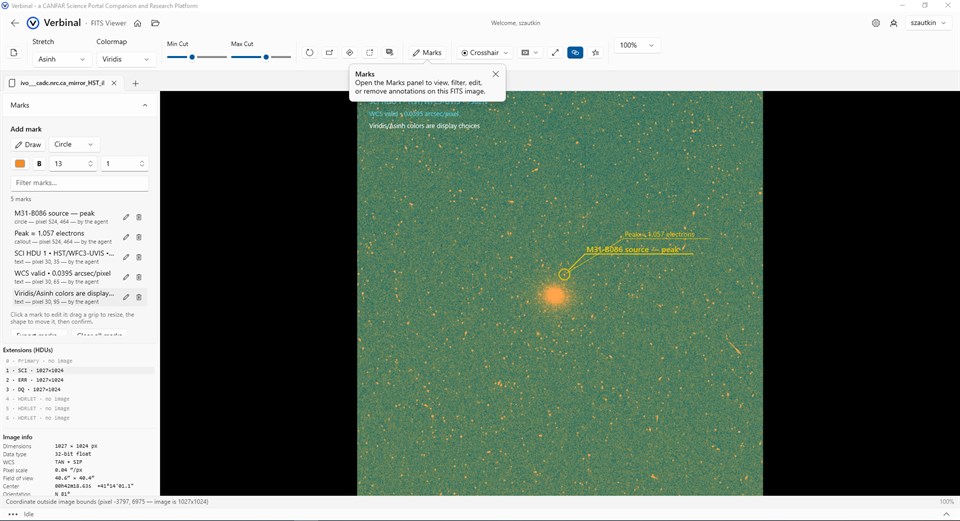
A hardware-accelerated 2D FITS viewer with WCS readout, coordinate go-to, pixel probing, blink comparison and bookmarks — plus a Direct3D 3D Cube Viewer that volume-renders spectral cubes: fly around position-position-velocity space, scrub channels against an intensity waveform, shape the transfer function, and probe spectra at any point.
Mark up what you find: draw boxes, circles, callouts and text on images and cubes, pinned to the sky, and export them as JSON or DS9 regions. Export publication figures as PNG or PDF — the whole view or a selected region, up to 4×, with your marks, a header and a footer.
NATIVE JUPYTER NOTEBOOKS
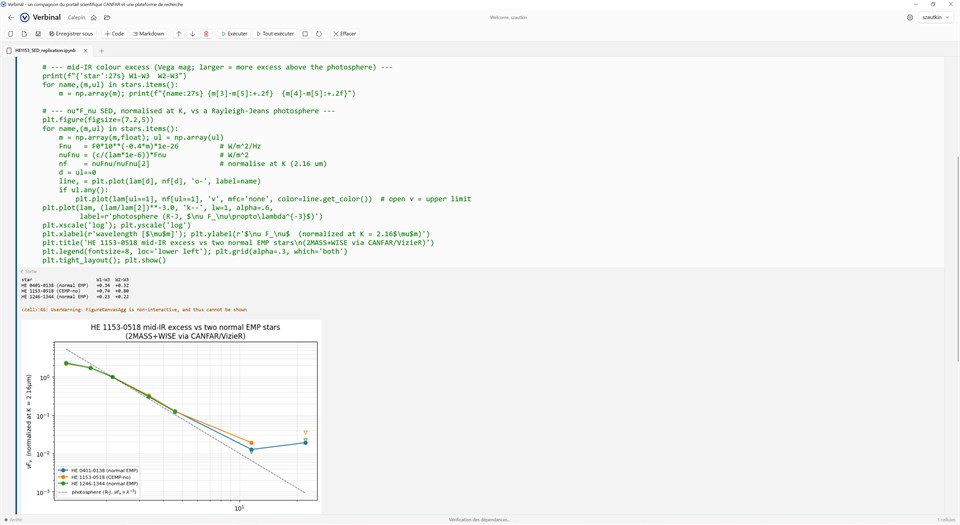
Edit and run .ipynb notebooks — and .py and .md files as cells — natively with a local Python kernel: no browser, no server setup. Outputs render plots, SVG, Markdown, LaTeX and HTML. Seed ready-to-run analysis notebooks (quick-look imaging, aperture photometry, cube moment maps) directly from a downloaded observation.
WORKFLOWS
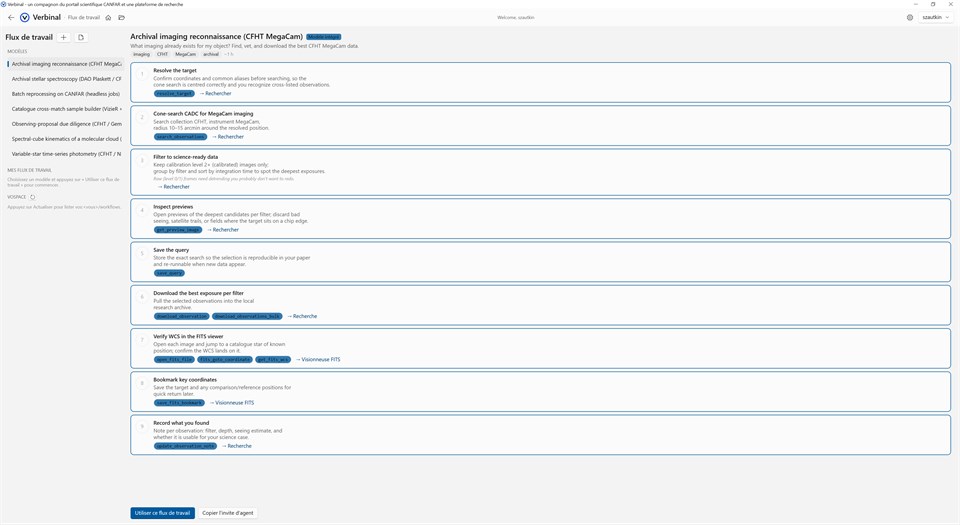
Step-by-step research protocols rendered as check-off step cards. Start from seven built-in templates for classic CADC/CANFAR research — archival imaging reconnaissance, variable-star photometry, cube kinematics, stellar spectroscopy, catalogue cross-matching, proposal due diligence, and batch reprocessing — or write your own in a simple markdown format with a live-preview editor. Guided tours of the whole app and of each screen are built in too. Store workflows locally or share them with your team via VOSpace.
VOSPACE STORAGE
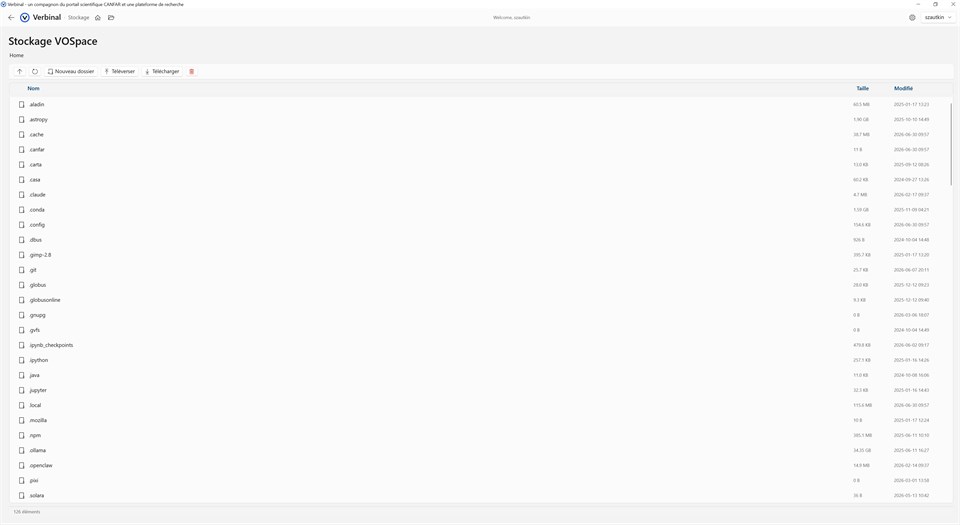
Browse, upload, download and organize your VOSpace/ARC files with quota tracking and sharing controls.
SESSIONS & BATCH COMPUTE
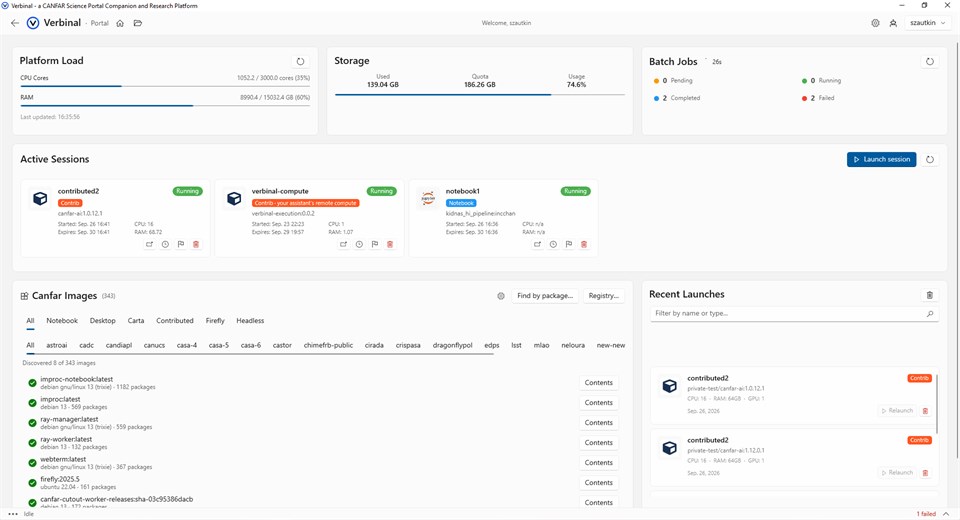
Launch and manage CANFAR sessions (Jupyter, Desktop, CARTA, Firefly) and submit headless batch jobs with replicas; follow logs and events live, and keep a history of finished jobs — including why the failed ones failed. Image Discovery shows exactly which software packages a container image carries before you launch it, and you can search the image registry for images the platform doesn't list.
REMOTE COMPUTE (OPTIONAL)
Run Python or Bash on CANFAR straight from the desktop — yourself, or through your AI assistant. The code runs in one session on your own account, and the Remote Compute screen shows its status with Start and Stop, and every run with its code and output. It stays off until you set it up; the screen walks you through it.
AI ASSISTANT (OPTIONAL)
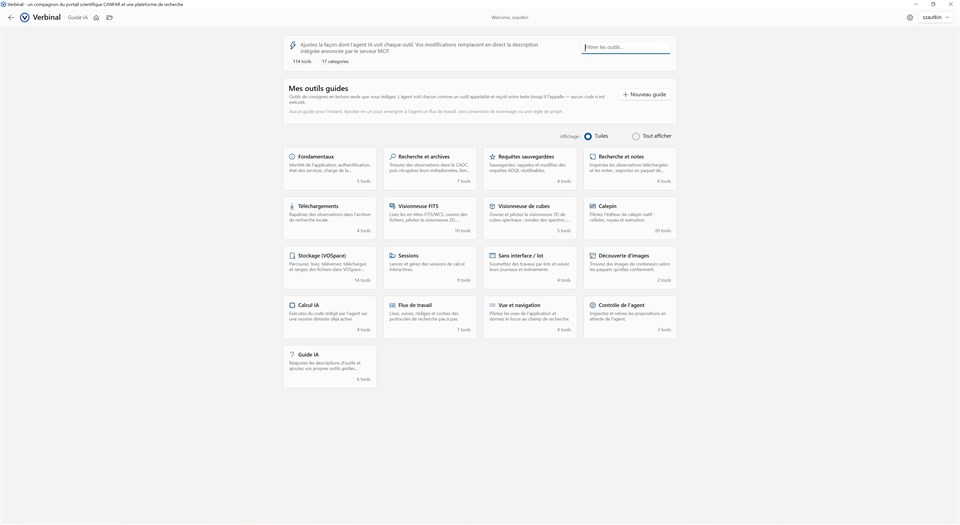
Connect Claude Desktop or Claude Code through a guided wizard — or Codex, GitHub Copilot, Cursor, Gemini or any other MCP client using the instructions included with the app — and let an AI agent drive Verbinal with over 170 tools: search, download, open and read the viewers, run notebooks and code, manage storage and sessions, follow and even author Workflows. It can point at controls on screen as it explains them, and give you a guided tour of the app. You stay in control — a proposal review strip gates every consequential action, destructive operations always require your explicit approval, and everything an agent changed is marked with a badge.
Verbinal requires a free CADC account for Portal, Remote Compute and Storage. Search, the viewers, notebooks and workflows work without signing in.
Language note: the interface is available in English and French (Settings > General > Language).
Du développeur
Listes 0
-
 Verbinal
Points 0
-

- +1 Point

Classements 0
-
- Votre note
Développeur 3
- CODEBG
- Abonnés: 0
- Plateformes: Android Applications (2) Windows Applications (1)
- Promotions: 0
- Listes: 0 0
- Points: 0
- Classements: 0
- Commentaires: 0
- Vidéos: 0
- RSS: S'abonner
Nouveautés
- Version: PC
- Dernière mise à jour:
- Verbinal 1.4.1 adds cutouts — only the part of a file you need — and many fixes.
• Cutouts from the archive — CADC cuts the region on its side: a few MB of a 1.6 GB tile, at full resolution. Draw a circle or box on the file's footprint or type RA, Dec and size; for a cube, a wavelength range too.
• Cutouts on your computer — cut a file you have downloaded, at once and offline: HST and MegaPrime multi-extension files, cubes and fpack .fz included. Weight maps come along, cut to the same pixels.
• Search's Spatial cutout and Spectral cutout options now cut each download to the search's region and wavelengths.
• Copy an observation or any search result as text that pastes into a spreadsheet.
• Keep an observation in Research without its file, or remove the file and keep your notes.
• The Portal is laid out as in the Linux app, with the launch form in a dialog.
• Your AI assistant can open Settings to show you where something is set, and reconnects by itself when Verbinal restarts.
Also fixed:
• A long search can be cancelled, and "Public only" works again.
• Proprietary files download for their owner.
• Very large images (a 1.6 GB tile) open when there is memory for them.
• Positions on HST images with SIP distortion land on the right pixel.
• Marks come back when a file is reopened by another spelling of its path.
Informations supplémentaires
- Date de sortie:
- Catégorie:
Applications pour Windows›Outils de développement - Systèmes d'exploitation:
HoloLensMobilePCSurface Hub - Taille:
109 Mb - Langues prises en charge:
Français,Anglais - Classification du contenu:
EVERYONE - Windows Store Note: ¡
0 - Site Web:
 https://www.canfar.net
Score AppAgg
Score AppAgg estimé pour
Verbinal
Développeur: CodeBG
Un score plus élevé reflète généralement de meilleurs résultats selon les indicateurs d’AppAgg.
Basé sur : popularité · notes des utilisateurs · actualité · promos · données des boutiques · activité de la communauté
Recalculé chaque jour à partir des données AppAgg les plus récentes.
Commentaires 0 ¡
Partager
Verbinal URL courte: Copié!- Windows Store

