
ブックマーク
このブックマークのタイトルを入力してください。
ブックマークを保存しました
| 開発者: | CodeBG (3) | ||
| 価格: | 無料 | ||
| スコア: | 1,100 シルバー | ||
| ランキング: | 0 | ||
| コメント: | 0 コメントを投稿する | ||
| リスト: | 0 0 | ||
| ポイント: | 0 | ||
| +1 ポイント | |||
概要
こちらはVerbinal。CodeBGが贈る「開発者ツール」カテゴリのアプリです。
なんとHoloLensでも使えます。複合現実の中のWindowsです。
なんとWindows Mobile版まであります。過去からこんにちは。
無料。広告なし、アプリ内課金なし。あなたとアプリだけです。
にリリース。まだまだフレッシュです。
Surface Hubにも対応。大きな会議室にもぴったりです。
AppAggスコアは1,100。「シルバー」なら、なかなかのものです。
年齢区分は「EVERYONE」なので、子どもでも安心です。
2言語に対応していますが、日本語はまだです。
ここはまだ静まり返っています。評価もコメントもなし。沈黙を破ってみませんか?
この開発者のアプリは、AppAggにほかに2個あります。のぞいてみては?
アップデートや新しいアプリを誰よりも早く知りたい?開発者をフォローするか、RSS フィードを購読しましょう。プッシュ通知は Android と iOS 向けの AppAgg Alerts アプリで届きます。
広告
他のプラットフォーム 0
価格履歴 0
- 現在の価格: 無料
- 最小値: 無料
- 最大値: 無料
ホームに自分だけのフィード
「新着・アップデート」のプラットフォームを選ぶと、ホームには必要なアプリとゲームだけが表示されます。
スクリーンショット 9
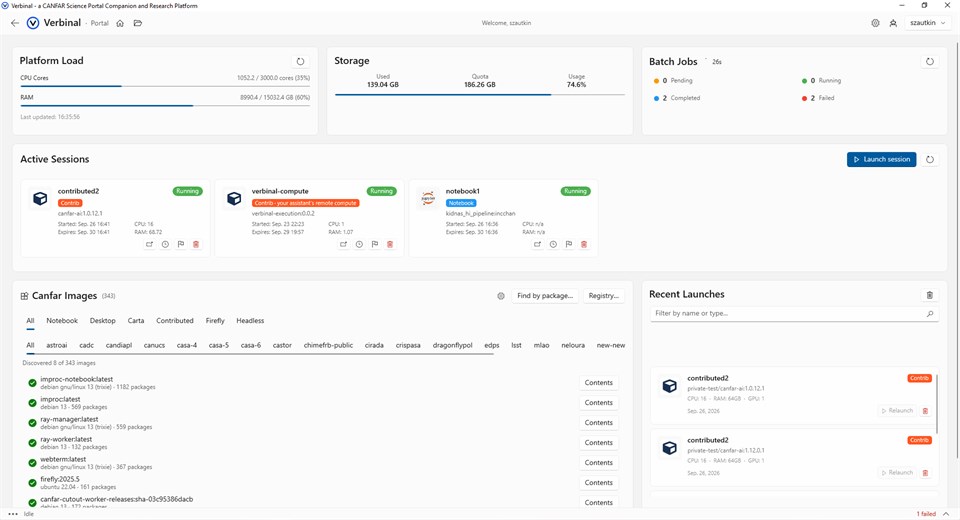
説明

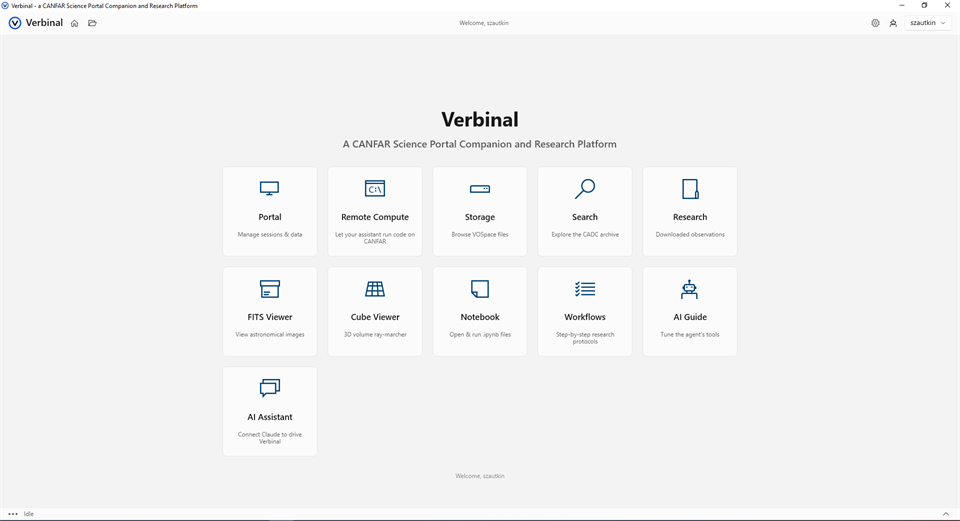
Verbinal is a native Windows companion for the Canadian Astronomy Data Centre (CADC) and the CANFAR Science Platform. It brings the everyday work of an astronomer — finding archival data, inspecting images, running analysis, managing cloud storage and compute — into one fast, keyboard-friendly desktop app.
SEARCH THE ARCHIVE
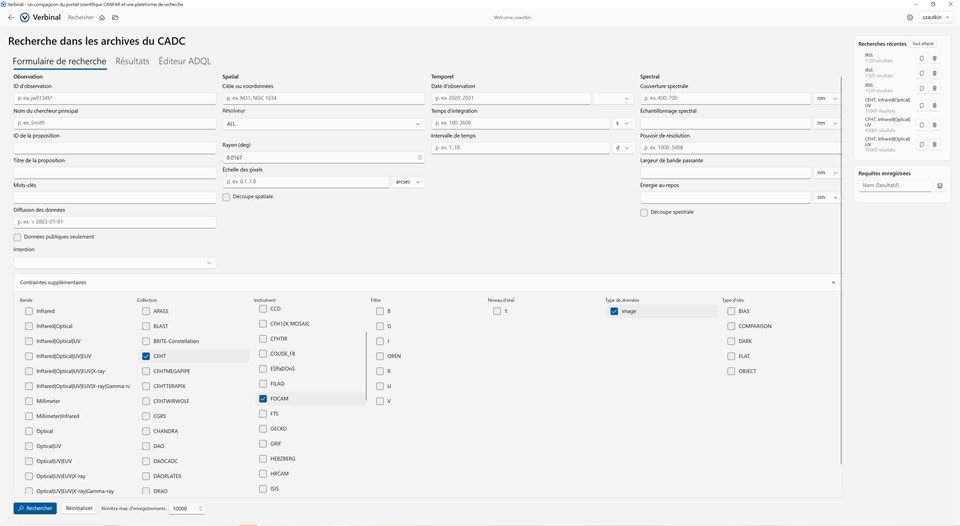
Query the CADC archive (CFHT, JCMT, DAO, Gemini, HST and more) with a powerful search page: coordinate or target-name cone searches, a filterable data train (collection, instrument, filter, calibration level, dates), previews, and one-click downloads into your local research archive. Write ADQL directly — it is checked against the service's schema as you type — and keep your saved queries one click away.
RESEARCH ARCHIVE & NOTES
Downloaded observations are organized automatically, with per-observation notes and an exportable research bundle you can hand to collaborators.
FITS & SPECTRAL-CUBE VIEWERS
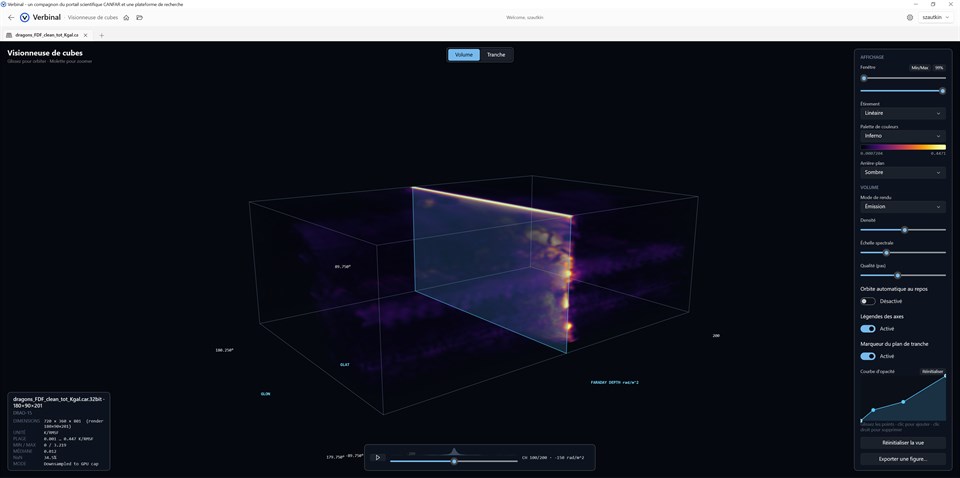
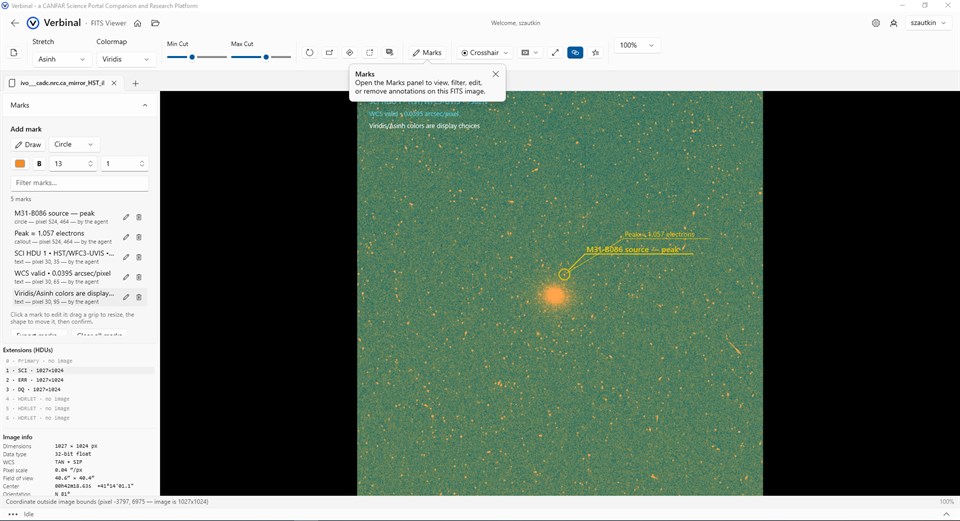
A hardware-accelerated 2D FITS viewer with WCS readout, coordinate go-to, pixel probing, blink comparison and bookmarks — plus a Direct3D 3D Cube Viewer that volume-renders spectral cubes: fly around position-position-velocity space, scrub channels against an intensity waveform, shape the transfer function, and probe spectra at any point.
Mark up what you find: draw boxes, circles, callouts and text on images and cubes, pinned to the sky, and export them as JSON or DS9 regions. Export publication figures as PNG or PDF — the whole view or a selected region, up to 4×, with your marks, a header and a footer.
NATIVE JUPYTER NOTEBOOKS
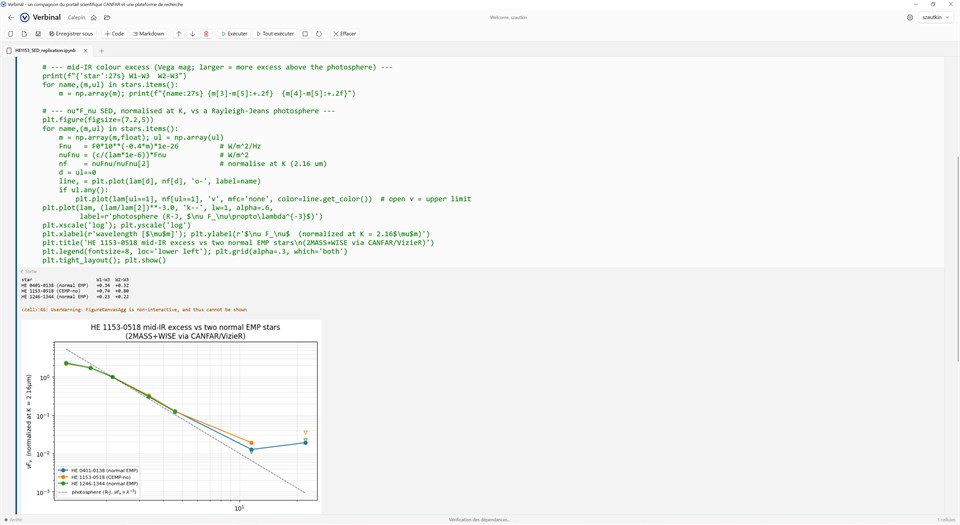
Edit and run .ipynb notebooks — and .py and .md files as cells — natively with a local Python kernel: no browser, no server setup. Outputs render plots, SVG, Markdown, LaTeX and HTML. Seed ready-to-run analysis notebooks (quick-look imaging, aperture photometry, cube moment maps) directly from a downloaded observation.
WORKFLOWS
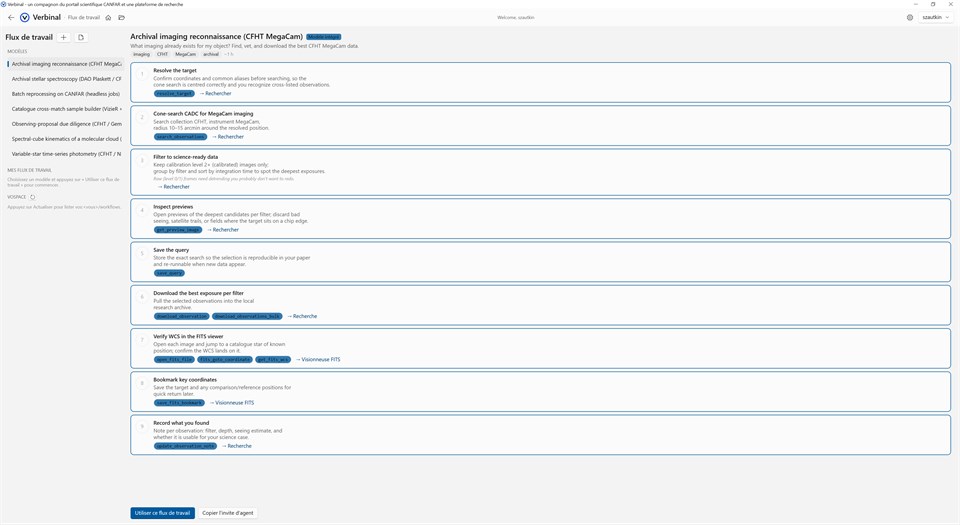
Step-by-step research protocols rendered as check-off step cards. Start from seven built-in templates for classic CADC/CANFAR research — archival imaging reconnaissance, variable-star photometry, cube kinematics, stellar spectroscopy, catalogue cross-matching, proposal due diligence, and batch reprocessing — or write your own in a simple markdown format with a live-preview editor. Guided tours of the whole app and of each screen are built in too. Store workflows locally or share them with your team via VOSpace.
VOSPACE STORAGE
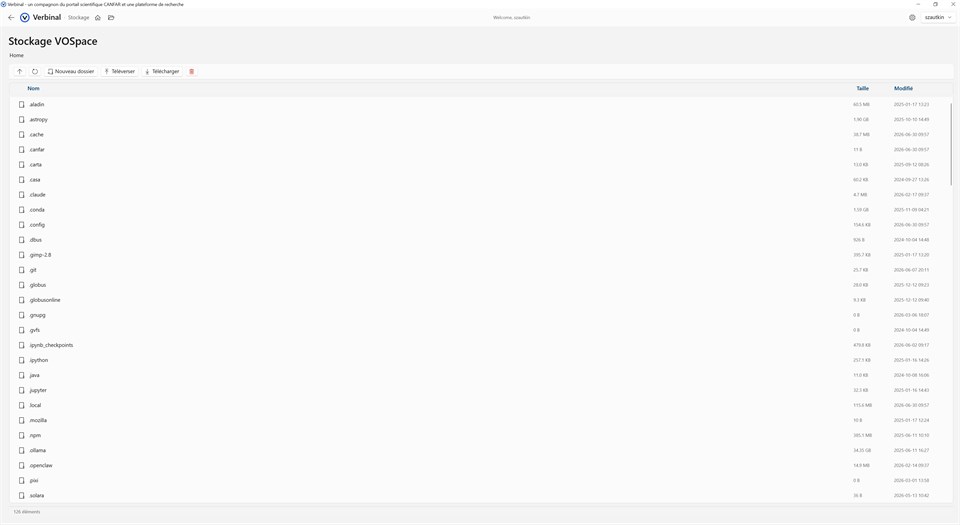
Browse, upload, download and organize your VOSpace/ARC files with quota tracking and sharing controls.
SESSIONS & BATCH COMPUTE
Launch and manage CANFAR sessions (Jupyter, Desktop, CARTA, Firefly) and submit headless batch jobs with replicas; follow logs and events live, and keep a history of finished jobs — including why the failed ones failed. Image Discovery shows exactly which software packages a container image carries before you launch it, and you can search the image registry for images the platform doesn't list.
REMOTE COMPUTE (OPTIONAL)
Run Python or Bash on CANFAR straight from the desktop — yourself, or through your AI assistant. The code runs in one session on your own account, and the Remote Compute screen shows its status with Start and Stop, and every run with its code and output. It stays off until you set it up; the screen walks you through it.
AI ASSISTANT (OPTIONAL)
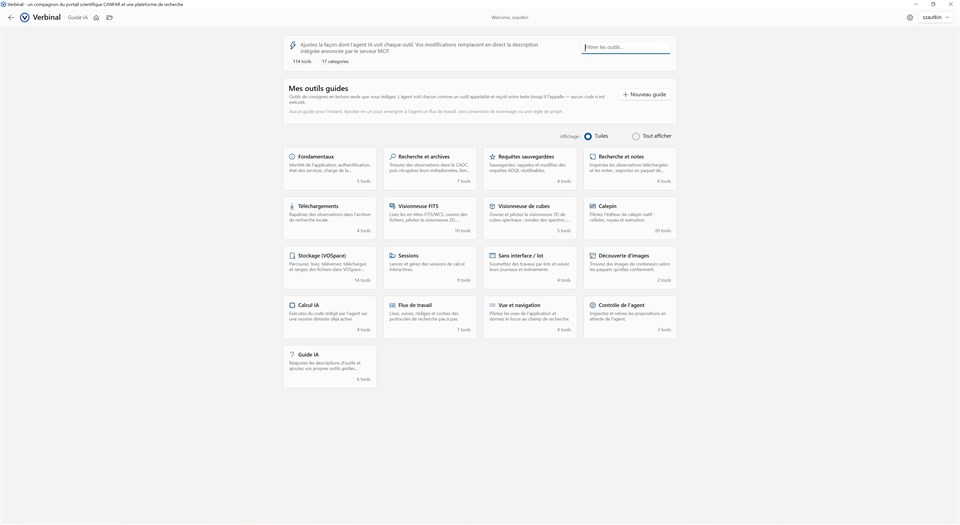
Connect Claude Desktop or Claude Code through a guided wizard — or Codex, GitHub Copilot, Cursor, Gemini or any other MCP client using the instructions included with the app — and let an AI agent drive Verbinal with over 170 tools: search, download, open and read the viewers, run notebooks and code, manage storage and sessions, follow and even author Workflows. It can point at controls on screen as it explains them, and give you a guided tour of the app. You stay in control — a proposal review strip gates every consequential action, destructive operations always require your explicit approval, and everything an agent changed is marked with a badge.
Verbinal requires a free CADC account for Portal, Remote Compute and Storage. Search, the viewers, notebooks and workflows work without signing in.
Language note: the interface is available in English and French (Settings > General > Language).
デベロッパーから
デベロッパーの方ですか?
ページの一番上にニュースを投稿すると、フォロワーにメールで届きます。YouTube 動画を追加すると、「動画」の一番上に表示されます。
リスト 0
-
 Verbinal
ポイント 0
-

- +1 ポイント

ランキング 0
-
- あなたの評価
開発者 3
- CODEBG
- フォロワー: 0
- プラットフォーム: Android アプリ (2) Windows アプリ (1)
- セール: 0
- リスト: 0 0
- ポイント: 0
- ランキング: 0
- コメント: 0
- 動画: 0
- RSS: 購読する
新機能
- バージョン: PC
- 最終更新:
- Verbinal 1.4.1 adds cutouts — only the part of a file you need — and many fixes.
• Cutouts from the archive — CADC cuts the region on its side: a few MB of a 1.6 GB tile, at full resolution. Draw a circle or box on the file's footprint or type RA, Dec and size; for a cube, a wavelength range too.
• Cutouts on your computer — cut a file you have downloaded, at once and offline: HST and MegaPrime multi-extension files, cubes and fpack .fz included. Weight maps come along, cut to the same pixels.
• Search's Spatial cutout and Spectral cutout options now cut each download to the search's region and wavelengths.
• Copy an observation or any search result as text that pastes into a spreadsheet.
• Keep an observation in Research without its file, or remove the file and keep your notes.
• The Portal is laid out as in the Linux app, with the launch form in a dialog.
• Your AI assistant can open Settings to show you where something is set, and reconnects by itself when Verbinal restarts.
Also fixed:
• A long search can be cancelled, and "Public only" works again.
• Proprietary files download for their owner.
• Very large images (a 1.6 GB tile) open when there is memory for them.
• Positions on HST images with SIP distortion land on the right pixel.
• Marks come back when a file is reopened by another spelling of its path.
情報
- リリース日:
- カテゴリ:
Windows向けアプリ›開発者ツール - オペレーティング システム:
HoloLensMobilePCSurface Hub - サイズ:
109 Mb - サポートされる言語:
フランス語,英語 - コンテンツのレーティング:
EVERYONE - Windows Store 評価: ¡
0 - ウェブサイト:
 https://www.canfar.net
AppAggスコア
1,100
AppAgg推定スコア:
Verbinal
開発者: CodeBG
1,100 シルバー
スコアが高いほど、AppAgg上の各指標が良好な傾向にあります。
基準: 人気 · ユーザー評価 · 新しさ · セール · ストアデータ · コミュニティ活動
最新のAppAggデータに基づいて毎日再計算されます。
ウェブサイト用バッジ:  コピーしました!
コメント 0 ¡
最初のコメントを書きましょう
シェア
Verbinal 短縮 URL: コピーしました!- Windows Store

