
Bookmark
| Pengembang: | VRAM Check (1) | ||
| Harga: | Gratis | ||
| Skor: | 720 Perak | ||
| Peringkat: | 0 | ||
| Komentar: | 0 Kirimkan komentar | ||
| Daftar: | 0 0 | ||
| Poin: | 0 | ||
| +1 Poin | |||
Ringkasan
Kenalan dulu dengan VRAM Check CLI, aplikasi buatan VRAM Check di kategori Alat pengembang.
Rilis , masih cukup segar.
Gratis, tanpa iklan, tanpa pembelian dalam aplikasi. Cuma kamu dan aplikasinya.
Microsoft Store sudah jadi bawaan Windows, jadi bisa dipasang dalam beberapa klik.
Skor AppAgg-nya 720. Perak, dan itu sama sekali tidak buruk.
Cuma 43 megabyte, muat bahkan di penyimpanan yang sudah penuh.
Rating usia “EVERYONE”, jadi aman juga untuk anak-anak.
Cuma bisa satu bahasa, dan itu bukan bahasa Indonesia.
Belum ada yang menilainya di AppAgg. Kesempatanmu jadi yang pertama ada sekarang.
Ini satu-satunya aplikasi dari pengembang ini di AppAgg. Untuk sekarang.
Mau jadi yang pertama tahu soal pembaruan dan aplikasi baru? Ikuti pengembang atau berlangganan lewat Umpan RSS. Notifikasi push dikirim lewat aplikasi AppAgg Alerts untuk Android dan iOS.
Platform lain 0
Riwayat harga 0
- Harga saat ini: Gratis
- Minimum: Gratis
- Maksimum: Gratis
Feed Anda sendiri di beranda
Jepretan layar 5
Deskripsi

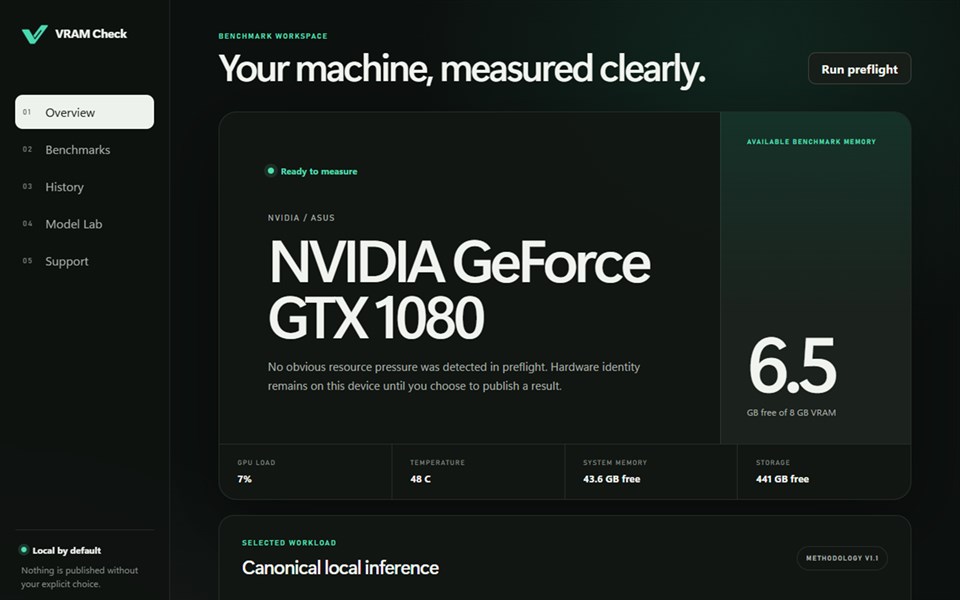
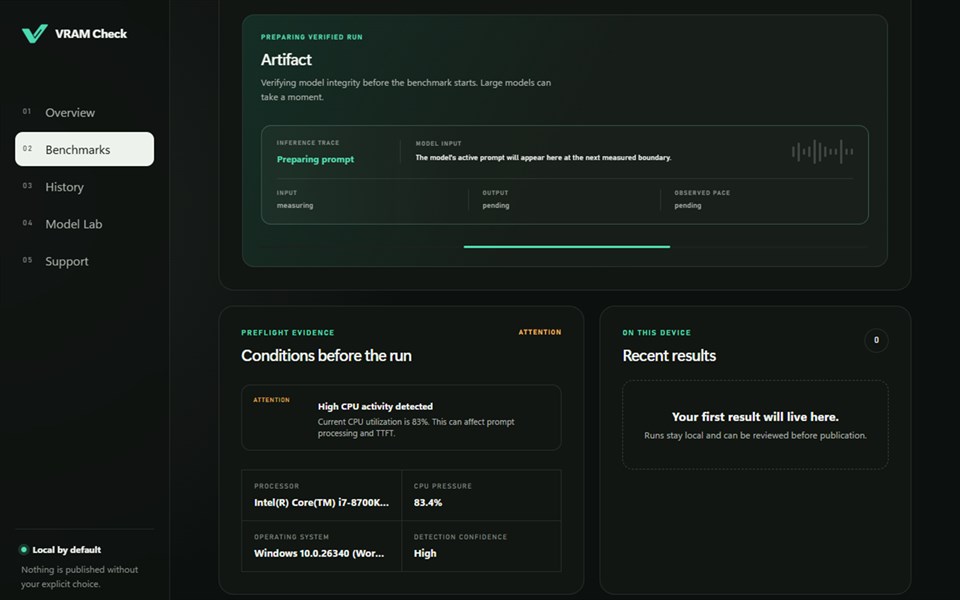
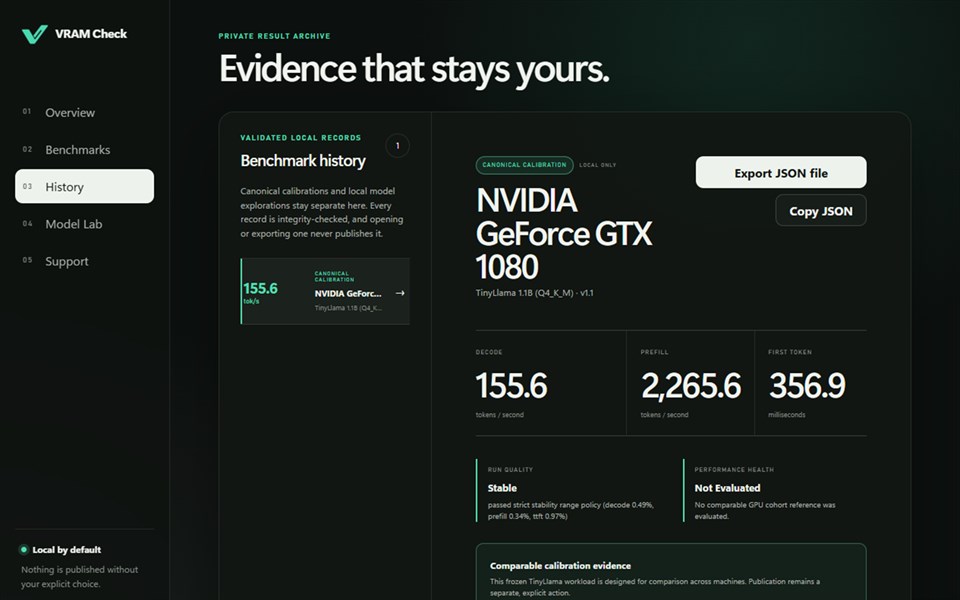
Start with a guided hardware preflight that checks the inference runtime, GPU, VRAM, system memory, storage, temperature, and competing GPU load. The canonical benchmark then runs real TinyLlama 1.1B inference through llama.cpp and Vulkan using three measured passes. The result explains decode speed, prompt-processing speed, time to first token, repeatability, available benchmark memory, and the practical limits of the machine.
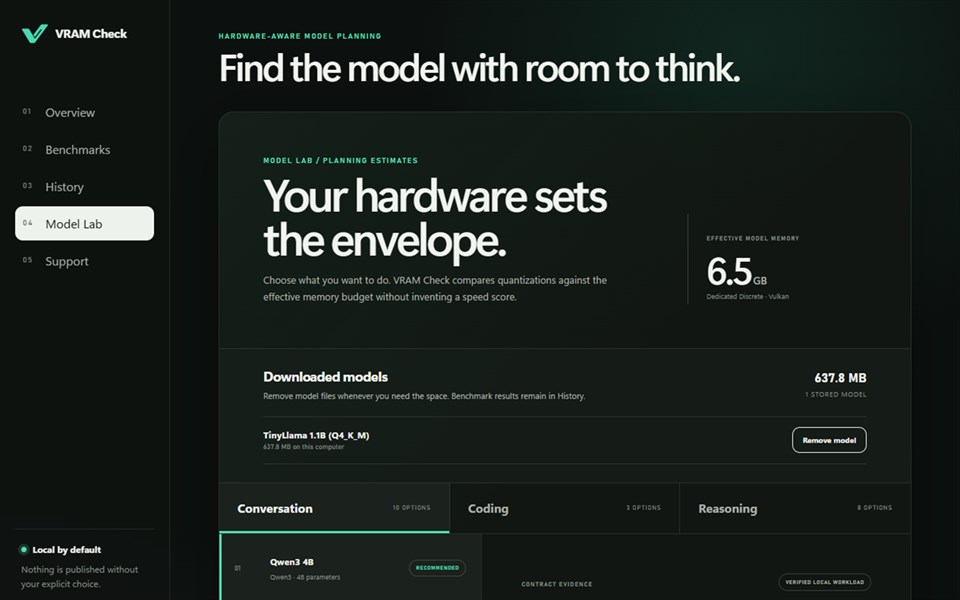
Model Lab compares detected hardware with additional model and quantization profiles. It shows requirements before downloading a model, identifies options that fit the current machine, and keeps measured results separate from compatibility estimates. Downloaded benchmark models remain visible in local storage controls and can be removed without deleting benchmark history.
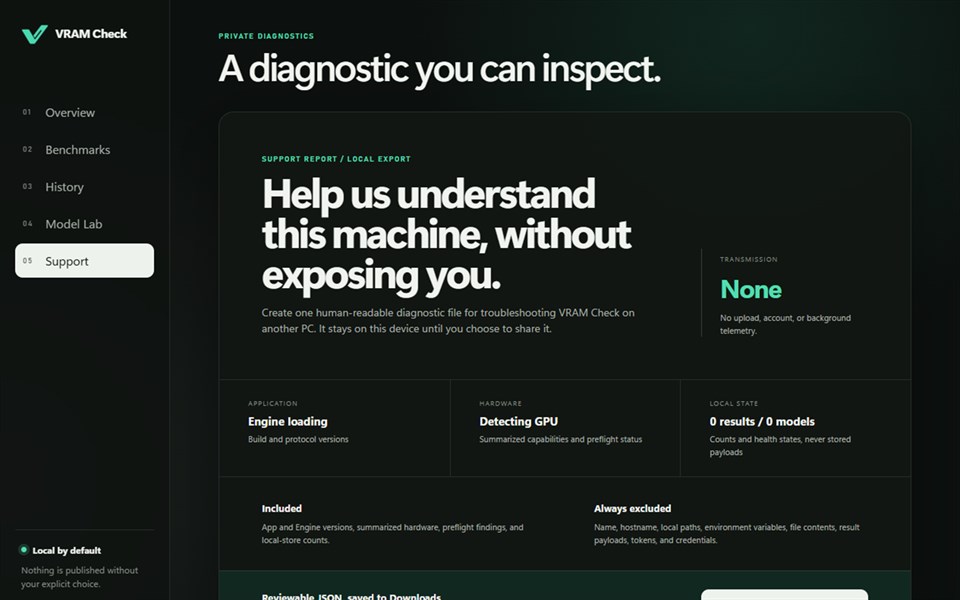
Results are saved locally first. Publishing is optional and always requires an explicit user action. Optional telemetry is disabled by default. Benchmark submissions exclude the hostname, local username, file contents, credentials, and local filesystem paths. A privacy-safe support report can be reviewed and exported locally without transmitting it.
The first canonical benchmark may download approximately 670 MB. Internet access is required for model acquisition, release verification, and optional result publication. No account is required.
Dari developer
Daftar 0
-
 VRAM Check CLI
Poin 0
-

- +1 Poin

Peringkat 0
-
- Rating Anda
Pengembang 1
- VRAM Check
- Pengikut: 0
- Platform: Windows Aplikasi (1)
- Diskon: 0
- Daftar: 0 0
- Poin: 0
- Peringkat: 0
- Komentar: 0
- Video: 0
- RSS: Berlangganan
Yang Baru
- Versi: PC
- Terakhir diperbarui:
- New experimental Model Lab measurement: run a local model response over four passes (one preparation pass and three resident passes). Inspect preparation time, time to first token, later-token speed, and per-pass warnings. You can cancel safely; completed, cancelled, and interrupted sessions remain in local History with checkpoint-integrity status. These sessions are separate from the canonical benchmark and do not create leaderboard scores or publish data.
The guided Windows app still offers hardware preflight, the canonical TinyLlama benchmark, model-fit guidance, downloaded-model cleanup, and optional result publication. The companion CLI remains available through the vramcheck.exe app execution alias.
Info tambahan
- Tanggal rilis:
- Kategori:
Aplikasi Windows›Alat pengembang - OS:
PC - Ukuran:
43 Mb - Bahasa yang didukung:
Inggris - Rating Konten:
EVERYONE - Windows Store Rating: ¡
0 - Situs Web:
 https://vramcheck.com
Skor AppAgg
Perkiraan Skor AppAgg untuk
VRAM Check CLI
Pengembang: VRAM Check
Skor yang lebih tinggi biasanya menunjukkan indikator yang lebih kuat di AppAgg.
Berdasarkan: popularitas · rating pengguna · kebaruan · promo · data toko · aktivitas komunitas
Dihitung ulang setiap hari dari data AppAgg terbaru.
Komentar 0 ¡
Bagikan
VRAM Check CLI URL singkat: Disalin!- Windows Store

