
บุ๊กมาร์ก
| ผู้พัฒนา: | VRAM Check (1) | ||
| ราคา: | ฟรี | ||
| คะแนน: | 720 เงิน | ||
| การจัดอันดับ: | 0 | ||
| ความคิดเห็น: | 0 โพสต์ความคิดเห็น | ||
| รายการ: | 0 0 | ||
| แต้ม: | 0 | ||
| +1 แต้ม | |||
สรุป
มาทำความรู้จัก VRAM Check CLI แอปในหมวด “เครื่องมือสำหรับนักพัฒนา” จาก VRAM Check
ออกเมื่อ ยังสดใหม่อยู่เลย
ฟรี ไม่มีโฆษณา ไม่มีการซื้อภายในแอป มีแค่คุณกับแอป
Microsoft Store มีมาในตัว Windows อยู่แล้ว ติดตั้งได้ในไม่กี่คลิก
คะแนน AppAgg คือ 720 ระดับ “เงิน” ถือว่าไม่เลวเลย
แค่ 43 เมกะไบต์ ต่อให้ไดรฟ์เต็มก็ยังลงได้
จัดเรต “EVERYONE” เหมาะกับเด็ก ๆ ด้วย
รองรับแค่ภาษาเดียว และไม่ใช่ภาษาไทย
ยังไม่มีใครบน AppAgg ให้คะแนนเลย โอกาสเป็นคนแรกอยู่ตรงนี้แล้ว
เป็นแอปเดียวของผู้พัฒนารายนี้บน AppAgg อย่างน้อยก็ตอนนี้
อยากรู้เรื่องอัปเดตและแอปใหม่ก่อนใครไหม? ติดตาม ผู้พัฒนา หรือกดติดตาม ฟีด RSS ได้เลย การแจ้งเตือนแบบพุชส่งผ่านแอป AppAgg Alerts สำหรับ Android และ iOS
แพลตฟอร์มอื่น 0
ประวัติราคา 0
- ราคาปัจจุบัน: ฟรี
- ต่ำสุด: ฟรี
- สูงสุด: ฟรี
ฟีดของคุณเองบนหน้าแรก
ภาพหน้าจอ 5
คำอธิบาย

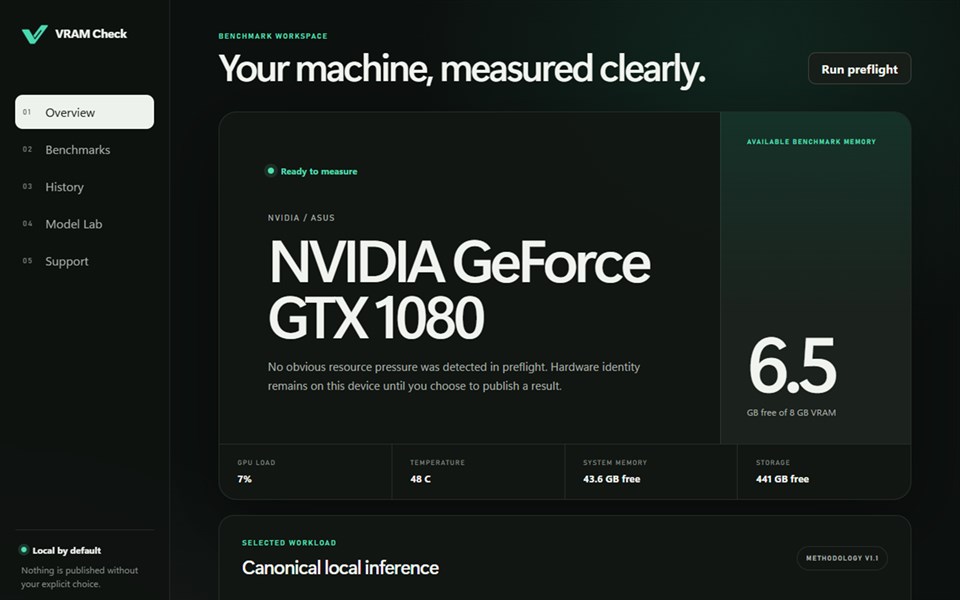
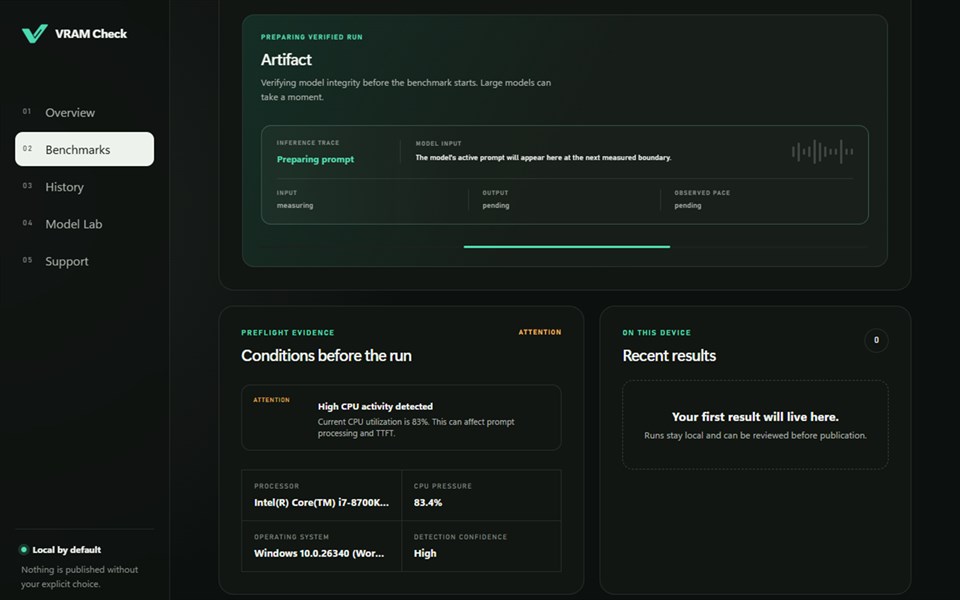
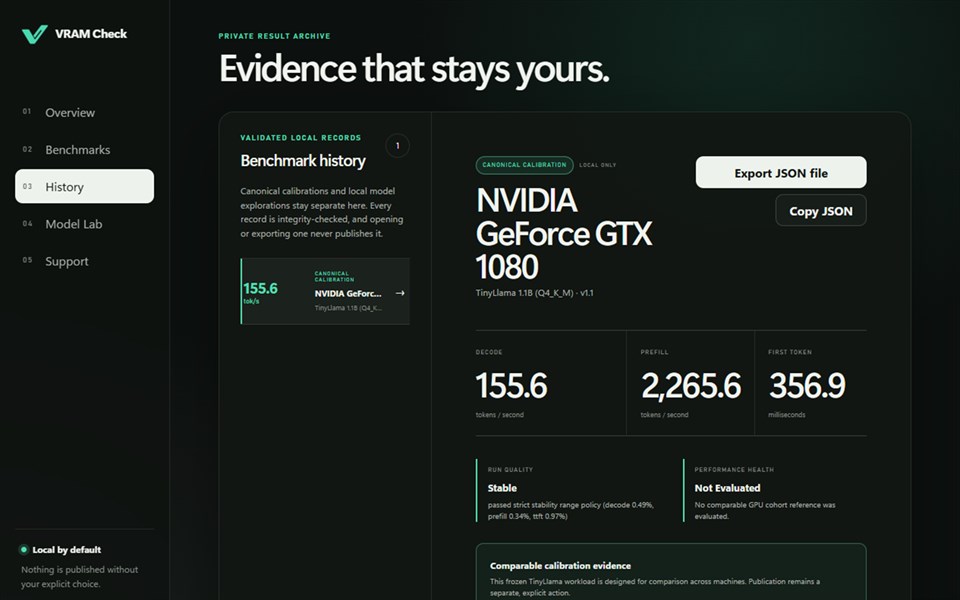
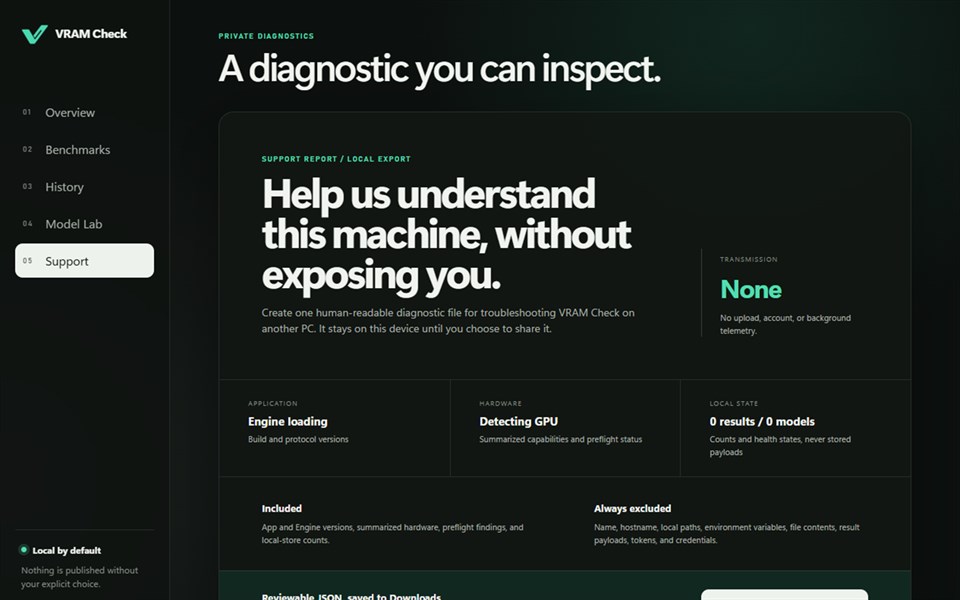
Start with a guided hardware preflight that checks the inference runtime, GPU, VRAM, system memory, storage, temperature, and competing GPU load. The canonical benchmark then runs real TinyLlama 1.1B inference through llama.cpp and Vulkan using three measured passes. The result explains decode speed, prompt-processing speed, time to first token, repeatability, available benchmark memory, and the practical limits of the machine.
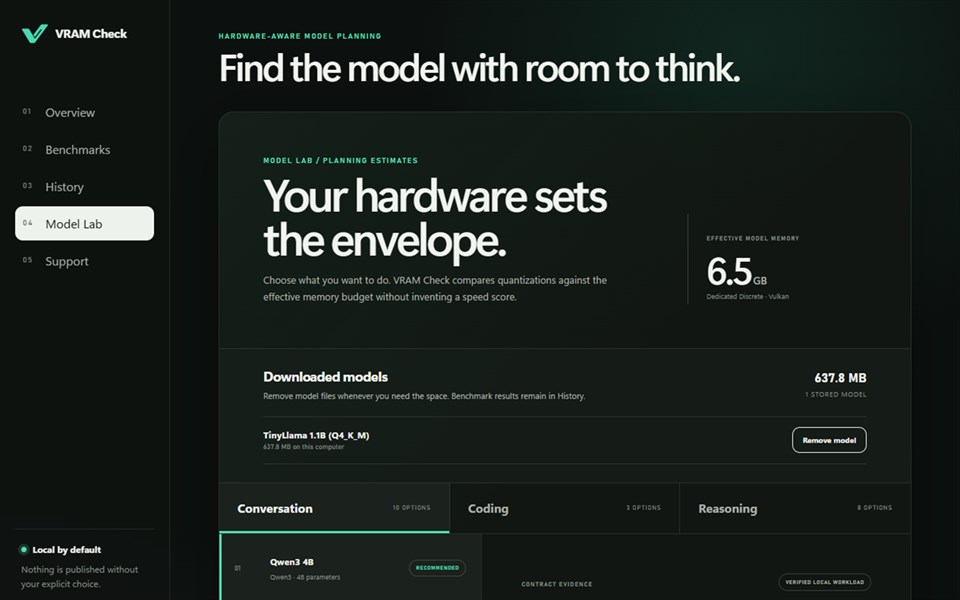
Model Lab compares detected hardware with additional model and quantization profiles. It shows requirements before downloading a model, identifies options that fit the current machine, and keeps measured results separate from compatibility estimates. Downloaded benchmark models remain visible in local storage controls and can be removed without deleting benchmark history.
Results are saved locally first. Publishing is optional and always requires an explicit user action. Optional telemetry is disabled by default. Benchmark submissions exclude the hostname, local username, file contents, credentials, and local filesystem paths. A privacy-safe support report can be reviewed and exported locally without transmitting it.
The first canonical benchmark may download approximately 670 MB. Internet access is required for model acquisition, release verification, and optional result publication. No account is required.
จากนักพัฒนา
รายการ 0
-
 VRAM Check CLI
แต้ม 0
-

- +1 แต้ม

การจัดอันดับ 0
-
- คะแนนของคุณ
ผู้พัฒนา 1
- VRAM Check
- ผู้ติดตาม: 0
- แพลตฟอร์ม: Windows แอป (1)
- ลดราคา: 0
- รายการ: 0 0
- แต้ม: 0
- การจัดอันดับ: 0
- ความคิดเห็น: 0
- วิดีโอ: 0
- RSS: ติดตาม
มีอะไรใหม่
- เวอร์ชัน: PC
- อัปเดตล่าสุด:
- New experimental Model Lab measurement: run a local model response over four passes (one preparation pass and three resident passes). Inspect preparation time, time to first token, later-token speed, and per-pass warnings. You can cancel safely; completed, cancelled, and interrupted sessions remain in local History with checkpoint-integrity status. These sessions are separate from the canonical benchmark and do not create leaderboard scores or publish data.
The guided Windows app still offers hardware preflight, the canonical TinyLlama benchmark, model-fit guidance, downloaded-model cleanup, and optional result publication. The companion CLI remains available through the vramcheck.exe app execution alias.
ข้อมูลเพิ่มเติม
- วันที่วางจำหน่าย:
- หมวดหมู่:
แอปสำหรับ Windows›เครื่องมือสำหรับนักพัฒนา - ระบบปฏิบัติการ:
PC - ขนาด:
43 Mb - ภาษาที่รองรับ:
อังกฤษ - การจัดประเภทเนื้อหา:
EVERYONE - Windows Store คะแนน: ¡
0 - เว็บไซต์:
 https://vramcheck.com
คะแนน AppAgg
คะแนน AppAgg โดยประมาณของ
VRAM Check CLI
ผู้พัฒนา: VRAM Check
คะแนนที่สูงขึ้นมักสะท้อนตัวชี้วัดที่ดีกว่าบน AppAgg
อิงจาก: ความนิยม · คะแนนจากผู้ใช้ · ความสดใหม่ · ดีล · ข้อมูลร้านค้า · กิจกรรมชุมชน
คำนวณใหม่ทุกวันจากข้อมูล AppAgg ล่าสุด
ความคิดเห็น 0 ¡
แชร์
VRAM Check CLI URL แบบสั้น: คัดลอกแล้ว!- Windows Store

