
북마크
이 북마크의 제목을 입력하세요.
북마크가 저장되었습니다
| 개발자: | Dhaval Parikh (1) | ||
| 가격: | 무료 새로운 | ||
| 종합 점수: | 1,120 실버 | ||
| 순위: | 0 | ||
| 댓글: | 0 댓글 게시 | ||
| 목록: | 0 + 0 | ||
| 포인트: | 0 + 0 ¡ | ||
| +1 포인트 | |||
스크린샷
광고
설명

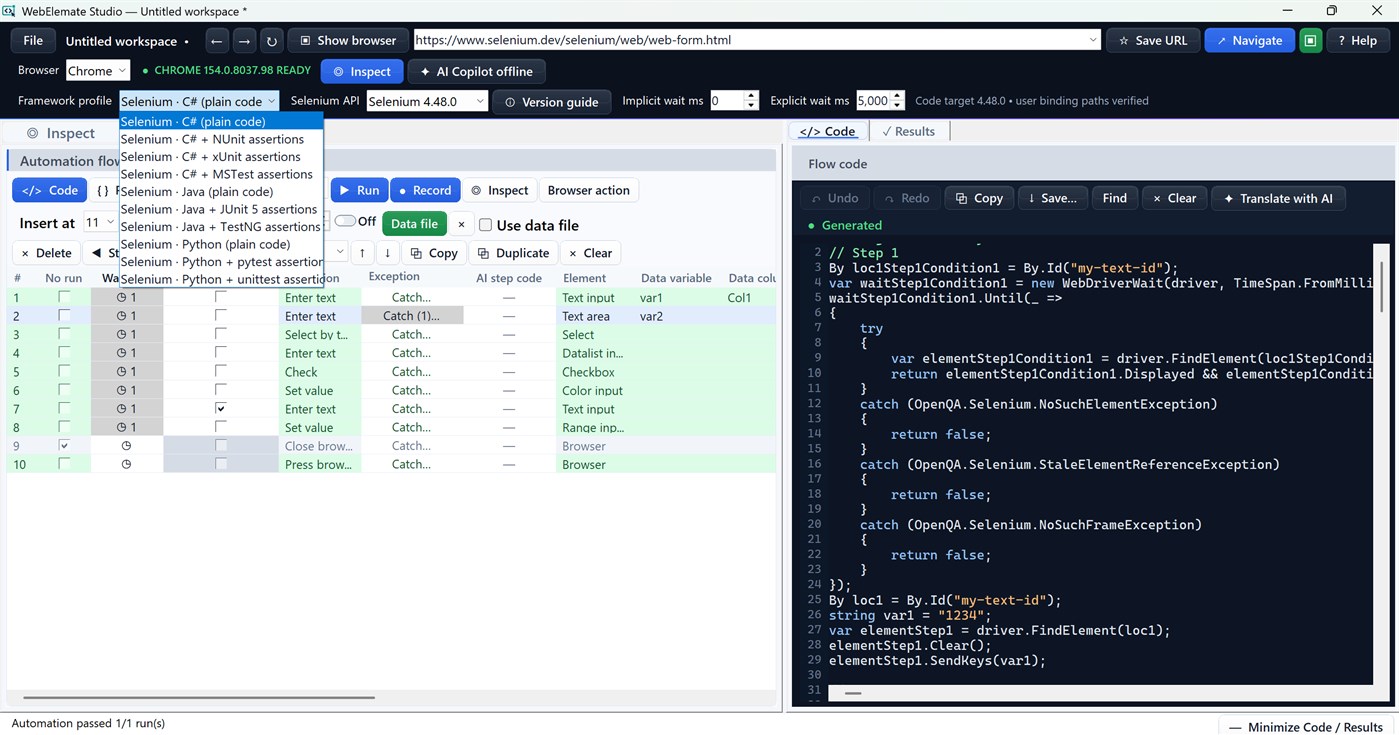
WebElemate Studio is a Windows desktop workspace for manual testers, QA engineers, SDETs, developers, business analysts, and teams that need repeatable web testing without stitching together a recorder, locator tool, spreadsheet runner, and code generator.
WHY TEAMS USE IT
Browser automation often breaks down before the first reliable test is created. A manual tester explains a workflow, an engineer recreates it, a fragile selector fails after a page change, waits are inconsistent, tab or frame context is lost, and the final code does not match the team’s framework. WebElemate Studio keeps inspection evidence, steps, locators, data, waits, browser context, results, and generated code together in one reviewable workspace.
INSPECT AND CHOOSE STRONGER LOCATORS
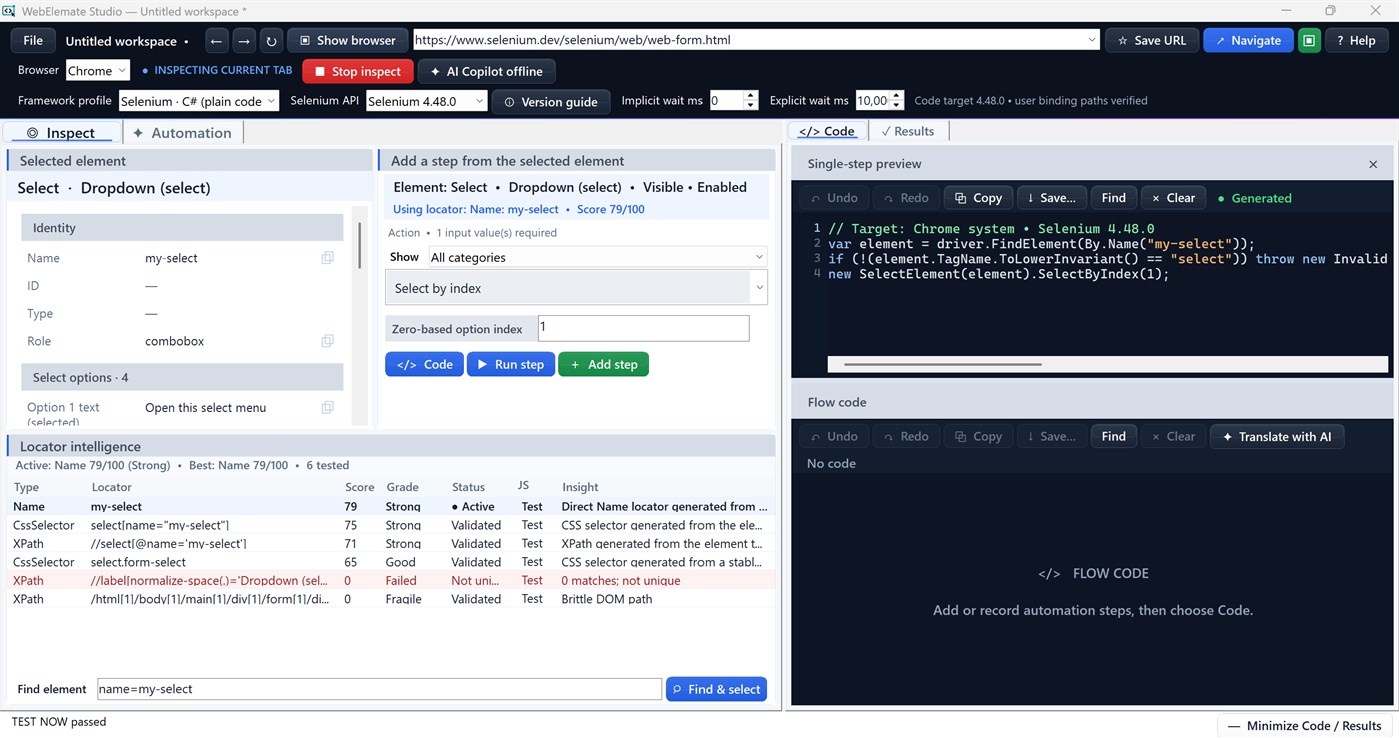
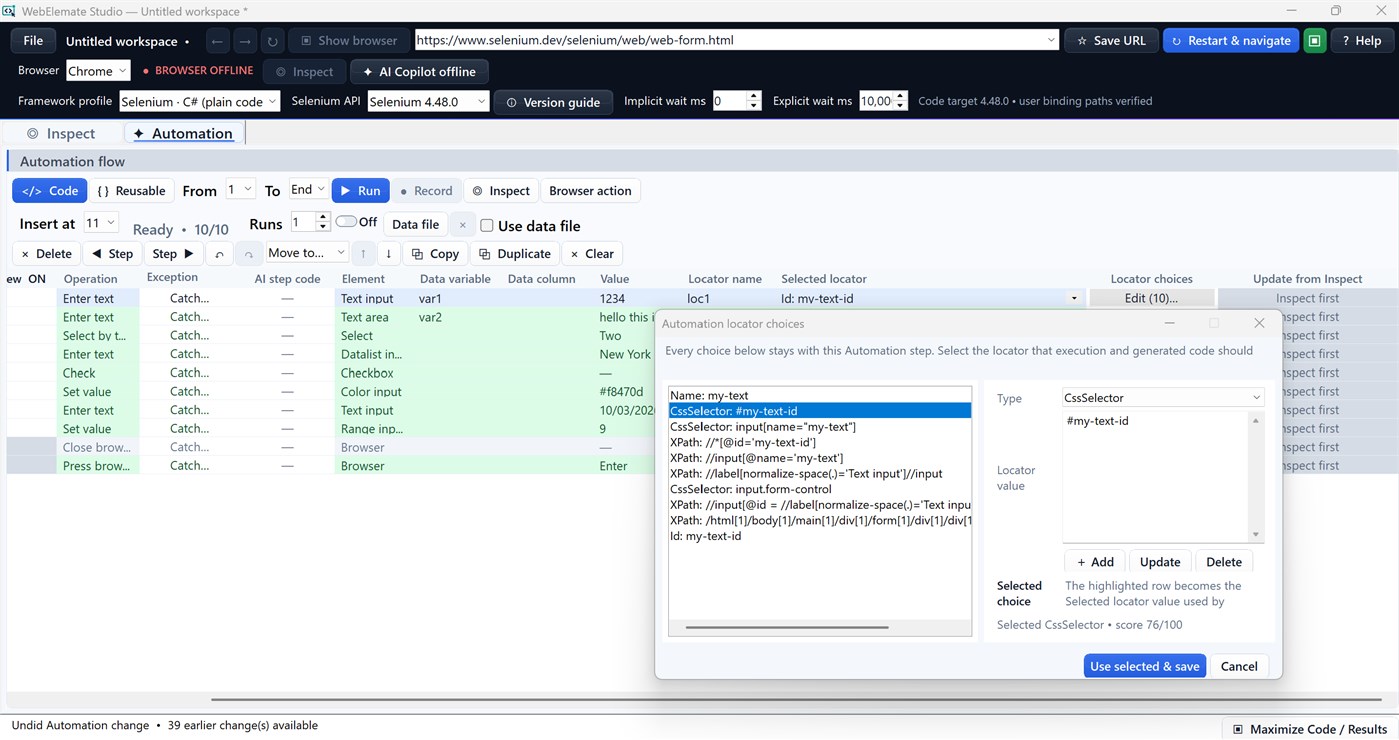
Inspect a live element to see its type, role, state, capabilities, accessibility information, and locator alternatives. Locator Intelligence validates, scores, and explains candidates so you can choose a stable ID, name, role, accessible name, data attribute, CSS selector, or XPath with evidence. Retained alternatives make future repair easier when a page changes.
BUILD AND RECORD ONE VISIBLE AUTOMATION FLOW
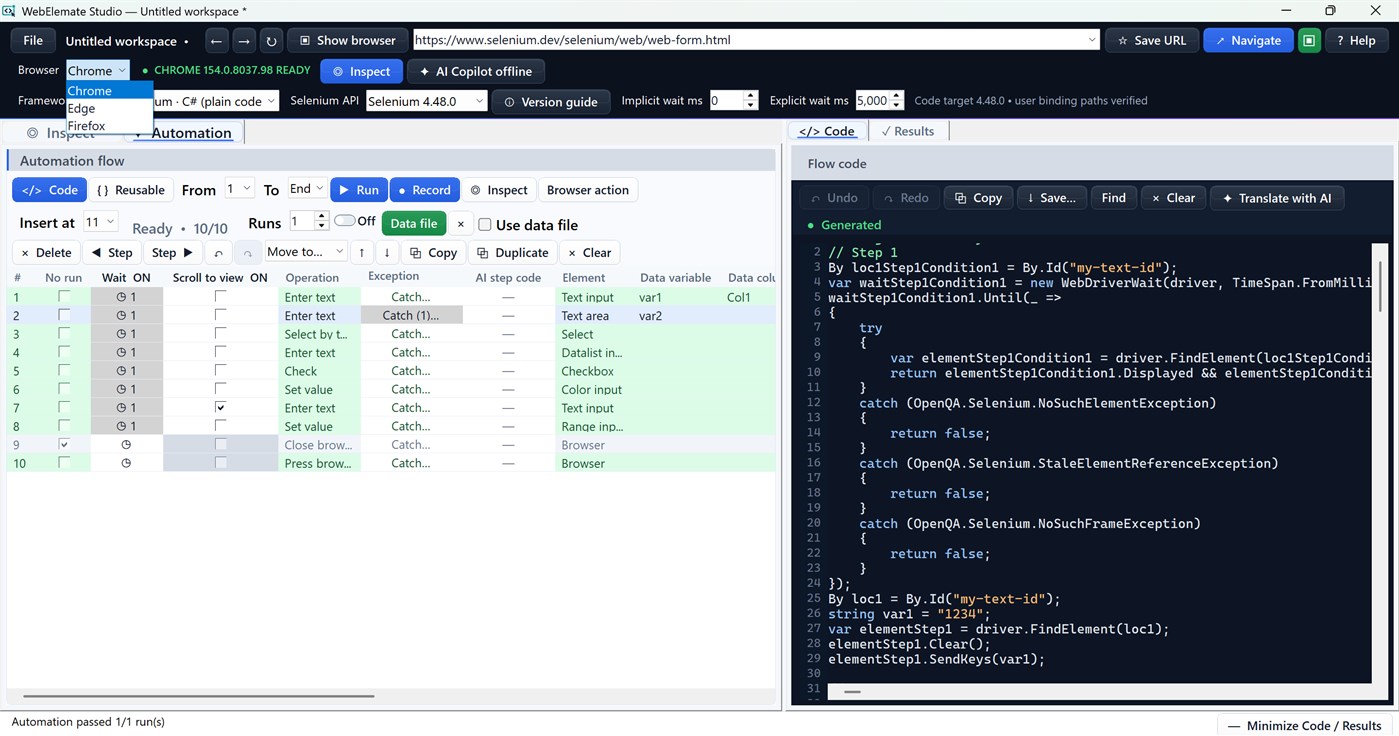
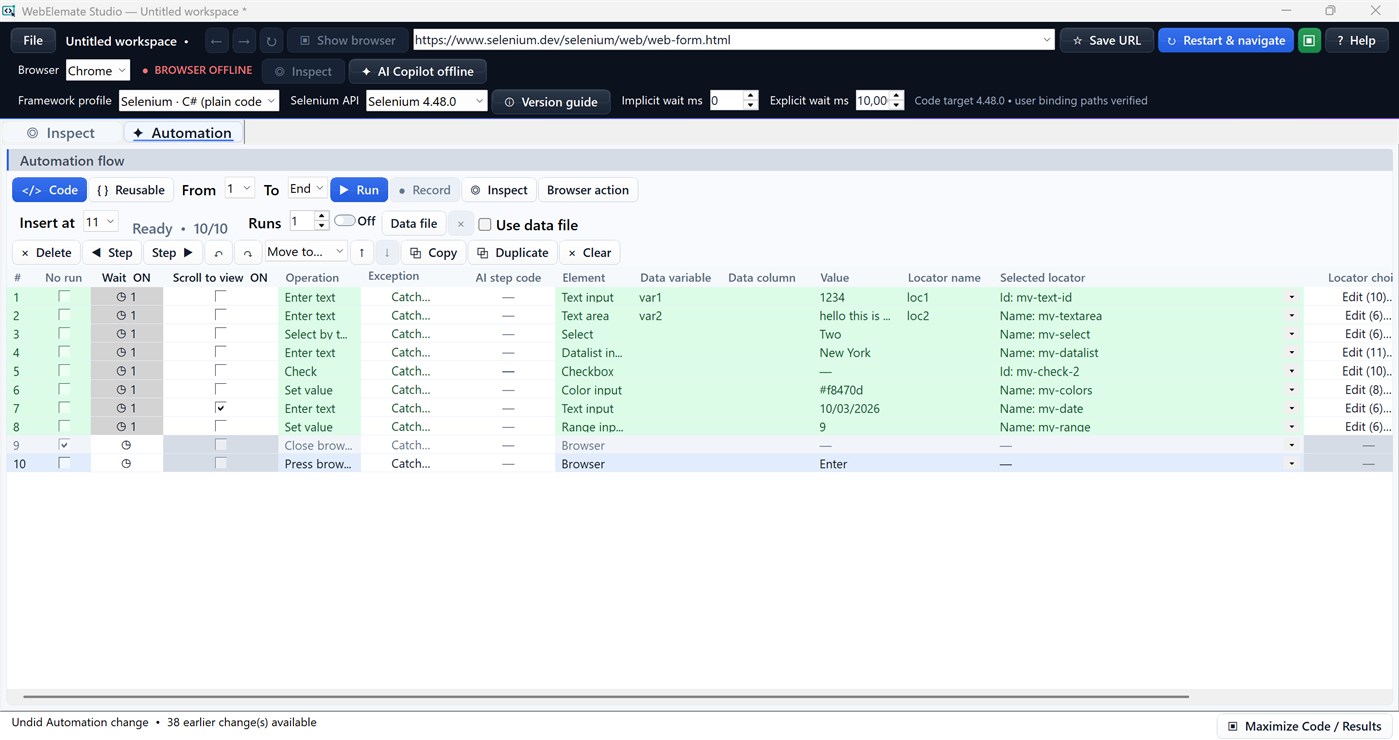
Add steps manually or record real browser interactions into the same ordered Automation flow. Capture text entry, clicks, selections, keyboard input, navigation, scrolling, frames, and tab or window changes in their observed order. Move, duplicate, edit, or debug steps without losing the original workflow.
REDUCE FLAKY TIMING AND UNCLEAR FAILURES
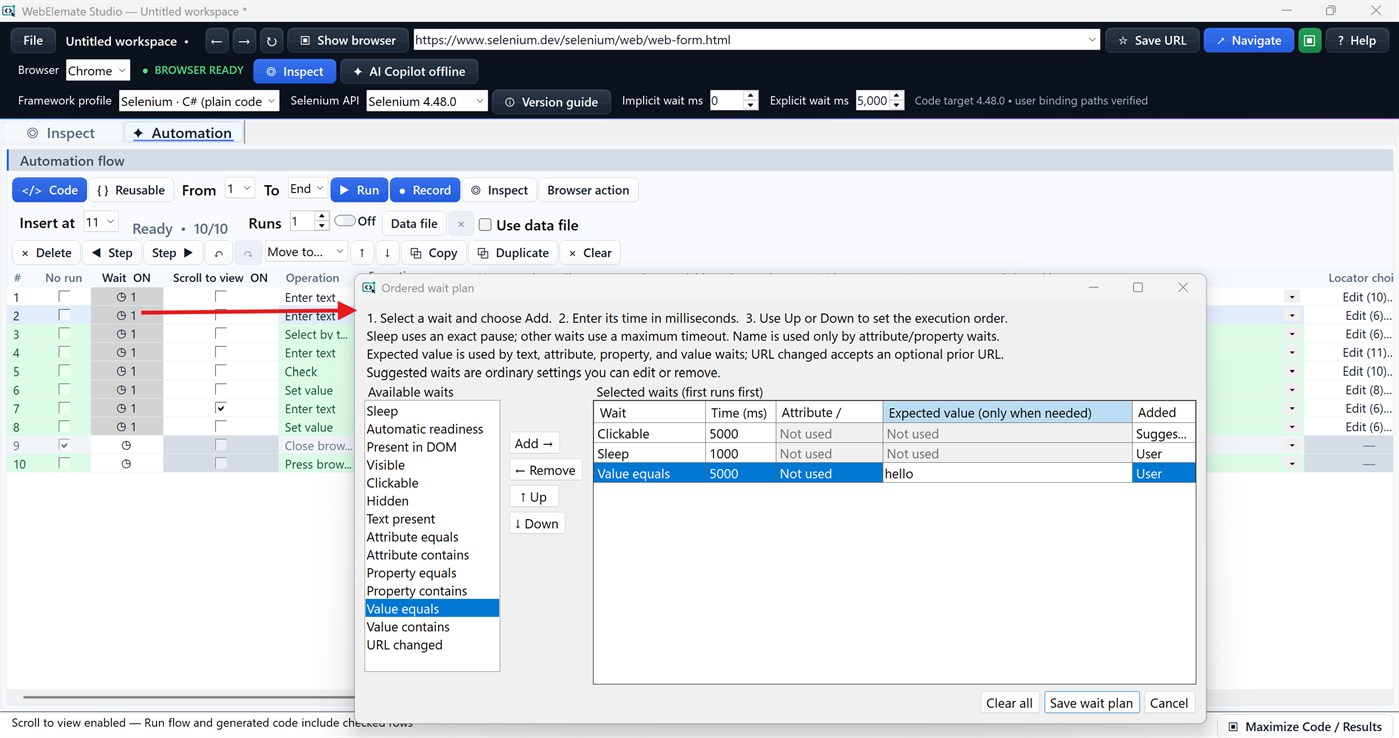
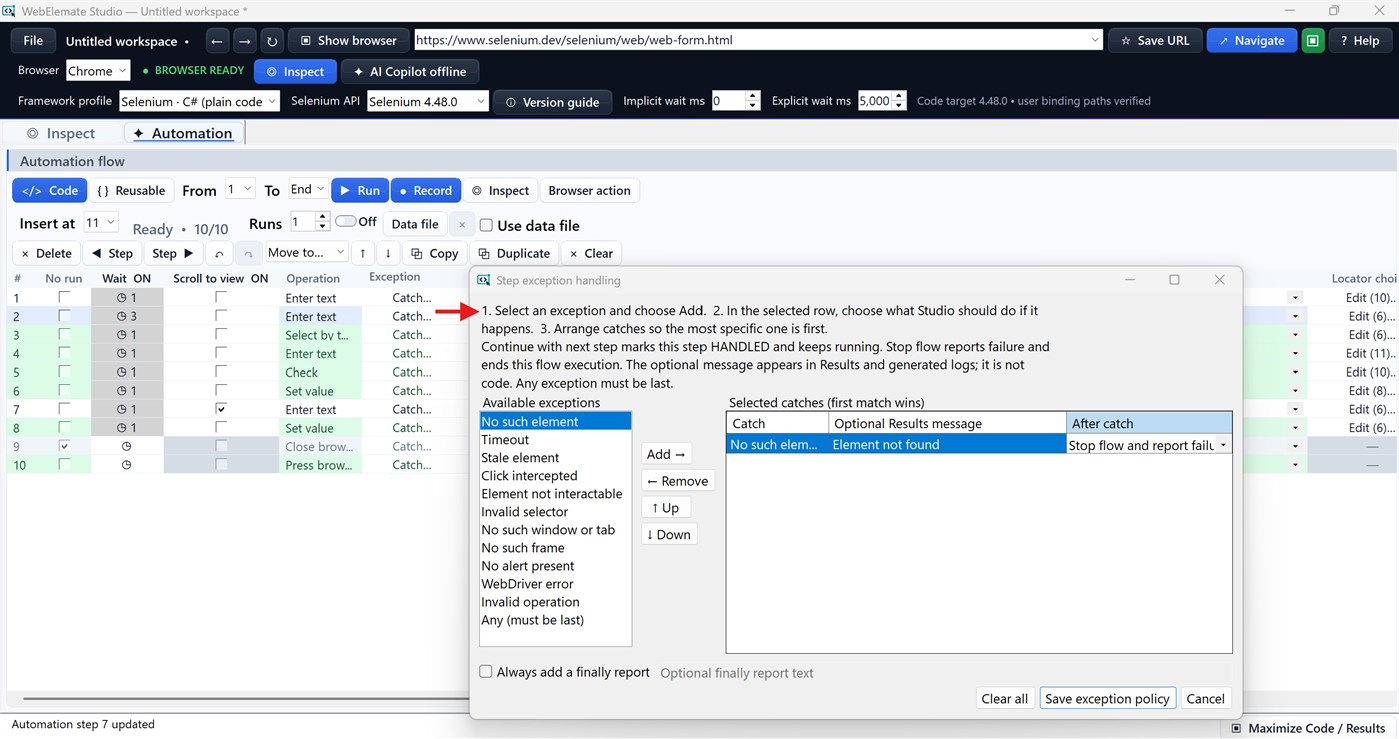
Configure an ordered wait plan for each step, including DOM presence, visibility, clickability, text, attribute, property, value, and URL conditions. Scroll-to-view can center an element and wait for stable, unobstructed geometry. Typed exception rules can stop the flow or mark an expected issue as handled and continue. Preflight validation identifies missing locators, parameters, data columns, browser settings, and context problems before partial execution begins.
RUN REALISTIC DATA-DRIVEN TESTS
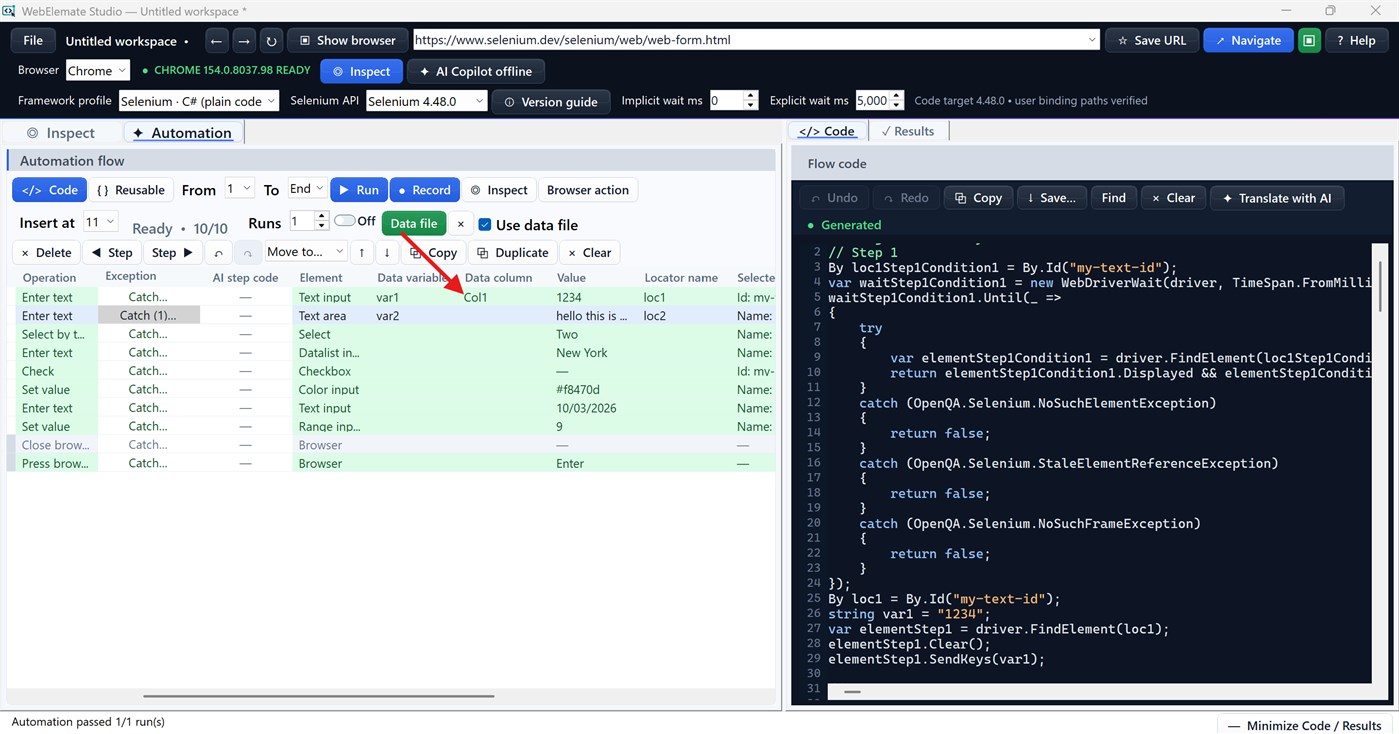
Run one step, a selected range, the full flow, or repeated runs. Load CSV, JSON, or supported Excel data, map steps to columns, and keep fallback values in the workspace. Results show run and step status, duration, returned values, handled conditions, redacted diagnostics, and repair guidance.
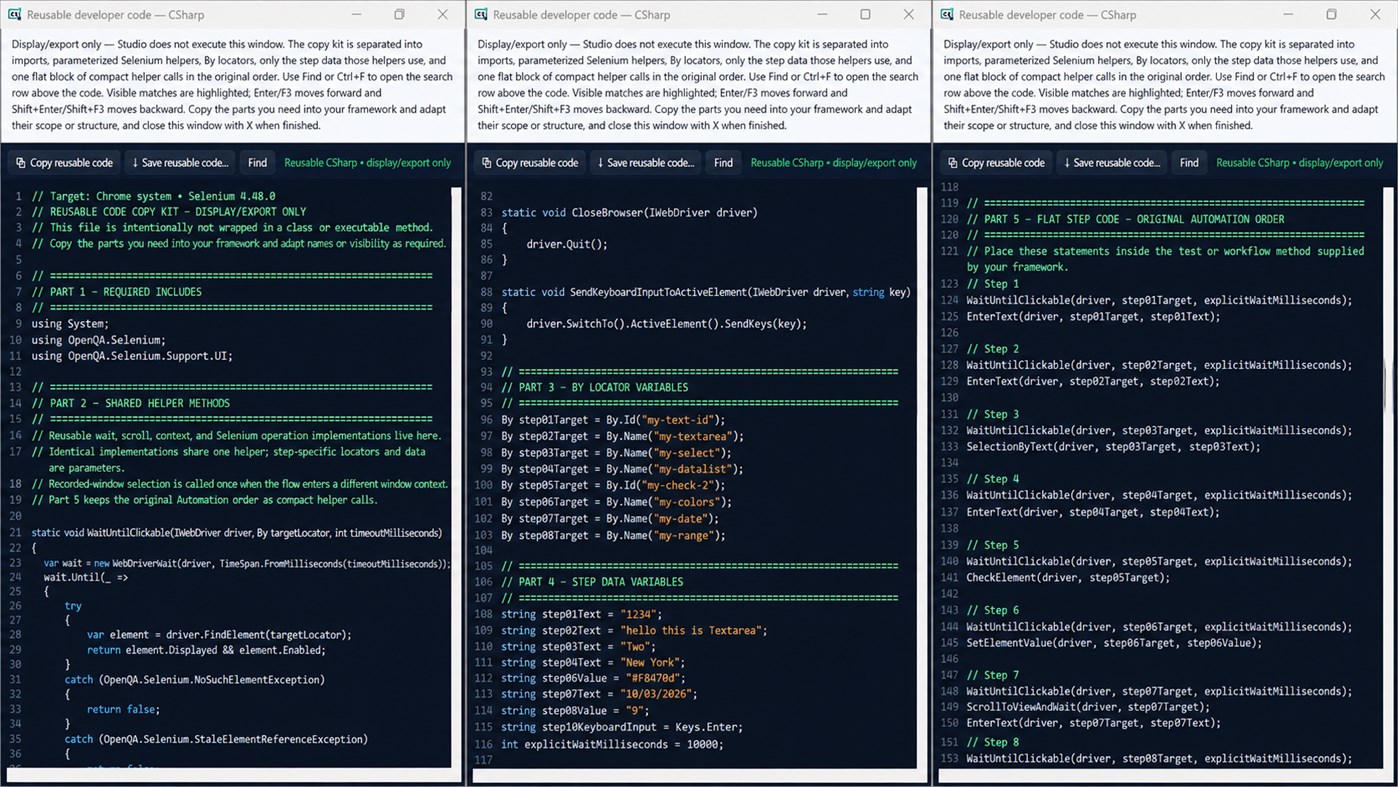
EXPORT CODE THAT FITS YOUR STACK
Generate Selenium source for:
C# — plain code, NUnit, xUnit, or MSTest
Java — plain code, JUnit 5, or TestNG
Python — plain code, pytest, or unittest
Choose a configured Selenium 4.x target and get version-aware dependency guidance. Generated source remains editable and exportable for review, compilation, testing, and integration into your repository.
WORK ACROSS SUPPORTED BROWSERS AND SESSIONS
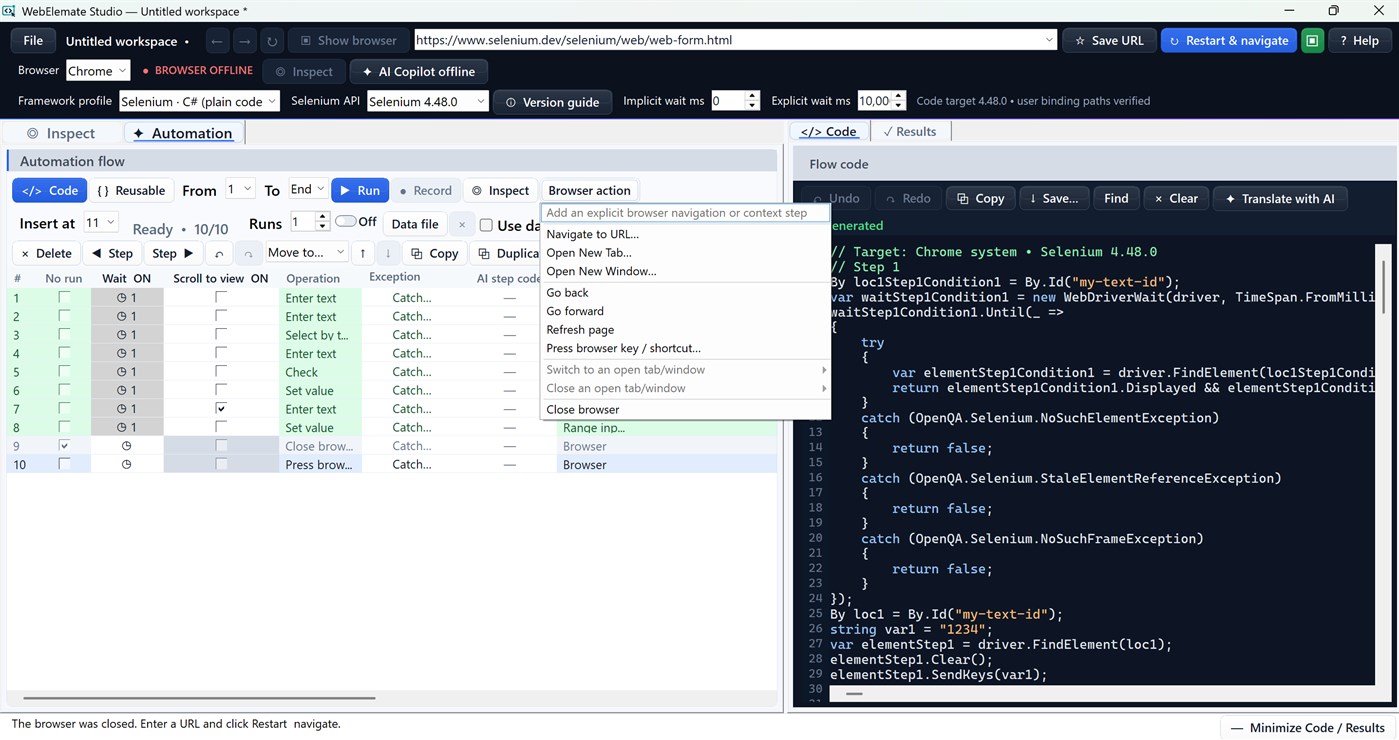
Use installed Chrome, Edge, or Firefox. Record and replay tab, window, and frame context explicitly instead of substituting URLs or repeatedly scanning every tab. Save and reopen a portable workspace containing the flow, locators, waits, data mappings, browser context, framework profile, and code-generation choices.
OPTIONAL AI, CONTROLLED BY YOU
AI Copilot is optional and remains offline until you configure and test a provider connection. You choose the context categories to send and can inspect a redacted Privacy Preview first. AI can help verify an element, improve a locator, diagnose a failure, review generated code, or propose custom C#. Proposals remain reviewable and never silently modify or execute the Automation flow.
Use WebElemate Studio only for websites and environments you are authorized to test. Review and test generated code and AI suggestions before production use.
가격 내역
- 현재 가격: 무료
- 최소: 무료
- 최대: 무료
다른 플랫폼 (0)
| WebElemate StudioWindows Store현재 페이지 | 무료 |
현재 이 스토어에서만 이용할 수 있습니다.
목록 (0)
0
- WebElemate Studio
포인트 (0)
0
순위 (0)
0
댓글 (0) ¡
가장 먼저 댓글을 남겨주세요
개발자
- Dhaval Parikh
- 팔로워: 0
- 플랫폼: Windows 앱 (1)
- 할인: 0
- 목록: 0 + 0
- 포인트: 0 + 0 ¡
- 순위: 0
- 댓글: 0
- 동영상: 0
- RSS: 구독
새로운 기능
- 버전: PC
- 마지막 업데이트:
추가 정보
 https://webelematestudio.com
AppAgg 점수
1,120
AppAgg 예상 점수:
WebElemate Studio
개발자: Dhaval Parikh
1,120 실버
점수가 높을수록 대체로 AppAgg의 여러 지표에서 좋은 결과를 보인다는 뜻입니다.
기준: 인기 · 사용자 평점 · 최신성 · 할인 · 스토어 데이터 · 커뮤니티 활동
최신 AppAgg 데이터를 바탕으로 매일 다시 계산됩니다.
웹사이트용 배지:  복사됨!
복사됨!
요약
WebElemate Studio 단축 URL: 복사됨!- Windows Store
AppAgg에서 앱 ‘WebElemate Studio’의 정보를 확인할 수 있습니다. 개발자: Dhaval Parikh. 플랫폼: Windows. 카테고리: 개발자 도구. AppAgg 점수: 1,120 (실버). 이 앱의 AppAgg 포인트: 확인된 포인트 0, 간접 포인트 0. 이 앱이 포함된 공개 목록: 0개. 비공개 목록에 저장한 사용자: 0명. AppAgg 사용자가 아직 이 앱에 별점을 남기지 않았습니다. 확인된 포인트는 로그인한 AppAgg 사용자가 스토어로 이동한 기록을 반영합니다. 간접 포인트는 스토어 데이터를 바탕으로 합니다. 두 숫자는 공개 목록 수와 비공개 목록에 저장한 사용자 수를 나타냅니다. 이 앱의 최초 출시일은 입니다. 이 앱의 마지막 업데이트 날짜는 입니다. 이 앱은 현재 무료로 이용할 수 있습니다. 이 앱은 다음 언어를 지원합니다: English. 가격 기록을 확인하거나 앱을 목록에 추가하고 개발자를 팔로우할 수 있습니다. 이 앱의 향후 할인과 업데이트는 RSS 피드에서 확인할 수 있습니다. AppAgg는 이 앱을 호스팅하거나 배포하지 않습니다. 이 앱과 관련된 모든 상표, 로고 및 스크린샷은 각 소유자에게 귀속됩니다.
이런 앱은 어떠세요?
최근 대화
 앱NauticPlayer This app is absolute cinema. Honestly, it’s one of the best media players I’ve ever tried, and I’m s...
  Manuel16
  앱Screen Beings - Desktop Pet & Study Companion This is my app so I’m a little bias but as someone from the ADHD community that teaches ADHD and neu...
  Tarelle Irwin6
  앱Aadi vault good it ia a encrypter and good you my work on office
  Aditya Rai5
  앱Typing 365 | Daily Typing Trainer The best typing app ever. With Typing 365 you don’t have to force yourself for couple minutes traini...
  Ahmad Mozaffar5
  앱Zefir Calendar — Calendar in the Taskbar excelente app! Superando todas as espectativas!
  Diógenes Magnus5
  앱LockinRa LockinRa 리뷰 LockinRa는 작업 관리, 집중력 도구, AI 코칭을 하나의 데스크톱 앱으로 통합한 무료 Windows 생산성 프로그램입니다. 클라우드 동기화 없이 로컬 ...
  abhilok reddy6
  앱CN Vault I Love this app CN Vault is a user-friendly app that helps keep your passwords safe and secure. If y...
  Marjuk Amin5
