
保存済み
保存済みメニューに表示する名前を選択してください。
完了
説明

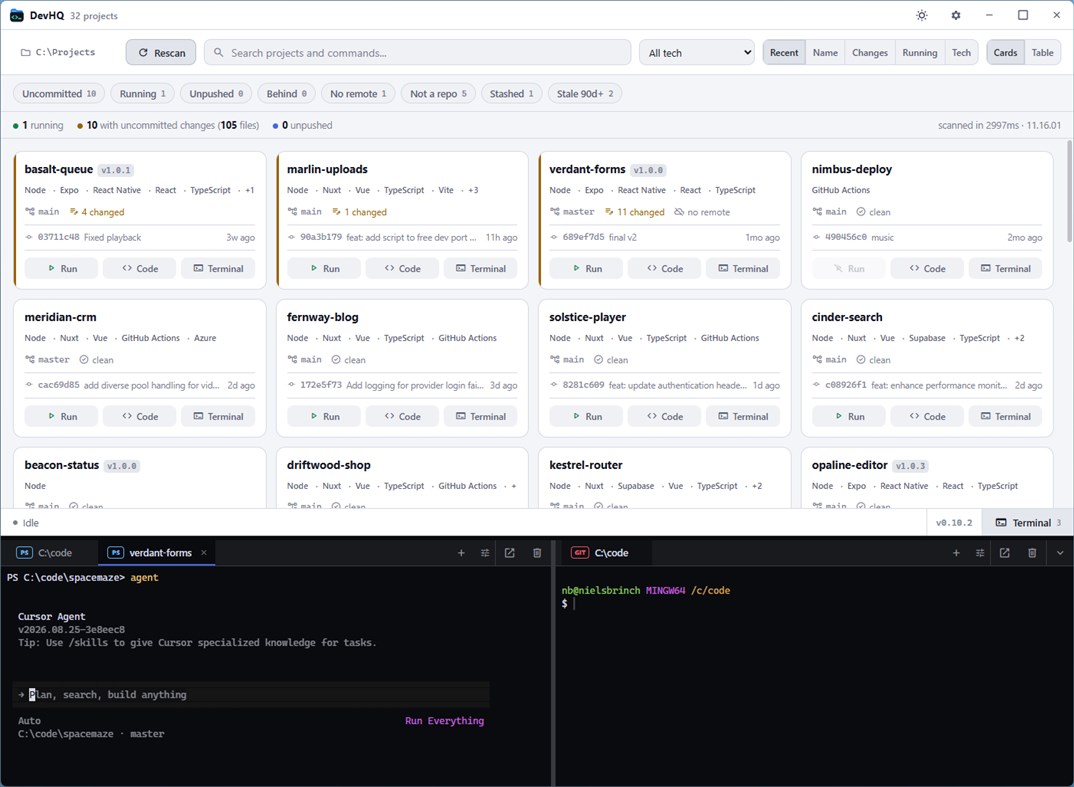
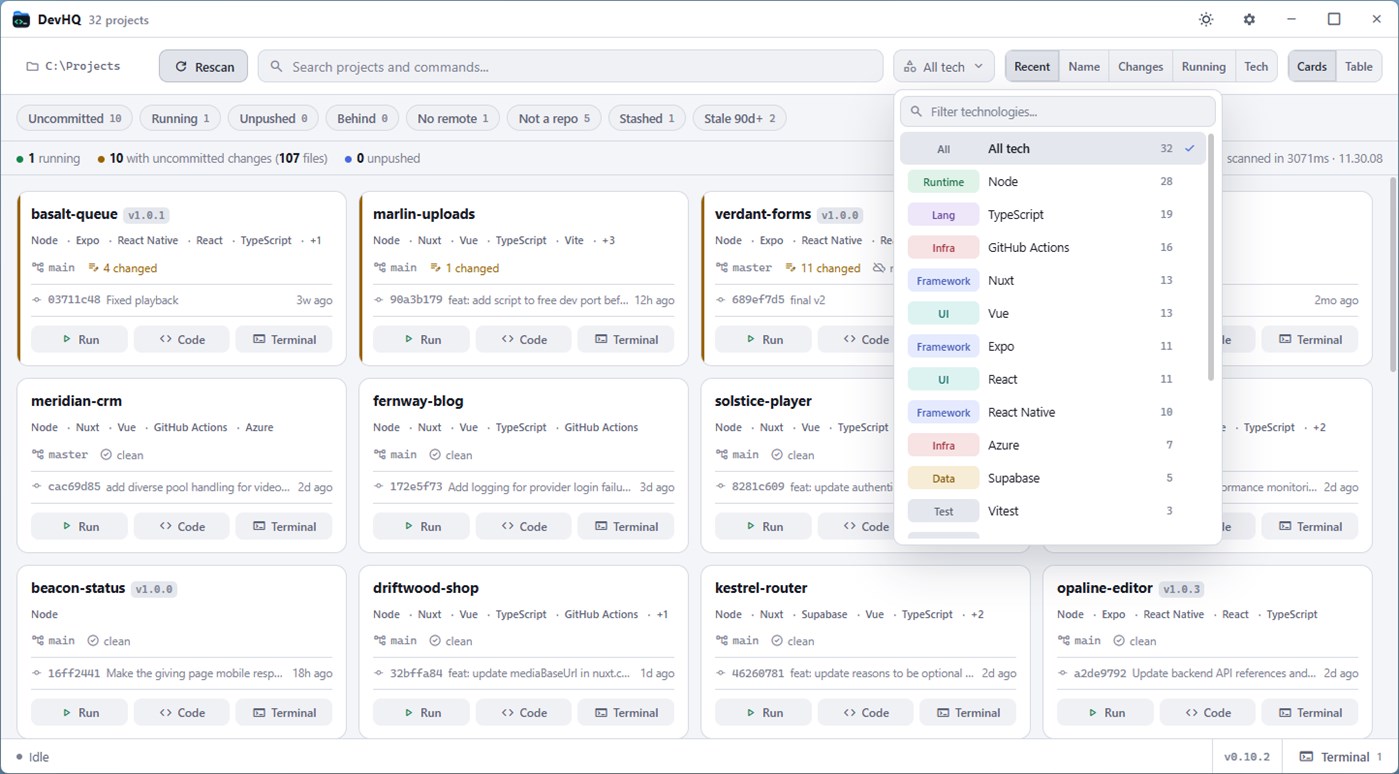
readable overview. Point it at C:\code and it tells you, project by project,
what has uncommitted changes, what is running right now, and what each project
is built with.
AT A GLANCE
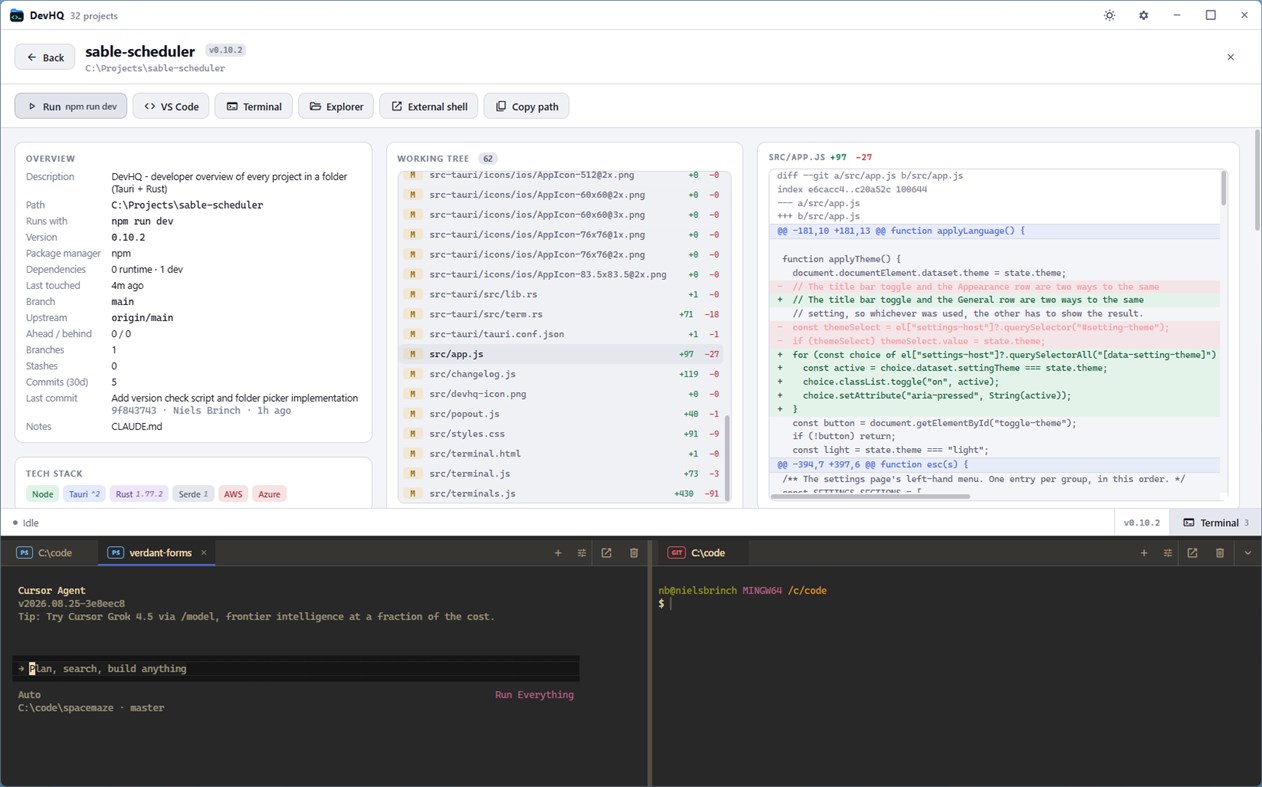
Every project shows its branch and upstream, staged, modified and untracked
counts, ahead and behind, merge conflicts, stashes, and the last commit with
its author and age. Folders that are not repositories are labelled as such
rather than left blank.
WHAT IS ACTUALLY RUNNING
A command line cannot tell you which project a dev server belongs to, so WinT
reads each process's real working directory and attributes it to the project
that owns it, along with the TCP ports it is listening on. Editors, shells and
agents are filtered out unless they hold a port, so an open terminal never
reads as "running".
THE TECH, WITH VERSIONS
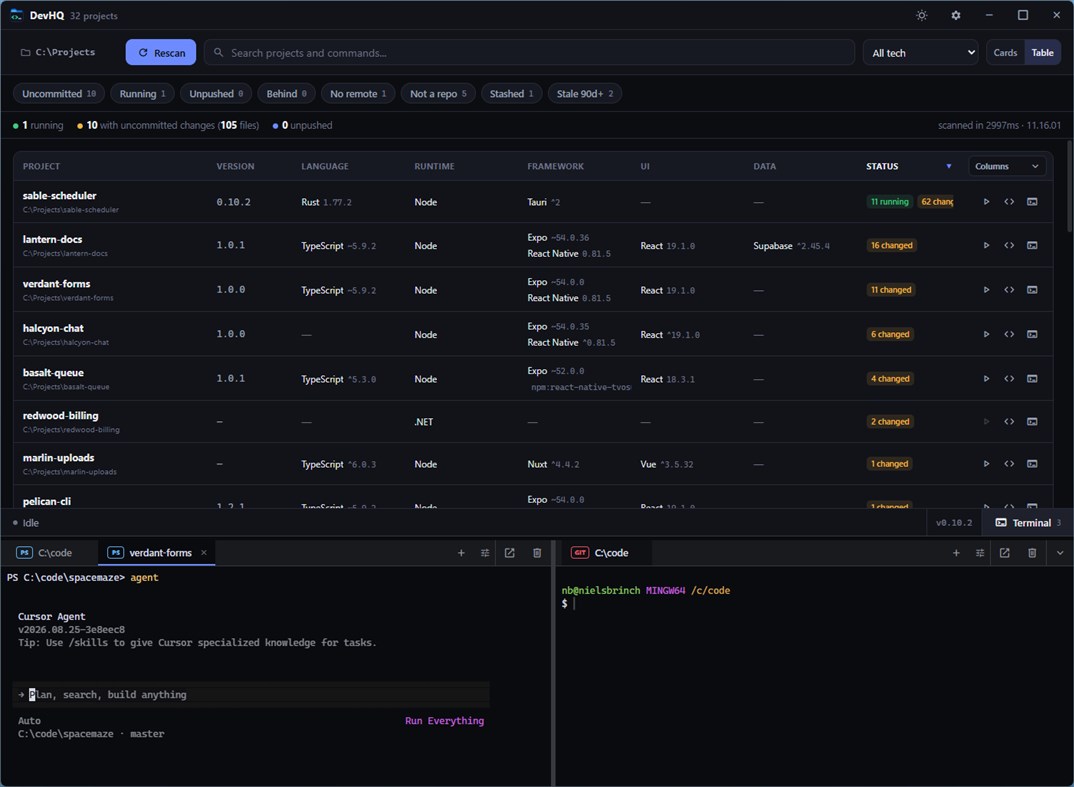
Runtime, language, framework, UI, build, data, test and infrastructure are read
straight from the manifests — package.json, Cargo.toml, pyproject.toml, go.mod,
*.csproj, pom.xml and more — together with the package manager, dependency
counts and the scripts each project defines.
FIND IT FAST
Filter by uncommitted, running, unpushed, behind, no remote, stale or stashed,
each with a live count. Search matches name, path, branch, remote, technology
and port at once, and doubles as a command palette for opening, running or
starting a terminal in any project.
TERMINALS THAT BELONG TO A PROJECT
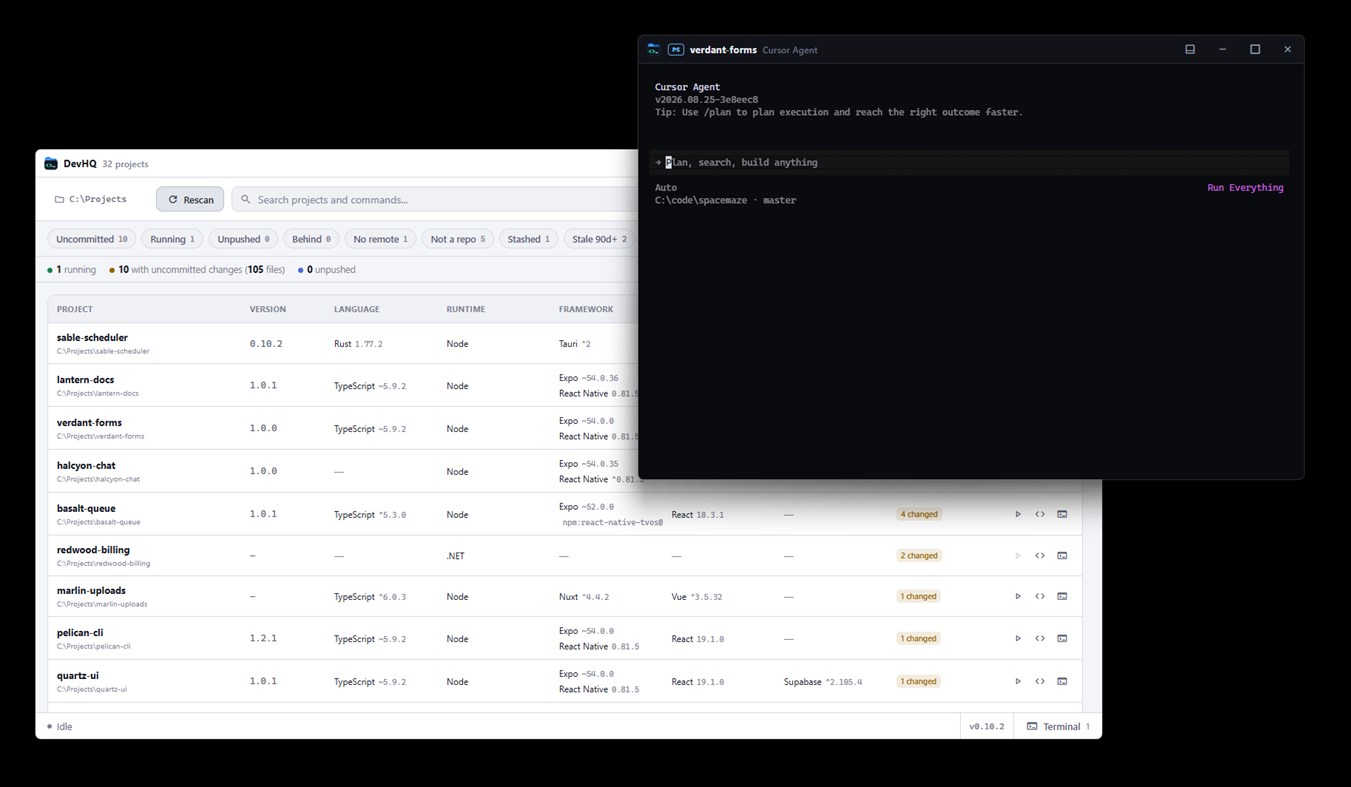
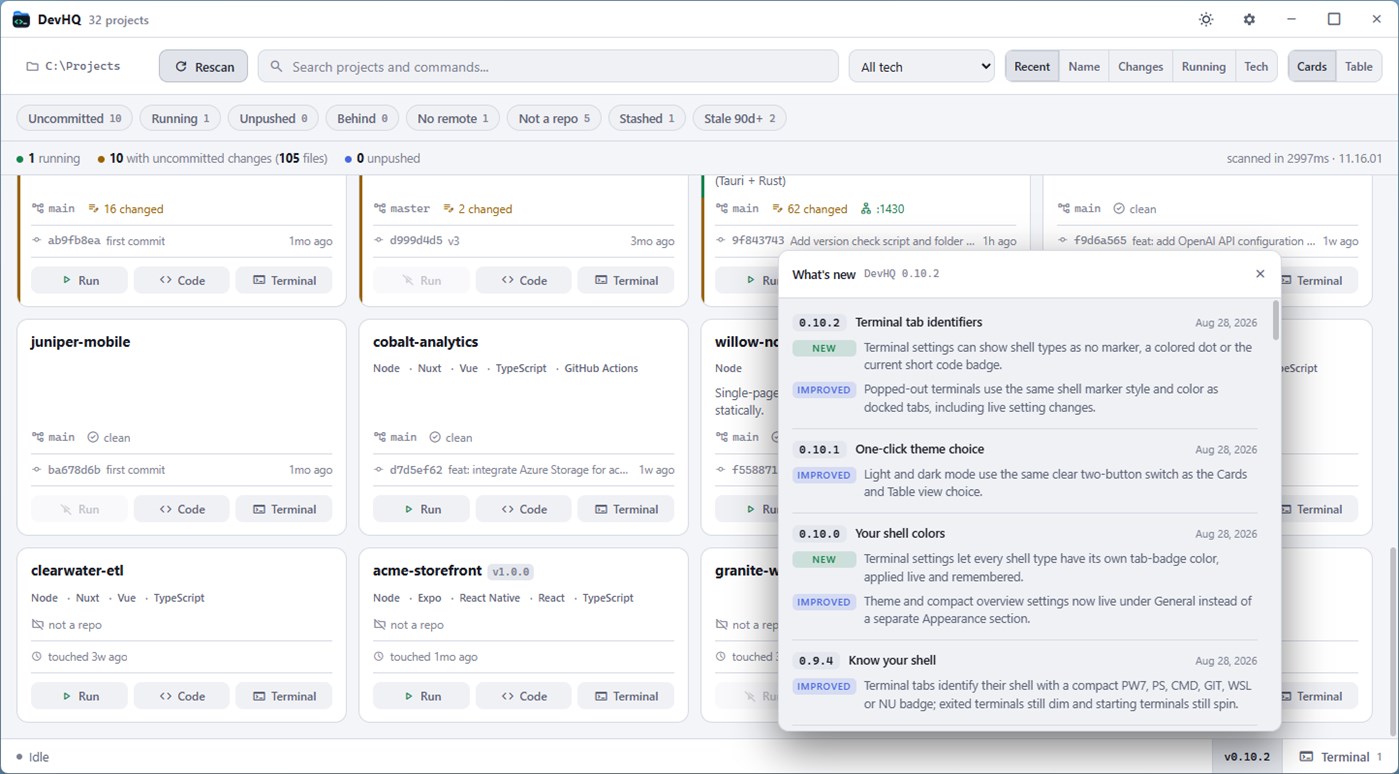
Open a shell already in the right folder, or press Run and let the project's
own manifest decide the command. Sessions live in a dock at the bottom of the
window, can be popped out into their own window and docked back without
restarting — a build running when you pop it out is still running when it
lands.
A BOX OF WINDOWS TOOLS
Process Explorer for ports and resource use, DNS lookups and resolver
comparison, a hosts file editor, live network traffic, disk space by folder,
path ping, event log streaming, registry browsing, PATH and environment
auditing, log tailing, a file lock inspector, clipboard history, keep-awake and
an active-window time tracker. Plus an offline set of everyday converters:
Base64, URL, hex, JSON, YAML, XML, CSV, JWT, UUID, timestamps and hashes.
A HEADLESS CLI
Install the wint command from Settings and run the same scans, git status,
port and DNS queries from any terminal, as JSON you can pipe.
BUILT TO STAY RESPONSIVE
Nothing that touches the disk, git or the process table runs on the thread that
draws the window. Results stream in as they arrive, rows that are still loading
say so, and the status bar always names the work in progress. Everything stays
on your machine.
Ten languages: English, Chinese (Simplified), Hindi, Spanish, French, Arabic,
Bengali, Portuguese, Russian and Indonesian.
広告
スクリーンショット
価格履歴
- 現在の価格: フリー
- 最小値: フリー
- 最大値: フリー
AppAggスコア
790
AppAgg推定評価:
WinT
デベロッパー: Gyxi
790 シルバー
評価が高いほど、AppAgg 上のシグナルが強い傾向があります。
基準: 人気 · ユーザー評価 · 新しさ · セール · ストアデータ · コミュニティ活動
最新のAppAggデータに基づいて毎日再計算されます。
短縮 URL: コピーしました!
新機能
- バージョン: PC
- 最終更新:
情報
- リリース日:
- カテゴリ:
Windows向けアプリ›開発者ツール - オペレーティング システム:
PC - サイズ:
6 Mb - サポートされる言語:
English - コンテンツのレーティング:
EVERYONE - Windows Store 評価: ¡
0 - ウェブサイト:
 https://gyxi.com
デベロッパー
- Gyxi
- フォロワー: 0
- プラットフォーム: Windows アプリ (2)
- 割引: 0
- リスト: 0 + 0
- ポイント: 0 + 0 ¡
- ランキング: 0
- コメント: 0
- 動画: 0
- RSS: 購読する
リスト (0)
0
- WinT
ポイント (0)
0
ランキング (0)
0
コメント (0)
最初にコメントしてください
概要
WinT 短縮 URL: コピーしました!- Windows Store
AppAggでは、Gyxiが開発したアプリ「WinT」の情報を確認できます。対応プラットフォーム:Windows。カテゴリ:開発者ツール。 AppAgg評価:790(シルバー)。 このアプリのAppAggポイント:確認済み 0、間接 0。 このアプリを含む公開リスト:0件。非公開リストに保存しているユーザー:0人。 このアプリには、AppAggユーザーからの評価はまだありません。 確認済みポイントは、ログインしたAppAggユーザーのストアへのアクセスを記録します。間接ポイントはストアのデータに基づきます。 2つの数字は、公開リストの数と、非公開リストに保存したユーザー数を表します。 このアプリの初回リリースはです。 このアプリの最終更新はです。 このアプリは現在無料です。 このアプリは次の言語に対応しています:English。 価格履歴を確認したり、アプリをリストに追加したり、開発者をフォローしたりできます。 このアプリの今後のセールや更新はRSS フィードで確認できます。 AppAggはこのアプリをホストまたは配布していません。 このアプリに関連する商標、ロゴ、スクリーンショットはすべて各権利者に帰属します。

