
북마크
이 북마크의 제목을 입력하세요.
북마크가 저장되었습니다
| 개발자: | Sai Tharun Reddy (1) | ||
| 가격: | 무료 신규 | ||
| 종합 점수: | 950 실버 | ||
| 순위: | 0 | ||
| 댓글: | 0 댓글 게시 | ||
| 목록: | 0 0 | ||
| 포인트: | 0 | ||
| +1 포인트 | |||
요약
소개합니다. Sai Tharun Reddy에서 만든 ‘개발자 도구’ 카테고리 앱, WriteCode.
새로 나온 앱이에요. 에 나왔으니 지금 써 보면 얼리어답터예요.
무료. 광고도 인앱 구매도 없어요. 앱에만 집중하면 돼요.
Microsoft Store는 Windows에 기본으로 들어 있어서 클릭 몇 번이면 설치돼요.
AppAgg 점수는 950. 실버 등급, 이 정도면 꽤 괜찮아요.
연령 등급은 ‘EVERYONE’, 아이들에게도 괜찮아요.
지원 언어는 딱 하나, 그런데 한국어는 아니에요.
AppAgg에서는 아직 아무도 평가하지 않았어요. 첫 번째가 될 기회는 바로 지금이에요.
AppAgg에 있는 이 개발자의 유일한 앱이에요. 아직까지는요.
업데이트와 새 앱 소식을 가장 먼저 받고 싶나요? 개발자를 팔로우하거나 RSS 피드를 구독하세요. 푸시 알림은 Android와 iOS용 AppAgg Alerts 앱으로 받을 수 있어요.
광고
다른 플랫폼 0
가격 기록 0
- 현재 가격: 무료
- 최소: 무료
- 최대: 무료
홈 화면의 나만의 피드
“신규 및 업데이트” 피드의 플랫폼을 선택하면 홈 화면에 필요한 앱과 게임만 표시됩니다.
스크린샷 4
동영상 1
설명

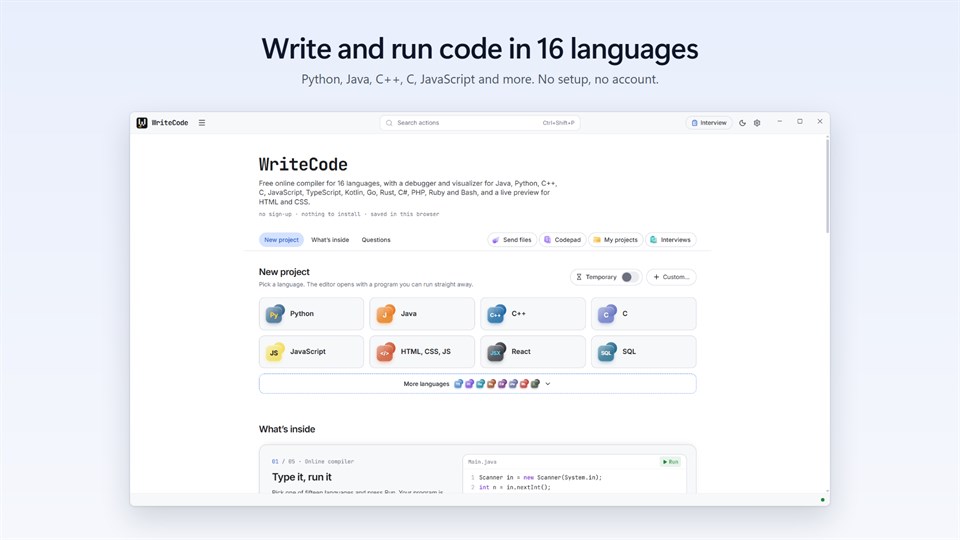
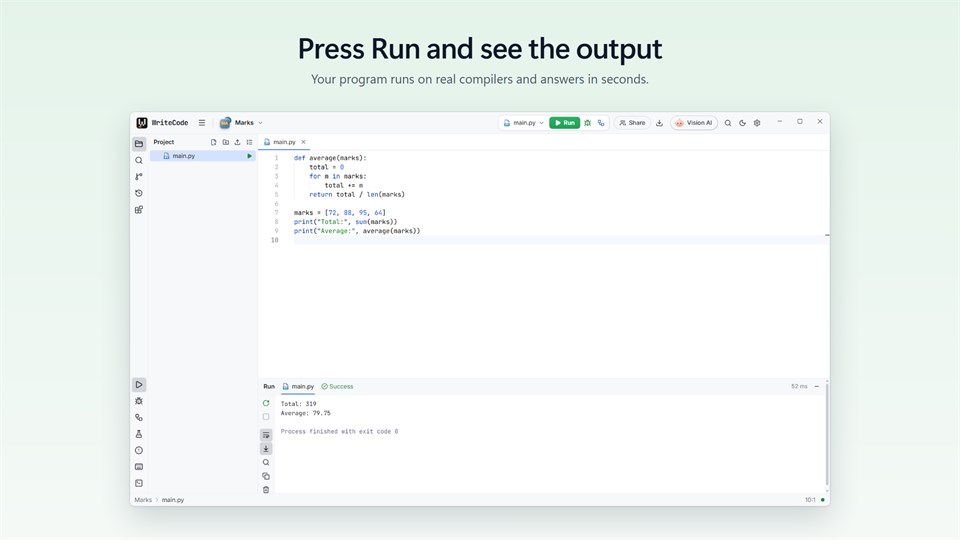
Run code in Java, Python, C, C++, JavaScript, TypeScript, Kotlin, Go, Rust, C#, PHP, Ruby, Bash, SQL, React, and HTML, CSS and JavaScript with a live preview. There is nothing to install for each language and no account to create: your projects are saved on this computer.
Understand your code, not just run it:
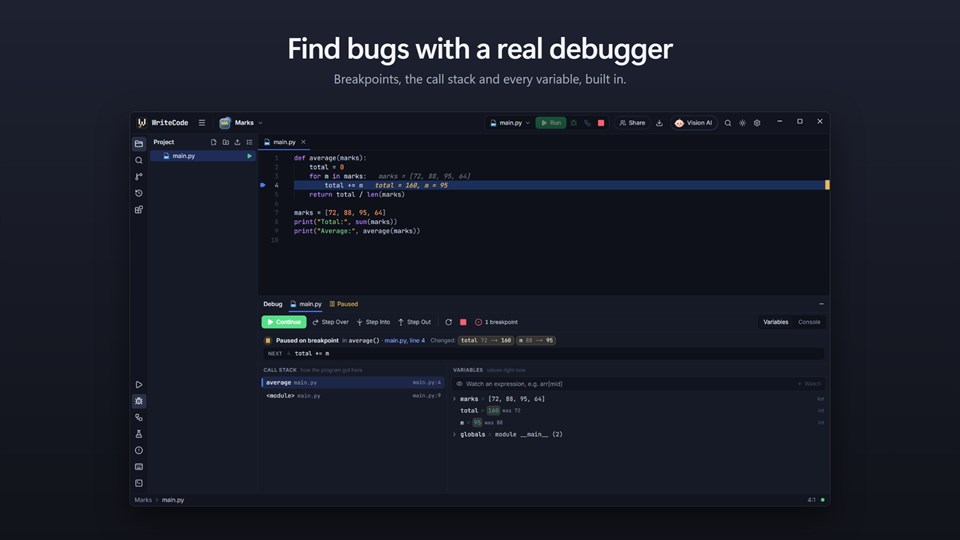
- A step-through debugger with breakpoints, variables, watches and the call stack, for 13 languages
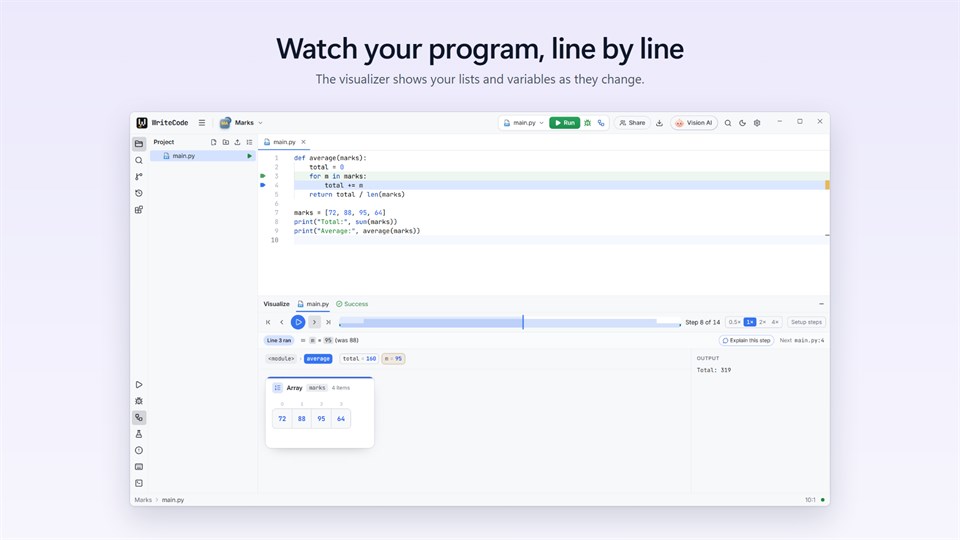
- A visualizer that shows your program one line at a time, with lists, linked lists and other structures drawn as pictures
- Tests: save inputs with the output you expect and see exactly where your output differs
- Vision AI, a friendly tutor that explains errors in simple words, fixes code with one click and explains each step
A full IDE:
- Source Control: Git for every project (commit, diff, history, branches), and GitHub (clone, publish, push, pull)
- A Terminal: a real shell for your project, with each language's compiler and tools
- 38 extensions, after favourites from VS Code and IntelliJ: 14 colour themes (Darcula, One Dark Pro, Dracula, Night Owl and more), the IntelliJ IDEA keymap, Vim, Emmet, Git Blame and Git Gutter, Bookmarks, Error Lens, Inlay Hints, Auto Close Tag, Path Intellisense and more
For interviews and hiring:
- Live coding interviews with camera, hidden tests, notes, a report and a replay of how the code was written
- Online assessments: send one test to hundreds of students, with proctoring and a ranked list of results
WriteCode needs an internet connection: your code runs safely on WriteCode's server.
개발자 소식
개발자이신가요?
페이지 맨 위에 소식을 올리면 팔로워에게 이메일로 전달됩니다. YouTube 동영상을 추가하면 “동영상” 블록 맨 앞에 표시됩니다.
목록 0
-
 WriteCode
포인트 0
-

- +1 포인트

순위 0
-
- 내 평점
개발자 1
- Sai Tharun Reddy
- 팔로워: 0
- 플랫폼: Windows 앱 (1)
- 할인: 0
- 목록: 0 0
- 포인트: 0
- 순위: 0
- 댓글: 0
- 동영상: 1
- RSS: 구독
새로운 기능
- 버전: PC
- 마지막 업데이트:
- A cleaner home screen: start a project or open your files in one click.
Your recent projects are now on the home screen: open any project in one click.
추가 정보
 https://writecode.in
AppAgg 점수
950
AppAgg 예상 점수:
WriteCode
개발자: Sai Tharun Reddy
950 실버
점수가 높을수록 대체로 AppAgg의 여러 지표에서 좋은 결과를 보인다는 뜻입니다.
기준: 인기 · 사용자 평점 · 최신성 · 할인 · 스토어 데이터 · 커뮤니티 활동
최신 AppAgg 데이터를 바탕으로 매일 다시 계산됩니다.
웹사이트용 배지:  복사됨!
댓글 0 ¡
가장 먼저 댓글을 남겨주세요
공유하기
WriteCode 단축 URL: 복사됨!- Windows Store


