
Guardados
Elige el nombre que se mostrará en tu menú Guardados.
Hecho!
| Desarrollador: | Carrot App (28) | ||
| Precio: | * Gratis | ||
| Clasificaciones: | 0 | ||
| Comentarios: | 0 Publicar comentario | ||
| Listas: | 0 + 0 | ||
| Puntos: | 1 + 2 (1.0) ¡ | ||
| +1 Puntos | |||
Descripción

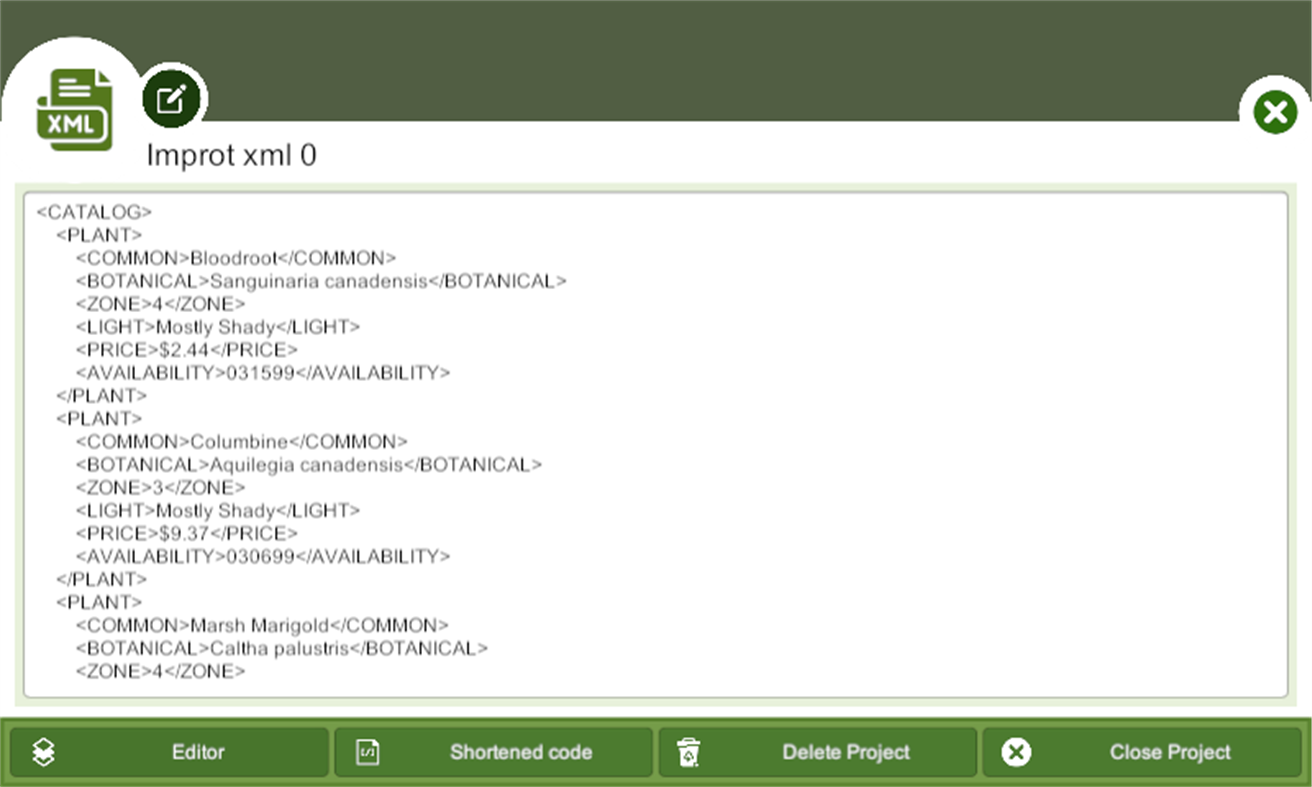
The application has two modes of editing: code and designer mode. In code mode, users can directly edit the XML code, either by typing it manually or copying and pasting it from an existing file. Code mode is useful for users who have experience with XML and want to work directly with the markup language.
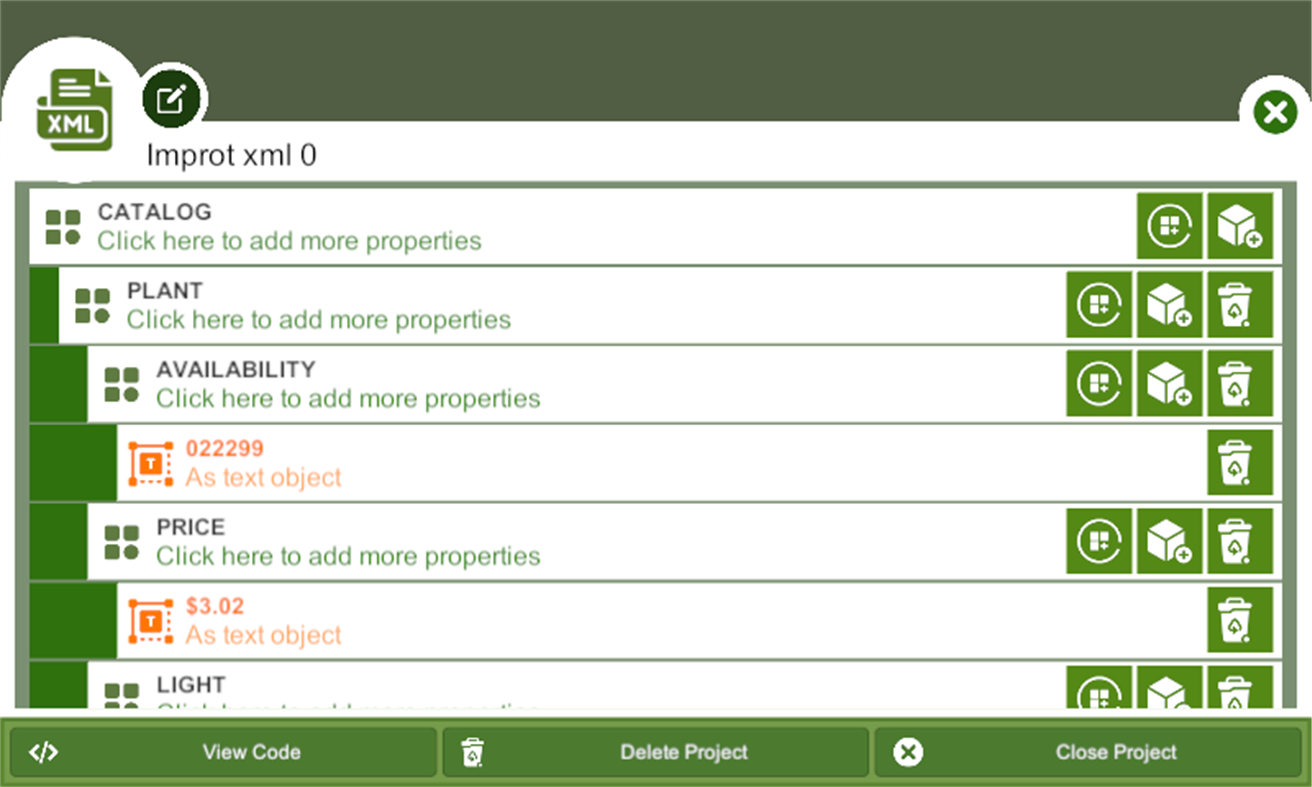
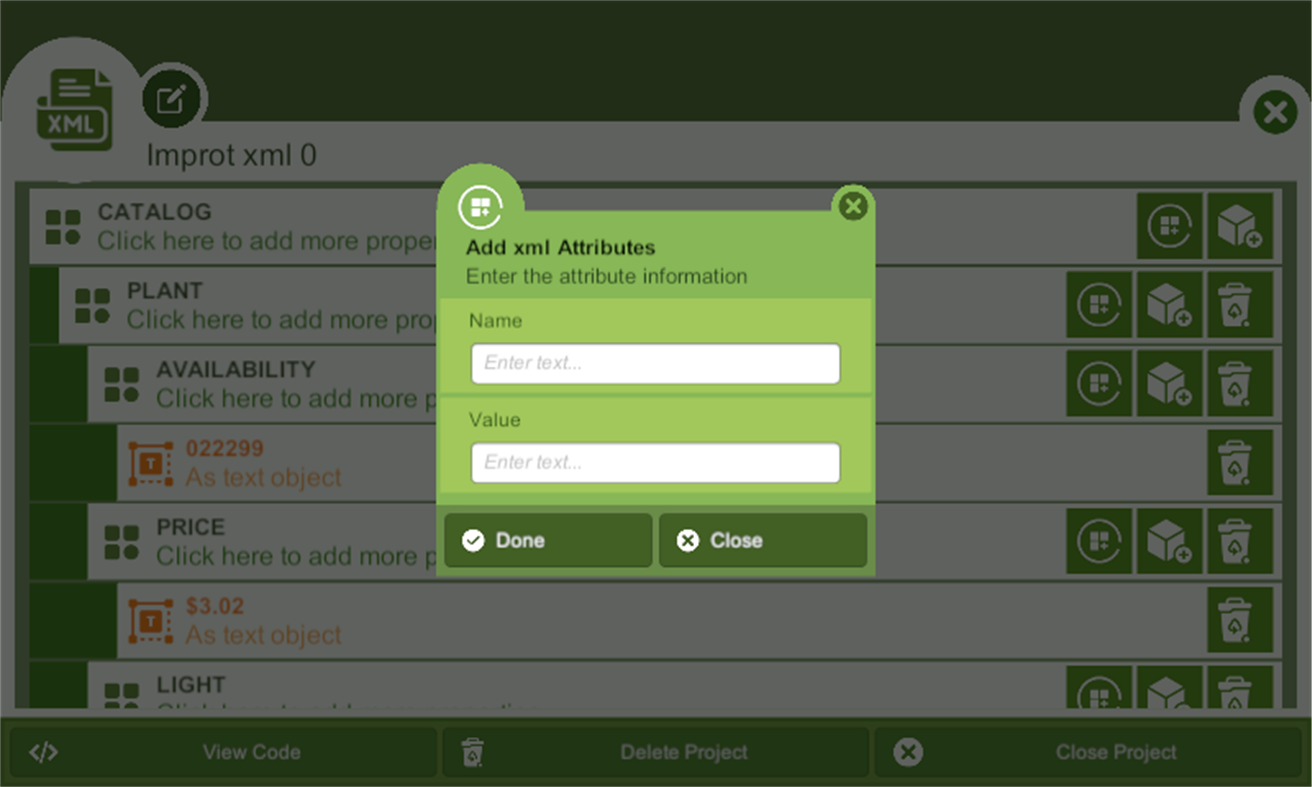
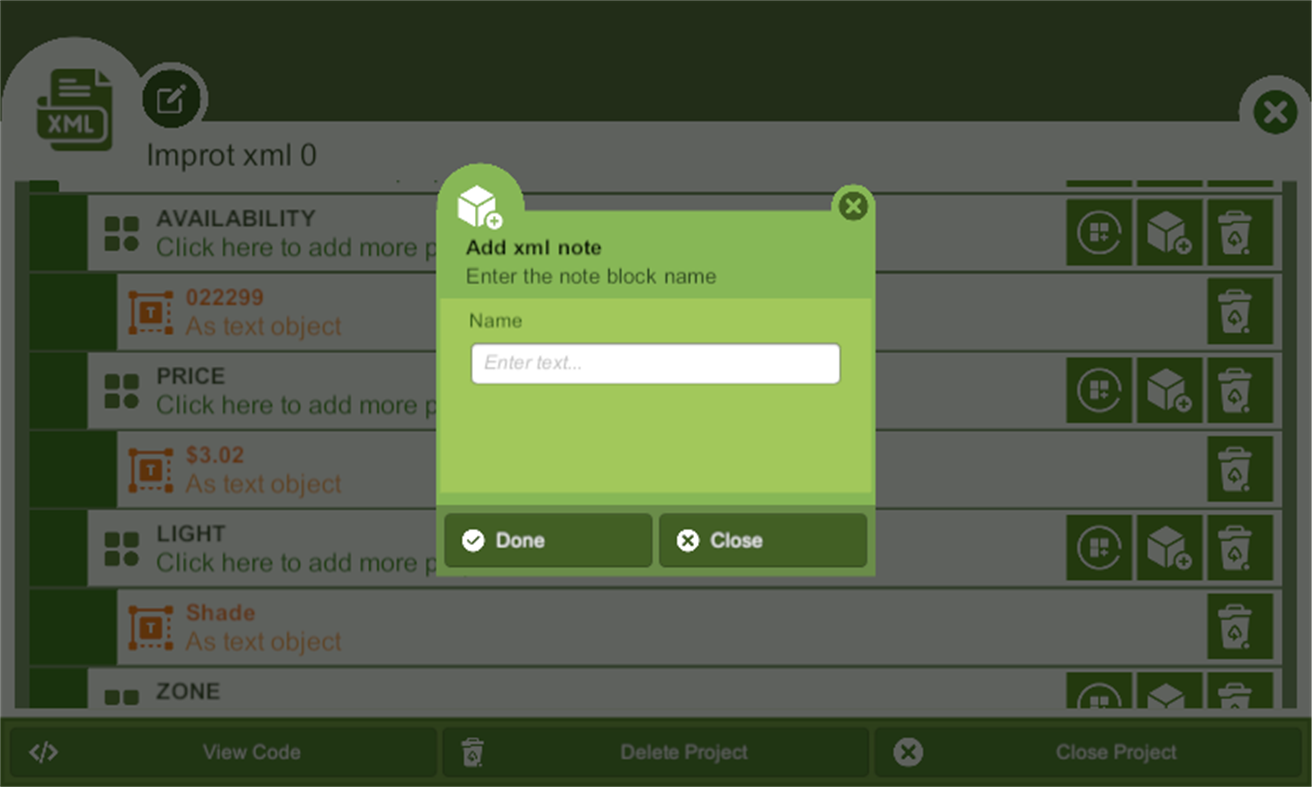
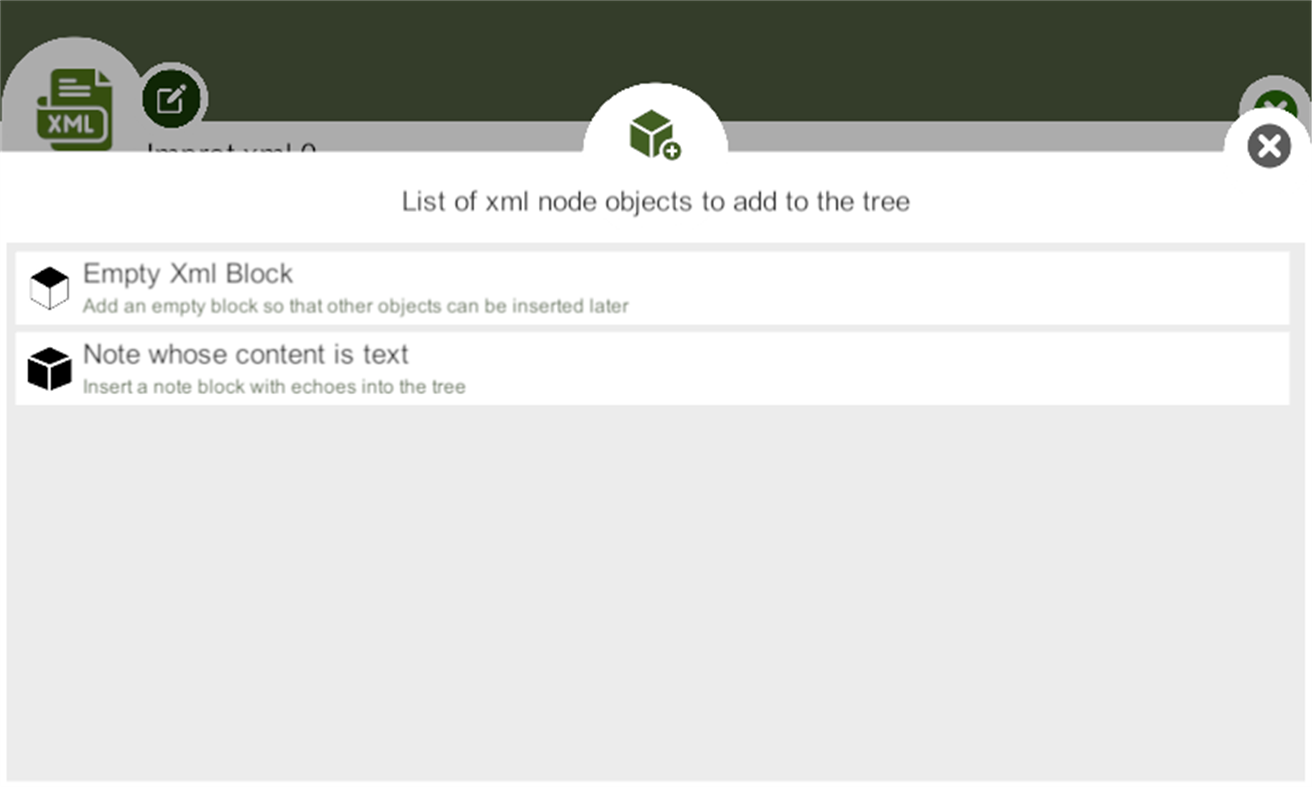
In designer mode, users can create or edit an XML document using a visual interface that allows them to drag and drop elements, set attributes, and format the structure of the document without having to write the code. Designer mode is ideal for users who are new to XML or prefer a more intuitive interface.
The XML editor application provides an array of features such as syntax highlighting, auto-completion, validation, and formatting that help users to create well-formed and error-free XML documents. The application also allows users to validate their XML files against a DTD or XSD schema and provides a preview of the final result.
The XML editor's designer mode offers an intuitive interface for creating XML documents. The designer mode typically provides a tree view of the XML document, allowing users to navigate and modify the document structure. Users can select elements from a palette of available elements and drag them onto the document's tree view. The designer mode also allows users to set element attributes and values by filling out a form.
In summary, an XML editor application with a designer function provides users with two modes of editing, code and designer mode, allowing users with varying degrees of expertise to work with XML documents. The XML editor application offers an array of features to make XML document creation, editing, and manipulation more straightforward and more efficient.
Ad
Capturas...
Historial de precios
-
* Compras en la aplicación - Precio actual: Gratis
- Mínimo: Gratis
- Máximo: Gratis
Realizar un seguimiento de los precios
Información adicional
- Fecha de lanzamiento:
- Categoría:
Windows Aplicaciones›Herramientas de desarrollo - Sistemas operativos:
HoloLens,Mobile,PC,Surface Hub - Tamaño:
78 Mb - Idiomas admitidos:
English - Clasificación de contenido:
EVERYONE - Windows Store Puntuación:
1.0(2)
 https://carrotstore.web.app/?page=app&id=Xml%20Editor
Novedades
- Versión: PC
- Actualizado:
Desarrollador
- Carrot App
- Plataformas: Windows Aplicaciones (6) Windows Juegos (22)
- Listas: 1 + 0
- Puntos: 3 + 124 ¡
- Clasificaciones: 0
- Comentarios: 0
- Descuentos: 0
- Vídeos: 0
- RSS: Suscribirse
Listas (0)
0 ☹️
- Xml Editor
Puntos (1)
-

- 59 codehai
- +1

Clasificaciones (0)
0 ☹️
Comentarios (0)
Sé el primero en comentar 🌟
«Xml Editor». Plataforma: Windows. Categoría: Herramientas de desarrollo. Desarrollador: «Carrot App». Primer lanzamiento: . Última actualización: . Precio actual: gratis. Este título aún no ha recibido calificaciones ni reseñas en AppAgg. Puntos rastreados: confirmados 1, indirectos 2. Tienda: Windows Store. Calificación de la tienda: 1.0. Votos: 2. Idiomas disponibles: English. AppAgg rastrea el historial de precios, las calificaciones y los comentarios de los usuarios para «Xml Editor». Siga futuros descuentos y actualizaciones a través de RSS. AppAgg no aloja aplicaciones ni distribuye software. Todas las marcas comerciales, logotipos y capturas de pantalla pertenecen a sus respectivos propietarios.
Xml Editor URL corta: Copiado!- 🌟 Compartir
- Windows Store
Similares
-
- JSON XML Editor
- Windows Aplicaciones: Herramientas de desarrollo De: Reverse Engineering Consultants, LLC
- * Gratis
- Listas: 0 + 1 0 0
- Puntos: 1 + 29 (3.3) Versión: PC The JSON XML Editor provides an alternative way to View, Create, Edit, and Convert JSON and XML Files. Based on the concept that XML and JSON files are organized in a tree structure ... ⥯
-
- XML Copy Editor Store Edition
- Windows Aplicaciones: Herramientas de desarrollo De: Hauke Hasselberg
- Gratis
- Listas: 0 + 1 0 0
- Puntos: 2 + 9 (4.4) Versión: PC XML Copy Editor is an XML editor with DTD/XML Schema/RELAX NG validation, XSLT, XPath, pretty-printing, syntax highlighting, folding, tag completion and tag locking. ⥯
-
- XML Hub
- Windows Aplicaciones: Herramientas de desarrollo De: Aadhil RF
- $1.49
- Listas: 0 0 0
- Puntos: 1 Versión: PC XML Hub is a modern Windows app for working with XML. Edit, validate, and transform XML instantly, no internet required. Convert to JSON, YAML, CSV/TSV, TOON, HTML, Markdown, TOML or ... ⥯
-
- Serris Code Editor
- Windows Aplicaciones: Herramientas de desarrollo De: Seeriis
- Gratis
- Listas: 1 0 0
- Puntos: 3 + 47 (3.6) Versión: PC Serris Code Editor is a open source code editor for UWP (compatible with Windows 10 S, ARM, Desktop and Hololens) and available for free with no ads in the Microsoft Store ! The editor ⥯
-
- Notepad Editor
- Windows Aplicaciones: Herramientas de desarrollo De: CSTRSK
- * Gratis
- Listas: 0 0 0
- Puntos: 0 + 31 (3.8) Versión: PC Notepad Editor is a multifunctional text editor with which you can easily edit Batch | .bat , C-Sharp | .cs , Cascading Style Sheets | .css , Hypertext Markup Language | .html , ... ⥯
-
- Poet ^ Text Editor
- Windows Aplicaciones: Herramientas de desarrollo De: Makeloft Studio
- Gratis
- Listas: 0 0 0
- Puntos: 0 + 6 (4.0) Versión: PC Poet is an elaborated text editor for Windows with a friendly interface. Simple and free. Application features: rhymer detail thoughtful dialogue to save files multiple document ... ⥯
-
- SCADAvis.io Synoptic Editor
- Windows Aplicaciones: Herramientas de desarrollo De: DSC_Systems
- $19.99
- Listas: 1 0 0
- Puntos: 0 Versión: PC SCADAvis.io Synoptic Editor is a powerful tool to create synoptic graphics that can be animated with real-time data on any modern web browser (mobile or desktop). This editor is based ... ⥯
-
- HTML:Editor Pro
- Windows Aplicaciones: Herramientas de desarrollo De: Aurora Byte
- $4.59
- Listas: 0 0 0
- Puntos: 0 Versión: PC "HTML:Editor Pro" is your indispensable Windows app for HTML editing and web development. With its user-friendly interface and robust features, this powerful tool simplifies the ... ⥯
-
- Hexee Pro - Color Editor & Tools
- Windows Aplicaciones: Herramientas de desarrollo De: Alberto Malagoli
- $9.99
- Listas: 0 0 0
- Puntos: 0 Versión: PC Hexee Pro is a set of advanced color tools for designers and artists. With it, you can create, edit, and organize your color palettes, fine-tune colors, generate tints and shades, and ... ⥯
-
- ResX/ResW Editor & Translator
- Windows Aplicaciones: Herramientas de desarrollo De: neolib.net
- $1.99
- Listas: 0 0 0
- Puntos: 0 Versión: PC This app is a handy tool for Microsoft Visual Studio developers and authors for localizing/translating resource files. * All functions are fully integrated in a single window; user ... ⥯
-
- Flow CSV Editor
- Windows Aplicaciones: Herramientas de desarrollo De: Waveworks
- $6.99
- Listas: 0 0 0
- Puntos: 0 + 3 (5.0) Versión: PC Flow CSV Editor is a light-weight tool for viewing, plotting and editing time series data files in CSV format. It's designed to be extremely quick and easy to use. It opens any valid ... ⥯
-
- Smart Web Editor
- Windows Aplicaciones: Herramientas de desarrollo De: GenuiSoft IT
- $5.99
- Listas: 0 0 0
- Puntos: 0 + 1 (5.0) Versión: PC This software is web editor environment for help Web designer or any user to create web page content without code. You are many options for create your web pages with HTML and Css ... ⥯
-
- OpenType SVG Font Editor
- Windows Aplicaciones: Herramientas de desarrollo De: Rick Manning
- Gratis
- Listas: 0 + 1 0 0
- Puntos: 0 + 7 (3.9) Versión: PC A user-friendly, open-source tool for embedding SVG glyphs in an OpenType font. Designed and built by Microsoft interns, this app simplifies the process of creating SVG-based icon ... ⥯
-
- SQL Server Description Editor
- Windows Aplicaciones: Herramientas de desarrollo De: Eden Wu
- Gratis
- Listas: 0 0 0
- Puntos: 0 + 2 (5.0) Versión: PC 1. The "Description" comment on Table or Field in SQL Server. 2. Can be exported into Excel file for easy editing, and import after the updated the Excel file. 3. Native mode app. ... ⥯